
Android笔记(二十八) Android中图片之简单图片使用
用户界面很大程度上决定了APP是否被用户接收,为了提供友好的界面,就需要在应用中使用图片了,Android提供了丰富的图片处理功能。
简单使用图片
使用Drawable对象
为Android应用增加了Drawable资源之后,系统会自动在R.java文件中创建一个索引项:R.drawable.fileName,然后在Java中可以通过R.drawable.fileName来获取到该资源的索引(一个int类型的常量),如果要获取实际的Drawable对象,则可以调用Resources的getDrawable(int id)方法来获取。
ImageView image = (ImageView) findViewById(R.id.image);

image.setImageResource(R.drawable.pic1);
Bitmap和BitmapFactory
Bitmap代表一张位图,BitmapDrawable里封装的图片是一个Bitmap对象。开发者为了把一个Bitmap对象包装成一个BitmapDrawable对象,可以调用BitmapDrawable的构造器:
BitmapDrawable bd = new BitmapDrawable(bitmap);
如果需要获取BitmapDrawable所包装的Bitmap对象,则可调用BitmapDrawable的getBitmap()方法
Bitmap bitmap = drawable.getBitmap();
BitmapFactory是一个工具类,用于从不同的数据源来解析、创建Bitmap对象
BitmapFactory提供了一系列方法来帮助我们创建一个Bitmap对象,然后我们可以通过
imageView.setImageBitmap(Bitmap bm)
来更改一个ImageView显示的图像。
由于系统内容比较小,如果系统不停的去解析、创建Bitmap对象,可能会有内存溢出错误,所以Android为Bitmap提供了两个方法来判断它是否已经回收,如果没有,则强制Bitmap回收自己
    boolean isRecycled();    判断该Bitmap对象是否已被回收

    void recycle()    强制Bitmap对象回收自己
一个例子:
package cn.lixyz.bitmaptest;

import android.app.Activity;

import android.content.res.AssetManager;

import android.graphics.BitmapFactory;

import android.graphics.drawable.BitmapDrawable;

import android.os.Bundle;

import android.view.View;

import android.widget.Button;

import android.widget.ImageView;

import java.io.IOException;

import java.io.InputStream;

import java.util.ArrayList;

public class MainActivity extends Activity implements View.OnClickListener {

    private ImageView imageView;

    private ArrayList<String> images;

    private Button btnNext;

    private Button btnLast;

    private int index = 0;

    private AssetManager am;

    public void onCreate(Bundle savedInstanceState) {

        super.onCreate(savedInstanceState);

        setContentView(R.layout.activity_main);

        //获得组件

        imageView = (ImageView) findViewById(R.id.image);

        btnNext = (Button) findViewById(R.id.next);

        btnLast = (Button) findViewById(R.id.last);

        //调用getImages方法,获取assets下的图片集合

        getImages();

        //点击按钮

        btnNext.setOnClickListener(this);

        btnLast.setOnClickListener(this);

    }

    /**

     * 因为assets下不光有图片,还会有其他的目录或文件,需要将图片甄别出来存到一个list中当作数据源

     */

    public void getImages() {

        String[] tmpImgs = null;

        images = new ArrayList<String>();

        //getAssets()方法可以获得AssetManager对象

        am = getAssets();

        try {

            //获取asset下内容list

            tmpImgs = am.list("");

            //挑出.jpg文件,存入list中

            for (int i = 0; i < tmpImgs.length; i++) {

                if (tmpImgs[i].endsWith(".jpg")) {

                    images.add(tmpImgs[i]);

                }

            }

        } catch (IOException e) {

            e.printStackTrace();

        }

    }

    /**

     * 点击按钮事件

     *

     * @param v view对象,用于判断点击的是什么按钮

     */

    @Override

    public void onClick(View v) {

        switch (v.getId()) {

            case R.id.next:

                try {

                    index++;    //下标+1,用于显示下一张图片

                    if (index >= images.size()) {   //防止越界

                        index = 0;

                    }

                    //判断Bitmap是否已经回收,如果没有回收,则先回收

                    BitmapDrawable bd = (BitmapDrawable) imageView.getDrawable();

                    if (bd != null && !bd.getBitmap().isRecycled()) {

                        bd.getBitmap().recycle();

                    }

                    //AssetManager类的open方法,可以返回一个输入流

                    InputStream is = am.open(images.get(index));

                    //通过BitmapFactory的decodeStream()方法,改变显示图像

                    imageView.setImageBitmap(BitmapFactory.decodeStream(is));

                } catch (IOException e) {

                    e.printStackTrace();

                }

                break;

            case R.id.last:

                try {

                    index--;    //下标+1,用于显示下一张图片

                    if (index < 0) {    //防止越界

                        index = images.size() - 1;

                    }

                    //判断Bitmap是否已经回收,如果没有回收,则先回收

                    BitmapDrawable bd = (BitmapDrawable) imageView.getDrawable();

                    if (bd != null && !bd.getBitmap().isRecycled()) {

                        bd.getBitmap().recycle();

                    }

                    //AssetManager类的open方法,可以返回一个输入流

                    InputStream is = am.open(images.get(index));

                    //通过BitmapFactory的decodeStream()方法,改变显示图像

                    imageView.setImageBitmap(BitmapFactory.decodeStream(is));

                } catch (IOException e) {

                    e.printStackTrace();

                }

                break;

        }

    }

}
MainActivity.java
<RelativeLayout xmlns:android="http://schemas.android.com/apk/res/android"

    xmlns:tools="http://schemas.android.com/tools"

    android:layout_width="match_parent"

    android:layout_height="match_parent"

    android:orientation="vertical"

    tools:context=".MainActivity">

    <LinearLayout

        android:layout_width="match_parent"

        android:layout_height="wrap_content"

        android:gravity="center">

        <ImageView

            android:id="@+id/image"

            android:layout_width="wrap_content"

            android:layout_height="wrap_content"

            android:layout_gravity="center" />

    </LinearLayout>

    <LinearLayout

        android:id="@+id/buttons"

        android:layout_width="match_parent"

        android:layout_height="wrap_content"

        android:layout_alignParentBottom="true"

        android:layout_gravity="bottom"

        android:orientation="horizontal">

        <Button

            android:id="@+id/last"

            android:layout_width="wrap_content"

            android:layout_height="wrap_content"

            android:layout_weight="1"

            android:text="上一张" />

        <Button

            android:id="@+id/next"

            android:layout_width="wrap_content"

            android:layout_height="wrap_content"

            android:layout_weight="1"

            android:text="下一张" />

    </LinearLayout>

</RelativeLayout>
activity_main.xml
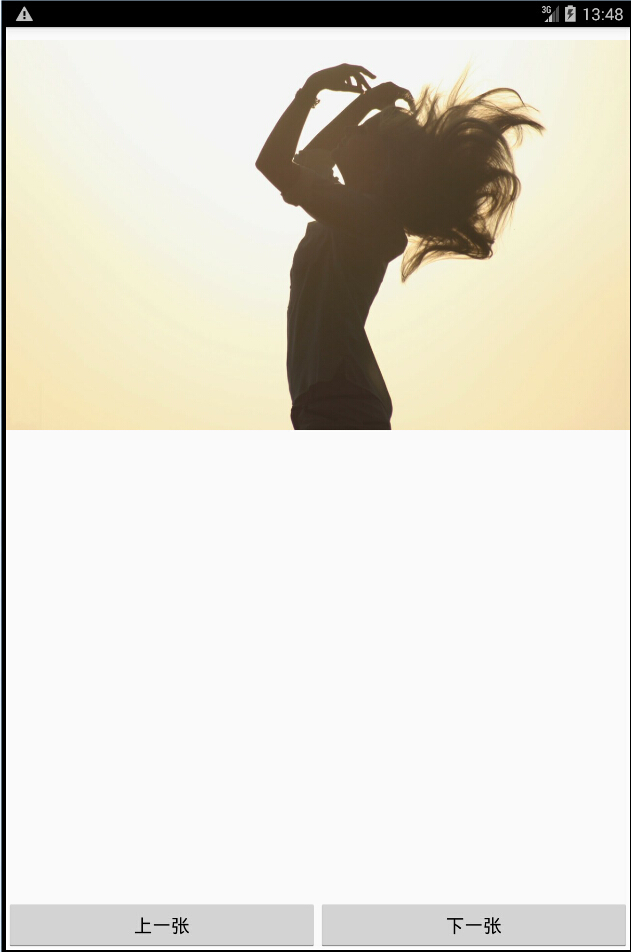
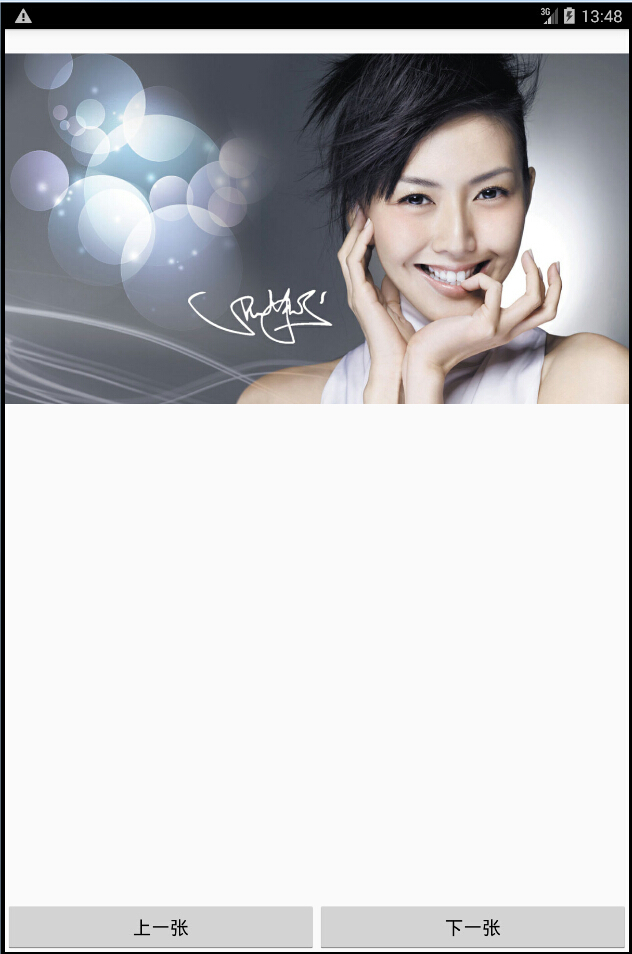
运行结果:
Android笔记(二十八) Android中图片之简单图片使用的更多相关文章
- Android笔记二十四.Android基于回调的事件处理机制
假设说事件监听机制是一种托付式的事件处理,那么回调机制则与之相反,对于基于回调的事件处理模型来说,事件源和事件监听器是统一的,或者说事件监听器全然消失了,当用户在GUI控件上激发某个事件时,控 ...
- Java学习笔记二十八:Java中的接口
Java中的接口 一:Java的接口: 接口(英文:Interface),在JAVA编程语言中是一个抽象类型,是抽象方法的集合,接口通常以interface来声明.一个类通过继承接口的方式,从而来继承 ...
- Android进阶(二十八)上下文菜单ContextMenu使用案例
上下文菜单ContextMenu使用案例 前言 回顾之前的应用程序,发现之前创建的选项菜单无法显示了.按照正常逻辑来说,左图中在"商品信息"一栏中应该存在选项菜单,用户可进行分享等 ...
- Android笔记(七十五) Android中的图片压缩
这几天在做图记的时候遇第一次遇到了OOM,好激动~~ 追究原因,是因为在ListView中加载的图片太大造成的,因为我使用的都是手机相机直接拍摄的照片,图片都比较大,所以在加载的时候会出现内存溢出,那 ...
- Android笔记(六十六) android中的动画——XML文件定义属性动画
除了直接在java代码中定义动画之外,还可以使用xml文件定义动画,以便重用. 如果想要使用XML来编写动画,首先要在res目录下面新建一个animator文件夹,所有属性动画的XML文件都应该存放在 ...
- Android笔记(六十五) android中的动画——属性动画(propertyanimation)
补间动画只能定义起始和结束两个帧在“透明度”.“旋转”.“倾斜”.“位移”4个方面的变化,逐帧动画也只能是播放多个图片,无法满足我们日常复杂的动画需求,所以谷歌在3.0开始,推出了属性动画(prope ...
- Android笔记(六十八) Fragment总结
Fragment的产生: 为了适应各种尺寸的屏幕,谷歌推出Fragment,可以把Fragment成Activity的一个组成部分,它拥有自己的生命周期.可以接收并处理用户的各种事件,还可以动态的增删 ...
- Android笔记(十八) 下拉列表(Spinner)
App中常用的控件——下拉列表(Spinner),提供特定选择供用户选择 Spinner每次只能选择一个部件,它的选项来自于与之相关联的适配器(apater)中. MainActivity.java ...
- Android笔记(十) Android中的布局——表格布局
TableLayout运行我们使用表格的方式来排列控件,它的本质依然是线性布局.表格布局采用行.列的形式来管理控件,TableLayout并不需要明确的声明包含多少行多少列,而是通过添加TableRo ...
- Android笔记(六十四) android中的动画——补间动画(tweened animation)
补间动画就是只需要定义动画开始和结束的位置,动画中间的变化由系统去补齐. 补间动画由一下四种方式: 1.AplhaAnimation——透明度动画效果 2.ScaleAnimation ——缩放动画效 ...
随机推荐
- 在 ServiceModel 客户端配置部分中,找不到引用协定“WebServiceSoap”的默认终结点元素。这可能是因为未找到应用程序的配置文件,或者是因为客户端元素找不到与此协定匹配的终结点元素(转)
按语: 在项目中实现自动升级过程,在类库中调用webservice取升级update.xml文件,添加服务调用,但在类库中调用时就出现异常,但在简单的测试工程中没有问题.解决方法采用下面介绍的方法 在 ...
- 利用SynchronizationContext.Current在线程间同步上下文(转)
https://blog.csdn.net/iloli/article/details/16859605 简而言之就是允许一个线程和另外一个线程进行通讯,SynchronizationContext在 ...
- 超详细的Tensorflow模型的保存和加载(理论与实战详解)
1.Tensorflow的模型到底是什么样的? Tensorflow模型主要包含网络的设计(图)和训练好的各参数的值等.所以,Tensorflow模型有两个主要的文件: a) Meta graph: ...
- 继400G后,QSFP-DD800G会是下一个风口吗?
数据中心市场作为光通信企业的主要战场,近三年400G的热度一直都在持续,虽有Facebook F16继续选用100G架构给市场泼了一些冷水等插曲存在,但近日随着阿里巴巴硅光400G QSFP-DD D ...
- C#等比例缩放图片
等比例缩放图片(C#) private Bitmap ZoomImage(Bitmap bitmap, int destHeight, int destWidth) { try { System.Dr ...
- Python标准库: functools (cmp_to_key, lru_cache, total_ordering, partial, partialmethod, reduce, singledispatch, update_wrapper, wraps)
functools模块处理的对象都是其他的函数,任何可调用对象都可以被视为用于此模块的函数. 1. functools.cmp_to_key(func) 因为Python3不支持比较函数,cmp_to ...
- gitlab 重置密码
sudo gitlab-rails console production --------------------------------------------------------------- ...
- log4j向指定文件输出日志
一.log4j.properties中的配置 log4j.logger.cache=INFO,ERROR,batchFile log4j.addivity.batchFile=false log4j. ...
- 快速搭建ssh项目
环境:oracle11g.myeclipse2014 首先在web项目中添加spring框架 现在已经添加完spring框架了 然后我们开始添加Hibernate框架 到这一步Hibernate框架就 ...
- (三)Spring Boot 官网文档学习之默认配置
文章目录 继承 `spring-boot-starter-parent` 覆盖默认配置 启动器 原文地址:https://docs.spring.io/spring-boot/docs/2.1.3.R ...