
把若依管理系统部署到Linux
一、前言
1、非常感谢若依作者为大家提供的非常优质的开源web项目,非常感谢!!!
2、若依官方文档:http://doc.ruoyi.vip/ruoyi/
3、若依官方链接:
1)若依管理系统官方体验地址:http://vue.ruoyi.vip/login?redirect=%2Findex
2)若依官网:http://www.ruoyi.vip/
3)RuoYi源码地址:https://gitee.com/y_project/RuoYi
4)RuoYi-Vue(前后端分离版本)地址:https://gitee.com/y_project/RuoYi
二、部署前工作
1、系统:阿里云 centOs8
2、安装并配置好以下应用软件
1)jdk1.8 +

2)maven

3)MySQL

4)nginx

5)Redis

三、前端工程
1、执行:npm install

1)报错:
ReferenceError: primordials is not defined
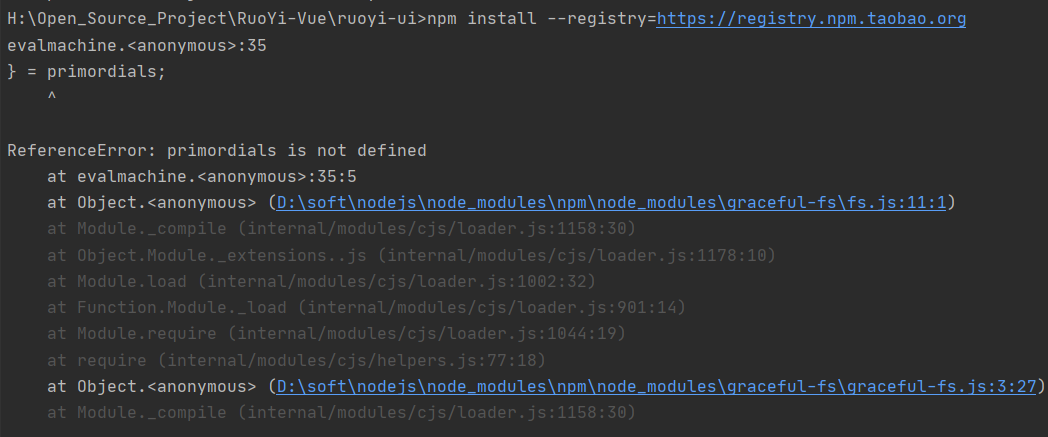
2)解决办法:
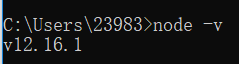
A:打开cmd: node -v 查看nodejs的版本
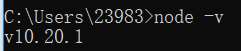
这个必须要nodejs10+的版本,我是12.16版本就不行
B:去官网下载nodejs10+的版本来安装:https://nodejs.org/dist/latest-v10.x/
3)报错:
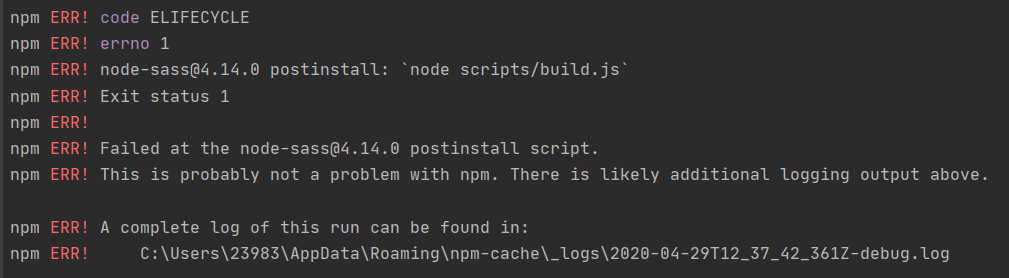
4)解决:node-sass 的数据源没设置 --> npm config set sass_binary_site=https://npm.taobao.org/mirrors/node-sass
再重新 npm install --> OK
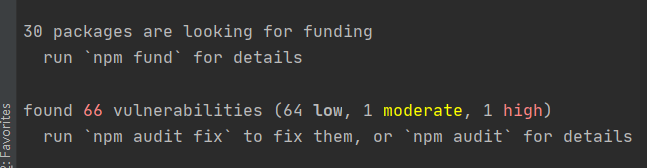
2、执行:npm install --registry=https://registry.npm.taobao.org

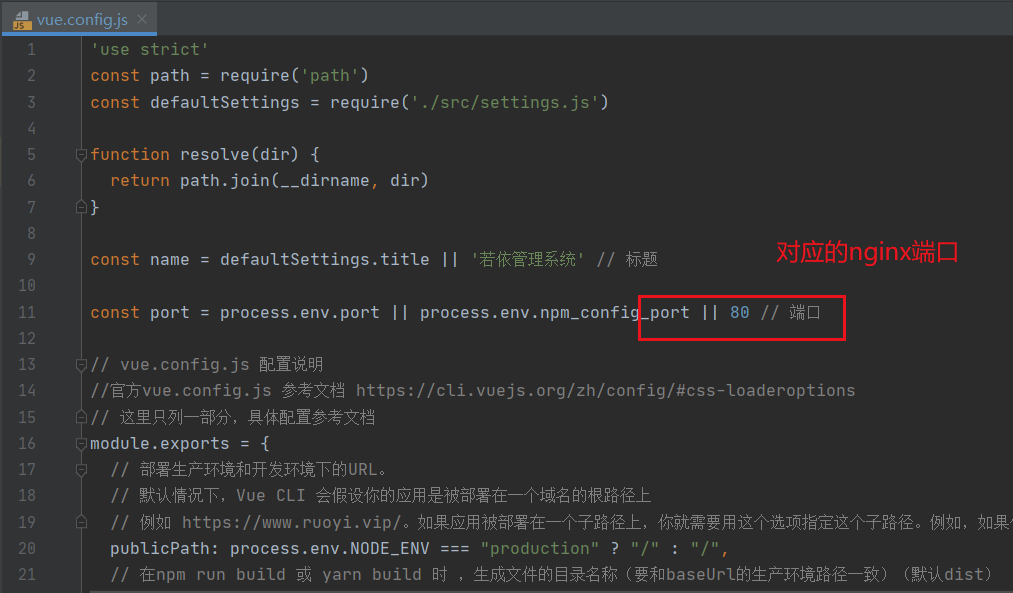
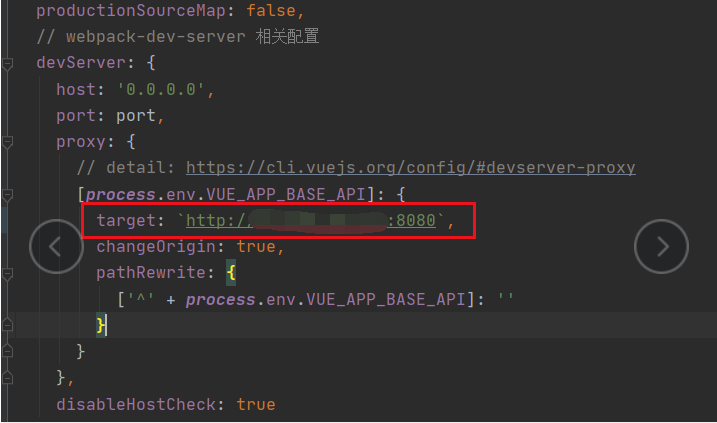
3、修改配置文件中的两个端口号
1)nginx端口
2)后端地址及端口(这个端口就是连接后端的,所以,这个端口要和后端工程application.yaml中的端口配置相同)
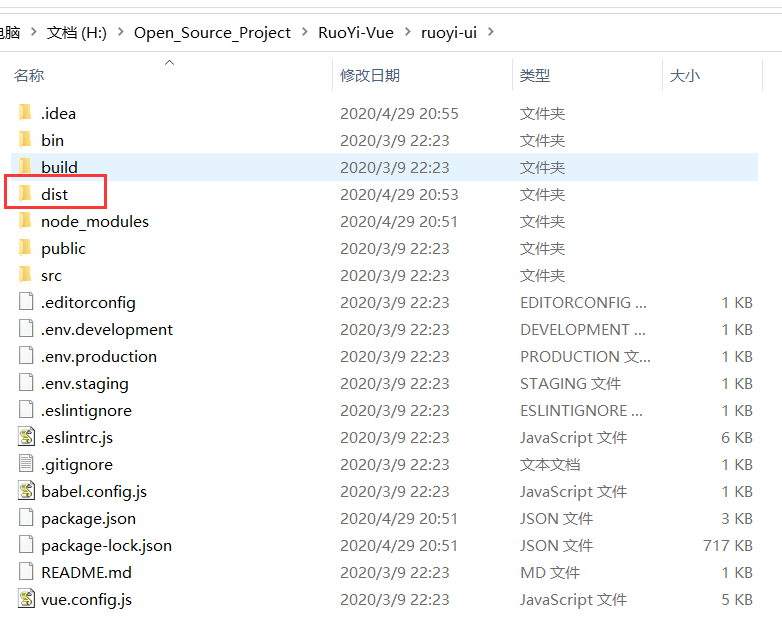
4、执行:npm run build:prod

四、后端工程
1、修改数据库地址、用户名、密码
2、修改端口号(这个端口号要和前端工程的端口号相一致)
3、去后端工程的bin目录下
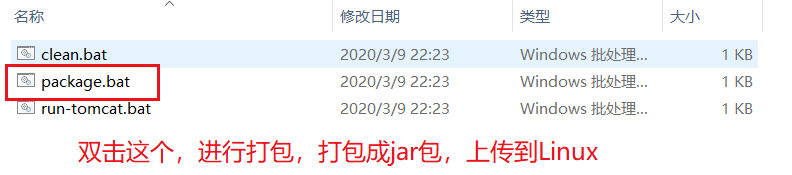
4、在Linux下新建一个目录(我自己新建的 /usrl/local/web),专门用来装前后端工程。把前后端工程上传到Linux的nginx中
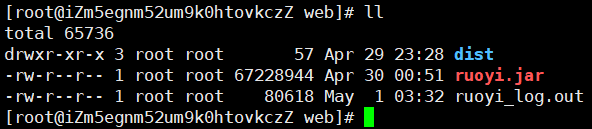
5、配置nginx的配置文件
1)把里面的 server_name 改成自己的阿里云IP地址
2)再配置指向后端工程的反向代理
#user  nobody;

worker_processes  ;

#error_log  logs/error.log;

#error_log  logs/error.log  notice;

#error_log  logs/error.log  info;

#pid        logs/nginx.pid;

events {

    worker_connections  ;

}

http {

    include       mime.types;

    default_type  application/octet-stream;

    #log_format  main  '$remote_addr - $remote_user [$time_local] "$request" '

    #                  '$status $body_bytes_sent "$http_referer" '

    #                  '"$http_user_agent" "$http_x_forwarded_for"';

    #access_log  logs/access.log  main;

    sendfile        on;

    #tcp_nopush     on;

    #keepalive_timeout  ;

    keepalive_timeout  ;

    #gzip  on;

    server {

        listen       ;

        server_name  IP地址;  # 别写localhost

        #charset koi8-r;

        #access_log  logs/host.access.log  main;

        location / {

            root   /usr/local/web/dist;  # 前端工程的目录

            index  index.html;  # 前端页面

            try_files $uri $uri/ /index.html;

        }

        location /prod-api/ {  # 反向代理到后端工程

            proxy_set_header Host $http_host;

            proxy_set_header X-Real-IP $remote_addr;

            proxy_set_header REMOTE-HOST $remote_addr;

            proxy_set_header X-Forwarded-For $proxy_add_x_forwarded_for;

            proxy_pass http://localhost:8080/;

        }

        #error_page                /.html;

        # redirect server error pages to the static page /50x.html

        #

        error_page        /50x.html;

        location = /50x.html {

            root   html;

        }

        # proxy the PHP scripts to Apache listening on 127.0.0.1:

        #

        #location ~ \.php$ {

        #    proxy_pass   http://127.0.0.1;

        #}

        # pass the PHP scripts to FastCGI server listening on 127.0.0.1:

        #

        #location ~ \.php$ {

        #    root           html;

        #    fastcgi_pass   127.0.0.1:;

        #    fastcgi_index  index.php;

        #    fastcgi_param  SCRIPT_FILENAME  /scripts$fastcgi_script_name;

        #    include        fastcgi_params;

        #}

        # deny access to .htaccess files, if Apache's document root

        # concurs with nginx's one

        #

        #location ~ /\.ht {

        #    deny  all;

        #}

    }

    # another virtual host using mix of IP-, name-, and port-based configuration

    #

    #server {

    #    listen       ;

    #    listen       somename:;

    #    server_name  somename  alias  another.alias;

    #    location / {

    #        root   html;

    #        index  index.html index.htm;

    #    }

    #}

    # HTTPS server

    #

    #server {

    #    listen        ssl;

    #    server_name  localhost;

    #    ssl_certificate      cert.pem;

    #    ssl_certificate_key  cert.key;

    #    ssl_session_cache    shared:SSL:1m;

    #    ssl_session_timeout  5m;

    #    ssl_ciphers  HIGH:!aNULL:!MD5;

    #    ssl_prefer_server_ciphers  on;

    #    location / {

    #        root   html;

    #        index  index.html index.htm;

    #    }

    #}

}
6、用后台的方式启动 后端工程:nohup java -jar ruoyi.jar > ruoyi_log.out &

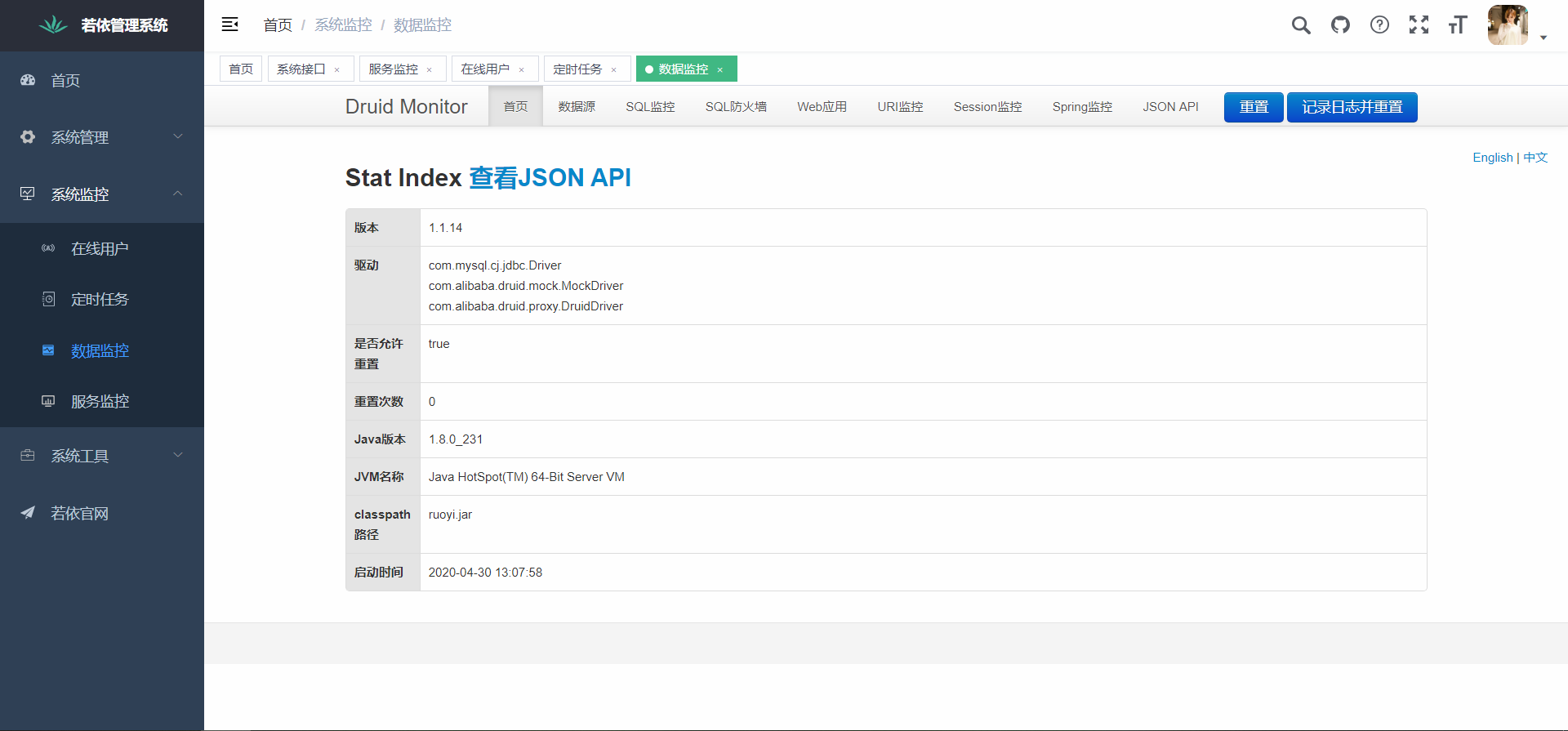
启动完成,用浏览器打开网址就可以了。

把若依管理系统部署到Linux的更多相关文章
- ASP.NET项目部署到Linux服务器出现服务器错误
在Linux系统中安装了Mono和Apache作为Web服务器,使用Visual Studio开发的ASP.NET Web应用或者API应用,在部署到Linux服务器后出现服务器错误,其中一个原因是由 ...
- 使用VS Code 开发.NET Core 应用程序 部署到Linux 跨平台
使用VS Code 开发.NET Core 应用程序 部署到Linux 跨平台. 前面讲解了VSCode开发调试 .NET Core.都只是在windows下运行. .NET Core真正的核心是跨平 ...
- 从零开始,将ASP.NET Core部署到Linux生产环境
研究.NET Core已经一段时间了,一直都是在Windows上开发,这2天尝试着将公司一个很简单的内部Web项目改造成了ASP.NET Core,并且部署到Linux上.生产环境如下: Linux ...
- mpdf部署到linux环境中遇到的问题
首先遇到的问题未:Error - mPDF requires mb_string functions. Ensure that PHP is compiled with php_mbstring.dl ...
- java web -部署在linux
概述: 初次将java web项目部署到linux上, 还是很顺利的, 基本上没有什么错误. 步骤: 1, 安装jdk(官网中说了很清晰了),在linux上安装安装jdk, 不想windows那样, ...
- NET Core站点部署到Linux服务器
.NET跨平台之旅:将QPS 100左右的ASP.NET Core站点部署到Linux服务器上 今天下午我们将生产环境中一个单台服务器 QPS(每秒请求数)在100左右的 ASP.NET Core 站 ...
- [问题解决] 程序部署到Linux服务器乱码
错误: 在windows下开发的eclipse项目需要用java mail发送邮件,在将整个项目部署到linux服务器之后发送的邮件出现了乱码. 发生场景: Linux服务器下的Java mail程序 ...
- 部署到Linux使用VS Code 开发.NET Core 应用程序
使用VS Code 开发.NET Core 应用程序 部署到Linux 跨平台 使用VS Code 开发.NET Core 应用程序 部署到Linux 跨平台. 前面讲解了VSCode开发调试 .NE ...
- 新部署的linux web服务器error Host ‘*.*.*.*’ is not allowed to connect to this MySQL server
最近上头交给我个任务,把WINDOWS平台下开发的网站,部署在LINUX环境上. 把mysql安装好了,所有表单都导入没问题,然后代码都放在tomcat下的webapps文件夹下了,主页 面可以正常显 ...
随机推荐
- jQuery处理默认配置参数(将一个或多个对象的内容合并到目标对象)
问题 我们在封装一个函数时, 需要别人传递一个json对象作为参数, 而用户可能只传入部分参数, 这是就可以利用$extend()来与合并到默认JSON参数合并. // 程序需要的参数 var def ...
- unable to load script from assets 'index.android bundle'
在Android手机上运行React-native项目时 报错:unable to load script from assets 'index.android bundle' ,make sure ...
- 玩转SpringBoot之捣鼓 Redis
我们都知道,把首页数据放到Redis里,能够加快首页数据的访问速度.但是我们要如何准确又快速的将 Redis 整合到自己的 SpringBoot2.x 项目中呢?今天阿淼就带大家爬一爬其中的门门道道. ...
- win10 64位 MySQL 8.0 下载与安装
免安装版(超级棒的教程): 安装只需 Download .zip压缩文件 卸载只需 Delete 解压文件即可 https://blog.csdn.net/hzxOnlineOk/article/de ...
- 半导体质量管理_Stargate
监控您的SPC活动 生产质量指标概述 应定期评估统计信息,以便您可以更好地利用统计过程控制.通过这种方式,您可以快速发现质量缺陷并采取适当的措施做出反应.LineWorks STARGATE提供了生产 ...
- Python3笔记006 - 2.3 变量
第2章 python语言基础 python语法特点 保留字与标识符 变量 数据类型 运算符 输入和输出 2.3 变量 在python中,不需要先声明变量类型,直接赋值即可创建各种类型的变量. 1.定义 ...
- vue安装及创建项目的几种方式
原文地址:https://www.wjcms.net/archives/vue安装及创建项目的几种方式 VUE安装的方式 直接用 script标签 引入 对于制作原型或学习,你可以这样使用最新版本: ...
- Linux高并发网络编程开发——10-Linux系统编程-第10天(网络编程基础-socket)
在学习Linux高并发网络编程开发总结了笔记,并分享出来.有问题请及时联系博主:Alliswell_WP,转载请注明出处. 10-Linux系统编程-第10天(网络编程基础-socket) 在学习Li ...
- 03.springboot 整合RabbitMQ
1.引入依赖 <dependency> <groupId>org.springframework.boot</groupId> <artifactId> ...
- Java基础笔记05-06-07-08
五.今日内容介绍 1.方法基础知识 2.方法高级内容 3.方法案例 01方法的概述 * A: 为什么要有方法 * 提高代码的复用性 * B: 什么是方法 * 完成特定功能的代码块. 02方法的定义格式 ...