
记使用vue-awesome-swiper遇到的一些问题
一、vue-awesome-swiper的使用
1、在项目中全局引用
import VueAwesomeSwiper from 'vue-awesome-swiper'

// require styles

import 'swiper/dist/css/swiper.css'

Vue.use(VueAwesomeSwiper /* { default global options } */)
引入之后,在文件中直接使用
       <swiper :options="swiperOption" ref="mySwiper" @someSwiperEvent="callback">

            <!-- slides -->

            <swiper-slide  v-for="(item,index) in newCards" :key="index">

              <div class="swiper-slide-item">

                <div class="slide-img-wrap">

                  <img :src="item.image" />

                </div>

              </div>

            </swiper-slide>

            <!-- Optional controls -->

            <!-- <div class="swiper-pagination"  slot="pagination"></div>

            <div class="swiper-button-prev" slot="button-prev"></div>

            <div class="swiper-button-next" slot="button-next"></div>

            <div class="swiper-scrollbar"   slot="scrollbar"></div> -->

      </swiper>
2、在组件中局部
文件中导入
 import 'swiper/dist/css/swiper.css'

 import { swiper, swiperSlide } from 'vue-awesome-swiper'
注册组件
components: {

   swiper,

   swiperSlide

},
html中的写法和全局引入时的一样
二、问题
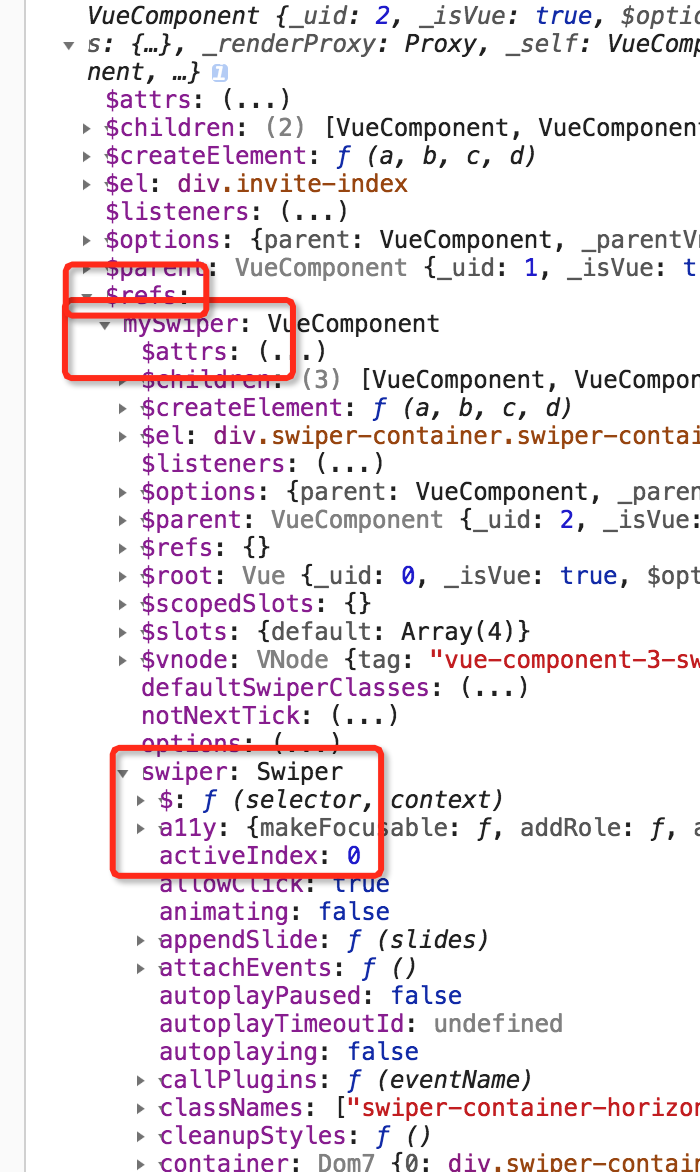
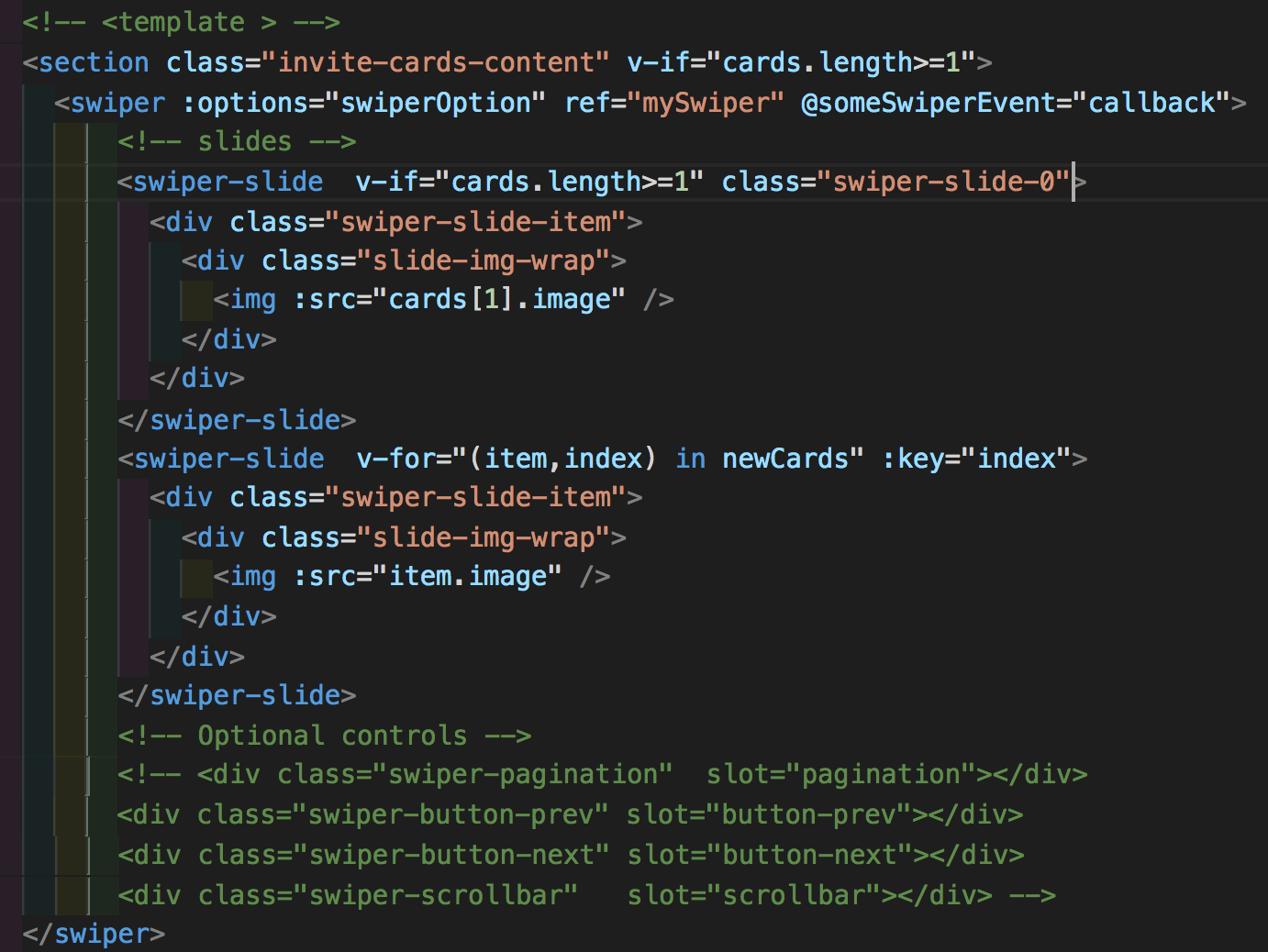
1、swiper外加了v-if,无法读取this.$refs,也就是通过this.$refs无法拿到swiper对象,无法在滑动卡片之后拿到我想要的当前的card的位置,去掉v-if通过this.$refs可以读到swiper对象。
打印this,可以看到有swiper对象,但是读出来却没有
data() {

    return {

      swiperOption: {

          width: 234,

          onSlideChangeStart: swiper => {

            let i = swiper.activeIndex;

            this.currentCardId = i

            console.log('index:', i)

          },

      }

    }

},
当前版本用的是swiper3,可以使用onSlideChangeStart方法来监听事件,从而获取到swiper对象,拿到当前元素的属性。
2、给swiper-slide动态添加class类,css无效。
所以我最终将需要给偏移值的第一个swiper-slide直接写死了class
总结:这两个问题都涉及到渲染问题。
未完待续。。。
记使用vue-awesome-swiper遇到的一些问题的更多相关文章
- vue引入swiper vue使用swiper vue脚手架使用swiper /引入js文件/引入css文件
vue引入swiper vue使用swiper vue脚手架使用swiper /引入js文件/引入css文件 ------------------------------------------- ...
- Vue与swiper想结合封装全屏轮播插件
项目需求介绍: 1.页面图文混排, 2.点击图片后全屏展示图片,并在底部显示文字,如果没有则不显示 3.关闭全屏后依然停留在上次浏览的位置 4.浏览图片时,不管点击的哪张图片,全屏展示的时候也要显示这 ...
- vue 使用swiper的一些问题(页面渲染问题)
//Swiper上下滚动初始化 swiper_init(){ this.$nextTick(function(){ var mySwiper = new Swiper ('.swiper-contai ...
- vue awaresome swiper的使用
main.jsimport VueAwesomeSwiper from 'vue-awesome-swiper'import 'swiper/dist/css/swiper.css'Vue.use(V ...
- 小程序和Vue利用swiper实现icons分页显示--动态计算
这里发现小程序实现步骤,Vue与之类似 先上效果图: <view class="icons"> <swiper indicator-dots="true ...
- vue使用swiper模块滑动时报错:[Intervention] Ignored attempt to cancel a touchmove event with cancelable=false, for example becaus
报错: vue报这个错 [Intervention] Ignored attempt to cancel a touchmove event with cancelable=false, for ex ...
- 轮播模仿臭美APP,vue,swiper
介绍:轮播使用了swiper,重要用于移动端滑动,详情可查看官网 1.首先用npm安装 npm install swiper 2.main.js 中引入CSS import 's ...
- vue封装swiper
参考:https://github.com/surmon-china/vue-awesome-swiper npm install vue-awesome-swiper --save 全局引入 imp ...
- vue添加swiper的正确方式亲测---切图网
在vue项目中,我们在做图片轮播的方式和传统切图不同,传统切图中我们一般采用非常强大的swiper来完成,而在vue中一般依赖vue-awesome-swiper组件来完成(vue-awesome-s ...
- Vue整合swiper报错Could not compile template .....swiper\dist\css\swiper.css解决办法
问题描述 今天做一个前端项目,安装幻灯片插件vue-awesome-swiper后 运行npm run dev 后报错如下: `ERROR Could not compile template E:\ ...
随机推荐
- cocos2dx九宫图使用方法
九宫格Sprite: itemBg = Scale9Sprite::create("pop/achieve_itembg.png");if(!itemBg)return false ...
- C#正则表达式语法教程
C#语法之正则 本文提供全流程,中文翻译. Chinar 坚持将简单的生活方式,带给世人!(拥有更好的阅读体验 -- 高分辨率用户请根据需求调整网页缩放比例) Chinar -- 心分享.心创新!助力 ...
- POJ3070 Fibonacci(矩阵快速幂加速递推)【模板题】
题目链接:传送门 题目大意: 求斐波那契数列第n项F(n). (F(0) = 0, F(1) = 1, 0 ≤ n ≤ 109) 思路: 用矩阵乘法加速递推. 算法竞赛进阶指南的模板: #includ ...
- PTA——猴子吃桃
PTA 7-35 猴子吃桃问题 #include<stdio.h> int main() { ; scanf("%d",&n); ; i<n; i++) ...
- C++ Tips
1. 虚函数不能是内联的 因为“内联”是指“在编译期间用被调用的函数体本身来代替函数调用的指令,”但是虚函数的“虚”是指“直到运行时才能知道要调用的是哪一个函数.”如果编译器在某个函数的调用点不知道具 ...
- django 有关session内部函数做法
session在set和调用时其实分别做了三步: def fileupload(request): request.session['k1'] = 'ppp' ''' .生成一个随机字符串 .set_ ...
- ubuntu shell插件
1. NetSpeed 在状态栏显示当前网速 2. Screenshot Tool 同样在 Ubuntu 18.04 之前我们使用 Shutter,但在Ubuntu 18.04 Shutter的托盘图 ...
- 《DSP using MATLAB》Problem 5.13
1. 代码: %% ++++++++++++++++++++++++++++++++++++++++++++++++++++++++++++++++++++++++++++++++ %% Output ...
- servlet创建项目过程中,servlet内容重写的两种搭建,tomcat的配置,class的存放位置,web.xml的搭建等注意事项与易错点
运行一个servlet项目:需要做这些前提工作: 1.配置tomcat,在server选项卡的设置也就基本的设置,HTTP port与JMX port等端口号:基本都是默认的.这里需要注意的是,有的教 ...
- “更新时间”字段的:ON UPDATE CURRENT_TIMESTAMP 含义
"更新时间"字段的:ON UPDATE CURRENT_TIMESTAMP 含义: 表示在数据库数据有更新的时候UPDATE_TIME的时间会自动更新(如果数据库数据值没有变化的话 ...