
23、springboot与缓存(1)
一、JSR107
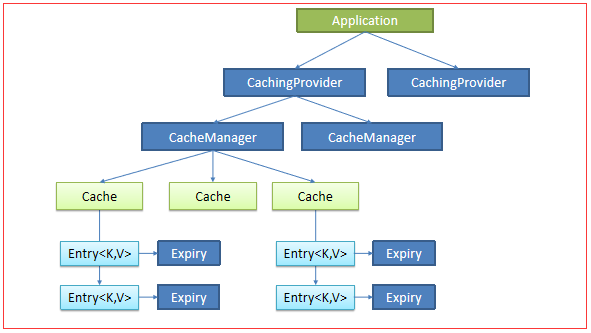
使用比较麻烦
二、Spring缓存抽象
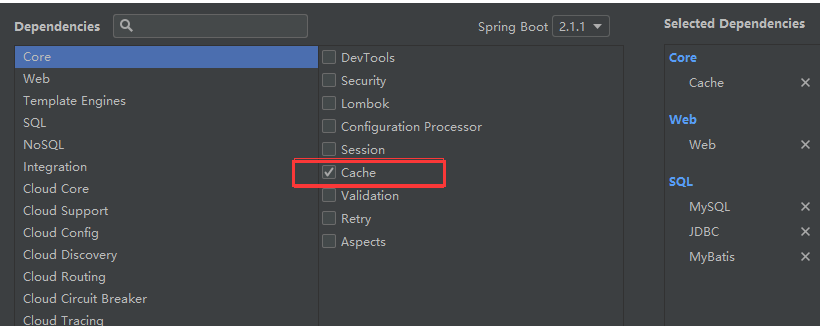
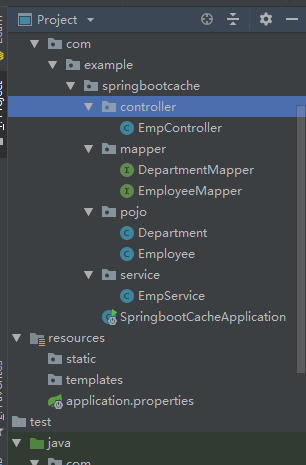
public class Department {

   private Integer id;

   private String departmentName;

   ...}
public class Employee {

   private Integer id;

   private String lastName;

   private String email;

   private Integer gender; //性别 1男  0女

   private Integer dId;

...}
public interface EmployeeMapper {

    @Select("SELECT * FROM employee WHERE id = #{id}")

    Employee getEmpById(Integer id);

    @Update("UPDATE employee SET lastName=#{lastName},email=#{email},gender=#{gender},d_id=#{dId} WHERE id=#{id}")

    public void updateEmp(Employee employee);

    @Delete("DELETE FROM employee WHERE id=#{id}")

    public void deleteEmpById(Integer id);

    @Insert("INSERT INTO employee(lastName,email,gender,d_id) VALUES(#{lastName},#{email},#{gender},#{dId})")

    public void insertEmployee(Employee employee);

    @Select("SELECT * FROM employee WHERE lastName = #{lastName}")

    Employee getEmpByLastName(String lastName);

}
@Service

public class EmpService {

    @Autowired

    EmployeeMapper employeeMapper;

    public Employee getEmp(Integer id){

        System.out.println("查询:" + id +"员工");

        Employee emp = employeeMapper.getEmpById(id);

        return emp;

    }

}
@Controller

public class EmpController {

    @Autowired

    EmpService empService;

    @ResponseBody

    @RequestMapping("/emp/{id}")

    public Employee getEmp(@PathVariable("id")Integer id){

        Employee emp = empService.getEmp(id);

        return emp;

    }

}
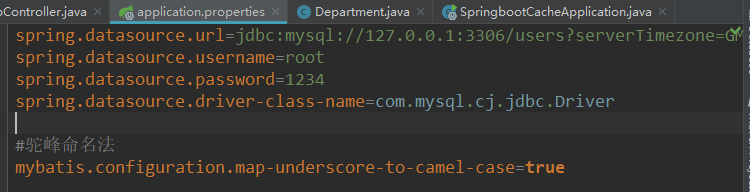
测试:
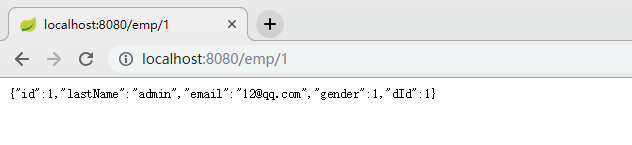
使用缓存:
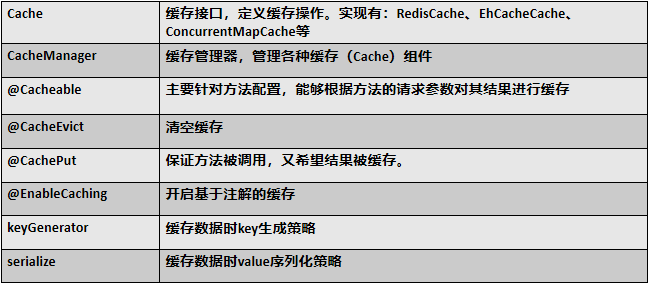
在主程序中:开启缓存
@MapperScan("com.example.springbootcache.mapper")

@SpringBootApplication

@EnableCaching

public class SpringbootCacheApplication {

    public static void main(String[] args) {

        SpringApplication.run(SpringbootCacheApplication.class, args);

    }

}
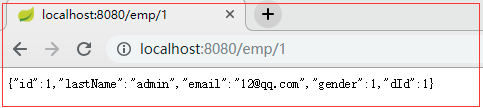
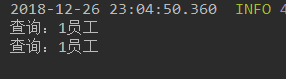
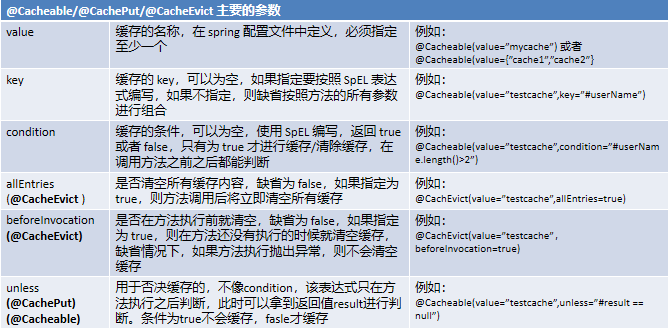
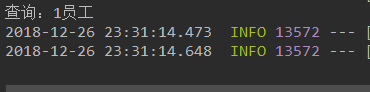
此时页面连续请求两次:
@Cacheable

public Employee getEmp(Integer id){

    System.out.println("查询:" + id +"员工");

    Employee emp = employeeMapper.getEmpById(id);

    return emp;

}
@Cacheable(cacheNames ="e" )

public Employee getEmp(Integer id){

    System.out.println("查询:" + id +"员工");

    Employee emp = employeeMapper.getEmpById(id);

    return emp;

}
此时刷新很多遍依然只打印一次
三、缓存原理

@Configuration

@ConditionalOnClass({CacheManager.class})

@ConditionalOnBean({CacheAspectSupport.class})

@ConditionalOnMissingBean(

    value = {CacheManager.class},

    name = {"cacheResolver"}

)

@EnableConfigurationProperties({CacheProperties.class})

@AutoConfigureAfter({CouchbaseAutoConfiguration.class, HazelcastAutoConfiguration.class, HibernateJpaAutoConfiguration.class, RedisAutoConfiguration.class})

//给容器导入一些组件

@Import({CacheAutoConfiguration.CacheConfigurationImportSelector.class})

public class CacheAutoConfiguration {

...

    public String[] selectImports(AnnotationMetadata importingClassMetadata) {

        CacheType[] types = CacheType.values();

        String[] imports = new String[types.length];

        for(int i = ; i < types.length; ++i) {

            imports[i] = CacheConfigurations.getConfigurationClass(types[i]);

        }

        return imports;

    }

}

}
public String[] selectImports(AnnotationMetadata importingClassMetadata)中的return imports;
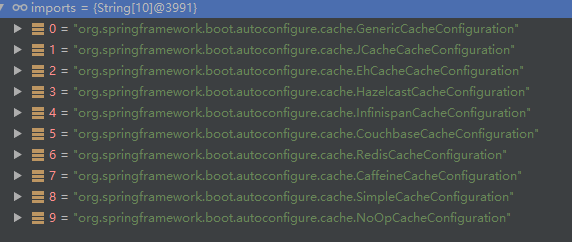
在配置文件中:判断那个缓存是生效的
debug=true

由图可知是SimpleCacheConfiguration 缓存类

@Configuration

@ConditionalOnMissingBean({CacheManager.class})

@Conditional({CacheCondition.class})

class SimpleCacheConfiguration {

    private final CacheProperties cacheProperties;

    private final CacheManagerCustomizers customizerInvoker;

    SimpleCacheConfiguration(CacheProperties cacheProperties, CacheManagerCustomizers customizerInvoker) {

        this.cacheProperties = cacheProperties;

        this.customizerInvoker = customizerInvoker;

    }

    @Bean

    public ConcurrentMapCacheManager cacheManager() {

        ConcurrentMapCacheManager cacheManager = new ConcurrentMapCacheManager();

        List<String> cacheNames = this.cacheProperties.getCacheNames();

        if (!cacheNames.isEmpty()) {

            cacheManager.setCacheNames(cacheNames);

        }

        return (ConcurrentMapCacheManager)this.customizerInvoker.customize(cacheManager);

    }

}

@Nullable

public Cache getCache(String name) {

    Cache cache = (Cache)this.cacheMap.get(name);

    if (cache == null && this.dynamic) {

        ConcurrentMap var3 = this.cacheMap;

        synchronized(this.cacheMap) {

        cache = (Cache)this.cacheMap.get(name);

            if (cache == null) {

                cache = this.createConcurrentMapCache(name);

                this.cacheMap.put(name, cache);

            }

        }

    }

        return cache;

}
按照名字取获取,如果为空则会创建一个缓存
运行流程:


其属性的使用:
key:数据库使用的key

此时的key就是 方法名+id; 即 getEmp[1]
@Configuration

public class MyConfig {

    @Bean("MyKeyGenerator")

    public KeyGenerator keyGenerator(){

        return  new KeyGenerator() {

            @Override

            public Object generate(Object o, Method method, Object... objects) {

               //Objects事获得其输入的cache中的属性值

                return method.getName() +"[" + Arrays.asList(objects).toString()+"]";

            }

        };

    }

}

断点位置:
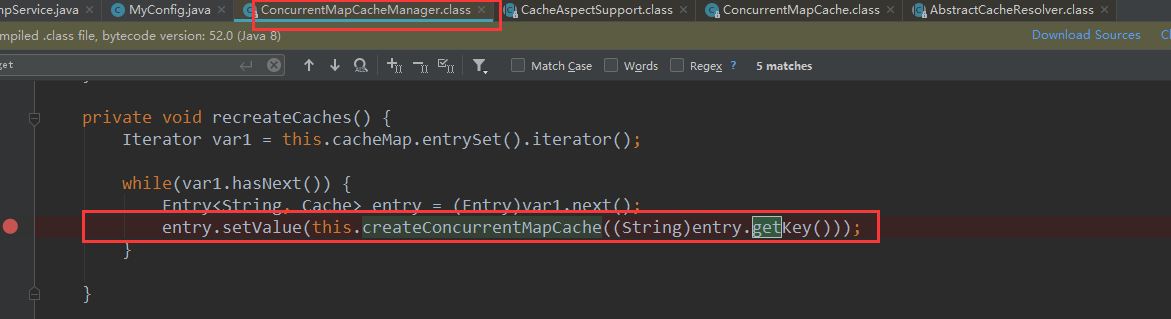
可以看到debug进入时的值: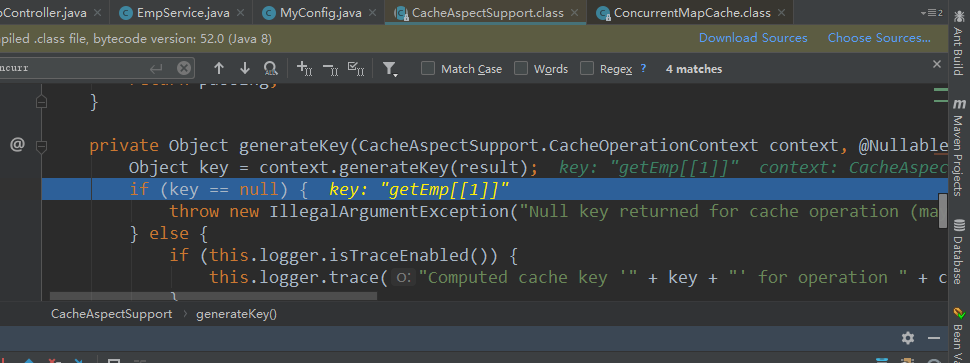
cacheManager:指定缓存管理器
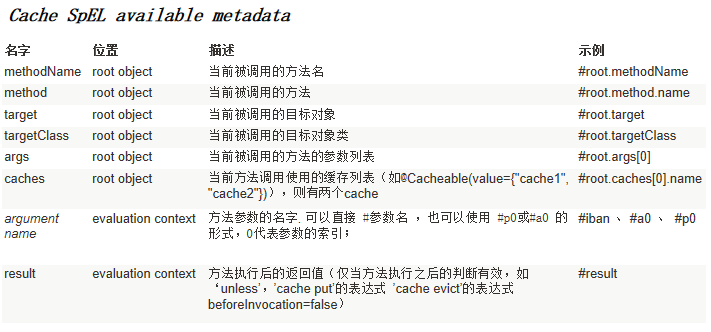
condition:

@Cacheable(cacheNames ="e", keyGenerator = "MyKeyGenerator",condition = "#a0>1")
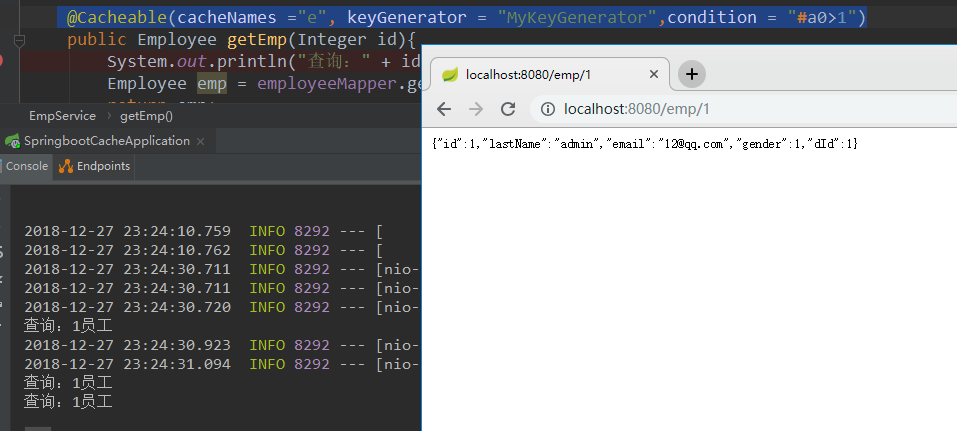
此时查询一次打印一次

23、springboot与缓存(1)的更多相关文章
- 带着新人学springboot的应用03(springboot+mybatis+缓存 下)
springboot+mybatis+缓存,基本的用法想必是会了,现在说一说内部大概的原理. 稍微提一下mybatis,只要导入了mybatis的依赖,那么有个自动配置类就会生效,你可以去mybati ...
- SpringBoot 与缓存
1. JSR107 Java Caching 定义了5个核心接口: CachingProvider:定义了创建,配置,获取,管理和控制多个CacheManager; CacheManager:定义了创 ...
- SpringBoot 整合缓存Cacheable实战详细使用
前言 我知道在接口api项目中,频繁的调用接口获取数据,查询数据库是非常耗费资源的,于是就有了缓存技术,可以把一些不常更新,或者经常使用的数据,缓存起来,然后下次再请求时候,就直接从缓存中获取,不需要 ...
- springboot redis 缓存对象
只要加入spring-boot-starter-data-redis , springboot 会自动识别并使用redis作为缓存容器,使用方式如下 gradle加入依赖 compile(" ...
- springboot~hazelcast缓存中间件
缓存来了 在dotnet平台有自己的缓存框架,在java springboot里当然了集成了很多,而且缓存的中间件也可以进行多种选择,向redis, hazelcast都是分布式的缓存中间件,今天主要 ...
- 带着新人学springboot的应用02(springboot+mybatis+缓存 中)
继续接着上一节,大家应该知道驼峰命名法吧!就是我们javabean中属性一般命名是lastName,userName这种类型的,而数据库中列名一般都是last_name,user_name这种的,要让 ...
- 带着新人学springboot的应用01(springboot+mybatis+缓存 上)
上一篇结束,第一次做一个这么长的系列,很多东西我也是没有说到,也许是还没有想到,哈哈哈,不过基本的东西还是说的差不多了的.假如以后碰到了不会的,随便查查资料配置一下就ok. 咳,还有大家如果把我前面的 ...
- SpringBoot Redis缓存 @Cacheable、@CacheEvict、@CachePut
文章来源 https://blog.csdn.net/u010588262/article/details/81003493 1. pom.xml <dependency> <gro ...
- springboot Redis 缓存
1,先整合 redis 和 mybatis 步骤一: springboot 整合 redis 步骤二: springboot 整合 mybatis 2,启动类添加 @EnableCaching 注解, ...
随机推荐
- Java学习--Java 中的包装类
Java 中的包装类 相信各位小伙伴们对基本数据类型都非常熟悉,例如 int.float.double.boolean.char 等.基本数据类型是不具备对象的特性的,比如基本类型不能调用方法.功能简 ...
- mysql数据库重点(基础优化)
### Mysql性能优化 尽量不要写select * ,如果需要全表数据,使用select 加所有字段列名称查询代替* 尽量减少字段列的数学计算,如:where num * 2 >= 30,可 ...
- socket 和 webscoket 的区别
Socket和WebSocket的来源 Socket Socket大致是指在端到端的一个连接中,这两个端叫做Socket.对于IT从业者来说,它往往指的是TCP/IP网络环境中的两个连接端,大多数的A ...
- Cookie介绍
1.Http协议与Cookie Cookie(小量信息)是HTTP协议指定的!先由服务器保存Cookie到浏览器,而下次浏览器请求服务器时把上一次请求得到Cookie再归还给服务器 由服务器创建保存到 ...
- [HNOI2006]最短母串问题
题目大意:给定一个字符串集,求一个最短字串,使得该集合内的串都是该串的一个子串 算法:AC自动机+最短路+状压DP 注意空间限制 #include"cstdio" #include ...
- 洛谷P3763 [TJOI2017]DNA(后缀数组 RMQ)
题意 题目链接 Sol 这题打死我也不会想到后缀数组的,应该会全程想AC自动机之类的吧 但知道这题能用后缀数组做之后应该就不是那么难了 首先把\(S\)和\(S0\)拼到一起跑,求出Height数组 ...
- HTTP协议笔记整理
有人说过,精通HTTP协议能赢过95%的前端工程师,所以我毅然的踏上这条路,哈哈哈,接下来把自己的学习笔记整理出来. 我会从比较底层的模型开始: 1.网络的五层模型 2.TCP/IP协议 3.HTTP ...
- LeetCode赛题395----Longest Substring with At Least K Repeating Characters
395. Longest Substring with At least K Repeating Characters Find the length of the longest substring ...
- osgEarth编译——以VS2012为例
整理记录下 osgEarth编译过程. osgEarth是依赖于OSG的三维地理平台. 准备工作 OpenSceneGraph-3.4.0.zip OSG_3RDPARTY_DIR http:/ ...
- Android LinkedList和ArrayList的区别
LinkedeList和ArrayList都实现了List接口,但是它们的工作原理却不一样.它们之间最主要的区别在于ArrayList是可改变大小的数组,而LinkedList是双向链接串列(doub ...