
在Dynamics 365中使用SURVEYJS代替对话(Dialog)制作话术
本人微信和易信公众号: 微软动态CRM专家罗勇 ,回复269或者20180318可方便获取本文,同时可以在第一间得到我发布的最新的博文信息,follow me!我的网站是 www.luoyong.me 。
微软官方有个文档:Important changes coming in Dynamics 365 Customer Engagement ,文档中明确提到,已经不推荐使用对话(Dialogs are deprecated),当然,它原生不支持多语言,这也是一个缺点(可以动脑经通过获取当前用户语言打开不同的Dialog来模拟支持多语言),原文如下:
Dialogs are deprecated
You can use a Dialog process to create an interactive step-by-step data entry form that requires user input to start and run to completion. When you start the dialog process, a wizard-like interface is presented; users make selections or enter data as they progress through each page of the wizard.
Dialogs are deprecated and are replaced by mobile task flows (available as of the December 2016 update), and business process flows. Both task flows and business process flows will continue to evolve to make the transition easier.
那我们如果要制作像对话一样的东西,可有类似的Js框架可以使用?搜索了一下找到了一个,叫做 SURVEYJS,官方网址是 https://surveyjs.io ,开源的(看起来是使用TypeScript写的),MIT协议,该协议是可以商用的,需要保留版权和许可信息,下面这张图表明了MIT协议的特征:

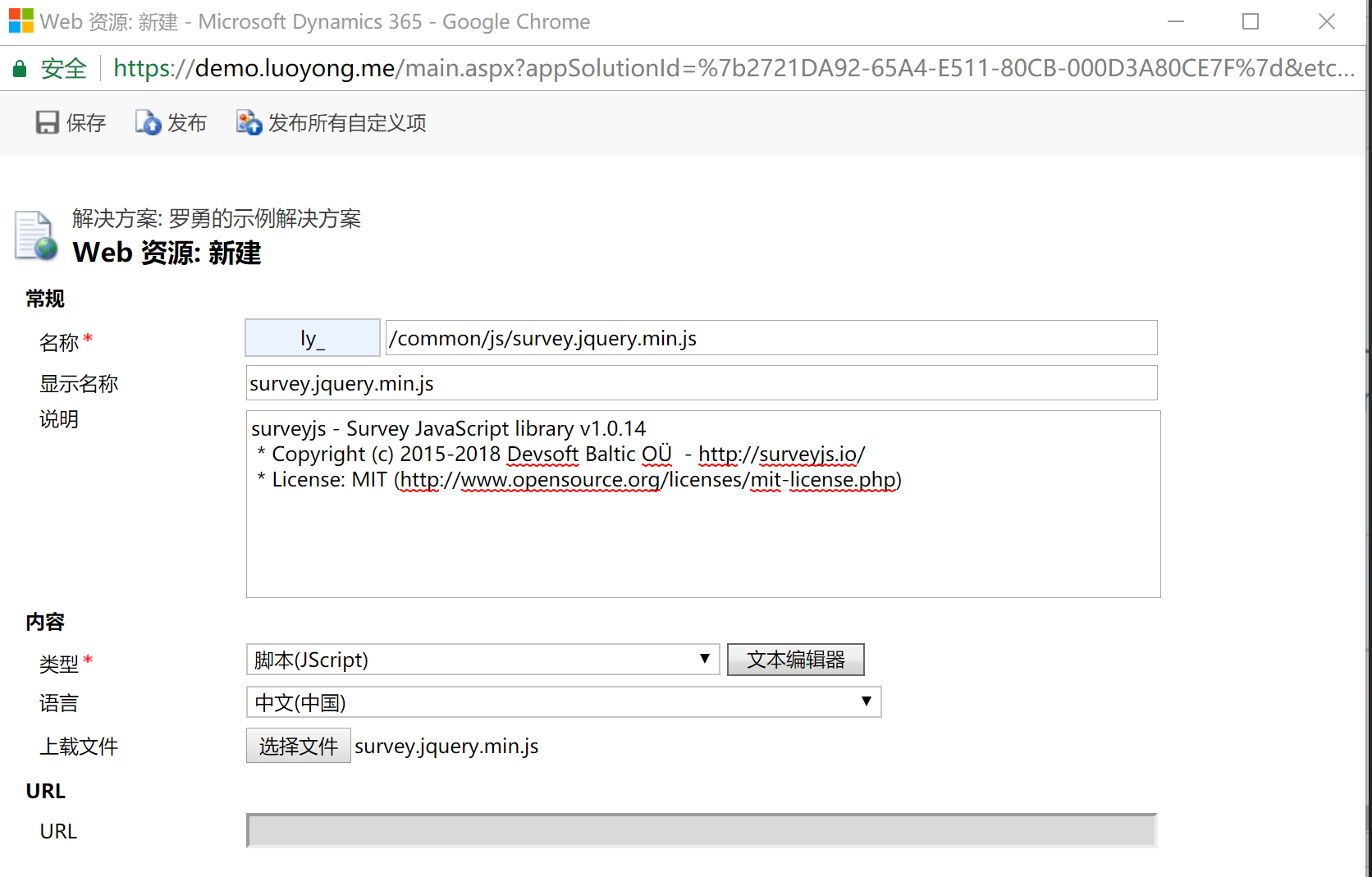
闲话少说,我们来讲讲如何用,我这里使用JQuery版本吧,首先需要利用Web资源功能新建一个JQuery的Web 资源,这个很多项目有我就不多说了。然后下载SURVEYJS,下载的比较大,3M多,我到 https://jscompress.com/ 网站将其压缩后只有 483k了(注意默认的压缩去掉了版权声明等注释,不符合使用协议,我这里没有时间去继续研究了),勉强可以,创建的Web资源如下:
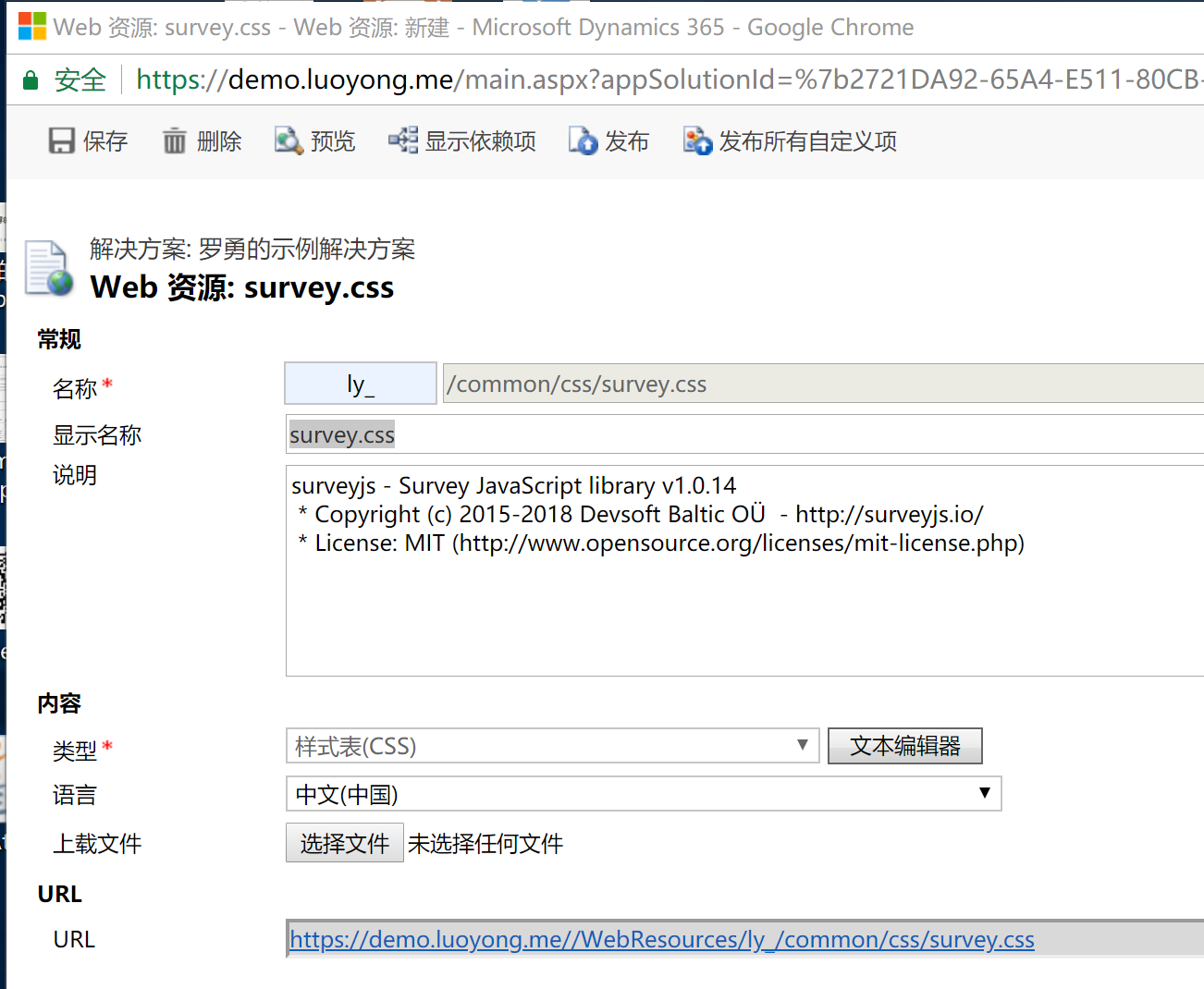
因为还会用到它的一个css文件,我也上传下,如下图:
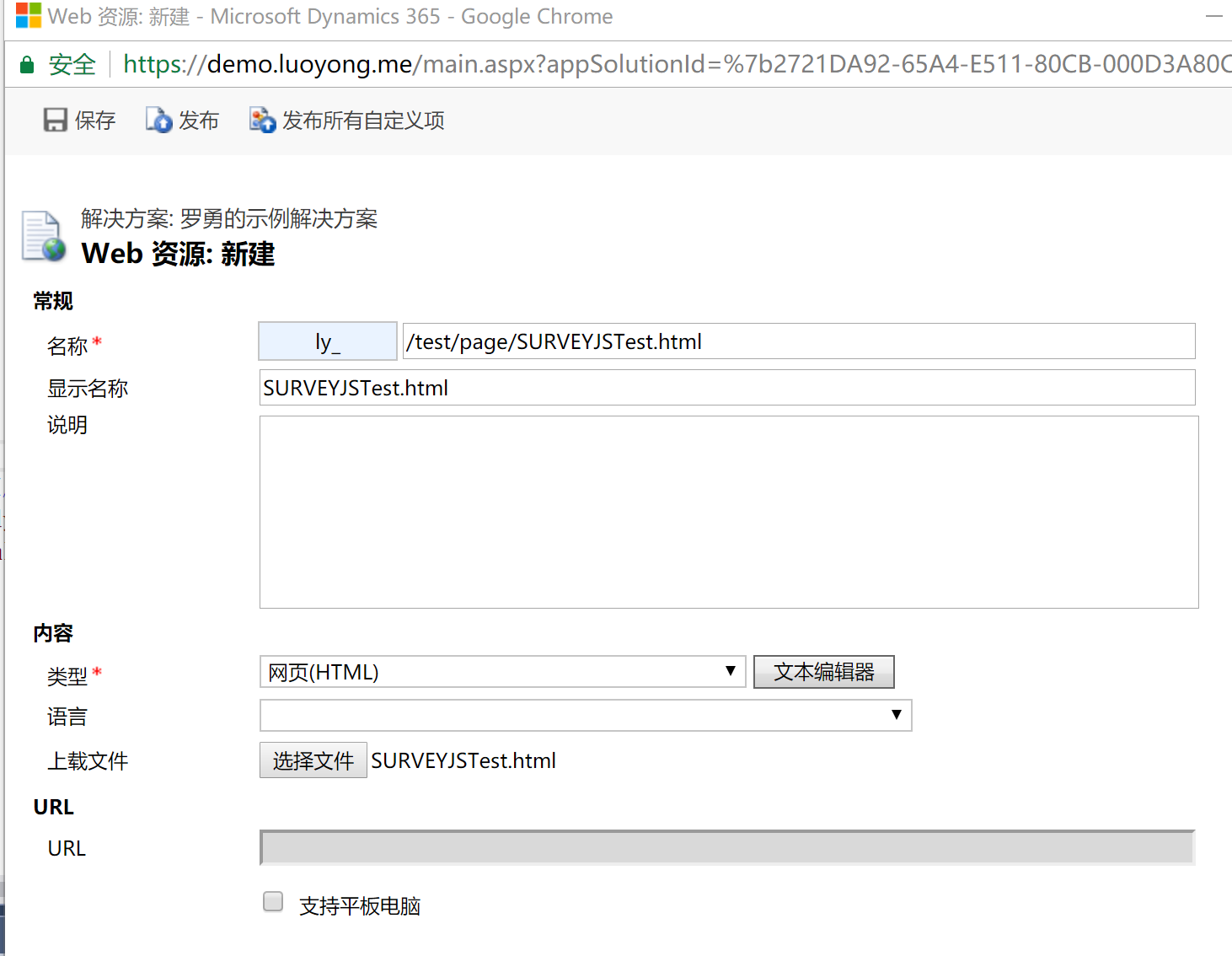
然后我用代码做个简单的例子吧,它支持多语言,这对于全球部署很重要,建立如下的Web资源来展示:
代码如下:
<!DOCTYPE html>

<html>

<head>

    <meta http-equiv="Content-Type" content="text/html; charset=utf-8" />

    <meta http-equiv="X-UA-Compatible" content="IE=edge" charset="utf-8">

    <meta name="viewport" content="width=device-width, initial-scale=1.0">

    <title>罗勇测试SURVEYJS</title>

    <script type="text/javascript" src="../../common/js/jquery.min.js"></script>

    <script type="text/javascript" src="../../common/js/survey.jquery.min.js"></script>

    <script src="../../../ClientGlobalContext.js.aspx" type="text/javascript"></script>

    <link href="../../common/css/survey.css" type="text/css" rel="stylesheet" />

</head>

<body>

    <div id="surveyElement"></div>

    <div id="surveyResult"></div>

    <script type="text/javascript">

        var mycustomSurveyStrings = {

            pagePrevText: "My Page Prev",

            pageNextText: "My Page Next",

            completeText: "OK - Press to Complete",

        };

        Survey.surveyLocalization.locales["my"] = mycustomSurveyStrings;

        Survey.StylesManager.applyTheme("default");

        var json = {

            title: "素格格新疆特产店调查问卷",

            pages: [

                {

                    title: "购买次数",

                    questions: [

                        {

                            type: "radiogroup", name: "buytime", isRequired: true, colCount: 3, title: "你在素格格新疆特产店购买过几次?",

                            choices: [

                            "0",

                            "1",

                            "2",

                            "3",

                            "4",

                            "5",

                            "6",

                            "7",

                            "9"

                            ]

                        }

                    ]

                },

                {

                    title: "出售产品",

                    questions: [

                    {

                        type: "checkbox", name: "products", title: "Plese select from the list",

                        colCount: 4, isRequired: true, title: "素格格新疆特产店主要出售哪些产品?",

                        choices: ["巴旦木", "碧根果", "葡萄干", "无花果", "纸皮核桃", "开心果", "葡萄酒", "牛肉干",

                            "奶酪", "纯牛奶", "香蕉牛奶", "天山乌梅", "蜂蜜", "青川黑木耳", "茶树菇", "香菇"]

                    }

                    ]

                },

                {

                    title: "请告知我们你的姓名和邮箱",

                    questions: [

                    { type: "text", name: "name", title: "姓名:" },

                    { type: "text", name: "email", title: "邮箱:" }]

                }]

        };

        window.survey = new Survey.Model(json);

        survey.onComplete.add(function (result) {

            document.querySelector('#surveyResult').innerHTML = "result: " + JSON.stringify(result.data);

            var clientURL = GetGlobalContext().getClientUrl();

            var req = new XMLHttpRequest()

            req.open("POST", encodeURI(clientURL + "/api/data/v8.0/ly_tests"), true);

            req.setRequestHeader("Accept", "application/json");

            req.setRequestHeader("Content-Type", "application/json; charset=utf-8");

            req.setRequestHeader("OData-MaxVersion", "4.0");

            req.setRequestHeader("OData-Version", "4.0");

            req.onreadystatechange = function () {

                if (this.readyState == 4 /* complete */) {

                    req.onreadystatechange = null;

                    if (this.status == 204) {

                        var testUri = this.getResponseHeader("OData-EntityId");

                        Xrm.Utility.alertDialog("创建成功的罗勇测试试题记录的URI: " + testUri)

                    }

                    else {

                        var error = JSON.parse(this.response).error;

                        Xrm.Utility.alertDialog("创建罗勇测试实体记录出错." + error.message);

                    }

                }

            };

            var test = {};

            test.ly_name = result.data.name;//单行文本

            test.ly_optionset = 364750000 + Number(result.data.buytime);//选项集

            test.ly_multilinetext = result.data.products.join('/');//多行文本

            test.ly_singlelinetext = result.data.email;

            req.send(JSON.stringify(test));

        });

        survey.locale = 'zh-cn';

        $("#surveyElement").Survey({

            model: survey

        })

    </script>

</body>

</html>
我这里让用户点击命令栏按钮执行如下代码来打开这个Web资源:
    var recordId = Xrm.Page.data.entity.getId();

    var recordType = Xrm.Page.data.entity.getEntityName();

    var webResourceName = "ly_/test/page/SURVEYJSTest.html";

    Xrm.Utility.openWebResource(webResourceName + "?typename=" + recordType + "&id=" + recordId, null, 800, 600);
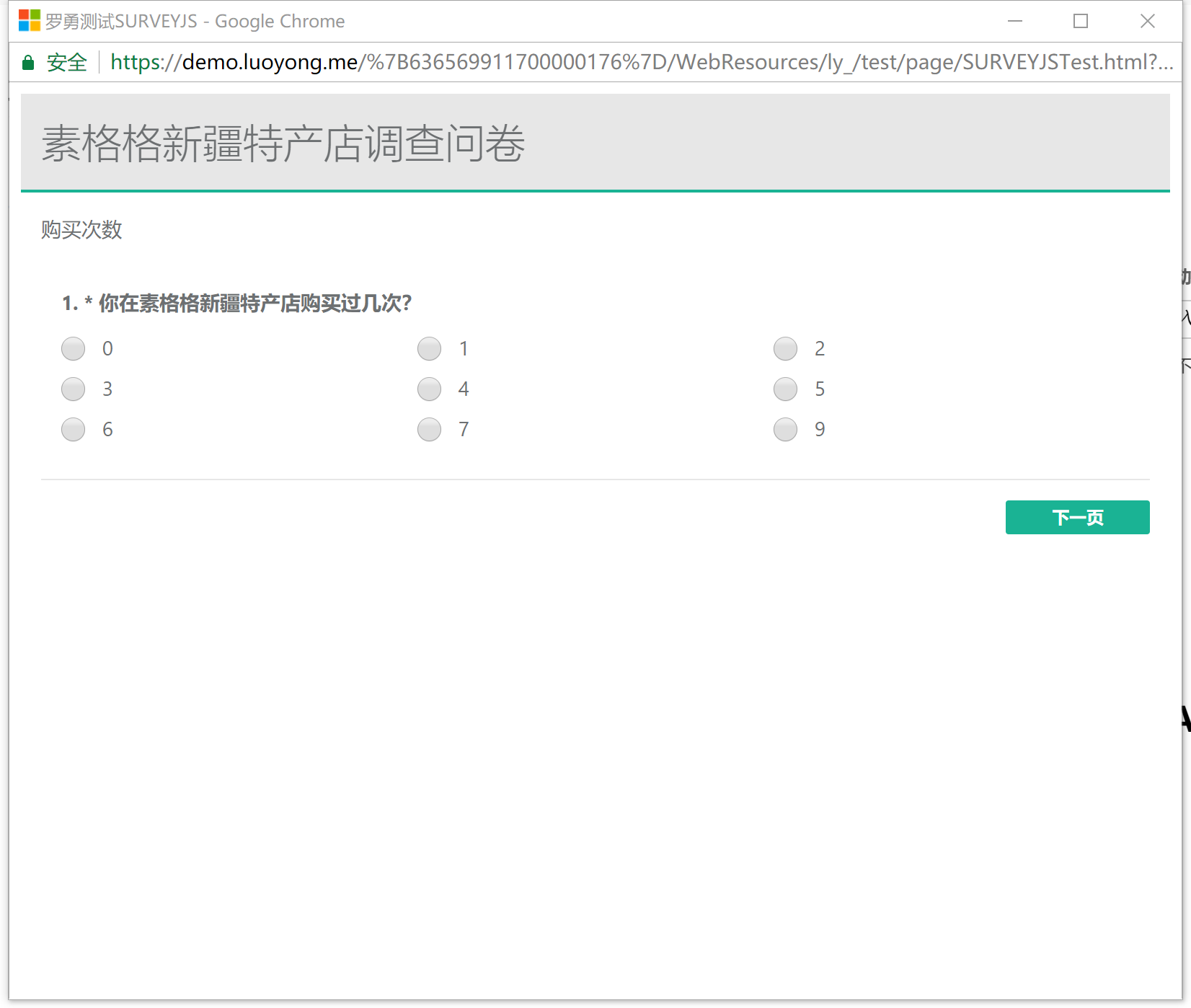
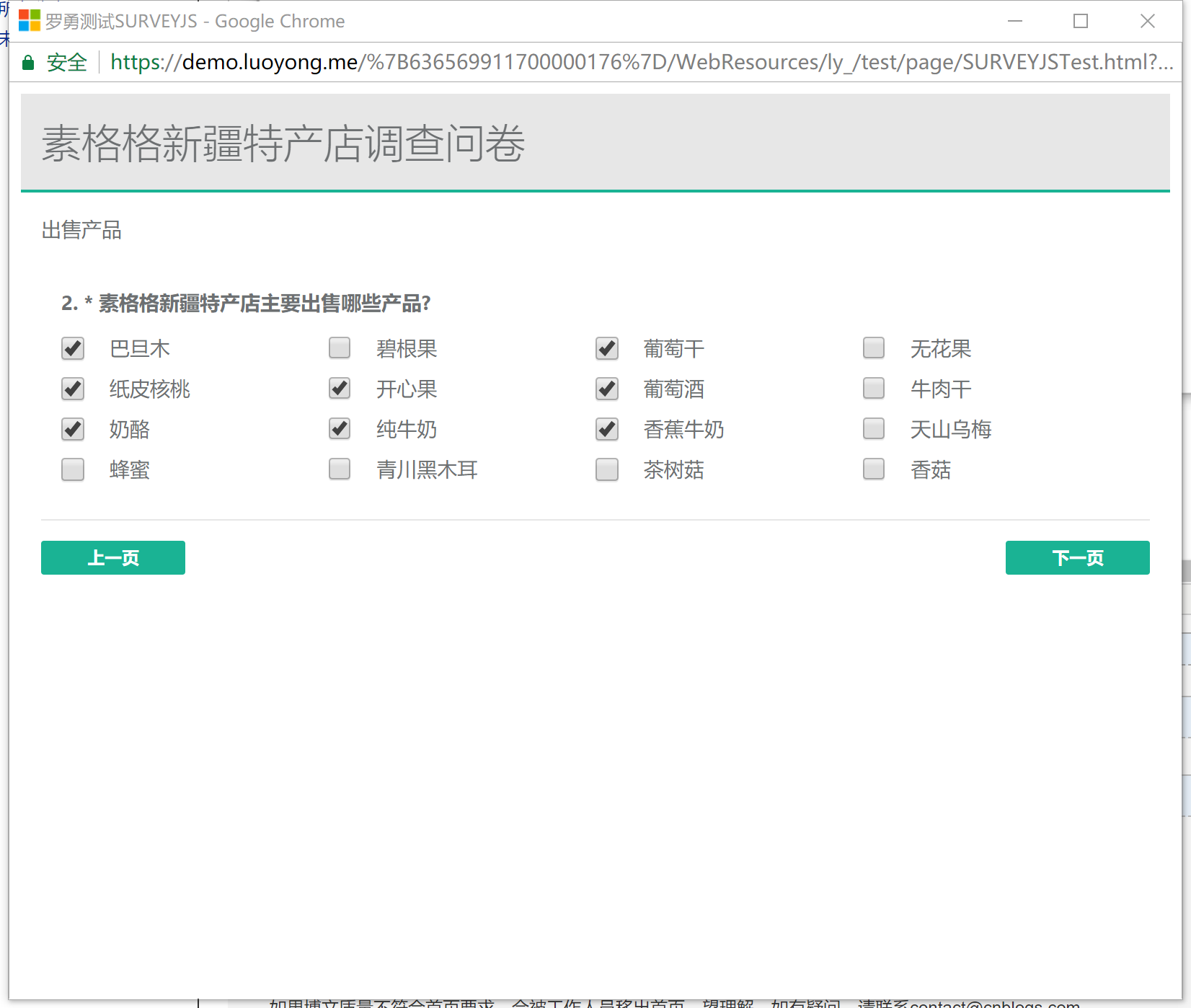
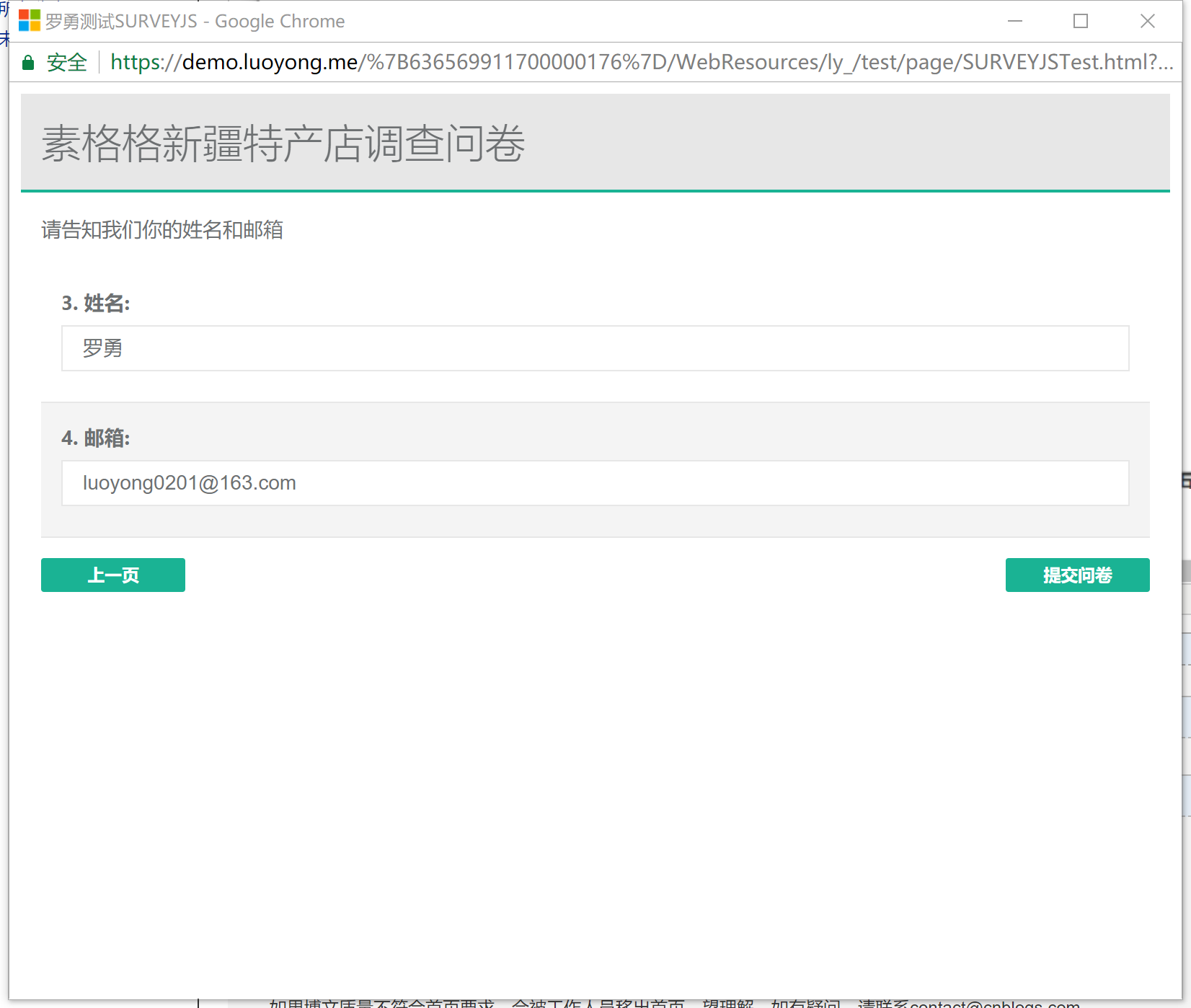
效果如下图,可以看到默认的主题效果还是不错的:
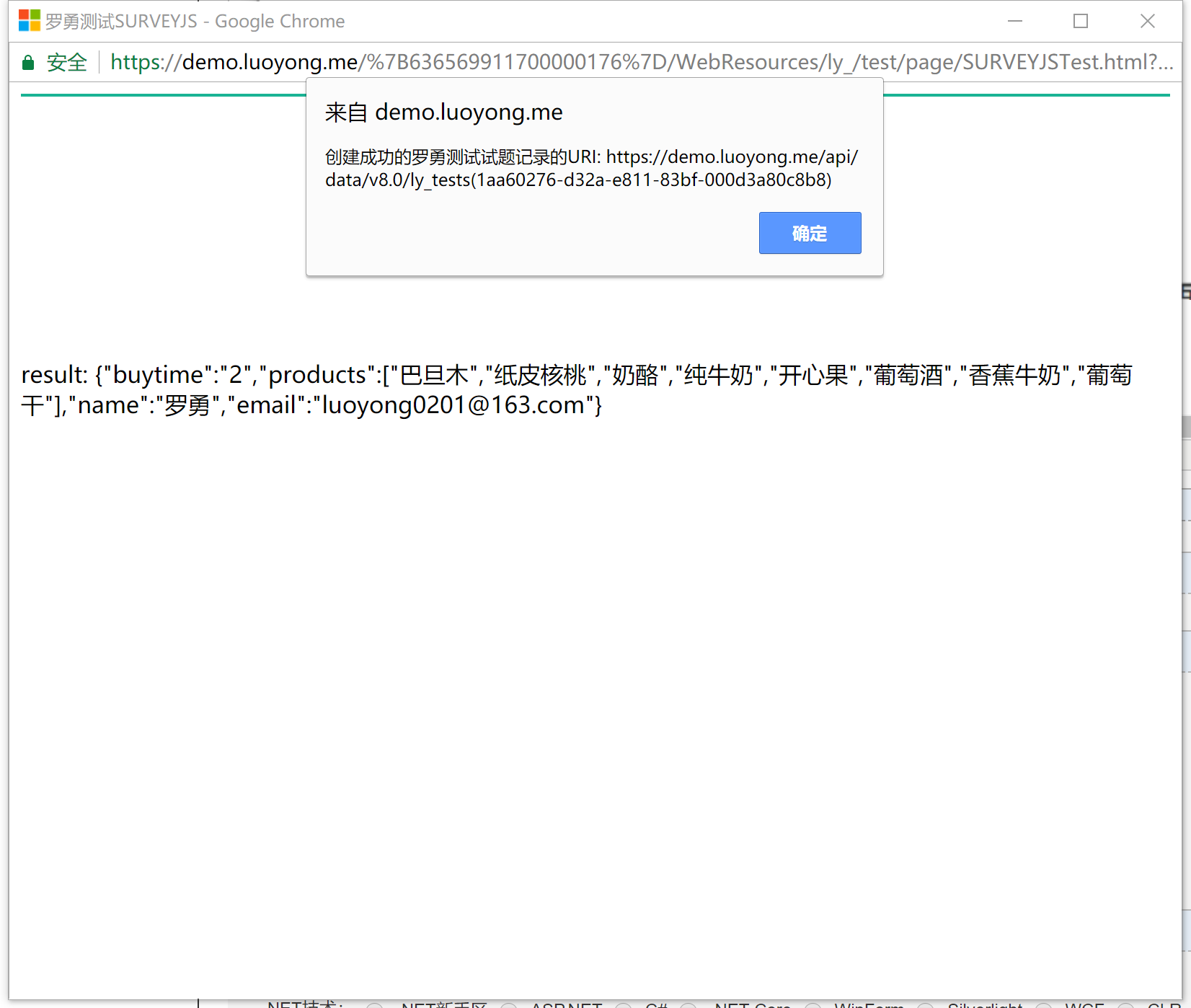
我这里提交后利用填写的资料向CRM插入了一条记录:
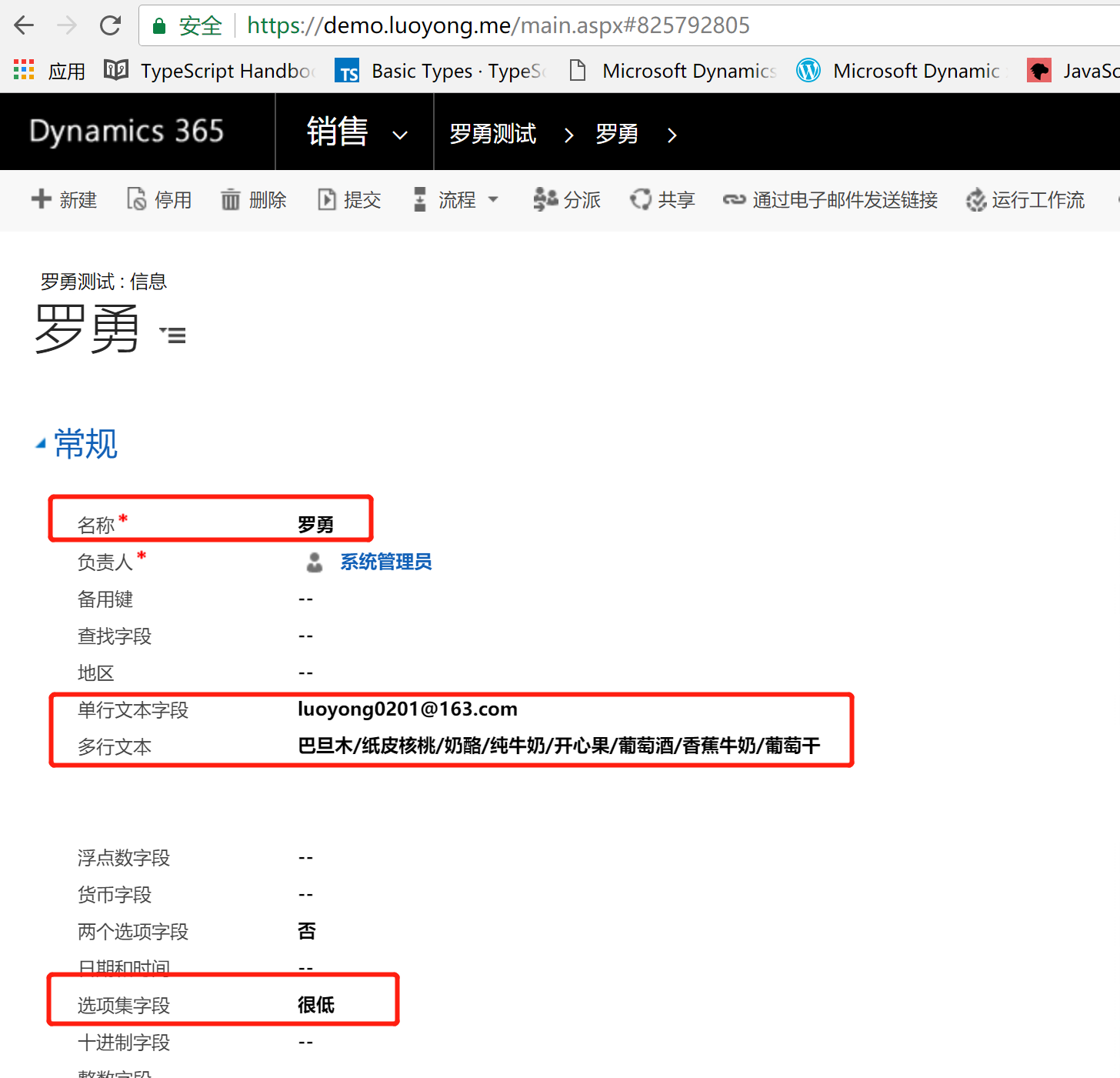
插入记录的详情如下,可以看到插入记录的值是填写的值。
在Dynamics 365中使用SURVEYJS代替对话(Dialog)制作话术的更多相关文章
- 自定义工作流活动报错:您无法登陆系统。原因可能是您的用户记录或您所属的业务部门在Microsoft Dynamics 365中已被禁用。
本人微信和易信公众号: 微软动态CRM专家罗勇 ,回复265或者20170926可方便获取本文,同时可以在第一间得到我发布的最新的博文信息,follow me!我的网站是 www.luoyong.me ...
- 将Dynamics 365中的用户及其角色、角色导出到Excel中
关注本人微信和易信公众号: 微软动态CRM专家罗勇 ,回复240或者20161204可方便获取本文,同时可以在第一间得到我发布的最新的博文信息,follow me!我的网站是 www.luoyong. ...
- Dynamics 365中的应用程序介绍
本人微信和易信公众号:微软动态CRM专家罗勇 ,回复275或者20180630可方便获取本文,同时可以在第一间得到我发布的最新的博文信息,follow me!我的网站是 www.luoyong.me ...
- Dynamics 365中配置和使用文件夹级别的跟踪(folder-level tracking)
本人微信和易信公众号:微软动态CRM专家罗勇 ,回复274或者20180630可方便获取本文,同时可以在第一间得到我发布的最新的博文信息,follow me!我的网站是 www.luoyong.me ...
- Dynamics 365工作流报错:您无法登陆系统。原因可能是您的用户记录或您所属的业务部门在Microsoft Dynamics 365中已被禁用。
本人微信和易信公众号: 微软动态CRM专家罗勇 ,回复265或者20170926可方便获取本文,同时可以在第一间得到我发布的最新的博文信息,follow me!我的网站是 www.luoyong.me ...
- Dynamics 365中开发和注册插件介绍
我是微软Dynamics 365 & Power Platform方面的工程师罗勇,也是2015年7月到2018年6月连续三年Dynamics CRM/Business Solutions方面 ...
- Dynamics 365中部分账号使用系统明显缓慢怎么办?先这么干!
摘要: 本人微信和易信公众号: 微软动态CRM专家罗勇 ,回复263或者20170828可方便获取本文,同时可以在第一间得到我发布的最新的博文信息,follow me!我的网站是 www.luoyon ...
- Dynamics 365中自定义工作流活动获取的上下文分析及注意事项
关注本人微信和易信公众号: 微软动态CRM专家罗勇 ,回复244或者20170306可方便获取本文,同时可以在第一间得到我发布的最新的博文信息,follow me!我的网站是 www.luoyong. ...
- Dynamics 365中的非交互式账号(Non-interactive User)介绍
摘要: 本人微信和易信公众号: 微软动态CRM专家罗勇 ,回复272或者20180616可方便获取本文,同时可以在第一间得到我发布的最新的博文信息,follow me!我的网站是 www.luoyon ...
随机推荐
- 微信小程序写tab切换
微信小程序之tab切换效果,如图: 最近在学习微信小程序并把之前的公司app搬到小程序上,挑一些实现效果记录一下(主要是官方文档里没说的,毕竟官方文档只是介绍功能) .wxml代码: <view ...
- 关于HTTP协议,这一篇就够了
HTTP简介 HTTP协议是Hyper Text Transfer Protocol(超文本传输协议)的缩写,是用于从万维网(WWW:World Wide Web )服务器传输超文本到本地浏览器的传送 ...
- [Swift]LeetCode674. 最长连续递增序列 | Longest Continuous Increasing Subsequence
Given an unsorted array of integers, find the length of longest continuous increasing subsequence (s ...
- [Swift]LeetCode1026. 节点与其祖先之间的最大差值 | Maximum Difference Between Node and Ancestor
Given the root of a binary tree, find the maximum value V for which there exists different nodes A a ...
- Swagger2 添加HTTP head参数
大家使用swagger往往会和JWT一起使用,而一般使用jwt会将token放在head里,这样我们在使用swagger测试的时候并不方便,因为跨域问题它默认不能自定义head参数.然后自己去网上找, ...
- 用abp vNext快速开发Quartz.NET定时任务管理界面
今天这篇文章我将通过实例代码带着大家一步一步通过abp vNext这个asp.net core的快速开发框架来进行Quartz.net定时任务调度的管理界面的开发.大伙最好跟着一起敲一下代码,当然源码 ...
- A10映射方法
#创建服务 slb server rs_10.90.6.95 10.90.6.95 port 5001 tcp slb server rs_10.90.6.96 10.90.6.96 port 500 ...
- AspNetCore 使用log4net+IExceptionFilter 记录错误日志
错误日志的好处我就不说了,大家都心里有数,那今天浩子就给大家说一说基本的错误日志吧这次通过log4net记录日志. 原来写过一个关于Nlog的日志框架,传送门为:https://www.cnblogs ...
- redis 系列11 列表对象
一. 列表对象概述 Redis列表是简单的字符串列表,按照插入顺序排序.你可以添加一个元素到列表的头部(左边)或者尾部(右边).一个列表最多可以包含 232 - 1 个元素 (4294967295, ...
- 一个JavaWeb搭建的开源Blog系统,整合SSM框架
搬砖有暇,捣鼓了一个简单的Blog系统(项目地址https://github.com/lenve/JavaEETest/tree/master/MyBlog),适合以下人群学习: 1.已经掌握了jsp ...