
Grid Selenium
python selenium-9 grid模式
grid是进行分布式测试的工具,由一个hub主节点和若干个node代理节点组成
1.下载Selenium Standalone Server
下载地址:https://www.seleniumhq.org/download/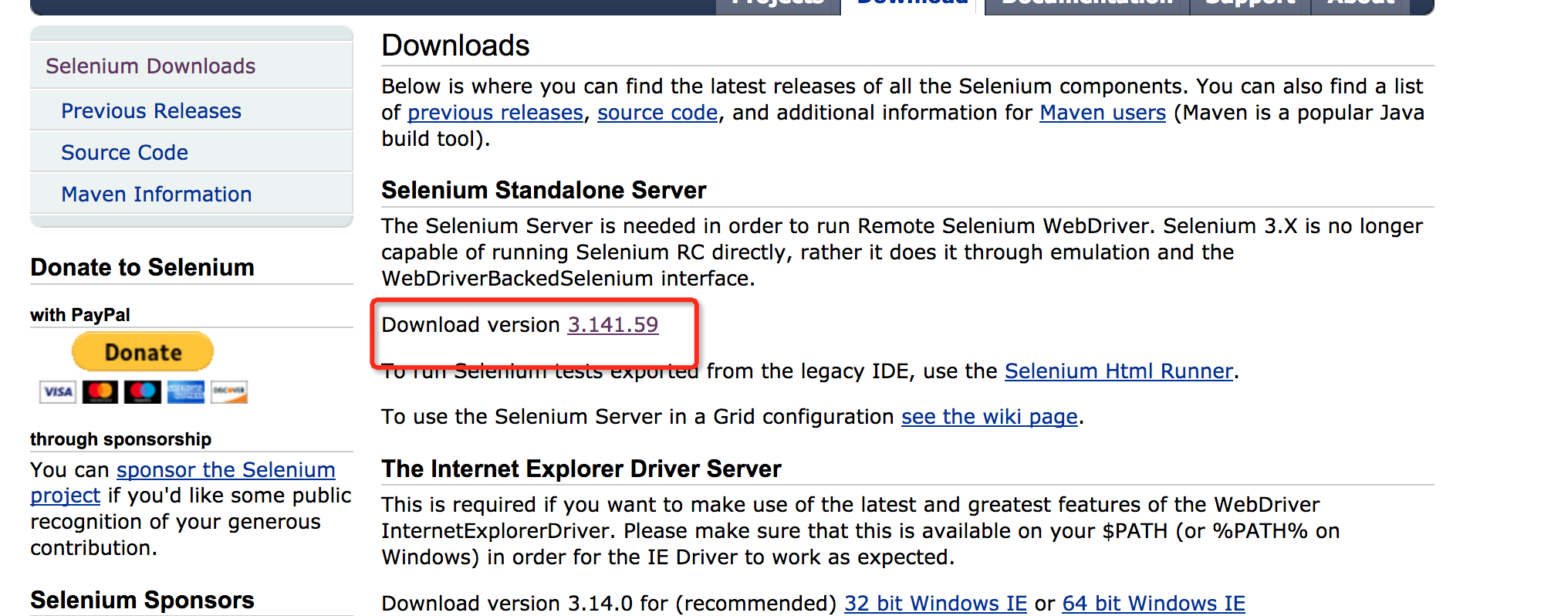
2.启动hub和节点
#hub默认端口是4444,node默认端口是5555

java -jar selenium-server-standalone-3.141.59.jar -role hub

#本机注册节点

java -jar selenium-server-standalone-3.141.59.jar -role node

#本机指定端口注册节点

java -jar selenium-server-standalone-3.141.59.jar -role node -port 5556

#远程机器注册节点

java -jar selenium-server-standalone-3.141.59.jar -role node -port 5557 -hub http://192.168.63.143:4444/grid/register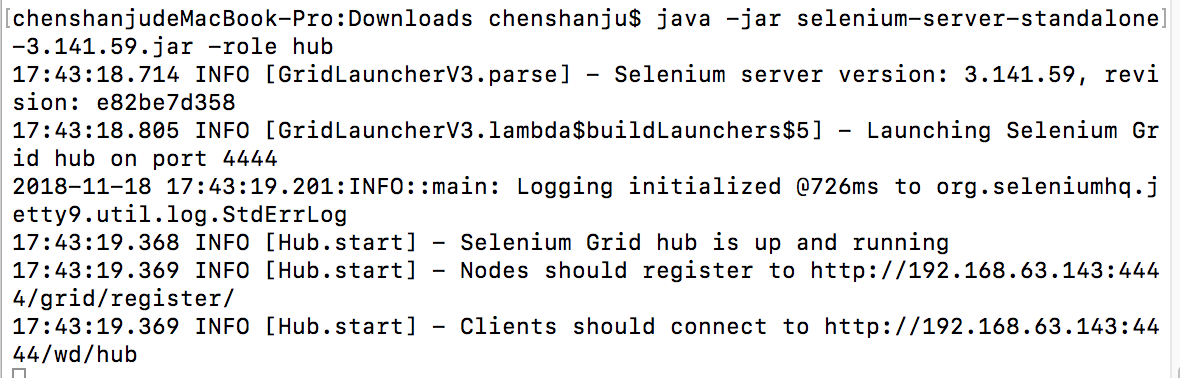
节点注册地址: http://192.168.63.143:4444/grid/register/
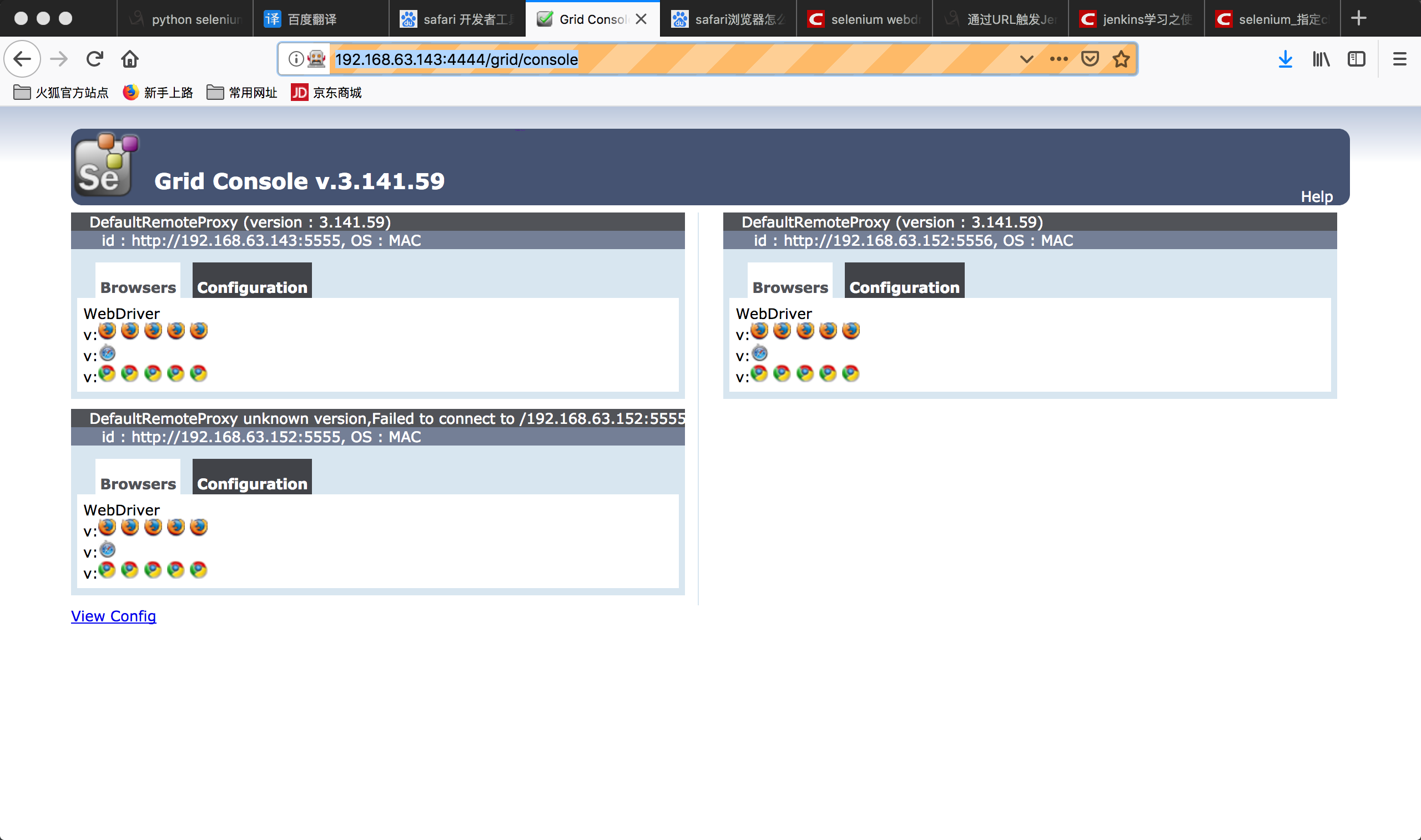
hub管理地址: http://192.168.63.143:4444/grid/console
3.查看后台http://192.168.63.143:4444/grid/console
4.实例1:编写自动化测试脚本
from selenium.webdriver import Remote

driver = Remote(command_executor="http://127.0.0.1:4444/wd/hub",

                desired_capabilities={'platform':'ANY',

                                      'browserName':'chrome',

                                      'version':'',

                                      'javascriptEnabled':True})

driver.get("http://www.baidu.com")

driver.find_element_by_xpath("//input[@id='kw' and @class='s_ipt']").send_keys("hello")

driver.find_element_by_xpath("//input[@value='百度一下' and @id='su']").click()

driver.quit()
修改脚本以在不同的浏览器上运行
from selenium.webdriver import Remote

from time import sleep

lists={'http://192.168.63.143:4444/wd/hub':'chrome',

       'http://192.168.63.143:5555/wd/hub':'firefox'}

for host,browser in lists.items():

    print(host,browser)

    driver = Remote(command_executor=host,

                    desired_capabilities={'browserName': browser,

                                          'platform': 'ANY',

                                          'version':'',

                                          'javascriptEnabled':True

                                          }

                    )

    driver.get("http://www.baidu.com")

    driver.find_element_by_xpath("//input[@id='kw' and @class='s_ipt']").send_keys(browser)

    driver.find_element_by_xpath("//input[@value='百度一下' and @id='su']").click()

    sleep(3)

    result_text = driver.find_element_by_xpath("//span[@class='nums_text']").text

    assert "百度为您找到相关结果约" in result_text

    driver.quit()
5.浏览器内核
浏览器最重要或者最核心的部分是Rendering Engine,即渲染引擎,习惯成为渲染引擎。所谓的浏览器内核,决定了浏览器如何显示网页的内容以及页面的格式信息。| 内核 | 介绍 |
|---|---|
| TridentIE内核 | 基于Mosaic代码基础上修改而来,从IE4开始开始一直沿用到IE11,是一款开放的内核,其接口内核设计成熟,国内早期浏览器都是基于该内核。如遨游,世界之窗,360安全浏览器 |
| Gecko火狐内核 | 代码完全公开,可开发程度很高 |
| Presto 欧朋内核 | 在欧朋7开始使用,自欧朋12.17已被废弃,开始采用谷歌的Blink内核。 |
| Webkit Safari内核 | 是苹果公司自己的内核。谷歌也曾采用webkit打造Chrome浏览器。国内的浏览器也采用了这一内核,如遨游3,搜狗告诉浏览器、360极速浏览器。 |
| Blink | 谷歌和欧朋开发的浏览器排版引擎,该引擎是Webkit中WebCore组件的一个分支,并且在Chrome(28以后)、欧朋(15以后)和Yandex浏览器中使用 |
Grid Selenium的更多相关文章
- Webdriver - Selenium Grid Configuration
Grid parameter: role = <hub|node> (default is no grid, just run an RC/webdriver server). When ...
- Selenium Grid Configuration
Start Hub and Node with Json config 1. Start Hub with json config file title HubWebDriver java -jar ...
- Selenium Grid 运行报错 Exception thrown in Navigator.Start first time ->Error forwarding the new session Empty pool of VM for setup Capabilities
Selenium Grid 运行报错 : Exception thrown in Navigator.Start first time ->Error forwarding the new se ...
- selenium grid 搭建
hub端 Step1: 下载 selenium-server-standalone-x.xx.x.jar我下载的是:selenium-server-standalone-2.44.0.jar下载地址: ...
- selenium grid的使用与配置
一.selenium grid的组成与作用:由一个集线器hub和多个客户机node组成,如果你的程序需要在不用的浏览器,不同的操作系统上测试,而且比较多的case需要多线程远程执行,那么一个比较好的测 ...
- Selenium 15: How to Run Parallel Tests Using Selenium Grid and JUnit
In this post, I will give two techniques and describe how to run your selenium tests in parallel by ...
- Selenium Grid的原理、配置与使用(转)
Selenium GridSelenium Grid在前面介绍Selenium的时候说过它有三大组件,Selenium Grid就是其中之一而作用就是分布式执行测试.讲分布式之前还是要说说UI自动化的 ...
- Selenium索引
Common Selenium各种工具比较 Selenium firefox 版本问题 Selenium IDE Selenium IDE整理 WebDriver Java 版本 Selenium开始 ...
- 转:selenium 并行启动多个浏览器
https://github.com/fool2fish/selenium-doc/blob/master/official-site/selenium-grid.md Selenium Grid 快 ...
随机推荐
- javascript代码
LazyMan 实现LazyMan(什么是LazyMan?请自行google) function _LazyMan(_name) { var _this = this; _this.tasks = [ ...
- sublime text插件推荐
time: 2016-05-23 13:00 --- 用了Sublime Text有一段时间了,之前被周围的几个前端小伙伴灌输的思想就是,牛b的前端程序员都是手写代码的,用代码提示啥的都low,然而上 ...
- linux 链接命令
ln link /bin/ln -s 创建软链接ln -s [原文件] [链接文件] 软链接 ln -s /etc/issue /tmp/issue.soft硬链接ln /etc/issue /tmp ...
- asp.net(C#)常用时间日期处理类
using System; using System.Data; using System.Configuration; using System.Web; using System.Web.Secu ...
- 使用DataTables插件与后台对接表格
function getResults(){ var callResults = $.ajax({ url: "....", //接口url type: "GET&quo ...
- leetCode题解之First Missing Positive
1.问题描述 2.题解思路 本题的思路是对于数组中每个正的元素,应该将其放到数组中对应的位置,比如元素1 ,应该放在数组的第一个位置.以此类推,最后检查数组中元素值和下标不匹配的情况. 3.代码 in ...
- c# 线程池:开启10个线程运行Fibonacci,并在所有线程运行完后,得出结果。
namespace CAThreadPool { class ThreadpoolDemo6 { static void Main(string[] args) { ; // One event is ...
- 将DataRow赋值给model中同名属性
/// <summary> /// 将DataRow赋值给model中同名属性 /// </summary> /// <typeparam name="T&qu ...
- 通过runtime打印出对象所有属性的值
通过runtime打印出对象所有属性的值 今天给给大家提供的关于NSObject的category,通过runtime打印属性的值,相当有用哦,以后你再也不用每个对象都通过NSLog来逐个打印属性值了 ...
- 如何生成.p12文件
如何生成.p12文件 1. 打开钥匙串 2. 钥匙串选登录,种类选证书 3. 选择开发者,然后导出证书 4. 存储证书 5. 选择存储的时候会提示输入证书的密码,当然,也可以不用输入密码 6. 点击上 ...