
19-ESP8266 SDK开发基础入门篇--C# TCP客户端编写 , 连接和断开
https://www.cnblogs.com/yangfengwu/p/11130428.html
渐渐的看过去,,,好多节了...

这节做一个C# TCP客户端
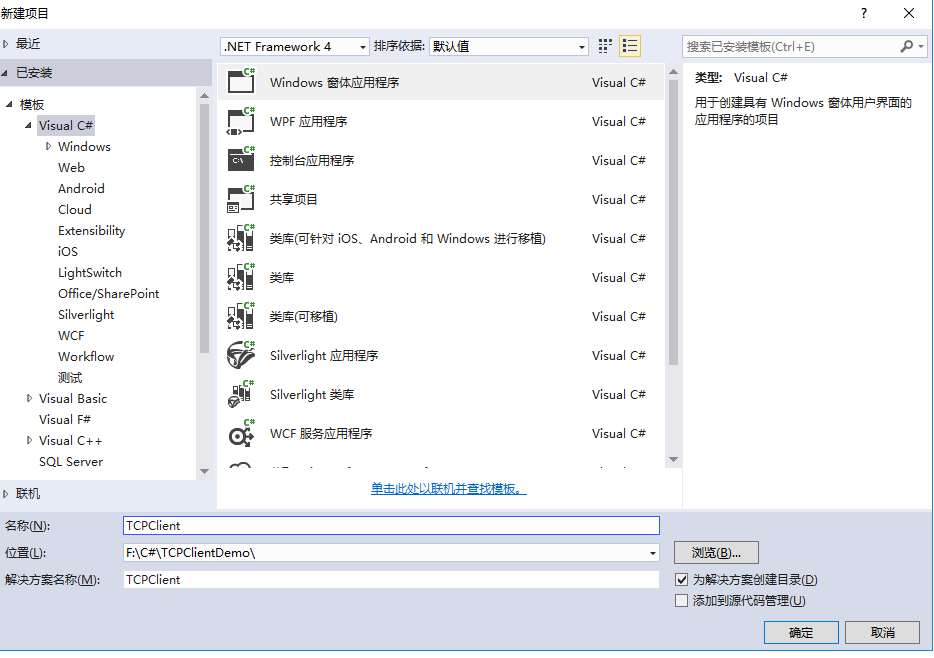
新建项目啥子的就不详细截图写了,自行看前面了解 (我的文章只要是有序号的,必须要看前面,因为我所写的教程即是基础又是综合)
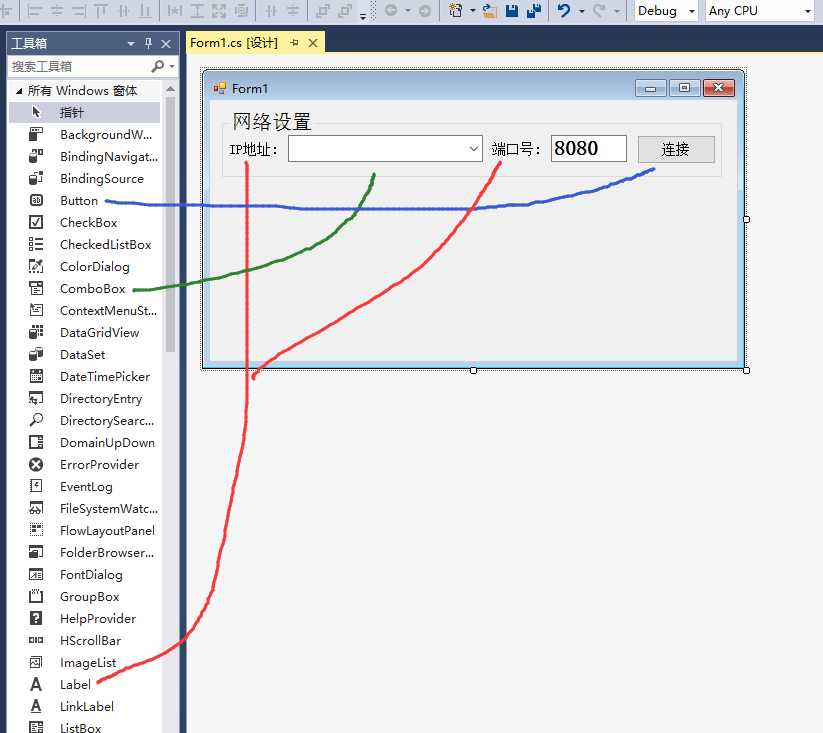
先做个这个页面,先做连接和断开

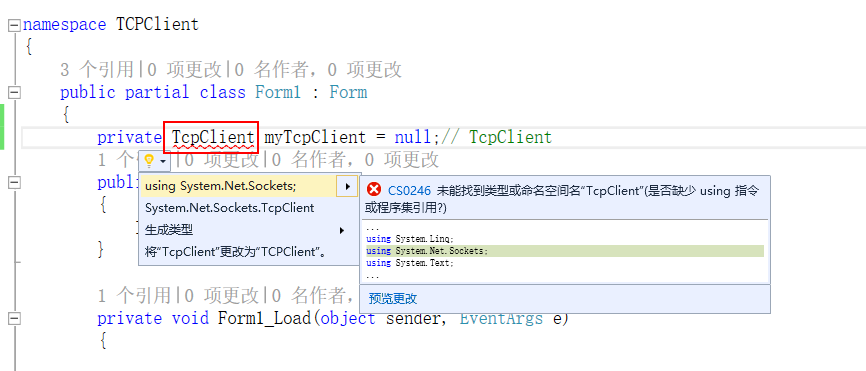
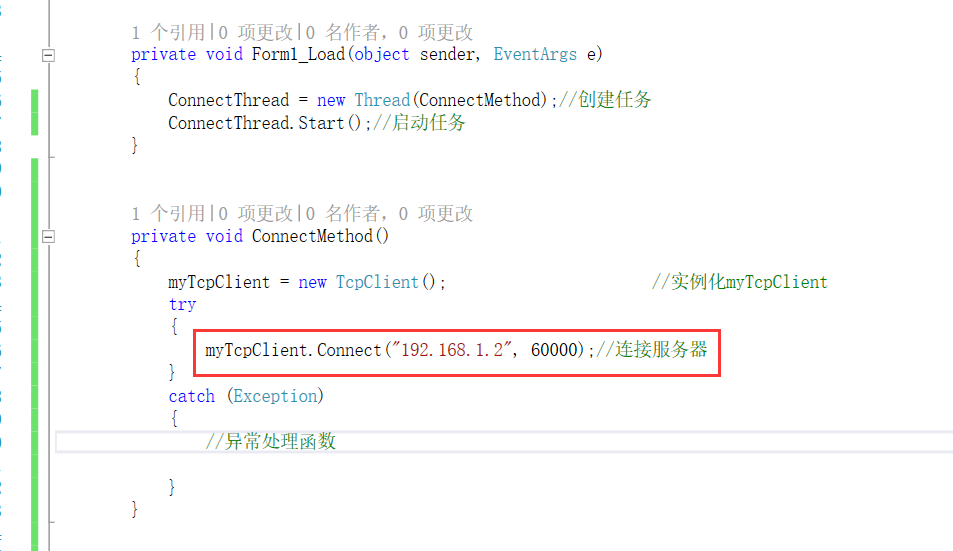
链接TCP用这个变量
其实连接TCP 几句就完了
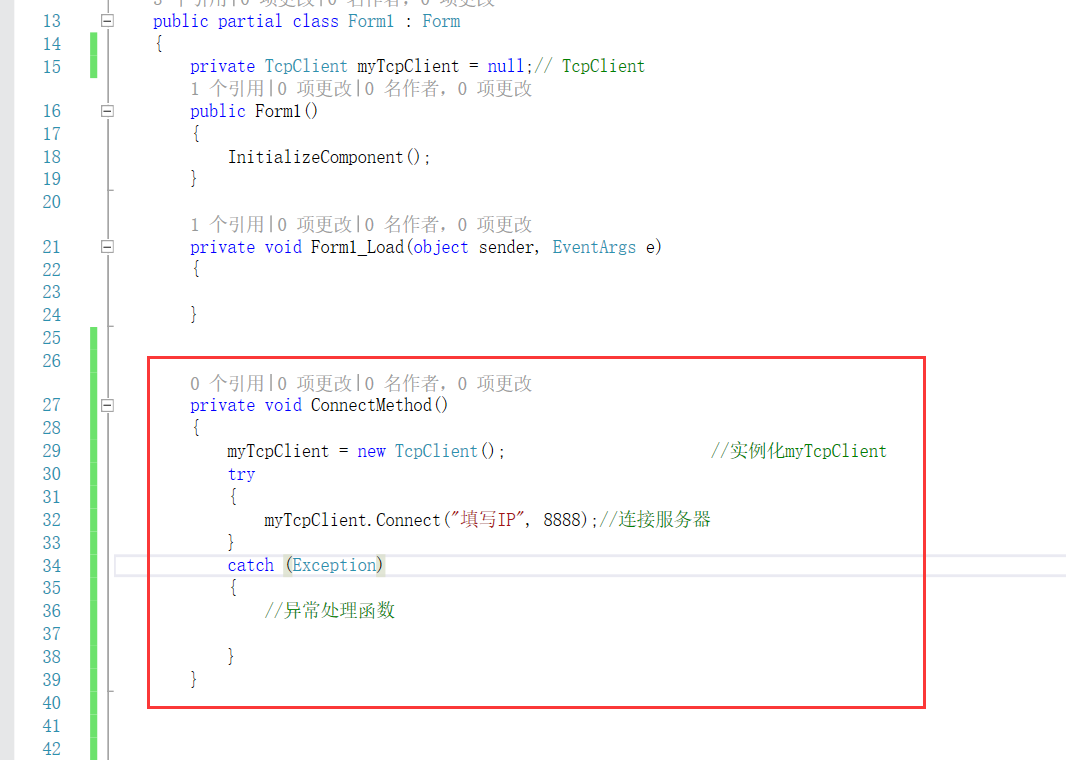
我定义了一个函数是因为,其实连接时阻塞的,,所以咱需要开个任务
C# 的任务是这样用

OK 现在测试
由于我是用的台式机,,没有无线网卡,,,所以不能连接WiFi模块了...
我用本机的调试助手测试
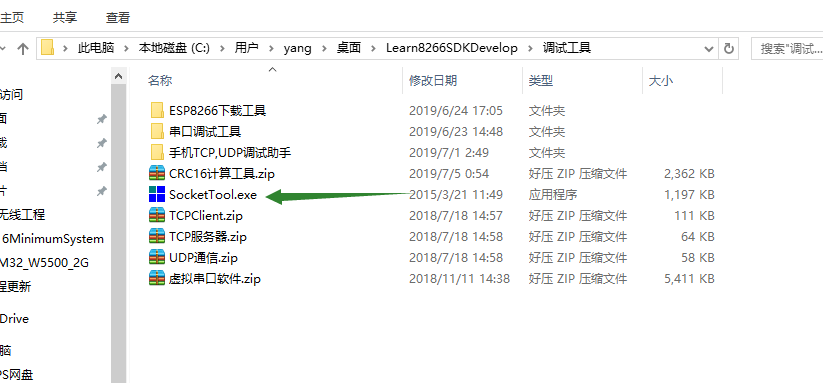
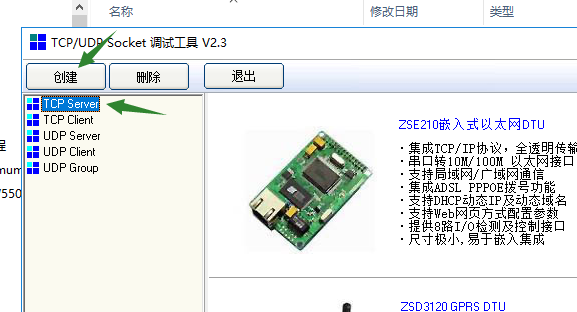
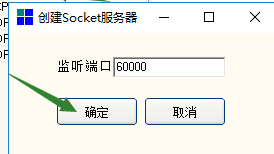

启动

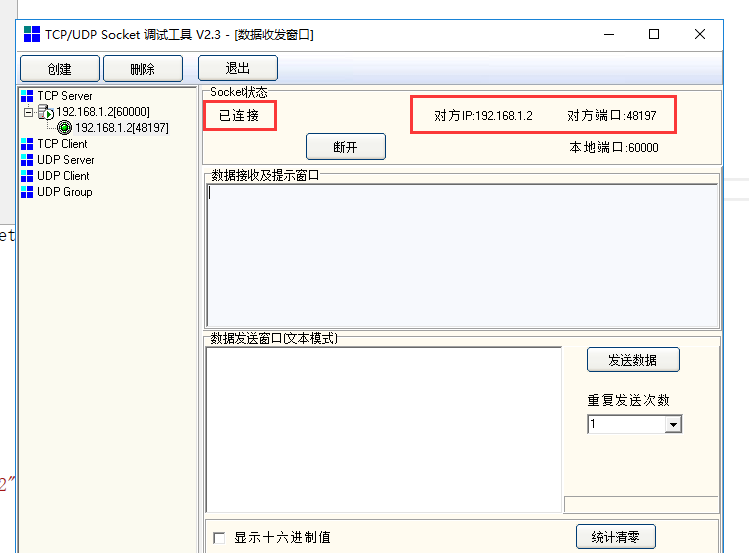
好现在咱用按钮控制连接和断开
using System;

using System.Collections.Generic;

using System.ComponentModel;

using System.Data;

using System.Drawing;

using System.Linq;

using System.Net.Sockets;

using System.Text;

using System.Threading;

using System.Windows.Forms;

namespace TCPClient

{

    public partial class Form1 : Form

    {

        private TcpClient myTcpClient = null;// TcpClient

        Thread ConnectThread;//连接线程

        public Form1()

        {

            InitializeComponent();

        }

        private void Form1_Load(object sender, EventArgs e)

        {

        }

        private void ConnectMethod()

        {

            myTcpClient = new TcpClient();                      //实例化myTcpClient

            try

            {

                myTcpClient.Connect("192.168.1.2", );//连接服务器

                //连接上以后往下执行

                Invoke((new Action(() =>

                {

                    button1.Text = "断开";

                })));

            }

            catch (Exception)

            {

                //异常处理函数

                Invoke((new Action(() =>

                {

                    button1.Text = "连接";

                })));

                try { myTcpClient.Close(); }catch { } //关闭连接

            }

        }

        //连接和断开按钮

        private void button1_Click(object sender, EventArgs e)

        {

            if (button1.Text == "连接")

            {

                ConnectThread = new Thread(ConnectMethod);//创建任务

                ConnectThread.Start();//启动任务

            }

            else

            {

                try { myTcpClient.Close(); } catch { } //关闭连接

                Invoke((new Action(() =>

                {

                    button1.Text = "连接";

                })));

            }

        }

    }

}
测试
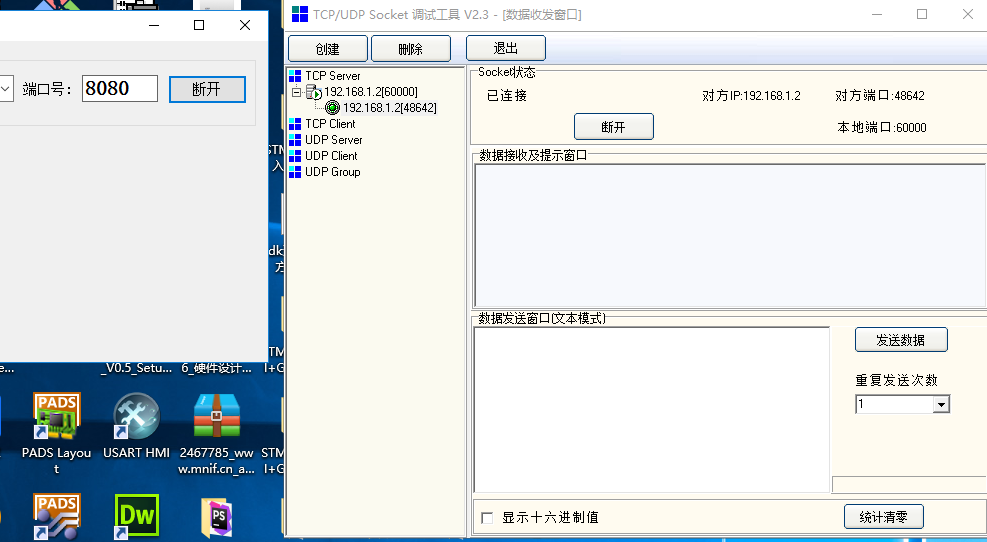
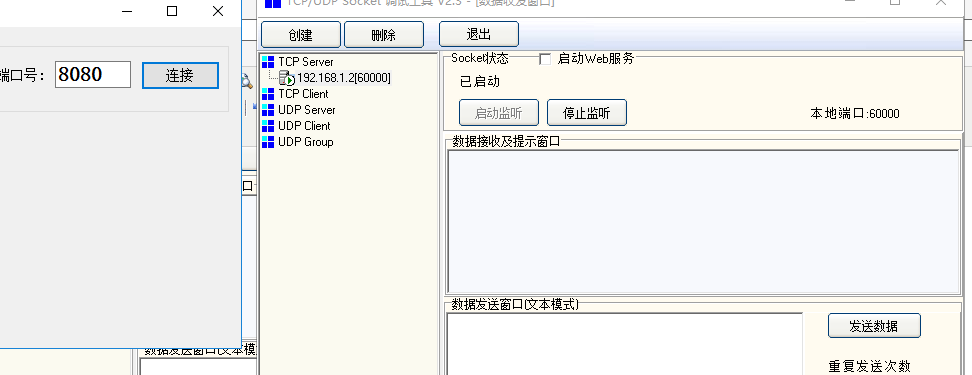
接着用上

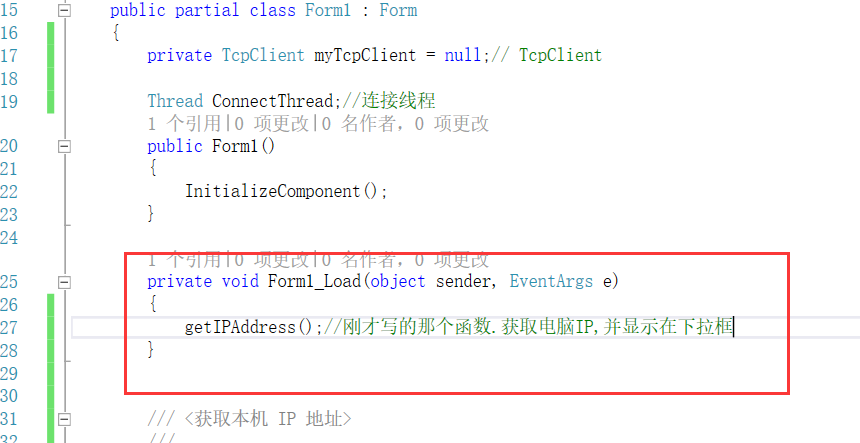
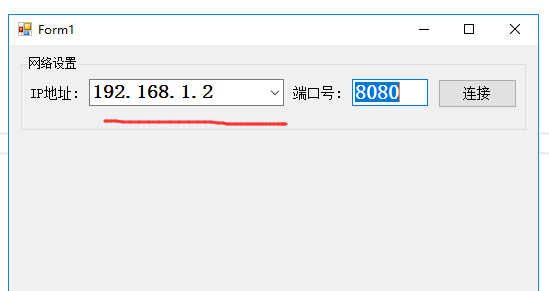
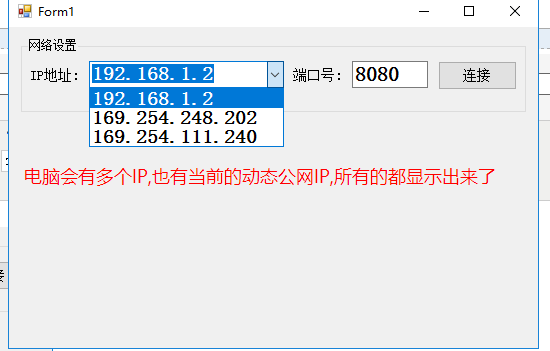
首先做个功能,,一开始IP 那个下拉框,显示出来电脑的IP ,,下拉的时候也刷新下显示
/// <获取本机 IP 地址>

        ///

        /// </summary>

        /// <returns></returns>

        private void getIPAddress()

        {

            IPAddress[] hostipspool = Dns.GetHostAddresses("");//获取本机所以IP

            comboBox1.Items.Clear();//清除下拉框里面的内容

            foreach (IPAddress ipa in hostipspool)

            {

                if (ipa.AddressFamily == AddressFamily.InterNetwork)

                {

                    comboBox1.Items.Add(ipa.ToString());//下拉框加入IP数据

                    comboBox1.SelectedIndex = comboBox1.Items.Count >  ?  : -;//显示第一个

                }

            }

        }
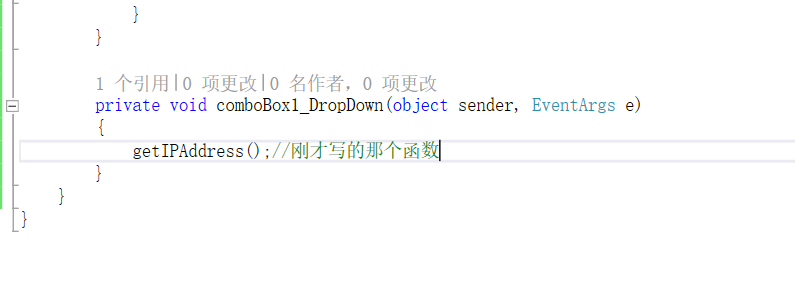
然后是下拉事件

namespace TCPClient

{

    public partial class Form1 : Form

    {

        private TcpClient myTcpClient = null;// TcpClient

        Thread ConnectThread;//连接线程

        public Form1()

        {

            InitializeComponent();

        }

        private void Form1_Load(object sender, EventArgs e)

        {

            getIPAddress();//刚才写的那个函数.获取电脑IP,并显示在下拉框

        }

        /// <获取本机 IP 地址>

        ///

        /// </summary>

        /// <returns></returns>

        private void getIPAddress()

        {

            IPAddress[] hostipspool = Dns.GetHostAddresses("");//获取本机所以IP

            comboBox1.Items.Clear();//清除下拉框里面的内容

            foreach (IPAddress ipa in hostipspool)

            {

                if (ipa.AddressFamily == AddressFamily.InterNetwork)

                {

                    comboBox1.Items.Add(ipa.ToString());//下拉框加入IP数据

                    comboBox1.SelectedIndex = comboBox1.Items.Count >  ?  : -;//显示第一个

                }

            }

        }

        private void ConnectMethod()

        {

            myTcpClient = new TcpClient();                      //实例化myTcpClient

            try

            {

                myTcpClient.Connect("192.168.1.2", );//连接服务器

                //连接上以后往下执行

                Invoke((new Action(() =>

                {

                    button1.Text = "断开";

                })));

            }

            catch (Exception)

            {

                //异常处理函数

                Invoke((new Action(() =>

                {

                    button1.Text = "连接";

                })));

                try { myTcpClient.Close(); }catch { } //关闭连接

            }

        }

        //连接和断开按钮

        private void button1_Click(object sender, EventArgs e)

        {

            if (button1.Text == "连接")

            {

                ConnectThread = new Thread(ConnectMethod);//创建任务

                ConnectThread.Start();//启动任务

            }

            else

            {

                try { myTcpClient.Close(); } catch { } //关闭连接

                Invoke((new Action(() =>

                {

                    button1.Text = "连接";

                })));

            }

        }

        private void comboBox1_DropDown(object sender, EventArgs e)

        {

            getIPAddress();//刚才写的那个函数

        }

    }

}
测试
好,,彻底做做成动态的
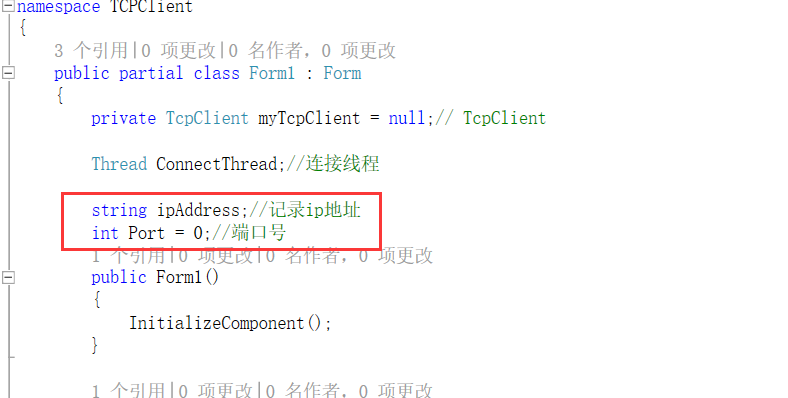
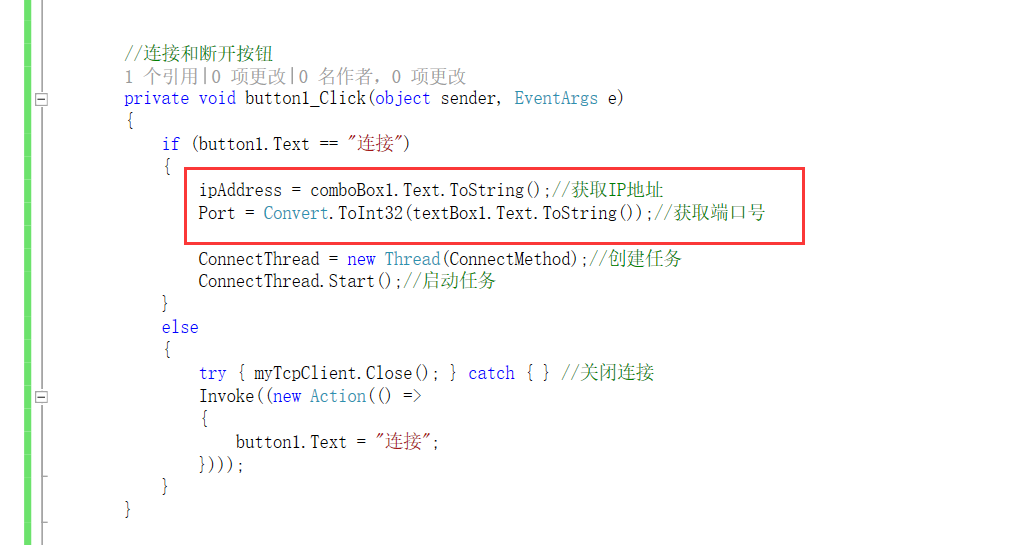
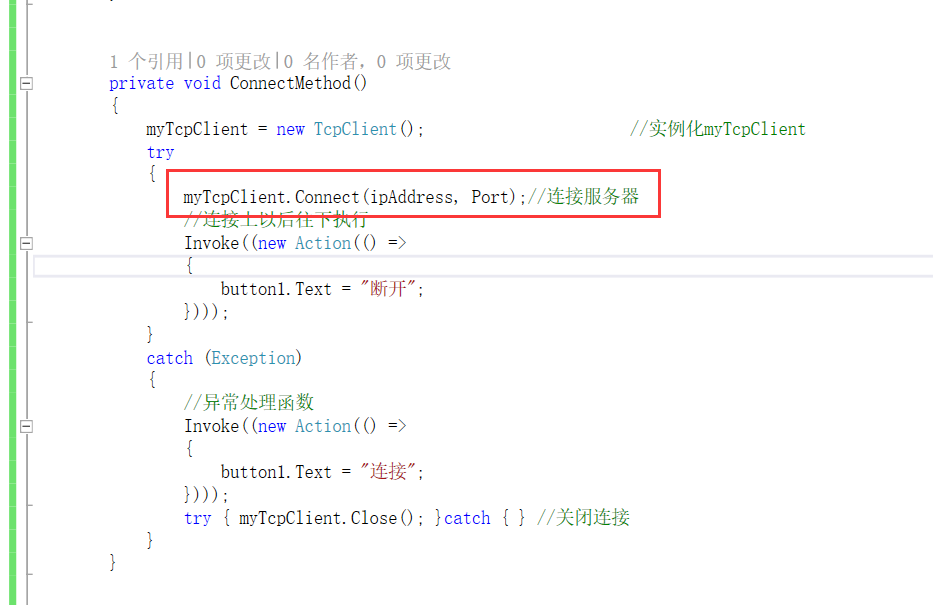
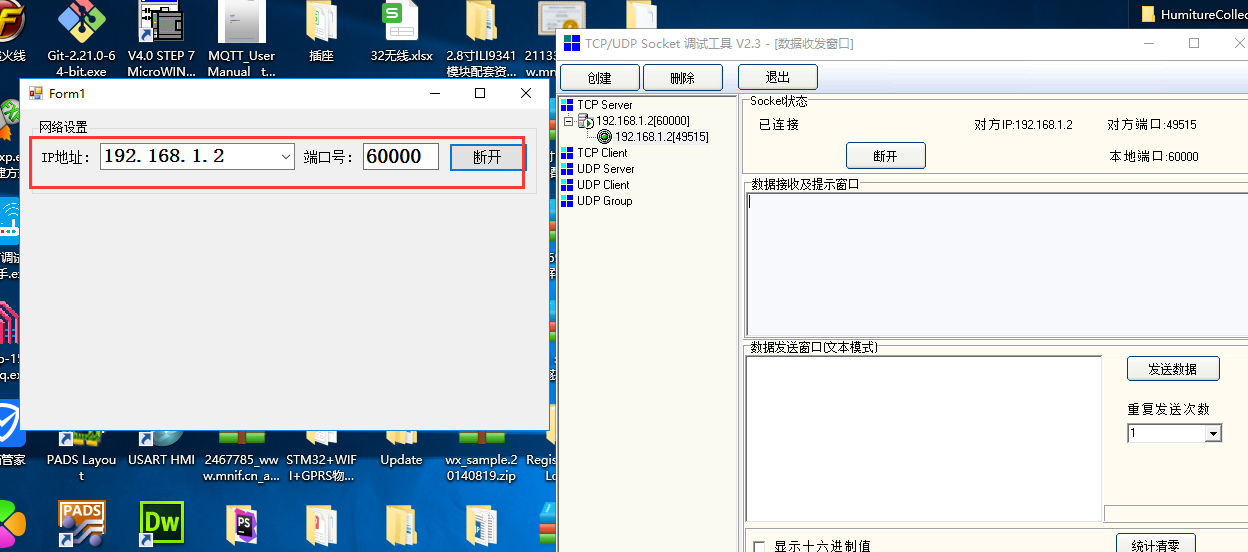
测试

https://www.cnblogs.com/yangfengwu/p/11192603.html
19-ESP8266 SDK开发基础入门篇--C# TCP客户端编写 , 连接和断开的更多相关文章
- 20-ESP8266 SDK开发基础入门篇--C# TCP客户端编写 , 加入数据通信
https://www.cnblogs.com/yangfengwu/p/11192594.html 自行调整页面 连接上以后主动发个数据 namespace TCPClient { public p ...
- 24-ESP8266 SDK开发基础入门篇--Android TCP客户端.控制 Wi-Fi输出PWM的占空比,调节LED亮度
https://www.cnblogs.com/yangfengwu/p/11204436.html 刚才有人说需要点鸡汤.... 我想想哈;我还没问关于哪方面的鸡汤呢!!! 我所一直走的路线 第一: ...
- 21-ESP8266 SDK开发基础入门篇--C# TCP客户端 , 控制LED亮灭
https://www.cnblogs.com/yangfengwu/p/11192603.html 由于是台式机,,没有插无线网卡...所以呢我就用调试助手监控下数据 后期让WIFI连接路由器的时候 ...
- 1-ESP8266 SDK开发基础入门篇--开发环境搭建
因为今天终于做好了自己的另一块工控板,所以我就开始写基础公开篇的内容,希望自己小小的努力能够帮到大家 自己做的另一块板子 https://www.cnblogs.com/yangfengwu/cate ...
- 25-ESP8266 SDK开发基础入门篇--控制WIFI连接路由器
https://www.cnblogs.com/yangfengwu/p/11324411.html 说个事情,现在SDK的版本已经出到3.0了,但是我还是使用2.0 如果只是为了学习研究 选择3 ...
- 29-ESP8266 SDK开发基础入门篇--编写TCP 客户端程序(Lwip RAW模式,非RTOS版,精简入门)
https://www.cnblogs.com/yangfengwu/p/11456667.html 由于上一节的源码长时间以后会自动断开,所以再做这一版非RTOS版的,咱直接用lua源码里面别人写的 ...
- 18-ESP8266 SDK开发基础入门篇--TCP 服务器 RTOS版,串口透传,TCP客户端控制LED
https://www.cnblogs.com/yangfengwu/p/11112015.html 先规定一下协议 aa 55 02 01 F1 4C 控制LED点亮 F1 4C为CRC高位和低位 ...
- 16-ESP8266 SDK开发基础入门篇--TCP 服务器 非RTOS运行版,串口透传(串口回调函数处理版)
https://www.cnblogs.com/yangfengwu/p/11105466.html 其实官方给的RTOS的版本就是在原先非RTOS版本上增加的 https://www.cnblogs ...
- 28-ESP8266 SDK开发基础入门篇--编写wifi模块TCP 客户端程序(官方API版,非RTOS版)
https://www.cnblogs.com/yangfengwu/p/11432795.html 注:这节实现的功能是WIFI模块作为TCP 客户端,连接咱的TCP服务器,然后实现透传 本来想着做 ...
随机推荐
- 依赖注入 DI 控制反转 IOC 概念 案例 MD
Markdown版本笔记 我的GitHub首页 我的博客 我的微信 我的邮箱 MyAndroidBlogs baiqiantao baiqiantao bqt20094 baiqiantao@sina ...
- 表单提交学习笔记(二)—使用jquery.validate.js进行表单验证
一.官网下载地址:http://plugins.jquery.com/validate/ 二.用法 1.在页面上进行引用 <script src="~/scripts/jquery-1 ...
- Linux中解压、压缩 ZIP文件
解压 unzip -o -d /home/v-gazh myfile.zip # 把myfile.zip文件解压到 /home/v-gazh/ # -o:不提示的情况下覆盖文件: # -d:-d /h ...
- IDEA和Eclipse启动优化
昨天对比了下IDEA和Eclipse的启动速度,发现IDEA启动真的是好慢啊!!! 电脑配置:8G win7 IDEA启动配置 -Xms1024m -Xmx1024m -Xmn500m -XX:Met ...
- Typora基础
Typora下载网址https://typora.io 一级标题 :# 空格 编写内容 二级标题 2*# 空格 内容 typora快捷键 ctrl+1 =一级标题 有序内容 1.+tab (Q旁边的t ...
- 前端框架 Vue.js 概述
Vue.js 是什么 图片 Vue (读音 /vjuː/,类似于 view) 是一套用于构建用户界面的渐进式框架.与其它大型框架不同的是,Vue 被设计为可以自底向上逐层应用.Vue 的核心库只关注视 ...
- Node: 通过Console打印日志 (Log Message via Console)
In normal development, we are likely to use 'console.log' for message logging, yet it's simple, we a ...
- cmake 的简单使用示例
https://www.zybuluo.com/khan-lau/note/254724 CMake 用法导览 Preface : 本文是CMake官方文档CMake Tutorial (http:/ ...
- opencv——图像掩码操作
使用opencv通过掩码去扣取图像中感兴趣的区域 步骤: 1.读取一张图片 2.转换颜色格式为hsv 3.设置要扣取区域颜色的上下门限 4.从原始图像中获取感兴趣区域的掩码 5.使用掩码和原始图像做云 ...
- 使用Cloudera Manager部署Kafka消息队列
使用Cloudera Manager部署Kafka消息队列 作者:尹正杰 版权声明:原创作品,谢绝转载!否则将追究法律责任. 一.下载需要安装的Kafka版本 1>.查看Cloudera Dis ...