
利用css中的border生成三角,兼容包括IE6的主流浏览器
1、生成四个不同颜色方向的梯形

#ladder{ width:20px; height:20px; border:10px solid; border-color:#ff3300 #0000ff #339966 #00ff00; }
2、只显示一个方向的梯形
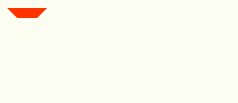
#ladder-top{ width:20px; height:20px; border:10px solid; border-color:#ff3300 transparent transparent transparent; border-style:solid dashed dashed dashed; }
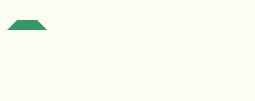
#ladder-bottom{ width:20px; height:20px; border:10px solid; border-color:transparent transparent #339966 transparent; border-style:dashed dashed solid dashed; }
3、设置宽度和高度为0,使梯形转换为三角形

#triangle-top{ width:0px; height:0px; border:10px solid; border-color:#ff3300 transparent transparent transparent;/ border-style:solid dashed dashed dashed; }

#triangle-bottom{ width:0px; height:0px; border:10px solid; border-color:transparent transparent #339966 transparent;/ border-style:dashed dashed solid dashed; }
4、实战:纯css实现文字提示框

.yitip-wrapper{ padding-top:20px; }
.yitip{ position:absolute;     left:-40px; top:-14px; padding:6px 12px;     background-color:white; font-size:12px; line-height:; text-decoration:none; text-align:center; text-shadow:0 0 1px white; white-space:nowrap; -moz-border-radius:4px; -webkit-border-radius:4px; border-radius:4px; background-color:#f9f2ba; border:1px solid #e9d315; color:#5b5316;     }
.yitip .pointyTipShadow,.yitip .pointyTip{ position:absolute; border:6px solid; border-color:#e9d315 transparent transparent transparent; border-style:solid dashed dashed dashed; bottom:-12px; width:;height:; left:50%; margin-left:-6px; }
.yitip .pointyTip{ border-top-color:#f9f2ba; } .yitip .pointyTipShadow{ border-width:7px !important; bottom:-14px; margin-left:-7px; }
转:http://www.36ria.com/demo/triangle/#
利用css中的border生成三角,兼容包括IE6的主流浏览器的更多相关文章
- 原来css中的border还可以这样玩
原来css中的border还可以这样玩 前面的话: 在看这篇文章之前你可能会觉得border只是简单的绘制边框,看了这篇文章,我相信你也会跟我一样说一句"我靠,原来css中的border还可 ...
- css中的border还可以这样玩
在看这篇文章之前你可能会觉得border只是简单的绘制边框,看了这篇文章,我相信你也会跟我一样说一句"我靠,原来css中的border还可以这样玩".这篇文章主要是很早以前看了别人 ...
- 关于css中的border
我一直以为css中的border是正方形的 像这样 因为我平时用的时候都是 border:1px solid #000,都是同一个颜色所以看不出来 当我给每一个边分别设置颜色的时候才发现 他们是以梯形 ...
- 原生JavaScript 导出excel表格(兼容ie和其他主流浏览器)
因同事的需求是想前端导出excel表格,网上找了一些demo,自己修改了一下,可能以后会用到,记录下来吧,兼容ie和一些主流浏览器,ie可能会报错,原因参考 这里,edge 浏览器还没有办法导出,正在 ...
- css中元素border属性的构成以及配合属性值transparent可得到一些特殊形状1.0
css中我们经常使用到元素的border属性和属性值transparent,可能好多人还不太了解border的构成以及配合transparent的一些效果: 1.border的构成如下所示: ht ...
- CSS中设置border:none和border:0的区别
在我们设置CSS的时候,对标签元素不设置边框属性或者取消边框属性一般设置为:border:none;或border:0;两种方法均可. border:none;与border:0;的区别体现有两点:一 ...
- 利用CSS中的:after、: before制作的边三角提示框
小颖昨天分享了一篇参考bootstrap中的popover.js的css画消息弹框今天给大家再分享一篇使用:before和:after伪元素画消息弹框的CSS. 画出来是介个酱紫的: 有没有觉得画的萌 ...
- CSS border 生成三角
<!DOCTYPE html PUBLIC "-//W3C//DTD XHTML 1.0 Strict//EN" "http://www.w3.org/TR/xht ...
- 深入理解之css中的border属性
1. border-width:不支持不百分比 1)受本身的使用场景决定. 例子:左边为手机,右边为显示器,但是他们边框的宽度是差不多的,不会因为设备大就让边框宽度变大. 2. border-widt ...
随机推荐
- .net core 中的序列化和反序列化
学习博客:http://www.voidcn.com/blog/dujingjing1230/article/p-1204454.html
- [Everyday Mathematics]20150214
设 $\dps{x\in \sex{0,\frac{\pi}{2}}}$, 试比较 $\tan(\sin x)$ 和 $\sin(\tan x)$.
- 使用Yii框架自带的CActiveForm实现ajax提交表单
Php代码: <div class="form"> <?php $form=$this->beginWidget('CActiveForm', array ...
- Jersey搭建Restful服务器 on Ubuntu
自己试着在Ubuntu上搭建一个 1.首先安装eclipse和tomcat sudo apt-get install eclipse tomcat7 -y 2.把tomcat的group assign ...
- APP测试时不可忽视搭建代理服务器抓包测试的必要性
这几天测的一个app,后台从已有服务器搬迁到了阿里云,接口api之类的都没有变化,但测试时发现客户端始终无法使用,每次点击都无法获得服务器反馈 用python编写脚本调接口,没问题,返回数据一切正常, ...
- C++设计模式——单例模式
问题描述 现在,不管开发一个多大的系统(至少我现在的部门是这样的),都会带一个日志功能:在实际开发过程中,会专门有一个日志模块,负责写日志,由于在系统的任何地方,我们都有可能要调用日志模块中的函数,进 ...
- [转]https方式使用git保存密码的方式
https方式每次都要输入密码,按照如下设置即可输入一次就不用再手输入密码的困扰而且又享受https带来的极速 设置记住密码(默认15分钟): git config --global credenti ...
- c语言指针详解(转载)
转自(http://blog.csdn.net/ad_ad_ad/article/details/1522145) 指针是C语言中广泛使用的一种数据类型. 运用指针编程是C语言最主要的风格之一.利用指 ...
- ado通用操作数据单元
DELPHI开发2层C/S数据库应用程序,许多人通过ADOQUERY或ADOTABLE直接操作数据库,其实这种方法虽然最为直接,但有其缺点:如果以后要将程序升级为3层C/S会非常困难.而通过像下面的通 ...
- visualC/C++连接MySql数据库
vs连接数据库其实就是将mysql数据库.h头文件接口.lib链接文件和dll执行文件加入到项目中.下面是配置如何加入. 转于http://www.cnblogs.com/justinzhang/ar ...