
win32 - 创建带有标准阴影的无边框窗口
这个框框好像删不掉,就先放这边吧。。。
#define WIN32_LEAN_AND_MEAN

#include <unknwn.h>

#include <windows.h>

#include <dwmapi.h>

#include <gdiplus.h>

#include <objidl.h>

using namespace Gdiplus;

#pragma comment(lib, "dwmapi.lib")

#pragma comment(lib, "gdiplus.lib")

INT_PTR CALLBACK MyDialogProc(HWND hDlg, UINT message, WPARAM wParam,

                              LPARAM lParam);

int APIENTRY wWinMain(_In_ HINSTANCE hInstance,

                      _In_opt_ HINSTANCE hPrevInstance, _In_ LPWSTR lpCmdLine,

                      _In_ int nCmdShow) {

  // Initialize GDI+

  Gdiplus::GdiplusStartupInput gdiplusStartupInput;

  ULONG_PTR gdipToken = 0;

  Gdiplus::GdiplusStartup(&gdipToken, &gdiplusStartupInput, nullptr);

  struct MyDialog : DLGTEMPLATE {

    WORD dummy[3] = {0};  // unused menu, class and title

  } dlg;

  dlg.style = WS_POPUP | WS_CAPTION | DS_CENTER;

  dlg.dwExtendedStyle = 0;

  dlg.cdit = 0;  // no controls in template

  dlg.x = 0;

  dlg.y = 0;

  dlg.cx = 300;  // width in dialog units

  dlg.cy = 200;  // height in dialog units

  DialogBoxIndirectW(hInstance, &dlg, nullptr, MyDialogProc);

  Gdiplus::GdiplusShutdown(gdipToken);

  return 0;

}

INT_PTR CALLBACK MyDialogProc(HWND hDlg, UINT message, WPARAM wParam,

                              LPARAM lParam) {

  switch (message) {

    case WM_INITDIALOG: {

      SetWindowTextW(hDlg, L"Borderless Window with Shadow");

      // This plays together with WM_NCALCSIZE.

      MARGINS m{0, 0, 0, 1};

      DwmExtendFrameIntoClientArea(hDlg, &m);

      // Force the system to recalculate NC area (making it send WM_NCCALCSIZE).

      SetWindowPos(hDlg, nullptr, 0, 0, 0, 0,

                   SWP_NOZORDER | SWP_NOOWNERZORDER | SWP_NOMOVE | SWP_NOSIZE |

                       SWP_FRAMECHANGED);

      return TRUE;

    }

    case WM_NCCALCSIZE: {

      // Returning 0 from the message when wParam is TRUE removes the standard

      // frame, but keeps the window shadow.

      if (wParam == TRUE) {

        SetWindowLong(hDlg, DWL_MSGRESULT, 0);

        return TRUE;

      }

      return FALSE;

    }

    case WM_PAINT: {

      PAINTSTRUCT ps{0};

      HDC hdc = BeginPaint(hDlg, &ps);

      // Draw with GDI+ to make sure the alpha channel is opaque.

      Gdiplus::Graphics gfx{hdc};

      Gdiplus::SolidBrush brush{Gdiplus::Color{255, 255, 255}};

      int x = ps.rcPaint.left;

      int y = ps.rcPaint.top;

      int width = ps.rcPaint.right - ps.rcPaint.left;

      int height = ps.rcPaint.bottom - ps.rcPaint.top;

      gfx.FillRectangle(&brush, x, y, width, height);

      EndPaint(hDlg, &ps);

      return TRUE;

    }

    case WM_NCHITTEST: {

      // Returning HTCAPTION allows the user to move the window around by

      // clicking anywhere. Depending on the mouse coordinates passed in LPARAM,

      // you may return other values to enable resizing.

      SetWindowLong(hDlg, DWL_MSGRESULT, HTCAPTION);

      return TRUE;

    }

    case WM_COMMAND: {

      WORD id = LOWORD(wParam);

      if (id == IDOK || id == IDCANCEL) {

        EndDialog(hDlg, id);

        return TRUE;

      }

      return FALSE;

    }

  }

  return FALSE;  // return FALSE to let DefDialogProc handle the message

}
结果:
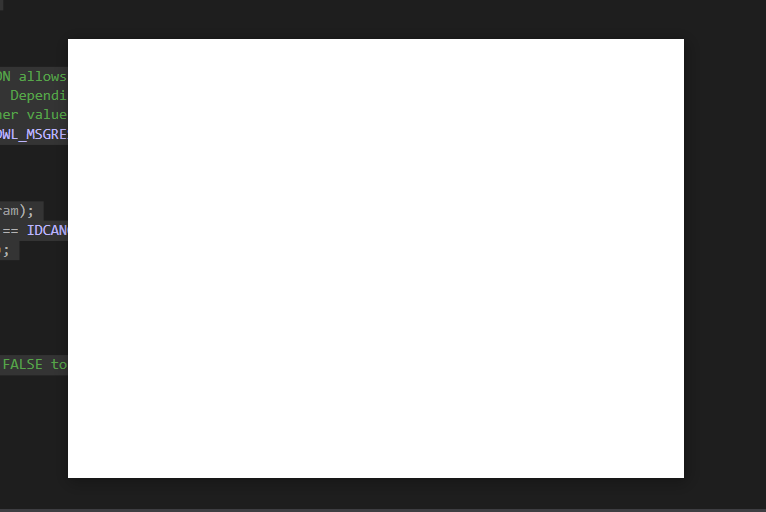
相关文章: Borderless Window with Drop Shadow
github上另外一篇教程:https://github.com/melak47/BorderlessWindow#borderlesswindow
拓展:
如果想要启用drop shadow效果,可以使用CS_DROPSHADOW样式,子窗口不可用。
   ULONG_PTR cNewStyle = GetClassLongPtr(hWnd, GCL_STYLE) | CS_DROPSHADOW;

   SetClassLongPtr(hWnd, GCL_STYLE, cNewStyle);
win32 - 创建带有标准阴影的无边框窗口的更多相关文章
- 让Qt的无边框窗口支持拖拽、Aero Snap、窗口阴影等特性
环境:Desktop Qt 5.4.1 MSVC2013 32bit 需要的库:dwmapi.lib .user32.lib 需要头文件:<dwmapi.h> .<windowsx. ...
- 如何在pyqt中给无边框窗口添加DWM环绕阴影
前言 在之前的博客<如何在pyqt中通过调用SetWindowCompositionAttribute实现Win10亚克力效果>中,我们实现了窗口的亚克力效果,同时也用SetWindowC ...
- 如何在pyqt中在实现无边框窗口的同时保留Windows窗口动画效果(一)
无边框窗体的实现思路 在pyqt中只要 self.setWindowFlags(Qt.FramelessWindowHint) 就可以实现边框的去除,但是没了标题栏也意味着窗口大小无法改变.窗口无法拖 ...
- 【转】MFC 无边框窗口的拖动
MFC中无边框窗口的拖动 void CXXXXDialog::OnLButtonDown(UINT nFlags, CPoint point) { PostMessage(WM_NCLBUTTONDO ...
- electron关于无边框窗口无法拖拽移动以及点击事件失效的问题
为了使窗口无边框,使得在某些时候让项目看起来更美观,所以在创建窗口的时候通过设置 frame 属性的值为 false 来创建无边框窗口.但是无边框窗口会产生无法移动的问题,对于这个问题我们可以在渲染进 ...
- pyqt5设计无边框窗口(一)
import sys from PyQt5 import QtGui,QtCore from PyQt5 import QtCore, QtGui, QtWidgets ############### ...
- 如何在pyqt中自定义无边框窗口
前言 之前写过很多关于无边框窗口并给窗口添加特效的博客,按照时间线罗列如下: 如何在pyqt中实现窗口磨砂效果 如何在pyqt中实现win10亚克力效果 如何在pyqt中通过调用SetWindowCo ...
- WPF系列:无边框窗口
<Window x:Class="Ares.Animations.Window3" xmlns="http://schemas.microsoft.com/winf ...
- Qt5:无边框窗口拖动
在窗口程序中,无边框窗口程序一般需要特殊处理才能拖动 Qt中,要实现无边框窗口的拖动,需要重新实现 mousePressEvent 和 mouseMoveEvent 俩虚函数 void Widget: ...
- 【Qt编程】基于Qt的词典开发系列<五>--无边框窗口的拖动
在上一篇文章中,我们讲述了如何进行无边框窗口的缩放与拖动,而在一些情况下,我们的窗口只需要进行拖动也不需要改变其大小,比如:QQ的登录窗口.本来在上一篇文章中已经讲述了如何进行窗口的拖动,但是却与窗口 ...
随机推荐
- lightning 导入数据库表的操作步骤
lightning 导入数据库表的操作步骤 TiDB数据库备份恢复的方式与方法 1. mysqldumper 以及 mysql 导入 2. select into outfile 以及 load da ...
- [转帖]数据库系列之TiDB存储引擎TiKV实现机制
TiDB存储引擎TiKV是基于RocksDB存储引擎,通过Raft分布式算法保证数据一致性.本文详细介绍了TiKV存储引擎的实现机制和原理,加深对TiDB底层存储架构的理解. 1.TiDB存储引擎Ti ...
- [转帖]Load Base Split
https://docs.pingcap.com/zh/tidb/stable/configure-load-base-split#load-base-split Load Base Split 是 ...
- [转帖]grafana 连接 influxdb 1.x 和 2.x
文章目录 一.安装 influxdb Ⅰ.docker 安装 二.常用操作 Ⅰ.influxdb 1.x版本添加用户认证 Ⅱ.influxdb 2.x 使用命令行 Ⅲ.CLI 配置token Ⅴ.CL ...
- Python处理Oracle数据库的学习过程
Python处理Oracle数据库的学习过程 背景 产品数据存在一些大小写敏感的数据迁移到不敏感的数据库时出现报错的情况. 基于此, 我这边跟帅男同学学习了下Python的使用. 因为这一块一直比较菜 ...
- [转帖]银河麒麟服务器操作系统V10SP1-x86_64系统环境下部署aarch64虚拟机
文章目录 主机系统环境 搭建aarch64虚拟机环境 ①安装"虚拟系统管理器" ②编译安装Qemu for Aarch64 ③获取aarch64架构的qcow2镜像 ④使用qcow ...
- 结论&定理大全
定理 1:包含 \(0\) 与 \(2^k-1\) 的按位与或空间和 \(k\) 个点的有传递性的有向图形成双射 证明: 空间->传递闭包:对于任意两个位 \(i,j\),若某个数包含 \(i\ ...
- js 闭包详解一
闭包(closure)是Javascript语言的一个难点,也是它的特色,很多高级应用都要依靠闭包实现. 下面就是我的学习笔记,对于Javascript初学者应该是很有用的. 一.变量的作用域 要理解 ...
- Fabric配置块结构解析
本文是区块链浏览器系列的第二篇. 上一篇介绍了交易块中的数据结构,这一篇介绍区块链网络中的配置块数据结构. 这两种区块中数据结构内容的区别主要Payload结构体中的Data域中的内容,接下来将以类图 ...
- 【主流技术】聊一聊对 Mybatis Plus 的理解与应用
前言 mybatis plus是一个mybatis的增强工具,在其基础上只做增强不做改变.作为开发中常见的第三方组件,学习并应用在项目中可以节省开发时间,提高开发效率. 官方文档地址:MyBatis- ...