
Comparing Code Playgrounds Codepen, JSFiddle, JS Bin, Dabblet, CSS Deck, and Liveweave
What is a code playground?
Codepen, JSFiddle, JS Bin, Dabblet, CSS Deck, and Liveweave are HTML, CSS and JavaScript playgrounds, meaning that you can type in your HTML, CSS and JavaScript to troubleshoot, mess around with some code, or quickly write HTML CSS, and Javascript. These sites are the leading playgrounds for front-end developers and in this article I hope to point out some pros and cons of each and conclude an overall winner. If anyone is familiar with C++, these playgrounds are like drivers – you use them to avoid creating a mess of code that you can't troubleshoot.
These code playgrounds are reviewed in no particular order. If you want to read my overall thoughts among them all, read the last section.
Codepen
Codepen is a nice and sleak code playground that lets you mess with HTML5, CSS3, and JavaScript (as they all playgrounds do).
Codepen has a liveview that is automatically updated when you type and allows for three major layouts. These layouts reload the page when you click them and you can save your code to your account but must buy the pro version to get any private projects. The pro version also enables a live view that automatically updates on different devices as you type, asset hosting which allows you to use your images and other files for your site, a collaborative mode which enables shared coding, unlimited embed themes, "professor mode" which enables a full-screen for presentations, private pens and multiple external resources you can link to. You can read the entire list of benefits here.
JSBin
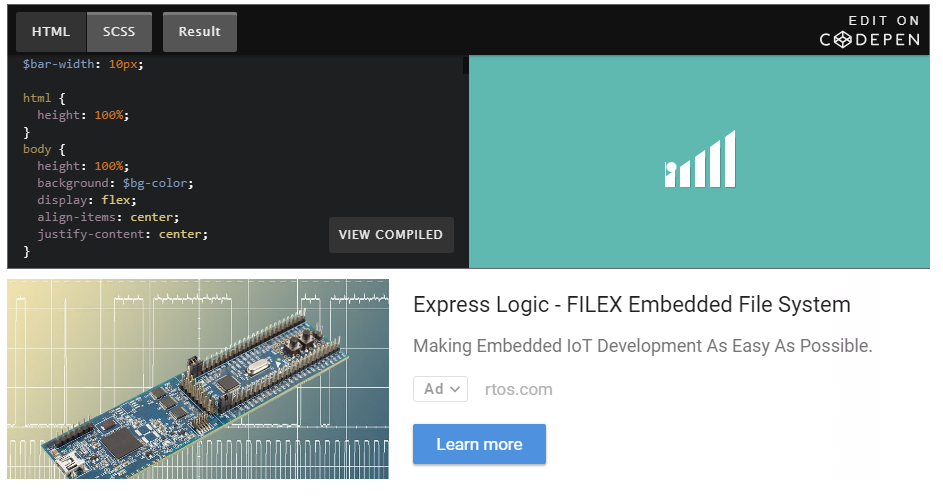
JS Bin is different from the others by the way of embedding. Sure, others have embeddable code, but you have to click a link on the embedded app to go to that particular site to alter the code in any way. I think it's a much nicer sentiment to allow the code to be edited on the page it's embedded into. JSbin also offers a free _codecasting_ feature that Codepin charges for and, unlike CSSDeck, is live. Enter JS Bin! JS Bin lets you embed and edit the code right on the website it’s embedded on. Go ahead and try changing the code below!
Plunker
Plunker allows for multiple files to be added to your project. This is helpful when trying to make more than just a simple demo. It features real time code collaboration and live preview updating, code linting, and the project is open source under the MIT license.
Unfortunately, the embedded code cannot be edited directly. You need to open it on plunker to mess with the code example.
CSSDeck
CSS Deck shares many of the capabilities of the other code playgrounds, but offers a few more, while maintaining the low price of free. You can sign in with social media, including Github, as others have to offer.
 Once logged into CSS Deck, you’ll find it’s layout is similar to the others, particularly JS Bin, but the design is a bit more sleek, in my opinion. You’ve got sections for HTML, CSS, JavaScript, and then an area for the result. You can choose to include or exclude certain elements, similar to the embed below. It offers two different formats though; you can either put the code areas on the left or on the bottom. CSS Deck offers HTML, CSS, and JavaScript preprocessors, which is something the others don’t offer. You can set your code to private or public all in the settings of each project.
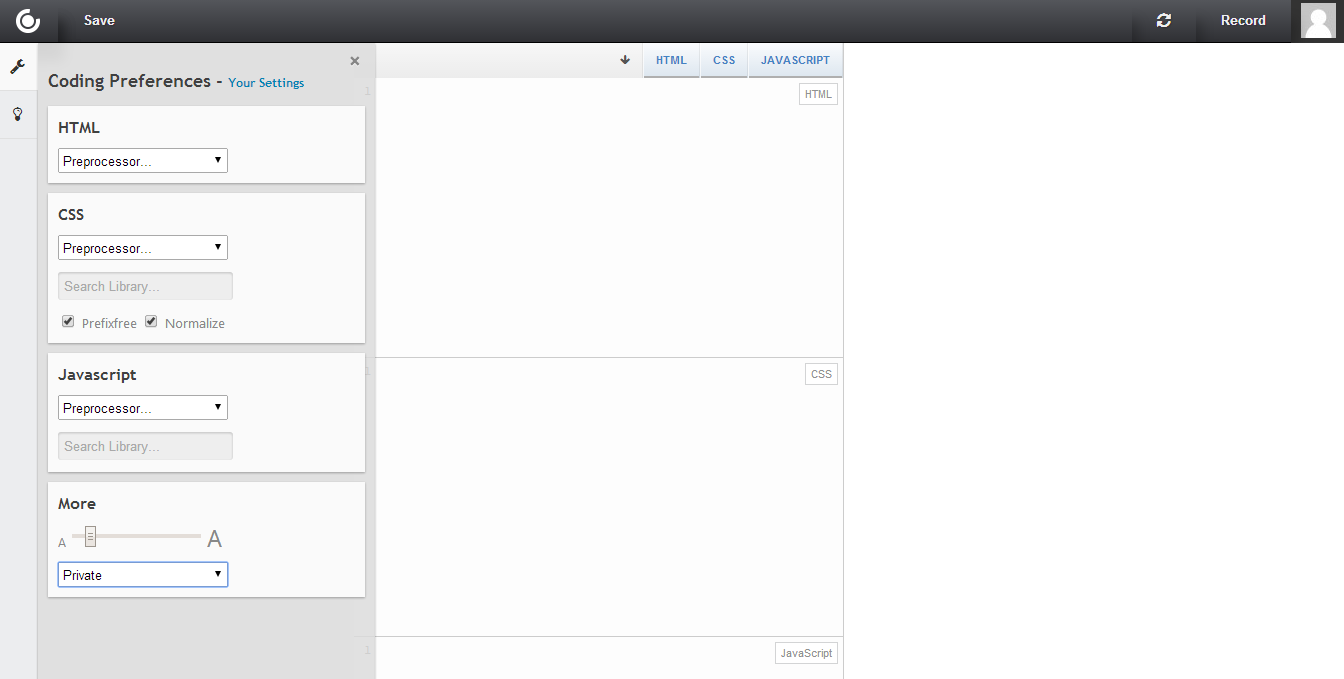
Interestingly, CSS Deck offers the ability to record your process for others to review later on. They call them codecasts; go ahead and watch this one to see how it works. As with the others, you can fork (copy) any public project. However, CSS Deck offers a nice way to embed the code into a website (see below), which can be nice if you have a blog and share what you learn.
Dabblet
Dabblet feels much more design oriented than the others. I’m not saying the other code playgrounds look bad, but I really appreciate dabblet’s look. It’s the small things, like giving a visual representation of a dimension when you hover your mouse over the number, or show the color and other parameters when you hover over the word.
Again, the small things make me really want to like dabblet, like how they link to a website that validates your code. But, at the same time, the small things that other services offer and dabblet does not somewhat frustrates me because I like the design of this one so much. For example, you can't resize each section manually. So, one code section gets much smaller screen real estate than the other two, which may be helpful or harmful depending on what project you’re working on. You can embed dabblet by including an iframe with the source of your project. You can also change the layout and which section (HTML/CSS/JS/Result) you want to view at any given moment.
Liveweave
Liveweave is very similar to the others but has some different features; it has four different layouts that you can pick to suite your size monitor and preferences. However, Liveweave updates the layout without reloading the page and you can actually change the size of each individual cell. A small thing, I know, but I thought it was worth mentioning.
As you can see, embedding Liveweave is possible through an iframe, but it's not the most responsive layout. If you need to embed code, I recommend using a different playground.

Liveweave has also got a live preview option which can be turned off it you need it disabled temporarily (for javascript editing).
While most playgrounds offer Emmet (formerly called Zen coding), Liveweave requires you to press Ctrl + E (Cmd + E) to activate the action, while the others require you to hit tab (tab is what most editing software uses). There's also a smart autocompletion and linting logic in the editor.
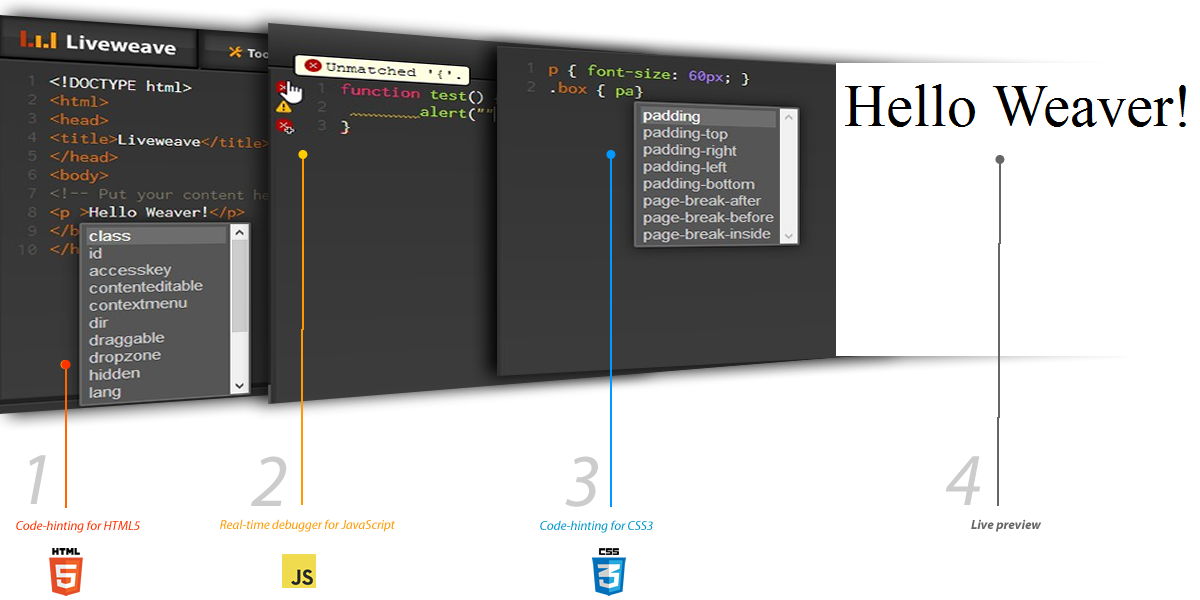
Liveweave offers the ability to download your code as well as a "Tidy-up HTML" feature that will auto-format and clean up your code a bit.
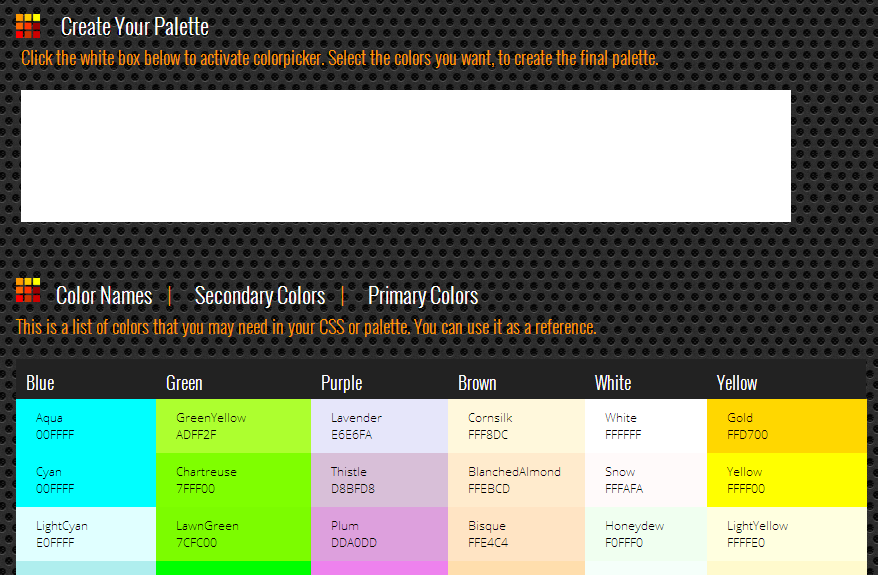
Another feature that is unique to Liveweave is the color & palette lab, a reference tool that will help you find or create the right color scheme for your site. As is with the other playgrounds, there is a plethora of externally hosted frameworks that you can reference.
JSFiddle
From my experience of the stack overflow forums, JSFiddle is as normal as using Imgur for Reddit. So why use any other if JSFiddle is such a standard?
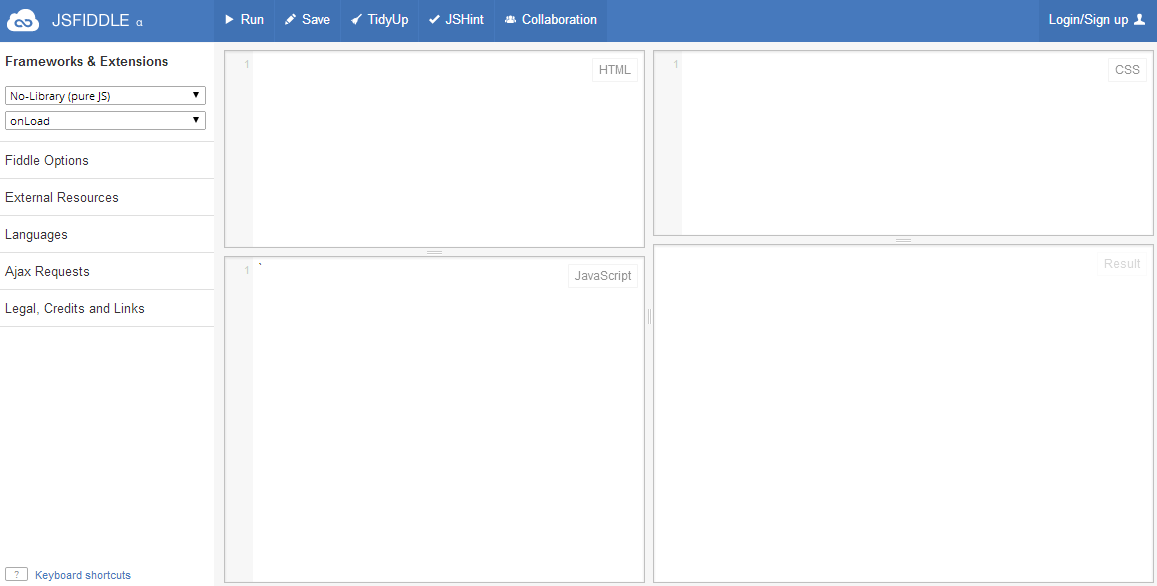
Well, for one, JS Fiddle doesn't auto-update when you type. You need to hit Ctrl + E to run the code, which can be tedious if you're troubleshooting. You can still resize the cells, use external resources, frameworks, etc.
It also expands the options by offering different languages like Coffeescript (a Javascript preprocessor) or SCSS instead of CSS.
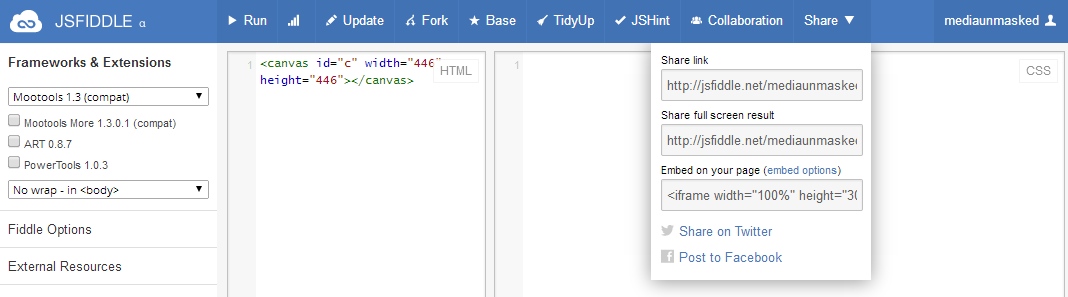
JS Fiddle has a nice collaboration mode that lets you work on the same section of code with people you’re working with, in real time. You can properly embed a fiddle in your blog by clicking the share dropdown (you need to be logged in to see this option). Below is an example of JS Fiddle's embed capabilities. Unfortunately, you cannot edit JSFiddle embeds directly (instead, there is a link to jsfiddle.net).
Conclusion
All the playgrounds I wrote about certainly have good things about them, so in the end it's up to you to choose which one you like the best and will go to first. I, personally, will likely use CSS Deck because it offers most of the things I will find myself using. Features that include embedding code that people can edit, simple design, and ease of use.
All of the playgrounds offer the basic necessities to troubleshoot your code and they even have what I would consider add-ons (such as Emmet). In the end, you should try them all, at least for a little bit. You will find features in one that you like over the others and choose from your experience. I know there are more code playgrounds, but I found these to be the most appealing to me.
Comparing Code Playgrounds Codepen, JSFiddle, JS Bin, Dabblet, CSS Deck, and Liveweave的更多相关文章
- JS Bin Tips and Bits • About
JS Bin Tips and Bits • About About Who built this? JS Bin was built by Remy Sharp and is completel ...
- App.js和App.css(用于移动应用的js和css)
App.js和App.css(用于移动应用的js和css) 一.App.js和App.css(用于移动应用的js和css) App.js 是一个轻量级的 JavaScript UI 库,用来创建移动的 ...
- js中获取css属性
直接获取 window.onload = function() { var but = document.getElementById('button'); var div = document.ge ...
- 区域及分离、Js压缩、css、jquery扩展
后台管理区域及分离.Js压缩.css.jquery扩展 本系列目录:ASP.NET MVC4入门到精通系列目录汇总 有好一段时间没更新博文了,最近在忙两件事:1.看书,学习中...2.为公司年会节目做 ...
- vue脚手架使用swiper /引入js文件/引入css文件
1.安装vue-cli 参考地址:https://github.com/vuejs/vue-cli 如果不使用严格语法需要在后三项打no:(加了挺头疼的,老是报错,但是对自己的代码规范性也是有很大的帮 ...
- js中获取css样式属性值
关于js中style,currentStyle和getComputedStyle几个注意的地方 (1)用js的style只能获取元素的内联样式,内部样式和外部样式使用style是获取不到的.针对css ...
- APP---发布动态、朋友圈类似,多张图片动响应式正方形展示布局 vue.js,aui.css,apiclouv
环境:vue.js,aui.css,apicloud 1.没做控制之前.图片真实长度宽度. 2.下面用js控制高度 js部分 //js 部分 //先动态的获取属性宽度 var box4_col3 = ...
- 麦子学院bootstrap实战项目官网,后台,jquery.singlePageNav.min.js ,wow.min.js,animate.css使用
1.源码笔记 我的源码+笔记(很重要):链接: https://pan.baidu.com/s/1eSxgLV0 密码: 2pi2 感谢麦子学院项目相关视频:链接: https://pan.baidu ...
- 第60天:js常用访问CSS属性的方法
一. js 常用访问CSS 属性的方法 我们访问得到css 属性,比较常用的有两种: 1. 利用点语法 box.style.width box.style.top 点语法可以得到 ...
随机推荐
- 一个关于EasyUI超恶心的BUG。。。Cannot read property 'options' of undefined
控制台Console抛出的异常: jquery.easyui.min.js:9148 Uncaught TypeError: Cannot read property 'options' of und ...
- django 运行脚本
转自:https://segmentfault.com/a/1190000006752130 runscript 命令会首先检查每个 app 下的 scripts 目录,如果找到对应名字的脚本就会执行 ...
- C++ 原来 const 中所使用的函数 必须 全都具有 const 才行
今天在写程序的时候,出现了一个错误 "对象包含与成员函数不兼容的类型限定符",从网上查了一下,原来原因是这样子的 void showPair();改成 void showPair ...
- tensorflow降低版本
tensorflow降低版本: pip install tensorflow==1.2.0 查看版本: import tensorflow as tf print(tf.__version__)
- php预定义字符
Php中预定义字符的处理: 1,htmlspecialchars()把一些预定义的字符转换为 HTML 实体. 函数原型:htmlspecialchars(string,quotestyle,char ...
- vue 组件中this指向
今天开始学习慕课网的“去哪网”app开发,之前用学了一段时间对vue还是没有深刻理解透,先在开始要从新开始学习vue,今天学的第一堂课是vue 中v-model.v-for的简单例子,以前改变dom中 ...
- table tr 加入背景色之后 去掉td之间的空隙
给table加样式 border-collapse:collapse;
- idea 热部署之JRebel安装-激活-简单使用(修改方法\配置文件均生效)
1.简介 JRebel插件在IntelliJ IDEA中用于代码的热部署,即工程在已经启动的状态下修改代码,可以不用再重启服务,JRebel插件会自动帮我们编译代码,然后重启.整个重启的过程耗时非常短 ...
- centos7下解压bz2文件
已有python2.7.5 已有yum 1.安装bzip2 yum install -y bzip2 2.改变压缩格式 bunzip2 dlib-19.13.tar.bz2 3.解压 tar -xf ...
- Hibernate一对多单向关联和双向关联映射方法及其优缺点 (待续)
一对多关联映射和多对一关联映射实现的基本原理都是一样的,既是在多的一端加入一个外键指向一的一端外键,而主要的区别就是维护端不同.它们的区别在于维护的关系不同: 一对多关联映射是指在加载一的一端数据的同 ...