
Enhance Magento 404 page

Magento default installation already has a predefined custom 404 page (no-route). But is it enough to help visitor/customer get back on right track!?
. Let’s look over a few examples of custom designed 404 pages. http://centar-alata.hr/404, https://github.com/404,http://www.bluedaniel.com/404, http://www.casino-lemonade.com/404/ –
as you can see, it can be funny, creative or you can take advantage of this “case” and try to engage potential customer. Here are a few quick and dirty ideas on how to reuse custom 404 page in Magento and try to serve specific content on it.
Under Magento administration we can manually set default 404 page template. System -> Configuration -> General -> Web -> Default Pages -> CMS No Route Page. Here you can add any previously created CMS page (Customer Services for example).
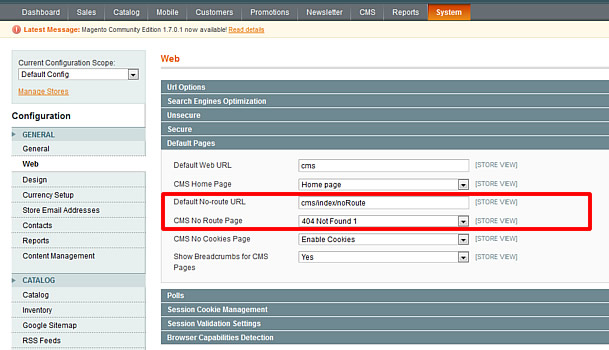
Default 404 page settings
Or you can use more specific content (search form, store sitemap, contact form, specific store categories with promoted products…).
We can use layout update via CMS -> Pages -> 404 not found -> Design -> Layout Update XML. But, we want more controls and we will edit template files. Only thing you can change here is Page Layout, I will use
1 Column page.
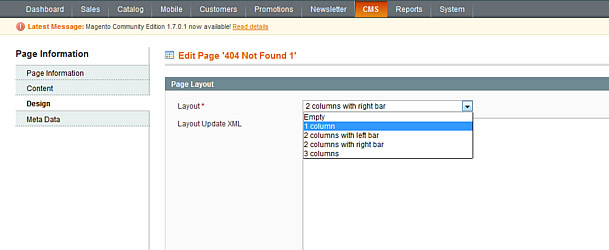
Page settings
Default 404 page.
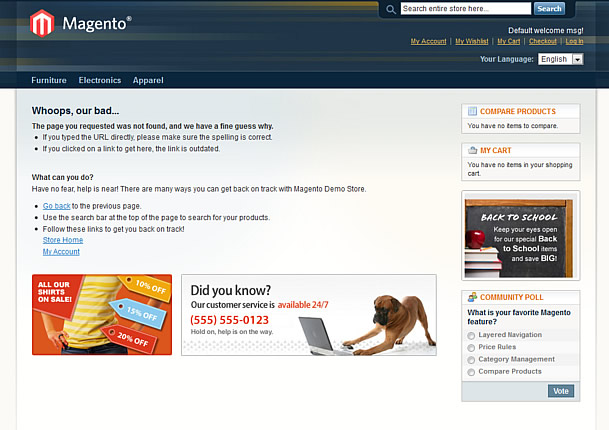
Default 404 page
Now we need to have access to layout and template files or your current theme, first we will start with cms.xml app/design/frontend/yourpackage/yourtheme/layout/cms.xml in my example path is app/design/frontend/base/default/layout/cms.xml.
Open cms.xml in favorite editor go to line 73 or find
<cms_index_noroute translate="label">Little cleaning
<cms_index_noroute translate="label">

        <label>CMS No-Route Page</label>

        <reference name="content">

            <remove name="page_content_heading"/>

            <remove name="cms.wrapper"/>

        </reference>

    </cms_index_noroute>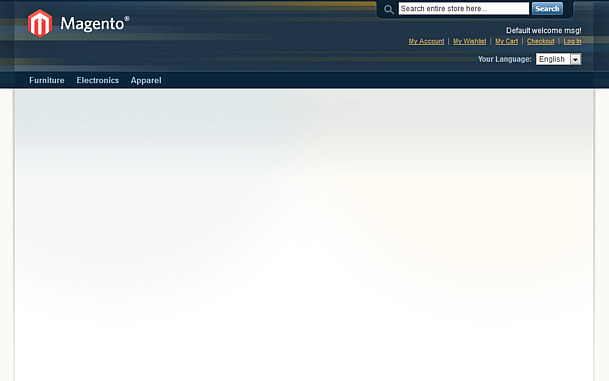
Blank 404 page
Clean layout, and now we can add specific category listing with products, or we can create new category which will contain only products for 404 landing page. We can also create Catalog Price Rules for 404 page
category and add some compensation through discount…
    <cms_index_noroute translate="label">

        <label>CMS No-Route Page</label>

        <reference name="content">

            <remove name="cms.wrapper"/>

            <block type="catalog/product_list" name="featured" template="catalog/product/list.phtml" after="page_content_heading">

                <action method="setCategoryId"><category_id>15</category_id></action>

                <action method="setColumnCount"><column_count>5</column_count></action>

                <action method="setDefaultGridPerPage"><limit>15</limit></action>

            </block>

        </reference>

    </cms_index_noroute>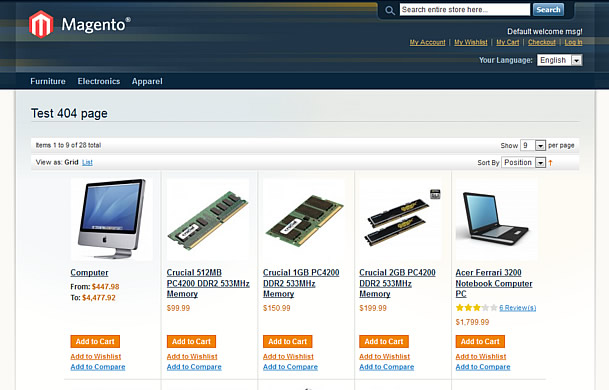
404 page category listing
Željko has already written about a slightly different approach trough CMS 404 page content editinghttp://inchoo.net/ecommerce/magento/last-things-first/.
In most cases 404 pages always have some kind of search form, we can use 2 approaches, simple quick search or advanced search form.
Quick search:
<cms_index_noroute translate="label">

        <label>CMS No-Route Page</label>

        <reference name="content">

            <remove name="cms.wrapper"/>

            <block type="core/template" name="top.search" as="topSearch" template="catalogsearch/form.mini.phtml"/>

        </reference>

    </cms_index_noroute>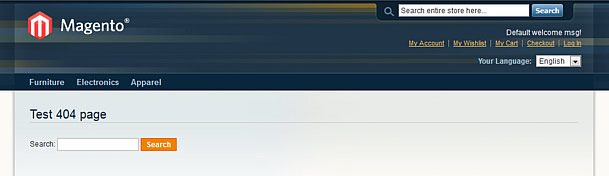
Quick search
Now we will try to use advanced search, in this case we need to create new template for advanced search form. app/design/frontend/base/default/template/catalogsearch/advanced/form.phtml – I will simply duplicate
this template and give it a name 404search.phtml, open that file and on line 38 find
<form action="<?

php echo $this->getSearchPostUrl() ?

>" method="get" id="form-validate">
Replace with
<form action="<?

php echo $this->getUrl('catalogsearch/advanced/result'); ?>" method="get" id="form-validate">
Open cms.xml and add some magic
    <cms_index_noroute translate="label">

        <label>CMS No-Route Page</label>

        <reference name="content">

            <remove name="cms.wrapper"/>

            <remove name="page_content_heading"/>

            <block type="catalogsearch/advanced_form" name="catalogsearch_advanced_form" template="catalogsearch/advanced/404search.phtml"/>

        </reference>

    </cms_index_noroute>
voila
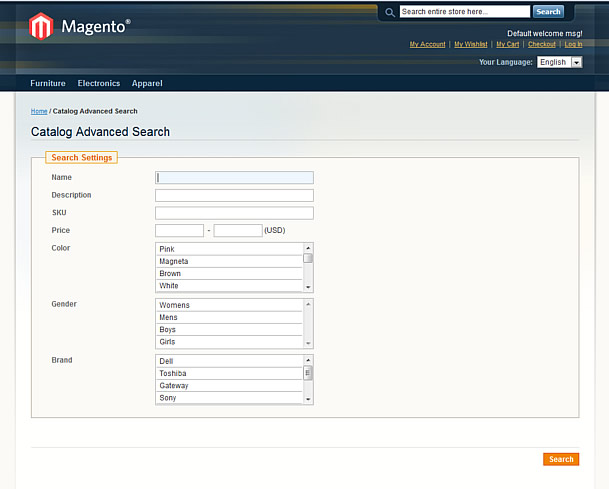
Advanced Search
One more idea is to add a contact form where users can submit a message if they need some help or cannot find something over and over.
Again we need to edit .phtml file, app/design/frontend/base/default/template/contacts/form.phtml and create duplicated template, my name was 404form.phtml.
Open it and around line 31 find:
<form action="<?

php echo $this->getFormAction(); ?>" id="contactForm" method="post">
replace with:
<form action="<?php echo Mage::getUrl(); ?>contacts/index/post/" id="contactForm" method="post">Now edit cms.xml
    <cms_index_noroute translate="label">

        <label>CMS No-Route Page</label>

        <reference name="content">

            <remove name="page_content_heading"/>

            <block type="core/template" name="contactForm" template="contacts/404form.phtml"/>

        </reference>

    </cms_index_noroute>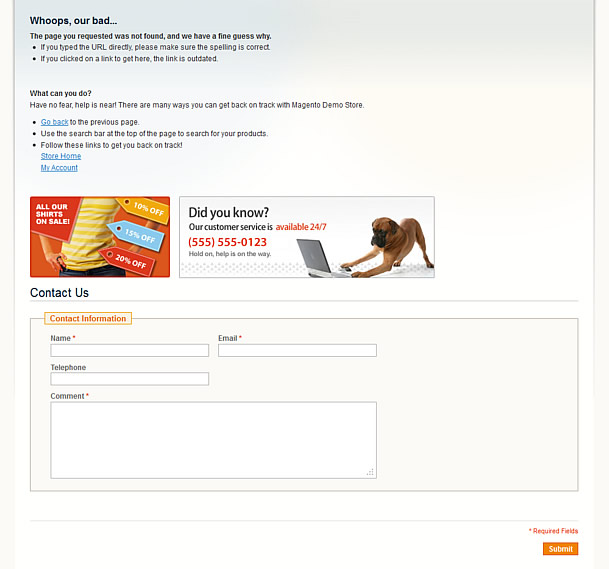
Contact Form
This article is for demonstration purposes only and to give you ideas how to spice up a little, boring 404 page.
Good luck!
Enhance Magento 404 page的更多相关文章
- custom post types 404 Page Error
问题: 注册新的文章类型后,用新的类型写文章,打开后报 404 错误 原因: 因为虽然注册了新的帖子类型,但WordPress还不知道如何处理它 解决: 到设置 -> 固定链接,重新点击保存,再 ...
- C# MVC模式 404 500页面设置方法
<customErrors mode="On" defaultRedirect="Controllers/Action"> <error st ...
- 经典设计:30个另类的 404 not found 页面设计
404页面是每个网站必不可少的一部分.我们在网络上能看到很多创意的404错误页面.在这篇文章中,我挑选了30个充满灵感和启发性的404页面设计的例子.Web 设计师们花精力设计一个另类的自定义的404 ...
- Magento Meigee-Glam 主题的用法
Start起点 Package Structure包装结构 License许可证 Installation安装 What's new Updated!更新了什么! Theme options主题选项 ...
- 在Tomcat中配置404自定义错误页面详解
这篇文章主要介绍了在Tomcat中配置404自定义错误页面全解,需要的朋友可以参考下 一直使用tomcat,今天想到一个问题,自定义404错误页面, 为了获得很好的用户感受,是不应当向用户暴露404这 ...
- 构建通用的 React 和 Node 应用
这是一篇非常优秀的 React 教程,这篇文章对 React 组件.React Router 以及 Node 做了很好的梳理.我是 9 月份读的该文章,当时跟着教程做了一遍,收获很大.但是由于时间原因 ...
- JHipster框架的简要搭建与说明
JHipster的亮点 风头超劲,席卷欧美,最新全能Java Web开发程式产生器 (java web generator). 由Java专家累积的开发经验,配上各类实用的框架技术,去繁取精的运用,全 ...
- Web Application Penetration Testing Local File Inclusion (LFI) Testing Techniques
Web Application Penetration Testing Local File Inclusion (LFI) Testing Techniques Jan 04, 2017, Vers ...
- python 爬虫(一)
1. 一次简单的网页访问 urllib 是一个标准的python库(意味着不需要安装任何附件的东西来运行这个demo),包含了通过网络请求数据的方法,处理cookies,甚至更改metadata比如h ...
随机推荐
- mybatis中app的查询语句
SELECT * FROM ( SELECT (@rownum := @rownum + ) AS rownum,c.* FROM (SELECT @rownum := ) r, ( select * ...
- environ - 用户环境(变量)
SYNOPSIS 总览 extern char **environ; DESCRIPTION 描述 变量 environ 指向的是一个叫 'environment'(环境)的字符串数组 (这个变量必须 ...
- Qt_为什么学习Qt
1)学习GUI编程,市场上任何一款产品几乎都带有图形界面,市场上很火的Androoid.IOS编程无非也是GUI app编程,GUI编程都是差不多的,学习Qt后再学习ANdroid IOS ,那都是S ...
- Java开发中常见的异常问题
要调试程序,自然需要对程序中的常见的异常有一定的了解,因此在这里我将一些常见的Java程序中的异常列举出来给大家参考 AD: 作为一名开发者,Java程序员,很自然必须熟悉对程序的调试方法.而要调试程 ...
- mysql 数据库 show命令
MySQL中有很多的基本命令,show命令也是其中之一,在很多使用者中对show命令的使用还容易产生混淆,本文汇集了show命令的众多用法. 1. show tables或show tables fr ...
- Python自动化测试框架——生成测试报告
如何才能让用例自动运行完之后,生成一张直观可看易懂的测试报告呢? 小编使用的是unittest的一个扩展HTMLTestRunner 环境准备 使用之前,我们需要下载HTMLTestRunner.py ...
- python UDP-数据报协议
基于udp协议通信的套接字 服务端 from socket import * server = socket(AF_INET, SOCK_DGRAM) # SOCK_DGRAM=>数据报协议 s ...
- MySQL数据库文件
MySQL数据库文件 本文档从MySQL数据库和存储引擎层面介绍各种类型的文件. 参数文件(my.cnf) 错误日志(error log) 二进制日志文件(binary log) 慢查询日志(slow ...
- oslo.messaging
oslo.messaging oslo.messaging库为OpenStack各个项目使用RPC和事件通知(Event Notification)提供了一套统一的接口.代码库位于https://gi ...
- JS应用之正则表达式
定义 正则表达式是用于匹配字符串中字符组合的模式. 创建正则表达式 两种方式: 1.new RegExp() let pattern1 = new RegExp('cat'); //第一个参数字符串 ...