
Enhance Magento 404 page

Magento default installation already has a predefined custom 404 page (no-route). But is it enough to help visitor/customer get back on right track!?
. Let’s look over a few examples of custom designed 404 pages. http://centar-alata.hr/404, https://github.com/404,http://www.bluedaniel.com/404, http://www.casino-lemonade.com/404/ –
as you can see, it can be funny, creative or you can take advantage of this “case” and try to engage potential customer. Here are a few quick and dirty ideas on how to reuse custom 404 page in Magento and try to serve specific content on it.
Under Magento administration we can manually set default 404 page template. System -> Configuration -> General -> Web -> Default Pages -> CMS No Route Page. Here you can add any previously created CMS page (Customer Services for example).
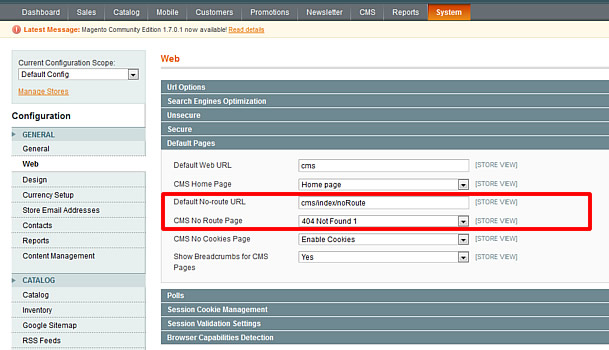
Default 404 page settings
Or you can use more specific content (search form, store sitemap, contact form, specific store categories with promoted products…).
We can use layout update via CMS -> Pages -> 404 not found -> Design -> Layout Update XML. But, we want more controls and we will edit template files. Only thing you can change here is Page Layout, I will use
1 Column page.
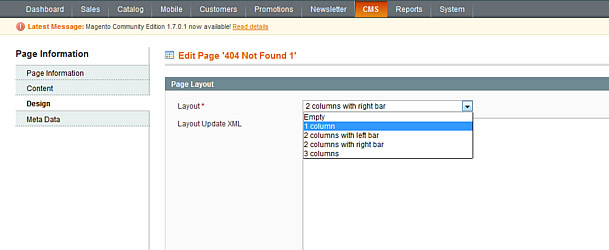
Page settings
Default 404 page.
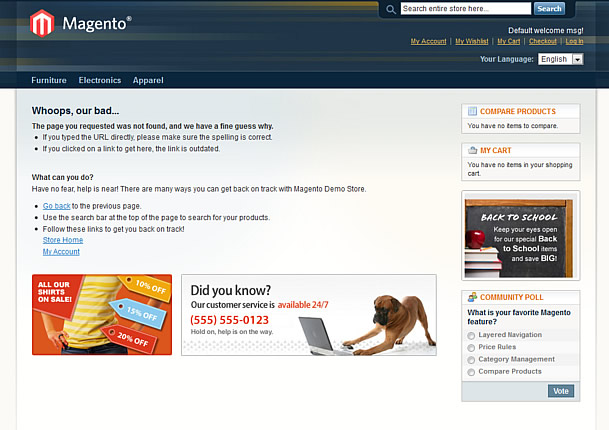
Default 404 page
Now we need to have access to layout and template files or your current theme, first we will start with cms.xml app/design/frontend/yourpackage/yourtheme/layout/cms.xml in my example path is app/design/frontend/base/default/layout/cms.xml.
Open cms.xml in favorite editor go to line 73 or find
<cms_index_noroute translate="label">Little cleaning
<cms_index_noroute translate="label">

        <label>CMS No-Route Page</label>

        <reference name="content">

            <remove name="page_content_heading"/>

            <remove name="cms.wrapper"/>

        </reference>

    </cms_index_noroute>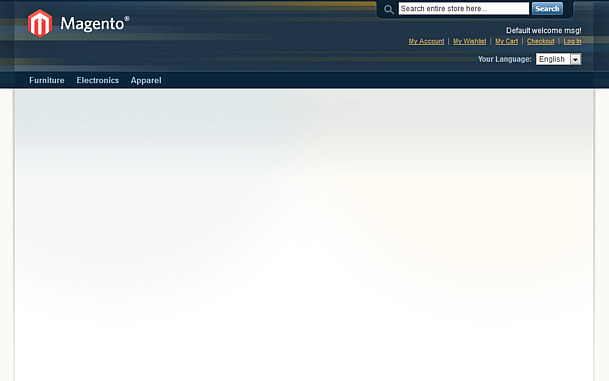
Blank 404 page
Clean layout, and now we can add specific category listing with products, or we can create new category which will contain only products for 404 landing page. We can also create Catalog Price Rules for 404 page
category and add some compensation through discount…
    <cms_index_noroute translate="label">

        <label>CMS No-Route Page</label>

        <reference name="content">

            <remove name="cms.wrapper"/>

            <block type="catalog/product_list" name="featured" template="catalog/product/list.phtml" after="page_content_heading">

                <action method="setCategoryId"><category_id>15</category_id></action>

                <action method="setColumnCount"><column_count>5</column_count></action>

                <action method="setDefaultGridPerPage"><limit>15</limit></action>

            </block>

        </reference>

    </cms_index_noroute>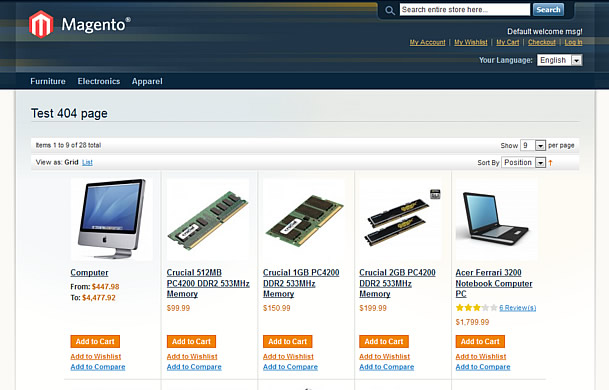
404 page category listing
Željko has already written about a slightly different approach trough CMS 404 page content editinghttp://inchoo.net/ecommerce/magento/last-things-first/.
In most cases 404 pages always have some kind of search form, we can use 2 approaches, simple quick search or advanced search form.
Quick search:
<cms_index_noroute translate="label">

        <label>CMS No-Route Page</label>

        <reference name="content">

            <remove name="cms.wrapper"/>

            <block type="core/template" name="top.search" as="topSearch" template="catalogsearch/form.mini.phtml"/>

        </reference>

    </cms_index_noroute>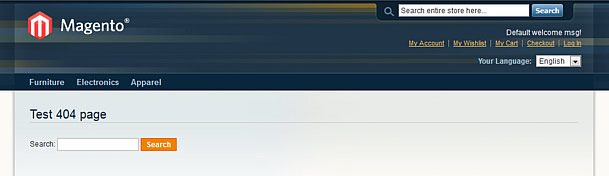
Quick search
Now we will try to use advanced search, in this case we need to create new template for advanced search form. app/design/frontend/base/default/template/catalogsearch/advanced/form.phtml – I will simply duplicate
this template and give it a name 404search.phtml, open that file and on line 38 find
<form action="<?

php echo $this->getSearchPostUrl() ?

>" method="get" id="form-validate">
Replace with
<form action="<?

php echo $this->getUrl('catalogsearch/advanced/result'); ?>" method="get" id="form-validate">
Open cms.xml and add some magic
    <cms_index_noroute translate="label">

        <label>CMS No-Route Page</label>

        <reference name="content">

            <remove name="cms.wrapper"/>

            <remove name="page_content_heading"/>

            <block type="catalogsearch/advanced_form" name="catalogsearch_advanced_form" template="catalogsearch/advanced/404search.phtml"/>

        </reference>

    </cms_index_noroute>
voila
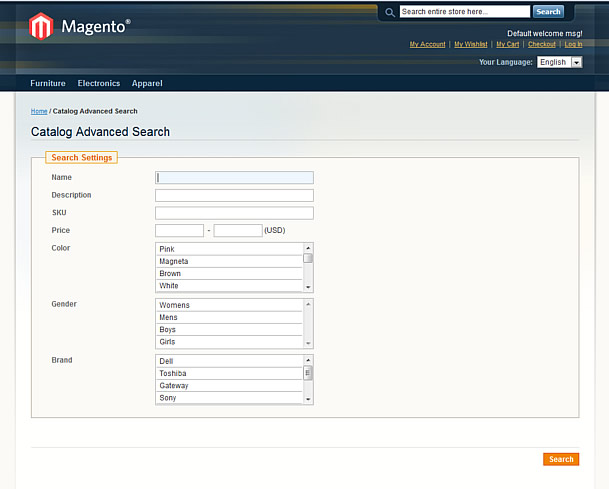
Advanced Search
One more idea is to add a contact form where users can submit a message if they need some help or cannot find something over and over.
Again we need to edit .phtml file, app/design/frontend/base/default/template/contacts/form.phtml and create duplicated template, my name was 404form.phtml.
Open it and around line 31 find:
<form action="<?

php echo $this->getFormAction(); ?>" id="contactForm" method="post">
replace with:
<form action="<?php echo Mage::getUrl(); ?>contacts/index/post/" id="contactForm" method="post">Now edit cms.xml
    <cms_index_noroute translate="label">

        <label>CMS No-Route Page</label>

        <reference name="content">

            <remove name="page_content_heading"/>

            <block type="core/template" name="contactForm" template="contacts/404form.phtml"/>

        </reference>

    </cms_index_noroute>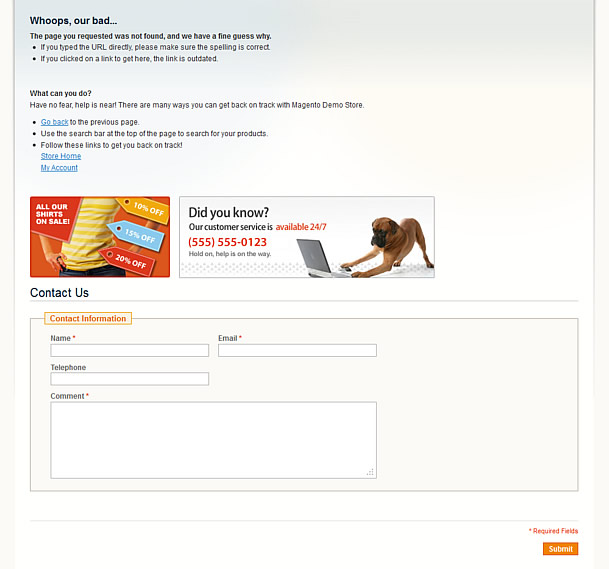
Contact Form
This article is for demonstration purposes only and to give you ideas how to spice up a little, boring 404 page.
Good luck!
Enhance Magento 404 page的更多相关文章
- custom post types 404 Page Error
问题: 注册新的文章类型后,用新的类型写文章,打开后报 404 错误 原因: 因为虽然注册了新的帖子类型,但WordPress还不知道如何处理它 解决: 到设置 -> 固定链接,重新点击保存,再 ...
- C# MVC模式 404 500页面设置方法
<customErrors mode="On" defaultRedirect="Controllers/Action"> <error st ...
- 经典设计:30个另类的 404 not found 页面设计
404页面是每个网站必不可少的一部分.我们在网络上能看到很多创意的404错误页面.在这篇文章中,我挑选了30个充满灵感和启发性的404页面设计的例子.Web 设计师们花精力设计一个另类的自定义的404 ...
- Magento Meigee-Glam 主题的用法
Start起点 Package Structure包装结构 License许可证 Installation安装 What's new Updated!更新了什么! Theme options主题选项 ...
- 在Tomcat中配置404自定义错误页面详解
这篇文章主要介绍了在Tomcat中配置404自定义错误页面全解,需要的朋友可以参考下 一直使用tomcat,今天想到一个问题,自定义404错误页面, 为了获得很好的用户感受,是不应当向用户暴露404这 ...
- 构建通用的 React 和 Node 应用
这是一篇非常优秀的 React 教程,这篇文章对 React 组件.React Router 以及 Node 做了很好的梳理.我是 9 月份读的该文章,当时跟着教程做了一遍,收获很大.但是由于时间原因 ...
- JHipster框架的简要搭建与说明
JHipster的亮点 风头超劲,席卷欧美,最新全能Java Web开发程式产生器 (java web generator). 由Java专家累积的开发经验,配上各类实用的框架技术,去繁取精的运用,全 ...
- Web Application Penetration Testing Local File Inclusion (LFI) Testing Techniques
Web Application Penetration Testing Local File Inclusion (LFI) Testing Techniques Jan 04, 2017, Vers ...
- python 爬虫(一)
1. 一次简单的网页访问 urllib 是一个标准的python库(意味着不需要安装任何附件的东西来运行这个demo),包含了通过网络请求数据的方法,处理cookies,甚至更改metadata比如h ...
随机推荐
- Android(java)学习笔记159:多线程断点下载的原理(Android实现)
之前在Android(java)学习笔记215中,我们从JavaSE的角度去实现了多线程断点下载,下面从Android角度实现这个断点下载: 1. 新建一个Android工程: (1)其中我们先实现布 ...
- select2宽度占比100%,导致无法实现浮动效果
- mysql数据库比较,各数据库不同之处
和mysql数据库比较,各数据库不同之处: Oracle数据库:字段类型不同 postgresql数据库:show tables不同; SQL语句需要前面加上 模式名 Mongodb数据库:文档存储, ...
- C++中:点运算符和箭头运算符的区别
点运算符用于获取对象成员: 箭头运算符用于获取指针指向的对象的成员: 例如: std::string s1 = "string"; std::string *p = &s1 ...
- ansible2.7学习笔记系列
写在前面:ansible的资料网上很多,本人也是参考网上资料,做总结,如有错误,麻烦指出,谢谢. 所谓学习笔记,就是不断成长的过程,也许一段时间后有更深入理解了,就会继续更新笔记. 笔记定位:目前写的 ...
- celery worker集群搭建
举个小栗子,在生产环境下,我们有两个异步任务需求,需要分别部署在两台服务器上,并用不同的队列实现 用户邮件发送 pageview统计 主要的注意点,在任务执行时需指定queue,routing_key ...
- Linux常用命令大全2
Linux命令是对Linux系统进行管理的命令.对于Linux系统来说,无论是中央处理器.内存.驱动.键盘.鼠标,还是用户等都是文件,Linux命令是它正常运行的核心.接下来,就来看看xp系统下载编辑 ...
- 深入理解typeof操作符
typeof可以检测数据的类型 typeof返回结果的其实是字符串:可以通过以下测试出来 console.log( typeof(typeof(a))); // string typeof返回的数据类 ...
- IDM下载器使用方法详解:百度网盘下载,视频会员一网打尽!
一. IDM的设置 [01]IDM插件与各大浏览器的集成 默认情况下,在成功安装IDM后,直接点击这里的选项,会弹出[常规设置],一般情况下直接保持默认的配置即可,如果你使用的是比较小众的浏览器,你可 ...
- HTML、CSS 和 JS框架之Bootstrap
一.Bootstrap简介: Bootstrap 是最受欢迎的 HTML.CSS 和 JS 框架,用于开发响应式布局.移动设备优先的 WEB 项目. 详细参考内容:Bootstrap_v3 二.Boo ...