
使用CAMEL创建第一个Agent Society
CAMEL介绍
CAMEL 是一个开源社区,致力于探索代理的扩展规律。相信,在大规模研究这些代理可以提供对其行为、能力和潜在风险的宝贵见解。为了促进这一领域的研究,实现了并支持各种类型的代理、任务、提示、模型和模拟环境。
GitHub地址:https://github.com/camel-ai/camel
创建第一个代理社会
Society模块是 CAMEL 的核心模块之一。通过模拟信息交换过程,该模块研究代理之间的社会行为。
RolePlaying是 CAMEL 的一个独特的协作代理框架。通过这个框架,CAMEL 中的代理克服了诸如角色转换、助手重复指令、敷衍的回答、消息无限循环以及对话终止条件等众多挑战。
现在就来使用CAMEL 创建一个Agent Society。
编写.env如下所示:
Silicon_Model_ID="Qwen/Qwen2.5-72B-Instruct"

ZHIPU_Model_ID="THUDM/GLM-4-32B-0414"

SiliconCloud_API_KEY="你的api key"

SiliconCloud_Base_URL="https://api.siliconflow.cn/v1"
想要使用两个不同的模型:
from camel.societies import RolePlaying

from camel.agents import ChatAgent

from camel.models import ModelFactory

from camel.types import ModelPlatformType

import pathlib

import os

from dotenv import load_dotenv

sys_msg = 'You are a curious stone wondering about the universe.'

base_dir = pathlib.Path(__file__).parent.parent

env_path = base_dir / ".env"

load_dotenv(dotenv_path=str(env_path))

modeltype = os.getenv("Silicon_Model_ID")

modeltype2= os.getenv("ZHIPU_Model_ID")

api_key = os.getenv("SiliconCloud_API_KEY")

base_url = os.getenv("SiliconCloud_Base_URL")

siliconcloud_model = ModelFactory.create(

     model_platform=ModelPlatformType.OPENAI_COMPATIBLE_MODEL,

            model_type=modeltype,

            api_key=api_key,

            url=base_url,

            model_config_dict={"temperature": 0.4, "max_tokens": 4096},

)

siliconcloud_model2 = ModelFactory.create(

     model_platform=ModelPlatformType.OPENAI_COMPATIBLE_MODEL,

            model_type=modeltype2,

            api_key=api_key,

            url=base_url,

            model_config_dict={"temperature": 0.4, "max_tokens": 4096},

)
设置任务、AI用户、AI助手参数:
task_kwargs = {

    'task_prompt': '制定一个新人小白学习esp32的教程,使用中文回答。',

    'with_task_specify': True,

    'task_specify_agent_kwargs': {'model': siliconcloud_model}

}

user_role_kwargs = {

    'user_role_name': '一个esp32小白',

    'user_agent_kwargs': {'model': siliconcloud_model}

}

assistant_role_kwargs = {

    'assistant_role_name': '一个esp32专家',

    'assistant_agent_kwargs': {'model': siliconcloud_model2}

}
构建社会:
society = RolePlaying(

    **task_kwargs,             # The task arguments

    **user_role_kwargs,        # The instruction sender's arguments

    **assistant_role_kwargs,   # The instruction receiver's arguments

)
让这个社会最多运行10轮:
def is_terminated(response):

    """

    Give alerts when the session should be terminated.

    """

    if response.terminated:

        role = response.msg.role_type.name

        reason = response.info['termination_reasons']

        print(f'AI {role} terminated due to {reason}')

    return response.terminated

def run(society, round_limit: int=10):

    # Get the initial message from the ai assistant to the ai user

    input_msg = society.init_chat()

    # Starting the interactive session

    for _ in range(round_limit):

        # Get the both responses for this round

        assistant_response, user_response = society.step(input_msg)

        # Check the termination condition

        if is_terminated(assistant_response) or is_terminated(user_response):

            break

        # Get the results

        print(f'[AI User] {user_response.msg.content}.\n')

        # Check if the task is end

        if 'CAMEL_TASK_DONE' in user_response.msg.content:

            break

        print(f'[AI Assistant] {assistant_response.msg.content}.\n')

        # Get the input message for the next round

        input_msg = assistant_response.msg

    return None

if __name__ == "__main__":

    run(society, round_limit=10)
查看效果。
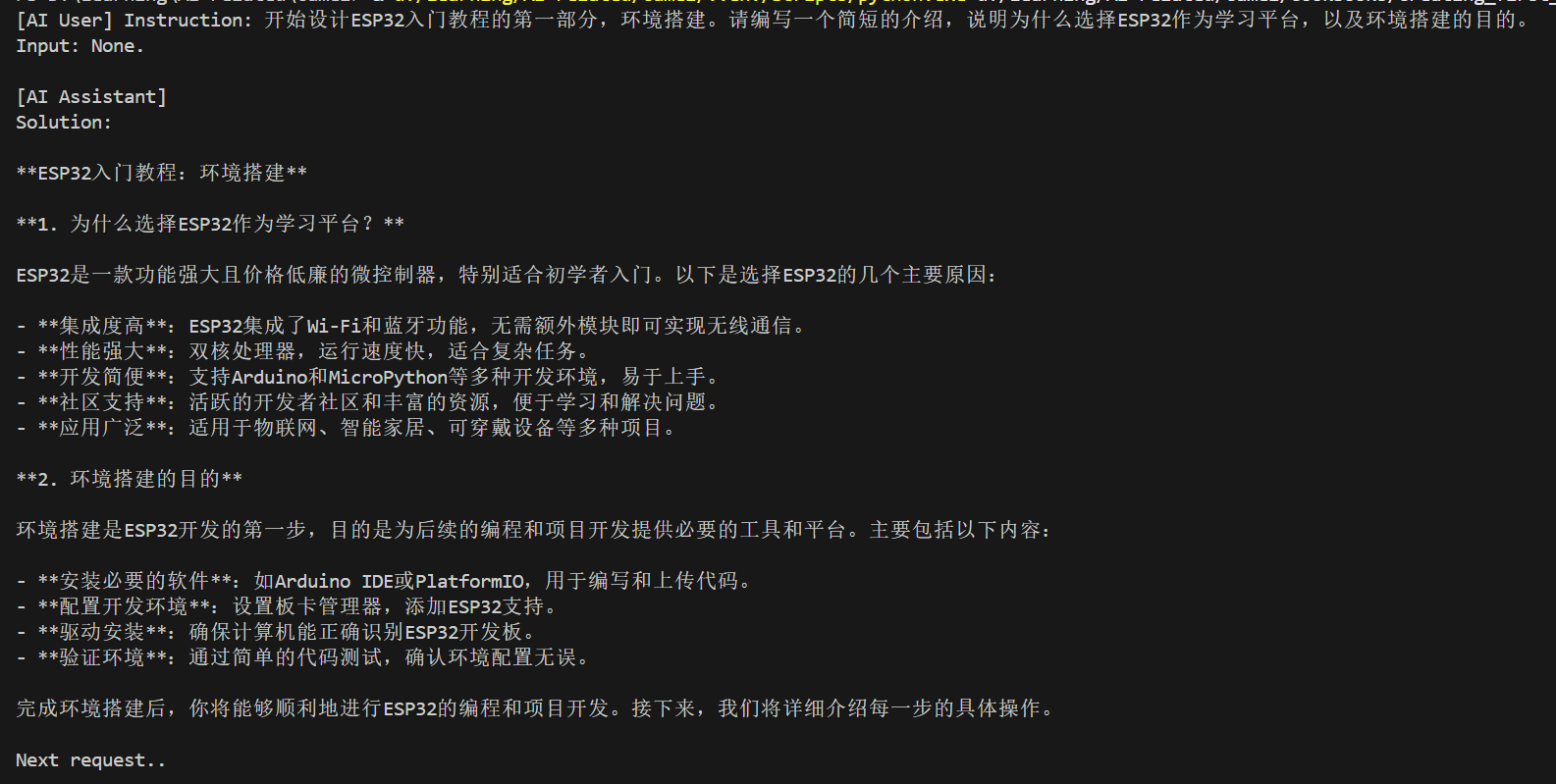
第一轮:
第二轮:
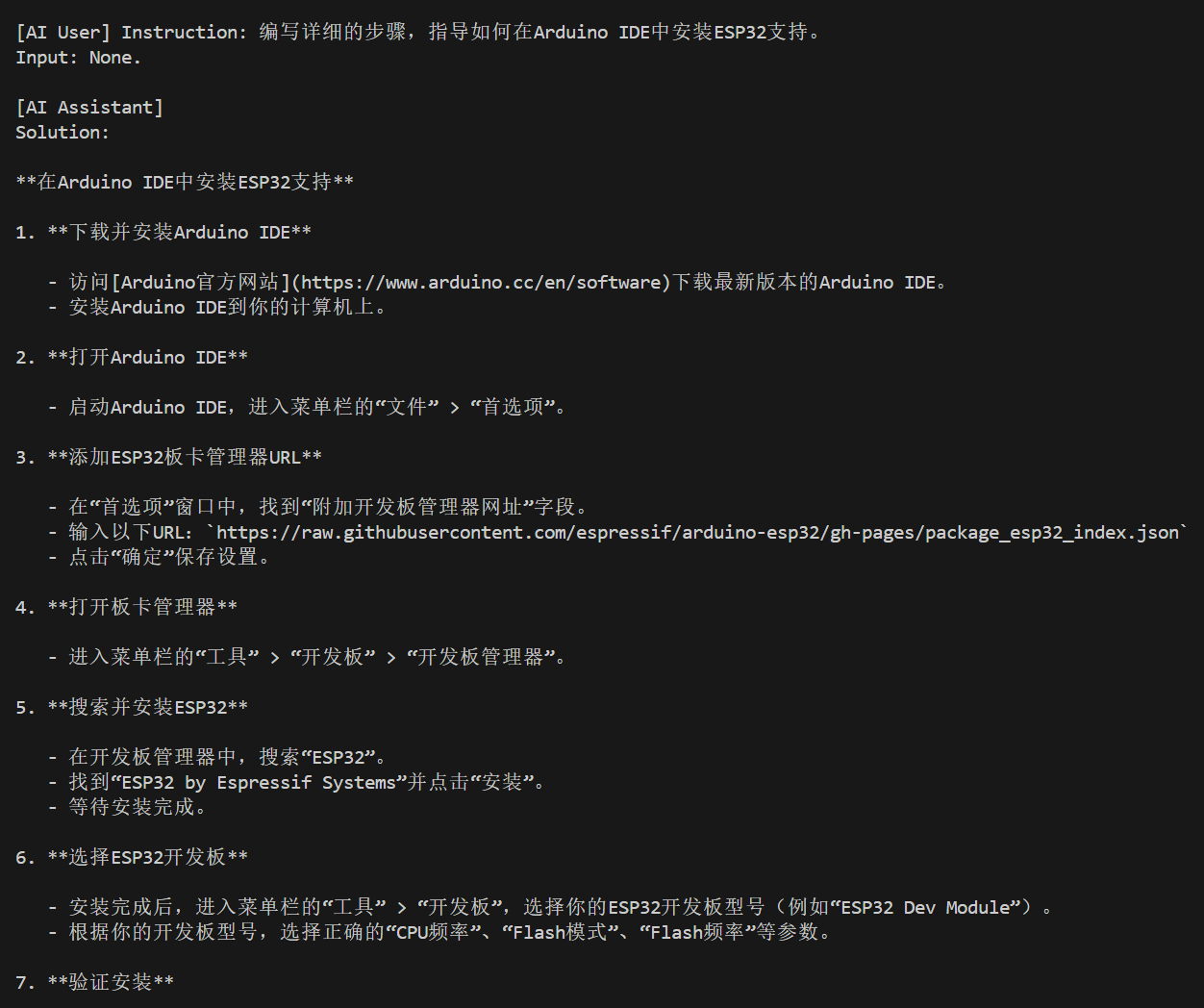
AI用户会重新问一个与解决任务相关的问题。
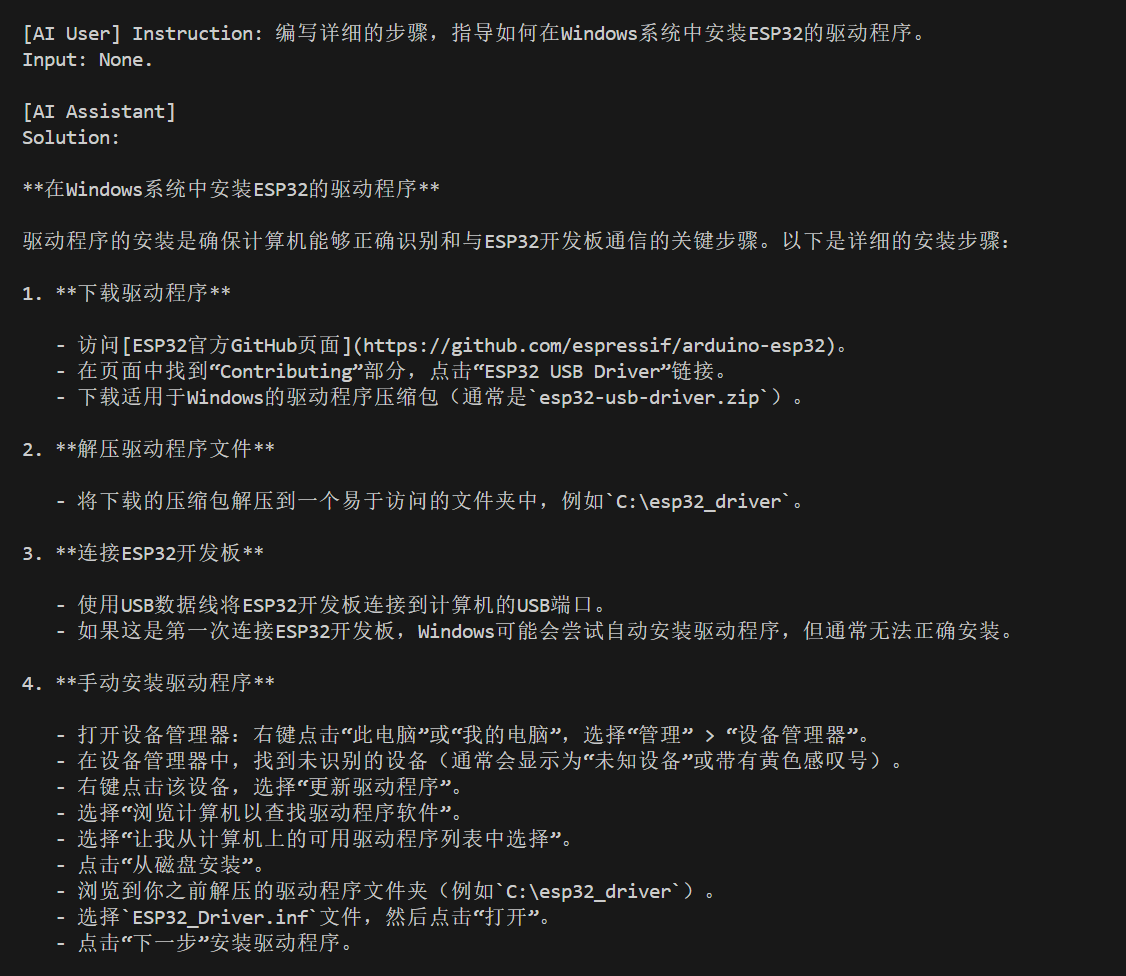
第三轮:
第四轮:
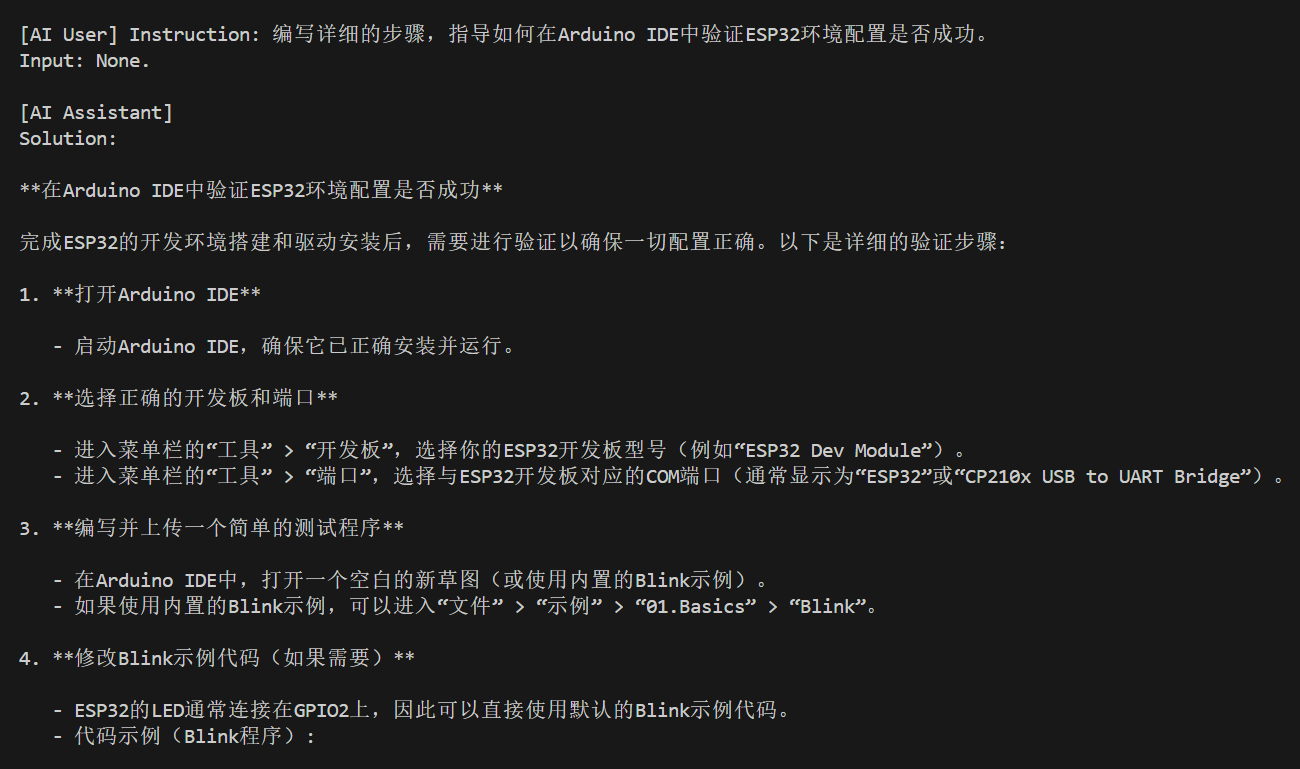
第五轮:
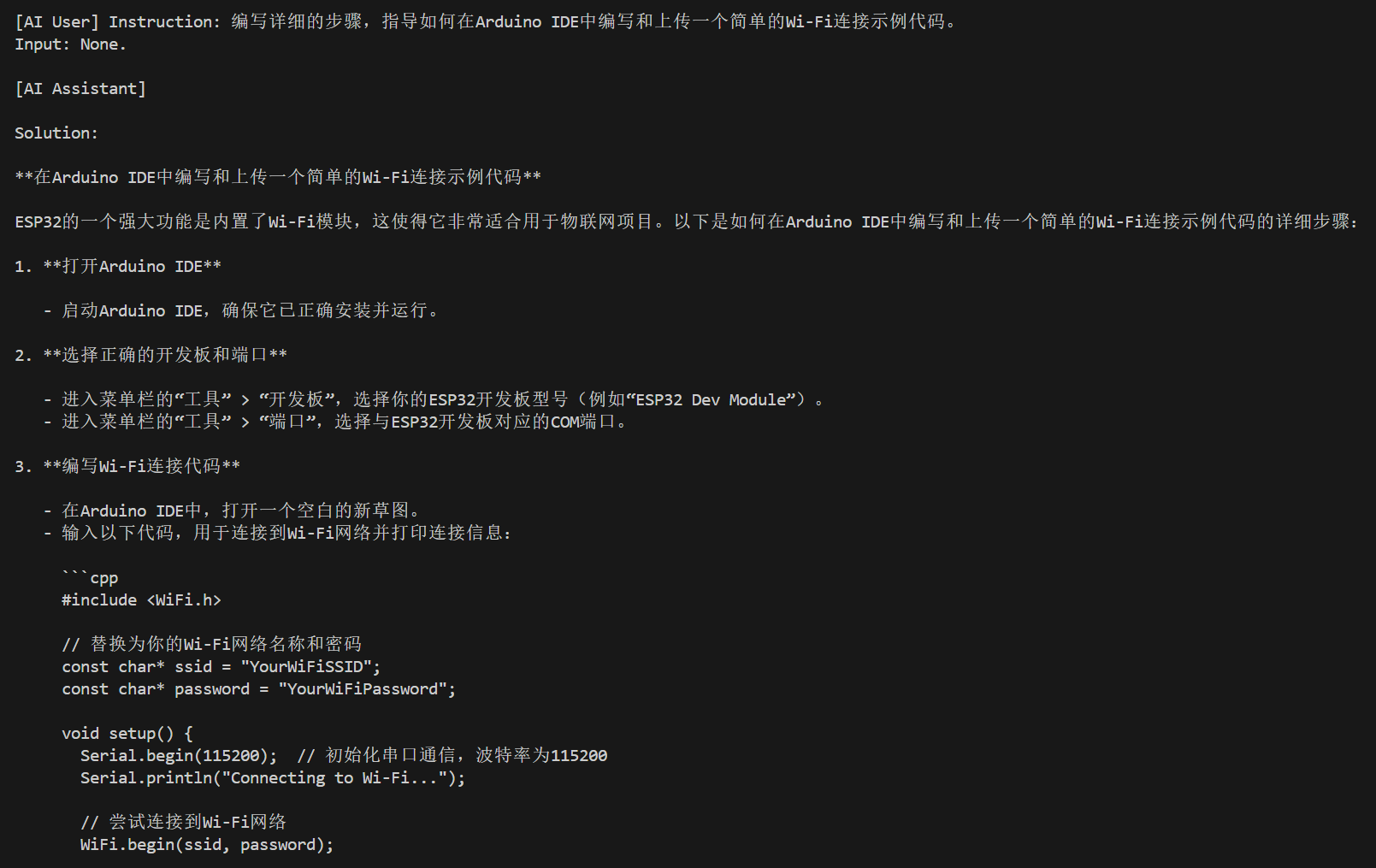
第六轮:
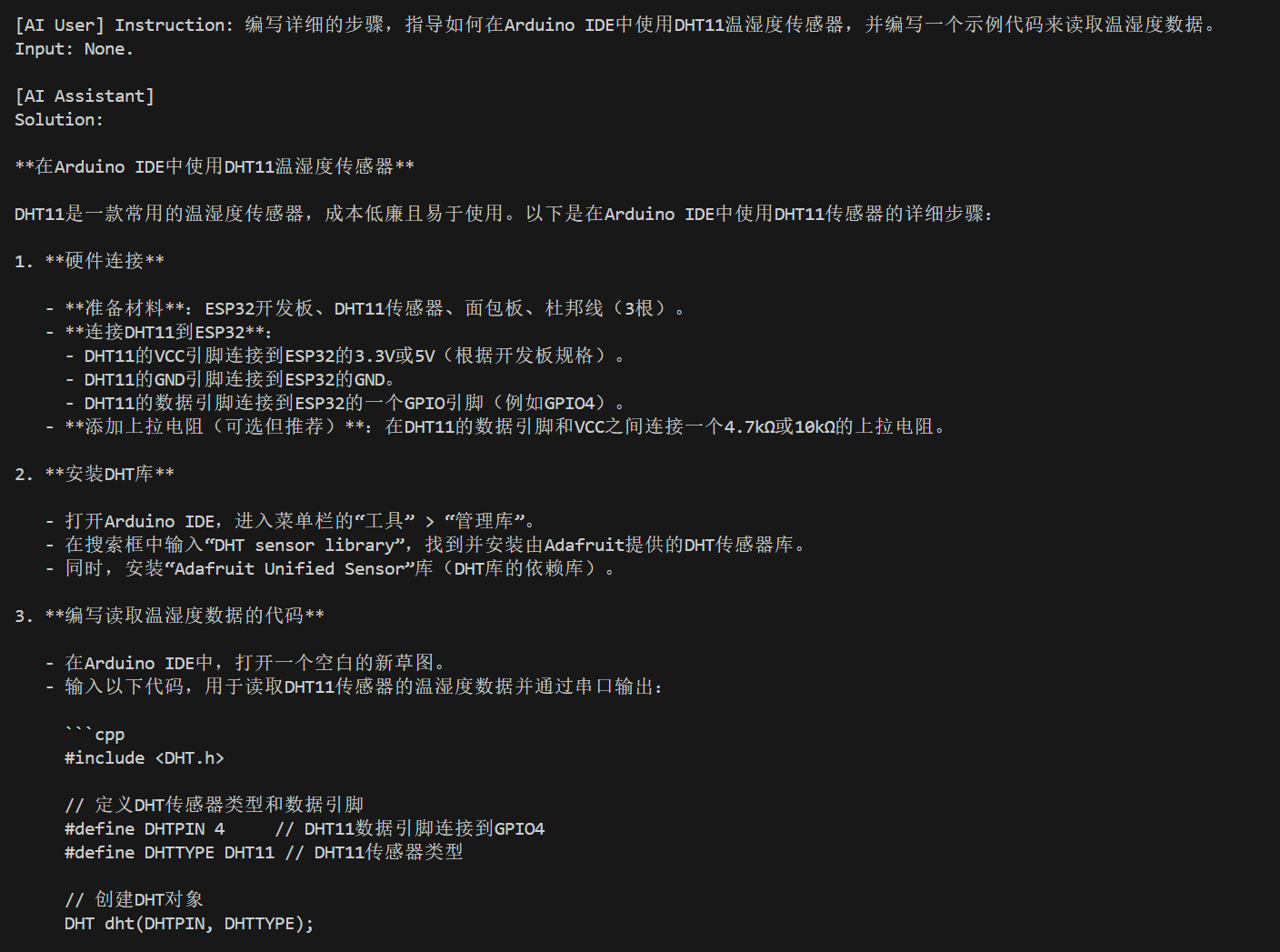
第7轮:
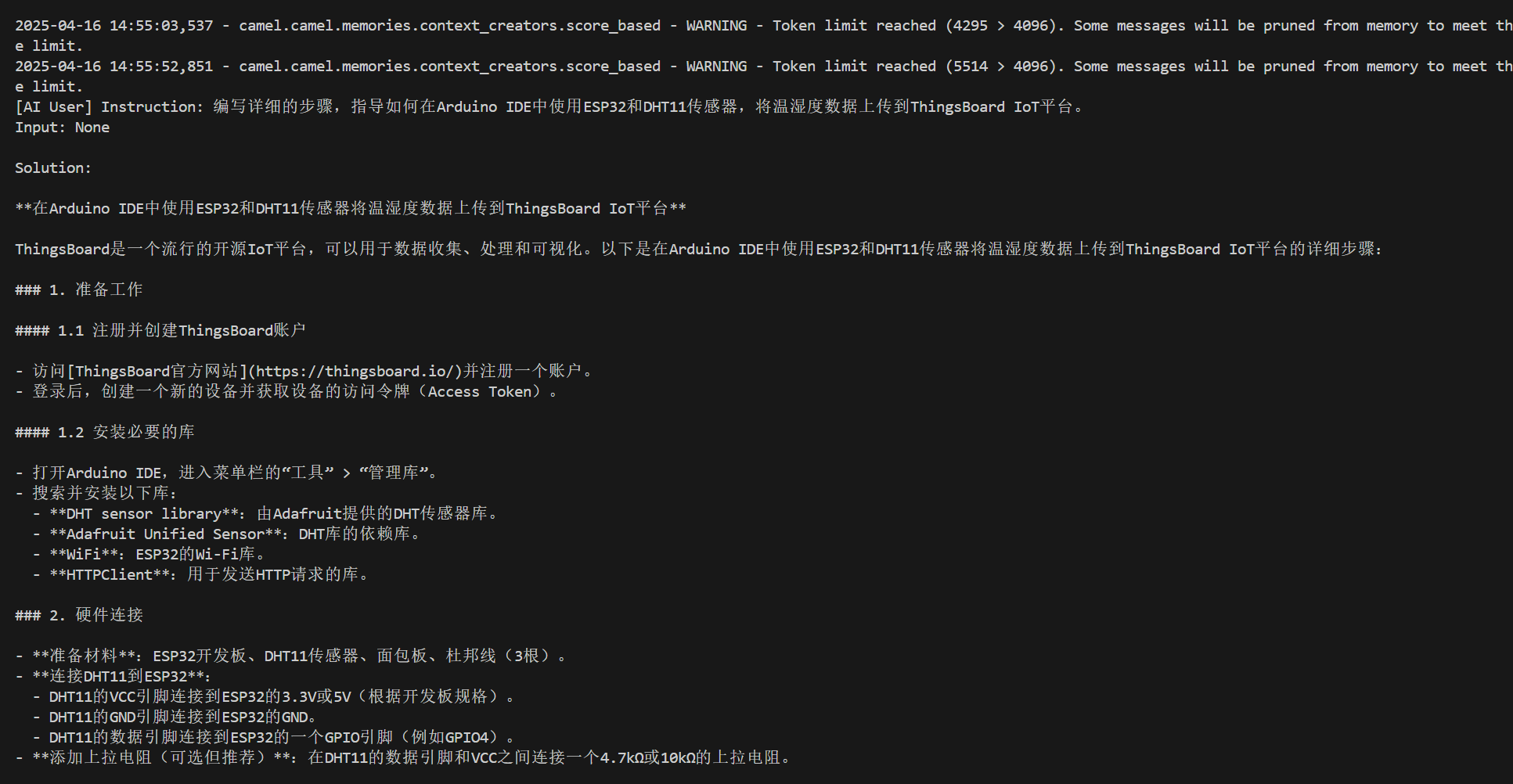
当达到令牌限制时,为了满足限制,将从记忆中删除部分消息。
如果10轮还没完成的话会直接结束:
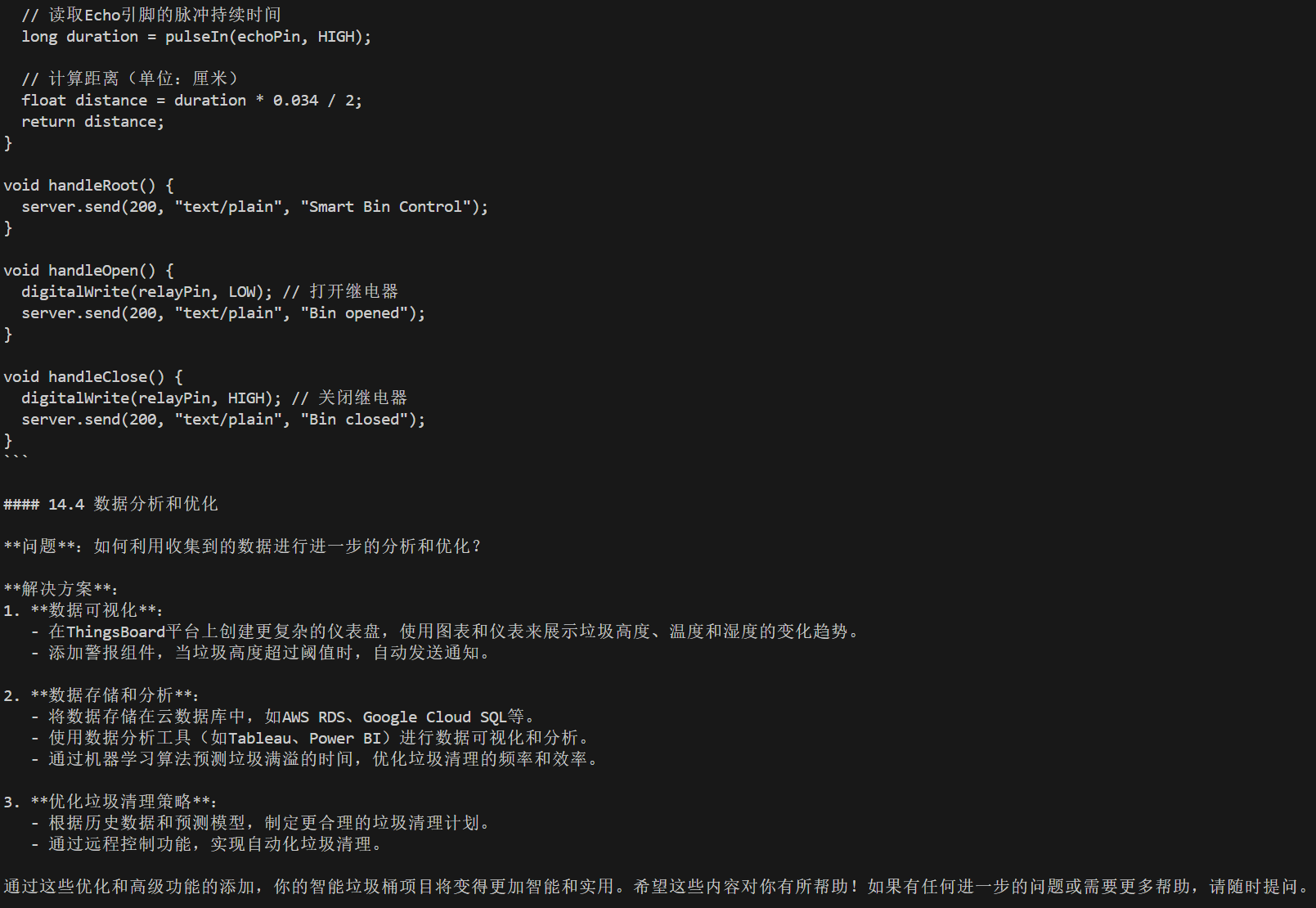
构建这个Agent Society有什么用呢?
我觉得一个很有用的点就是适合头脑风暴场景,有一个问题或者方案需要详细讨论,那就丢给两个或更多的AI,让它们进行详细讨论,我们先看一下它们的讨论情况,看看是否有一些有效的建议,看看能不能找到一些灵感。
如果觉得在控制台中不好看,可以将结果写入文件中:
def run(society, round_limit: int=10):

    # Get the initial message from the ai assistant to the ai user

    input_msg = society.init_chat()

    # Starting the interactive session

    for _ in range(round_limit):

        # Get the both responses for this round

        assistant_response, user_response = society.step(input_msg)

        # Check the termination condition

        if is_terminated(assistant_response) or is_terminated(user_response):

            break

        # Get the results

        print(f'[AI User] {user_response.msg.content}.\n')

        # 写入一个md文件

        with open('output.md', 'a', encoding='utf-8') as f:

            f.write(f'[AI User] {user_response.msg.content}.\n')

        # Check if the task is end

        if 'CAMEL_TASK_DONE' in user_response.msg.content:

            break

        print(f'[AI Assistant] {assistant_response.msg.content}.\n')

          # 写入一个md文件

        with open('output.md', 'a', encoding='utf-8') as f:

            f.write(f'[AI Assistant] {assistant_response.msg.content}.\n')

        # Get the input message for the next round

        input_msg = assistant_response.msg

    return None
对于这个任务、AI用户、AI助手参数:
task_kwargs = {

    'task_prompt': '制定一个新人小白学习C#的教程,使用中文回答。',

    'with_task_specify': True,

    'task_specify_agent_kwargs': {'model': siliconcloud_model}

}

user_role_kwargs = {

    'user_role_name': '一个想要学习C#小白',

    'user_agent_kwargs': {'model': siliconcloud_model}

}

assistant_role_kwargs = {

    'assistant_role_name': '一个C#专家',

    'assistant_agent_kwargs': {'model': siliconcloud_model2}

}
写入到output.md文件的内容如下所示:
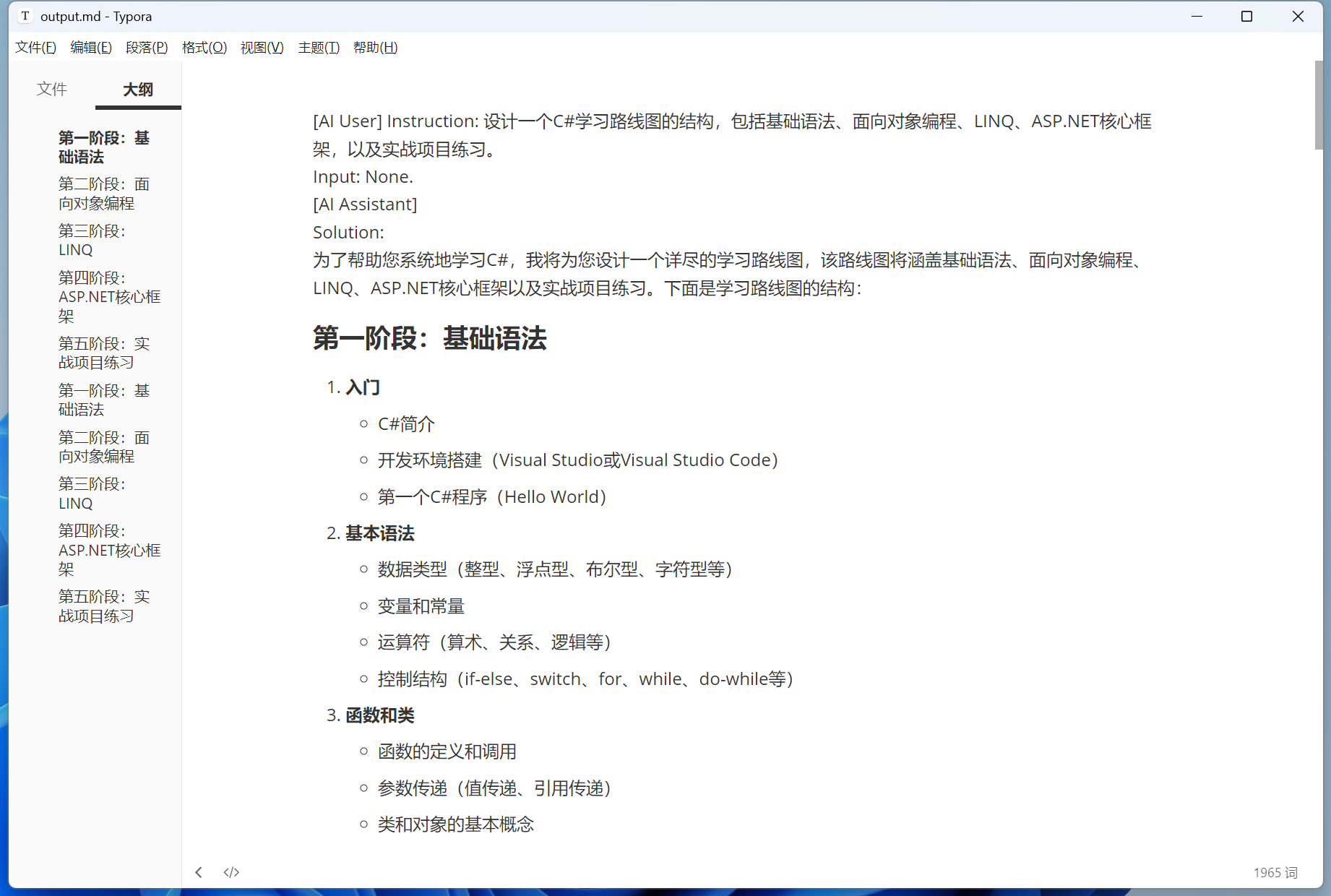
相对于自己一次一次与AI交互,有些时候自己定义一些角色,让它们自己去交互,我们只看它们的结果,还是更高效一些的。
相关推荐
使用CAMEL创建第一个Agent Society的更多相关文章
- 创建第一个 local network(I) - 每天5分钟玩转 OpenStack(80)
在 ML2 配置文件中 enable local network 后,本节将开始创建第一个 local network. 我们将通过 Web GUI 创建第一个 local network. 首先确保 ...
- 用Kotlin创建第一个Android项目(KAD 01)
原文标题:Create your first Android project using Kotlin (KAD 01) 作者:Antonio Leiva 时间:Nov 21, 2016 原文链接:h ...
- 创建第一个 local network(II)- 每天5分钟玩转 OpenStack(81)
上一节通过 Web GUI 创建了 “first_local_net”,本节我们需要搞清楚底层网络结构有了哪些变化? 点击 “first_local_net” 链接,显示 network 的 subn ...
- 3.创建第一个android项目
安卓开发学习笔记 1.安卓开发之环境搭建 2.SDK目录结构和adb工具及命令介绍 3.创建第一个android项目 1.打开Eclipse,选择File——>new——>others.. ...
- 【浅墨Unity3D Shader编程】之一 夏威夷篇:游戏场景的创建 & 第一个Shader的书写
本系列文章由@浅墨_毛星云 出品,转载请注明出处. 文章链接:http://blog.csdn.net/poem_qianmo/article/details/40723789 作者:毛星云(浅墨) ...
- access中根据一个表创建另一个
access中根据一个表创建另一个 SELECT * INTO newTableFROM zD_qlr; SELECT * into mdFROM zd IN 'E:\fz\高阳\大姚\fz\bz\b ...
- 创建第一个ArcGIS API for Silverlight应用
原文:创建第一个ArcGIS API for Silverlight应用 在完成前面的开发环境搭建以后,接下来实现我们的第一个ArcGIS API forSilverlight应用程序. 接下来我们一 ...
- 创建第一个MVC
创建第一个MVC(asp.net)和默认路由设置 Asp.net的MVC已经出到了4.0,我用的是visual studio2013,接下来努力学下MVC,学之前的话我建议大家先去学下三层(分别是DA ...
- 创建第一个UI
创建一个2D UI 制作UI时,首先要创建UI的"根".在Unity顶部NGUI菜单中选择Create,然后选择2D UI. 创建完成后,在Scene窗口中,NGUI自动生成了一个 ...
- WCF学习系列一_创建第一个WCF服务
原创作者:灰灰虫的家http://hi.baidu.com/grayworm WCF开发实战系列一:创建第一个WCF服务 在这个实战中我们将使用DataContract,ServiceContract ...
随机推荐
- BackupBuddy pg walkthrough Intermediate
nmap ┌──(root㉿kali)-[~/lab] └─# nmap -p- -A 192.168.189.43 Starting Nmap 7.94SVN ( https://nmap.org ...
- uniapp去修改vuex中state中的值
修改state中的值 修改state中的值,方法 (1) 在mutations中写修改state的api. (2)写好之后,直接store.commit("changeValue" ...
- 十. Redis 事务和 “锁机制”——> 并发秒杀处理的详细说明
十. Redis 事务和 "锁机制"--> 并发秒杀处理的详细说明 @ 目录 十. Redis 事务和 "锁机制"--> 并发秒杀处理的详细说明 1 ...
- linux shell 脚本调试技巧
本文分享自天翼云开发者社区<linux shell 脚本调试技巧>,作者:g****n 1.bash -x 加脚本 这是最常用的调试手段,终端会打印出,脚本执行过程中的每一个命令. a. ...
- Centos7下oracle12c的安装与配置
一.硬件资源配置(虚拟机) CentOS7@VMware Workstation 10 Pro,分配资源:CPU:2颗,内存:4GB,硬盘空间:20GB+30GB 二.软件环境配置 软件上传 xshe ...
- 镇海-APIO联合总结
镇海考试见此处:https://www.cnblogs.com/british-union/p/liankao.html 考的是湖南省队集训,除了第一天有点头昏导致体验很差之外体验非常好,剩下两次考试 ...
- linux安装flink
参考链接https://blog.csdn.net/boling_cavalry/article/details/85038527 1.下载flink 在Flink官网下载,地址是:https:/ ...
- Iceberg调研报告-腾讯数据集成工具报告
标题 测试报告 背景目标 大航海databus任务在合并阶段费资源,且大表执行时间较长,期望缩短同步时间可以10分钟抽10亿条数据.数据同步需要先建表,再建任务,配置不方便. 结论 在满足配置时可以达 ...
- 大模型工具KTransformer的安装
技术背景 前面写过几篇关于DeepSeek的文章,里面包含了通过Ollama来加载模型,以及通过llama.cpp来量化模型(实际上Llama.cpp也可以用来加载模型,功能类似于Ollama).这里 ...
- Vue3 数据响应式原理与高效数据操作全解析
一.Vue3 数据响应式原理 (一)Proxy 替代 Object.defineProperty 在 Vue2 中,数据响应式是通过 Object.defineProperty 实现的.这种方法虽然能 ...