
C#-WinForm-无边框窗体的移动和阴影-API
//窗体移动API,先导入命名空间,在委托MouseDown事件

//移动前准备

[DllImport("user32.dll")]

public static extern bool ReleaseCapture();

[DllImport("user32.dll")]

public static extern bool SendMessage(IntPtr hwnd, int wMsg, int wParam,

int IParam);

public const int WM_SYSCOMMAND = 0x0112;

public const int SC_MOVE = 0xF010;

public const int HTCAPTION = 0x0002;

[DllImport("user32")]

private static extern int SendMessage(IntPtr hwnd, int wMsg, int wParam,

IntPtr lParam);

private const int WM_SETREDRAW = 0xB;

//窗体移动事件

private void Form1_MouseDown(object sender, MouseEventArgs e)

{

    if (this.WindowState == FormWindowState.Normal)

    {

        ReleaseCapture();

        SendMessage(this.Handle, WM_SYSCOMMAND, SC_MOVE +

HTCAPTION, );

    }

}
无边框窗体移动API
复制API代码到窗体代码结构函数下方,引用命名空间,委托MouseDown的事件(李献策lxc)
     //窗体阴影API,放在结构函数上方,修改结构函数即可

        const int CS_DropSHADOW = 0x20000;

        const int GCL_STYLE = (-);

        [DllImport("user32.dll", CharSet = CharSet.Auto)]

        public static extern int SetClassLong(IntPtr hwnd, int nIndex, int dwNewLong);

        [DllImport("user32.dll", CharSet = CharSet.Auto)]

        public static extern int GetClassLong(IntPtr hwnd, int nIndex);

        public Form1()

        {

            InitializeComponent();

            SetClassLong(this.Handle, GCL_STYLE, GetClassLong(this.Handle, GCL_STYLE) | CS_DropSHADOW);

        }
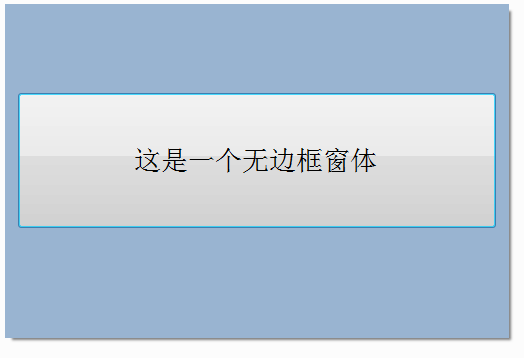
窗体阴影API
复制API代码到结构函数上方,修改结构函数即可
API - 通用功能接口
做一个如下无边框的窗体
一、无边框窗体移动
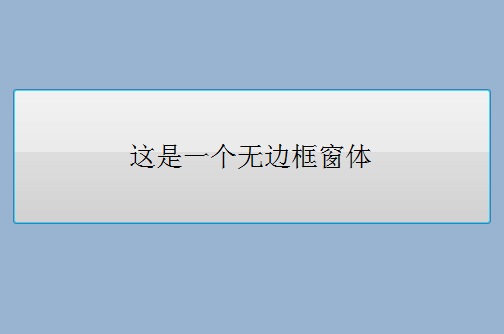
复制API代码到窗体代码结构函数下方,引用命名空间,委托MouseDown的事件
public Form1()

        {

            InitializeComponent();

        }

        //窗体移动API

        [DllImport("user32.dll")]

        public static extern bool ReleaseCapture();

        [DllImport("user32.dll")]

        public static extern bool SendMessage(IntPtr hwnd, int wMsg, int wParam, int IParam);

        public const int WM_SYSCOMMAND = 0x0112;

        public const int SC_MOVE = 0xF010;

        public const int HTCAPTION = 0x0002;

        [DllImport("user32")]

        private static extern int SendMessage(IntPtr hwnd, int wMsg, int wParam, IntPtr lParam);

        private const int WM_SETREDRAW = 0xB;

        private void Form1_MouseDown(object sender, MouseEventArgs e)

        {

            if (this.WindowState == FormWindowState.Normal)

            {

                ReleaseCapture();

                SendMessage(this.Handle, WM_SYSCOMMAND, SC_MOVE + HTCAPTION, );

            }

        }
无窗体移动代码 复制后
二、窗体阴影
C#-WinForm-无边框窗体的移动和阴影-API的更多相关文章
- Winform无边框窗体的移动和阴影
//窗体移动API [DllImport("user32.dll")] public static extern bool ReleaseCapture(); [DllImport ...
- C#WinForm无边框窗体移动方法、模仿鼠标单击标题栏移动窗体位置
C#WinForm无边框窗体移动方法.模仿鼠标单击标题栏移动窗体位置 这里介绍俩种办法 方法一:直接通过修改窗体位置从而达到移动窗体的效果 方法二:直接伪装发送单击任务栏消息,让应用程序误以为单击任务 ...
- C#自定义按钮、自定义WinForm无边框窗体、自定义MessageBox窗体
C#自定义按钮.自定义WinForm无边框窗体.自定义MessageBox窗体 C#自定义Button按钮控件 效果展示 C#自定义Winform无边框窗体 效果展示 C#自定义无边框MessageB ...
- C#自定义Winform无边框窗体
C#自定义Winform无边框窗体 在实际项目中,WinForm窗体或者控件不能满足要求,所以就需要自己设计窗体等,当然设计界面可以用的东西很多,例如WPF.或者一些第三方的库等.本例中将采用WinF ...
- WinForm无边框窗体移动方法
C#WinForm无边框窗体移动方法.模仿鼠标单击标题栏移动窗体位置 这里介绍俩种办法 方法一:直接通过修改窗体位置从而达到移动窗体的效果 方法二:直接伪装发送单击任务栏消息,让应用程序误以为单击任务 ...
- C#WinForm无边框窗体移动----模仿鼠标单击标题栏移动窗体位置
C#WinForm无边框窗体移动方法.模仿鼠标单击标题栏移动窗体位置 这里介绍俩种办法 方法一:直接通过修改窗体位置从而达到移动窗体的效果 方法二:直接伪装发送单击任务栏消息,让应用程序误以为单击任务 ...
- WinForm 无边框窗体和timer控件
一.无边框窗体 1.控制按钮如何制作就是放置可以点击的控件,不局限于使用按钮或是什么别的,只要可以点击能触发点击事件就可以了 做的好看一点,就是鼠标移入,移出,按下三个事件会让按钮改变样式 如何获取图 ...
- WinForm 无边框窗体改变尺寸及移动窗体
#region 无边框窗体移动改变大小 [DllImport("user32.dll")] public static extern bool ReleaseCapture(); ...
- Winform无边框窗体(FormBorderStyle属性设为None)自定义移动
为了界面的好看,有时候需要将窗体FormBorderStyle属性设为None,这样就可以根据自己的喜欢来设计界面.但这样窗体无法进行移动的.而且默认的窗体(FormBorderStyle=Sizab ...
随机推荐
- StringBuffer和StringBuilder的区别
StringBuffer和StringBuilder的区别 StringBuffer与StringBuilder就不一样了,他们是字符串变量,是可改变的对象,每当我们用它们对字符串做操作时,实际上是在 ...
- android之android.intent.category.DEFAULT的用途和使用
1.要弄清楚这个问题,首先需要弄明白什么是implicit(隐藏) intent什么是explicit(明确) intent. Explicit Intent明确的指定了要启动的Acitivity , ...
- 用AutoCompleteTextView实现历史记录提示
自定义AutoCompleteTextView 博客分类: android进阶 android 网上找到的都是同ArrayAdapter一起使用的,有时候需要自定义风格,咋办?follow me! ...
- Android中关于Volley的使用(五)从RequestQueue开始来深入认识Volley
在前面的几篇文章中,我们学习了如何用Volley去网络加载JSON数据,如何利用ImageRequest和NetworkImageView去网络加载数据,而关于Volley的使用,我们都是从下面一行代 ...
- MVC 数据验证【转】
[转自]http://www.cnblogs.com/dozer/archive/2010/04/12/MVC-DataAnnotations.html 作者Dozer 今天在这里给大家介绍一下MVC ...
- HTML 学习笔记 CSS3 (背景)
CSS3对于background做了一些修改,最明显的一个就是采用设置多背景,不但添加了4个新属性,并且还对目前的属性进行了调整增强. 1.多个背景图片 在CSS3里面 你可以在一个标签元素里应用多个 ...
- Javascript备忘复习笔记1
一.字符串操作 1.大小写 var s = "hello"; undefined g = s.toUpperCase(); "HELLO" g; "H ...
- 解决Ehcache缓存警告问题
警告: Creating a new instance of CacheManager using the diskStorePath "D:\Apache Tomcat 6.0.18\te ...
- silverlight: http请求的GET及POST示例
http请求的get/post并不是难事,只是silverlight中一切皆是异步,所以代码看起来就显得有些冗长了,下面这个HttpHelper是在总结 园友 的基础上,修改得来: namespace ...
- java之yield(),sleep(),wait()区别详解
1.sleep() 使当前线程(即调用该方法的线程)暂停执行一段时间,让其他线程有机会继续执行,但它并不释放对象锁.也就是说如果有synchronized同步快,其他线程仍然不能访问共享数据.注意该方 ...