
Internet History, Technology and Security (Week 9)
Week 9
Security: Web Security
We are now on the second to last week of the class and finishing up our look at Internet Security. You can also see the final exam and its due date. The due date of the final exam signals the end of the class.
This week, we’ll be covering web security. We apply the basic ideas of encryption and signing to who we actually secure the connections that we use on today’s Web and Internet.
Securing Web Connections
Security Public/Private Key - Secure Sockets
本节介绍公开密钥加密。在前几次讲座中一直遵循着机密和完整性两个主题,机密是隐藏的,不能将其泄露给哪些你不想展示的人。
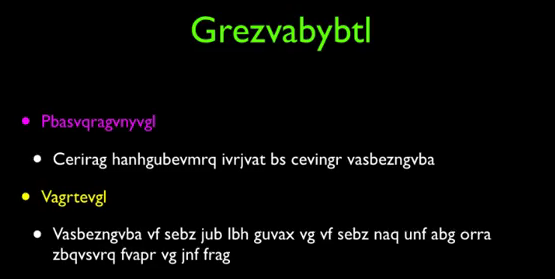
公钥加密被认为是解决这个问题的一种非常优雅的解决方案,它是由Diffie和Hellman在1976年提出的。依赖于两个密钥,且是不对称的,这就意味着我们不能像之前小节那样使用相同的密钥来进行加密。公钥实际上不需要任何保护,公钥用于消息的加密,而私钥则用于消息的解密。他们在数学上是相互关联的。
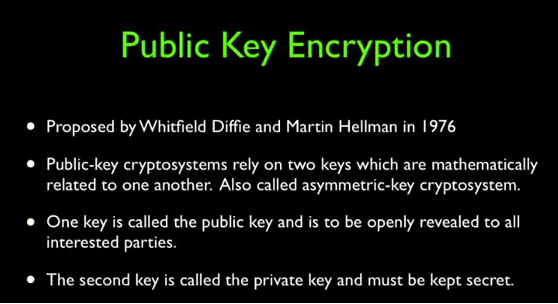
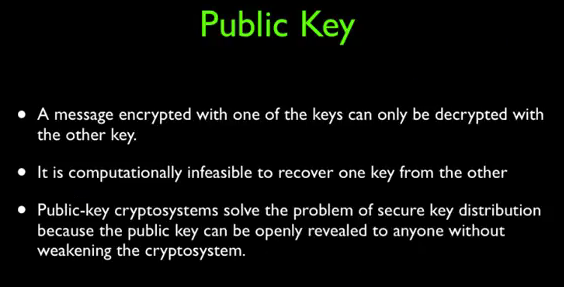
如果你想使用私密公钥加密,你必须生成一对(公钥和私钥)。
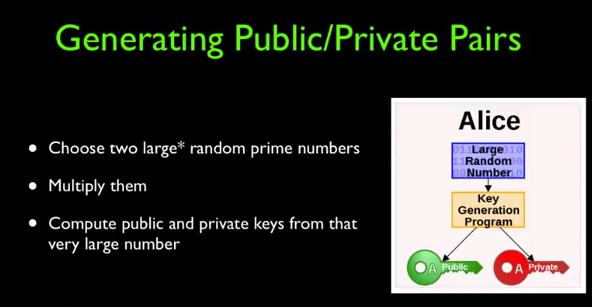
选择两个非常大的随机数,然后将它们相乘。你可以从中计算得到公钥和密钥,公钥和密钥实际上是基于两个质数,所以想要找到他们形如大海捞针。
And so the public and private key is really based on these two prime numbers.
这里老师给我们做了一个演示:
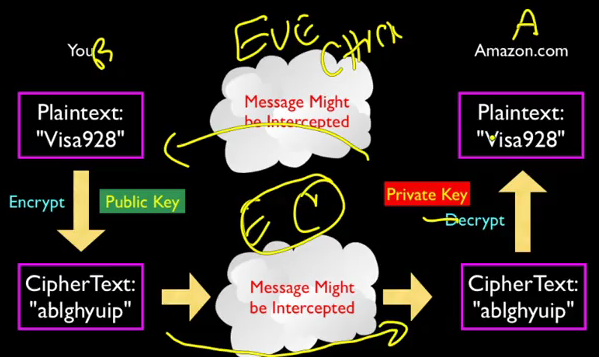
The encrypted text finds its way through all these things. And it come in encrypted. And it actually doesn't get encrypted, until it's sort of right at the point where Amazon's web server that's going to actually charge your credit card. So, this is actually beautifully elegant. In that, the rest of the network is blissfully unaware, that any encryption is happening. It's just moving the data. So, this did not require any change. Again the beauty of the layer of architecture. Did not require any change, sort of below the transport layer. And as a matter of fact, all of the sequencing and re-transmission that happens in the TCP layer. That happens with the encrypted stuff too because it's just encrypted. It's just text. It's gibberish text, it's not the original visa card number that you're sending. You're sending 123 and out comes, you know, wxy, the wxy just goes. It's re-transmitted. All this crap just works, it's like, beautiful. It's a beautiful thing. It's absolutely a beautiful thing. Then it's just like this mini layer kind of between, it's like the top slice of the transport layer. That's how I'm drawing it right here. It's like this little kind of top extra little thing, that says you know what, we're going to transport, actually help me out and give me some encryption while we're at it. And there's all kinds of cool stuff that goes back and forth. The public and private keys get exchanged.
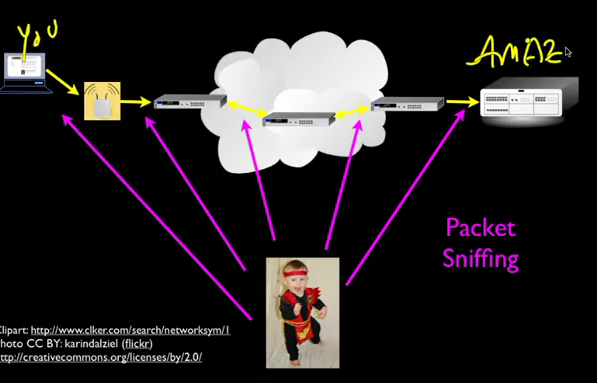
你不得不假定你连接的过程是不安全的。
But, but basically, you know, we want to distrust all of this, okay?
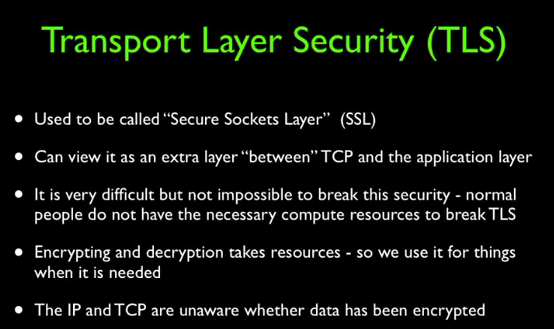
这种思想就是传输层安全(Transport Layer Security),也称作SSL、HTTPS,位于传输层和应用层之间。
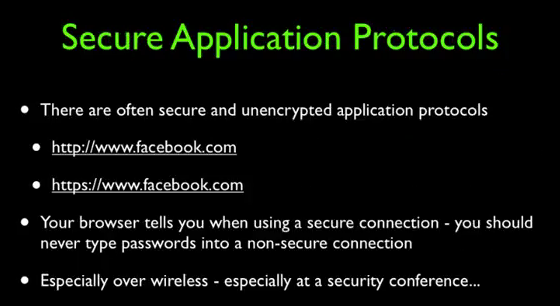
Identity on the Web
Security - Integrity and Certificate Authorities
我们如何知道与之对话的是谁呢?是亚马逊还是coursera?可以通过查看浏览器的顶部,通常这里会i有一个指示只想安全连接,可以单机此链接来查看一些信息,这就叫做证书信息。有一个GoDaddy来负责检查Coursera的ID并说,嘿你一定是Coursera的首席执行官,否则我不会给你这个签名的私钥。
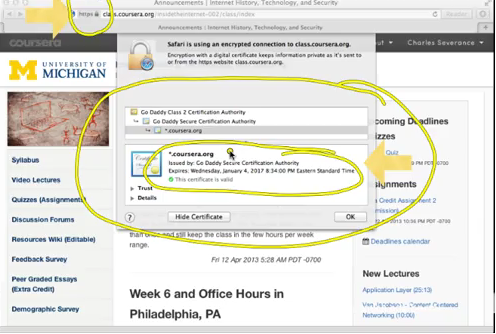
因此这就是一个获得私钥签名的过程,也是一宗确保和其他人交流的方法。所谓的数字证书也被称为签名私钥。
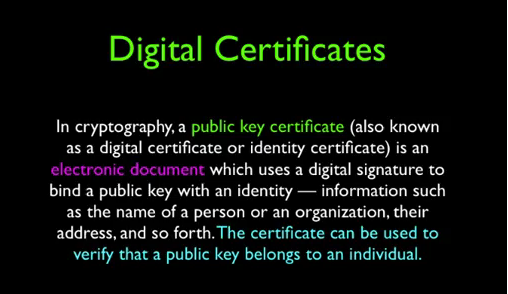
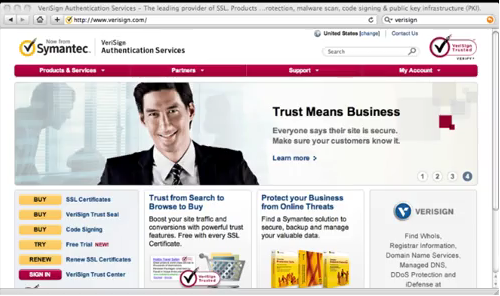
数字证书由第三方权威机构颁布,这些权威机构也是逐渐建立起信任的。
So, if you think this whole thing through, this, Eve was watching the whole time. We sent a public key. We signed and returned a public key. Then we sent the public key to your laptop. We verified the public key. And the whole time Eve is sort of watching all this information and she is powerless to break it.
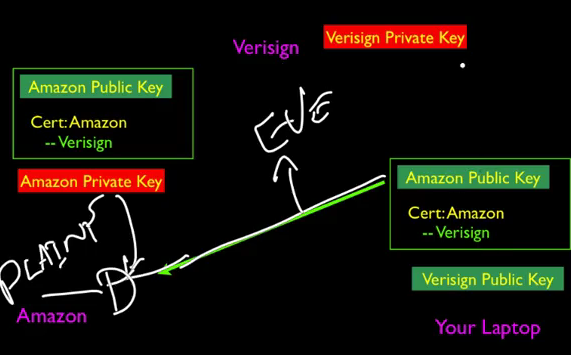
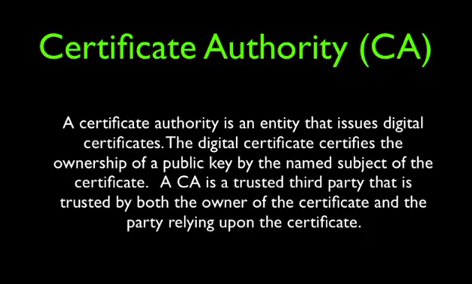
最后总结一下:
So, that sort of brings us to the conclusion of this, these last couple of lectures have been about message confidentially. And that's protecting the contents from being revealed. We use encrypting and decrypting for that. And then we have message digest. And, sur, to sign things. We've signed messages, we've signed certificates, we've signed many things, and those are important. And we talked about both sort of, shared key, and secret key, where you have to get together. And agree on a key which is a symmetric key that's used for encrypting and decrypting. And then you have the public private key which is the asymmetric. Which is one key is used for encrypting and the other key is used for decrypting. And you can freely show the encrypting key because it gives very little information. Although, it is mathematically possible, but difficult to decrypt public private key message. So, that kinds of suns up, kind of sums up our lecture on public private keys and I hope you find it valuable. See you on the net.

Internet History, Technology and Security (Week 9)的更多相关文章
- Internet History, Technology and Security (Get Started)
Abstract 课程名称:互联网的历史.技术和安全 coursera地址 制作方:密歇根大学(University of Michigan) 教师:Charles Severance, Associ ...
- Internet History,Technology and Security
Internet History,Technology and Security(简单记录) First Week High Stakes Research in Computing,and Comm ...
- Internet History,Technology,and Security - History Through Supercomputing(Week2)
时间飞逝,一周又过去了,这周我们来到了Internet History, Technology and Security (Week 2)的学习,从标题就可以看出,这周主要是介绍“互联网”雏形的诞生. ...
- Internet History, Technology and Security (Week 2)
Week 2 History: The First Internet - NSFNet Welcome to week 2! This week, we'll be covering the hist ...
- Coursera: Internet History, Technology, and Security
课程网址:https://www.coursera.org/learn/internet-history 学习笔记: Week 1: History - Dawn of Early Computing ...
- Internet History, Technology, and Security(week1)——History: Dawn of Electronic Computing
前言: 第一次进行课程学习,在反复观看视频和查找字典翻译理解后选出了视频中个人认为较重要的概念,以下并不按照逐句翻译,中文概括大意余下自由发挥,对老师想要告诉我们的历史有一个初步的了解,顺便锻炼以下英 ...
- Internet History, Technology and Security (Week5.1)
Week5 The Transport layer is built on the Internetwork layer and is what makes our network connectio ...
- Internet History, Technology and Security (Week 4)
Week 4 History: Commercialization and Growth We are now moving into Week 4! This week, we will be co ...
- Internet History,Technology,and Security - Technology: Internets and Packets (Week5)
Week5 Technology: Internets and Packets Welcome to Week 5! This week, we’ll be covering internets an ...
随机推荐
- 20155239吕宇轩 Linux下IPC机制
20155239吕宇轩 Linux下IPC机制 - 共享内存 原理:把所有需要使用的共享数据都存放在共享内存 区域中,任何想要访问这些共享数据的进程都必须在自己的进程地址空间中新增加一块内存区域,用来 ...
- ubuntu 装 mysql
sudo apt-get install mysql-server mysql-client
- WPF的单位 屏幕 分辨率
原文:WPF的单位 屏幕 分辨率 WPF程序中的单位是与设备无关的单位,每个单位是1/96英寸,如果电脑的DPI设置为96(每个英寸96个像素),那么此时每个WPF单位对应一个像素,不过如果电脑的DP ...
- WPF 播放Flash
原文:WPF 播放Flash WPF中没有直接提供播放Flash的控件. 可以使用WebBrowser来打开,代码如下: <Window x:Class="Nankang.Itacat ...
- [Luogu4921]情侣?给我烧了![错位排列]
题意 题意很清楚 \滑稽 分析 对于每一个询问 \(k\) ,记 \(g(x)\) 表示 \(x\) 对情侣都错开的方案总数,那么答案可以写成如下形式: \[ {ans}_k= \binom{n}{k ...
- MySQLConnector/ODBC 安装时遇到的小问题
今天在新做的 Win2008R2 上想使用 SqlDbx 管理 MySQL,提示需要安装 MySQLConnector/ODBC,这没什么,以前装过的,按要求下载安装一个就是了. 结果在安装 MySQ ...
- linux 修改文件最大数
ulimit -a 查看所有 open files (-n) 1024 是linux操作系统对一个进程打开的文件句柄数量的限制(也包含打开的套接字数量) ulimit -SHn 10000 ##临时修 ...
- <数据结构系列1>封装自己的数组——手写动态泛型数组(简化版ArrayList)
哈哈,距离上一次写博客已经快过去半个月了,这这这,好像有点慢啊,话不多说,开始我们的手写动态泛型数组 首先是我们自己写一个自己的动态数组类,代码如下所示: public class Array< ...
- yocto-sumo源码解析(六): setup_bitbake
1. 创造日志handler: 在status_only模式,不需要日志以及UI # Ensure logging messages get sent to the UI as events hand ...
- 【CentOS_7】安装nginx
1,下载 [root@VM_0_7_centos local]# wget http://nginx.org/download/nginx-1.14.2.tar.gz ---- ::-- http:/ ...