
php安装compoer install
1.先确定php运行版本为7.1以上
2.在phpstorm中 或者在项目根目录按住shift+有单击点击“在此处打开命令窗口”运行composer install
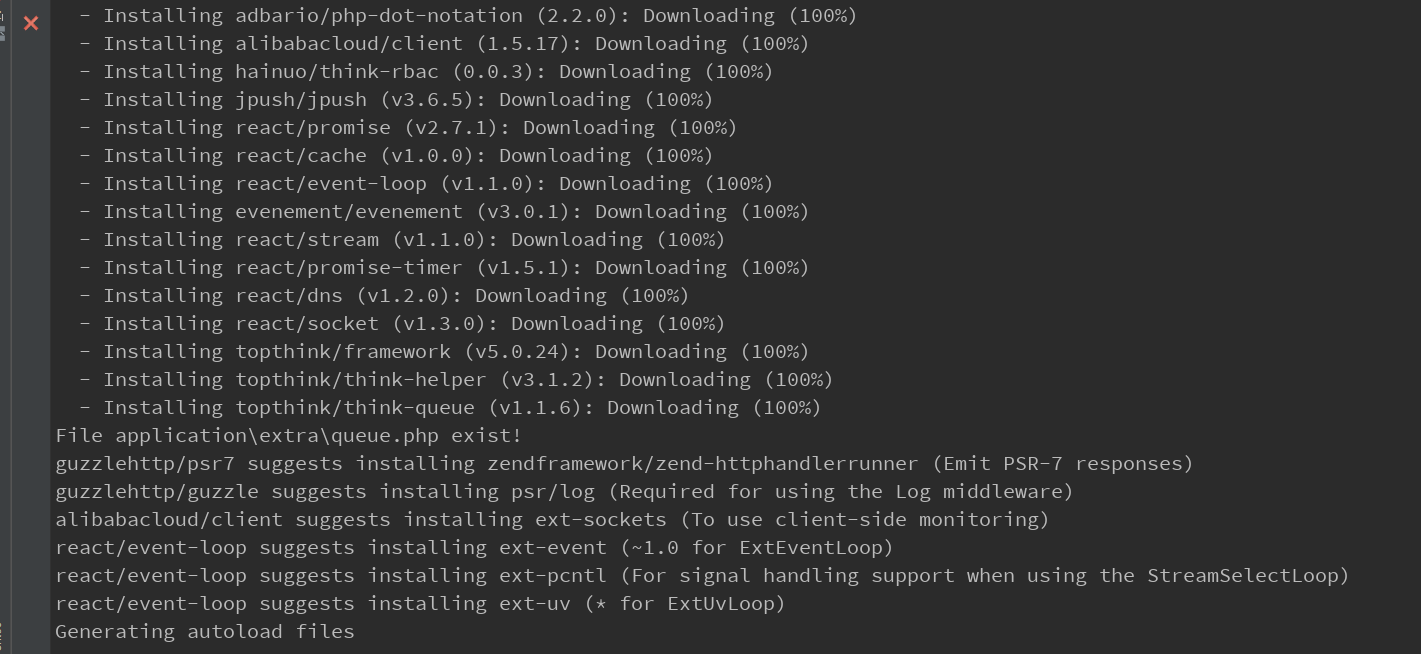
3出现这个证明安装成功
.
会遇到的问题1:更改了php版本后要查看环境变量是否有了当前php版本(右单击我的电脑-属性-高级系统设置-环境变量-系统变量-Path双击打开,把当前php版本的路径黏贴在最后面用;隔开,如:D:\phpstudy_pro\Extensions\php\php7.1.9nts),配置完环境变量后一定要重启才能生效
php安装compoer install的更多相关文章
- Ubuntu 下安装 apt-get install npm 失败的解决方案
Ubuntu 下安装 apt-get install npm 失败的解决方案: sudo apt-get remove nodejs npm ## remove existing nodejs an ...
- Python3.6.2安装pip install paramike模块报错
问题描述: 在有几台电脑上pip install paramike报错 报错内容: Could not find a version that satisfies the requirement sq ...
- LNMP 一键安装 yum install php-mcrypt libmcrypt libmcrypt-devel
centos源不能安装libmcrypt-devel,由于版权的原因没有自带mcrypt的包 有两种方法解决,一种是使用第三方源,这样还可以使用yum来安装,简单方便,坏处是第三方源多少有中不可靠的感 ...
- Mysql安装错误:Install/Remove of the Service Denied!解决办法
Mysql安装错误:Install/Remove of the Service Denied!解决办法 在windos 的cmd下安装mysql 在mysql的bin目录下面执行: mysqld -- ...
- 安装npm install时,长时间停留在某一处的解决方案
默认情况npm install安装时,会从 github.com 上下载文件,大部分安装不成功的原因都源自这里 因为 GitHub Releases 里的文件都托管在 s3.amazonaws.com ...
- 安装npm install时,长时间停留在fetchMetadata的解决方法
安装npm install时,长时间停留在fetchMetadata: sill mapToRegistry uri http://registry.npmjs.org/whatwg-fetch处, ...
- 安装npm install时,长时间停留在fetchMetadata: sill 解决方法——换npm的源
安装npm install时,长时间停留在fetchMetadata: sill mapToRegistry uri http://registry.npmjs.org/whatwg-fetch处, ...
- LNMP安装composer install时出现Warning: putenv()
layout: post title: LNMP安装composer install时出现Warning: putenv() has been disabled for security reason ...
- Mysql安装出现=========== install/remove of the Service Denied
在安装mysql过程中遇到一个问题 install/remove of the Service Denied,这个问题说明自己没有安装和删除的权利,原因是自己在运行cmd过程是没有使用管理员身份运行 ...
随机推荐
- 启动Activity的单独事件方法2
1.Button中创建android:onClick="sendmessage" sendmessage方法名 //MAIN_acitivity创建这个同名独立方法 响应Butto ...
- C++虚函数作用原理(一)——虚函数如何在C++语言逻辑中存在
C++多态,接触其实也没太长的时间.上课的时候老师总是不停的讲,多态可以实现利用一个基类对象调用不同继承类的成员函数.我就会觉得很伤脑筋,这个的原理到底是什么?是什么呢? 开始的时候我觉得自己应该能够 ...
- mysql-mmm实现高可用和部署时须要考虑的问题
mysql-mmm简介 Multi-Master Replication Manager for MySQL,简称mmm,官方的介绍可以参考mmm官网.好处自然不用说,读写分离,官方称读能做到负载均衡 ...
- git clone报错error: RPC failed; curl 18 transfer closed with outstanding read data remaining
具体错误信息如下图: error: RPC failed; curl 18 transfer closed with outstanding read data remaining fatal: ...
- App支付宝登录授权
一.在支付宝开放平台申请App应用,并且配置后台信息 https://openhome.alipay.com/platform/appManage.htm#/apps 填写自己的申请信息 添加应用功能 ...
- tbdr+mrt
有关mrt的在tbdr的架构下的内存排布 system memory肯定是dither 我对这里把握比较大 rt0 rgba8 rt1 r8 这样像素排列是rgba8r8rgba8r8rgba8r8. ...
- 数据管理必看!Kendo UI for jQuery过滤器概述
Kendo UI for jQuery最新试用版下载 Kendo UI目前最新提供Kendo UI for jQuery.Kendo UI for Angular.Kendo UI Support f ...
- 题解 比赛 match
比赛 match Description 有 N 支队伍打比赛.已知有如下条件: • 每支队伍恰好打了 4 场比赛 • 对于一场比赛,如果是平局,双方各得 1 分:否则胜者得 3 分,负者不得分 给定 ...
- HDU 6045 - Is Derek lying | 2017 Multi-University Training Contest 2
/* HDU 6045 - Is Derek lying [ 分析 ] 题意: 有N个问题, 每个问题有A,B,C三种答案,答对加一分,答错不加分 给出甲乙两人的答案,给出两人的分数先x, y,问分数 ...
- gradle——入门
为脚本中自定义变量传参: gradle -Pmyprop=myvalue 脚本攻略 https://blog.csdn.net/yanbober/article/details/49314255 强制 ...