
YIii2.0-学习笔记之服务器安装
最近项目需要,学习了一下yii2.0框架
第一步: 安装composer--------作为一个phper composer不会用可能有点不合适
下载composer.phar文件

#curl -sS https://getcomposer.org/installer | php出现表示下载成功.

运行 php composer.phar   会出现composer的标志。

php composer.phar

移动或复制composer.phar 到系统 bin 目录

#mv composer.phar /usr/local/bin/composer

#cp composer.phar /usr/local/bin/composer

修改composer文件的权限

#chmod 744 /usr/local/bin/composer
第二步:从git分支上拉取代码
#git clone http://yourservername/basic.git
第三部:安装yii的核心库
进入你的git clone的网站根目录执行:

#composer install
如果执行install失败,出现
Your requirements could not be resolved to an installable set of packages.

Problem 1

    - Installation request for doctrine/instantiator 1.1.0 -> satisfiable by doctrine/instantiator[1.1.0].

    - doctrine/instantiator 1.1.0 requires php ^7.1 -> your PHP version (7.0.30) does not satisfy that requirement.

  Problem 2

    - Installation request for myclabs/deep-copy 1.8.1 -> satisfiable by myclabs/deep-copy[1.8.1].

    - myclabs/deep-copy 1.8.1 requires php ^7.1 -> your PHP version (7.0.30) does not satisfy that requirement.

  Problem 3

    - Installation request for symfony/browser-kit v4.2.4 -> satisfiable by symfony/browser-kit[v4.2.4].

    - symfony/browser-kit v4.2.4 requires php ^7.1.3 -> your PHP version (7.0.30) does not satisfy that requirement.

  Problem 4

    - Installation request for symfony/console v4.2.4 -> satisfiable by symfony/console[v4.2.4].

    - symfony/console v4.2.4 requires php ^7.1.3 -> your PHP version (7.0.30) does not satisfy that requirement.

  Problem 5

    - Installation request for symfony/contracts v1.0.2 -> satisfiable by symfony/contracts[v1.0.2].

    - symfony/contracts v1.0.2 requires php ^7.1.3 -> your PHP version (7.0.30) does not satisfy that requirement.

  Problem 6

    - Installation request for symfony/css-selector v4.2.4 -> satisfiable by symfony/css-selector[v4.2.4].

    - symfony/css-selector v4.2.4 requires php ^7.1.3 -> your PHP version (7.0.30) does not satisfy that requirement.

  Problem 7

    - Installation request for symfony/dom-crawler v4.2.4 -> satisfiable by symfony/dom-crawler[v4.2.4].

    - symfony/dom-crawler v4.2.4 requires php ^7.1.3 -> your PHP version (7.0.30) does not satisfy that requirement.

  Problem 8

    - Installation request for symfony/event-dispatcher v4.2.4 -> satisfiable by symfony/event-dispatcher[v4.2.4].

    - symfony/event-dispatcher v4.2.4 requires php ^7.1.3 -> your PHP version (7.0.30) does not satisfy that requirement.

  Problem 9

    - Installation request for symfony/finder v4.2.4 -> satisfiable by symfony/finder[v4.2.4].

    - symfony/finder v4.2.4 requires php ^7.1.3 -> your PHP version (7.0.30) does not satisfy that requirement.

  Problem 10

    - Installation request for symfony/yaml v4.2.4 -> satisfiable by symfony/yaml[v4.2.4].

    - symfony/yaml v4.2.4 requires php ^7.1.3 -> your PHP version (7.0.30) does not satisfy that requirement.

  Problem 11

    - symfony/browser-kit v4.2.4 requires php ^7.1.3 -> your PHP version (7.0.30) does not satisfy that requirement.

    - codeception/base 2.3.9 requires symfony/browser-kit >=2.7 <5.0 -> satisfiable by symfony/browser-kit[v4.2.4].

    - Installation request for codeception/base 2.3.9 -> satisfiable by codeception/base[2.3.9].
说明php版本问题执行:
composer install --ignore-platform-reqs
这样 yii框架就安装好了
然后进入你的nginx配置文件 找到nginx.conf 配置一个server
#可以直接复制  将servername改成自己的  yourpath 改成项目实际地址即可
server {

    charset utf-;

    client_max_body_size 128M;

    listen ;

    server_name yourservername;

    root        /yourpath/web;

    index       index.php index.html;

    access_log  /yourpath/log/access.log;

    error_log   /yourpath/log/error.log;

    location / {

        try_files $uri $uri/ /index.php$is_args$args;

    }

    location ~ ^/assets/.*\.php$ {

        deny all;

    }

    location ~ \.php$ {

        include fastcgi_params;

        fastcgi_param SCRIPT_FILENAME $document_root$fastcgi_script_name;

        fastcgi_pass 127.0.0.1:;

        try_files $uri =;

    }

    location ~* /\. {

        deny all;

    }

}
然后重启nginx
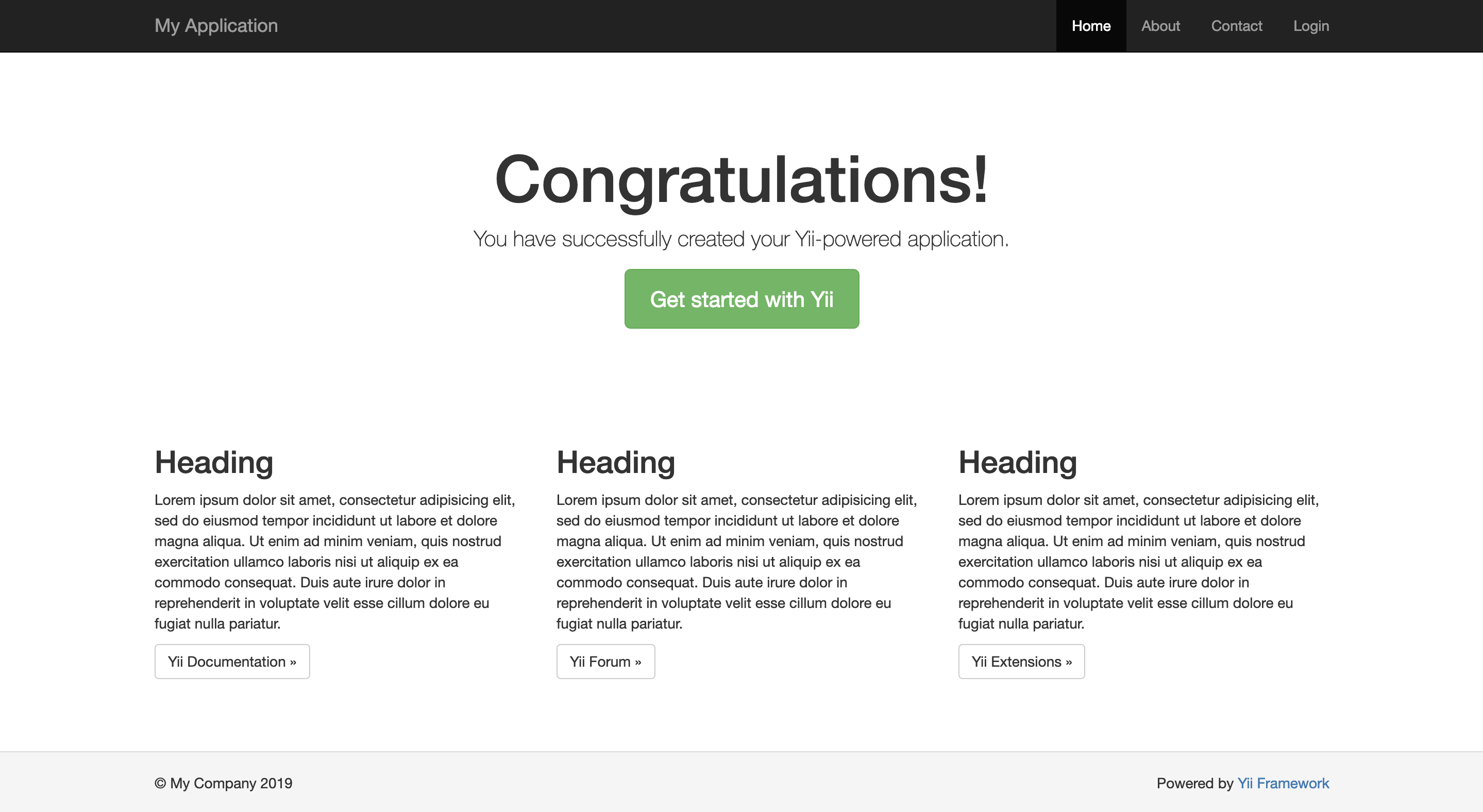
访问你自己配置的域名 出现下面的页面说明yii已经部署完毕
以上为博主原创,博客唯一地址:https://www.cnblogs.com/pfdltutu/p/10557754.html
YIii2.0-学习笔记之服务器安装的更多相关文章
- DirectX 总结和DirectX 9.0 学习笔记
转自:http://www.cnblogs.com/graphics/archive/2009/11/25/1583682.html DirectX 总结 DDS DirectXDraw Surfac ...
- 一起学ASP.NET Core 2.0学习笔记(二): ef core2.0 及mysql provider 、Fluent API相关配置及迁移
不得不说微软的技术迭代还是很快的,上了微软的船就得跟着她走下去,前文一起学ASP.NET Core 2.0学习笔记(一): CentOS下 .net core2 sdk nginx.superviso ...
- vue2.0学习笔记之路由(二)路由嵌套+动画
<!DOCTYPE html> <html lang="en"> <head> <meta charset="UTF-8&quo ...
- vue2.0学习笔记之路由(二)路由嵌套
<!DOCTYPE html> <html lang="en"> <head> <meta charset="UTF-8&quo ...
- hdcms v5.7.0学习笔记
hdcms v5.7.0学习笔记 https://note.youdao.com/ynoteshare1/index.html?id=c404d63ac910eb15a440452f73d6a6db& ...
- dhtmlxgrid v3.0学习笔记
dhtmlxgrid v3.0学习笔记 分类: dhtmlx JavaScript2012-01-31 15:41 1744人阅读 评论(0) 收藏 举报 stylesheetdatecalendar ...
- OAuth 2.0学习笔记
文章目录 OAuth的作用就是让"客户端"安全可控地获取"用户"的授权,与"服务商提供商"进行互动. OAuth在"客户端&quo ...
- 一起学ASP.NET Core 2.0学习笔记(一): CentOS下 .net core2 sdk nginx、supervisor、mysql环境搭建
作为.neter,看到.net core 2.0的正式发布,心里是有点小激动的,迫不及待的体验了一把,发现速度确实是快了很多,其中也遇到一些小问题,所以整理了一些学习笔记: 阅读目录 环境说明 安装C ...
- RxJava2.0学习笔记2 2018年7月3日 周二
摘记: 1.map -- 转换 有些服务端的接口设计,会在返回的数据外层包裹一些额外信息,这些信息对于调试很有用,但本地显示是用不到的.使用 map() 可以把外层的格式剥掉,只留下本地会用到的核心 ...
- thinkphp5.0学习笔记
2019-11-11学习笔记 安装TP5.0 a)源代码包下载 在thinkphp官网下载(www.thinkphp.cn)下载 完整版本的TP5.0 b) composer 安装 切换到网站的根目录 ...
随机推荐
- form表单文件上传提交且接口回调显示提交成功
前端: <form method="post" enctype="multipart/form-data" id="formSubmit&quo ...
- go cmd nohup 的坑
https://github.com/go-cmd/cmd/issues/20 golang 的 cmd 包在执行系统命令时,如果使用的到了 nohup 命令, 那么就需要注意, 需要在 nohup ...
- PDF生成类库
from:https://blog.csdn.net/plean/article/details/8097015 最近忙了两个星期的任务了 iTextSharp.dll是个开源的用于生成pdf ...
- Qt比较字符串Qstring是否相等
Qt比较字符串Qstring是否相等 QString str = "相等"; if(str ==QString::fromLocal8Bit("球形")) { ...
- source insight 4.0常见问题及相关配置
摘自:https://blog.csdn.net/liitdar/article/details/79891795 本文介绍source insight 4.0常见的问题以及相关的配置. 1. ...
- PL/SQL developer 开发小技能 and ash show command PL/SQL EXECUTE 以及注释
##sample test windows 调试存储过程, 总体指导思想使用pl/sql test windows 调试存储过程,存储过程调试 可以用 run to next exception ...
- 【Leetcode_easy】1046. Last Stone Weight
problem 1046. Last Stone Weight 参考 1. Leetcode_easy_1046. Last Stone Weight; 完
- 对 Watchbog Botnet 渗透过程和 Payload 的分析
漏洞利用 CVE-2018-1000861 https://jenkins.io/security/advisory/2018-12-05/ Watchbog在做什么? Watchbog僵尸网络为其所 ...
- web端自动化——webdriver驱动
1.1Edge浏览器(不过,Edge浏览器只能运行于 Windows 10) Edge驱动的下载地址,复制链接http://go.microsoft.com/fwlink/?LinkId=619687 ...
- Centos7网络连接
参考链接:http://baijiahao.baidu.com/s?id=1597809303775176940(上面有些没说清楚,所以简化总结一丢丢) Step1 编辑 — 虚拟网络编辑器 — (管 ...