
springboot-为内置tomcat设置虚拟目录
需求
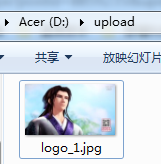
项目使用springboot开发,以jar包方式部署。项目中文件上传均保存到D判断下的upload目录下。
在浏览器中输入http://localhost:8080/upload/logo_1.jpg能访问到D盘upload目录下的logo_1.png图片

解决方法
由于使用jar包方式,无法使用为tomcat配置虚拟目录的方式,需为springboot内置tomcat设置虚拟目录。
实现
import org.springframework.context.annotation.Configuration;

import org.springframework.web.servlet.config.annotation.ResourceHandlerRegistry;

import org.springframework.web.servlet.config.annotation.WebMvcConfigurerAdapter;

@Configuration

public class WebMvcConfig extends WebMvcConfigurerAdapter {

    @Override

    public void addResourceHandlers(ResourceHandlerRegistry registry) {

        registry.addResourceHandler("/upload/**").addResourceLocations("file:D:/upload/");

    }

}
启动项目,在浏览器中输入http://localhost:8080/upload/logo_1.jpg,即可正常访问图片了。


上面的例子中拦截器拦截的请求和文件上传目录均是写死的,可将其放置application.properties配置文件 中, 便于修改。修改后代码如下所示:
application.properties
server.port=8080

#静态资源对外暴露的访问路径

file.staticAccessPath=/upload/**

#文件上传目录

file.uploadFolder=D:\\upload
FileUploadProperteis.java
import org.springframework.boot.context.properties.ConfigurationProperties;

import org.springframework.stereotype.Component;

/**

 * 文件上传相关属性

 * @create 2018-04-22 13:58

 **/

@Component

@ConfigurationProperties(prefix = "file")

public class FileUploadProperteis {

    //静态资源对外暴露的访问路径

    private String staticAccessPath;

    //文件上传目录

    private String uploadFolder ;

    public String getStaticAccessPath() {

        return staticAccessPath;

    }

    public void setStaticAccessPath(String staticAccessPath) {

        this.staticAccessPath = staticAccessPath;

    }

    public String getUploadFolder() {

        return uploadFolder;

    }

    public void setUploadFolder(String uploadFolder) {

        this.uploadFolder = uploadFolder;

    }

}
WebMvcConfig.java
import com.lnjecit.springboothelloworld.properties.FileUploadProperteis;

import org.springframework.beans.factory.annotation.Autowired;

import org.springframework.context.annotation.Configuration;

import org.springframework.web.servlet.config.annotation.ResourceHandlerRegistry;

import org.springframework.web.servlet.config.annotation.WebMvcConfigurerAdapter;

@Configuration

public class WebMvcConfig extends WebMvcConfigurerAdapter {

    @Autowired

    private FileUploadProperteis fileUploadProperteis;

    @Override

    public void addResourceHandlers(ResourceHandlerRegistry registry) {

        registry.addResourceHandler(fileUploadProperteis.getStaticAccessPath()).addResourceLocations("file:" + fileUploadProperteis.getUploadFolder() + "/");

    }

}
demo下载地址:https://github.com/linj6/springboot-learn/tree/master/springboot-helloworld
参考资料
1、https://liuyanzhao.com/7599.html
springboot-为内置tomcat设置虚拟目录的更多相关文章
- Spring boot内置Tomcat的临时目录被删除导致文件上传不了-问题解析
目录 1.问题 2.1. 为什么需要使用这个/tmp/tomcat*? 2.2.那个 /tmp/tomcat* 目录为什么不存在? 三.解决办法 修改 springboot 配置,不要在/tmp 下创 ...
- springboot禁用内置Tomcat的不安全请求方法
起因:安全组针对接口测试提出的要求,需要关闭不安全的请求方法,例如put.delete等方法,防止服务端资源被恶意篡改. 用过springMvc都知道可以使用@PostMapping.@GetMapp ...
- 模拟Springboot二:内置tomcat
既然要将tomcat内置到项目中,并且能够成功的启动项目就要知道 tomcat 做了哪些事情 ,那么就必须先搞明白 一个 普通的web项目是如何被我们本地配置的tomcat启动并运行的 (1). 先 ...
- Tomcat设置虚拟目录的方法, 不修改server.xm
所在小组使用的就是这样的形式开发,这样切换开发环境,测试环境,正式环境就只需要修改project.xml文件就行了.project.xml命名是随意的,访问的时候就使用这个名字来访问. 在tomcat ...
- springboot让内置tomcat失效
一.POM(去除内嵌tomcat后,需要添加servlet依赖) <dependency> <groupId>org.springframework.boot</grou ...
- springboot内置tomcat配置虚拟路径
在Springboot中默认的静态资源路径有:classpath:/METAINF/resources/,classpath:/resources/,classpath:/static/,classp ...
- 如何优雅的使用springboot项目内置tomcat
问题:以前,我们在使用SSM框架的时候,都是通过外置的tomcat进行部署,如果想访问文件,直接拖到项目的根目录下面即可.假如我们需要放一个apk文件,然后让别人下载,只需将apk放到项目根目录下面, ...
- tomcat设置虚拟目录开启文件下载在服务
因为平时一直在eclipse里运行tomcat,所以改的文件在eclipse里的server 在server.xml里找到<host></host>,并在</host&g ...
- Spring Boot2.0之 原理—创建内置Tomcat容器
前面所述的https://www.cnblogs.com/toov5/p/9823728.html 中的第一条先不赘述了,就是玩了maven 重点介绍后两条 首先内置Tomcat: SpringBoo ...
随机推荐
- Paper Reading - Convolutional Image Captioning ( CVPR 2018 )
Link of the Paper: https://arxiv.org/abs/1711.09151 Motivation: LSTM units are complex and inherentl ...
- Ubuntu16.04安装truffle时的一些错误
1.使用truffle时出现 Error: /usr/bin/env: node: 没有那个文件或目录 1.如果是用sudo apt-get install nodejs命令安装的nodejs, ub ...
- POJ 3714 Raid(计算几何の最近点对)
Description After successive failures in the battles against the Union, the Empire retreated to its ...
- iconFont 阿里巴巴矢量图标使用方法
挑选图标的过程(共6步) 进入网站:Iconfont网址:http://www.iconfont.cn 点击网站上方的“官方图标库”,选择自己喜欢的图标.在这里我选择天猫的图标库. 选择好自己喜欢的图 ...
- 《梦断代码Dreaming In Code》阅读笔记(一)
第0章!干得漂亮! 这是我看到这本书冒出来的第一个想法.身为计算机系的学生,对于从0开始的任何事情,都感到格外亲切. 进入阅读之后,疑惑.惊讶.感叹渐渐取代了之前轻松的心情,原来做软件竟是攀越一座又一 ...
- ajax的一些实用技巧
1.尽量优先采用ajax获取html文件,然后再操作dom把数据填充到里面 在实际项目中,如果前端开发人员没有把页面给切分开,那么有如下两种办法可供选择:其一是,在各种点击事件中,用js去拼接并在拼接 ...
- django设置首页
1.在views中添加一个def 为homepage basepath=os.getcwd()+'\\dockerApp\\app\\templates\\';def homepage(request ...
- C语言100例02 PHP版(练习)
问题: 企业发放的奖金根据利润提成. 利润(I)低于或等于10万元时,奖金可提10%: 利润高于10万元,低于20万元时,低于10万元的部分按10%提成,高于10万元的部分,可提成7.5%: 20万到 ...
- [计算机网络-应用层] HTTP协议
1.HTTP概况 Web的应用层协议是超文本传输协议(HTTP),它是Web的核心. HTTP由两部分程序实现:一个客户机程序和一个服务器程序,它们运行在不同的端系统中,通过交换HTTP报文进行对话. ...
- C++除法运算 // 静态断言
1.C++中"/"运算:对两个整数做除法,结果仍为整数,如果它的商包含小数部分,则小树部分会被截除. C++ Primer 第五章 P130 2.静态断言(static_asser ...