
qt 设置背景图片
博客出处:http://www.cppblog.com/qianqian/archive/2010/07/25/121238.htm
工作似乎走上正轨了,上周五的工作是做一个界面,用到QFrame和QPushButton,QFrame做主面板,QPushButton为其子控件,需要在主面板上贴背景图片,还需要在QPushButton上贴上相应的图标,弄了一天,再加上今天一小会,终于有一点点结果了 。
。
通过从Google上搜索各种方法(现在才知道Google比Baidu强大很多啊),最后都试了一些,主要有下面几种方法:
1. QPalette的方法
#include <QtGui>
int main(int argc, char *argv[])
{
QApplication app(argc,argv);
QFrame *frame = new QFrame;
frame->resize(400,700);
QPixmap pixmap("images/frame.png");
QPalette palette;
palette.setBrush(frame->backgroundRole(),QBrush(pixmap));
frame->setPalette(palette);
frame->setMask(pixmap.mask()); //可以将图片中透明部分显示为透明的
frame->setAutoFillBackground(true);
frame->show();
return app.exec();
}
注意图片路径怎么表示,我的图片放在该工程下的images文件夹中。
存在问题:图片可以显示出来,但是图片大小不能和frame大小一致,显示效果不好,具体怎样调整大小,以后再补充,效果如下(设置了透明的,好像很漂亮~透明部分将我的桌面显示出来了~_~):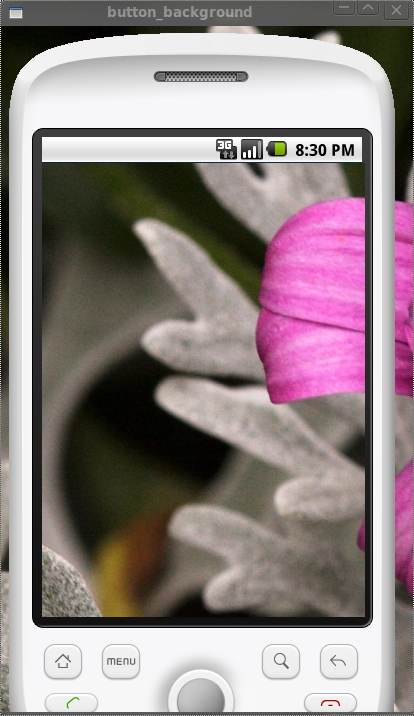
2.setStyleSheet方法(非常好用的方法)
#include <QtGui>
int main(int argc, char *argv[])
{
QApplication app(argc,argv);
QFrame *frame = new QFrame;
frame->setObjectName("myframe");
frame->resize(400,700);
frame->setStyleSheet("QFrame#myframe{border-image:url(images/frame.png)}" );
frame->show();
return app.exec();
}
效果如下: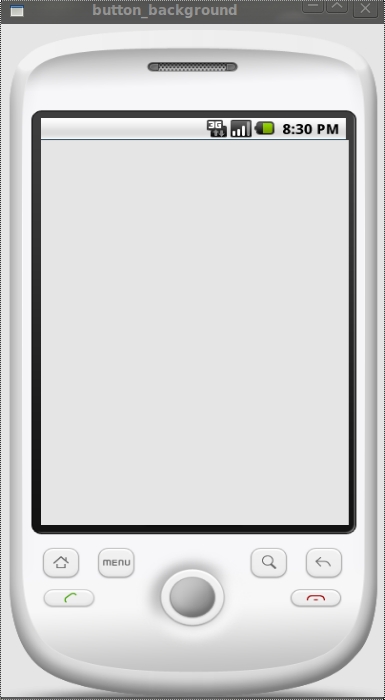
注意:很漂亮的效果吧~~注意代码中红线的部分噢,设置ObjectName后,才能保证setStyleSheet只作用在我们的frame上,不影响其子控件的背景设置。之所以用border-image而不用background-image,还是上面的问题,用background-image不能保证图片大小和控件大小一致,图片不能完全显示,这个以后再补充了,现在还没有找到方法。
3.paintEvent事件方法
#ifndef MYFRAME_H
#define MYFRAME_H
#include <QWidget>
#include <QtGui>
class MyFrame : public QWidget
{
public:
MyFrame();
void paintEvent(QPaintEvent *event);
};
#endif // MYFRAME_H
//myframe.cpp文件
#include "myframe.h"
MyFrame::MyFrame()
{
}
void MyFrame::paintEvent(QPaintEvent *event)
{
QPainter painter(this);
painter.drawPixmap(0,0,400,700,QPixmap("images/frame.png"));
}
//main.cpp文件
#include <QApplication>
#include <QtGui>
#include "myframe.h"
int main(int argc, char *argv[])
{
QApplication app(argc,argv);
MyFrame *frame = new MyFrame;
frame->resize(400,700);
frame->show();
return app.exec();
}
效果如下: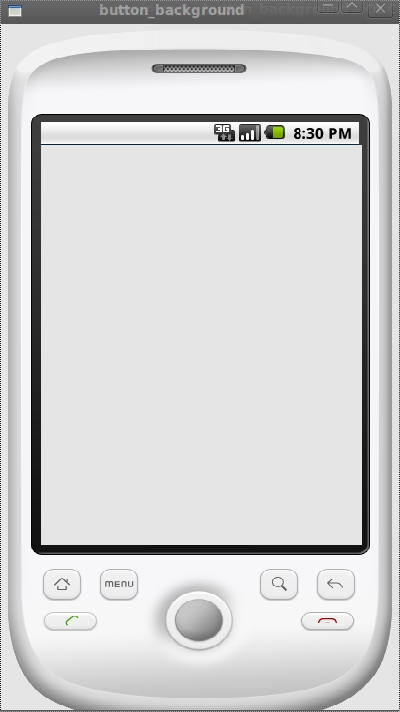
注:跟前面一样的效果吧,与前面的差别就是这个背景图片不随着窗口的大小而变化,因为它的固定大小被设置成(400,700)了。重写QWidget的paintEvent事件,当控件发生重绘事件,比如show()时,系统就会自动调用paintEvent函数。
好了,上面是三种设置背景图片的方法,下面我要说一个设置QPushButton的背景图片的方法,用的是setIcon方法(其实QPushButton设置背景图片也可以用前面三种方法的,不过现在这种Icon方法的看起来也不错)
#include <QtGui>
int main(int argc, char *argv[])
{
QApplication app(argc,argv);
QFrame *frame = new QFrame;
QPushButton * button0 = new QPushButton(frame);
QPushButton * button1 = new QPushButton(frame);
QPushButton * button2 = new QPushButton(frame);
QPushButton * button3 = new QPushButton(frame);
QPushButton * button4 = new QPushButton(frame);
QPushButton * button5 = new QPushButton(frame);
frame->setObjectName("myframe");
frame->resize(400,700);
frame->setStyleSheet("QFrame#myframe{border-image:url(images/frame.png)}" );
button0->setGeometry(60,150,68,68);
button1->setGeometry(160,150,68,68);
button2->setGeometry(260,150,68,68);
button3->setGeometry(60,280,68,68);
button4->setGeometry(160,280,68,68);
button5->setGeometry(260,280,68,68);
QIcon icon;
QPixmap pixmap0("images/SMS.png");
icon.addPixmap(pixmap0);
button0->setIcon(icon);
button0->setIconSize(QSize(68,68));
button0->setFixedSize(pixmap0.size());
button0->setMask(pixmap0.mask());
QPixmap pixmap1("images/EMail.png");
icon.addPixmap(pixmap1);
button1->setIcon(icon);
button1->setIconSize(QSize(68,68));
button1->setFixedSize(pixmap1.size());
button1->setMask(pixmap1.mask());
QPixmap pixmap2("images/Contacts.png");
icon.addPixmap(pixmap2);
button2->setIcon(icon);
button2->setIconSize(QSize(68,68));
button2->setFixedSize(pixmap2.size());
button2->setMask(pixmap2.mask());
QPixmap pixmap3("images/Calendar.png");
icon.addPixmap(pixmap3);
button3->setIcon(icon);
button3->setIconSize(QSize(68,68));
button3->setFixedSize(pixmap3.size());
button3->setMask(pixmap3.mask());
QPixmap pixmap4("images/GoogleVoice.png");
icon.addPixmap(pixmap4);
button4->setIcon(icon);
button4->setIconSize(QSize(68,68));
button4->setFixedSize(pixmap4.size());
button4->setMask(pixmap4.mask());
QPixmap pixmap5("images/AndroidMarket.png");
icon.addPixmap(pixmap5);
button5->setIcon(icon);
button5->setIconSize(QSize(68,68));
button5->setFixedSize(pixmap5.size());
button5->setMask(pixmap5.mask());
frame->show();
return app.exec();
}
效果如下: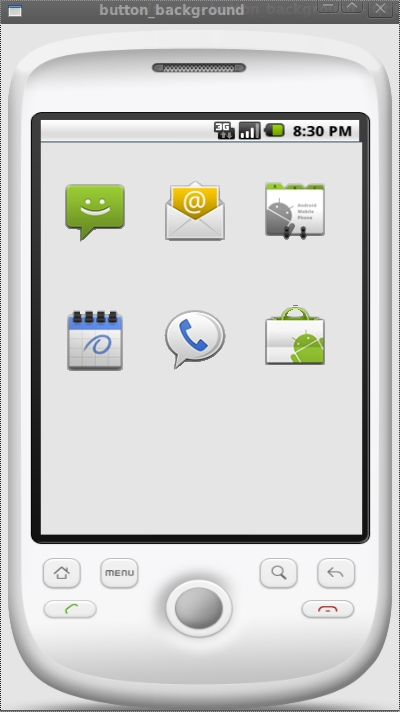
注:图标效果不错吧~_~
好了,今天就写到这里,以后有新的内容再补充。
补充,这样就可以让图片跟窗口一样大小了。
{
QApplication app(argc,argv);
QFrame *frame = new QFrame;
frame->resize(400,700);
QImage image1;
image1.load("images/frame1.jpg");
QImage image2 = image1.scaled(400,700);
QPalette palette;
palette.setBrush(frame->backgroundRole(),QBrush(image2));
frame->setPalette(palette);
frame->setMask(pixmap.mask()); //可以将图片中透明部分显示为透明的
frame->setAutoFillBackground(true);
frame->show();
return app.exec();
}
qt 设置背景图片的更多相关文章
- Qt 设置背景图片3种方法(三种方法:QPalette调色板,paintEvent,QSS)
方法1. setStylSheet{"QDialog{background-image:url()"}} //使用styleSheet 这种方法的好处是继承它的dialog都会自 ...
- Qt 设置背景图片3种方法(QPalette可以做无数的事情,一旦控件指定了调色板,就要乖乖听它的话;QPainter当场绘制当然也没有问题,还有就是QSS)
方法1. setStylSheet{"QDialog{background-image:url()"}} //使用styleSheet 这种方法的好处是继承它的dialog都会自 ...
- QT:给Widget设置背景图片——设置Widget的调色板,调色板使用图片和背景色
QT:给Widget设置背景图片 1 /*2 * set background image3 */4 QPixmap bgImages(":/images/bg.png");5 Q ...
- img只显示图片一部分 或 css设置背景图片只显示图片指定区域
17:14 2016/3/22img只显示图片一部分 或 css设置背景图片只显示图片指定区域 background-position: 100% 56%; 设置背景图片显示图片的哪个坐标区域,图片左 ...
- 为窗体设置背景图片-UI界面编辑器(SkinStudio)教程
1.1. 为窗体设置背景图片 在窗体的Background属性中选择图片设置为窗体背景图片
- UIView 设置背景图片
http://blog.csdn.net/qijianli/article/details/7777268 项目中,可能需要我们为某个视图设置背景图片,而API中UIView没有设置背景图片的方法,那 ...
- tr设置背景图片
tr是不能设置背景图片的....
- [Netbeans]为面板设置背景图片
与AndroidStudio等类似IDE不同,在Netbeans开发桌面程序时,不可以直接通过src=@drawable 等方法为窗口设置背景图片.这里介绍一种简便的方法: 1:首先,拖动一个面板到f ...
- background-size 设置背景图片的大小
background-size 设置背景图片的大小,以长度值或百分比显示,还可以通过cover和contain来对图片进行伸缩. 语法: background-size: auto | <长度值 ...
随机推荐
- JS事件(事件冒泡和事件捕获)
事件流:描述的是在页面中接收事件的顺序 事件冒泡:由最具体的元素接收,然后逐级向上传播至最不具体的元素的节点(文档) 事件捕获:最不具体的节点先接收事件,而最具体的节点应该是最后接收事件 DOM中:用 ...
- lintcode 中等题:unique Binary Search Tree 不同的二叉查找树
题目 不同的二叉查找树 给出 n,问由 1...n 为节点组成的不同的二叉查找树有多少种? 样例 给出n = 3,有5种不同形态的二叉查找树: 1 3 3 2 1 \ / / / \ \ 3 2 1 ...
- window下安装composer and yii2
我的环境是集合包xampp 1,下载composer:下载地址https://getcomposer.org/download/, 点击蓝色字体“Composer-Setup.exe” 2,安装com ...
- Eclipse,IDEA自动生成相应对象接收方法返回值的快捷键
@Service public class ItemServiceImpl implements ItemService { @Autowired private TbItemMapper itemM ...
- Excel多条件筛选求和
单位A 代码B 面积(㎡)C A组 011 124 A组 123 15 A组 011 356 A组 123 44 B组 123 31 B组 011 2 B组 123 2 按照单位和代码求面积的和,可以 ...
- PCL—低层次视觉—点云分割(RanSaC)
点云分割 点云分割可谓点云处理的精髓,也是三维图像相对二维图像最大优势的体现.不过多插一句,自Niloy J Mitra教授的Global contrast based salient region ...
- Eclipse groovy in action
Eclipse :Version: Juno Service Release 2GrEclipse plugins:http://dist.springsource.org/release/GRECL ...
- android中最先被执行的activity
像C.C++.JAVA都有一个主函数作为程序的入口点,但是Android中并没有一个明确的主窗口,那么在有多个Activity的情况下,最先被执行的是哪个呢?这完全取决于配置文件AndroidMain ...
- C/C++内存存储
#include <stdio.h> #include "string.h" #include "malloc.h" void Swap(int a ...
- bzoj2823
最小圆覆盖 有个东西叫作随机增量法,具体可以baidu 这里来说说怎么求三点共圆 这其实就是求两条线段的交点 在编程中,我们解方程是比较麻烦的一个比较好的方法是利用相似三角形 设线段AB,CD交P,则 ...