
Spring Boot+Socket实现与html页面的长连接,客户端给服务器端发消息,服务器给客户端轮询发送消息,附案例源码
功能介绍
- 客户端给所有在线用户发送消息
- 客户端给指定在线用户发送消息
- 服务器给客户端发送消息(轮询方式)
项目搭建
项目结构图
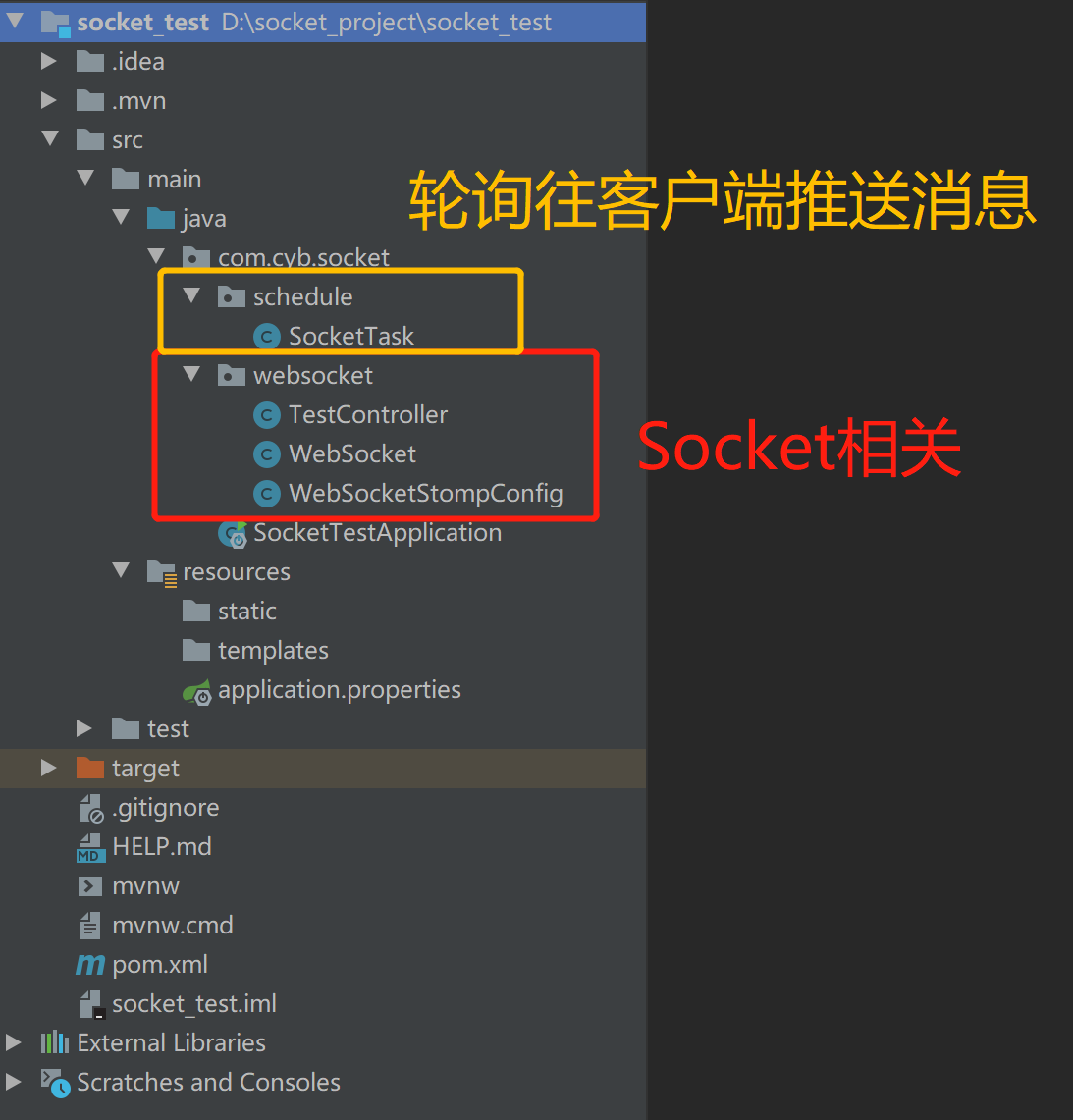
pom.xml
<?xml version="1.0" encoding="UTF-8"?>

<project xmlns="http://maven.apache.org/POM/4.0.0" xmlns:xsi="http://www.w3.org/2001/XMLSchema-instance"

    xsi:schemaLocation="http://maven.apache.org/POM/4.0.0 https://maven.apache.org/xsd/maven-4.0.0.xsd">

    <modelVersion>4.0.0</modelVersion>

    <parent>

        <groupId>org.springframework.boot</groupId>

        <artifactId>spring-boot-starter-parent</artifactId>

        <version>2.3.2.RELEASE</version>

        <relativePath/> <!-- lookup parent from repository -->

    </parent>

    <groupId>com.cyb</groupId>

    <artifactId>socket_test</artifactId>

    <version>0.0.1-SNAPSHOT</version>

    <name>socket_test</name>

    <description>Demo project for Spring Boot</description>

    <properties>

        <java.version>1.8</java.version>

    </properties>

    <dependencies>

        <!-- springboot websocket -->

        <dependency>

            <groupId>org.springframework.boot</groupId>

            <artifactId>spring-boot-starter-websocket</artifactId>

        </dependency>

        <!--guava依赖-->

        <dependency>

            <groupId>com.google.guava</groupId>

            <artifactId>guava</artifactId>

            <version>18.0</version>

        </dependency>

        <!--fastjson依赖-->

        <dependency>

            <groupId>com.alibaba</groupId>

            <artifactId>fastjson</artifactId>

            <version>1.2.46</version>

        </dependency>

        <dependency>

            <groupId>org.springframework.boot</groupId>

            <artifactId>spring-boot-starter-web</artifactId>

        </dependency>

        <dependency>

            <groupId>org.springframework.boot</groupId>

            <artifactId>spring-boot-starter-test</artifactId>

            <scope>test</scope>

            <exclusions>

                <exclusion>

                    <groupId>org.junit.vintage</groupId>

                    <artifactId>junit-vintage-engine</artifactId>

                </exclusion>

            </exclusions>

        </dependency>

    </dependencies>

    <build>

        <plugins>

            <plugin>

                <groupId>org.springframework.boot</groupId>

                <artifactId>spring-boot-maven-plugin</artifactId>

            </plugin>

        </plugins>

    </build>

</project>
appliccation.properties
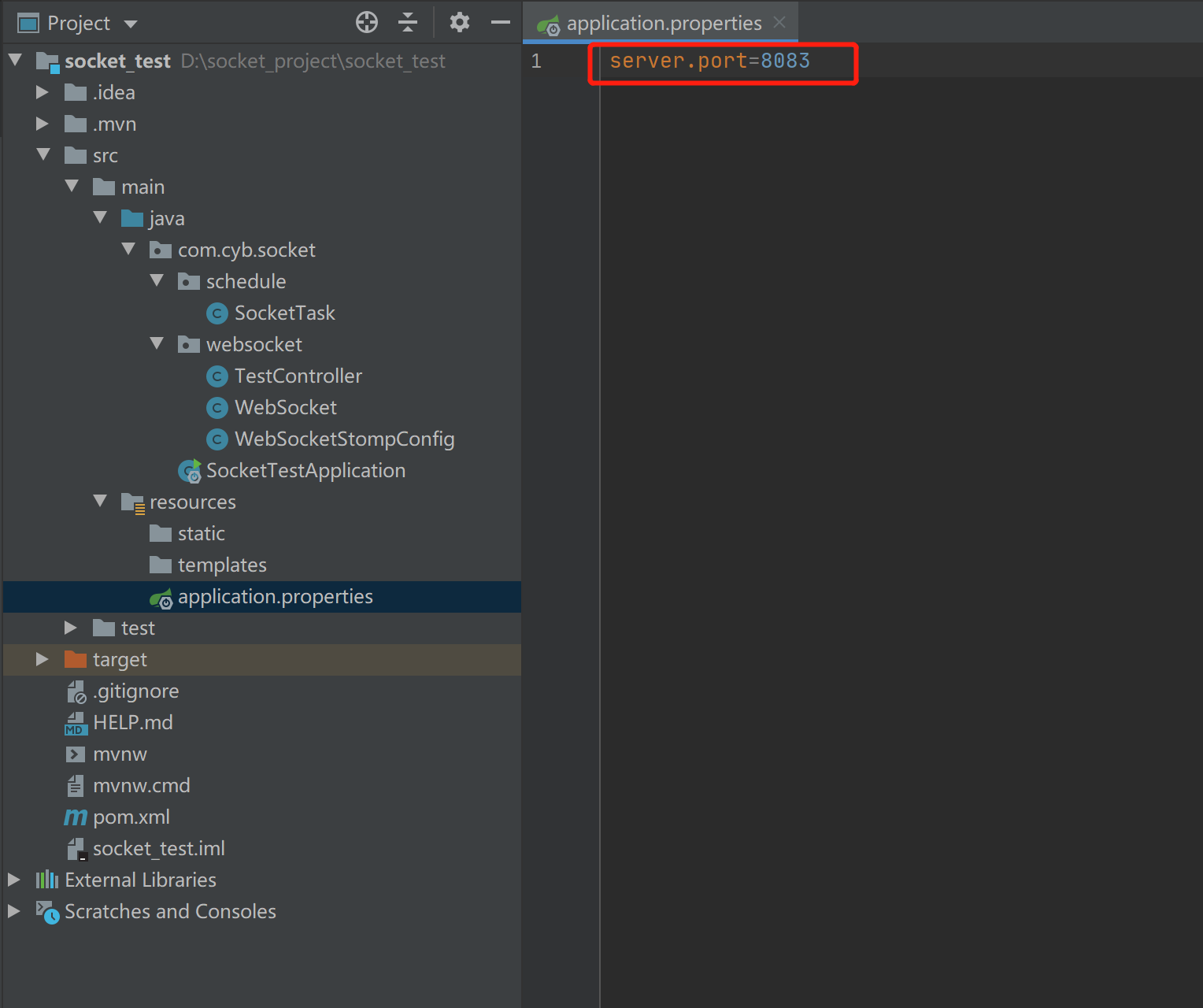
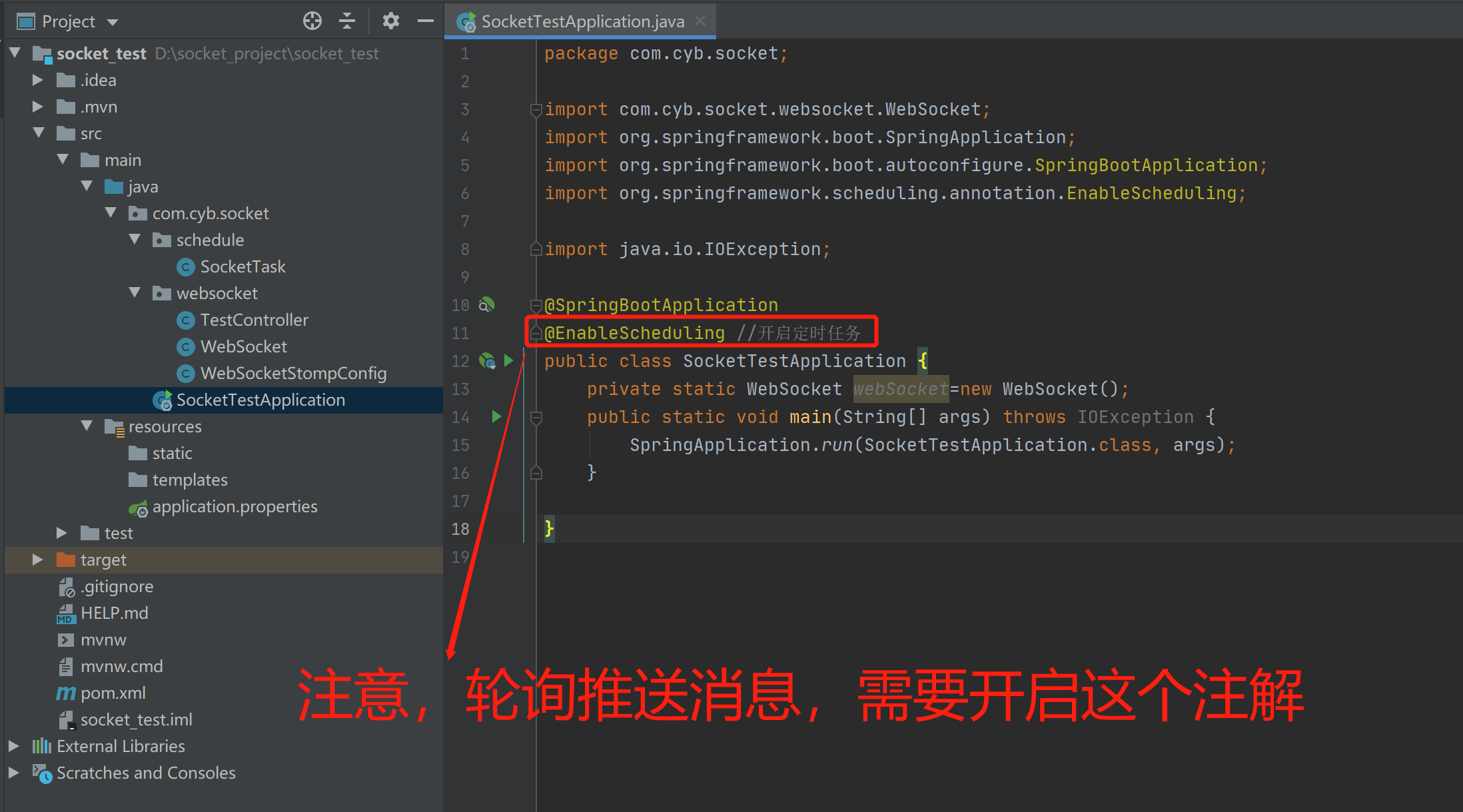
SocketTestApplication.java(Spring Boot启动类)
WebSocketStompConfig.java
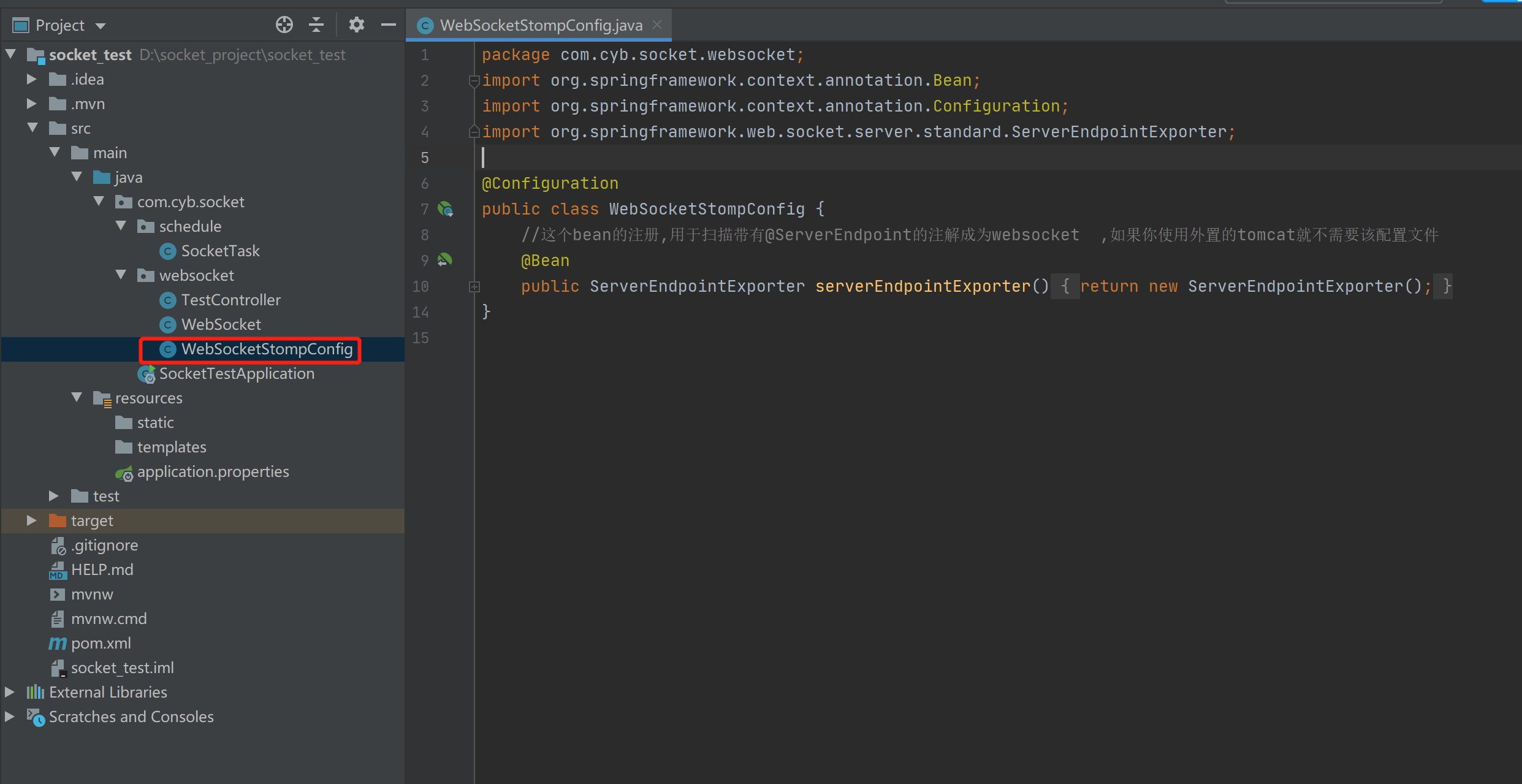
package com.cyb.socket.websocket;

import org.springframework.context.annotation.Bean;

import org.springframework.context.annotation.Configuration;

import org.springframework.web.socket.server.standard.ServerEndpointExporter;

@Configuration

public class WebSocketStompConfig {

    //这个bean的注册,用于扫描带有@ServerEndpoint的注解成为websocket  ,如果你使用外置的tomcat就不需要该配置文件

    @Bean

    public ServerEndpointExporter serverEndpointExporter()

    {

        return new ServerEndpointExporter();

    }

}
WebSocket.java(Socket核心类)
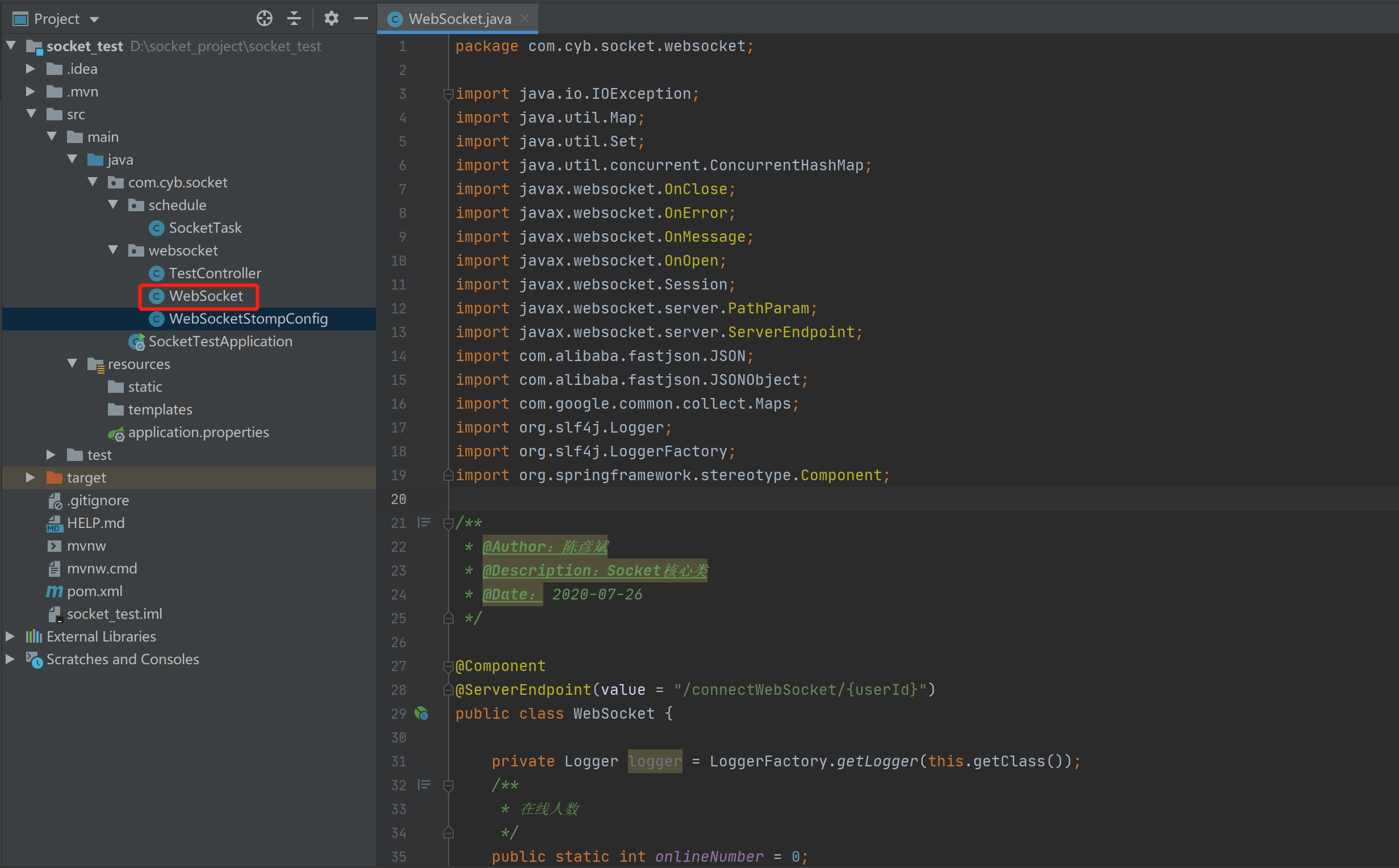
package com.cyb.socket.websocket;

import java.io.IOException;

import java.util.Map;

import java.util.Set;

import java.util.concurrent.ConcurrentHashMap;

import javax.websocket.OnClose;

import javax.websocket.OnError;

import javax.websocket.OnMessage;

import javax.websocket.OnOpen;

import javax.websocket.Session;

import javax.websocket.server.PathParam;

import javax.websocket.server.ServerEndpoint;

import com.alibaba.fastjson.JSON;

import com.alibaba.fastjson.JSONObject;

import com.google.common.collect.Maps;

import org.slf4j.Logger;

import org.slf4j.LoggerFactory;

import org.springframework.stereotype.Component;

/**

 * @Author:陈彦斌

 * @Description:Socket核心类

 * @Date: 2020-07-26

 */

@Component

@ServerEndpoint(value = "/connectWebSocket/{userId}")

public class WebSocket {

    private Logger logger = LoggerFactory.getLogger(this.getClass());

    /**

     * 在线人数

     */

    public static int onlineNumber = 0;

    /**

     * 以用户的姓名为key,WebSocket为对象保存起来

     */

    private static Map<String, WebSocket> clients = new ConcurrentHashMap<String, WebSocket>();

    /**

     * 会话

     */

    private Session session;

    /**

     * 用户名称

     */

    private String userId;

    /**

     * 建立连接

     *

     * @param session

     */

    @OnOpen

    public void onOpen(@PathParam("userId") String userId, Session session) {

        onlineNumber++;

        System.out.println("现在来连接的客户id:" + session.getId() + "用户名:" + userId);

        //logger.info("现在来连接的客户id:"+session.getId()+"用户名:"+userId);

        this.userId = userId;

        this.session = session;

        System.out.println("有新连接加入! 当前在线人数" + onlineNumber);

        //  logger.info("有新连接加入! 当前在线人数" + onlineNumber);

        try {

            //messageType 1代表上线 2代表下线 3代表在线名单 4代表普通消息

            //先给所有人发送通知,说我上线了

            Map<String, Object> map1 = Maps.newHashMap();

            map1.put("messageType", 1);

            map1.put("userId", userId);

            sendMessageAll(JSON.toJSONString(map1), userId);

            //把自己的信息加入到map当中去

            clients.put(userId, this);

            System.out.println("有连接关闭! 当前在线人数" + onlineNumber);

            //logger.info("有连接关闭! 当前在线人数" + clients.size());

            //给自己发一条消息:告诉自己现在都有谁在线

            Map<String, Object> map2 = Maps.newHashMap();

            map2.put("messageType", 3);

            //移除掉自己

            Set<String> set = clients.keySet();

            map2.put("onlineUsers", set);

            sendMessageTo(JSON.toJSONString(map2), userId);

        } catch (IOException e) {

            System.out.println(userId + "上线的时候通知所有人发生了错误");

            //logger.info(userId+"上线的时候通知所有人发生了错误");

        }

    }

    @OnError

    public void onError(Session session, Throwable error) {

        //logger.info("服务端发生了错误"+error.getMessage());

        //error.printStackTrace();

        System.out.println("服务端发生了错误:" + error.getMessage());

    }

    /**

     * 连接关闭

     */

    @OnClose

    public void onClose() {

        onlineNumber--;

        //webSockets.remove(this);

        clients.remove(userId);

        try {

            //messageType 1代表上线 2代表下线 3代表在线名单  4代表普通消息

            Map<String, Object> map1 = Maps.newHashMap();

            map1.put("messageType", 2);

            map1.put("onlineUsers", clients.keySet());

            map1.put("userId", userId);

            sendMessageAll(JSON.toJSONString(map1), userId);

        } catch (IOException e) {

            System.out.println(userId + "下线的时候通知所有人发生了错误");

            //logger.info(userId+"下线的时候通知所有人发生了错误");

        }

        //logger.info("有连接关闭! 当前在线人数" + onlineNumber);

        //logger.info("有连接关闭! 当前在线人数" + clients.size());

        System.out.println("有连接关闭! 当前在线人数" + onlineNumber);

    }

    /**

     * 收到客户端的消息

     *

     * @param message 消息

     * @param session 会话

     */

    @OnMessage

    public void onMessage(String message, Session session) {

        try {

            //logger.info("来自客户端消息:" + message+"客户端的id是:"+session.getId());

            System.out.println("来自客户端消息:" + message + " | 客户端的id是:" + session.getId());

            JSONObject jsonObject = JSON.parseObject(message);

            String textMessage = jsonObject.getString("message");

            String fromuserId = jsonObject.getString("userId");

            String touserId = jsonObject.getString("to");

            //如果不是发给所有,那么就发给某一个人

            //messageType 1代表上线 2代表下线 3代表在线名单  4代表普通消息

            Map<String, Object> map1 = Maps.newHashMap();

            map1.put("messageType", 4);

            map1.put("textMessage", textMessage);

            map1.put("fromuserId", fromuserId);

            if (touserId.equals("All")) {

                map1.put("touserId", "所有人");

                sendMessageAll(JSON.toJSONString(map1), fromuserId);

            } else {

                map1.put("touserId", touserId);

                System.out.println("开始推送消息给" + touserId);

                sendMessageTo(JSON.toJSONString(map1), touserId);

            }

        } catch (Exception e) {

            e.printStackTrace();

            //logger.info("发生了错误了");

        }

    }

    /**

     * 给指定的用户发送消息

     *

     * @param message

     * @param TouserId

     * @throws IOException

     */

    public void sendMessageTo(String message, String TouserId) throws IOException {

        for (WebSocket item : clients.values()) {

            System.out.println("给指定的在线用户发送消息,在线人员名单:【" + item.userId.toString() + "】发送消息:" + message);

            if (item.userId.equals(TouserId)) {

                item.session.getAsyncRemote().sendText(message);

                break;

            }

        }

    }

    /**

     * 给所有用户发送消息

     *

     * @param message    数据

     * @param FromuserId

     * @throws IOException

     */

    public void sendMessageAll(String message, String FromuserId) throws IOException {

        for (WebSocket item : clients.values()) {

            System.out.println("给所有在线用户发送给消息,在线人员名单:【" + item.userId.toString() + "】发送消息:" + message);

            item.session.getAsyncRemote().sendText(message);

        }

    }

    /**

     * 给所有在线用户发送消息

     *

     * @param message 数据

     * @throws IOException

     */

    public void sendMessageAll(String message) throws IOException {

        for (WebSocket item : clients.values()) {

            System.out.println("服务器给所有在线用户发送消息,当前在线人员为【" + item.userId.toString() + "】发送消息:" + message);

            item.session.getAsyncRemote().sendText(message);

        }

    }

    /**

     * 获取在线用户数

     *

     * @return

     */

    public static synchronized int getOnlineCount() {

        return onlineNumber;

    }

}
TestController.java(前端控制器)
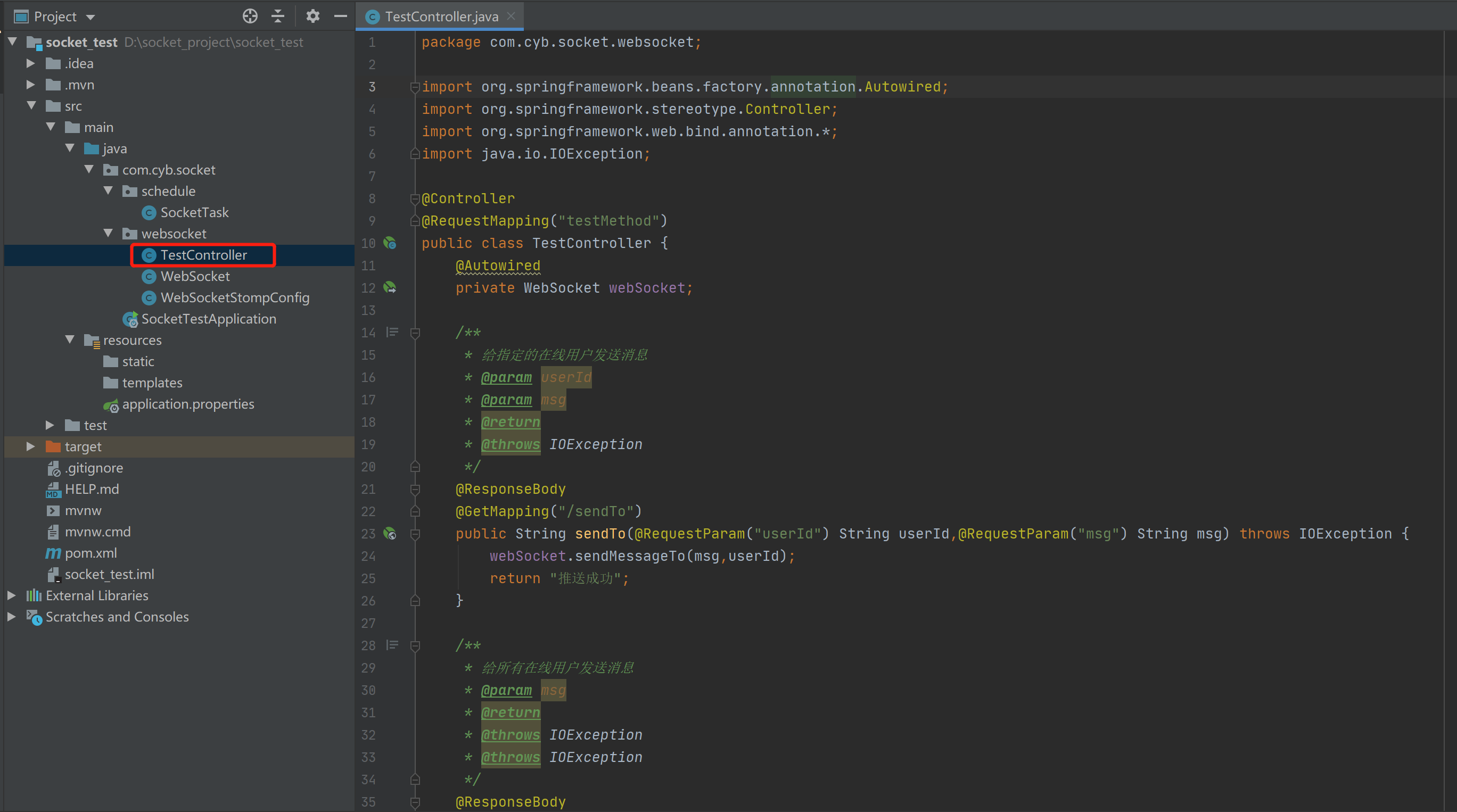
package com.cyb.socket.websocket;

import org.springframework.beans.factory.annotation.Autowired;

import org.springframework.stereotype.Controller;

import org.springframework.web.bind.annotation.*;

import java.io.IOException;

@Controller

@RequestMapping("testMethod")

public class TestController {

    @Autowired

    private WebSocket webSocket;

    /**

     * 给指定的在线用户发送消息

     * @param userId

     * @param msg

     * @return

     * @throws IOException

     */

    @ResponseBody

    @GetMapping("/sendTo")

    public String sendTo(@RequestParam("userId") String userId,@RequestParam("msg") String msg) throws IOException {

        webSocket.sendMessageTo(msg,userId);

        return "推送成功";

    }

    /**

     * 给所有在线用户发送消息

     * @param msg

     * @return

     * @throws IOException

     * @throws IOException

     */

    @ResponseBody

    @PostMapping("/sendAll")

    public String sendAll(@RequestBody String msg) throws IOException, IOException {

        webSocket.sendMessageAll(msg);

        return "推送成功";

    }

}
SocketTask.java(轮询调度往客户端推送消息)
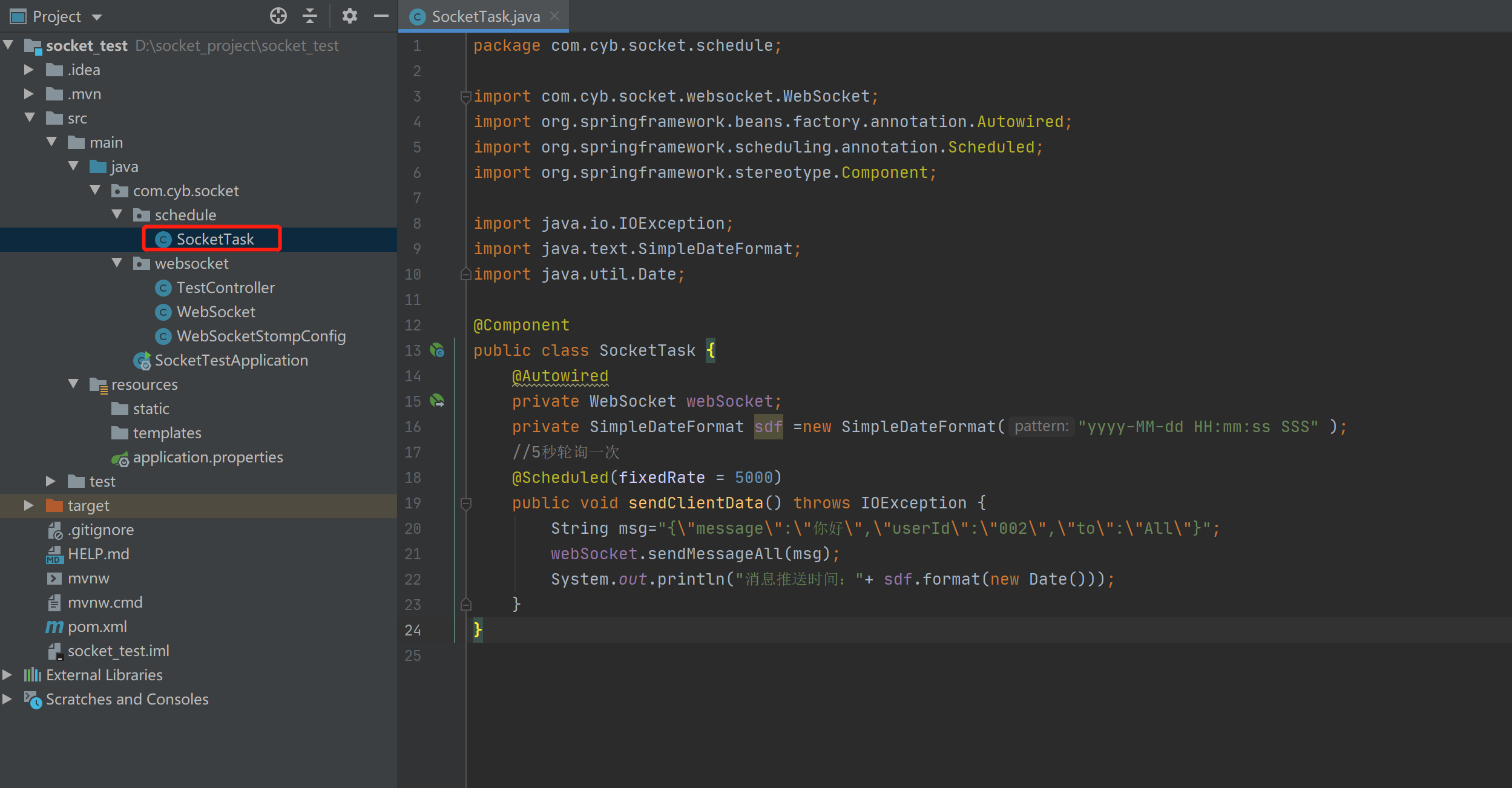
package com.cyb.socket.schedule;

import com.cyb.socket.websocket.WebSocket;

import org.springframework.beans.factory.annotation.Autowired;

import org.springframework.scheduling.annotation.Scheduled;

import org.springframework.stereotype.Component;

import java.io.IOException;

import java.text.SimpleDateFormat;

import java.util.Date;

@Component

public class SocketTask {

    @Autowired

    private WebSocket webSocket;

    private SimpleDateFormat sdf =new SimpleDateFormat("yyyy-MM-dd HH:mm:ss SSS" );

    //5秒轮询一次

    @Scheduled(fixedRate = 5000)

    public void sendClientData() throws IOException {

        String msg="{\"message\":\"你好\",\"userId\":\"002\",\"to\":\"All\"}";

        webSocket.sendMessageAll(msg);

        System.out.println("消息推送时间:"+ sdf.format(new Date()));

    }

}
测试网页
index.html
<!DOCTYPE HTML>

<html>

<head>

    <title>Test My WebSocket</title>

</head>

<body>

TestWebSocket

<input  id="text" type="text" style="width:500px"/>

<button onclick="send()">SEND MESSAGE</button>

<button onclick="closeWebSocket()">CLOSE</button>

<div id="message"></div>

</body>

<script type="text/javascript">

    var websocket = null;

    //判断当前浏览器是否支持WebSocket

    if('WebSocket' in window){

        //连接WebSocket节点

        websocket = new WebSocket("ws://localhost:8083/connectWebSocket/001");

    }

    else{

        alert('Not support websocket')

    }

    //连接发生错误的回调方法

    websocket.onerror = function(){

        setMessageInnerHTML("error");

    };

    //连接成功建立的回调方法

    websocket.onopen = function(event){

        setMessageInnerHTML("open");

    }

    //接收到消息的回调方法

    websocket.onmessage = function(event){

        setMessageInnerHTML(event.data);

    }

    //连接关闭的回调方法

    websocket.onclose = function(){

        setMessageInnerHTML("close");

    }

    //监听窗口关闭事件,当窗口关闭时,主动去关闭websocket连接,防止连接还没断开就关闭窗口,server端会抛异常。

    window.onbeforeunload = function(){

        websocket.close();

    }

    //将消息显示在网页上

    function setMessageInnerHTML(innerHTML){

        document.getElementById('message').innerHTML += innerHTML + '<br/>';

    }

    //关闭连接

    function closeWebSocket(){

        websocket.close();

    }

    //发送消息

    function send(){

        var message = document.getElementById('text').value;

        websocket.send(message);

    }

</script>

</html>
index2.html
<!DOCTYPE HTML>

<html>

<head>

    <title>Test My WebSocket</title>

</head>

<body>

TestWebSocket

<input  id="text" type="text" style="width:500px" />

<button onclick="send()">SEND MESSAGE</button>

<button onclick="closeWebSocket()">CLOSE</button>

<div id="message"></div>

</body>

<script type="text/javascript">

    var websocket = null;

    //判断当前浏览器是否支持WebSocket

    if('WebSocket' in window){

        //连接WebSocket节点

        websocket = new WebSocket("ws://localhost:8083/connectWebSocket/002");

    }

    else{

        alert('Not support websocket')

    }

    //连接发生错误的回调方法

    websocket.onerror = function(){

        setMessageInnerHTML("error");

    };

    //连接成功建立的回调方法

    websocket.onopen = function(event){

        setMessageInnerHTML("open");

    }

    //接收到消息的回调方法

    websocket.onmessage = function(event){

        setMessageInnerHTML(event.data);

    }

    //连接关闭的回调方法

    websocket.onclose = function(){

        setMessageInnerHTML("close");

    }

    //监听窗口关闭事件,当窗口关闭时,主动去关闭websocket连接,防止连接还没断开就关闭窗口,server端会抛异常。

    window.onbeforeunload = function(){

        websocket.close();

    }

    //将消息显示在网页上

    function setMessageInnerHTML(innerHTML){

        document.getElementById('message').innerHTML += innerHTML + '<br/>';

    }

    //关闭连接

    function closeWebSocket(){

        websocket.close();

    }

    //发送消息

    function send(){

        var message = document.getElementById('text').value;

        websocket.send(message);

    }

</script>

</html>
项目地址
链接:https://pan.baidu.com/s/1yiAXTkCjHac-F3S1HFyNJQ

提取码:53tp
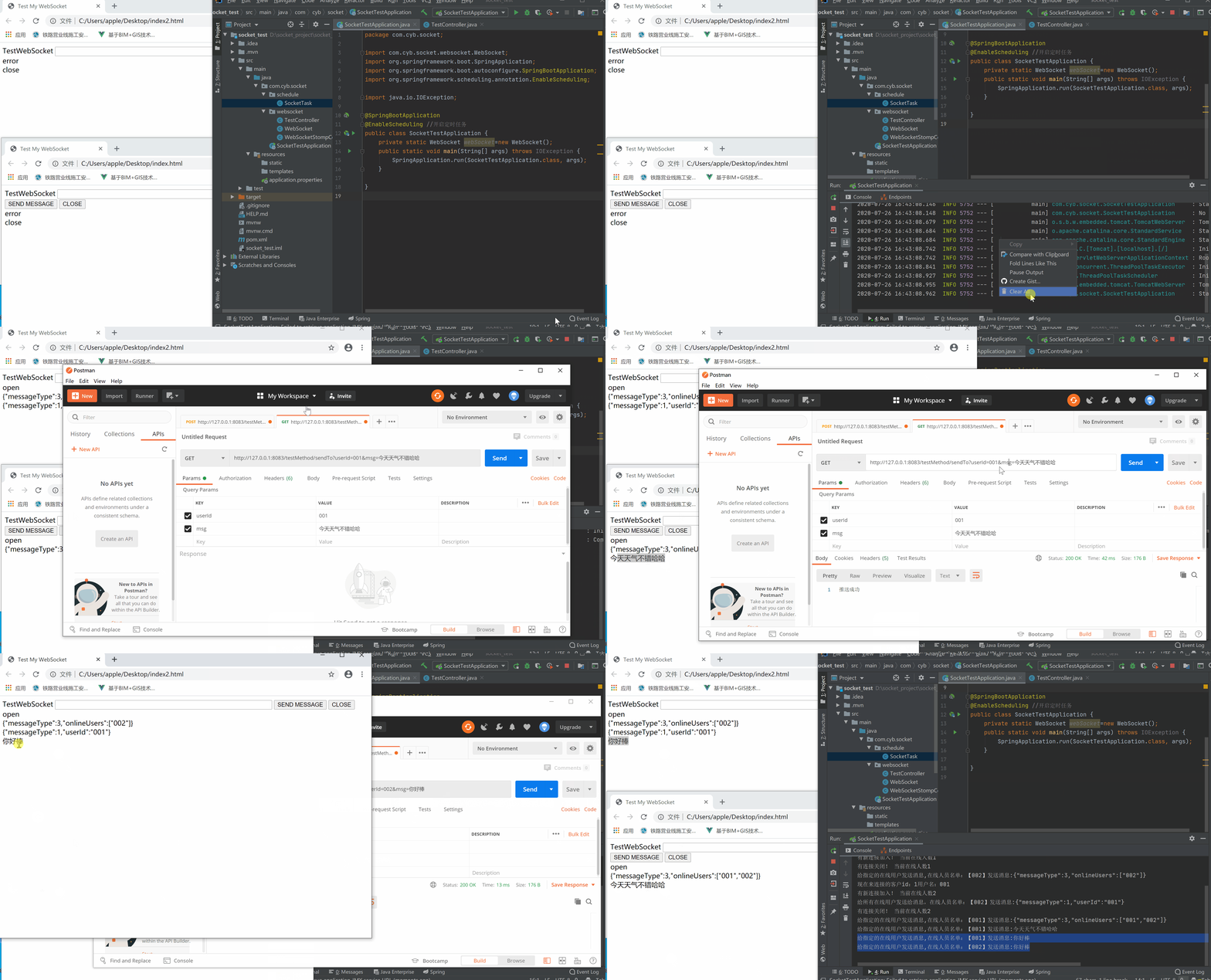
功能演示
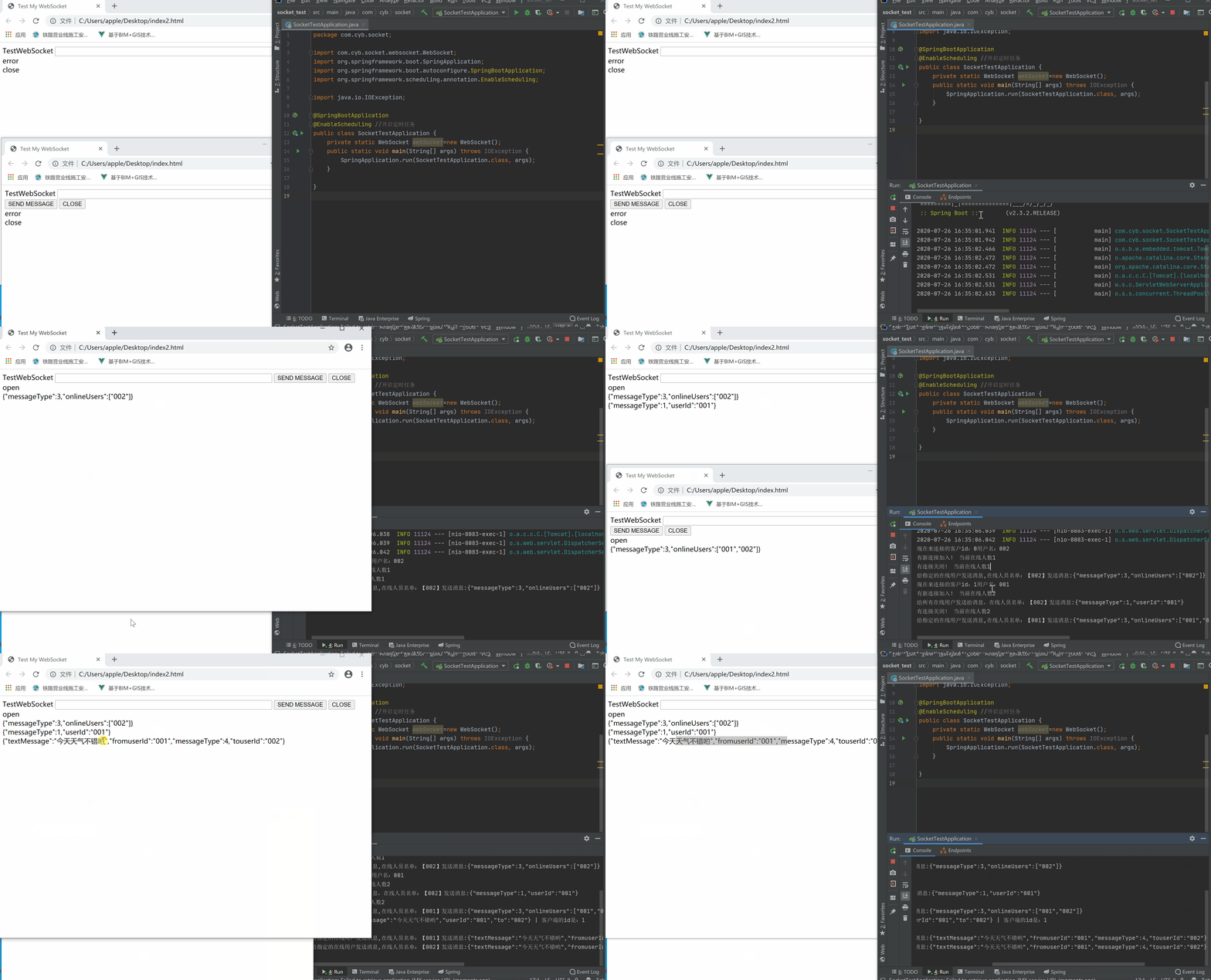
客户端给所有在线用户发消息
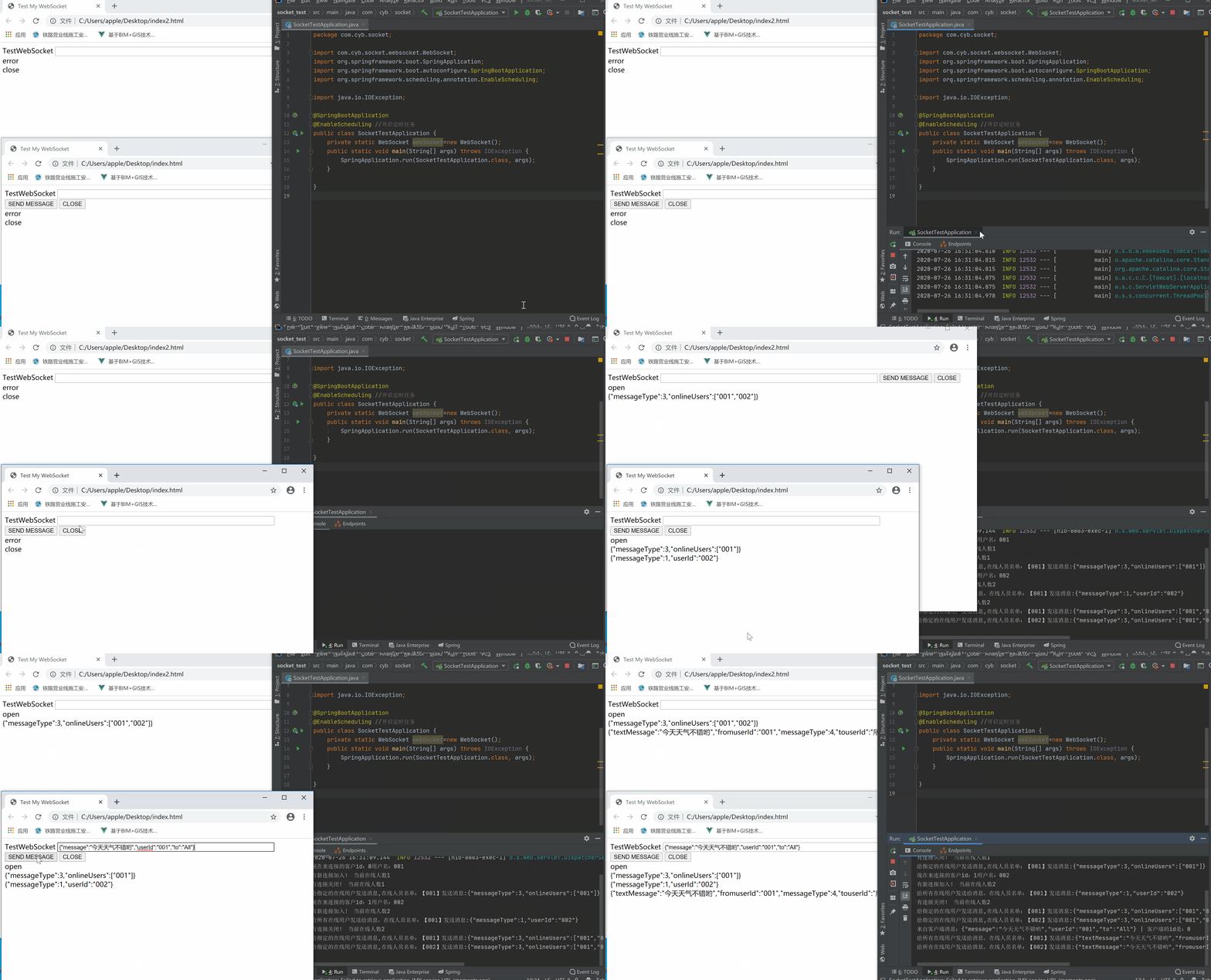
客户端给指定在线用户发送消息
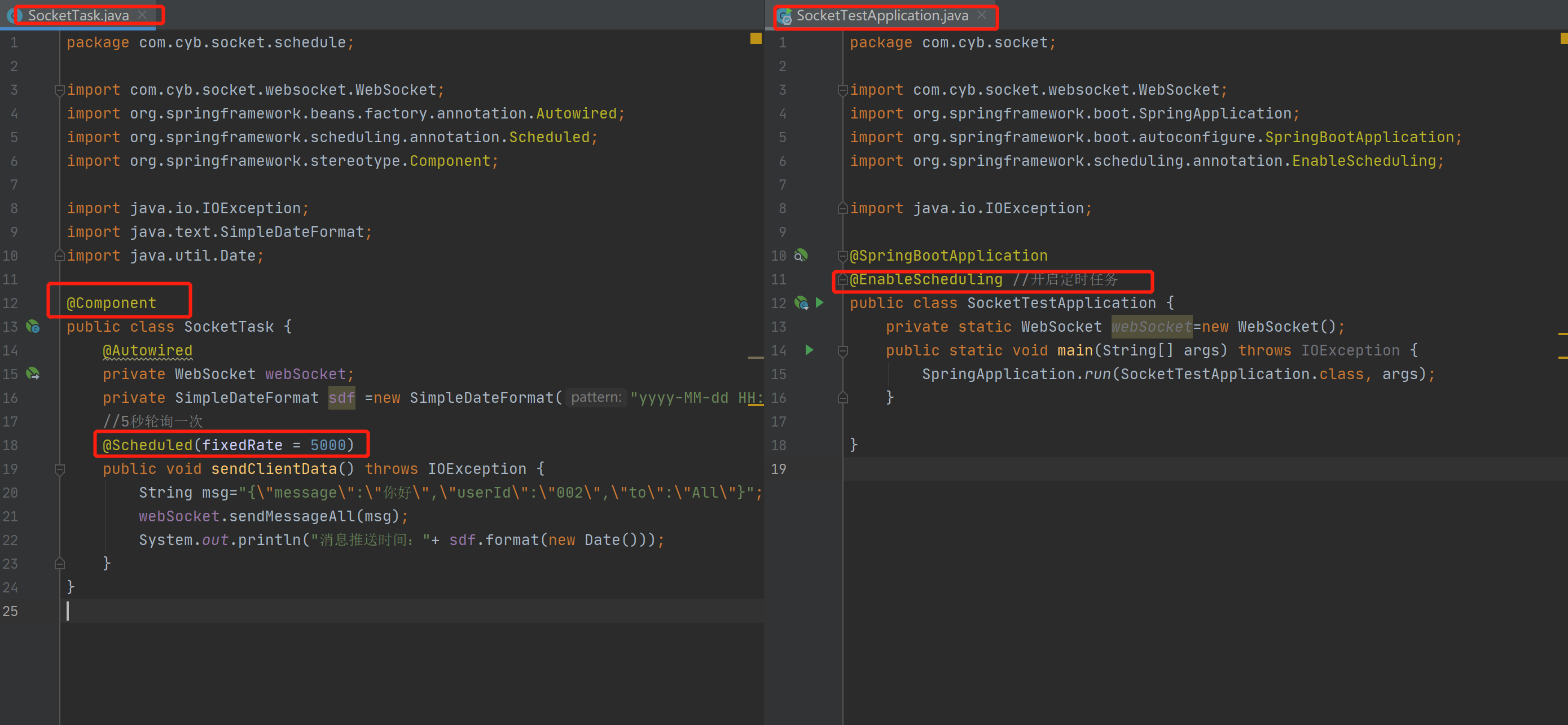
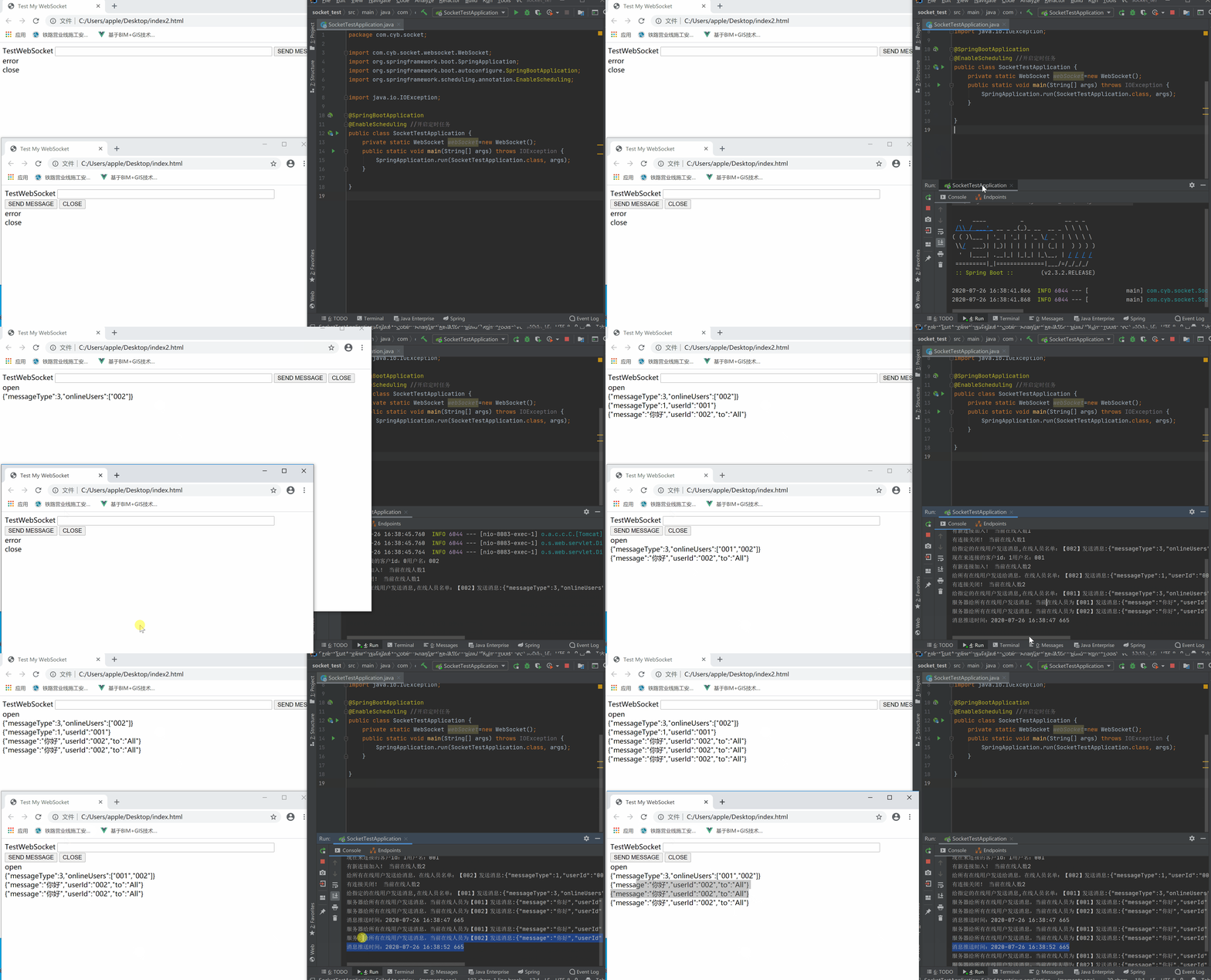
服务器给客户端发送消息(轮询方式)
注意需要加上这些注解
演示
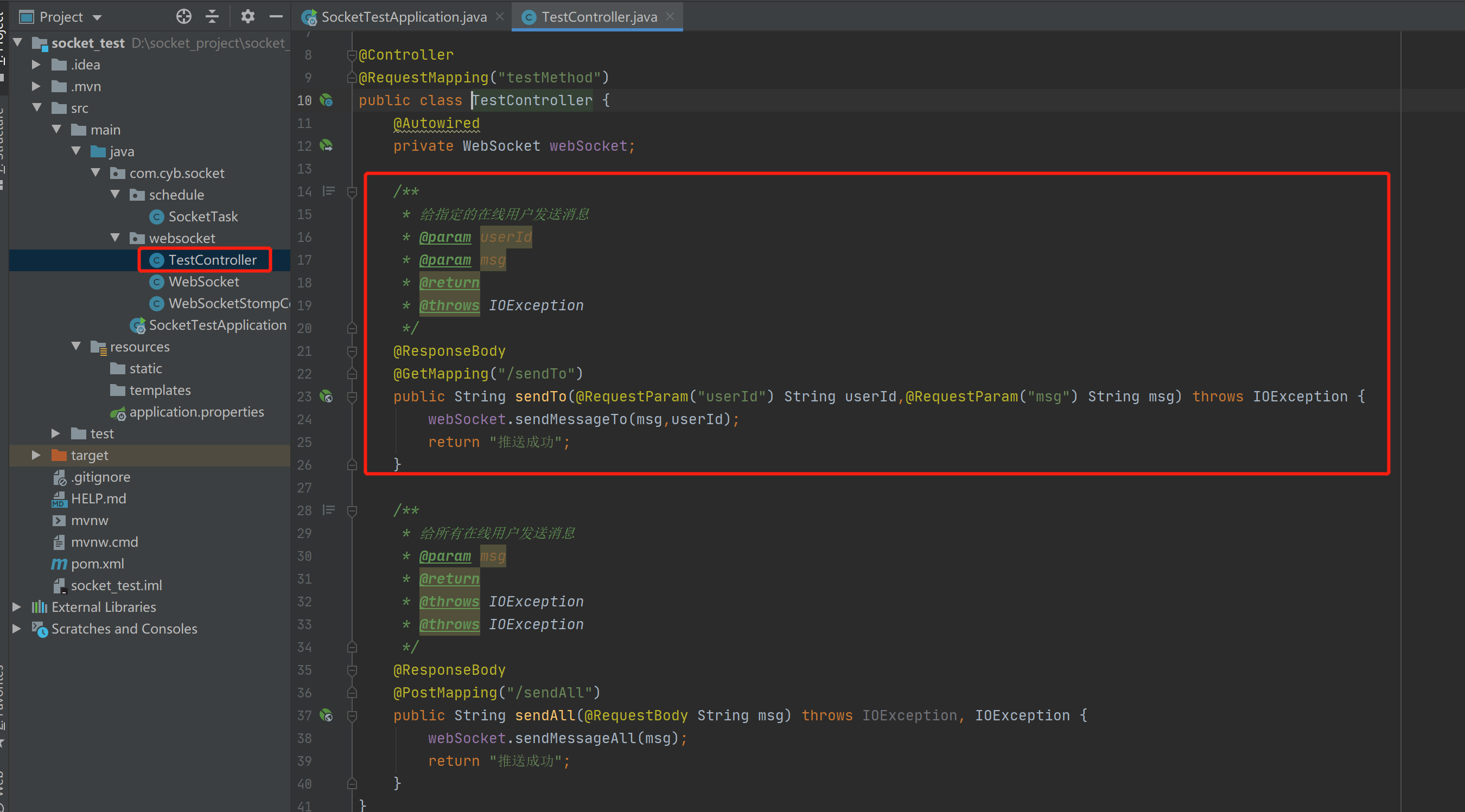
通过前端控制器给指定用户发送消息
演示
Spring Boot+Socket实现与html页面的长连接,客户端给服务器端发消息,服务器给客户端轮询发送消息,附案例源码的更多相关文章
- Spring Boot整合ElasticSearch和Mysql 附案例源码
导读 前二天,写了一篇ElasticSearch7.8.1从入门到精通的(点我直达),但是还没有整合到SpringBoot中,下面演示将ElasticSearch和mysql整合到Spring Boo ...
- Spring Boot 2.0 返回JSP页面实战
1. 模板引擎JSP的限制 在开始之前呢,我觉得我们有必要先去了解下 Spring Boot 2.0 官方文档中提到的如下内容: 模板引擎 除了REST Web服务之外,还可以使用Spring MVC ...
- (6)Spring Boot web开发 --- 错误处理页面
文章目录 处理时间(`Date`)类型 thymeleaf 页面拼接字符串 映射路径占位符 使用 put.delete 方法 错误处理机制 处理时间(Date)类型 Spring Boot 进行参数绑 ...
- 网络编程-socket(三)(TCP长连接和UDP短连接、时间服务器)
详解地址:https://www.cnblogs.com/mys6/p/10587673.html TCP server端 import socketsk = socket.socket() # 创建 ...
- [Spring boot] web应用返回jsp页面
同事创建了一个spring boot项目,上传到svn.需要我来写个页面.下载下来后,始终无法实现在Controller方法中配置直接返回jsp页面. 郁闷了一下午,终于搞定了问题.在此记录一下. 目 ...
- spring boot 下 500 404 错误页面处理
spring boot 作为微服务的便捷框架,在错误页面处理上也有一些新的处理,不同于之前的spring mvc 500的页面处理是比较简单的,用java config或者xml的形式,定义如下的be ...
- spring boot系列02--Thymeleaf+Bootstrap构建页面
上一篇说了一下怎么构建spring boot 项目 接下来我们开始讲实际应用中需要用到的 先从页面说起 页面侧打算用Thymeleaf+Bootstrap来做 先共通模板页 <!DOCTYPE ...
- Spring boot配置404、500页面
Spring boot 配置404页面很简单,如果你访问的url没有找到就会出现spring boot 提示的页面,很明显Spring boot不用配置就可以显示404页面了. 在template下创 ...
- Spring Boot 中 Druid 的监控页面配置
Druid的性能相比HikariCp等其他数据库连接池有一定的差距,但是数据库的相关属性的监控,别的连接池可能还追不上,如图: 今天写一下 Spring Boot 中监控页面的配置,我是直接将seat ...
随机推荐
- Flask-install-python2.6
命令: # 安装virtualenv $ sudo yum install python-setuptools $ sudo easy_install virtualenv OR sudo pip i ...
- Nginx 从入门到放弃(四)
前面我们学习了nginx的基本操作和日志管理,今天我们学习一下生产环境经常会用到的路由定位location设置,在工作中,经常可能会出现怎么设置的路由访问不到网页呀?总是出现404错误啊,这些都很有可 ...
- actuator与spring-boot-admin 可以说的秘密
SpringBoot 是为了简化 Spring 应用的创建.运行.调试.部署等一系列问题而诞生的产物,自动装配的特性让我们可以更好的关注业务本身而不是外部的XML配置,我们只需遵循规范,引入相关的依赖 ...
- 版本管理工具(git)
Git是一个开源的分布式版本控制系统 工作区: 电脑目录中,git_test文件夹就是一个工作区. 版本库: 在进行git操作的时候,会生成一个隐藏目录.git,这是git的版本库,其中stage(或 ...
- 2.在linux安装ssh_免密连接
Linux开启ssh服务 首先更新源 sudo apt-get update 安装ssh服务 sudo apt-get install openssh-server 检测是否已启动 ps -e | g ...
- struts2+hibernate+spring简单整合且java.sql.SQLException: No suitable driver 问题解决
最近上j2ee的课,老师要求整合struts2+hibernate+spring,我自己其实早早地有准备弄的,现在都第9个项目了,无奈自己的思路和头绪把自己带坑了,当然也是经验问题,其实只是用myec ...
- 《The Design of a Practical System for Fault-Tolerant Virtual Machines》论文总结
VM-FT 论文总结 说明:本文为论文 <The Design of a Practical System for Fault-Tolerant Virtual Machines> 的个人 ...
- 只推荐一本 JavaScript 书,你推荐哪本?
嗨,我是 Martin.最近为了统一社区称谓,都换成 Martin Ager Adams. 前言 前端世界,技术层数不穷.尽管更新速度已经放缓,刚入门的票友总还是鸭梨山大. 前端三剑客 -- HTML ...
- UVA1464 Traffic Real Time Query System
传送门:https://www.luogu.com.cn/problem/UVA1464 看到这道题,求必经的点数,还是无向图.那么妥妥的圆方树.圆方树上的任意两圆点间的路径必定是圆点方点相交错的,对 ...
- NumPy基础知识图谱
所有内容整理自<利用Python进行数据分析>,使用MindMaster Pro 7.3制作,emmx格式,源文件已经上传Github,需要的同学转左上角自行下载.该图谱只是NumPy的基 ...