
ElasticSearch5.5.2:Windows下ElasticSearch安装配置
环境
1、Windows10企业版X64
2、JDK-1.8
3、ElasticSearch-5.5.2
4、elasticsearch-head插件
5、node-v6.11.2-x64.msi
1、下载软件
首先默认机器已经安装了java环境,JDK-1.8等。
1.1 、下载ElasticSearch
从官方下载中心 ElasticSearch Download 下载ElasticSearch安装包,ES的最新版本是5.5.2

开启ElasticSearch 服务
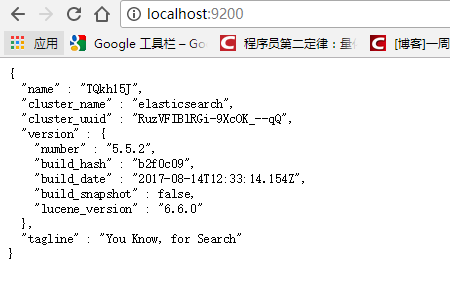
将zip文件解压到elasticsearch-5.5.2,进入 D:\work\ElasticSearch\elasticsearch-5.5.2\bin 目录,双击执行 elasticsearch.bat,该脚本文件执行 ElasticSearch 安装程序,稍等片刻,打开浏览器,输入 http://localhost:9200 ,
显式以下画面,说明ES安装成功。
1.2、下载下载elasticsearch-head
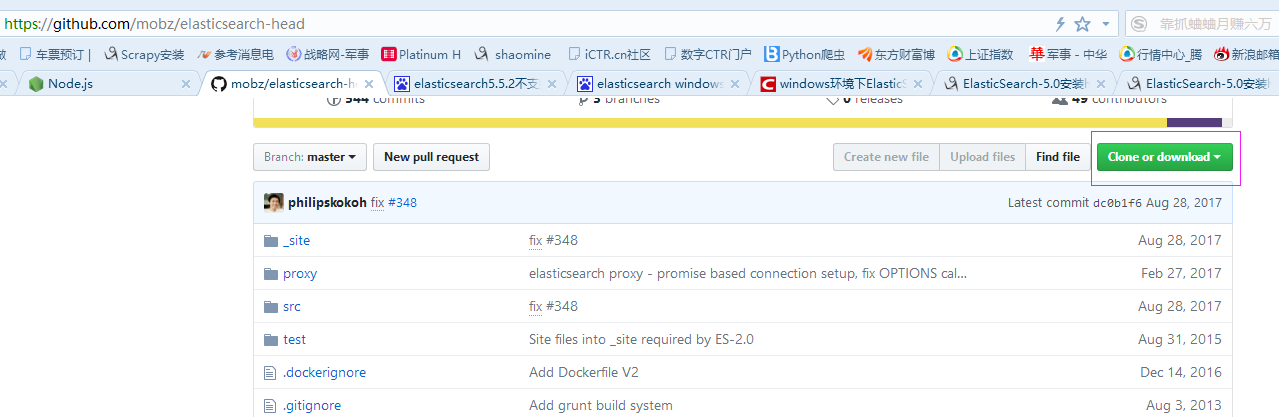
下载路径:https://github.com/mobz/elasticsearch-head
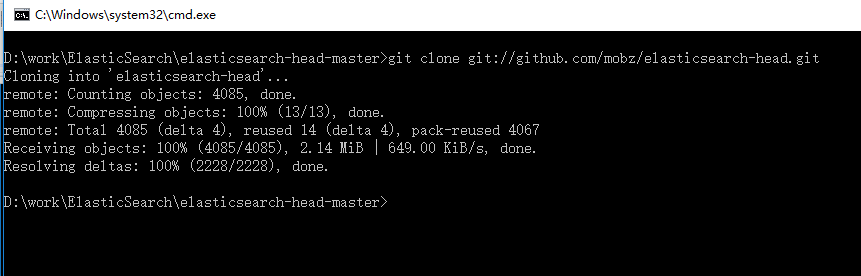
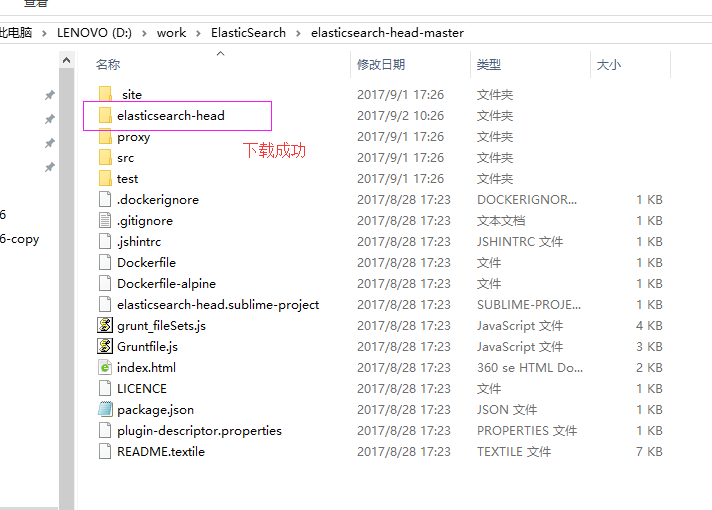
下载解压后,转到elasticsearch-head解压路径D:\work\ElasticSearch\elasticsearch-head-master,打开命令框,把把head插件的源码git clone下来:git clone git://github.com/mobz/elasticsearch-head.git
1.3、Node.js下载安装
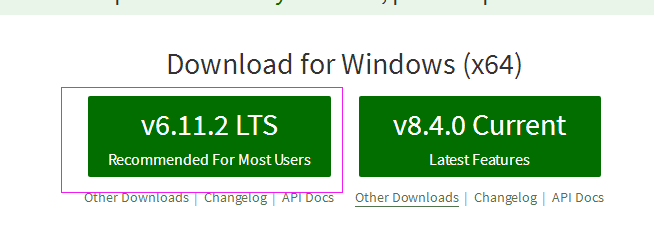
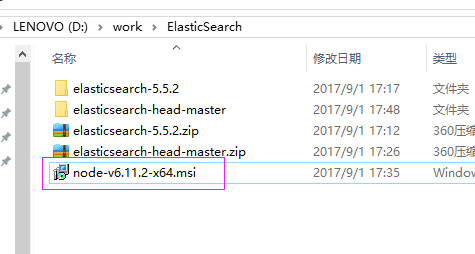
安装后,检查是否安装成功

安装成功
2、安装grunt
grunt是一个很方便的构建工具,可以进行打包压缩、测试、执行等等的工作,5.0里的head插件就是通过grunt启动的。因此需要安装grunt:
注意:路径切到nodejs安装路径下。
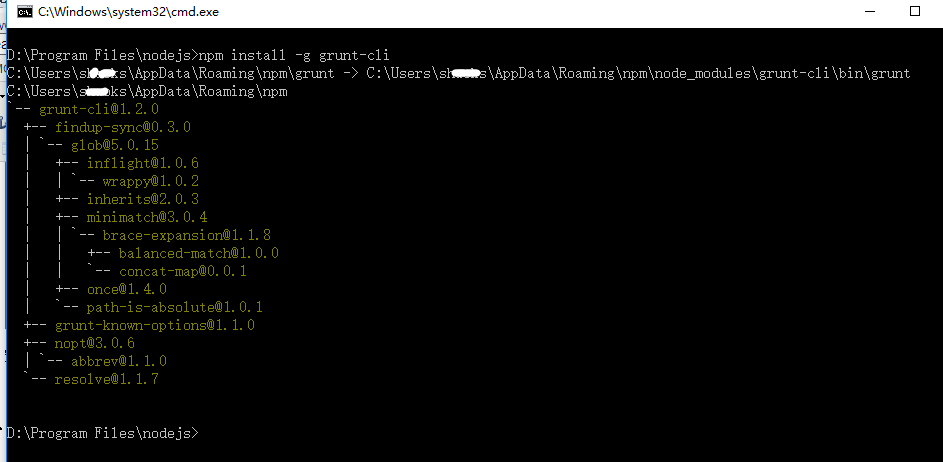
打开命令框,输入:npm install -g grunt-cli
-g代表全局安装。安装路径为C:\Users\xxx\AppData\Roaming\npm,并且自动加入PATH变量。安装完成后检查一下:
3、修改head源码
目录:elasticsearch-head/Gruntfile.js:


增加hostname属性,设置为*
4、修改连接地址
目录:elasticsearch-head\_site/app.js
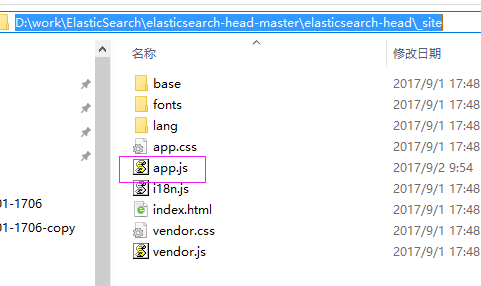
修改head的连接地址:
this.base_uri = this.config.base_uri || this.prefs.get("app-base_uri") || "http://localhost:9200";
把localhost修改成你es的服务器地址,如:
this.base_uri = this.config.base_uri || this.prefs.get("app-base_uri") || "http://10.10.10.10:9200";
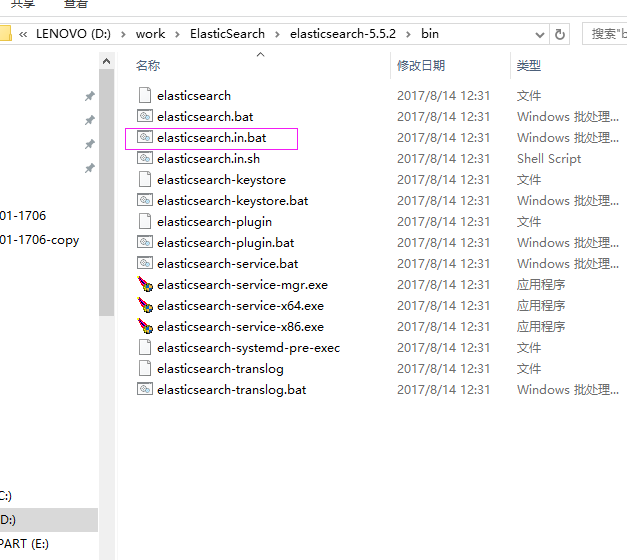
5、启动elasticsearch.bat
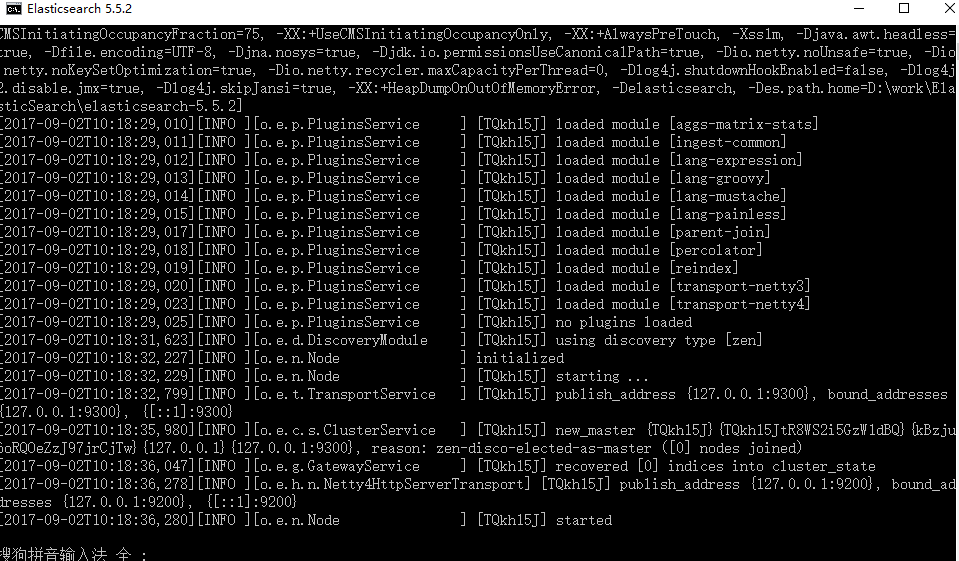
效果图如下:
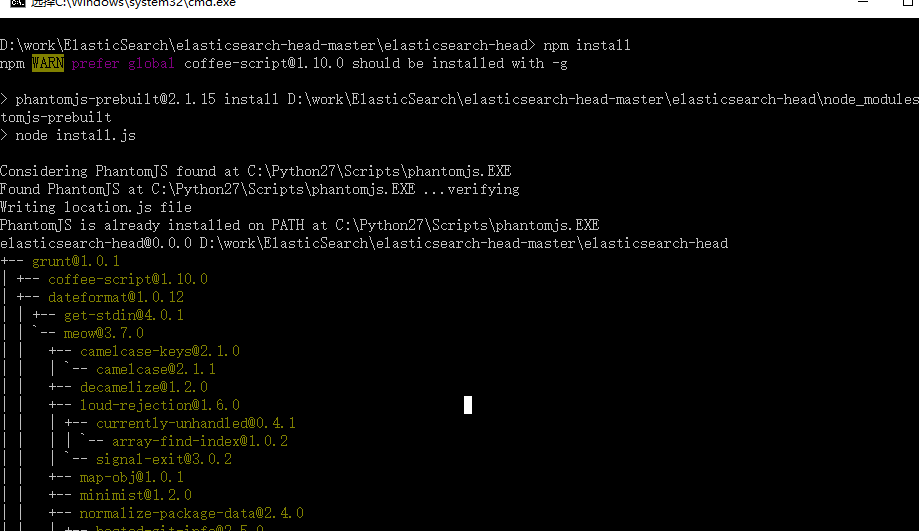
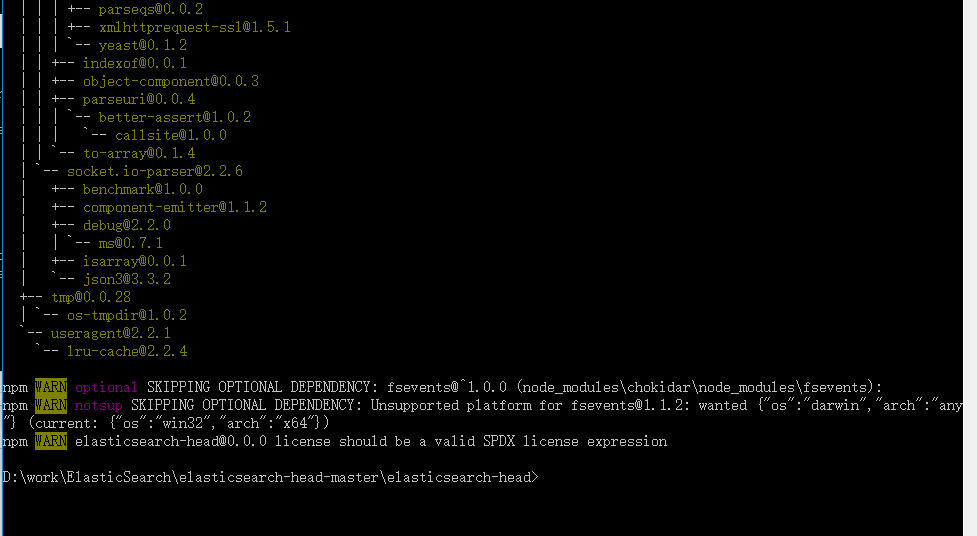
6、执行npm install 下载的包
在elasticsearch-head目录中,执行:npm install ,记住输入命令后然后回车

7、最后,在head源代码目录下启动nodejs:
grunt server
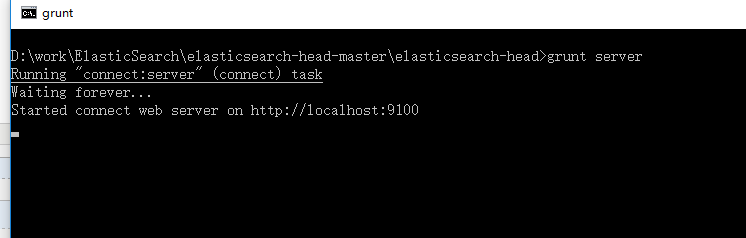
8、访问:target:9100
这个时候,访问http://localhost:9100就可以访问head插件了:
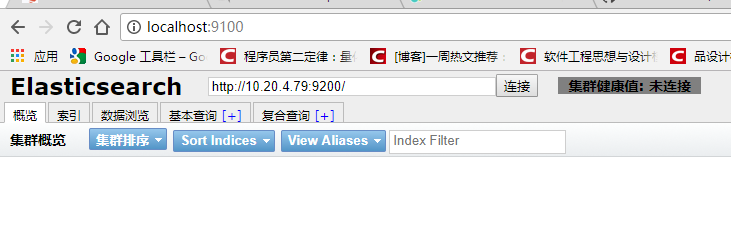
集群未连接:解决方案
修改elasticsearch.yml文件
# 增加如下字段
http.cors.enabled: true http.cors.allow-origin: "*"保存后重启启动elasticsearch.bat和head,然后访问在浏览器访问http://localhost:9100/,集群还是未连接
重新修改elasticsearch.yml文件,打开如下,里面所有配置都是注释,把必要的配置取消注释,并修改成自己实际的参数
# ======================== Elasticsearch Configuration =========================

#

# NOTE: Elasticsearch comes with reasonable defaults for most settings.

#       Before you set out to tweak and tune the configuration, make sure you

#       understand what are you trying to accomplish and the consequences.

#

# The primary way of configuring a node is via this file. This template lists

# the most important settings you may want to configure for a production cluster.

#

# Please consult the documentation for further information on configuration options:

# https://www.elastic.co/guide/en/elasticsearch/reference/index.html

#

# ---------------------------------- Cluster -----------------------------------

#

# Use a descriptive name for your cluster:

#

#换个集群的名字,免得跟别人的集群混在一起

cluster.name: ictr_ElasticSearch

#

# ------------------------------------ Node ------------------------------------

#

# Use a descriptive name for the node:

#

#换个节点名字

node.name: ictr_node1

node.master: true

#

# Add custom attributes to the node:

#

#node.attr.rack: r1

node.attr.rack: r1

#

# ----------------------------------- Paths ------------------------------------

#

# Path to directory where to store the data (separate multiple locations by comma):

#

#path.data: /path/to/data

path.data: /data/elasticsearch

#

# Path to log files:

#

#path.logs: /path/to/logs

#

# ----------------------------------- Memory -----------------------------------

#

# Lock the memory on startup:

#

#bootstrap.memory_lock: true

#

# Make sure that the heap size is set to about half the memory available

# on the system and that the owner of the process is allowed to use this

# limit.

#

# Elasticsearch performs poorly when the system is swapping the memory.

#

# ---------------------------------- Network -----------------------------------

#

# Set the bind address to a specific IP (IPv4 or IPv6):

#

#修改一下ES的监听地址,这样别的机器也可以访问

network.host: 127.0.0.1

#

# Set a custom port for HTTP:

#

#默认的就好

http.port:

#

# For more information, consult the network module documentation.

#

# --------------------------------- Discovery ----------------------------------

#

# Pass an initial list of hosts to perform discovery when new node is started:

# The default list of hosts is ["127.0.0.1", "[::1]"]

#

discovery.zen.ping.unicast.hosts: ["127.0.0.1", "[::1]"]

#

# Prevent the "split brain" by configuring the majority of nodes (total number of master-eligible nodes /  + ):

#

#discovery.zen.minimum_master_nodes:

#

# For more information, consult the zen discovery module documentation.

#

# ---------------------------------- Gateway -----------------------------------

#

# Block initial recovery after a full cluster restart until N nodes are started:

#

#gateway.recover_after_nodes:

#

# For more information, consult the gateway module documentation.

#

# ---------------------------------- Various -----------------------------------

#

# Require explicit names when deleting indices:

#

#action.destructive_requires_name: true

http.cors.enabled: true

http.cors.allow-origin: "*"

action.auto_create_index: .security,.monitoring*,.watches,.triggered_watches,.watcher-history*

xpack.security.enabled: false

xpack.monitoring.enabled: true

xpack.graph.enabled: false

xpack.watcher.enabled: false

xpack.ml.enabled: false

#xpack.security.audit.enabled: true

#http.cors.allow-headers: Authorization

#action.auto_create_index: .security,.monitoring*,.watches,.triggered_watches,.watcher-history*,.ml*

#action.auto_create_index: *

#vm.max_map_count=
保存后重启启动elasticsearch.bat和head,然后访问在浏览器访问http://localhost:9100/ 集群连接成功
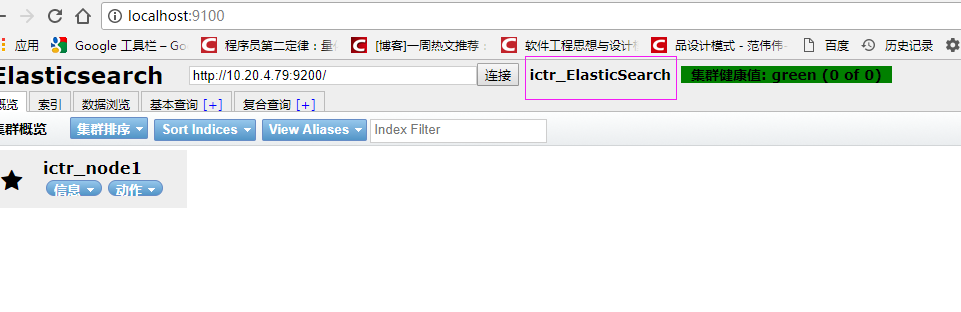
    * RED(红): 代表具体的分片还没有在集群中分配好;

    * YELLOW(黄): 代表主分片已经分配好,但是副本尚未分配;

    * GREEN(绿):表示所有的分片都已分配好,群集正常运行;
如果在局域网中无法访问,需要修改 elasticsearch.yml配置文件,
增加“network.host: 0.0.0.0”。
9、将ElasticSearch 安装成Windows服务(Service)
转到ElasticSearch的bin目录打开命令框,输入:elasticsearch-service.bat install
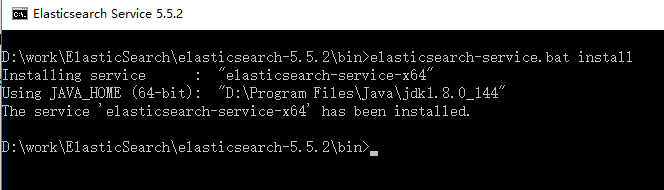
打开服务界面:
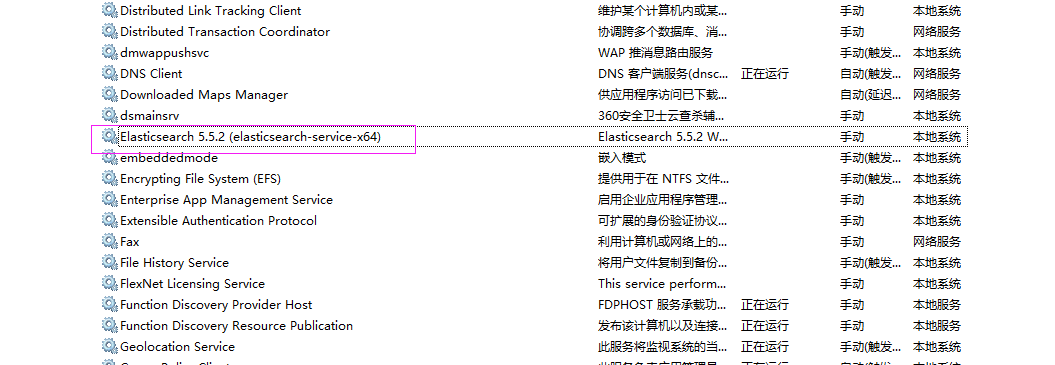
启动服务,失败,查看目录下D:\work\ElasticSearch\elasticsearch-5.5.2\logs日志
错误信息如下:
[2017-09-02 13:52:13] [error] [14192] Failed creating java %JAVA_HOME%\jre\bin\server\jvm.dll
[2017-09-02 13:52:13] [error] [14192] 系统找不到指定的路径。
解决办法:
修改环境变量,把 JAVA_HOME 的环境变量由用户变量的位置移动到系统变量里面

重启elasticsearch-service服务,启动成功

ElasticSearch5.5.2:Windows下ElasticSearch安装配置的更多相关文章
- Windows 下如何安装配置Snort视频教程
Windows 下如何安装配置Snort视频教程: 第一步: http://www.tudou.com/programs/view/UUbIQCng360/ 第二部: http://www.tudou ...
- [转载]Apache在windows下的安装配置
Apache在windows下的安装配置 转载自:http://blog.sina.com.cn/s/blog_536f16b00100cfat.html 1 Apache的下载 Apache ...
- Windows下Redis安装配置和使用注意事项
Windows下Redis安装配置和使用注意事项 一:下载 下载地址: https://github.com/microsoftarchive/redis/releases 文件介绍: 本文以3.2. ...
- windows下elasticsearch安装ik分词器后无法启动
windows下elasticsearch安装ik分词器后启动报如下图错误: 然后百度说是elasticsearch路径有空格,一看果然我的路径有空格,然后重新换个路径就好了.
- < python音频库:Windows下pydub安装配置、过程出现的问题及常用API >
< python音频库:Windows下pydub安装配置.过程出现的问题及常用API > 背景 刚从B站上看过倒放挑战之后也想体验下,心血来潮一个晚上完成了基本的实现.其中倒放与播放部分 ...
- windows下如何安装配置mysql-5.7-m14-winx64(zip格式的安装)
win7 64位下如何安装配置mysql-5.7.4-m14-winx64 1. mysql-5.7.4-m14-winx64.zip下载 官方网站下载地址:http://dev.mysql.co ...
- Windows下CVSNT安装配置
首先要说明:X64下安装此软件会报 “cvs [login aborted]: WIN-4H9CRJO1TRA\Administrator: Switch to user failed due to ...
- centos7下elasticSearch安装配置
OS:Centos7x虚拟机 1H2Gjdk:1.8elasticsearch:5.6.0 1.下载“elasticsearch-5.6.0.tar.gz”解压到/usr/local/elastics ...
- Hadoop在Windows下的安装配置
由于本人近期近期一段时间 都在学习Hadoop,接触了比較多的理论,可是想要深入的去学习Hadoop整个平台,那就必须实战的训练,首先第一步,当然是先搭建好一个Hadoop平台为先.可是比較坑爹的是. ...
随机推荐
- 刷题总结——Aeroplane chess(hdu4405)
题目: Problem Description Hzz loves aeroplane chess very much. The chess map contains N+1 grids labele ...
- YV12 NV12区别
用videoCapture和IAMStreamConfig拿到的支持的格式列表.发现支持2中图像格式,YV12和NV12.具体是怎么样的内存分布不知道.查了些文档.自己修改了几个图.看出了点端倪 YV ...
- SoundPool 播放提示音
SoundPool 一个声音播放的辅助类,从名字可以看出,它具有 “池”的能力,它先加载声音文件到内存,以支持多次播放声音文件. 特点 SoundPool适合 短小的 声音文件 SoundPool适合 ...
- [bzoj2190][SDOI2008]仪仗队 ——欧拉函数
题解 以c点为(0, 0)建立坐标系,可以发现, 当(x,y)!=1,即x,y不互素时,(x,y)点一定会被点(x/n, y/n)遮挡. 所以点(x, y)被看到的充分必要条件是Gcd(x, y) = ...
- [HNOI2002] 公交车路线
题目背景 在长沙城新建的环城公路上一共有8个公交站,分别为A.B.C.D.E.F.G.H.公共汽车只能够在相邻的两个公交站之间运行,因此你从某一个公交站到另外一个公交站往往要换几次车,例如从公交站A到 ...
- AUTOIT3设置用户包含目录
- 51nod 1413 权势二进制【进制思维】
1413 权势二进制 题目来源: CodeForces 基准时间限制:1 秒 空间限制:131072 KB 分值: 10 难度:2级算法题 收藏 关注 一个十进制整数被叫做权势二进制,当他的十进制 ...
- HDU 5880 Family View (2016 青岛网络赛 C题,AC自动机)
题目链接 2016 青岛网络赛 Problem C 题意 给出一些敏感词,和一篇文章.现在要屏蔽这篇文章中所有出现过的敏感词,屏蔽掉的用$'*'$表示. 建立$AC$自动机,查询的时候沿着$fa ...
- PyCharm配置gitHub远程仓储
在一个团队里,编码不能是闭门造车,git学起来: 1. GIT的基本介绍.安装及使用教程- @廖雪峰 2. pycharm配置github远程仓储- @谢小小XH
- uvalive4108(线段树)
uvalive4108 题意 按顺序给出 n 个矩形,每给出一个矩形,统计它在多长的部分是最高的,并把这个长度称为该矩形的覆盖度,求最后总的覆盖度(每次得到的矩形的覆盖度之和) 分析 线段树.用两个数 ...