
RestTemplate的超全讲解(全)转
RestTemplate的超全讲解(全)转
https://blog.csdn.net/weixin_47872288/article/details/121842374
(81条消息) RestTemplate的超全讲解(全)_码农研究僧的博客-CSDN博客_resttemplate
视频地址:
https://www.bilibili.com/video/BV1tJ41147uj?t=624.5&p=4
post与get的区别在于post的方法传参map必须是MultiValueMap
基本类型传参和实体类型传参
@RestController

public class UserController{

    //实体传参

    @RequestMapping(value="/addUser1")

public UserDTO addUser(userDTO userdto)

{

    return userdto;

}

@ResquestMapping(value="/addUser2")

public UserDTO addUser2(Long userId,String userName)

{

UserDTO u=new UserDTO();

u.setUserId(userId);

u.setUserName(userName);

return u;

}

}
Post 请求方式调用服务接口
//http://localhost:8080/postFor0bject1

@GetMapping("/postForObject1")

public UserDT0 postForObject1 ( ) {

    //远程访问的Url UserDTO

    String url = "http://localhost:8080/addUser1";

    // Post方法必须使用MultiValueMap传参。//使用UserDTO传参也可以

    MultiValueMap<String,0bject> paramMap = new LinkedMultiValueMap<>();

    paramMap.add ("userId", 1008L);

    paramMap.add ("userName ","巧克力");

    UserDT0 userDTO = restTemplate.postForObject(url,paramMap,UserDT0.class);

    return userDTO;

}
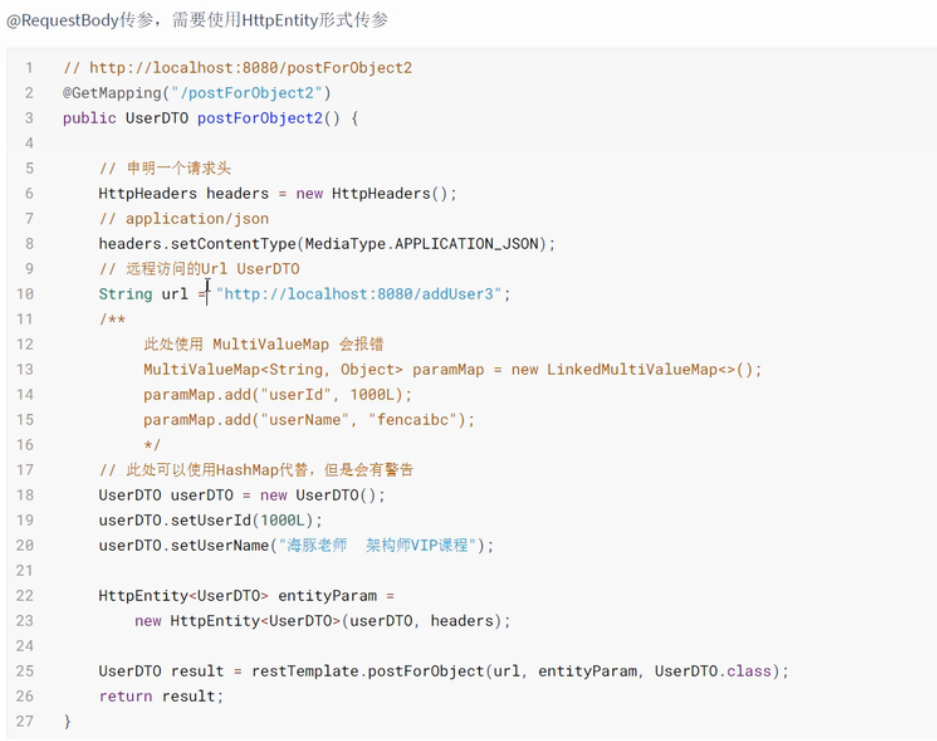
如果服务接口使用到@RequestBody,用httpentity ,此时不能使用MultiValueMap 传参!!
@RequestMapping( value = "/addUser3" )

public UserDT0 addUser3(@RequestBody UserDT0 userDTO) {

    userDTo.setUserName(userDTo.getUserName() + " from RequestBody" );

    return userDTO;

}
//http://localhost:8888/postForObject2

@GetMapping("/postForObject2")

public UserDT0 postForObject2( ) {

    //申明一个请求头

    HttpHeaders headers = new HttpHeaders();

    //application/json

    headers.setContentType( MediaType .APPLICATION_JSON);//远程访问的Url UserDTO

    string url = "http://localhost:8080/addUser3";

    /**

        此处使用MultiValueMap会报错

        MultiValueMap<String,0bject> paramMap = new LinkedMultiValueMap<>( );

        paramMap.add("userId",100OL) ;

        paramMap.add("userName","fencaibc");*/

    //此处可以使用HashMap代替,但是会有警告

    UserDT0 userDTO = new UserDTO( );

    userDTO.setUserId( 1088L);

    userDT0.setUserName("课程");

    HttpEntity<UserDTO> entityParam new HttpEntity<UserDTO>(userDTO,headers) ;

    UserDT0 result = restTemplate.postFor0bject(url, entityParam,UserDTO.class);

    return result ;

}
PostForEntity 方法 返回内容比 postForObject 更丰富,但是要注意,基本类型的参数采用 MultiValueMap封装参数,@ReqeustBody 修饰的参数 要以httpEntity 封装对象实例作为参数
同时,返回结果要是 ResponseEntity类型
//http://localhost:8088/ postForEntity1@GetMapping( " / postForEntity1")

public UserDT0 postForEntity1( ) {

    string url = "http://localhost:8080/addUser1" ;

    MultiValueMap<String,object> paramMap = new LinkedMultiValueMap<>( );

    paramMap.add("userId", 100);

    paramMap.add("userName" ,"课程");

    ResponseEntity<UserDT0> userDTOResponseEntity =restTemplate.postForEntity(url,paramMap,UserDTO.class) ;

    HttpStatus statusCode = userDTOResponseEntity.getStatusCode( );

    int statusCodeValue = userDTOResponseEntity.getStatusCodeValue( );

    HttpHeaders headers = userDTOResponseEntity. getHeaders( );

    return userDTOResponseEntity. getBody( );

}
效果

RestTemplate的超全讲解(全)转的更多相关文章
- 一行导出所有任意微软SQL server数据脚本-基于Python的微软官方mssql-scripter工具使用全讲解
文章标题: 一行导出所有任意微软SQL serer数据脚本-基于Python的微软官方mssql-scripter工具使用全讲解 关键字 : mssql-scripter,SQL Server 文章分 ...
- 在jquery中,全选/全不选的表示方法
<!DOCTYPE html PUBLIC "-//W3C//DTD HTML 4.01 Transitional//EN" "http://www.w3.org/ ...
- JS checkbox 全选 全不选
/* JS checkbox 全选 全不选 Html中checkbox: <input type="checkbox" name="cbx" value= ...
- checkbox实现全选全不选
1.jQuery实现checkbox全选全不选 <!DOCTYPE html> <head runat="server"> <title>jQu ...
- jquery 全选 全不选 反选
1.概述 在项目中经常遇到列表中对复选框进行勾选操作,全选...反选.. 2. example <html> <body> <form id="test-for ...
- 利用jQuery实现CheckBox全选/全不选/反选
转自:http://www.cnblogs.com/linjiqin/p/3148259.html jQuery有些版本中实现CheckBox全选/全不选/反选会有bug,经测试jquery-1.3. ...
- jquery的全选/全不选/反选以及attr添加checked属性失败的解决办法
如下图: <head> <title></title> <style type="text/css"> div { border: ...
- Jq 遍历 全选 全不选 反选
//全选 全不选 $('#checkAll').click(function () { //判断是否被选中 var bischecked = $('#checkAll').is(':checked') ...
- js之checkbox的代码全选/全不选,使用id获取元素,而不是name
每当有多个选项的时候,都会有一种想法是:全选,全不选,如果子选项有被选,父选项也得被选. 注意:这里是根据id来获取元素的,但是不能直接用getElementById,因为那只能返回一个,而不是集合. ...
- jquery之全选全不选
<input type="checkbox" onclick="selall(this)" />全选/全不选 <input type=&quo ...
随机推荐
- 图文详解在VMware Workstation 16 PRO虚拟机上安装Rocky 8.6 linux系统
一.安装VMware Workstation虚拟机 下载VMware Workstation 16 PRO虚拟机 https://www.vmware.com/cn/products/workstat ...
- 简单的sql注入3
仍然 1 1' 1" 发现1'报错了.....我觉得作者对'情有独钟 再试试 1# 1'# 1"# 发现都可以正常登录 试试1' and '1'='1和1' and '1'='2发 ...
- (GCC) gcc 编译选项 -fno-omit-frame-pointer,-fno-tree-vectorize,fno-optimize-sibling-calls;及内存泄漏、非法访问检测 ASAN
omit-frame-pointer 开启该选项,主要是用于去掉所有函数SFP(Stack Frame Pointer)的,即在函数调用时不保存栈帧指针SFP,代价是不能通过backtrace进行调试 ...
- Tauri+Rust+Vue 跨平台桌面应用简明教程(1)环境创建+系统事件+自定义菜单
作者:小牛呼噜噜 | https://xiaoniuhululu.com 计算机内功.JAVA底层.面试相关资料等更多精彩文章在公众号「小牛呼噜噜 」 Tauri简介 Tauri 是一个工具包,可以帮 ...
- C++ 动态规划:一维动态规划,背包问题,区间动态规划
C++ 动态规划 动态规划的定义 动态规划(Dynamic Programming,DP)是运筹学的一个分支,是求解决策过程最优化的过程.动态规划是一种在数学.管理科学.计算机科学.经济学和生物信息学 ...
- Zabbix与乐维监控对比分析(二)——Agent管理、自动发现、权限管理
上期我们详细介绍了Zabbix与乐维监控的架构与性能对比分析,透过架构与性能对比分析,用户可以对乐维监控之所以能成为"Zabbix企业版"有一个初步的认知.本篇是Zabbix对比乐 ...
- Type Script 在流程设计器的落地实践
流程设计器项目介绍 从事过BPM行业的大佬必然对流程建模工具非常熟悉,做为WFMC三大体系结构模型中的核心模块,它是工作流的能力模型,其他模块都围绕工作流定义来构建. 成熟的建模工具通过可视化的操作界 ...
- Blazor Server完美实现Cookie Authorization and Authentication
Blazor server-side application用Microsoft.AspNetCore.Identity.EntityFrameworkCore实现Authorization 和 Au ...
- 【sqoop】简介、原理、安装配置测试、导入导出案例、脚本打包、常见命令及参数介绍、常用命令举例
一.sqoop简介 用于在Hadoop(Hive)与传统的数据库(mysql.oracle...)之间进行数据的传递,可以将一个关系型数据库(例如 : MySQL ,Oracle ,Postgres等 ...
- python 之用户自定义函数
什么是函数? 函数无非就是将代码块进行封装,想用的时候拿来用,减少代码量,提高效率. 函数的定义 定义一个函数需要: 1.def关键字,def 后面空一格输入函数名称,函数命名时尽量简短,且具有意义, ...