
Spring源码环境搭建
Spring源码在github上,地址是https://github.com/spring-projects/spring-framework/,选择5.3.x版本,直接从github上克隆项目网速很慢,所以首先将github上的Spring项目导入gitee仓库里,再从gitee克隆项目。
克隆项目后,等待项目构建完毕,时间可能比较长。
新建一个gradle模块myselft-test
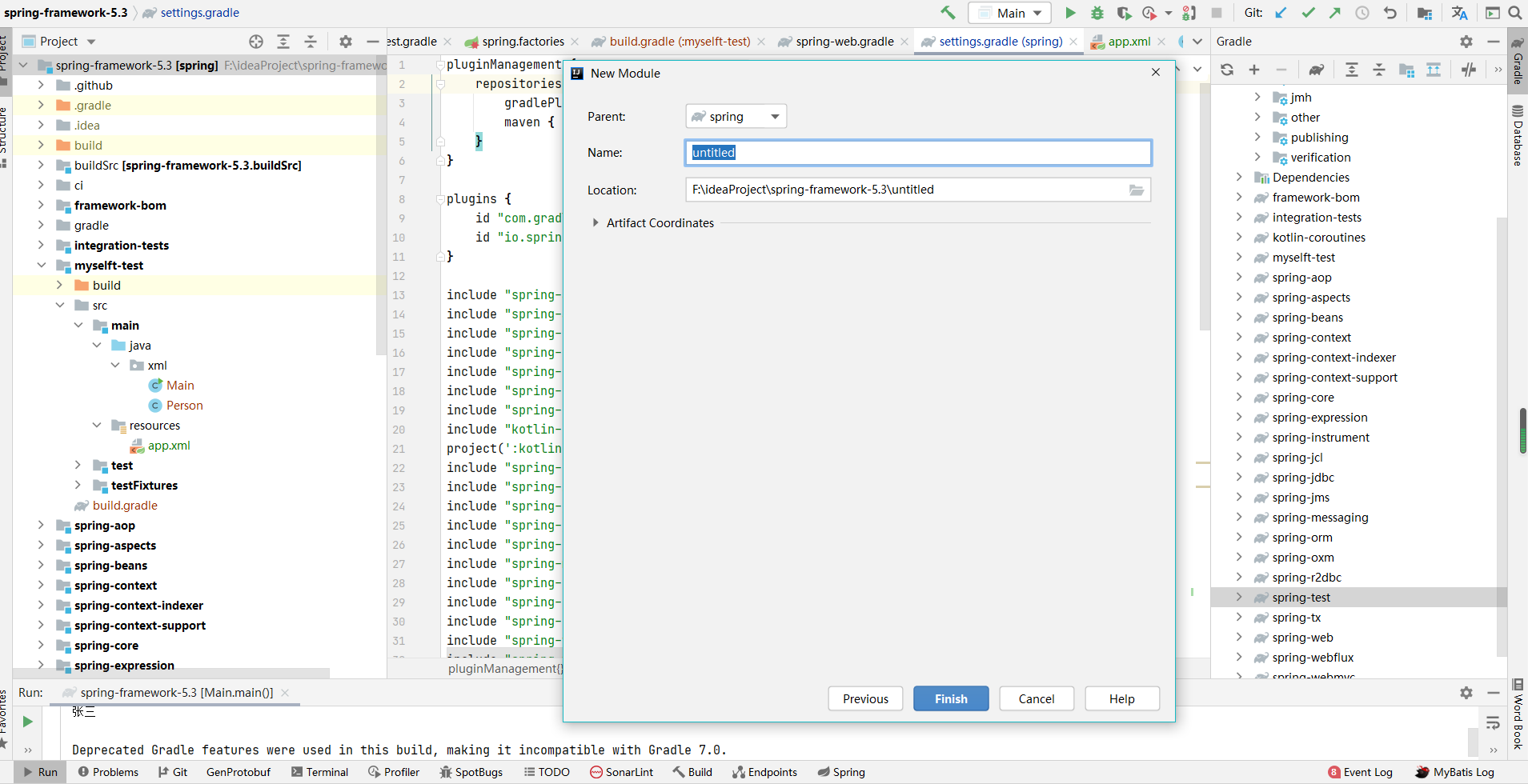
在settings.gradle文件加入
include 'myselft-test'
在myselft-test模块build.gradle加入
implementation project(":spring-context")
implementation project(":spring-beans")
在resources目录新建app.xml
点击查看代码
<?xml version="1.0" encoding="UTF-8"?>

<beans xmlns="http://www.springframework.org/schema/beans"

	   xmlns:xsi="http://www.w3.org/2001/XMLSchema-instance"

	   xmlns:aop="http://www.springframework.org/schema/aop"

	   xmlns:context="http://www.springframework.org/schema/context"

	   xmlns:mvc="http://www.springframework.org/schema/mvc"

	   xmlns:p="http://www.springframework.org/schema/p"

	   xsi:schemaLocation="http://www.springframework.org/schema/beans

       http://www.springframework.org/schema/beans/spring-beans.xsd

       http://www.springframework.org/schema/aop

       http://www.springframework.org/schema/aop/spring-aop.xsd

       http://www.springframework.org/schema/mvc

       http://www.springframework.org/schema/mvc/spring-mvc.xsd

       http://www.springframework.org/schema/context

       http://www.springframework.org/schema/context/spring-context.xsd">

	<beans>

		<bean id="person" class="xml.Person">

			<property value="张三" name="name"></property>

		</bean>

	</beans>

</beans>
新建Person.class
点击查看代码
public class Person {

	private String name;

	public String getName() {

		return name;

	}

	public void setName(String name) {

		this.name = name;

	}

}
测试
点击查看代码
public class Main {

	public static void main(String[] args) {

		ApplicationContext applicationContext = new ClassPathXmlApplicationContext("classpath:app.xml");

		Person person = applicationContext.getBean(Person.class);

		System.out.println(person.getName());

	}

}
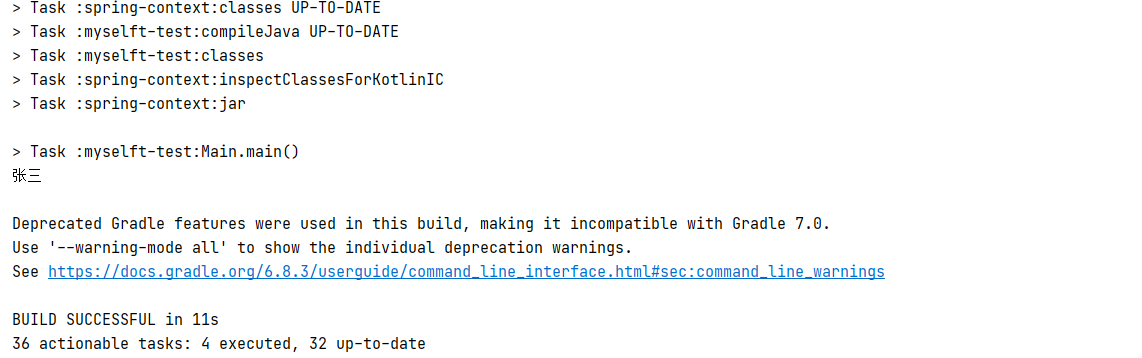
执行结果:
Spring源码环境搭建的更多相关文章
- 【一步一步】Spring 源码环境搭建
平时项目中基本上都会用到spring,但是源码还没有深入的了解过.趁这段时间稍微空闲点,开始研究下spring 源码.下面是spring 源码的环境搭建. 主要分为如下步骤: ①安装jdk,gradl ...
- Spring源码阅读 源码环境搭建(一)
ring 源码阅读的搭建(一) 一 下载spring源码 进入官方网页:https://spring.io/projects/spring-framework 进入相关的github位置,下载zip包 ...
- Ubuntu搭建Spring源码环境常见问题
在一心想要学习Spring框架源码时,我们会遇到很多麻烦的问题.开始本文前,你只需要拥有一个装好IDEA的Ubuntu系统就可以愉快启程了.如果还没有IDEA,可以参考在Ubuntu上安装Intell ...
- Spring 5.2.x 源码环境搭建(Windows 系统环境下)
前期准备 1.确保本机已经安装好了 Git 2.Jdk 版本至少为 1.8 3.安装好 IntelliJ IDEA (其他开发工具,如 eclipse.Spring Tool Suite 等也是可以的 ...
- Linux Kafka源码环境搭建
本文主要讲述的是如何搭建Kafka的源码环境,主要针对的Linux操作系统下IntelliJ IDEA编译器,其余操作系统或者IDE可以类推. 1.安装和配置JDK确认JDK版本至少为1.7,最好是1 ...
- 【ZooKeeper系列】3.ZooKeeper源码环境搭建
前文阅读: [ZooKeeper系列]1.ZooKeeper单机版.伪集群和集群环境搭建 [ZooKeeper系列]2.用Java实现ZooKeeper API的调用 在系列的前两篇文章中,介绍了Zo ...
- MyBatis源码环境搭建
之前研究mybatis都是参考前面学习的人的一些经验,并没有自己搭建源码环境进行.现在以mybatis3.4.6版本搭建,搭建过程中各种failed,下面大致记录环境搭建过程. 1.mybatis3. ...
- 1-web应用之LAMP源码环境搭建
目录 一.LAMP环境的介绍 1.LAMP环境的重要性 2.LAMP组件介绍 二.Apache源码安装 1.下载Apache以及相关依赖包 2.安装Apache以及相关 ...
- Hadoop源码学习笔记之NameNode启动场景流程一:源码环境搭建和项目模块及NameNode结构简单介绍
最近在跟着一个大佬学习Hadoop底层源码及架构等知识点,觉得有必要记录下来这个学习过程.想到了这个废弃已久的blog账号,决定重新开始更新. 主要分以下几步来进行源码学习: 一.搭建源码阅读环境二. ...
随机推荐
- 整数分解、for循环阶乘
整数分解 整数分解是什么呢??我们可以这样理解 我们写一个 3位数求出它的个位十位和百位 . 那么我们来写一个小的测试来看一下! public static void main(String[] ar ...
- C#/VB 数据库连接字符串大全
C#/VB 数据库连接字符串大全 https://www.connectionstrings.com/ SQL Server常用 Standard Security Server=myServerAd ...
- 腾讯视频的qlv格式转换为mp4格式
1.点击设置->下载设置->缓存管理 下的文件目录复制; 2复制在 我的电脑路径栏目中 找到缓存目录 文件夹vodcache; 3.打开视频对应文件; 4.打开cmd命令窗口 5.跳转 到 ...
- C语言学习之我见-malloc和free内存申请及释放函数
malloc函数负责向计算机申请确定大小的内存空间. free函数负责释放malloc的申请空间. (1)函数原型 void free(void *_Memory); void * malloc(si ...
- JS:&&运算符
&&逻辑运算符 当&&连接语句时,两边的语句会转化为布尔类型 1.两边条件都为true时,结果才为true: 2.如果有一个为false,结果就为false: 3.当第 ...
- linux系统健康检查脚本
#!/bin/bash echo "You are logged in as `whoami`"; if [ `whoami` != root ]; then echo " ...
- 一个bug肝一周...忍不住提了issue
导航 Socket.IO是什么 Socket.IO的应用场景 为什么选socket.io-client-java 实战案例 参考 本文首发于智客工坊-<socket.io客户端向webserve ...
- 【黑马pink老师的H5/CSS课程】(二)标签与语法
视频链接:P8~P29 黑马程序员pink老师前端入门教程,零基础必看的h5(html5)+css3+移动 参考链接: HTML 元素 1.HTML语法规范 1.1 基本语法概述 HTML 标签是由尖 ...
- Tapdata Cloud 版本上新!率先支持数据校验、类型映射等6大新功能
Tapdata Cloud cloud.tapdata.net Tapdata Cloud 是国内首家异构数据库实时同步云平台,目前支持 Oracle.MySQL.PG.SQL Server.Mong ...
- 等待唤醒机制代码实现_包子类&包子铺类和等待唤醒机制代码实现_吃货类&测试类
资源类:包子类 设置包子的属性 皮 陷 包子的状态:有 true 没有 false public class BaoZi { //皮 String pi; //陷 String xian; //包子的 ...