
SpringBoot 整合文件上传 elment Ui 上传组件
SpringBoot 整合文件上传 elment Ui 上传组件
本文章记录 自己学习使用 侵权必删!
前端代码
博主最近在学 elment Ui 所以 前端使用 elmentUi 的 upload 组件实现
- 因为 elmentui 是基于 vue 的环境 使用的 所以我们 得引用 vue 的 js 文件
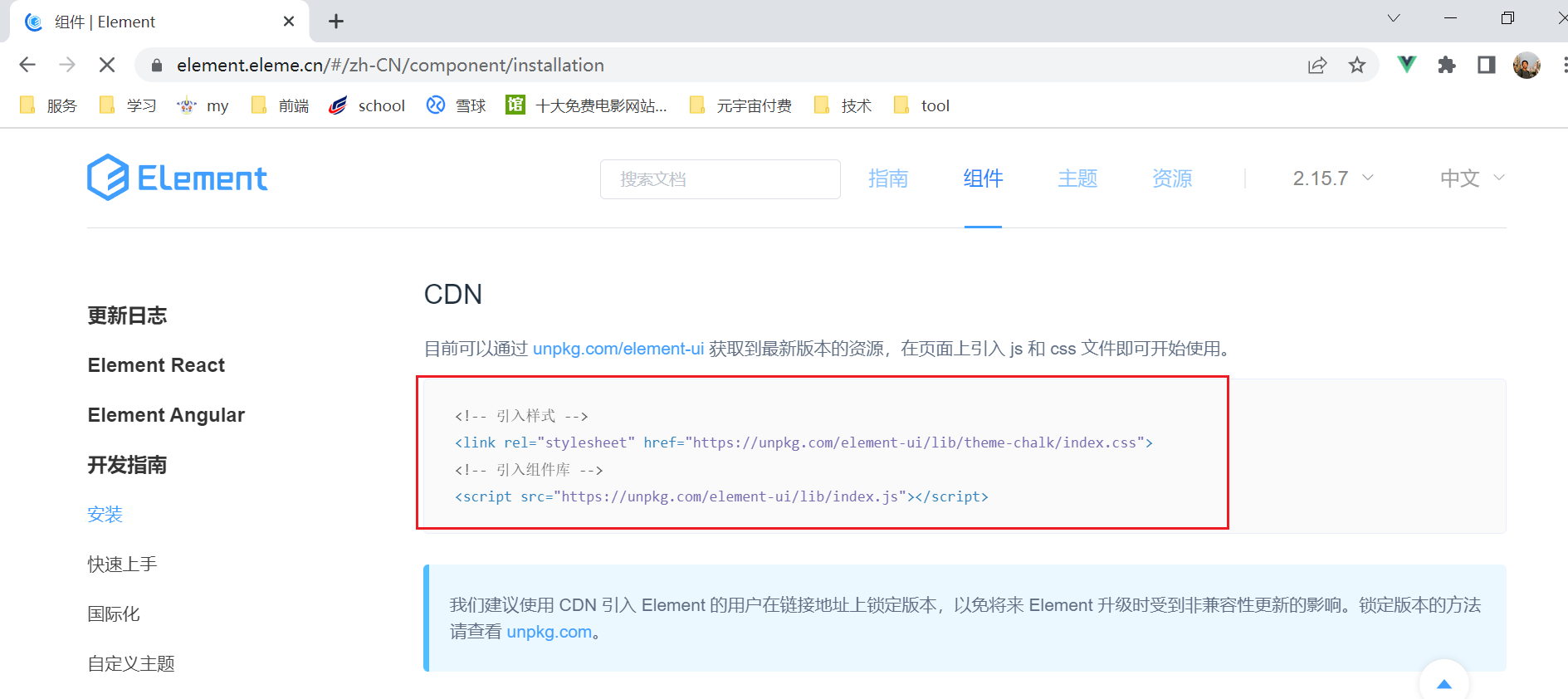
引入 elmentUi 的 css 和 js
我们采用官网的这种 cdn 的方式
- 本地的引入的方式 容易导致elementUI与 vue 版本不匹配
- 出现
Vue warn]: Injection “elForm” not found报错解决方法
<!-- 引入Vue -->

<script src="https://cdn.jsdelivr.net/npm/vue/dist/vue.js"></script>

<!-- 引入样式 -->

<link

  rel="stylesheet"

  href="https://unpkg.com/element-ui/lib/theme-chalk/index.css"

/>

<!-- 引入组件库 elementUi-->

<script src="https://unpkg.com/element-ui/lib/index.js"></script>
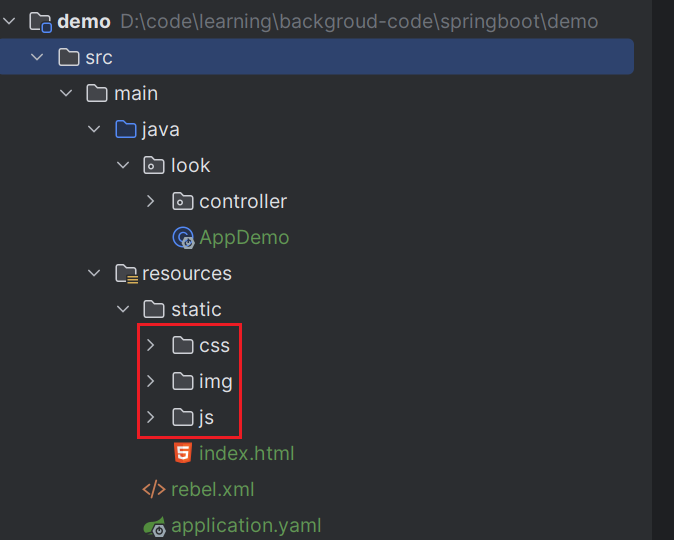
项目的目录结构:
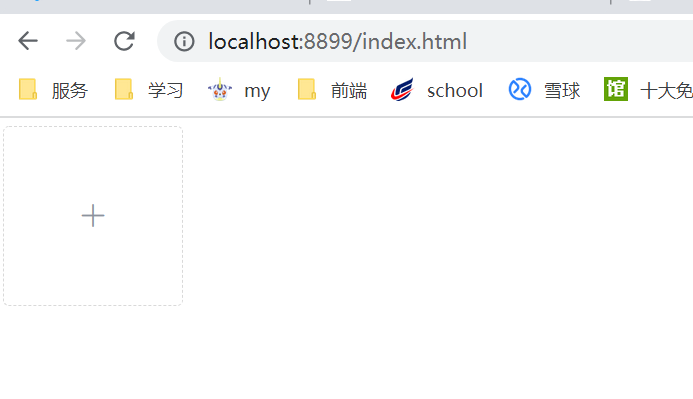
搭建前端页面
页面效果
光光这些肯定不够 我们还需要前后端交互的页面
创建的文件名称:index.html
文件位置: /resources/static/index.html
<!DOCTYPE html>

<html lang="en">

  <head>

    <meta charset="UTF-8" />

    <title>测试文件上传</title>

    <!-- 引入Vue -->

    <script src="https://cdn.jsdelivr.net/npm/vue/dist/vue.js"></script>

    <!-- 引入样式 -->

    <link

      rel="stylesheet"

      href="https://unpkg.com/element-ui/lib/theme-chalk/index.css"

    />

    <!-- 引入组件库 elementUi-->

    <script src="https://unpkg.com/element-ui/lib/index.js"></script>

  </head>

  <body>

    <div id="app">

      <el-upload

        class="avatar-uploader"

        action="http://localhost:8899/upload"

        :show-file-list="false"

        :on-success="handleAvatarSuccess"

      >

        <img v-if="imageUrl" :src="data:imageUrl" class="avatar" />

        <i v-else class="el-icon-plus avatar-uploader-icon"></i>

      </el-upload>

    </div>

  </body>

  <script>

    new Vue({

      el: '#app',

      data: {

        // 图片的url

        imageUrl: '',

      },

      methods: {

        //上传成功

        handleAvatarSuccess(res) {

          // 上传的图片路径

          this.imageUrl = res

        },

      },

    })

  </script>

  <style>

    .avatar-uploader .el-upload {

      border: 1px dashed #d9d9d9;

      border-radius: 6px;

      cursor: pointer;

      position: relative;

      overflow: hidden;

    }

    .avatar-uploader .el-upload:hover {

      border-color: #409eff;

    }

    .avatar-uploader-icon {

      font-size: 28px;

      color: #8c939d;

      width: 178px;

      height: 178px;

      line-height: 178px;

      text-align: center;

    }

    .avatar {

      width: 178px;

      height: 178px;

      display: block;

    }

  </style>

</html>
所使用的依赖
找到 pom.xml
- 因为只用到了接口 我们导入 web 的依赖即可
<parent>

        <artifactId>spring-boot-starter-parent</artifactId>

        <groupId>org.springframework.boot</groupId>

        <version>2.5.0</version>

    </parent>

    <properties>

        <maven.compiler.source>8</maven.compiler.source>

        <maven.compiler.target>8</maven.compiler.target>

        <project.build.sourceEncoding>UTF-8</project.build.sourceEncoding>

    </properties>

	<!-- web的依赖-->

    <dependencies>

        <dependency>

            <groupId>org.springframework.boot</groupId>

            <artifactId>spring-boot-starter-web</artifactId>

        </dependency>

    </dependencies>
后端代码
controller
/**

 * @author : look-word

 * 2022-06-27 22:28

 **/

@RestController

public class FileController {

    /**

     *  设置/img/**的访问规则

     *  意思就是当我们访问 http://localhost:8899/img/redis.png的时候

     *  会去addResourceLocations这和目录下寻找

     */

    @Configuration

    public static class MyPicConfig implements WebMvcConfigurer {

        @Override

        public void addResourceHandlers(ResourceHandlerRegistry registry) {

            registry.addResourceHandler("/img/**")

                    .addResourceLocations("file:"+System.getProperty("user.dir") + "\\src\\main\\resources\\static\\img\\");

        }

    }

    /**

     * 接收上传文件的接口

     * @param urlFile 上传的文件

     * @param request 请求

     * @return

     */

    @PostMapping("/upload")

    public String upload(@RequestParam("file") MultipartFile urlFile,HttpServletRequest request) {

        //  url =》 http://localhost:8899/upload

        StringBuffer url = request.getRequestURL();

        // 意思是 取出ip地址加端口 http://localhost:8899

        String baseUrl = url.substring(0, url.length() - (url.length() - url.lastIndexOf("/")));

        // 文件名称

        String fileName = System.currentTimeMillis() + urlFile.getOriginalFilename();

        // 文件存储的路径

        String filePath = System.getProperty("user.dir") + "\\src\\main\\resources\\static\\img\\";

        File file = new File(filePath);

        // 当文件夹不存在 创建文件夹

        if (!file.exists()) {

            file.mkdir();

        }

        File dest = new File(filePath + fileName);

        String storeUrlPath = "/img/" + fileName;

        try {

            // 写到文件夹中

            urlFile.transferTo(dest);

            System.out.println("上传成功");

        } catch (IOException e) {

            System.out.println("上传失败");

            throw new RuntimeException(e);

        }

        return baseUrl+storeUrlPath;

    }

}
解析代码
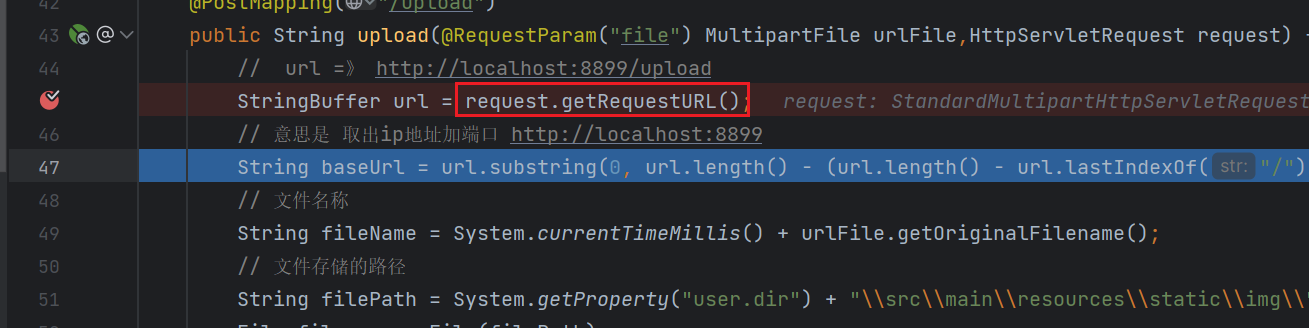
我们现在接收上传文件的接口 打上断点 下面一步一步解析里面的代码
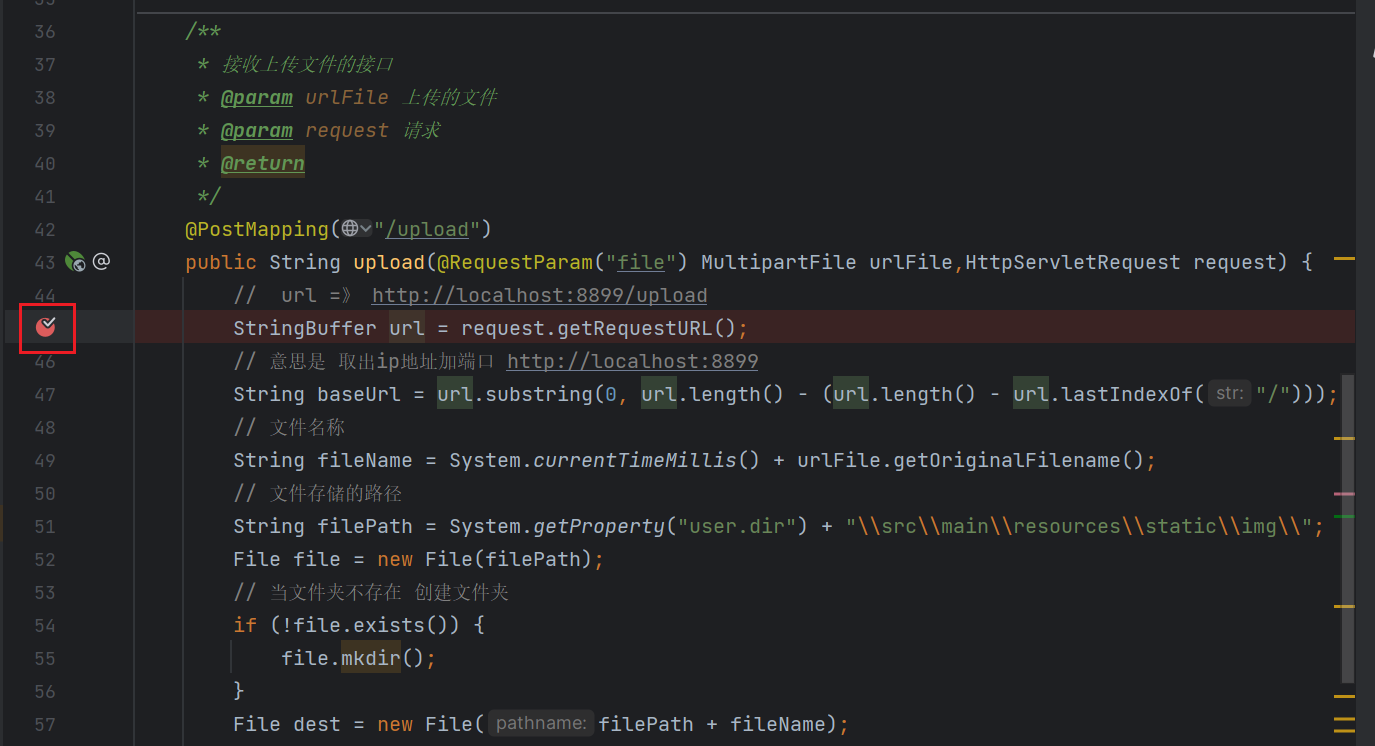
- request.getRequestURL() 意思是 获取当前请求的地址
- http://localhost:8899/upload 是这种格式
- baseUrl: 是截取到http://localhost:8899这串字符
- 在返回到前端页面展示的时候需要用到
- fileName
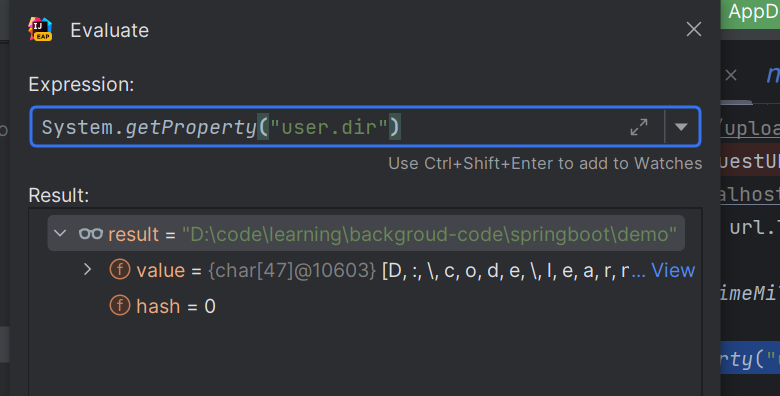
- System.getProperty("user.dir") 获取的时候 当前项目在磁盘的路径

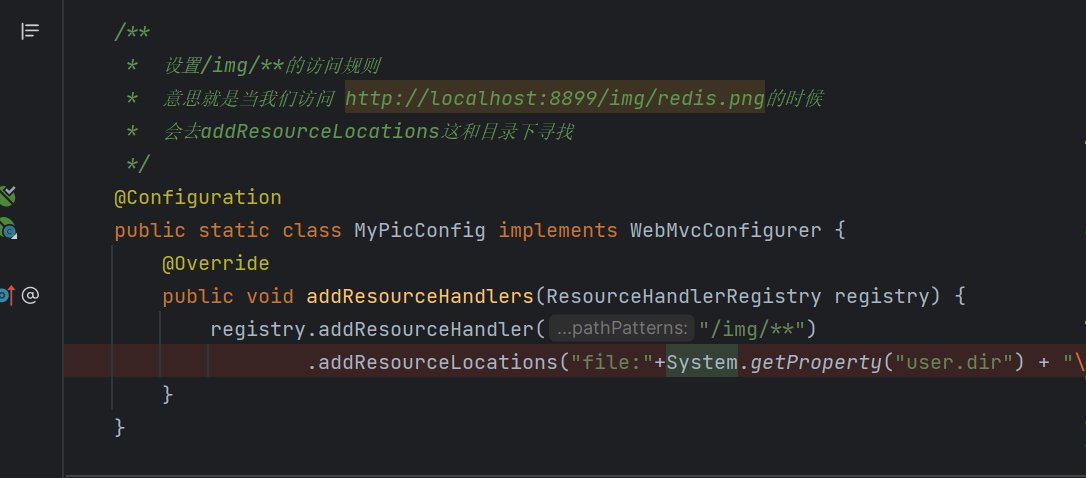
这样就上传成功啦 那么 我们该如何去访问这个图片呢?
来到这里 当我们访问的资源文件路径为/img开头的时候 会默认 去到"file:"+System.getProperty("user.dir") + "\src\main\resources\static\img\"来寻找 就是我们项目的静态资源文件夹的位置
- 这个位置可以是任意位置
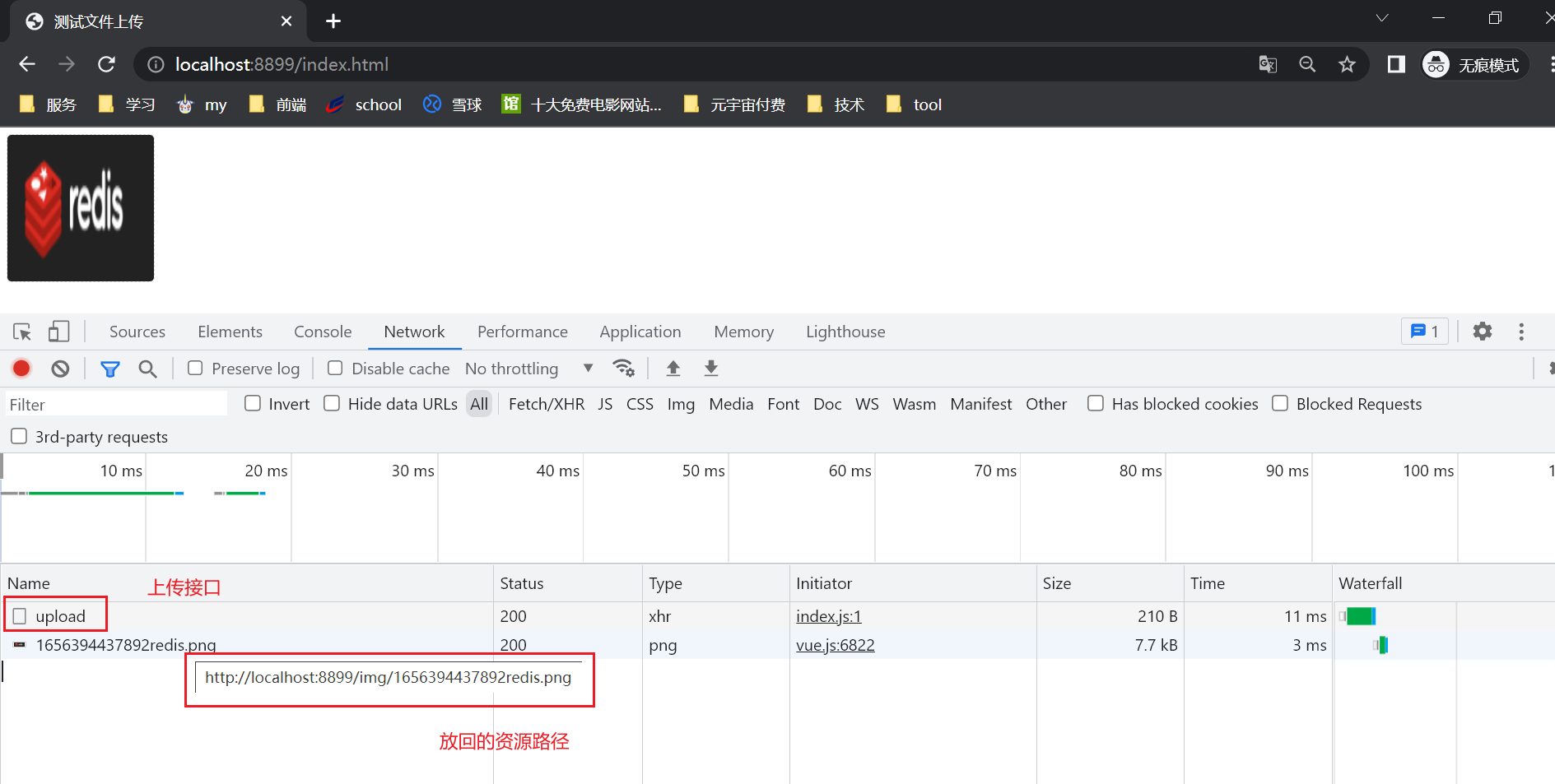
页面效果
可以看到 当我们 上传成功后 资源成功的展示到了 我们的页面上
SpringBoot 整合文件上传 elment Ui 上传组件的更多相关文章
- 动态读取文件持续显示在UI上
private void DisplayLogInfo(FileInfo _LastFile) { if (_LastFile != null) { StreamReader sr = null; t ...
- springboot整合ueditor实现图片上传和文件上传功能
springboot整合ueditor实现图片上传和文件上传功能 写在前面: 在阅读本篇之前,请先按照我的这篇随笔完成对ueditor的前期配置工作: springboot+layui 整合百度富文本 ...
- SpringBoot整合阿里云OSS文件上传、下载、查看、删除
1. 开发前准备 1.1 前置知识 java基础以及SpringBoot简单基础知识即可. 1.2 环境参数 开发工具:IDEA 基础环境:Maven+JDK8 所用技术:SpringBoot.lom ...
- springboot整合web开发(整合servlet、filter、listener、访问静态、文件上传)
整合servlet 1.继承HttpServlet 2.添加@WebServlet注解 @WebServlet(name="FirstServlet",urlPatterns=&q ...
- springboot整合vue实现上传下载文件
https://blog.csdn.net/yhhyhhyhhyhh/article/details/89888953 文章目录 springboot整合vue实现上传下载文件 1上传下载文件api文 ...
- springboot 整合 tobato 的 fastdfs 实现文件上传和下载
添加项目所需要的依赖 <dependency> <groupId>org.springframework.boot</groupId> <artifactId ...
- SpringBoot整合SpringMVC完成文件上传
1.编写Controller /** * SPringBoot文件上传 */ //@Controller @RestController //表示该类下的方法的返回值会自动做json格式的转换 pub ...
- 使用SpringBoot实现文件的上传
使用SpringBoot实现文件的上传 springboot可以直接使用 org.springframework.web.multipart.MultipartFile 所以非常容易实现 一.首先是简 ...
- 分布式文件系统FastDFS简介、搭建、与SpringBoot整合实现图片上传
之前大学时搭建过一个FastDFS的图片服务器,当时只是抱着好奇的态度搭着玩一下,当时搭建采用了一台虚拟机,tracker和storage服务在一台机器上放着,最近翻之前的博客突然想着在两台机器上搭建 ...
随机推荐
- C++逆向 可变参数Hook
目录 C++逆向 可变参数Hook 0x00 前言: 0x01 C++可变参数: 可变参数简介 可变参数代码实战 0x02 逆向分析C++可变参数原理 0x03 printf Hook实战 Pwn菜鸡 ...
- 一个比 Nginx 功能更强大的 Web 服务器
公众号关注 「开源Linux」 回复「学习」,有我为您特别筛选的学习资料~ Caddy 简介 Caddy 是一个 Go 编写的 Web 服务器,类似于 Nginx,Caddy 提供了更加强大的功能,随 ...
- 服务器 CPU 100% 异常排查实践与总结
一个执着于技术的公众号 问题背景 昨天下午突然收到运维邮件报警,显示数据平台服务器cpu利用率达到了98.94%,而且最近一段时间一直持续在70%以上,看起来像是硬件资源到瓶颈需要扩容了,但仔细思考就 ...
- kubeadm高可用master节点(三主两从)
1.安装要求 在开始之前,部署Kubernetes集群机器需要满足以下几个条件: 五台机器,操作系统 CentOS7.5+(mini) 硬件配置:2GBRAM,2vCPU+,硬盘30GB+ 集群中所有 ...
- CentOS 7上搭建Zabbix4.0
开源Linux 一个执着于技术的公众号 zabbix介绍 Zabbix 是一个基于 WEB 界面的提供分布式系统监视以及网络监视功能的企业级的开源解决方案.它能监视各种网络参数,保证服务器系统的安全运 ...
- Linux系统inodes资源耗尽问题
1 inodes介绍 Linux系统下文件数据储存在"块"中,文件的元信息,例如文件的创建者.文件的创建日期.文件的大小等.这种储存文件元信息的区域就叫做inode,中文译名为&q ...
- Python生成GIF动态图
python生成摸头GIF 本篇教程演示了如何使用python的PIL库生成GIF图片 源码已经贴在文中,自行取用 效果演示 运行代码,会让你选择要制作的图片 运行完成后,会在同路径下生成dem.gi ...
- VMware 虚拟机图文安装和配置 AlmaLinux OS 8.6 教程
前言: 这是<VMware 虚拟机图文安装和配置 Rocky Linux 8.5 教程>一文的姐妹篇教程,如果你需要阅读它,请点击这里. 2020 年,CentOS 宣布:计划未来将重心从 ...
- MAC系统下破解WIFI密码(亲测可用,含wifi密码字典)
出差第二天,住的小区因为疫情被封,宿舍又没有wifi,看着附近满满的WIFI信号列表,wifi万能钥匙却一个都连接不上,心中一万匹CNM...于是电脑连上手机热点,然后各种折腾,终于破解了一个隔壁的w ...
- 我被冻在了 vue2 源码工具函数第一行Object.freeze()(一)
前言 最近参加若川的源码共度活动,第 24 期 vue2 源码工具函数,最开始: var emptyObject = Object.freeze({}); 之前知道 Object.freeze() 是 ...