
CentOS7安装confluenceWIKI并破解汉化
wget https://www.atlassian.com/software/confluence/downloads/binary/atlassian-confluence-5.6.6-x64.bin

    * confluence5.6.6

    * Confluence-5.6.6-language-pack-zh_CN

    * mysql-connector

    * confluence_keygen
yum install -y java

java -version
[root@zabbix-server ~]# yum install -y mariadb-server
[root@zabbix-server bin]# systemctl enable mariadb.service

Created symlink from /etc/systemd/system/multi-user.target.wants/mariadb.service to /usr/lib/systemd/system/mariadb.service.

[root@zabbix-server bin]# systemctl start mariadb.service

[root@zabbix-server bin]#
[root@zabbix-server ~]# find / -type f -name "mysql_secure_installation"

/usr/bin/mysql_secure_installation    #mariadb数据库自带的初始化脚本

[root@zabbix-server ~]#

[root@zabbix-server bin]# mysql_secure_installation

NOTE: RUNNING ALL PARTS OF THIS SCRIPT IS RECOMMENDED FOR ALL MariaDB

      SERVERS IN PRODUCTION USE!  PLEASE READ EACH STEP CAREFULLY!

In order to log into MariaDB to secure it, we'll need the current

password for the root user.  If you've just installed MariaDB, and

you haven't set the root password yet, the password will be blank,

so you should just press enter here.

Enter current password for root (enter for none):

OK, successfully used password, moving on...

Setting the root password ensures that nobody can log into the MariaDB

root user without the proper authorisation.

Set root password? [Y/n] y

New password:    #

Re-enter new password:    #

Password updated successfully!

Reloading privilege tables..

... Success!

By default, a MariaDB installation has an anonymous user, allowing anyone

to log into MariaDB without having to have a user account created for

them.  This is intended only for testing, and to make the installation

go a bit smoother.  You should remove them before moving into a

production environment.

Remove anonymous users? [Y/n] y

... Success!

Normally, root should only be allowed to connect from 'localhost'.  This

ensures that someone cannot guess at the root password from the network.

Disallow root login remotely? [Y/n] y

... Success!

By default, MariaDB comes with a database named 'test' that anyone can

access.  This is also intended only for testing, and should be removed

before moving into a production environment.

Remove test database and access to it? [Y/n] y

- Dropping test database...

... Success!

- Removing privileges on test database...

... Success!

Reloading the privilege tables will ensure that all changes made so far

will take effect immediately.

Reload privilege tables now? [Y/n] y

... Success!

Cleaning up...

All done!  If you've completed all of the above steps, your MariaDB

installation should now be secure.

Thanks for using MariaDB!

[root@zabbix-server bin]

create database confluence default character set utf8;

grant all on confluence.* to 'confluenceuser'@'%' identified by 'confluencepasswd' with grant option;

grant all on confluence.* to 'confluenceuser'@localhost identified by 'confluencepasswd' with grant option;

flush privileges;
binlog_format=mixed
service mysqld stop

service mysqld start
chmod 755 atlassian-confluence-5.6.6-x64.bin

./atlassian-confluence-5.6.6-x64.bin
.png)
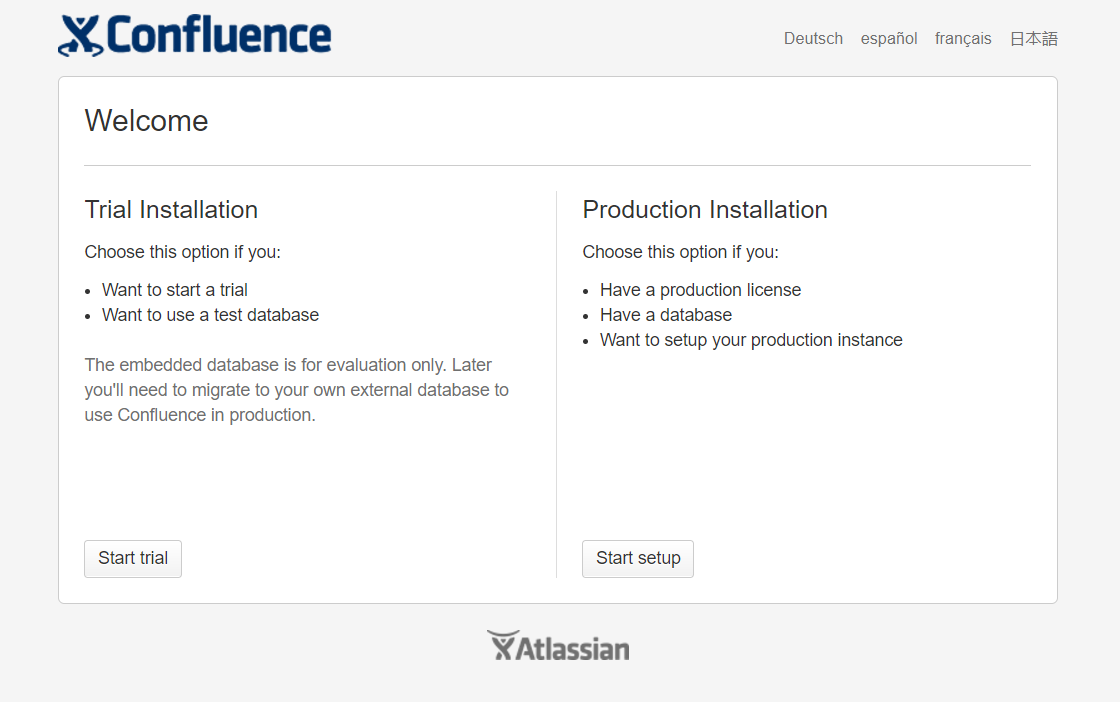
.png)

[root@linux-node1 tools]# /etc/init.d/confluence stop

executing using dedicated user

If you encounter issues starting up Confluence, please see the Installation guide at http://confluence.atlassian.com/display/DOC/Confluence+Installation+Guide

Server startup logs are located in /opt/atlassian/confluence/logs/catalina.out

Using CATALINA_BASE:   /opt/atlassian/confluence

Using CATALINA_HOME:   /opt/atlassian/confluence

Using CATALINA_TMPDIR: /opt/atlassian/confluence/temp

Using JRE_HOME:        /opt/atlassian/confluence/jre/

Using CLASSPATH:       /opt/atlassian/confluence/bin/bootstrap.jar:/opt/atlassian/confluence/bin/tomcat-juli.jar

Using CATALINA_PID:    /opt/atlassian/confluence/work/catalina.pid

Tomcat stopped.

[root@linux-node1 tools]#
java -jar confluence_keygen.jar
.png)
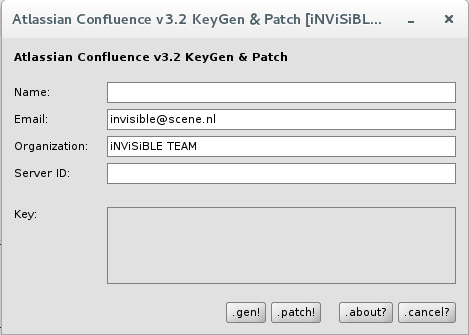

.png)
[root@linux-node1 lib]# /etc/init.d/confluence start

To run Confluence in the foreground, start the server with start-confluence.sh -fg

executing using dedicated user: confluence

If you encounter issues starting up Confluence, please see the Installation guide at http://confluence.atlassian.com/display/DOC/Confluence+Installation+Guide

Server startup logs are located in /opt/atlassian/confluence/logs/catalina.out

Using CATALINA_BASE:   /opt/atlassian/confluence

Using CATALINA_HOME:   /opt/atlassian/confluence

Using CATALINA_TMPDIR: /opt/atlassian/confluence/temp

Using JRE_HOME:        /opt/atlassian/confluence/jre/

Using CLASSPATH:       /opt/atlassian/confluence/bin/bootstrap.jar:/opt/atlassian/confluence/bin/tomcat-juli.jar

Using CATALINA_PID:    /opt/atlassian/confluence/work/catalina.pid

Tomcat started.

[root@linux-node1 lib]#
.png)
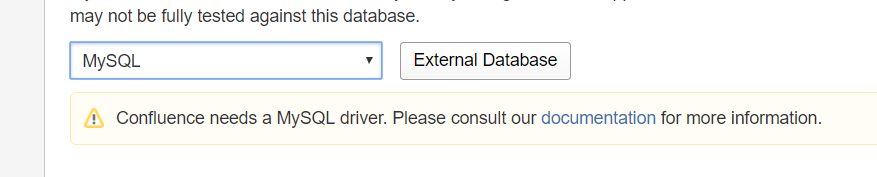
.png)
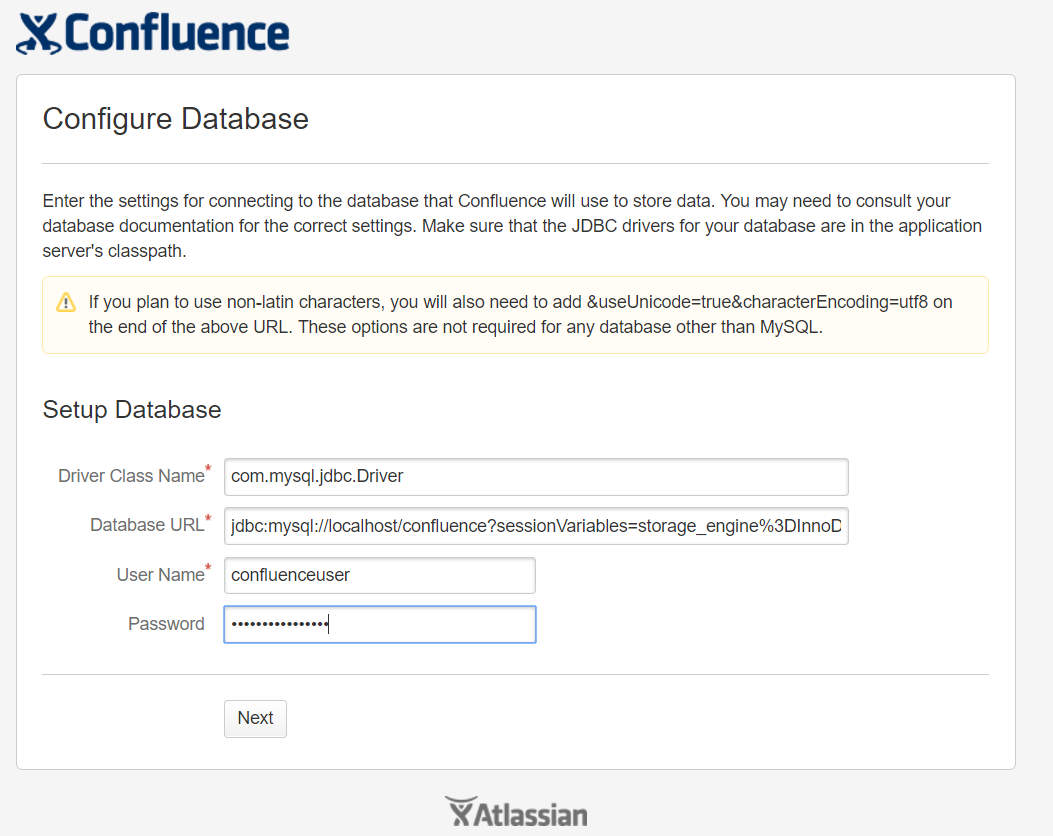
.png)
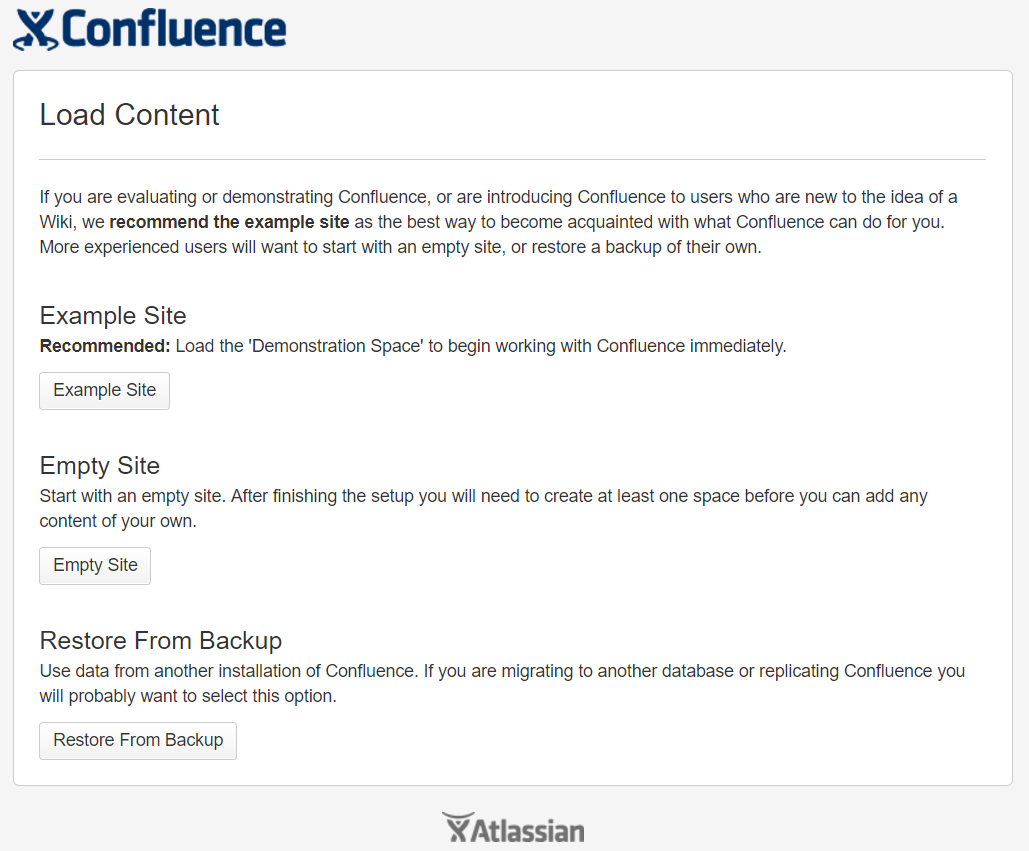
/etc/init.d/confluence stop

cd /opt/atlassian/confluence/

./uninstall
/etc/init.d/confluence stop

rm -rf /opt/atlassian/

rm -rf /var/atlassian/
.png)
.png)
.png)

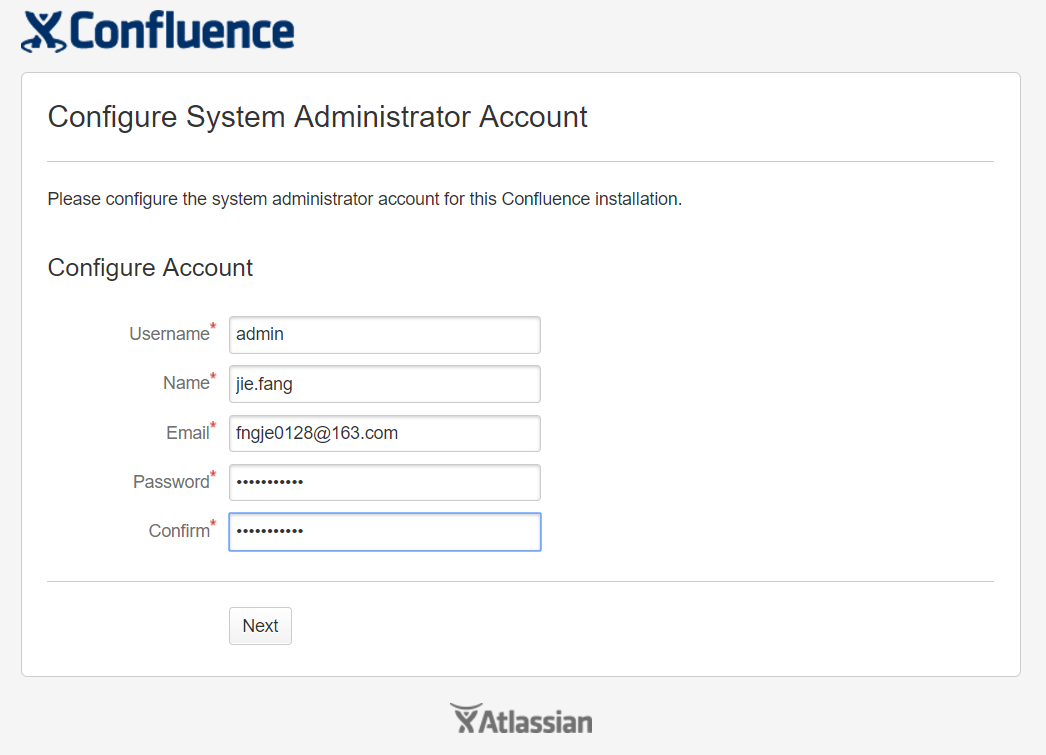
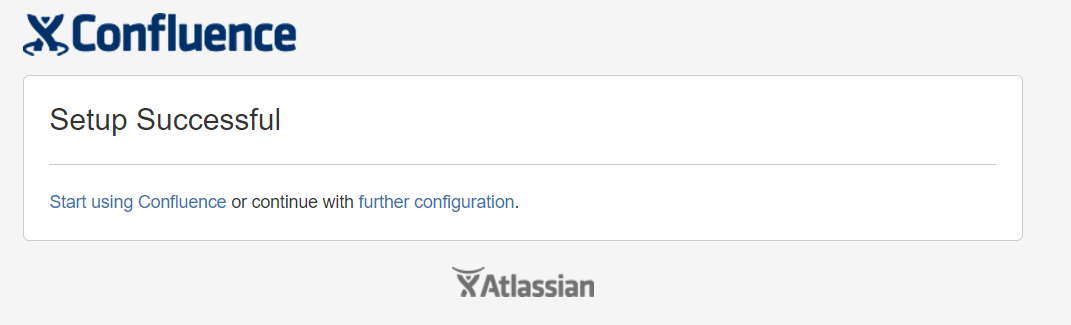
.png)
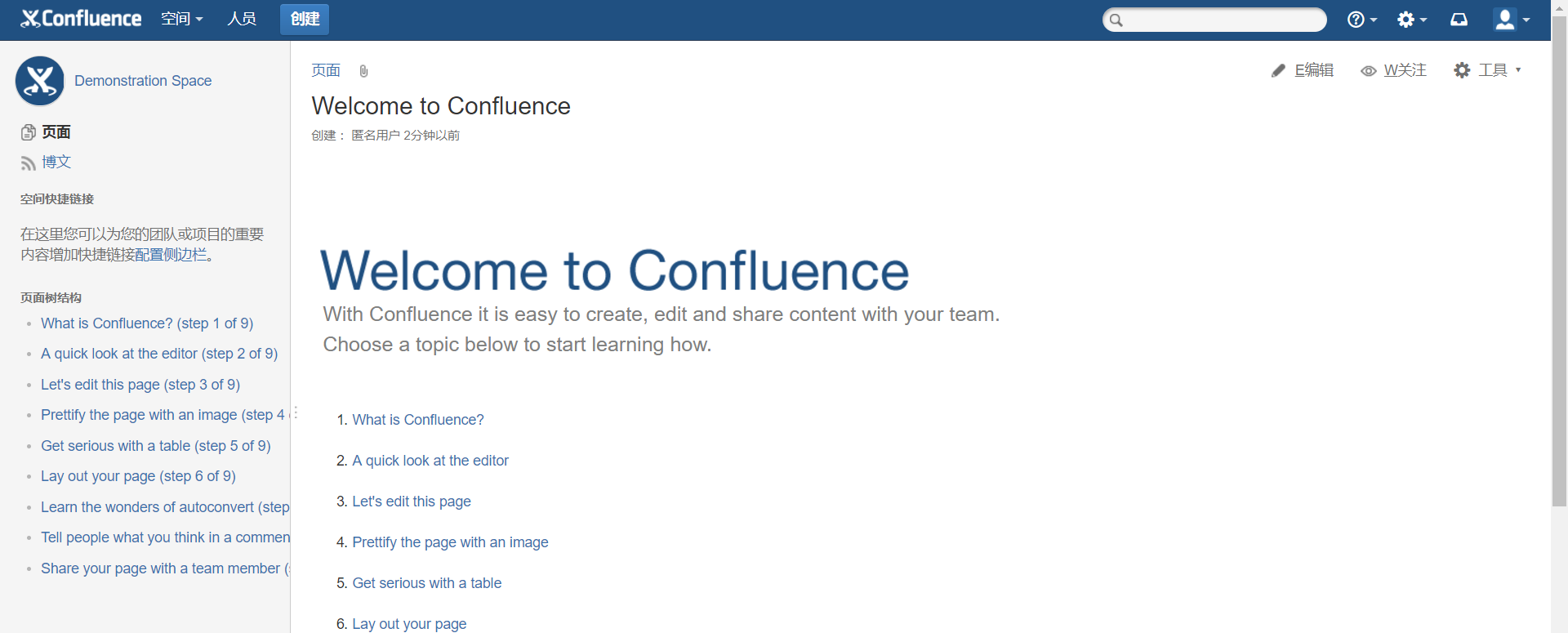
CentOS7安装confluenceWIKI并破解汉化的更多相关文章
- Windows下安装Confluence并破解汉化
注:本文来源于<Windows下安装Confluence并破解汉化> 一.事前准备 1:JDK下载并安装:jdk-6u45-windows-i586.exe 2:MySQL JDBC连接驱 ...
- Windows+Atlassian-Jira-6.0.4+MySql5.0安装破解汉化
Windows+Atlassian-Jira-6.0.4+MySql5.0安装破解汉化 一:整理的安装程序 例如以下图: 文件太大.上传不到csdn上.有须要的联系. 新增的百度云盘下载:链接: ...
- Jira 6.0.3安装破解汉化
前段时间和上海的朋友交流了下,他们公司使用JIRA管理项目.回来整理了下感觉很不错. http://www.unlimax.com/jira.html工作中总是有各种事务要去处理,而这些事务不仅仅是代 ...
- Confluence安装&破解&汉化
p.MsoNormal,li.MsoNormal,div.MsoNormal { margin: 0cm; margin-bottom: .0001pt; text-align: justify; f ...
- (整理)Sublime Text 3 安装、破解、安装Package Control、汉化、添加到右键菜单、代码格式化、禁止更新
Sublime Text 3好用,但是每次安装到最后用着顺手,得在网上找半天安装.破解.安装Package Control.汉化.添加到右键菜单.代码格式化等等的教程,今天有空给自己整理一下吧. 一. ...
- zend studio 13.6.1 安装+破解+汉化
zend studio 13.6.1 X64 安装+破解+汉化+补丁 一.下载相关文件 1.官网原版下载 : http://downloads.zend.com/studio-eclipse/13.6 ...
- zend studio 13.0.0 安装破解汉化
zend studio 13安装破解汉化步骤 官网原版下载 http://downloads.zend.com/studio-eclipse/13.0.0/ZendStudio-13.0.0-win3 ...
- IntelliJ IDEA 2016 完美破解+汉化补丁
百度网盘下载地址:链接:https://pan.baidu.com/s/1cB6XY-N02eRKgGs1kzvqKQ 密码:6pse IntelliJ IDEA 2016是一款JAVA语言发开发工具 ...
- Python环境搭建(win)——Pycharm(破解+汉化)
Pycharm搭建方法(破解+汉化): 本文以pycharm2019.2为例 写在前面:有能力的朋友,希望大家支持正版. IDE是集成开发环境 “Integrated Development Envi ...
随机推荐
- [Cpp primer] Library string Type
In order to use string type, we need to include the following code #include<string> using std: ...
- Fiddler监控面板显示Server栏(Fiddler v5.0)
1.点击Rules下的Customize Rules.js,会打开Fiddler ScriptEditor 2.去掉 UI.lvSessions.AddBoundColumn("Server ...
- django Chinese
http://usyiyi.cn/translate/django_182/contents.html
- 5.docker学习之容器
容器创建 我们已经知道,镜像是只读的,而基于镜像创建出来的容器是可读写的,所以,一般我们实际中,会经常使用对应镜像创建容器并且使用这些容器.同样,如果我们想要使用容器,那么我们必须首先需要创建容器.而 ...
- 8.Redis 数据备份与恢复
转自:http://www.runoob.com/redis/redis-tutorial.html Redis SAVE 命令用于创建当前数据库的备份. 语法 redis Save 命令基本语法如下 ...
- java内存区域的分布
读了<深入理解Java虚拟机>之后,当时理解了,过段时间又忘记了,在此做下记录,方便自我回顾,也希望能帮到想要学习虚拟机的同学. Java虚拟机在执行java程序时会把它所管理的内存分为5 ...
- Asp.Net 自定义 httpmodel 中间件 管道
https://msdn.microsoft.com/en-us/library/aa719858(v=vs.71).aspx http://www.cnblogs.com/jimmyzhang/ar ...
- Linux 如何杀死僵尸进程
问题描述: shell > top top - :: up days, :, user, load average: 0.23, 0.81, 1.07 Tasks: total, running ...
- linux 确定网卡接口
方法: ifconfig -a 执行一遍:ifconfig -a: 插上网线 接口会 running. 方法:ethtool 执行 # ethtool -p eth0 时,eth0对应的网口的灯就 ...
- Excel VBA入门(二)数组和字典
数组和字典也是VBA的常用到数据类型之一.但是我翻了有四五本VBA教程相关的书,里面都没有介绍到字典,数组到是在介绍数据类型时有介绍,而并没有提到字典. 事实上,字典不是VBA内置的类型,它是Wind ...