
单选框radio总结(获取值、设置默认选中值、样式)
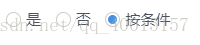
单选框 radio
<div class="radio-inline">

  <input type="radio" name="killOrder" value="1"/>

  <label for="killOrder1">是</label>

</div>

<div class="radio-inline">

  <input type="radio" name="killOrder" value="0" checked/>

  <label for="killOrder2">否</label>

</div>
1.获取值
$("input[name='killOrder']:checked").val();
$('input:radio:checked').val();
$("input[type='radio']:checked").val();
$(":radio[checked]").each(function(radio){alert($(this).val());
2.设置第一个Radio为选中值:
$('input:radio:first').attr('checked', 'checked');
$('input:radio:first').attr('checked', 'true');
3.设置最后一个Radio为选中值:
$('input:radio:last').attr('checked', 'checked');
$('input:radio:last').attr('checked', 'true');
4.根据索引值设置任意一个radio为选中值:
$('input:radio').eq(索引值).attr('checked', 'true');索引值=0,1,2....
$('input:radio').slice(1,2).attr('checked', 'true');
5.根据Value值设置Radio为选中值
$("input:radio[value='2']").attr('checked','true');
$("input[value='1']").attr('checked','true');
6.删除Value值为2的Radio
$("input:radio[value='2']").remove();
7.删除第几个Radio
$("input:radio").eq(索引值).remove();索引值=0,1,2....
如删除第3个Radio:$("input:radio").eq(2).remove();
8.遍历Radio
$('input:radio').each(function(index,domEle){
//写入代码
});
9.修改单选框样式
input[type="radio"] + label::before {
content: "\a0";
display: inline-block;
vertical-align: middle;
width: 15px;
height: 15px;
margin-right: 5px;
border-radius: 50%;
text-indent: .15em;
margin-bottom: 4px;
border: 1px solid #CCCCCC;
}
input[type="radio"]:checked + label::before {
background-color: #4A90E2;
background-clip: content-box;
padding: 2px;
}
input[type="radio"] {
position: absolute;
clip: rect(0, 0, 0, 0);
}
.radio-inline{
padding-left: 0;
}
input[type=radio][disabled]:checked + label::before{
background-color:#CCCCCC;
background-clip: content-box;
padding: 2px;
}

单选框radio总结(获取值、设置默认选中值、样式)的更多相关文章
- 【jQuery获取下拉框select、单选框radio、input普通框的值和checkbox选中的个数】
radio单选框:name属性相同 <input type="radio" id="sp_type" name="p_type" va ...
- MFC学习单选框Radio使用
创建单选框Radio ,ID号IDC_RADIO_NAME 1.获取单选框内容 int RadioState = ((CButton *)GetDlgItem(IDC_RADIO_NAME))-> ...
- jquery单选框radio绑定click事件实现和是否选中的方法
使用jquery获取radio的值,最重要的是掌握jquery选择器的使用,在一个表单中我们通常是要获取被选中的那个radio项的值,所以要加checked来筛选,比如有以下的一些radio项: 1. ...
- 吾八哥学Selenium(三):操作复选框checkbox/单选框radio的方法
复选框checkbox和单选框radio是web网站里经常会使用到的两个控件,那么在web自动化测试的时候如何利用Selenium来操作这俩控件呢?今天我们就来简单入门练习一下! html测试页面代码 ...
- 自定义单选框radio样式
<!doctype html> <html> <head> <meta charset="utf-8"> <title> ...
- 单选框radio改变事件详解(用的jquery的radio的change事件)
单选框radio改变事件详解(用的jquery的radio的change事件) 一.总结 1.用的jquery的radio的change事件:当元素的值发生改变时,会发生 change 事件,radi ...
- 设置checkbox选中,设置radio选中,根据值设置checkbox选中,checkbox勾选
设置checkbox选中,设置radio选中,根据值设置checkbox选中,checkbox勾选 >>>>>>>>>>>>&g ...
- jquery单选框radio绑定click事件实现方法
本文实例讲述了jquery单选框radio绑定click事件实现方法.分享给大家供大家参考. 具体实现方法如下: 复制代码代码如下: <html><head><title ...
- C#通过属性名字符串获取、设置对象属性值
之前理工项目从这个博客找到了相对应的方法:C#通过属性名字符串获取.设置对象属性值 https://www.cnblogs.com/willingtolove/p/12198871.html
随机推荐
- Javamelody部署手册
Javamelody部署手册 1. Javamelody下载 下载地址:http://code.google.com/p/javamelody/downloads/list(注:需要FQ才能打开下载 ...
- shell cut 用法
cut -f 提取第几列 -d 按指定的分隔符割列 cut -f 1 xxx.txt 提取第1列 cut -f 1,3 xxx.txt 提取第1,3列 cut -d ":&qu ...
- vector向量容器
vector向量容器不但可以像数组一样对元素进行随机访问,还能在尾部插入元素,是一种简单高效的容器,可以代替数组. vector具有内存自动管理的功能,对于元素的插入和删除,可以动态的调整所占内存. ...
- 面试题:SSH项目总结 !=!=未看 没用
阿玻罗软件(上海)有限公司已经两年了.中国银行营销系统,到民生银行小微信贷工厂建设.再到交通银行ioffice移动平台项目.以前所学的SSH好多都用不上 公司的框架.都是负责项目的贷款查找模块开发和测 ...
- 面试题:基础数据类型 包装类 int Integer
因为在学习集合时知道集合里存放的对象都是Object类型,取出的时候需要强制类型转换为目标类型(使用泛型集合不需要),如int a = (Integer)arrayList.get(0):然后我们就会 ...
- SQL数据库游标
这个文档几乎包含了oracle游标使用的方方面面,全部通过了测试 -- 声明游标:CURSOR cursor_name IS select_statement --For 循环游标--(1)定义游标- ...
- sed陷阱
sed陷阱: sed -i 后不要紧跟字母, 否则会产生一个新的备份文件(在原文件后多出来一个字母) // 正确写法 /usr/bin/sed -i "/PREFIX=/d" ...
- Azure:Manage anonymous read access to containers and blobs
Grant anonymous users permissions to containers and blobs By default, a container and any blobs with ...
- Spring源码研究:数据绑定
在做Spring MVC时,我们只需用@Controllor来标记Controllor的bean,再用@RequestMapping("标记")来标记需要接受请求的方法,方法中第一 ...
- asp.net winform 界面传值
第一种 //form1 //静态传值 public static string Chuanzhi; string Chuanzhi = textbox.text; //form2 string Chu ...