
在WCF中使用消息队列
在一些大型的解决方案中,假设我们的服务没有办法一直在线,或者因为这样那样的原因宕机了,有没有什么办法让客户端的影响最小化呢?答案是可以通过消息队列的方式,哪怕服务是没有在线的,客户端依然可以继续操作。
1. 首先来学习一些消息队列的基础知识
消息队列默认是没有安装的,可以通过下面的方式进行安装
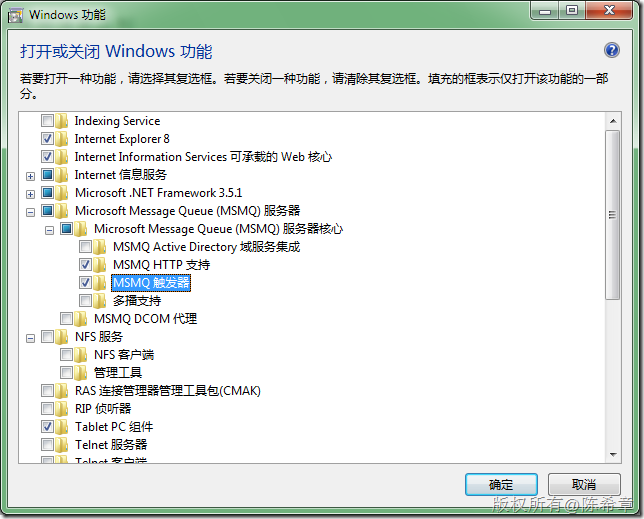
2. 通过一个小程序来演示一下如何发送和接受消息
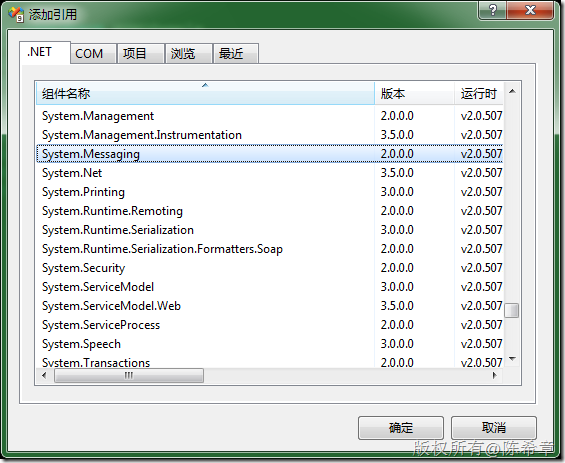
        static void SendMessage() {

            Message msg = new Message("这是我的一个消息");

            string queueName = @".\Private$\SampleQueue";

            MessageQueue mq = null;

            if (!MessageQueue.Exists(queueName))

                mq = MessageQueue.Create(queueName);

            else

                mq = new MessageQueue(queueName);

            mq.Formatter = new XmlMessageFormatter(new[] { "System.String" });

            mq.Send(msg, "测试消息");

            Console.WriteLine("消息发送成功");

        }
然后,我们就可以看到这个消息了(通过mmc控制台)
[注意]xp和vista或者win 7都属于桌面操作系统,它们只支持私有队列。如果是服务器操作系统的话,则还支持公共队列。
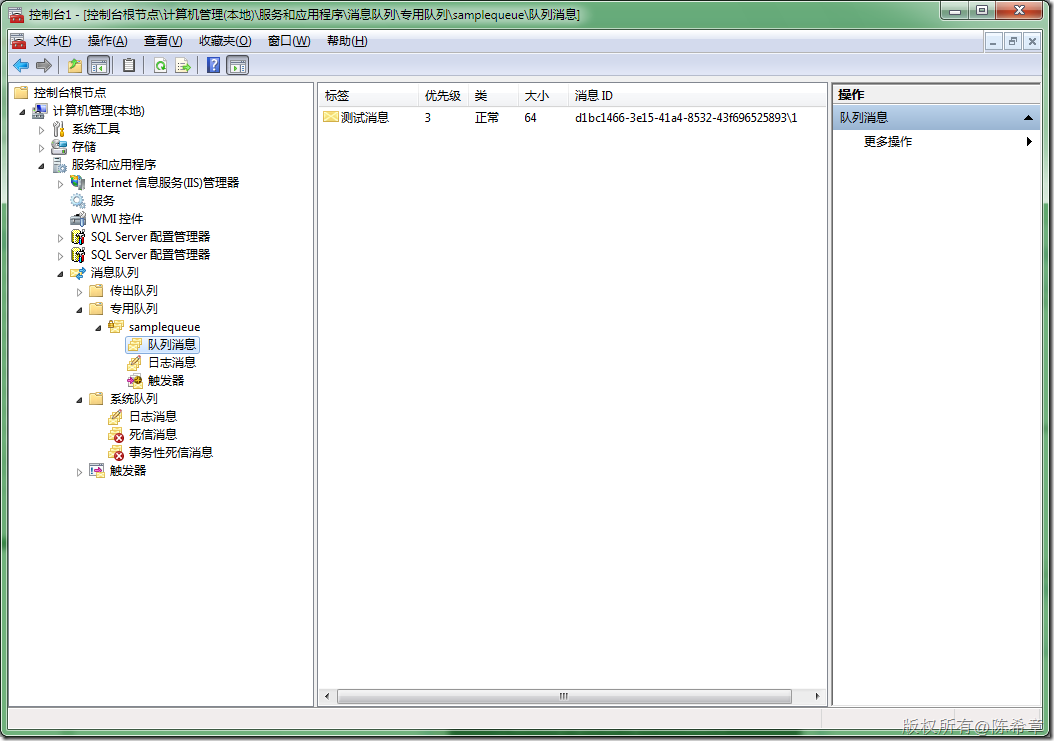
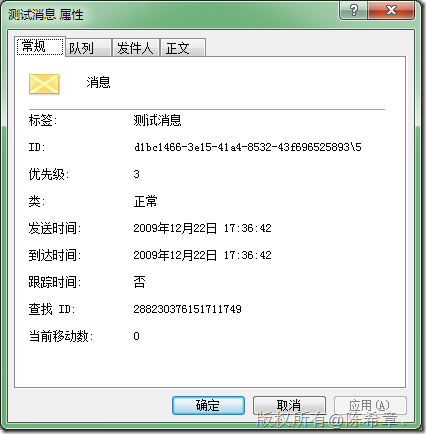
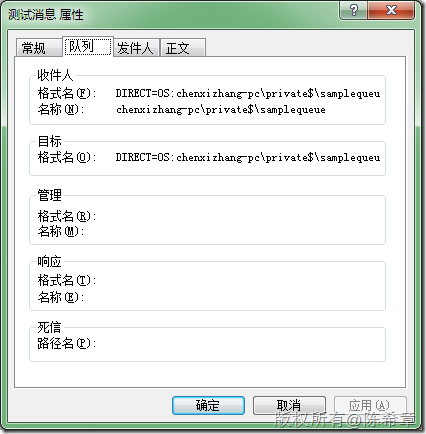
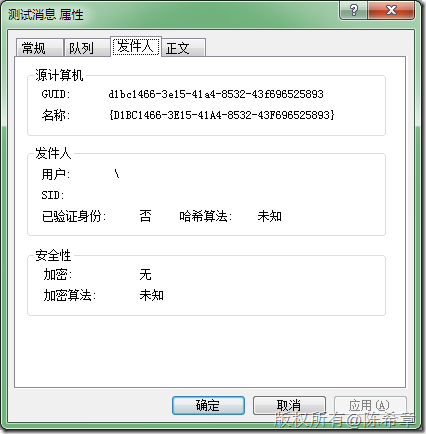
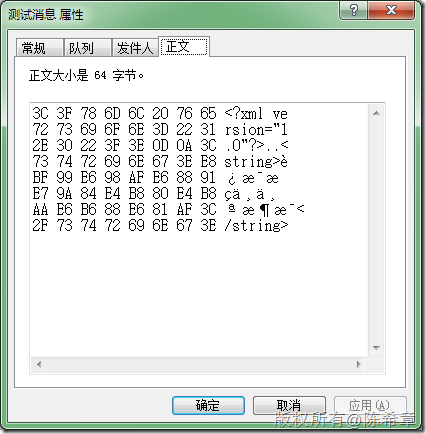
下面看看如何读取队列中的消息
 static void ReadMessage() {

            string queueName = @".\Private$\SampleQueue";

            MessageQueue mq = new MessageQueue(queueName);

            mq.Formatter = new XmlMessageFormatter(new[] { "System.String" });

            Message msg = mq.Receive();

            Console.WriteLine(msg.Label);

            Console.WriteLine(msg.Body.ToString());

        }
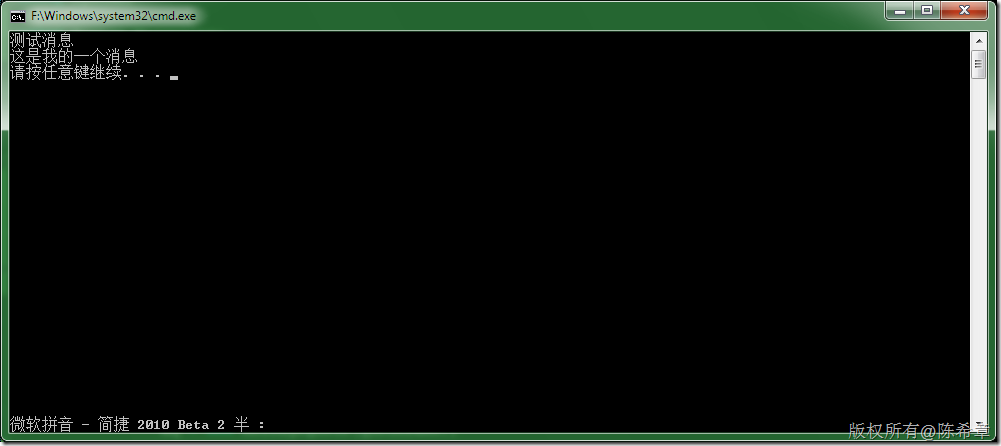
上面是一个很简单的例子,演示了如何发送和接收消息。
下面用一个例子来讲解WCF中如何利用消息队列来实现异步的服务。
1. 创建契约
using System;

using System.ServiceModel;

using System.Runtime.Serialization;

namespace Contracts

{

    [ServiceContract]

    public interface IMSMQService

    {

        [OperationContract(IsOneWay = true)]

        void PlaceOrder(OrderEntry entry);

    }

    [DataContract]

    public class OrderEntry {

        [DataMember]

        public int OrderID { get; set; }

        [DataMember]

        public DateTime OrderDate { get; set; }

        [DataMember]

        public int Quantity { get; set; }

        [DataMember]

        public int UnitPrice { get; set; }

        public override string ToString()

        {

            return string.Format(

                "ID:{0}\tDate:{1}\tQuantity:{2}\tUnitPrice:{3}\t",

                OrderID,

                OrderDate,

                Quantity,

                UnitPrice);

        }

    }

}
2. 实现服务
using System;

namespace Services

{

    public class MSMQOrderService:Contracts.IMSMQService

    {

        #region IMSMQService 成员

        public void PlaceOrder(Contracts.OrderEntry entry)

        {

            Console.WriteLine("收到订单:{0}", entry);

        }

        #endregion

    }

}
3. 创建宿主
using System;

using System.ServiceModel;

namespace Host

{

    class Program

    {

        static void Main(string[] args)

        {

            using (ServiceHost host =

                new ServiceHost(

                    typeof(Services.MSMQOrderService),

                    new Uri("net.msmq://localhost/Private/SampleQueue")

                    ))

            {

                NetMsmqBinding binding = new NetMsmqBinding(NetMsmqSecurityMode.None);

                binding.ExactlyOnce = false;

                binding.Durable = true;

                host.AddServiceEndpoint(

                    typeof(Contracts.IMSMQService).FullName,

                    binding,

                    "");

                host.Open();

                Console.WriteLine("服务器已经准备好");

                Console.Read();

            }

        }

    }

}
4. 创建客户端
using System;

using System.ServiceModel;

namespace Client

{

    class Program

    {

        static void Main(string[] args)

        {

            NetMsmqBinding binding = new NetMsmqBinding(NetMsmqSecurityMode.None);

            binding.ExactlyOnce = false;

            binding.Durable = true;

            ChannelFactory<Contracts.IMSMQService> channel =

                new ChannelFactory<Contracts.IMSMQService>(

                    binding, new EndpointAddress("net.msmq://localhost/Private/SampleQueue"));

            Contracts.IMSMQService client =

                channel.CreateChannel();

            client.PlaceOrder(

                new Contracts.OrderEntry()

                {

                    OrderID = 1,

                    OrderDate = DateTime.Now,

                    UnitPrice = 10,

                    Quantity = 10

                });

            Console.WriteLine("发送了一个订单");

            Console.Read();

        }

    }

}
5. 测试
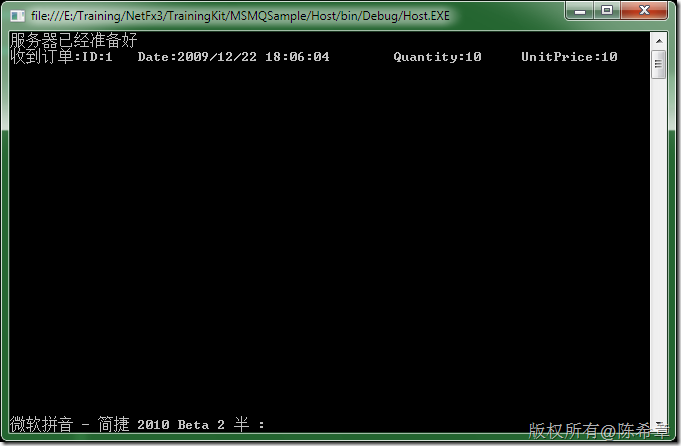
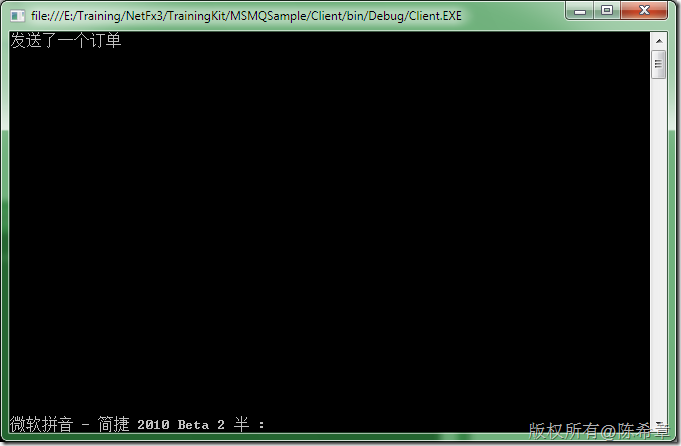
很好,我们看到消息发送到了服务器端。但,如果仅仅是这样,那么使用消息队列有什么优势呢?
我们现在不启动服务端,而仅仅启动客户端。看看是否可以发出订单
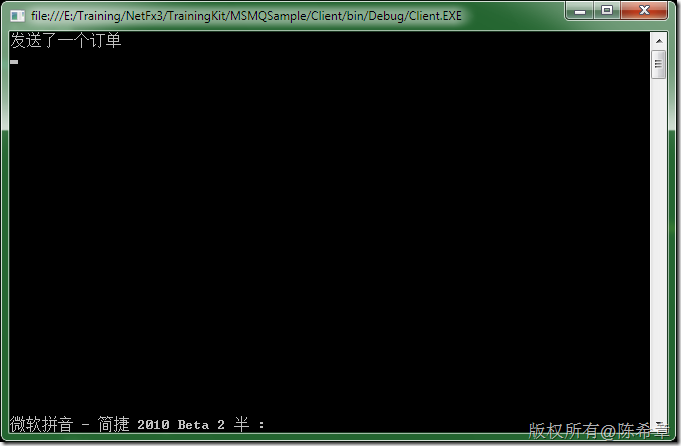
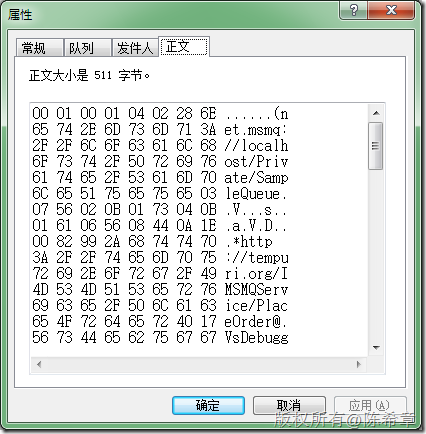
我们发现,虽然服务没有开启来,但是却依然可以发出订单。那么这个订单到哪里去了呢。原来是被存放到了队列中。如下图所示
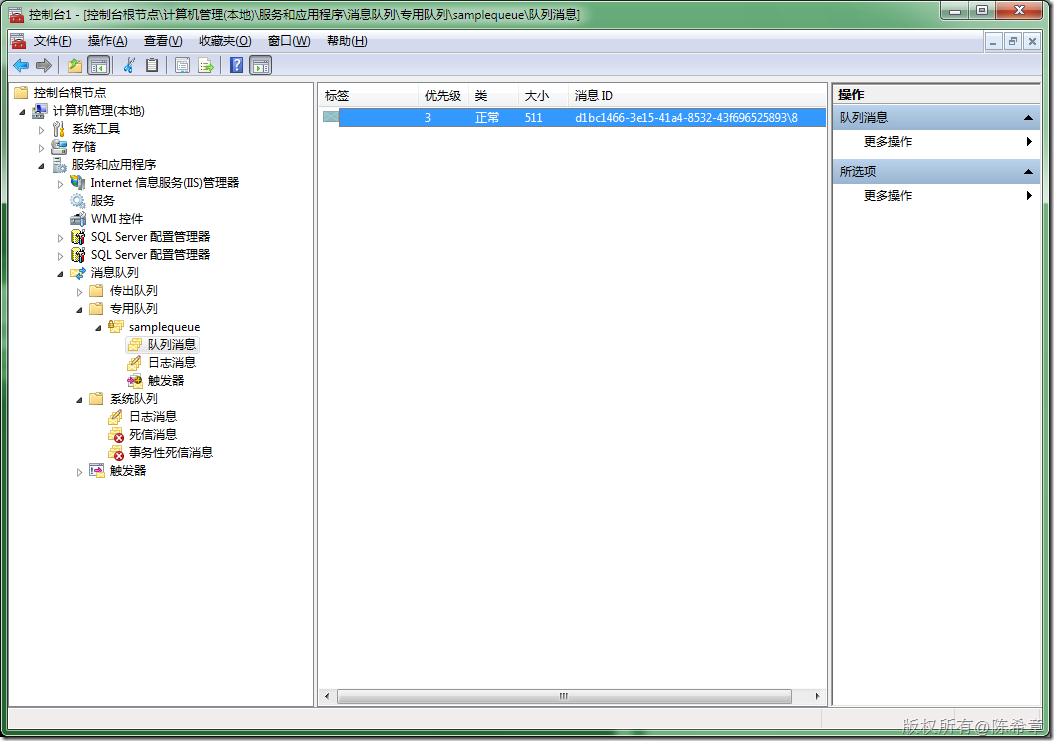
然后,我们再去开服务宿主程序。
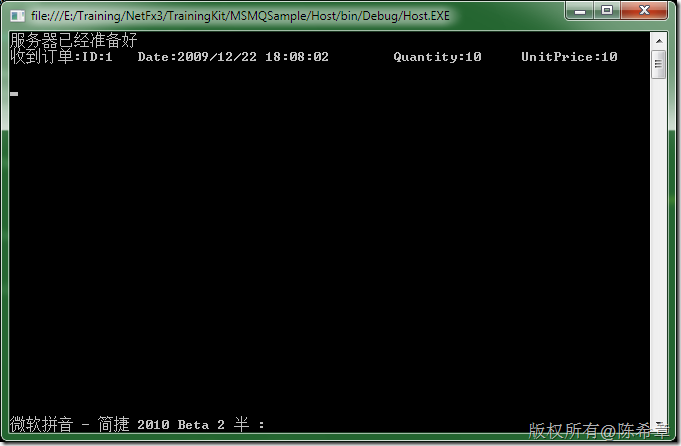
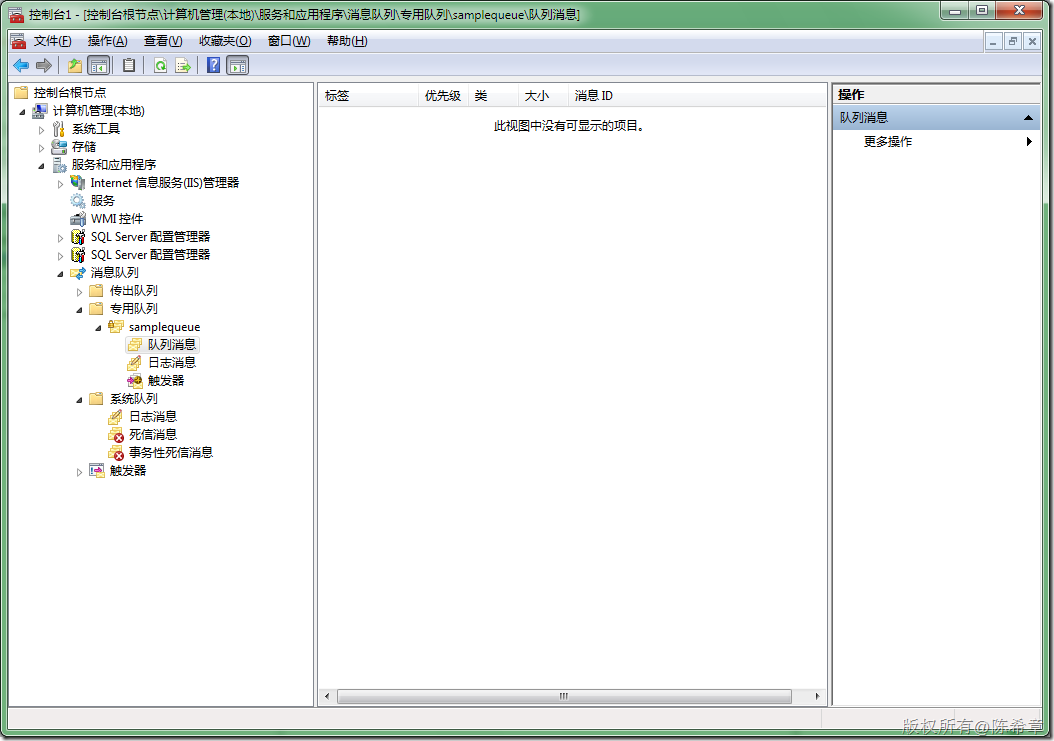
宿主程序会自动读取消息队列中的消息,并自动进行处理。此时再次去查看队列的话,就会发现已经没有消息了
在WCF中使用消息队列的更多相关文章
- 工业物联网或系统集成中应用消息队列(ActiveMQ,C#的demo)的场景全面分析
1.[连载]<C#通讯(串口和网络)框架的设计与实现> 2.[开源]C#跨平台物联网通讯框架ServerSuperIO(SSIO)介绍 2.应用SuperIO(SIO)和开源跨平台物联网框 ...
- C#中使用消息队列RabbitMQ
在C#中使用消息队列RabbitMQ 2014-10-27 14:41 by qy1141, 745 阅读, 2 评论, 收藏, 编辑 1.什么是RabbitMQ.详见 http://www.rabb ...
- wcf中的消息模式
1请求响应模式 a.wcf中的消息模式默认是请求响应模式 b.返回值是void默认也是请求响应模式,可返回服务端的错误信息 c.客户端在请求后,当前线程停止真到接受收服务器的响应 [Opereatio ...
- WCF之MSMQ消息队列
一.MSMQ简介 MSMQ(微软消息队列)是Windows操作系统中消息应用程序的基础,是用于创建分布式.松散连接的消息通讯应用程序的开发工具. MSMQ与XML Web Services和.Net ...
- Handler机制中的消息队列
--> 学习自蘑菇街大佬 Handler机制可以看成是一个消息阻塞队列,当有消息时立即处理消息,没有消息时则阻塞.在Android系统中APP启动后很快进入死循环,不断读取MessageQueu ...
- GaussDB(DWS)中共享消息队列实现的三大功能
摘要:本文将详细介绍GaussDB(DWS)中共享消息队列的实现. 本文分享自华为云社区<GaussDB(DWS)CBB组件之共享消息队列介绍>,作者:疯狂朔朔. 1)共享消息队列是什么? ...
- 跟我一起学WCF(1)——MSMQ消息队列
一.引言 Windows Communication Foundation(WCF)是Microsoft为构建面向服务的应用程序而提供的统一编程模型,该服务模型提供了支持松散耦合和版本管理的序列化功能 ...
- 在C#中使用消息队列RabbitMQ
1.什么是RabbitMQ.详见 http://www.rabbitmq.com/. 作用就是提高系统的并发性,将一些不需要及时响应客户端且占用较多资源的操作,放入队列,再由另外一个线程,去异步处理这 ...
- 如何应用.NET中的消息队列服务
建立一个队列是应用MSMQ的第一步.您可以通过Windows计算机管理控制台中的消息队列选项完成这一操作,或者自己编程建立一个队列.列表A中的C#代码建立了一个新的私有MSMQ消息队列(如果不存在队列 ...
随机推荐
- Android--WebView的一些配置项
//打开页面时,自适应屏幕 wv_showWeb_webActivity.getSettings().setUseWideViewPort(true);//设置此属性可以任意比例缩放 wv_showW ...
- 九度oj 1554 区间问题
原题链接:http://ac.jobdu.com/problem.php?pid=1554 由数列的前缀和:$\begin{align*}\Large{} S_n &=\Large{}\sum ...
- iOS学习之Object-C语言属性和点语法
一.属性 1.属性的声明:在.h文件中使用@property声明属性. @property NSString *name; 2.属性的作用是生成setter以 ...
- scjp考试准备 - 1 - 循环控制
判断如下代码最后的执行结果. public class Breaker{ static String o = ""; public static void main(String[ ...
- Qt隐藏标题栏
setWindowFlags (Qt::CustomizeWindowHint)setWindowFlags (Qt::FramelessWindowHint)两个函数都可以去掉标题栏,区别是第一个可 ...
- 在51系列中data,idata,xdata,pdata的区别
在51系列中data,idata,xdata,pdata的区别: data:固定指前面0x00-0x7f的128个RAM,可以用acc直接读写的,速度最快,生成的代码 也最小. idata:固定指前面 ...
- 【Masonry】使用技巧 - 篇一
从别人项目得到的灵感 : 请看以下代码 UIColor *darkColor = [UIColor colorWithHexString:@"0x28303b"]; // 1. 确 ...
- C++类中的this指针的作用
1.我们知道C++的类成员函数中,默认都隐含了一个this指针,标识调用该成员函数的对象 2.为什么需要有一个this指针呢?C++设计这个机制的初衷是什么呢? 我们知道,普通的C++类,其成员函数是 ...
- js如何获取select下拉框的value以及文本内容
select下拉框在项目开发中是经常用到的,特别是在联级菜单方面的应用更为广泛.但是,对于一些初学者来说,如何获取下拉框子节点option的value值和文本内容,还是有一点难度的.其他的就不说了,现 ...
- 怎么用PHP发送HTTP请求(转载)
本文转自:http://blog.snsgou.com/blog/161.html file_get_contents版本: /** * 发送post请求 * @param string $url ...