
老陈 WPF
using System;

using System.Collections.Generic;

using System.Linq;

using System.Text;

using System.Windows;

using System.Windows.Controls;

using System.Windows.Data;

using System.Windows.Documents;

using System.Windows.Input;

using System.Windows.Media;

using System.Windows.Media.Imaging;

using System.Windows.Navigation;

using System.Windows.Shapes;

using System.IO;

namespace 老陈Wpf

{

    /// <summary>

    /// MainWindow.xaml 的交互逻辑

    /// </summary>

    public partial class MainWindow : Window

    {

        public MainWindow()

        {

            InitializeComponent();

        }

        public static int Count = 0;

        public static int right = 0;

        int m = 0;

        private void button1_Click(object sender, RoutedEventArgs e)

        {

            StreamWriter n1 = File.AppendText("C:\\n1.txt");

            n1.WriteLine(textBox1.Text);

            n1.Close();

            StreamWriter n2 = File.AppendText("C:\\n2.txt");

            n2.WriteLine(textBox2.Text);

            n2.Close();

            StreamWriter n3 = File.AppendText("C:\\n3.txt");

            n3.WriteLine(textBox3.Text);

            n3.Close();

            MessageBox.Show("录题成功");

            textBox1.Text = "";

            textBox2.Text = "";

            textBox3.Text = "";

        }

        private void button2_Click(object sender, RoutedEventArgs e)

        {

            //出题

            string[] n1 = new string[100];

            n1 = File.ReadAllLines("C:\\n1.txt");

            textBox1.Text = n1[m];

            string[] n2 = new string[100];

            n2 = File.ReadAllLines("C:\\n2.txt");

            textBox2.Text = n2[m];

            string[] n3 = new string[100];

            n3 = File.ReadAllLines("C:\\n3.txt");

            textBox3.Text = n3[m];

            m++;

        }

        //结束

        private void button3_Click(object sender, RoutedEventArgs e)

        {

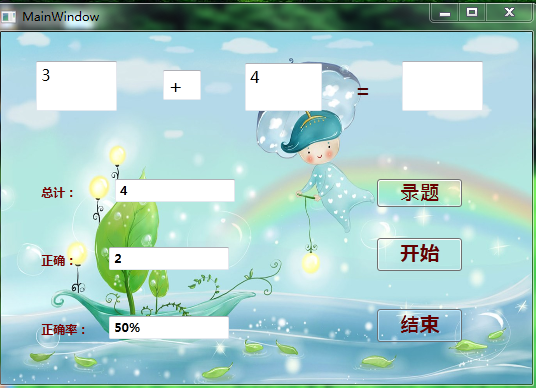
            textBox5.Text = MainWindow.Count.ToString();//题目总数

            textBox6.Text = MainWindow.right.ToString();

            textBox7.Text = ((MainWindow.right / (double)(MainWindow.Count)) * 100).ToString() + "%";//正确率

        }

        private void textBox4_KeyDown(object sender, KeyEventArgs e)

        {

            int a = int.Parse(textBox1.Text);

            int b = int.Parse(textBox3.Text);

            Char c = Convert.ToChar(textBox2.Text);

            Class1 con = new Class1();

            con.chu(a, b, c);

            if (e.Key == Key.Enter)

            {

                if (con.answer == int.Parse(textBox4.Text))

                {

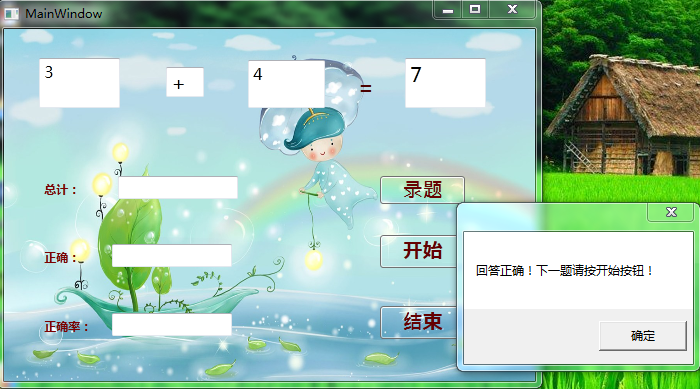
                    MessageBox.Show("回答正确!下一题请按开始按钮!");

                    right++;

                    Count++;

                }

                else

                {

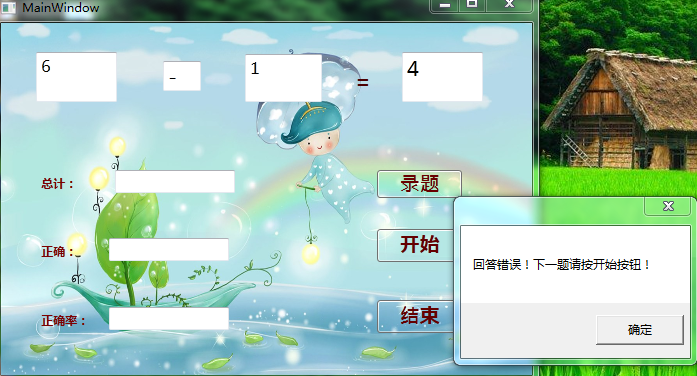
                    MessageBox.Show("回答错误!下一题请按开始按钮!");

                    Count++;

                }

                textBox4.Clear();

            }

        }

        private void button1_Click_1(object sender, RoutedEventArgs e)

        {

            StreamWriter n1 = File.AppendText("C:\\n1.txt");

            n1.WriteLine(textBox1.Text);

            n1.Close();

            StreamWriter n2 = File.AppendText("C:\\n2.txt");

            n2.WriteLine(textBox2.Text);

            n2.Close();

            StreamWriter n3 = File.AppendText("C:\\n3.txt");

            n3.WriteLine(textBox3.Text);

            n3.Close();

            MessageBox.Show("录题成功");

            textBox1.Text = "";

            textBox2.Text = "";

            textBox3.Text = "";

        }

    }

}
封装
using System;

using System.Collections.Generic;

using System.Linq;

using System.Text;

namespace 老陈Wpf

{

    class Class1

    {

        public int sum;

        public int answer

        {

            get

            {

                return sum;

            }

        }

        public int chu(int n1, int n2, char fuhao)

        {

            if (fuhao == '+')

            {

                return sum = n1 + n2;

            }

            else if (fuhao == '-')

            {

                return sum = n1 - n2;

            }

            else if (fuhao == '*')

            {

                return sum = n1 * n2;

            }

            return sum;

        }

    }

}
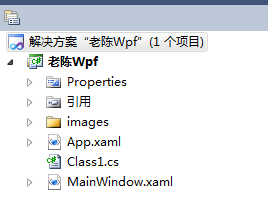
运行的界面如下: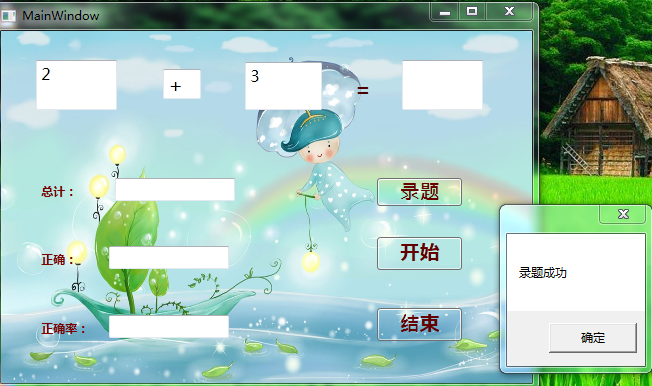
老陈 WPF的更多相关文章
- (l老陈-小石头)典型用户、用户故事、用例图
一.典型用户 老陈 小石头 二.用户故事 老陈:作为一个家长,我希望能利用软件在电脑上储存一些数学题目,以便在繁忙的工作中也能帮助到孩子提高数学. 小石头:作为一个小学二年级的小学生,我希望能利用软件 ...
- 老陈---谈Delphi中SSL协议的应用[转]
摘要:本文主要介绍如何在Delphi中使用SSL协议.一共分为七个部分:(1)SSL协议是什么?(2)Delphi中如何使用SSL协议?(3)SSL客户端编程实例.(4)SSL服务端编程实例.(5)S ...
- 老陈 ASP.NET封装
第一个页面 using System; using System.Collections.Generic; using System.ComponentModel; using System.Data ...
- WPF 策略模式
using System; using System.Collections.Generic; using System.Linq; using System.Text; using System.W ...
- [WPF]为旧版本的应用添加触控支持
之前做WPF开发时曾经遇到这样一个需求:为一个基于 .NET Framework 3.5开发的老旧WPF程序添加触控支持,以便于大屏触控展示. 接手之后发现这是一个大坑. 项目最初的时候完全没考虑过软 ...
- 無間道III 終極無間
凭良心说,它绝对算是诚意之作,而非急功近利或者说抢市.因为导演尤其是编剧都用了心,为了和第一二集融合而在细节处理上做足了文章,麦兆辉也实在够天才. 关于时间问题,本片不是完全杂乱无章,只不过是前后两段 ...
- 匿名对象 构造方法 重载 构造代码块 this 关键字
一.匿名对象 1.匿名对象 :没有名字对象 2.匿名对象的使用注意点: 1.我们一般不会用匿名对象给属性赋值,无法获取属性值. 2.匿名对象永远都不可能事一个对象. 3.匿名对象的好处 : 书写简单. ...
- 关于 Poco::TCPServer框架 (windows 下使用的是 select模型) 学习笔记.
说明 为何要写这篇文章 ,之前看过阿二的梦想船的<Poco::TCPServer框架解析> http://www.cppblog.com/richbirdandy/archive/2010 ...
- 一个基于POP3协议进行邮箱账号验证的类
最近老陈要针对企业邮箱做一些开发,以对接企业OA神马的,但企业邮箱唯独没有开放账号密码验证功能,很恼火!不得已,翻出早些年的Asp代码改编成了C#类,实现了一个C#下的通过POP3协议进行邮箱账号验证 ...
随机推荐
- Objective-C控制语句
Objective-C控制语句有以下三类: 分支语句:if-else,switch 循环语句:while,do-while,for 与程序转移相关的跳转语句:break,continue,goto. ...
- jquery中each()函数
今天在使用each函数时,发现写的js代码明明木有问题,为什么点击没有执行呢.js始终处于入门阶段,只好瞎鼓捣. 弄了半天,总算可以了.代码如下: <script type="text ...
- Modoer列表页性能分析及优化
在 http://www.modoer.org/beijing/item/list-8 的页面中,会执行以下2个sql SELECT s.sid,pid,catid,domain,name,avgso ...
- JDBC基础二
1.配置文件:dbinfo.properties driverClass=com.mysql.jdbc.Driver url=jdbc:mysql://127.0.0.1:3306/test user ...
- MongoDB 学习笔记(二)—— MongoDB Shell
MongoDB自带一个JavaScript shell 可以从命令行中与MongoDB交互,功能非常强大.如在上一节最后一张图所看到,可以执行JavaScript程序. 运行Shell 前提是启动Mo ...
- java clone简单学习
最近在帮忙写单侧的时候,经常会和这几个对象类打交道,因为对java也不是很熟悉,刚好学习一下,都是很浅的学习,并没有深入的去学习哈,因为感觉也用不上. protected Object clone() ...
- Qualcomm device使用ION memory manager取代PMEM
今天写好device,成功编译出CM,接下来肯定是调戏啦(你什么都没看到)~ BUG肯定也是一堆堆的!一开机,果然一堆error~可是尼玛,大蛋一放假就不见人了!!! 我自己折腾几个小时容易么我,我谷 ...
- Java Collections Source Code Series 2 ---接口
废话开篇 自己学完Java Collections框架之后,其中的一个较大的收获就是接口对于层次的重要性.Java Collections的最终实现至少有几十个,其中很多都有非常相似的功能(metho ...
- hdu 1427 速算24点
题目连接 http://acm.hdu.edu.cn/showproblem.php?pid=1427 速算24点 Description 速算24点相信绝大多数人都玩过.就是随机给你四张牌,包括A( ...
- WIndows7 多版本
Windows7 安装U盘 删除source\ei.cfg 以后开机安装会提示安装的版本