
Github Actions All In One
Github Actions All In One
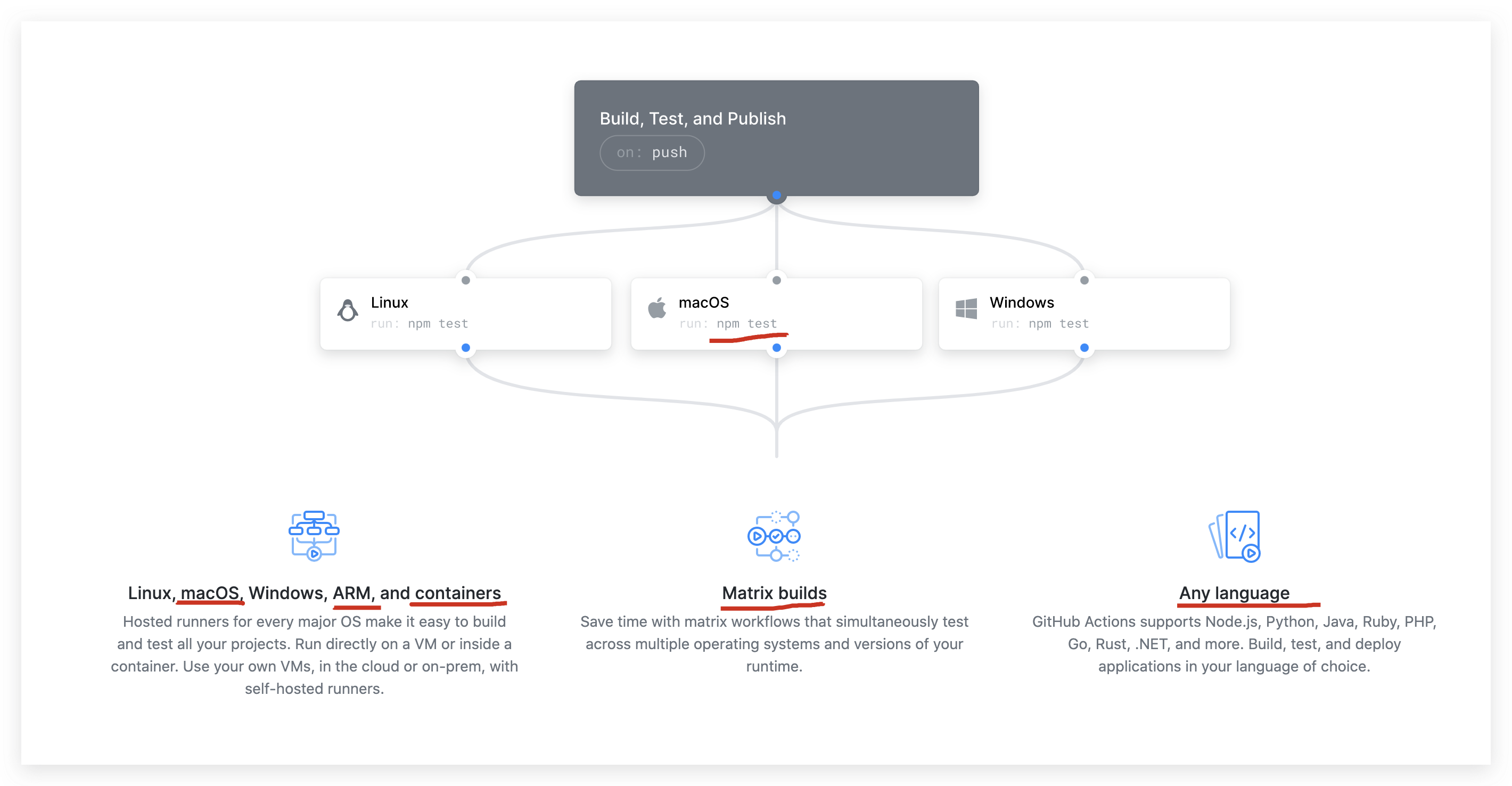
https://github.com/features/actions
https://github.com/marketplace?type=actions
https://docs.github.com/en/developers/github-marketplace
.github/workflows/main.yml
# This is a basic workflow to help you get started with Actions

name: CI

# Controls when the action will run. Triggers the workflow on push or pull request

# events but only for the master branch

on:

  push:

    branches: [ master ]

  pull_request:

    branches: [ master ]

# A workflow run is made up of one or more jobs that can run sequentially or in parallel

jobs:

  # This workflow contains a single job called "build"

  build:

    # The type of runner that the job will run on

    runs-on: ubuntu-latest

    # Steps represent a sequence of tasks that will be executed as part of the job

    steps:

      # Checks-out your repository under $GITHUB_WORKSPACE, so your job can access it

      - uses: actions/checkout@v2

      # Runs a single command using the runners shell

      - name: Run a one-line script

        run: echo Hello, world!

      # Runs a set of commands using the runners shell

      - name: Run a multi-line script

        run: |

          echo Add other actions to build,

          echo test, and deploy your project.
on & jobs
zh-Hans
# This is a basic workflow to help you get started with Actions

name: CI

# 控制 action 何时运行

# 在 push 或 pull 请求时触发工作流程事件,但仅针对  master 分支

on:

  push:

    branches: [ master ]

  pull_request:

    branches: [ master ]

# 一个 workflow 运行由可以串行或并行运行的一个或多个 jobs 组成

jobs:

  # 此工作流程仅包含一个名为 "build" 的 job

  build:

    # job 将运行的 runner 类型(执行的系统环境 Linux/ macOS / Windows)

    runs-on: ubuntu-latest

    # 步骤表示将作为 job 一部分执行的一系列 tasks

    steps:

      # 在 $GITHUB_WORKSPACE下检出你的repository,以便你的 job 可以访问它

      - uses: actions/checkout@v2

      # 使用 runners shell 运行单个命令

      - name: Run a one-line script

        run: echo 正在执行单个命令!

      # 使用 runners shell 运行一组命令

      - name: Run a multi-line script

        run: |

          echo 正在执行多个命令的 lint

          echo 正在执行多个命令的 test

          echo 正在执行多个命令的 build

          echo 正在执行多个命令的 deploy

          echo 正在执行多个命令的 npm publish
demos
.github/workflows/zh-Hans.yml
# This is a basic workflow to help you get started with Actions
name: DevOps
# 控制 action 何时运行
# 在 push 或 pull 请求时触发工作流程事件,但仅针对 master 分支
on:
push:
branches: [ master ]
pull_request:
branches: [ master ]
# 一个 workflow 运行由可以串行或并行运行的一个或多个 jobs 组成
jobs:
# 此工作流程仅包含一个名为 "build" 的 job
build:
# job 将运行的 runner 类型(执行的系统环境 Linux/ macOS / Windows)
runs-on: ubuntu-latest
# 步骤表示将作为 job 一部分执行的一系列 tasks
steps:
# 在 $GITHUB_WORKSPACE下检出你的repository,以便你的 job 可以访问它
- uses: actions/checkout@v2
# 使用 runners shell 运行单个命令
- name: Run a one-line script
Github Actions All In One的更多相关文章
- GitHub Actions 完成CI CD
在之前我的部署.版本控制.CI.CD都是在Jenkins 下来完成的 在前几天看到github上的一个新玩具actions,简直惊为天人 它能在你的仓库触发事件(Push,Pull,issue,... ...
- GitHub Actions 工作流
今天打开github上面的 项目 突然 一个github actions 的提示, 进去后显示: 由于项目是Maven 创建的 选择Maven 进入: 初步看到代码: 大概意思就是 我们push ...
- Github原生CI/CD,初尝Github Actions
Github 原生 CI/CD,初尝 Github Actions Intro Github 目前已经推出了自己的 CICD 服务 -- Github Actions,而且比微软的 Azure Dev ...
- Github Actions教程:运行python代码并Push到远端仓库
我自己做了一个网站,这个网站会使用一个python脚本来生成. 具体生成的方法是python脚本会读取目录下的csv文件,将每一行数据解析成固定格式,然后生成html文件,最后需要将修改后的文件自动p ...
- 使用 GitHub Actions 实现 Hexo 博客自动部署
一.Hexo 相关知识点 静态博客简单,但是发布博文时稍显麻烦,一般需要下面两步: hexo clean hexo g -d // 相当于 hexo g + hexo d 如果考虑到同步源文件,还需要 ...
- vuepress-theme-reco + Github Actions 构建静态博客,部署到第三方服务器
最新博客链接 Github链接 查看此文档前应先了解,vuepress基本操作 参考官方文档进行配置: vuepress-theme-reco VuePress SamKirkland / FTP-D ...
- Hexo+GitHub Actions 完美打造个人博客
Hexo简介 Hexo是一款基于Node.js的静态博客框架,依赖少易于安装使用,可以方便的生成静态网页托管在GitHub和Coding上,是搭建博客的首选框架.大家可以进入hexo官网进行详细查看, ...
- Github Actions简单部署一个vue/react项目
大体介绍 本文对github actions部署前端项目做一个简单的总结,总体来说,我感觉用它想要部署一个前端项目,可以说非常简单,简单得令人震惊
- 使用 JS 开发 Github Actions 实现自动部署前后台项目到自己服务器
不想看前面这么多废话的可以直接跳到具体实现 Github Actions 是什么? 说到 Github Actions 不得不提一下. 持续集成(continuous integration):高质量 ...
- 使用 Github Actions 自动部署 Angular 应用到 Github Pages
前言 最近在学习 Angular,一些基础的语法也学习的差不多了,就在 github 上新建了一个代码仓库,准备用 ng-zorro 搭个后台应用的模板,方便自己以后写些小东西时可以直接使用.前端项目 ...
随机推荐
- 【转载】Linux中找不到ifconfig命令的解决方法
ifconfig命令出错 ifconfig命令是设置或显示网络接口的程序,可以显示出我们机器的网卡信息,可是有些时候最小化安装CentOS等Linux发行版的时候会默认不安装ifconfig等命令,这 ...
- 阿里巴巴微服务与配置中心技术实践之道 配置推送 ConfigurationManagement ConfigDrivenAnyting
阿里巴巴微服务与配置中心技术实践之道 原创: 坤宇 InfoQ 2018-02-08 在面向分布式的微服务系统中,如何通过更高效的配置管理方式,帮助微服务系统架构持续"无痛"的演进 ...
- JAXB学习(一):概述
pre.XML { background-color: rgba(255, 204, 204, 1); padding-left: 25px } JAXB是 Java Architecture for ...
- 从URL输入到页面展现到底发生什么?
目录 前言 一.URL 到底是啥 二.域名解析(DNS) 1.IP 地址 2.什么是域名解析 3. 浏览器如何通过域名去查询 URL 对应的 IP 呢 4. 小结 三.TCP 三次握手 1.TCP 三 ...
- 2020最新idea永久激活教程
注:以下为 idea 最新版本 2020.3.2 的永久激活教程,请按照如下步骤安装激活 (webstorm.pycharm 激活方法相同). 步骤一.下载安装包 去到 idea 官网 https:/ ...
- koa2+koa-generator+mysql快速搭建nodejs服务器
koa2+koa-generator+mysql快速搭建nodejs服务器 用koa的脚手架koa-generator可以快速生成项目骨架,可以用于发开或者测试接口 https://github.co ...
- (31)sed命令完全攻略
1.sed简介 Vim 采用的是交互式文本编辑模式,你可以用键盘命令来交互性地插入.删除或替换数据中的文本.但本节要讲的 sed 命令不同,它采用的是流编辑模式,最明显的特点是,在 sed 处理数据之 ...
- jvm系列二内存结构
二.内存结构 整体架构 1.程序计数器 作用 用于保存JVM中下一条所要执行的指令的地址 特点 线程私有 CPU会为每个线程分配时间片,当当前线程的时间片使用完以后,CPU就会去执行另一个线程中的代码 ...
- cassandra权威指南读书笔记--Cassandra架构(2)
环和令牌cassandra的数据管理是用一个环来表示.为环中的每个节点分配一or多个数据范围,用token描述.token由64位整数ID表示,范围-2^(63)~2^(63)-1.使用对分区键进行一 ...
- cassandra权威指南读书笔记--数据建模
没有join操作.有轻量级事务和批处理,但是没有外键等.反规范化.3.0支持物化视图,允许在一个表上创建数据的多个物化视图.使用cassandra要从查询入手,而不是先从数据模型开始.先对查询建模,然 ...