
python保存文件到数据库
效果
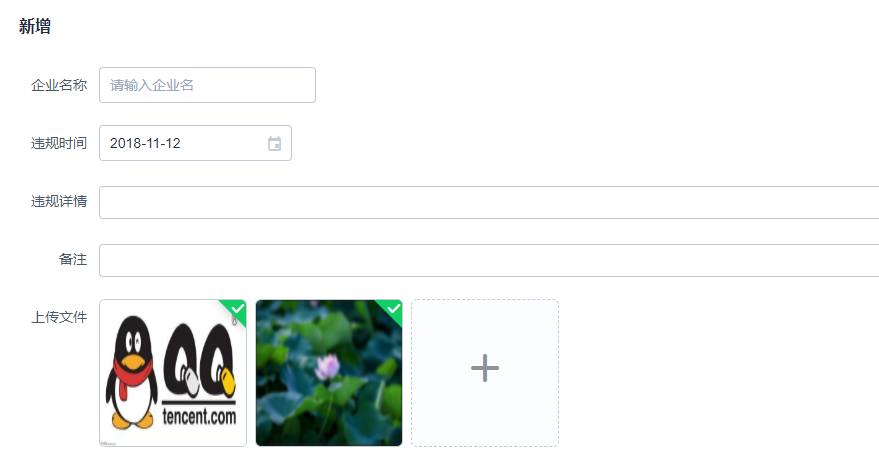

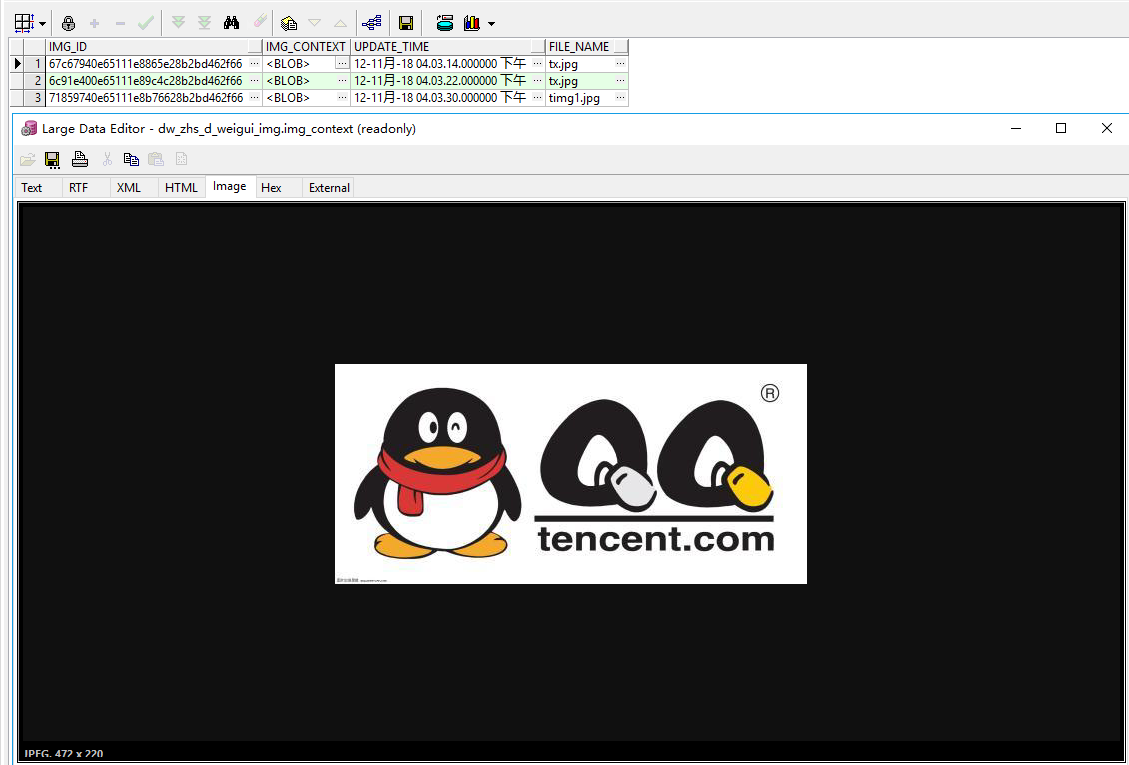
model
class WEIGUI_IMG(Base):

    __tablename__ = 'DW_ZHS_D_WEIGUI_IMG'  # 表名

    id = Column('img_id', String(), primary_key=True)

    img_context = Column(LargeBinary)

    file_name = Column('file_name', String(), nullable=True)
后台路由
@api.route('/weigui/img', methods=['POST'])

def weigui_img():

    img = request.files['file']

    # img.save(img.filename)#直接保存为文件

    weigui_img = WEIGUI_IMG()

    weigui_img.id = str(uuid.uuid1()).replace('-','')

    weigui_img.img_context = img.read()

    weigui_img.file_name = img.filename

    img.close()

    db_session.add(weigui_img)

    db_session.commit()

    return jsonify({'msg': 'success'})
前端代码页面
                <el-form-item label="上传文件">

                    <el-upload action="http://10.0.0.49:9090/api/v1600/weigui/img" list-type="picture-card" :on-preview="handlePictureCardPreview" :on-remove="handleRemove">

                        <i class="el-icon-plus"></i>

                    </el-upload>

                </el-form-item>

        <el-dialog :visible.sync="dialogVisible" top="5vh">

            <img width="90%" :src="dialogImageUrl" alt="">

        </el-dialog>
前端代码js
                dialogImageUrl: '',

                dialogVisible: false,

            handleRemove(file, fileList) {

                console.log(file, fileList)

            },

            handlePictureCardPreview(file) {

                this.dialogImageUrl = file.url

                this.dialogVisible = true

            }
后续,编辑时取出所存图片
效果
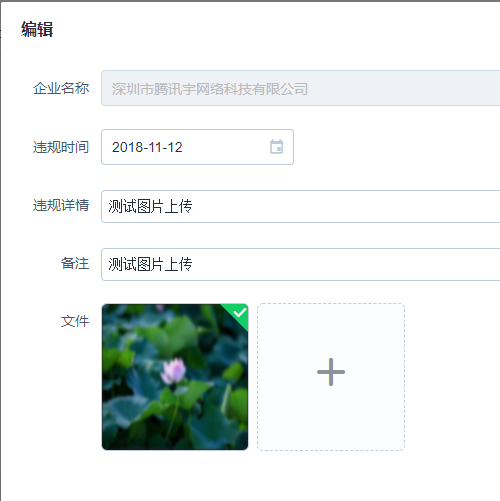

发送请求
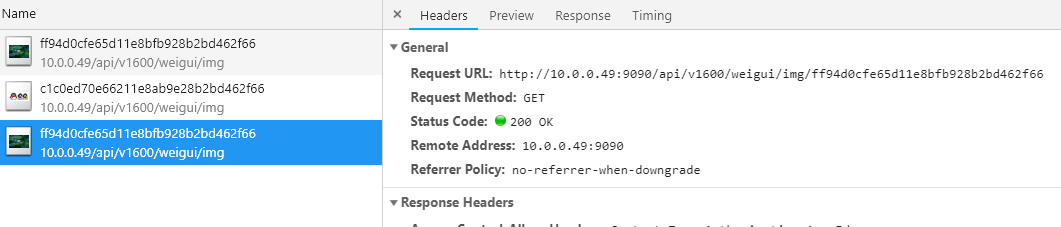
后台代码
需指定返回图片类型
@api.route('/weigui/img/<id>')

def weigui_img_by_id(id):

    textsql = "select * from dw_zhs_d_weigui_img t where t.img_id = :id"

    row = db_session.execute(textsql, {'id': id}).fetchone()

    return Response(row.img_context, mimetype="image/jpeg")
返回存进去的excel文件
# 获取excel测试

@api.route('/stream/excel')

def weigui_excel():

    obj = db_session.query(WEIGUI_IMG).filter(WEIGUI_IMG.file_name.like('%%%s%%' %'xls')).one()

    response = Response(obj.img_context, mimetype='text/csv')

    response.headers["Content-Disposition"] = "attachment; filename={}".format('1.xls')

    return response
前端js代码
            //显示编辑界面

            handleEdit: function (index, row) {

                this.editFormVisible = true

                this.editForm = Object.assign({}, row)

                this.filelist = []

                if(row.imgs){

                    let temp = row.imgs.split(',')

                    temp.pop()

                    temp.forEach(obj=>{

                        this.filelist.push({

                            name: '1.png',

                            url: this.imgUrl+'/'+obj

                        })

                    })

                }

            },
前端html代码
        <!--新增界面-->

        <el-dialog title="新增" v-model="addFormVisible" :close-on-click-modal="false">

            <el-form :model="addForm" label-width="80px" ref="addForm">

                <el-form-item label="企业名称">

                    <el-select v-model="addForm.company_id" filterable remote reserve-keyword placeholder="请输入企业名" :remote-method="remoteMethod" :loading="selectLoading" style="width: 250px">

                        <el-option v-for="item in options" :key="item.code" :label="item.name" :value="item.code"></el-option>

                    </el-select>

                </el-form-item>

                <el-form-item label="违规时间">

                    <el-date-picker v-model="addForm.weigui_time" style="width: 250px"></el-date-picker>

                </el-form-item>

                <el-form-item label="违规详情">

                    <el-input v-model="addForm.detail" auto-complete="off" type="textarea" autosize></el-input>

                </el-form-item>

                <el-form-item label="备注">

                    <el-input v-model="addForm.remark" auto-complete="off" type="textarea" autosize></el-input>

                </el-form-item>

                <el-form-item label="文件">

                    <el-upload :action="imgUrl" list-type="picture-card" :on-preview="handlePictureCardPreview" :on-remove="handleRemove" ref="uploader_add" :on-success="fileUploadAddSuccess">

                        <i class="el-icon-plus"></i>

                    </el-upload>

                </el-form-item>

            </el-form>

            <div slot="footer" class="dialog-footer">

                <el-button @click.native="addFormVisible = false">取消</el-button>

                <el-button type="primary" @click.native="addSubmit" :loading="addLoading">提交</el-button>

            </div>

        </el-dialog>
python保存文件到数据库的更多相关文章
- PHP 合理配置实现文件上传及保存文件到数据库
合理配置 php.ini 如何配置php.ini实现PHP文件上传功能.其中涉及到php.ini配置文件中的upload_tmp_dir.upload_max_filesize.post_max_si ...
- PostgreSQL保存文件到数据库
1.CREATE TABLE public.t_file ( id INTEGER PRIMARY KEY NOT NULL DEFAULT nextval('t_file_id_seq'::regc ...
- C# 保存文件到数据库
html <%@ Page Language="C#" AutoEventWireup="true" CodeBehind="FileUploa ...
- python 保存文件时候, 去除名字中的非法字符
import re def validateTitle(title): rstr = r"[\/\\\:\*\?\"\<\>\|]" # '/ \ : * ? ...
- JAVA上传文件到数据库
前端代码 <!DOCTYPE HTML PUBLIC "-//W3C//DTD HTML 4.01 Transitional//EN"> <html> &l ...
- 无废话Android之android下junit测试框架配置、保存文件到手机内存、android下文件访问的权限、保存文件到SD卡、获取SD卡大小、使用SharedPreferences进行数据存储、使用Pull解析器操作XML文件、android下操作sqlite数据库和事务(2)
1.android下junit测试框架配置 单元测试需要在手机中进行安装测试 (1).在清单文件中manifest节点下配置如下节点 <instrumentation android:name= ...
- [转] 三种Python下载url并保存文件的代码
原文 三种Python下载url并保存文件的代码 利用程序自己编写下载文件挺有意思的. Python中最流行的方法就是通过Http利用urllib或者urllib2模块. 当然你也可以利用ftplib ...
- python pandas合并多个excel(xls和xlsx)文件(弹窗选择文件夹和保存文件)
# python pandas合并多个excel(xls和xlsx)文件(弹窗选择文件夹和保存文件) import tkinter as tk from tkinter import filedial ...
- 【网络爬虫入门05】分布式文件存储数据库MongoDB的基本操作与爬虫应用
[网络爬虫入门05]分布式文件存储数据库MongoDB的基本操作与爬虫应用 广东职业技术学院 欧浩源 1.引言 网络爬虫往往需要将大量的数据存储到数据库中,常用的有MySQL.MongoDB和Red ...
随机推荐
- 【CodeForces 730H】Delete Them
BUPT 2017 summer training (for 16) #1E 题意 找到匹配要删除的文件名们但不匹配其它文件名们的表达式.其中?匹配所有字符,其它字符匹配本身. 题解 如果某个位置出现 ...
- react案例->新闻移动客户端--(react+redux+es6+webpack+es6的spa应用)
今天分享一个react应用,应在第一篇作品中说要做一个react+redux+xxx的应用.已经做完一部分,拿出来分享.github地址为:点我就可以咯~ 这里实现了一个新闻移动站的spa.本来想写p ...
- 商品详情页系统的Servlet3异步化实践
http://jinnianshilongnian.iteye.com/blog/2245925 博客分类: 架构 在京东工作的这一年多时间里,我在整个商品详情页系统(后端数据源)及商品详情页统一 ...
- css 选择符中的 >,+,~,=,^,$,*,|,:,空格 的意思
一,作为元素选择符 * 表示通配选择符 * {} // 所有元素 二,作为关系选择符 空格 表示包含选择符 a div{} // 被a元素包含的div > 表示子元素选择符 a > div ...
- 洛谷P4248 差异
题意:求所有后缀两两之间的最长公共前缀的长度之和. 解:这道题让我发现了一个奇妙的性质:所有后缀两两最长公共前缀长度之和 和 所有前缀两两最长公共后缀之和的值是相等的,但是每一组公共前/后缀是不同的. ...
- 【BZOJ3289】Mato的文件管理 莫队+树状数组
题目大意:给定一个长度为 N 的序列,M 个询问,每次询问区间逆序对的个数. 题解:用树状数组加速答案转移. 代码如下 #include <bits/stdc++.h> #define f ...
- bzoj3829 POI2014 FAR-FarmCraft
题目链接 思路 用\(f[i]\)表示完成第\(i\)棵子树所需要得时间. 考虑如果有两个子树\(a\)和\(b\),如果先去完成子树\(a\),那么对于花费得时间就是\(f[b] + siz[a] ...
- WebAPI接口安全校验
通过网上查看相关WebAPI接口验证的方法,整理了一下,直接上代码,功能不复杂,有问题留言, //--------------------------------------------------- ...
- 2018最完整ITTO分节整理指导(PMP项目管理入门必备)
2018年项目管理基础教材<PMBOK>指南进行了改版,之前的一些PMP资料没有太大帮助,反而会让大家记忆混淆,用最新的会好一些,今天小编就把搜集到的2018年项目管理最详细的ITTO的P ...
- 厘摩(centimorgan,cM)到底是啥鬼
根据维基百科的定义: 厘摩(centimorgan,简写为cM),或称为图距单位(map unit),是遗传连锁中的距离单位,以现代遗传学之父托马斯·亨特·摩尔根的名字命名.1厘摩的定义为两个位点间平 ...