
How to permit SSH root Login in Ubuntu 18.04
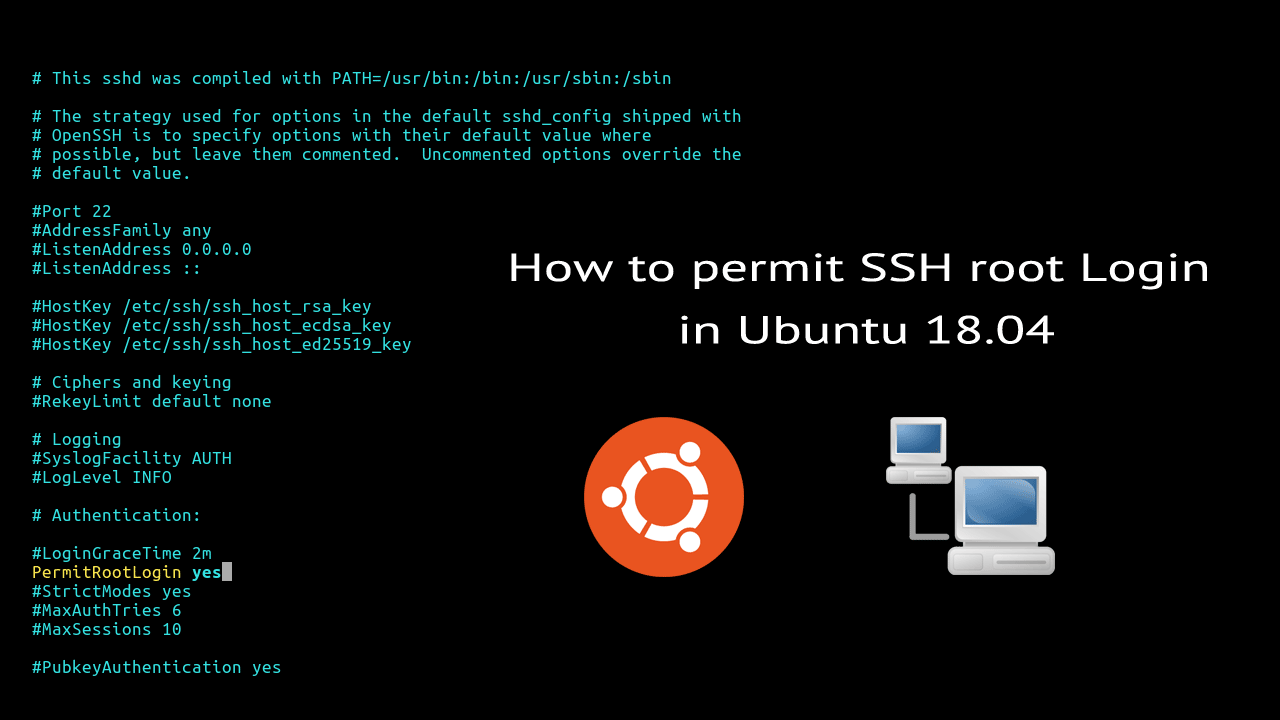
SSH root login is disabled by default in Ubuntu 18.04. SSH server for Ubuntu provides by the openssh-server package and root login is controlled by the PermitRootLogin directive in the OpenSSH server configuration (sshd_config file):
You can check the current status by running the following command:
grep -i "rootlogin" /etc/ssh/sshd_configRoot login is disabled, if the PermitRootLogin directive is commented out (# in front) or its value is not set to yes.

If you want to enable ssh root login, do the following steps with root privileges:
- Open the /etc/ssh/sshd_config:
vim /etc/ssh/sshd_config - Uncomment the line PermitRootLogin and set the value to yes:
PermitRootLogin yes - To make the new setting take effect, restart the ssh server:
systemctl restart sshd.service
Now that we have enabled ssh root login, you can try ssh using the root user from a remote computer:
ssh root@192.168.1.100Note that Ubuntu root account does not have a password by default. So if you want to log in to root ssh account, first you muse have set a password for the root user.
Allowing the root user to login over SSH is a not a good idea. we don't need to login as root to get root privileges. You can ssh to your Ubuntu server using a user who has sudo privileges, then switch to the root user account using sudo -i command.
Next: Change Ubuntu SSH Port
How to permit SSH root Login in Ubuntu 18.04的更多相关文章
- 转载:如何在Ubuntu 18.04上使用UFW设置防火墙
https://blog.csdn.net/u013068789/article/details/82051943 介绍 UFW或Uncomplicated Firewall是iptables一个接口 ...
- Ubuntu 18.04 root 使用ssh密钥远程登陆
前言: Ubuntu默认是禁止root用户远程登陆 本教程解决Ubuntu 18.04版本 root用户 使用ssh密钥无法远程登陆的问题 问题发生的环境: 腾讯云,重装Ubuntu服务器时选择使用s ...
- Ubuntu 18.04 启动root账号并授权远程登录
Ubuntu 18.04 刚刚上市2个月,下载安装,尝尝鲜~ 安装界面看上去舒服许多, 安装的速度也较之前17.04 和16.04 都快了许多.抱歉,未截图. Ubuntu 安装完成后默认不启动roo ...
- Ubuntu 18.04系统中不能ssh外网远程
前言 今天我不小心动了电插板,导致服务器断电,用远程命令开机,居然很长时间没反应,索性就亲自按电源键重启.服务器正常开机启动,ssh可以内网访问,远程命令内网有效果,就是外网不行.经过分析排查,是不是 ...
- 在Ubuntu 18.04 下安装mysql,没有初始密码,重设root密码
在Ubuntu 18.04 下安装mysql 不知道是由于mysql更新为新版还是.Ubuntu18.04中的特性,安装过程中没有设置密码的环节,在网络上找了半天,总算解决了!特此记录下来,以便以后查 ...
- 如何在Ubuntu 18.04 LTS上安装和配置MongoDB
MongoDB是一款非关系型数据库,提供高性能,高可用性和自动扩展企业数据库. MongoDB是一个非关系型数据库,因此您不能使用SQL(结构化查询语言)插入和检索数据,也不会将数据存储在MySQL或 ...
- Ubuntu 18.04 Server上安装LAMP
由于要进行渗透测试,所以这两天就在搭LAMP的环境(过程及其痛苦) 这里分享一些我遇到的问题. 首先介绍一下我的使用环境 VM虚拟机,ubuntu 与主机NAT连接 由于之前一直使用的是kali(默 ...
- 如何在Ubuntu 18.04上安装Go
如何在Ubuntu 18.04上安装Go 谢鸢发表于云计算教程系列订阅98 介绍 课程准备 第1步 - 安装Go 第2步 - 设置Go路径 第3步 - 测试您的安装 结论 介绍 Go是Google开发 ...
- How to install the NVIDIA drivers on Ubuntu 18.04 Bionic Beaver Linux
Objective The objective is to install the NVIDIA drivers on Ubuntu 18.04 Bionic Beaver Linux. This a ...
随机推荐
- 延时对象promise的使用
promise是ES6(ECMA Script6)的新标准,只能在支持ES6的浏览器中使用 Promise是一个延时对象,创建延时对象时需要传入一个函数类型的参数 这个函数有两个参数:resolve和 ...
- C语言中static extern的使用
10:30:22 2019-08-20 基础不牢 瞬间爆炸 参考资料:https://blog.csdn.net/ts_54eagle/article/details/4418627 https:// ...
- springboot actuator 配置安全
springboot actuator监控是什么?类似php的phpinfor()函数,不过actuator更强大,可以查看的数据.状态更多.Actuator是Spring Boot提供的对应用系统的 ...
- 如何在 Array.forEach 中正确使用 Async
本文译自How to use async functions with Array.forEach in Javascript - Tamás Sallai. 0. 如何异步遍历元素 在第一篇文章中, ...
- java京东自动登录
大部分代码都是参考的这边,我只是在他的逻辑上实现了自动通过验证码,放上主逻辑的代码吧,图片识别我用的若快,可以去接其他平台 https://blog.csdn.net/u013232789/artic ...
- Spark 1.5 to 2.1.X
api差异参考官网地址:https://spark.apache.org/docs/2.1.1/sql-programming-guide.html#upgrading-from-spark-sql- ...
- 使用Scanner接受用户键盘输入的值
第一步导入Scanner import java.util.*; 第二步创建Scanner对象 Scanner input = new Scanner(System.in); 第二步创建Scanner ...
- Keepalived实现Nginx负载均衡高可用
第一章:keepalived介绍 VRRP协议 目的就是为了解决静态路由单点故障问题的 第二章: keepalived工作原理 2.1 作为系统网络服务的高可用功能(failover) keepali ...
- SpringBoot连接Redis服务出现DENIED Redis is running in protected mode because protected mode is enabled
修改redis.conf,yes 改为 no
- B - Raising Modulo Numbers
People are different. Some secretly read magazines full of interesting girls' pictures, others creat ...