
Web API与文件操作
前段时间,一直有练习ASP.NET MVC与Web API交互,接下来,Insus.NET再做一些相关的练习,Web API与文件操作,如POST文件至Web API,更新或是删除等。
不管怎样,先在数据库创建一张表,用来存储上传的文件。本实例中是把文件存储过数据库的。
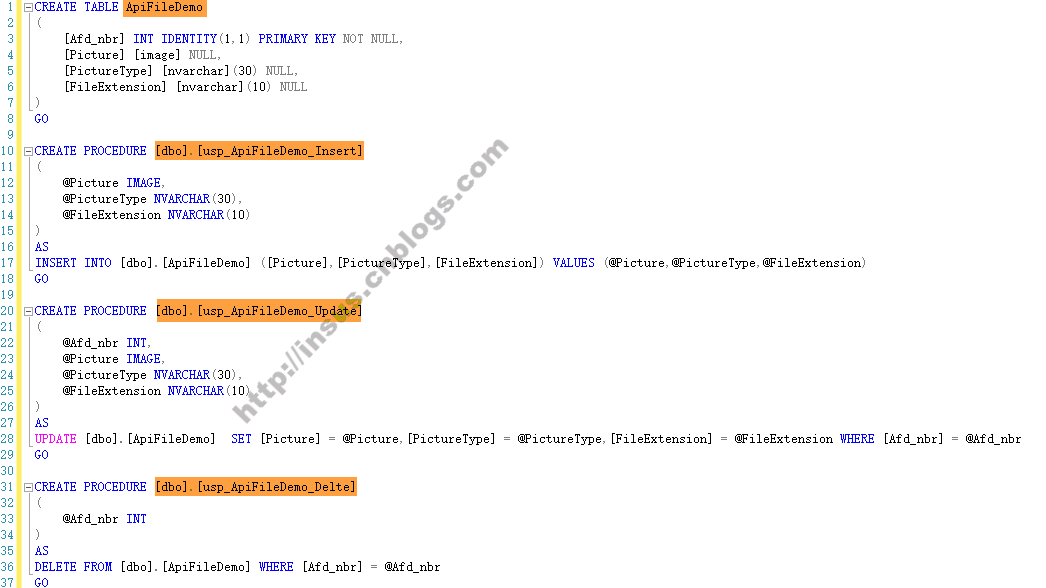
CREATE TABLE ApiFileDemo

(

    [Afd_nbr] INT IDENTITY(1,1) PRIMARY KEY NOT NULL,

    [Picture] [image] NULL,

    [PictureType] [nvarchar](30) NULL,

    [FileExtension] [nvarchar](10) NULL

)

GO

CREATE PROCEDURE [dbo].[usp_ApiFileDemo_Insert]

(

    @Picture IMAGE,

    @PictureType NVARCHAR(30),

    @FileExtension NVARCHAR(10)

)

AS

INSERT INTO [dbo].[ApiFileDemo] ([Picture],[PictureType],[FileExtension]) VALUES (@Picture,@PictureType,@FileExtension)

GO

CREATE PROCEDURE [dbo].[usp_ApiFileDemo_Update]

(

    @Afd_nbr INT,

    @Picture IMAGE,

    @PictureType NVARCHAR(30),

    @FileExtension NVARCHAR(10)

)

AS

UPDATE [dbo].[ApiFileDemo]  SET [Picture] = @Picture,[PictureType] = @PictureType,[FileExtension] = @FileExtension WHERE [Afd_nbr] = @Afd_nbr

GO

CREATE PROCEDURE [dbo].[usp_ApiFileDemo_Delte]

(

    @Afd_nbr INT

)

AS

DELETE FROM [dbo].[ApiFileDemo] WHERE [Afd_nbr] = @Afd_nbr

GO
Source Code
写到这里,发现少了一个存储过程,就是获取某一张图片的:
CREATE PROCEDURE [dbo].[usp_ApiFileDemo_GetByPrimarykey]

(

    @Afd_nbr INT

)

AS

SELECT [Afd_nbr],[Picture],[PictureType],[FileExtension] FROM [dbo].[ApiFileDemo] WHERE [Afd_nbr] = @Afd_nbr

GO
Source Code
接下来,我们可以设计Web API接口,待完成了,发布至网上,其它客户端就可以操作了。
根据数据库表,可以在API项目中,创建Model: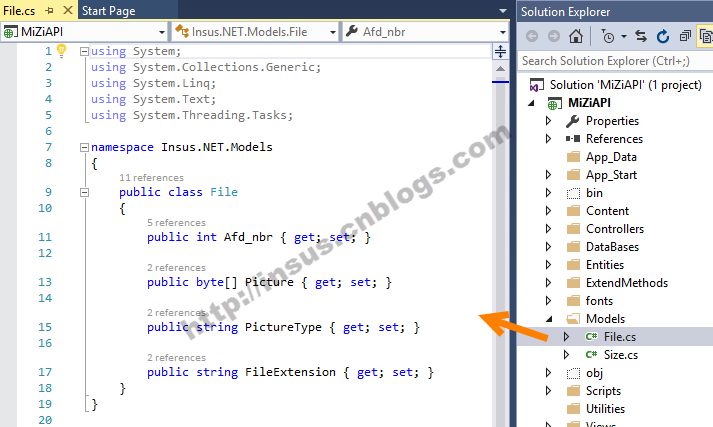
using System;

using System.Collections.Generic;

using System.Linq;

using System.Text;

using System.Threading.Tasks;

namespace Insus.NET.Models

{

    public class File

    {

        public int Afd_nbr { get; set; }

        public byte[] Picture { get; set; }

        public string PictureType { get; set; }

        public string FileExtension { get; set; }

    }

}
Source Code
写好model之后,还需要为API写一个实体,这个对象只是让程序与数据库进行交互。获取与存储等操作: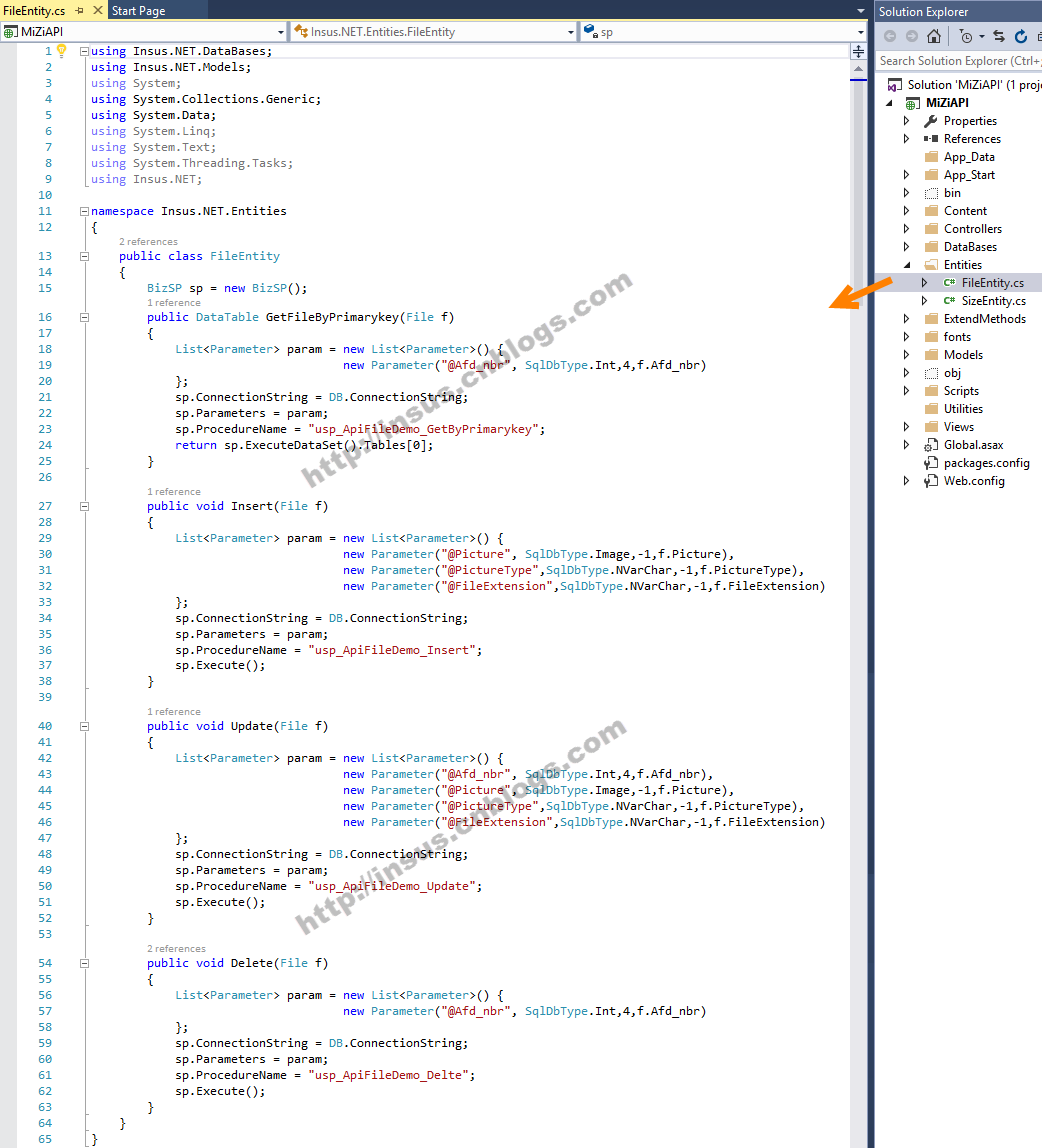
using Insus.NET.DataBases;

using Insus.NET.Models;

using System;

using System.Collections.Generic;

using System.Data;

using System.Linq;

using System.Text;

using System.Threading.Tasks;

using Insus.NET;

namespace Insus.NET.Entities

{

    public class FileEntity

    {

        BizSP sp = new BizSP();

        public DataTable GetFileByPrimarykey(File f)

        {

            List<Parameter> param = new List<Parameter>() {

                                    new Parameter("@Afd_nbr", SqlDbType.Int,,f.Afd_nbr)

            };

            sp.ConnectionString = DB.ConnectionString;

            sp.Parameters = param;

            sp.ProcedureName = "usp_ApiFileDemo_GetByPrimarykey";

            return sp.ExecuteDataSet().Tables[];

        }

        public void Insert(File f)

        {

            List<Parameter> param = new List<Parameter>() {

                                    new Parameter("@Picture", SqlDbType.Image,-,f.Picture),

                                    new Parameter("@PictureType",SqlDbType.NVarChar,-,f.PictureType),

                                    new Parameter("@FileExtension",SqlDbType.NVarChar,-,f.FileExtension)

            };

            sp.ConnectionString = DB.ConnectionString;

            sp.Parameters = param;

            sp.ProcedureName = "usp_ApiFileDemo_Insert";

            sp.Execute();

        }

        public void Update(File f)

        {

            List<Parameter> param = new List<Parameter>() {

                                    new Parameter("@Afd_nbr", SqlDbType.Int,,f.Afd_nbr),

                                    new Parameter("@Picture", SqlDbType.Image,-,f.Picture),

                                    new Parameter("@PictureType",SqlDbType.NVarChar,-,f.PictureType),

                                    new Parameter("@FileExtension",SqlDbType.NVarChar,-,f.FileExtension)

            };

            sp.ConnectionString = DB.ConnectionString;

            sp.Parameters = param;

            sp.ProcedureName = "usp_ApiFileDemo_Update";

            sp.Execute();

        }

        public void Delete(File f)

        {

            List<Parameter> param = new List<Parameter>() {

                                    new Parameter("@Afd_nbr", SqlDbType.Int,,f.Afd_nbr)

            };

            sp.ConnectionString = DB.ConnectionString;

            sp.Parameters = param;

            sp.ProcedureName = "usp_ApiFileDemo_Delte";

            sp.Execute();

        }

    }

}
Source Code
下面的控制器FileController,即是为客户端访问的接口,这个类别,它是继承了ApiController。
using Insus.NET.Entities;

using Insus.NET.ExtendMethods;

using Insus.NET.Models;

using System;

using System.Collections.Generic;

using System.Linq;

using System.Net;

using System.Net.Http;

using System.Web.Http;

namespace Insus.NET.Controllers

{

    public class FileController : ApiController

    {

        // GET: File

        FileEntity fe = new FileEntity();

        // GET: ApiFileDemo

        [HttpGet]

        public string Get(int id)

        {

            File f = new File();

            f.Afd_nbr = id;

            return fe.GetFileByPrimarykey(f).ToJson();

        }

        [HttpPost]

        public void Post(File f)

        {

            fe.Insert(f);

        }

        [HttpPut]

        public void Put(File f)

        {

            fe.Update(f);

        }

        [HttpDelete]

        public void Delete(File f)

        {

            fe.Delete(f);

        }

        [HttpDelete]

        public void Delete(int id)

        {

            File f = new File();

            f.Afd_nbr = id;

            fe.Delete(f);

        }

    }

}
Source Code
Web API完成,我们需要把它发布至IIS中去,如何发布,可以参考《创建与使用Web API》http://www.cnblogs.com/insus/p/5019088.html......
Ok,接下来,我们开发客户端的程序,尝试上Web API上传一些文件。
在客户端的项目中,创建一个mode: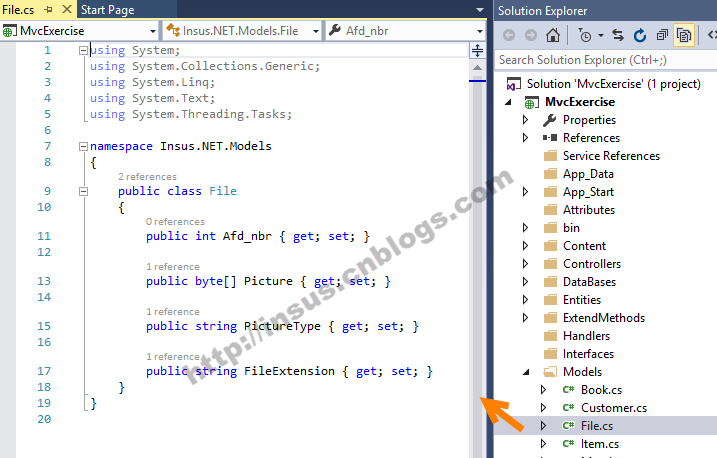
using System;

using System.Collections.Generic;

using System.Linq;

using System.Text;

using System.Threading.Tasks;

namespace Insus.NET.Models

{

    public class File

    {

        public int Afd_nbr { get; set; }

        public byte[] Picture { get; set; }

        public string PictureType { get; set; }

        public string FileExtension { get; set; }

    }

}
Source Code
ASP.NET MVC的控制器中,创建2个Action:
 public ActionResult Upload()

        {

            return View();

        }

        [HttpPost]

        public ActionResult Upload(IEnumerable<HttpPostedFileBase> files)

        {

            foreach (var file in files)

            {

                if (file.ContentLength > )

                {

                    Insus.NET.Models.File f = new Insus.NET.Models.File();

                    f.PictureType = file.ContentType;

                    string fn = Path.GetFileName(file.FileName);

                    f.FileExtension = fn.Substring(fn.LastIndexOf('.'));

                    using (Stream inputStream = file.InputStream)

                    {

                        MemoryStream memoryStream = inputStream as MemoryStream;

                        if (memoryStream == null)

                        {

                            memoryStream = new MemoryStream();

                            inputStream.CopyTo(memoryStream);

                        }

                        f.Picture = memoryStream.ToArray();

                    }

                    HttpClient client = new HttpClient();

                    string ff = f.ToJson();

                    HttpContent httpcontent = new StringContent(ff, System.Text.Encoding.UTF8, "application/json");

                    client.PostAsync("http://localhost:9001/api/file", httpcontent)

                        .ContinueWith((postTask) =>

                        {

                            postTask.Result.EnsureSuccessStatusCode();

                        });

                }

            }

            return RedirectToAction("Upload");

        }
Source Code
在视图中,可以这样做:
程序运行: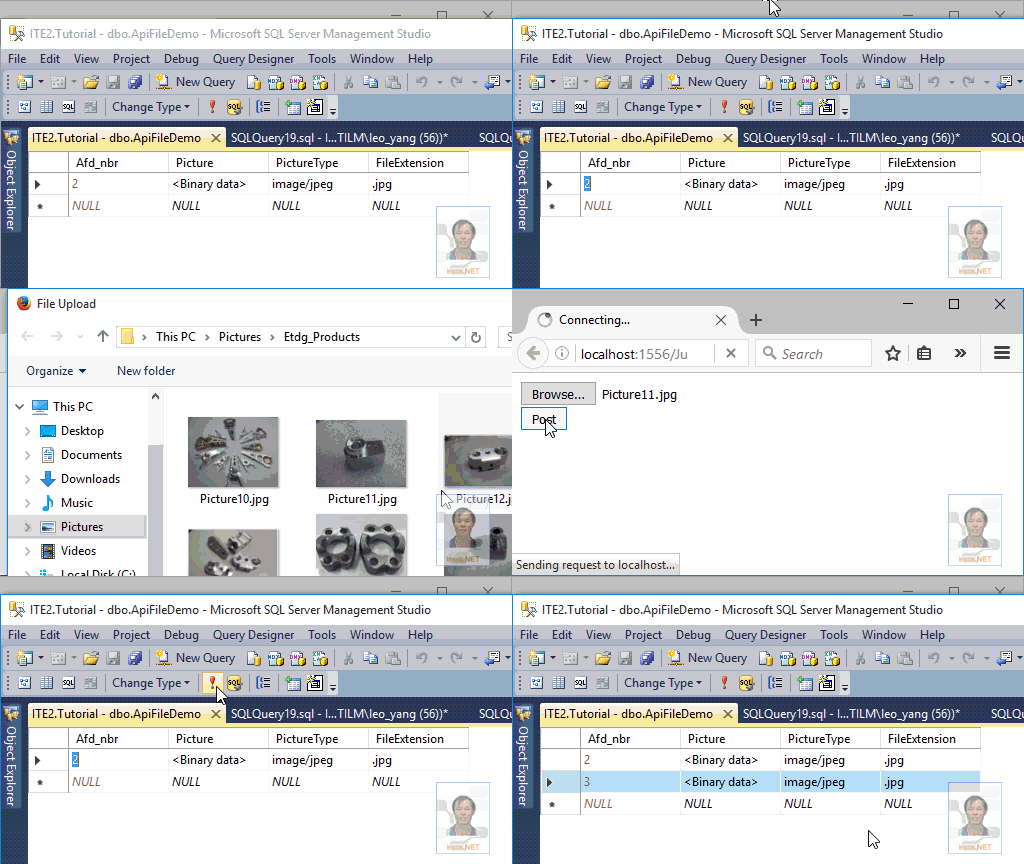
图片上传成功之后,现在我们需要把图片显示出来。
由于存储的是二进制的数据流,显示图片时,需要处理一下,需要写一个自定义的Result,如:PictureResult,它需要继承ContentResult: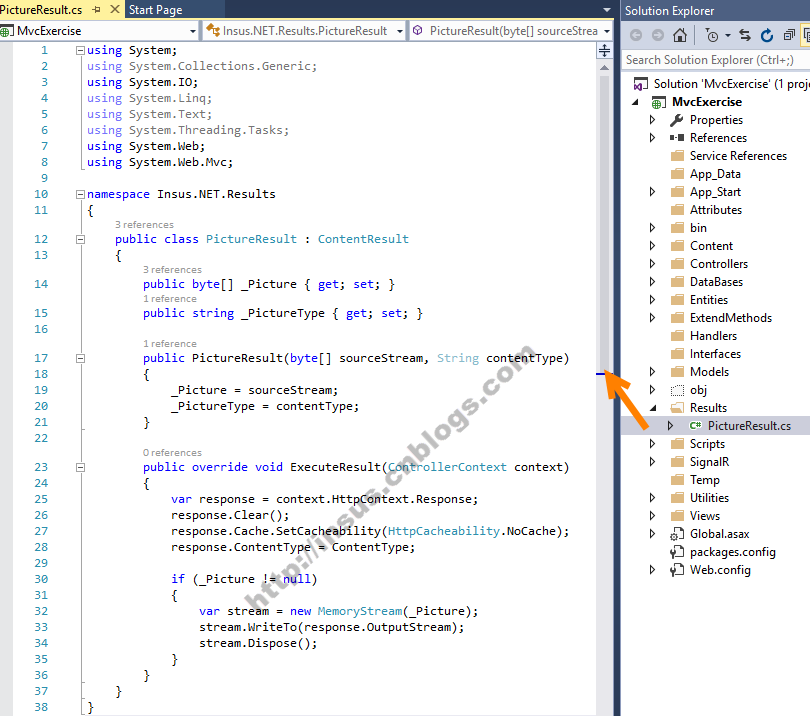
using System;

using System.Collections.Generic;

using System.IO;

using System.Linq;

using System.Text;

using System.Threading.Tasks;

using System.Web;

using System.Web.Mvc;

namespace Insus.NET.Results

{

    public class PictureResult : ContentResult

    {

        public byte[] _Picture { get; set; }

        public string _PictureType { get; set; }

        public PictureResult(byte[] sourceStream, String contentType)

        {

            _Picture = sourceStream;

            _PictureType = contentType;

        }

        public override void ExecuteResult(ControllerContext context)

        {

            var response = context.HttpContext.Response;

            response.Clear();

            response.Cache.SetCacheability(HttpCacheability.NoCache);

            response.ContentType = ContentType;

            if (_Picture != null)

            {

                var stream = new MemoryStream(_Picture);

                stream.WriteTo(response.OutputStream);

                stream.Dispose();

            }

        }

    }

}
Source Code
接下来,我们在控制器创建视图的Action:
 public ActionResult ShowPhoto()

        {

            return View();

        }

        public ActionResult ShowPicture(int id)

        {

            var files = ApiUtility.Get<Insus.NET.Models.File>("http://localhost:9001/api/file/" + id);

            var model = files.FirstOrDefault();

            PictureResult pictureResult = new PictureResult(model.Picture, model.PictureType);

            return pictureResult;

        }
Source Code
客户端程序运行,可以看到图片显示的效果: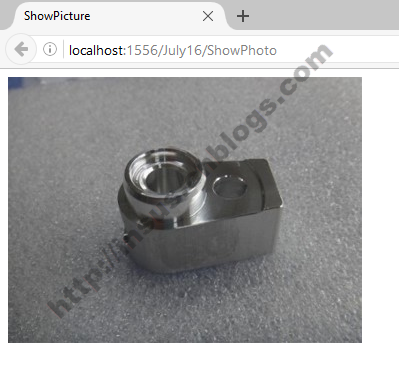
在Web API的接口还有更新,删除的接口,看官们可以继续完成。方法在Insus.NET博客上也有相似或是相关的功能......
Web API与文件操作的更多相关文章
- ASP.NET Core Web API Cassandra CRUD 操作
在本文中,我们将创建一个简单的 Web API 来实现对一个 “todo” 列表的 CRUD 操作,使用 Apache Cassandra 来存储数据,在这里不会创建 UI ,Web API 的测试将 ...
- Asp.Net Web API 2(CRUD操作)第二课
Asp.Net Web API 2(CRUD操作)第二课 Asp.Net Web API 导航 Asp.Net Web API第一课:入门http://www.cnblogs.com/aehyok ...
- 使用 Swagger UI 与 Swashbuckle 创建 RESTful Web API 帮助文件
作者:Sreekanth Mothukuru 2016年2月18日 本文旨在介绍如何使用常用的 Swagger 和 Swashbuckle 框架创建描述 Restful API 的交互界面,并为 AP ...
- 使用 Swagger UI 与 Swashbuckle 创建 RESTful Web API 帮助文件(转)
作者:Sreekanth Mothukuru2016年2月18日 本文旨在介绍如何使用常用的 Swagger 和 Swashbuckle 框架创建描述 Restful API 的交互界面,并为 API ...
- 调用Web API将文件上传到服务器的方法(.Net Core)
最近遇到一个将Excel通过Web API存到服务器的问题,其中涉及到Excel的读取.调用API.Web API怎么进行接收. 一. Excel的读取.调用API Excel读取以及调用API的代 ...
- Asp.Net MVC Web API 中Swagger教程,使用Swagger创建Web API帮助文件
什么是Swagger? Swagger 是一个规范和完整的框架,用于生成.描述.调用和可视化 RESTful 风格的 Web 服务.总体目标是使客户端和文件系统作为服务器以同样的速度来更新.文件的方法 ...
- ASP.NET(C#) Web Api通过文件流下载文件到本地实例
下载文件到本地是很多项目开发中需要实现的一个很简单的功能.说简单,是从具体的代码实现上来说的,.NET的文件下载方式有很多种,本示例给大家介绍的是ASP.NET Web Api方式返回HttpResp ...
- (转载) ASP.NET(C#) Web Api 通过文件流下载文件到本地实例
下载文件到本地是很多项目开发中需要实现的一个很简单的功能.说简单,是从具体的代码实现上来说的,.NET的文件下载方式有很多种,本示例给大家介绍的是ASP.NET Web Api方式返回HttpResp ...
- 【API】文件操作编程基础-CreateFile、WriteFile、SetFilePointer
1.说明 很多黑客工具的实现是通过对文件进行读写操作的,而文件读写操作实质也是对API函数的调用. 2.相关函数 CreateFile : 创建或打开文件或I/O设备.最常用的I/O设备如下:文件,文 ...
随机推荐
- [.net 面向对象程序设计进阶] (11) 序列化(Serialization)(三) 通过接口 IXmlSerializable 实现XML序列化 及 通用XML类
[.net 面向对象程序设计进阶] (11) 序列化(Serialization)(三) 通过接口 IXmlSerializable 实现XML序列化 及 通用XML类 本节导读:本节主要介绍通过序列 ...
- 仅此一文让你明白ASP.NET MVC 之Model的呈现(仅此一文系列三)
本文目的 我们来看一个小例子,在一个ASP.NET MVC项目中创建一个控制器Home,只有一个Index: public class HomeController : Controller { pu ...
- 获取Windows操作系统的CPU使用率以及内存使用率
此功能参考了ProcessHacker项目的代码. 声明定义 typedef struct _UINT64_DELTA { ULONG64 Value; ULONG64 Delta; } UINT64 ...
- 我只是想开个饭店—— JavaIO模型的演变
Java的IO...真的是我所见过的高级语言中.最最复杂的... 看着这个图我也是醉了. 但是不知不觉间,java的IO已经更新到了NIO.2了,IO库早已经不止是这个样子了,那么这个过程中,它们经历 ...
- 不知道张(zhāng)雱(pāng)是谁?你out了!
张(zhāng)雱(pāng)是谁?也许你已经听说过了,也许你还没听说过呢,不过你一定听说过老刘——刘强东,没错,这二人是有关系的,什么关系,京东是老刘的,而张雱呢?张雱是京东旗下52家关联公司法人代 ...
- Elasticsearch查询——布尔查询Bool Query
Elasticsearch在2.x版本的时候把filter查询给摘掉了,因此在query dsl里面已经找不到filter query了.其实es并没有完全抛弃filter query,而是它的设计与 ...
- show master/slave status求根溯源
show master/slave status分别是查看主数据库以及副数据库的状态,是一种能查看主从复制运行情况的方式. 这里仅仅讨论linux下的nysql5.7.13版本的执行情况 一.show ...
- SpringAOP之动态代理
一.动态代理: 1.在原有的静态代理的基础上进一步的完善,由于静态代理中,重复写了相同的代码使得代码的整体结构显得冗余,而且还不同的核心类还需要有不用的代理类,是写死了的具体的类.所以需要使用动态代理 ...
- Android开发-之SQLite数据库
之前我们讲了如何将数据存储在文件中,那么除了这种方式呢,就是我们常见的大家都知道的将数据存储在数据库当中了. 将数据存储在数据库中的优势: 1)存储在数据库中的数据更加方便操作,比如增.删.改.查等 ...
- Java各种排序算法详解
排序大的分类可以分为两种:内排序和外排序.在排序过程中,全部记录存放在内存,则称为内排序,如果排序过程中需要使用外存,则称为外排序.下面讲的排序都是属于内排序. 内排序有可以分为以下几类: (1).插 ...