
Apach Shiro MD5密码加密过程(明文生成密码过程)详细解析
前言:
最近再项目当中使用的ApachShiro安全框架,对于权限和服务器资源的保护都有一个很好的管理。前期主要参考的文章有
项目中设计密码的加盐处理以及二次加密问题,跟着断点 一步步揭开Apach Shiro 的神秘面纱
数据库:

这里我们就用最简单的admin + 123456(加密前的密码) 来做测试
ShiroConfig 配置
    /**

     * 凭证匹配器  告诉

     * @return

     */

    @Bean

    public HashedCredentialsMatcher hashedCredentialsMatcher() {

        HashedCredentialsMatcher hashedCredentialsMatcher = new HashedCredentialsMatcher();

        hashedCredentialsMatcher.setHashAlgorithmName("md5");// 散列算法:这里使用MD5算法;

        hashedCredentialsMatcher.setHashIterations(2);// 散列的次数,比如散列两次,相当于 md5(md5(""));

        return hashedCredentialsMatcher;

    }
这里我摘取了一段shiro 配置类当中的一个Bean注入对象,这里是告诉ApachShiro 我用的加密方式是MD5 散列次数是两次,后面你把传上来的用户名和密码交给Shiro校验的时候,它会按照你传入的凭证匹配器去校验用户名和密码是否正确
继承 AuthorizingRealm 重写 doGetAuthenticationInfo(校验)
@Override

    protected AuthenticationInfo doGetAuthenticationInfo(AuthenticationToken token) throws AuthenticationException {

        System.out.println("MyShiroRealm.doGetAuthenticationInfo()");

        // 获取用户的输入的账号.

        String username = (String) token.getPrincipal();

        System.out.println(token.getCredentials());

        // 通过username从数据库中查找 User对象,如果找到,没找到.

        // 实际项目中,这里可以根据实际情况做缓存,如果不做,Shiro自己也是有时间间隔机制,2分钟内不会重复执行该方法

        UserInfo userInfo = userInfoService.findByUsername(username);

        System.out.println("----->>userInfo=" + userInfo);

        if (userInfo == null) {

            return null;

        }

        SimpleAuthenticationInfo authenticationInfo = new SimpleAuthenticationInfo(userInfo, // 用户名

                userInfo.getPassword(), // 密码

                ByteSource.Util.bytes(userInfo.getCredentialsSalt()), // salt=username+salt

                getName() // realm name

        );

        return authenticationInfo;

    }
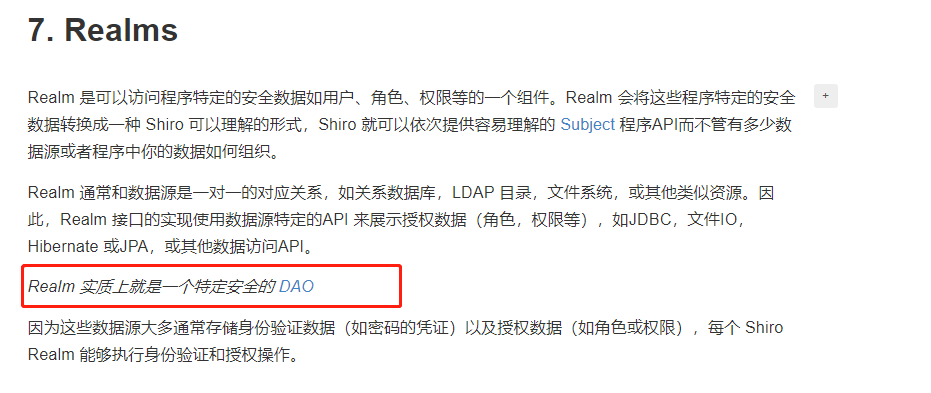
这个方法最后返回一个 AuthenticationInfo (身份验证信息)需要传入这样几个参数,principal(当前需要校验的用户)hashedCredentials (已经加密后密码) credentialsSalt(密码加盐)realmName(特定安全的 DAO名称)
 public SimpleAuthenticationInfo(Object principal, Object hashedCredentials, ByteSource credentialsSalt, String realmName) {

        this.principals = new SimplePrincipalCollection(principal, realmName);

        this.credentials = hashedCredentials;

        this.credentialsSalt = credentialsSalt;

    }
构建校验对象
 SimpleAuthenticationInfo authenticationInfo = new SimpleAuthenticationInfo(userInfo, // 用户名

                userInfo.getPassword(), // 密码

                ByteSource.Util.bytes(userInfo.getCredentialsSalt()), // salt=username+salt

                getName() // realm name

        );
我们在这里把从数据库查出来的userInfo对象传入,全局作为唯一
第二个参数依然是传入用户被MD5加盐加密后的密码 d3c59d25033dbf980d29554025c23a75
第三个参数传入盐值 (这里的盐值是用户名+盐值)再用 ByteSource进行一次编码 YWRtaW44ZDc4ODY5ZjQ3MDk1MTMzMjk1OTU4MDQyNGQ0YmY0Zg==
最后一个参数当然就是本次Realm的名字

断点跟进,进入一个getAuthenticationInfo核心方法
 public final AuthenticationInfo getAuthenticationInfo(AuthenticationToken token) throws AuthenticationException {

        AuthenticationInfo info = this.getCachedAuthenticationInfo(token);

        if (info == null) {
       //从自定义的Realm中拿出一个包装好的对象 ,和token传过来的进行一个比较

            info = this.doGetAuthenticationInfo(token);

            log.debug("Looked up AuthenticationInfo [{}] from doGetAuthenticationInfo", info);

            if (token != null && info != null) {

                this.cacheAuthenticationInfoIfPossible(token, info);

            }

        } else {

            log.debug("Using cached authentication info [{}] to perform credentials matching.", info);

        }

        if (info != null) {

            this.assertCredentialsMatch(token, info);

        } else {

            log.debug("No AuthenticationInfo found for submitted AuthenticationToken [{}].  Returning null.", token);

        }

        return info;

    }
注意:
1.方法传入的AuthenticationToken token 保存了当前传入过来的用户名 密码
继续用断点进行跟进 进入这样一个方法 cacheAuthenticationInfoIfPossible()
    private void cacheAuthenticationInfoIfPossible(AuthenticationToken token, AuthenticationInfo info) {

     //isAuthenticationCachingEnabled 首选检查是否启用缓存 我这里没有启用 返回的是false 直接跳出这个方法
if (!this.isAuthenticationCachingEnabled(token, info)) {

            log.debug("AuthenticationInfo caching is disabled for info [{}].  Submitted token: [{}].", info, token);

        } else {

            Cache<Object, AuthenticationInfo> cache = this.getAvailableAuthenticationCache();

            if (cache != null) {

                Object key = this.getAuthenticationCacheKey(token);

                cache.put(key, info);

                log.trace("Cached AuthenticationInfo for continued authentication.  key=[{}], value=[{}].", key, info);

            }

        }

    }
跳出来回到上面的 getAuthenticationInfo 核心方法 ,这里才是身份验证的主要位置
        if (info != null) {
        //凭证匹配器,提交的凭证和存储的凭证进行匹配比较

            this.assertCredentialsMatch(token, info);

        } else {

            log.debug("No AuthenticationInfo found for submitted AuthenticationToken [{}].  Returning null.", token);

        }
进入这个 assertCredentialsMatch(token,info)
    protected void assertCredentialsMatch(AuthenticationToken token, AuthenticationInfo info) throws AuthenticationException {
     //取出我们配置的凭证管理器 这里当然是MD5

        CredentialsMatcher cm = this.getCredentialsMatcher();

        if (cm != null) {

            if (!cm.doCredentialsMatch(token, info)) {

                String msg = "Submitted credentials for token [" + token + "] did not match the expected credentials.";

                throw new IncorrectCredentialsException(msg);

            }

        } else {

            throw new AuthenticationException("A CredentialsMatcher must be configured in order to verify credentials during authentication.  If you do not wish for credentials to be examined, you can configure an " + AllowAllCredentialsMatcher.class.getName() + " instance.");

        }

    }

引用:
返回设定的凭证匹配器(匹配规则),包含了hashAlgorithmName(加密方式名如md5)、hashIterations(加密次数)、
storedCredentialsHexEncoded(密文进行16进制存储)、hashSalted(默认值false)、passwordRetryCache(密码重试缓存)5个属性。
凭证管理器 CredentialsMatcher
public interface CredentialsMatcher {

    boolean doCredentialsMatch(AuthenticationToken var1, AuthenticationInfo var2);

}
凭证管理器定义为一个接口,我们在注入凭证管理器的时候,我们选择的是 Hash加密方法
HashedCredentialsMatcher hashedCredentialsMatcher = new HashedCredentialsMatcher();
所以跳到 HashedCredentialsMatcher 类下面的校验方法
    public boolean doCredentialsMatch(AuthenticationToken token, AuthenticationInfo info) {
     //把前台传过来的token明文密码进行加密

        Object tokenHashedCredentials = this.hashProvidedCredentials(token, info);
      //数据库查出来的已经加密过的密码

        Object accountCredentials = this.getCredentials(info);
      //进行比较

        return this.equals(tokenHashedCredentials, accountCredentials);

    }
继续断点跟进,这里是要给取出盐值的操作 判断info的类型是否是 SaltedAuthenticationInfo
    protected Object hashProvidedCredentials(AuthenticationToken token, AuthenticationInfo info) {

        Object salt = null;

        if (info instanceof SaltedAuthenticationInfo) {

            salt = ((SaltedAuthenticationInfo)info).getCredentialsSalt();

        } else if (this.isHashSalted()) {

            salt = this.getSalt(token);

        }

        return this.hashProvidedCredentials(token.getCredentials(), salt, this.getHashIterations());

    }
拿到盐值后 传给hashProvidedCredentials方法 传入明文密码 盐值 以及 加密散列的次数
    protected Hash hashProvidedCredentials(Object credentials, Object salt, int hashIterations) {

        String hashAlgorithmName = this.assertHashAlgorithmName();

        return new SimpleHash(hashAlgorithmName, credentials, salt, hashIterations);

    }
最后使用 SimpleHash构造器构造出加密后的对象
两个 SimpleHash 进行比较的方法
protected boolean equals(Object tokenCredentials, Object accountCredentials) {

        if (log.isDebugEnabled()) {

            log.debug("Performing credentials equality check for tokenCredentials of type [" + tokenCredentials.getClass().getName() + " and accountCredentials of type [" + accountCredentials.getClass().getName() + "]");

        }

        if (this.isByteSource(tokenCredentials) && this.isByteSource(accountCredentials)) {

            if (log.isDebugEnabled()) {

                log.debug("Both credentials arguments can be easily converted to byte arrays.  Performing array equals comparison");

            }

            byte[] tokenBytes = this.toBytes(tokenCredentials);

            byte[] accountBytes = this.toBytes(accountCredentials);

            return MessageDigest.isEqual(tokenBytes, accountBytes);

        } else {

            return accountCredentials.equals(tokenCredentials);

        }

    }
得知这些以后 ,我们自然而然的知道了密码加密的过程 ,我们在创建用户的时候 按照同样的方式,对密码进行一个加密 ,这样解密一点毛病也没有了
密码生成过程
    @Test

    public void contextLoads() {

        String password  = "123456";

        String salt = "admin8d78869f470951332959580424d4bf4f";

        int hashIterations = 2;

        SimpleHash simpleHash = new SimpleHash("md5",password, ByteSource.Util.bytes(salt),hashIterations);

        System.out.println(simpleHash.toHex());
    // 结果 : d3c59d25033dbf980d29554025c23a75

    }

比较数据库的密码 发现一致
参考博文:
https://www.iteye.com/blog/sunjy22-2398775
Apach Shiro MD5密码加密过程(明文生成密码过程)详细解析的更多相关文章
- Shiro自定义realm实现密码验证及登录、密码加密注册、修改密码的验证
一:先从登录开始,直接看代码 @RequestMapping(value="dologin",method = {RequestMethod.GET, RequestMethod. ...
- Django 自带密码加密,自定密码加密方式 及自定义验证方式
在django1.6中,默认的加密方式是pbkdf_sha256,具体算法不表,一直以来用django的自带用户验证都十分顺手,今天有需求,需要修改默认加密方式为md5,具体方法为: 在setting ...
- 前端使用bcrypt对密码加密,服务器对密码进行校验
以前为了防止前端密码安全问题,都是对密码进行md5(password + salt). 有些也会用别的加密方式,但还是会存在撞库,彩虹表等破解常规密码. 因此使用bcrypt加密是一个不错的选择,因为 ...
- 文件加密,密码加密,os模块
序列化模块 (非常非常重要) 序列化:将一个数据结构(list,dict....)转化成一个特殊的序列(特殊的字符串)的过程. # l1 = [1, 2, 3] # ret = str(l1) # p ...
- 13flask密码加密
一,了解密码加密方式 密码具有私有性较强的特性,预测密码加密对个人隐私的保护有这非常大的作用.在用flask搭建网站时候若服务器有被攻破的风险,要是用户表中密码字段也被拿走,后果将不堪设想. 在密码保 ...
- Linux下随机生成密码的命令总结
有时候经常为如何设置一个安全.符合密码复杂度的密码而绞尽脑汁,说实话,这实在是一个体力活而且浪费时间,更重要的是设置密码的时候经常纠结.终于有一天实在忍不住了,于是学习.整理了一下如何使用Linux下 ...
- DRF项目之实现用户密码加密保存
在DRF项目的开发中,我们通过直接使用序列化器保存的用户信息时,用户的密码是被明文保存到数据库中. 代码实现: def create(self, validated_data): '''重写creat ...
- 【SpringBoot】SpringBoot集成jasypt数据库密码加密
一.为什么要使用jasypt库? 目前springboot单体应用项目中,甚至没有使用外部配置中心的多服务的微服务架构的项目,开发/测试/生产环境中的密码往往是明文配置在yml或properties文 ...
- shiro密码的比对,密码的MD5加密,MD5盐值加密,多个Relme
有具体问题的可以参考之前的关于shiro的博文,关于shiro的博文均是一次工程的内容 密码的比对 通过AuthenticatingRealm的CredentialsMatcher方法 密码的加密 ...
随机推荐
- gulp+apache代理请求处理javascript跨域请求
apache设置(参考) 用 apache 的 mod_proxy 模块开启反向代理功能来实现: 1 修改 apache 配置文件 httpd.conf ,去掉以下两行前面 # 号 LoadModul ...
- 【POJ2488】A Knight's Journey
题目传送门 本题知识点:深度优先搜索 + 回溯 + 剪枝 + 字典序 题意是给你一个由 p,q 组成一个矩形的棋盘,让你用马棋在这上面走,是否能一线走完这 p * q 个格子. 关于这条路线是怎么走的 ...
- Runtime Only和Runtime + Compiler
如果你需要在客户端编译模板 (比如传入一个字符串给 template 选项,或挂载到一个元素上并以其 DOM 内部的 HTML 作为模板),就将需要加上编译器,即完整版 当使用 vue-loader ...
- SQL优化-如何分析性能瓶颈
MySQL优化一览图 笔者将优化分为了两大类:软优化和硬优化.软优化一般是操作数据库即可:而硬优化则是操作服务器硬件及参数设置. 1.软优化 1)查询语句优化 首先我们可以用EXPLAIN或DESCR ...
- 将linux上的网站代码托管到gogs git服务器上进行实时同步(实战)
一.说明 本说明只针对php,其他语言需要编译请用别的架构实现 二.实现效果 本地开发员门提交推送代码到git服务器,会立即同步更新网站服务器上代码 三.实战步骤小节 首次托管请先看 https: ...
- merge同时包含增、改、删
我们都知道oracle merge可以用来增和改,很少用它来删除.但是有时候我们仍然需要该特性,以提高性能,典型的场景就是将业务库逻辑删除的记录同步到查询库的时候,做真正的物理删除,这个时候merge ...
- SQLServer newID()
一直想找个除了newid() 外高效取随机数的方法, 有点遗憾,木有找到,谁有除了newid()以外更高效的 请留言,谢谢 从A表随机取2条记录,用SELECT TOP 10 * FROM ywle ...
- 003 Vue动画
一: 0.说明 在进入/离开的过渡中,会有 6 个 class 切换. v-enter:定义进入过渡的开始状态.在元素被插入之前生效,在元素被插入之后的下一帧移除. v-enter-active:定义 ...
- libpng error: IHDR: CRC error
原本正常显示在主页端logo图片无法显示了,爆出如下错误: libpng error: IHDR: CRC error 查找原因如下:
- 【翻译】Flink Table Api & SQL —— Overview
本文翻译自官网:https://ci.apache.org/projects/flink/flink-docs-release-1.9/dev/table/ Flink Table Api & ...