
springboot(三)
SpringBoot 整合JdbcTemplate
1.创建一个springboot_jdbc项目
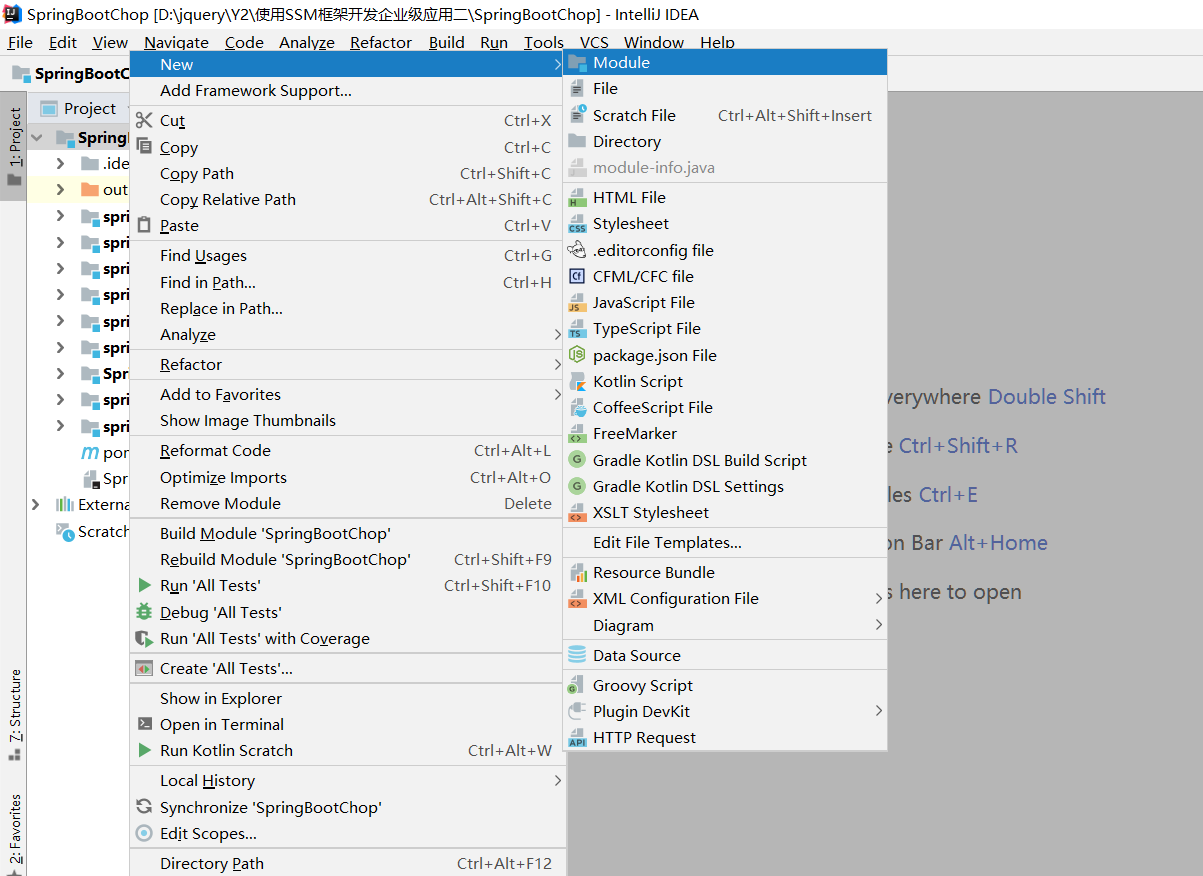
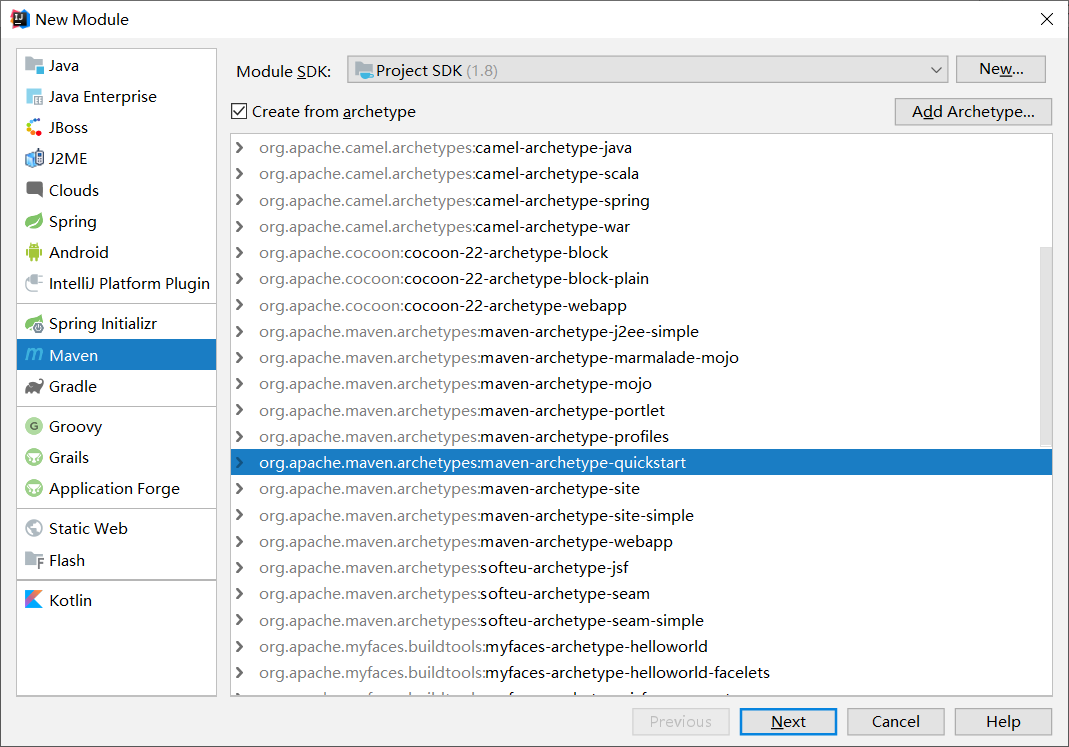
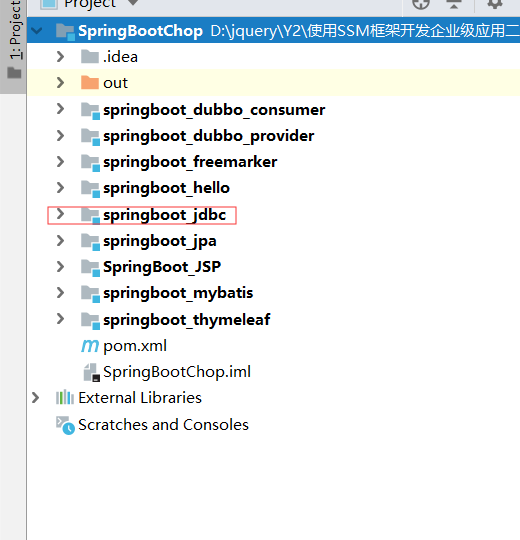
2.导入依赖
<dependency>

     <groupId>org.springframework.boot</groupId>

     <artifactId>spring-boot-starter-jdbc</artifactId>

</dependency>
3.创建一个entity实体类
public class Grade {

    private Integer grade_id;

    private String grade_name;

}
4.创建一个dao层实体
IGradeDao
public interface IGradeDao {

    public int insertGrade(Grade grade);

    public int updateGrade(Grade grade);

    public int deleteGrade(Integer id);

    public List<Grade> findAll();

}
IGradeDaoImpl
@Repository

public class IGradeDaoImpl implements IGradeDao {

    //导入JDBCTemplate模板

    @Resource

    private JdbcTemplate jdbcTemplate;

    @Override

    public int insertGrade(Grade grade) {

        return  jdbcTemplate.update("insert into Grade(grade_name) values(?)",grade.getGrade_name());

    }

    @Override

    public int updateGrade(Grade grade) {

        return jdbcTemplate.update("update grade set grade_name=? where grade_id=?",grade.getGrade_name(),grade.getGrade_id());

    }

    @Override

    public int deleteGrade(Integer id) {

        return jdbcTemplate.update("delete from grade where grade_id=?",id);

    }

    @Override

    public List<Grade> findAll() {

        //封装行数据映射

        RowMapper<Grade> rowMapper=new RowMapper<Grade>() {

            @Override

            public Grade mapRow(ResultSet rs, int rowNum) throws SQLException {

                Grade grade=new Grade(rs.getInt("grade_id"),rs.getString("grade_name"));

                return grade;

            }

        };

        return jdbcTemplate.query("select * from grade", rowMapper);

    }

}
5.创建service
IGradeService
public interface IGradeService {

    public int insertGrade(Grade grade);

    public int updateGrade(Grade grade);

    public int deleteGrade(Integer id);

    public List<Grade> findAll();

}
IGradeServiceImpl
@Service("iGradeService")

public class IGradeServiceImpl implements IGradeService {

    @Resource

    private IGradeDao iGradeDao;

    @Override

    public int insertGrade(Grade grade) {

        return iGradeDao.insertGrade(grade);

    }

    @Override

    public int updateGrade(Grade grade) {

        return iGradeDao.updateGrade(grade);

    }

    @Override

    public int deleteGrade(Integer id) {

        return iGradeDao.deleteGrade(id);

    }

    @Override

    public List<Grade> findAll() {

        return iGradeDao.findAll();

    }

}
6.创建controller控制器
@RestController

public class JDBCTemplateController {

    @Resource

    private IGradeService iGradeService;

    @RequestMapping("/insertGrade")

    public int insertGrade(){

        return iGradeService.insertGrade(new Grade("S1"));

    }

    @RequestMapping("/updateGrade")

    public int updateGrade(){

        return  iGradeService.updateGrade(new Grade(10012,"S2"));

    }

    @RequestMapping("/deleteGrade")

    public int deleteGrade(){

        return iGradeService.deleteGrade(10012);

    }

    @RequestMapping("/findAll")

    public List<Grade> findAll(){

        return iGradeService.findAll();

    }

}
7.编写application.yml
spring:

  datasource:

    driver-class-name: com.mysql.jdbc.Driver

    url: jdbc:mysql:///springdatajpa

    username: root

    password: 123456

##更改Tomcat端口

server:

  port: 8081

  ##指定当前工程项目访问地址

  context-path: /jdbc
8.直接运行
@SpringBootApplication

public class StartSpringBoot {

    public static void main(String[] args) {

        SpringApplication.run(StartSpringBoot.class,args);

    }

}
分别访问http://localhost:8081/jdbc/insertGrade
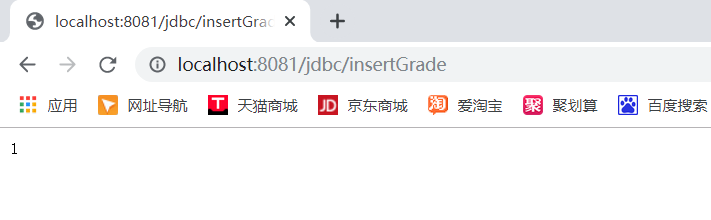
返回数字1代表添加成功
http://localhost:8081/jdbc/updateGrade

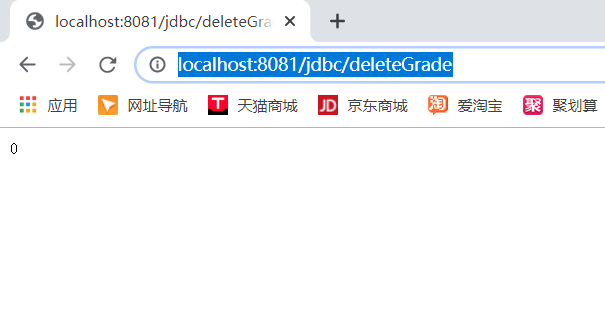
http://localhost:8081/jdbc/deleteGrade
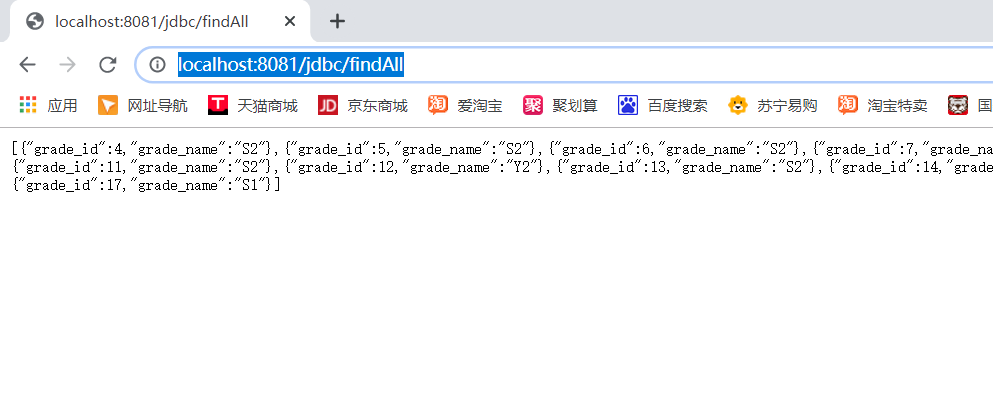
http://localhost:8081/jdbc/findAll
SpringBoot整合Mybatis
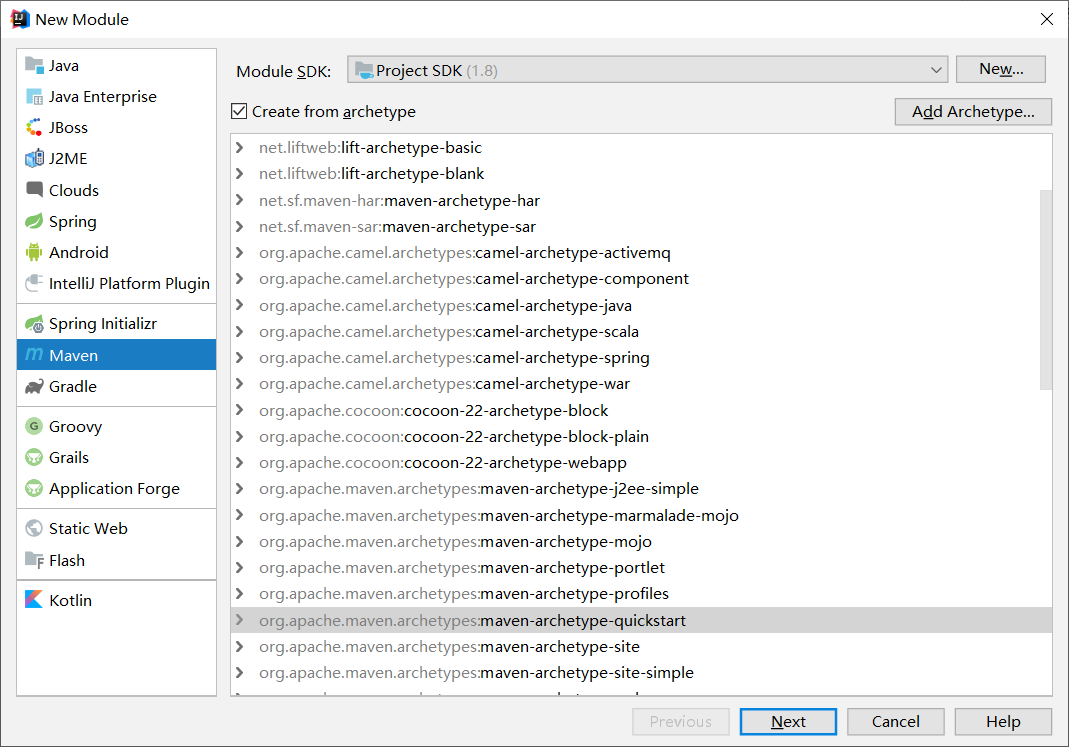
1.创建一个springboot_mybatis项目
2.导入依赖
<dependency>

            <groupId>org.mybatis.spring.boot</groupId>

            <artifactId>mybatis-spring-boot-starter</artifactId>

            <version>1.1.1</version>

        </dependency>
3.创建application.yml文件
##数据源配置

spring:

  datasource:

    driver-class-name: com.mysql.jdbc.Driver

    url: jdbc:mysql:///springdatajpa

    username: root

    password: 123456

##myabtis配置

mybatis:

  type-aliases-package: com.boot.entity

  mapper-locations: classpath:/mapper/*.xml

##开启日志

logging:

  level:

    com.boot.dao: debug
4.创建entity实体类
public class Grade {

    private Integer grade_id;

    private String grade_name;

}
5.创建dao
@Repository

@Mapper

public interface IGradeDao {

    int insertGrade(Grade grade);

    int updateGrade(Grade grade);

    int deleteGrade(Integer id);

    List<Grade> findAll();

}
6.创建mapper文件
<?xml version="1.0" encoding="UTF-8" ?>

<!DOCTYPE mapper PUBLIC "-//mybatis.org//DTD Mapper 3.0//EN" "http://mybatis.org/dtd/mybatis-3-mapper.dtd" >

<mapper namespace="com.boot.dao.IGradeDao">

  <insert id="insertGrade">

        insert  into  grade(grade_name) values(#{grade_name})

  </insert>

    <update id="updateGrade">

        update grade set grade_name=#{grade_name} where grade_id=#{grade_id}

    </update>

    <delete id="deleteGrade">

        delete from grade where grade_id=#{grade_id}

    </delete>

    <select id="findAll" resultType="com.boot.entity.Grade">

        select * from grade

    </select>

</mapper>
7.创建service
IGradeService
public interface IGradeService {

     int insertGrade(Grade grade);

     int updateGrade(Grade grade);

     int deleteGrade(Integer id);

     List<Grade> findAll();

}
IGradeServiceImpl
@Service("iGradeService")

public class IGradeServiceImpl implements IGradeService {

    @Resource

    private IGradeDao iGradeDao;

    @Override

    public int insertGrade(Grade grade) {

        return iGradeDao.insertGrade(grade);

    }

    @Override

    public int updateGrade(Grade grade) {

        return iGradeDao.updateGrade(grade);

    }

    @Override

    public int deleteGrade(Integer id) {

        return iGradeDao.deleteGrade(id);

    }

    @Override

    public List<Grade> findAll() {

        return iGradeDao.findAll();

    }

}
8.创建controller控制器
@RestController

public class MybatisController {

    @Resource

    private IGradeService iGradeService;

    @RequestMapping("/insertGrade")

    public int insertGrade(){

        return iGradeService.insertGrade(new Grade("S1"));

    }

    @RequestMapping("/updateGrade")

    public int updateGrade(){

        return  iGradeService.updateGrade(new Grade(2,"S2"));

    }

    @RequestMapping("/deleteGrade")

    public int deleteGrade(){

        return iGradeService.deleteGrade(2);

    }

    @RequestMapping("/findAll")

    public List<Grade> findAll(){

        return iGradeService.findAll();

    }

}
9.运行
@SpringBootApplication

@MapperScan("com.boot.dao")

public class StartSpringBoot {

    public static void main(String[] args) {

        SpringApplication.run(StartSpringBoot.class,args);

    }

}
效果如上所示
SpringBoot整合Dubbo
1.创建springboot_dubbo_provider项目
2.导入依赖
<dependency>

            <groupId>com.101tec</groupId>

            <artifactId>zkclient</artifactId>

            <version>0.10</version>

        </dependency>

        <dependency>

            <groupId>com.alibaba.spring.boot</groupId>

            <artifactId>dubbo-spring-boot-starter</artifactId>

            <version>2.0.0</version>

        </dependency>
3.创建application.yml
spring.dubbo.application.name=provider

spring.dubbo.registry.address=zookeeper://127.0.0.1:2181

spring.dubbo.protocol.name=dubbo

spring.dubbo.protocol.port=20880

##com.mysql.jdbc.Driver

spring.datasource.driver-class-name=com.mysql.jdbc.Driver

spring.datasource.url=jdbc:mysql:///springdatajpa?useUnicode=true&characterEncoding=UTF-8&zeroDateTimeBehavior=convertToNull&allowMultiQueries=true

spring.datasource.username=root

spring.datasource.password=123456
4.创建service
public interface IDoSomeService {

    public String sayHi();

}
IDoSomeServiceImpl
//利用Dubbo暴露出一个接口

@Service(interfaceClass=IDoSomeService.class)

@Component

public class IDoSomeServiceImpl implements IDoSomeService {

    @Override

    public String sayHi() {

        System.out.println("生产者生产的IDoSomeService服务,中的sayHi方法");

        return "SpringBoot Dubbo";

    }

}
5.运行
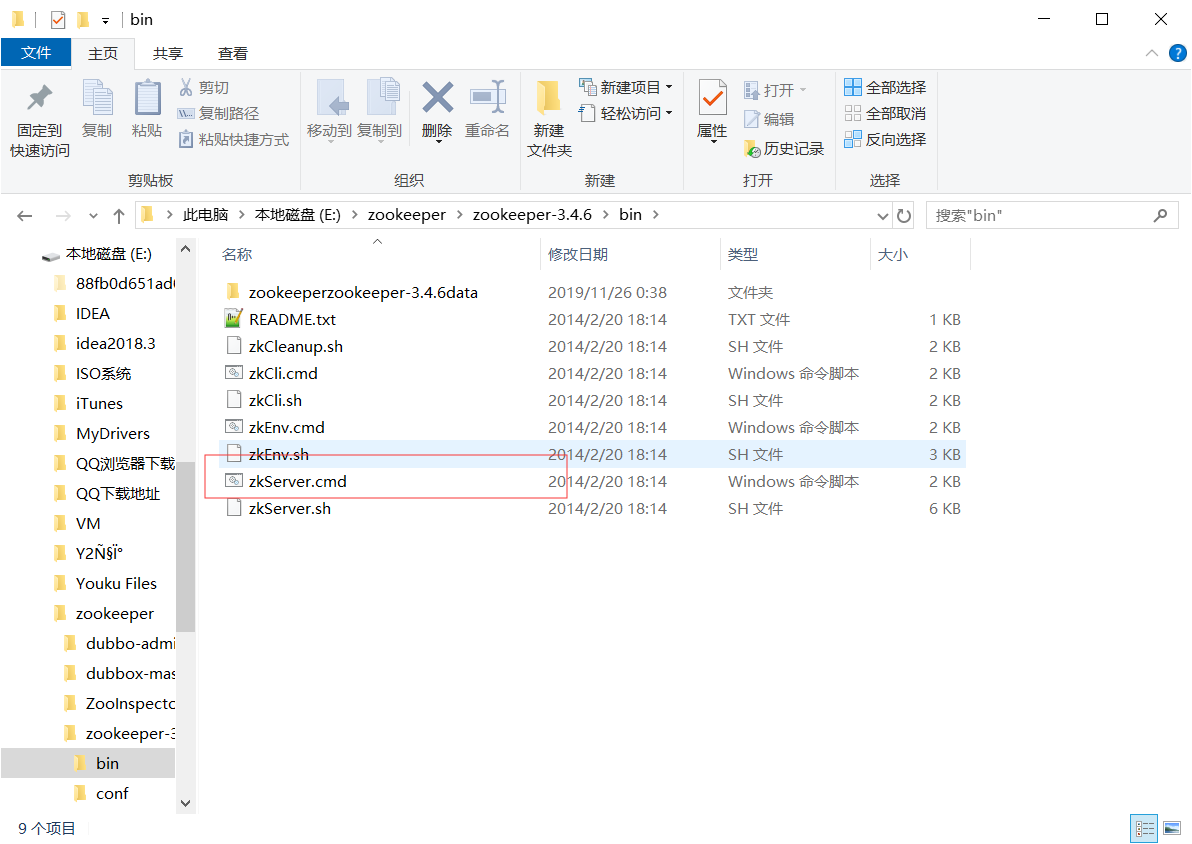
启动本地的zookeeper
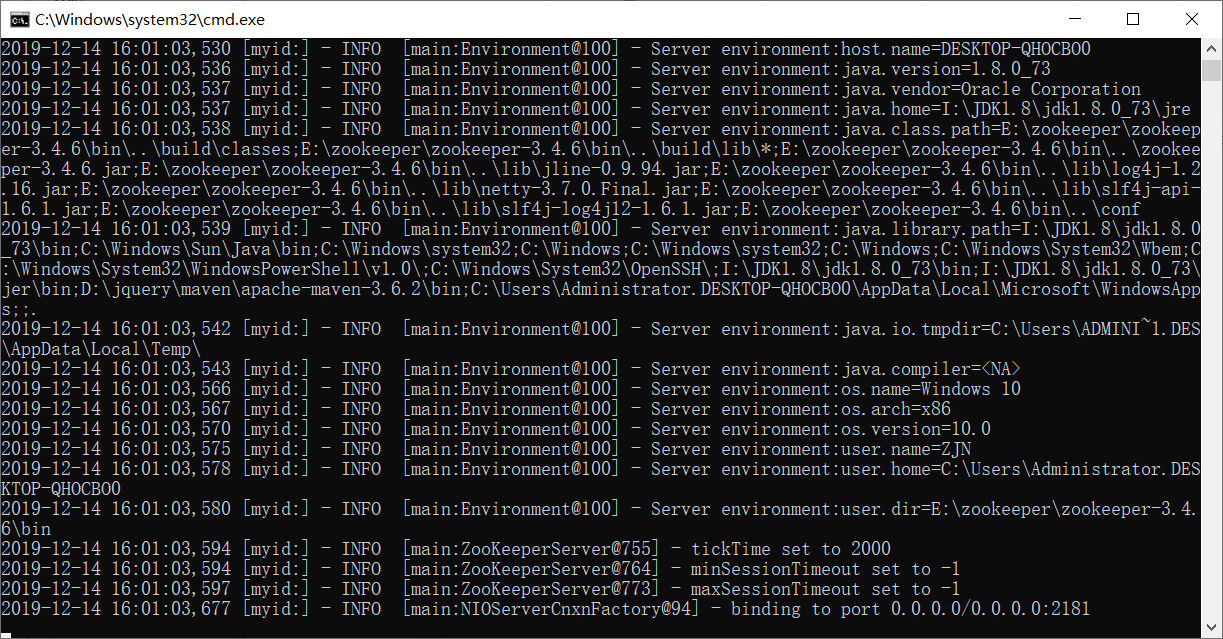
启动项目


可以看到service已经暴露成功了
下面创建springboot_dubbo_consumer
创建application.properties
spring.dubbo.application.name=consumer

spring.dubbo.registry.address=zookeeper://127.0.0.1:2181

server.port=8081
创建service
public interface IDoSomeService {

    public String sayHi();

}
创建controller控制器
@RestController

public class DubboController {

    @Reference

    private IDoSomeService iDoSomeService;

    @RequestMapping("/dubbo")

    public String dubbo(){

        String returnValue = iDoSomeService.sayHi();

       return returnValue;

    }

}
直接启动
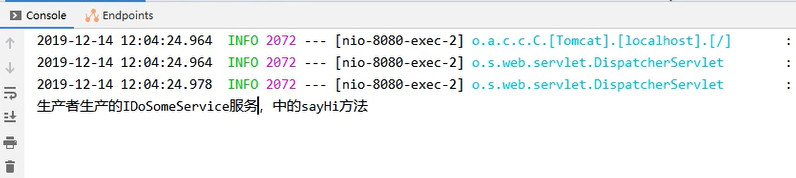
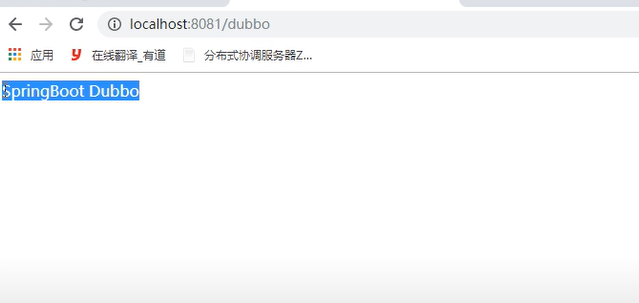
springboot(三)的更多相关文章
- spring-boot (三) spring data jpa
学习文章来自:http://www.ityouknow.com/spring-boot.html spring data jpa介绍 首先了解JPA是什么? JPA(Java Persistence ...
- SpringBoot 三种方式配置 Druid(包括纯配置文件配置)
记录一下在项目中用纯 YML(application.yml 或者 application.properties)文件.Java 代码配置 Bean 和注解三种方式配置 Alibaba Druid 用 ...
- SpringBoot(三) -- SpringBoot与日志
一.日志的起源 现在假设一个开发人员在开发一个大型系统,由于这个系统过于庞大没在很多的地方将关键的数据使用System.out.println()打印,但是当我们在项目正式上线时又需要去除,在项目bu ...
- SpringBoot(三)SpringBoot自动配置
我们都知道SpringBoot帮助我们集成了许多组件和配置,那么SpringBoot是如何集成这些配置并在启动是自动进行配置呢.说到这就不得又需要回过头来看一下@SpringBootApplicati ...
- Java开发学习(三十六)----SpringBoot三种配置文件解析
一. 配置文件格式 我们现在启动服务器默认的端口号是 8080,访问路径可以书写为 http://localhost:8080/books/1 在线上环境我们还是希望将端口号改为 80,这样在访问的时 ...
- SpringBoot(三) - Slf4j+logback 日志,异步请求,定时任务
1.Slf4j+logback 日志 SpringBoot框架的默认日志实现:slf4j + logback: 默认日志级别:info,对应了实际生产环境日志级别: 1.1 日志级别 # 常见的日志框 ...
- springboot(三):Spring boot中Redis的使用
spring boot对常用的数据库支持外,对nosql 数据库也进行了封装自动化. redis介绍 Redis是目前业界使用最广泛的内存数据存储.相比memcached,Redis支持更丰富的数据结 ...
- spring-boot(三) HowTo
Spring Boot How To 1. 简介 本章节将回答一些常见的"我该怎么做"类型的问题,这些问题在我们使用spring Boot时经常遇到.这绝不是一个详尽的列表,但它覆 ...
- SpringBoot三种配置Dubbo的方式
*必须首先导入dubbo-starter (1).使用SpringBoot配置文件(application.properties或application.yml) dubbo.application. ...
- SpringBoot(三) Core Features: External Configuration(配置文件)
码云: external-configuration 可以使用属性文件,YAML文件,环境变量和命令行参数来外部化配置 一.属性值可以直接注入到bean 系统属性值不可以 // application ...
随机推荐
- C++中几种字符串表示方法
最近学习C++时,被几种字符串搞的有点乱,这里记录一下. c++中有两种风格字符串,分别是: C++风格字符串 C风格字符串 它们各自的声明方式如下: void main(){ string a = ...
- Drools7 Hello Wrold 入门详细步骤--系列01课
一.什么叫规则引擎?规则--->写在文档上引擎--->在java代码上,引用这个文档上的规则 二.drools规则引擎有什么用?简单来说就是将多变的规则,从业务代码中剥离出来(当规则变了之 ...
- java之spring mvc之页面跳转
1. 如果返回值为ModelAndView,在处理方法中,返回null时,默认跳转的视图名称为请求名.跳转结果会根据视图解析器来跳转. @RequestMapping("/hello.do& ...
- eclipse中启动tomcat后, 无法访问localhost:8080
问题: 今天老师讲了Servlet路径问题, 做了个测试在eclipse中启动tomcat后,在浏览器地址栏输入 http://localhost8080无法访问, 提示404错误, 正常情况是可以访 ...
- pandas-04 多级index操作
pandas-04 多级index操作 在pandas中可以为series和dataframe设置多个index,也就是说可以有多级index和column.这样可以对pandas的操作更加灵活. i ...
- C++ Primer Plus(第6版)习题(第二章)
1..编写一个C++程序,它显示您的姓名和地址. #include<iostream> using namespace std; int main() { string name,addr ...
- Vue学习之项目部分代码(十八)
1.mian.js: // 入口文件 import Vue from "vue"; // 1.1导入路由 import VueRouter from "vue-route ...
- v8--sort 方法 源码 (1) 插入排序法
v8--sort方法源码中对于长度较短的数组使用的是插入排序法. 部分源码: function InsertionSort(a, from, to) { for (var i = from + 1; ...
- 在vue组件中访问vuex模块中的getters/action/state
store的结构: city模块: 在各模块使用了命名空间的情况下,即 namespaced: true 时: 组件中访问模块里的state 传统方法: this.$store.state['模块名' ...
- caement Archaic spelling of cement
caement Archaic spelling of cement. caement Alternative forms[edit] caement (archaic) cæment (archai ...