
ELK之在CentOS7.5上使用rpm包安装配置ELK7版本
一,安装环境查看

二,软件版本选用
jdk 1.8.0_171

elasticsearch 7.1.1

kibana 7.1.1

logstash 7.1.1
三,安装配置
1,安装JDK
过程不详述
2,安装ELK
官网下载安装包
wget https://artifacts.elastic.co/downloads/elasticsearch/elasticsearch-7.1.1-x86_64.rpm

wget https://artifacts.elastic.co/downloads/kibana/kibana-7.1.1-x86_64.rpm

wget https://artifacts.elastic.co/downloads/logstash/logstash-7.1.1.rpm
安装
rpm -ivh elasticsearch-7.1.1-x86_64.rpm

rpm -ivh kibana-7.1.1-x86_64.rpm

rpm -vih logstash-7.1.1.rpm
修改elasticsearch配置文件
/etc/elasticsearch/elasticsearch.yml
#集群名

cluster.name: my-es

#node名

node.name: node-1

#数据目录

path.data: /data/es-data

#日志目录

path.logs: /var/log/elasticsearch

network.host: 0.0.0.0

http.port: 9200

#集群master需要和node名设置一致

cluster.initial_master_nodes: ["node-1"]
设置elasticsearch的jave目录(手动安装java需设置yum安装的java无需设置)
修改配置文件
/etc/sysconfig/elasticsearch
设置java目录
JAVA_HOME=/usr/local/jdk1.8.0_171
创建数据目录并设置权限
 mkdir -p /data/es-data

 chown -R elasticsearch:elasticsearch /data/es-data/
启动elasticsearch
systemctl start elasticsearch

systemctl enable elasticsearch
检测是否启动
[root@salt-test 7.1.1]# curl 127.0.0.1:9200

{

  "name" : "node-1",

  "cluster_name" : "my-es",

  "cluster_uuid" : "-5vm0JOyQP-fehWjlXal_A",

  "version" : {

    "number" : "7.1.1",

    "build_flavor" : "default",

    "build_type" : "rpm",

    "build_hash" : "7a013de",

    "build_date" : "2019-05-23T14:04:00.380842Z",

    "build_snapshot" : false,

    "lucene_version" : "8.0.0",

    "minimum_wire_compatibility_version" : "6.8.0",

    "minimum_index_compatibility_version" : "6.0.0-beta1"

  },

  "tagline" : "You Know, for Search"

}
设置kibana
修改配置文件
server.port: 5601

server.host: "0.0.0.0"

server.name: "node-1"

elasticsearch.hosts: ["http://192.168.1.4:9200"]

kibana.index: ".kibana"
PS:7版本elasticsearch.hosts的配置在6版本里面为elasticsearch.url 需要配置正确否则message日志会报错
FATAL Error: [elasticsearch.url]: definition for this key is missing
启动
systemctl start kibana

systemctl enable kibana
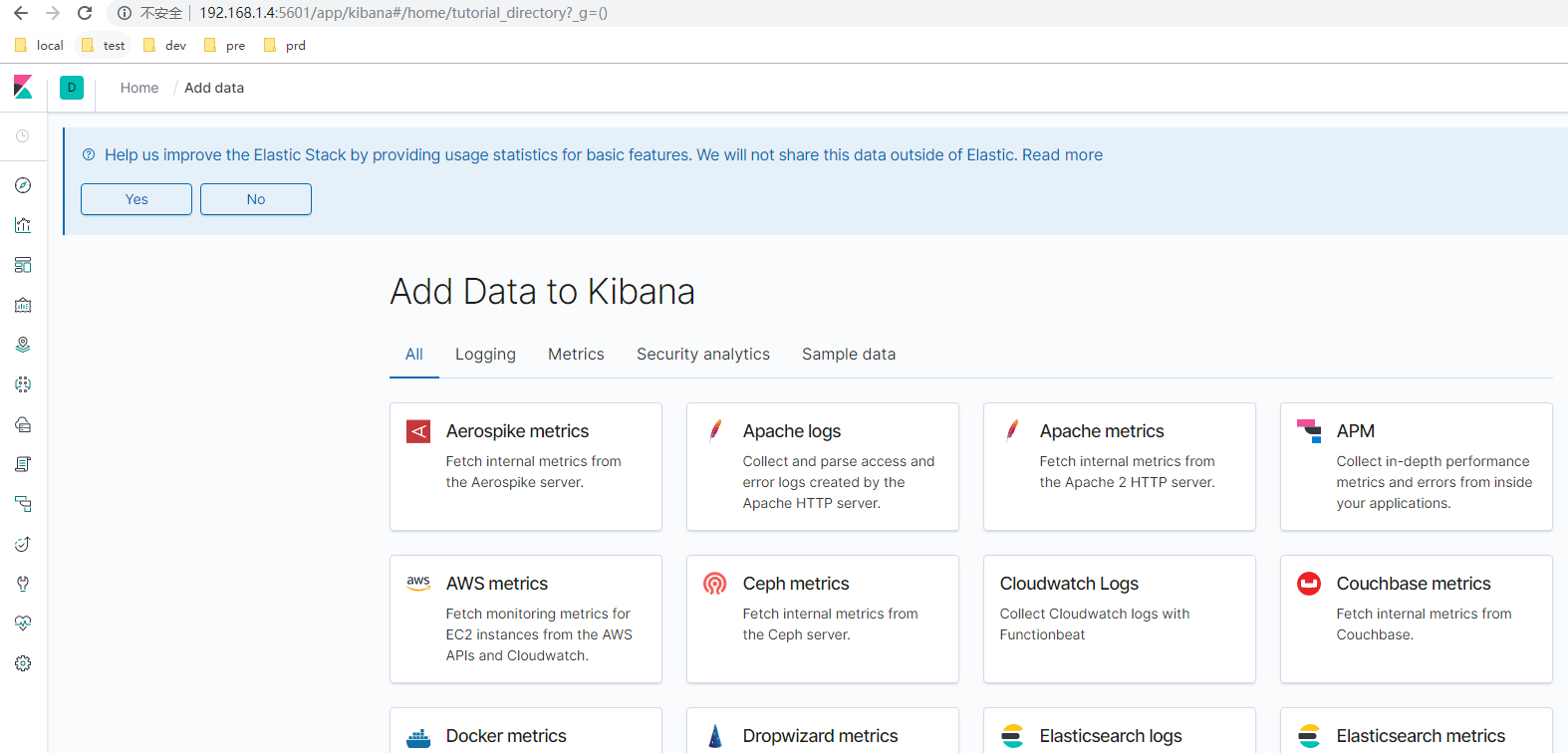
web页面查看,还没有索引
安装head
安装head同elasticsearch6 参考 https://www.cnblogs.com/minseo/p/9117470.html
集群健康状态检查
curl -XGET 'http://192.168.1.4:9200/_cluster/health?pretty=true'
使用logstash收集日志
标准输入输出
/usr/share/logstash/bin/logstash -e 'input { stdin{} } output { stdout {} }'
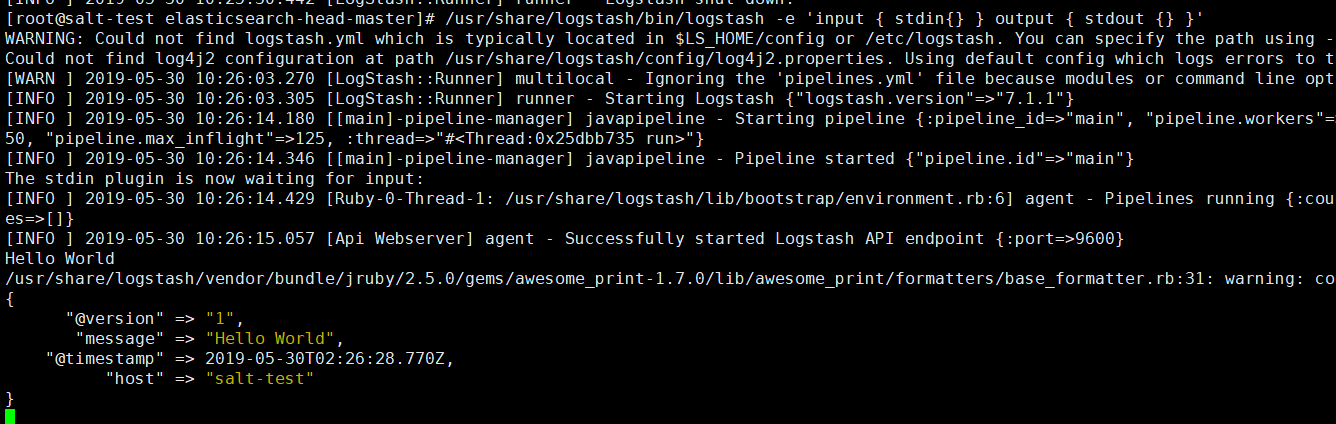
页面输入什么则输出什么
以json格式输出

输出至ES
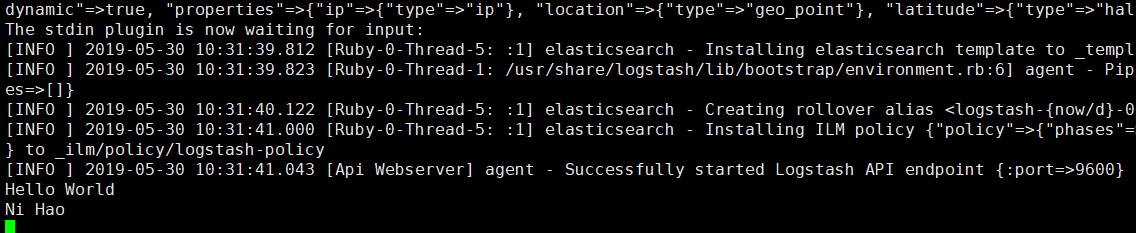
/usr/share/logstash/bin/logstash -e 'input { stdin{} } output { elasticsearch { hosts => ["192.168.1.4:9200"] index => "logstash-%{+YYYY.MM.dd}" } }'
启动后标准输出无反应
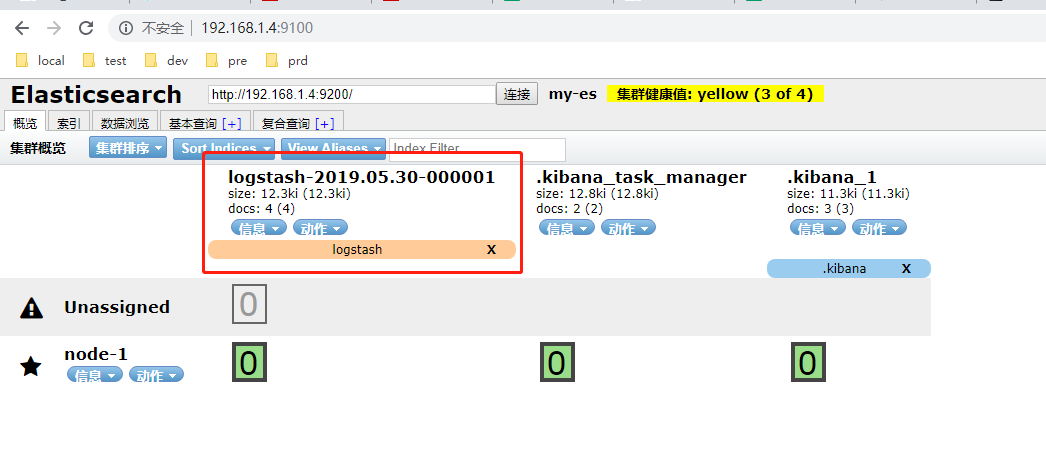
打卡head即可查看
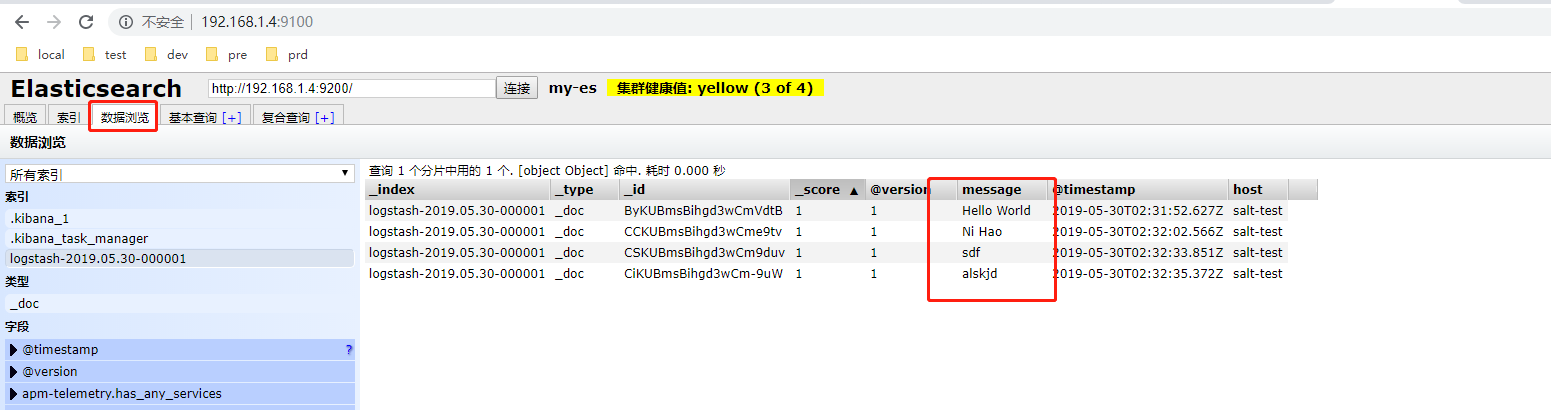
写一个配置文件收集系统日志
/etc/logstash/conf.d/file.conf
input{

  file{

    path => ["/var/log/messages"]

    type => "system-log"

    start_position => "beginning"

  }

}

filter{

}

output{

  elasticsearch{

    hosts => ["192.168.1.4:9200"]

    index => "system-log-%{+YYYY.MM}"

  }

}
启动放置在后台
/usr/share/logstash/bin/logstash -f /etc/logstash/conf.d/file.conf &
当文件/var/log/messages有日志写入时就会写es,在head可以查看
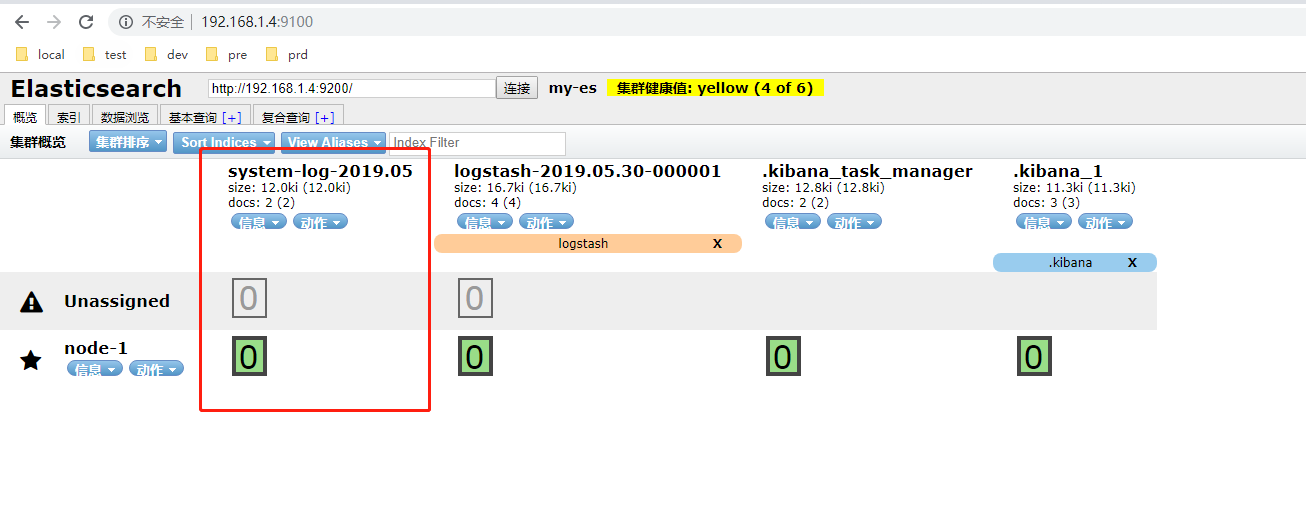
把日志添加至kiban展示
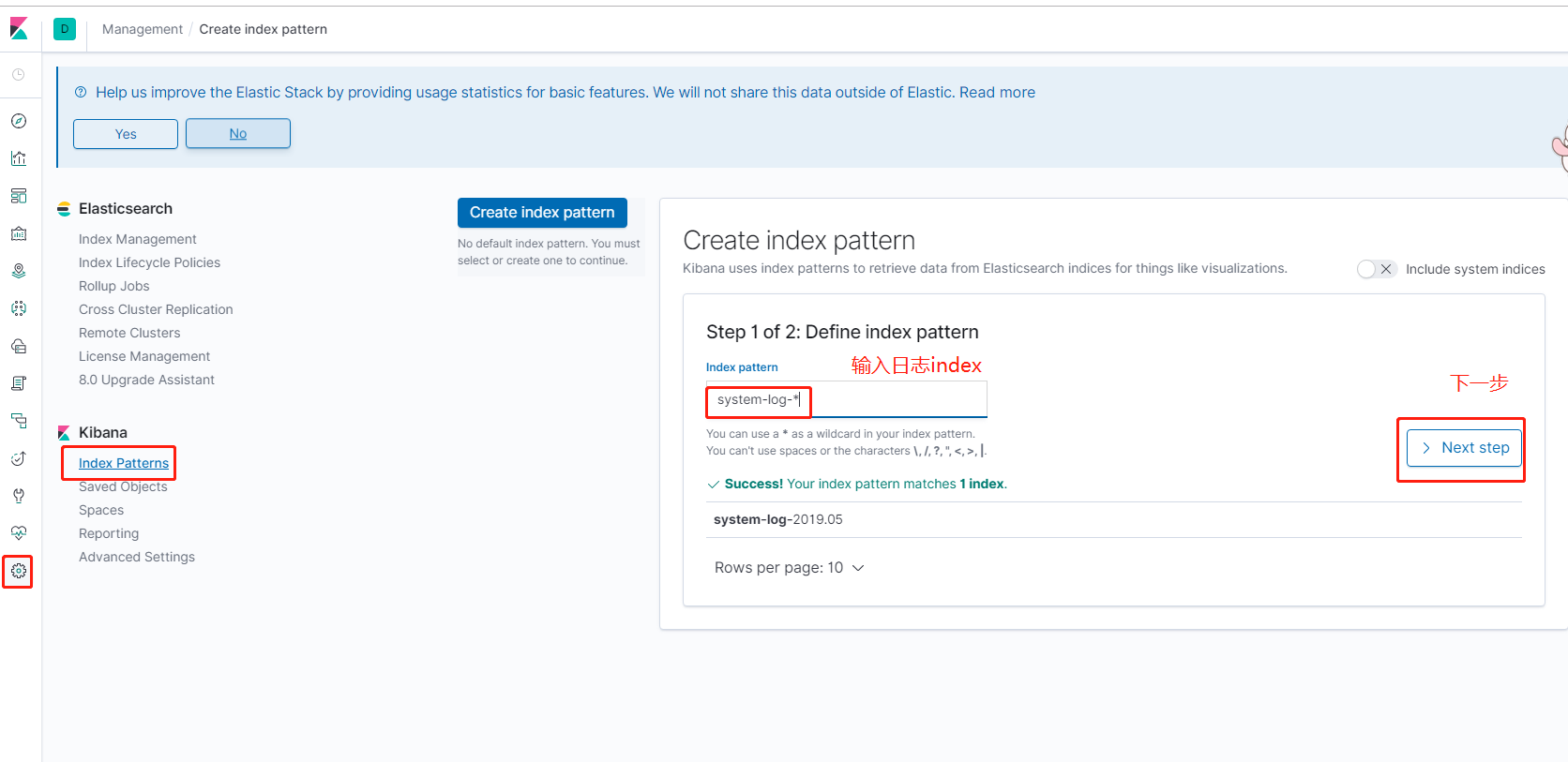
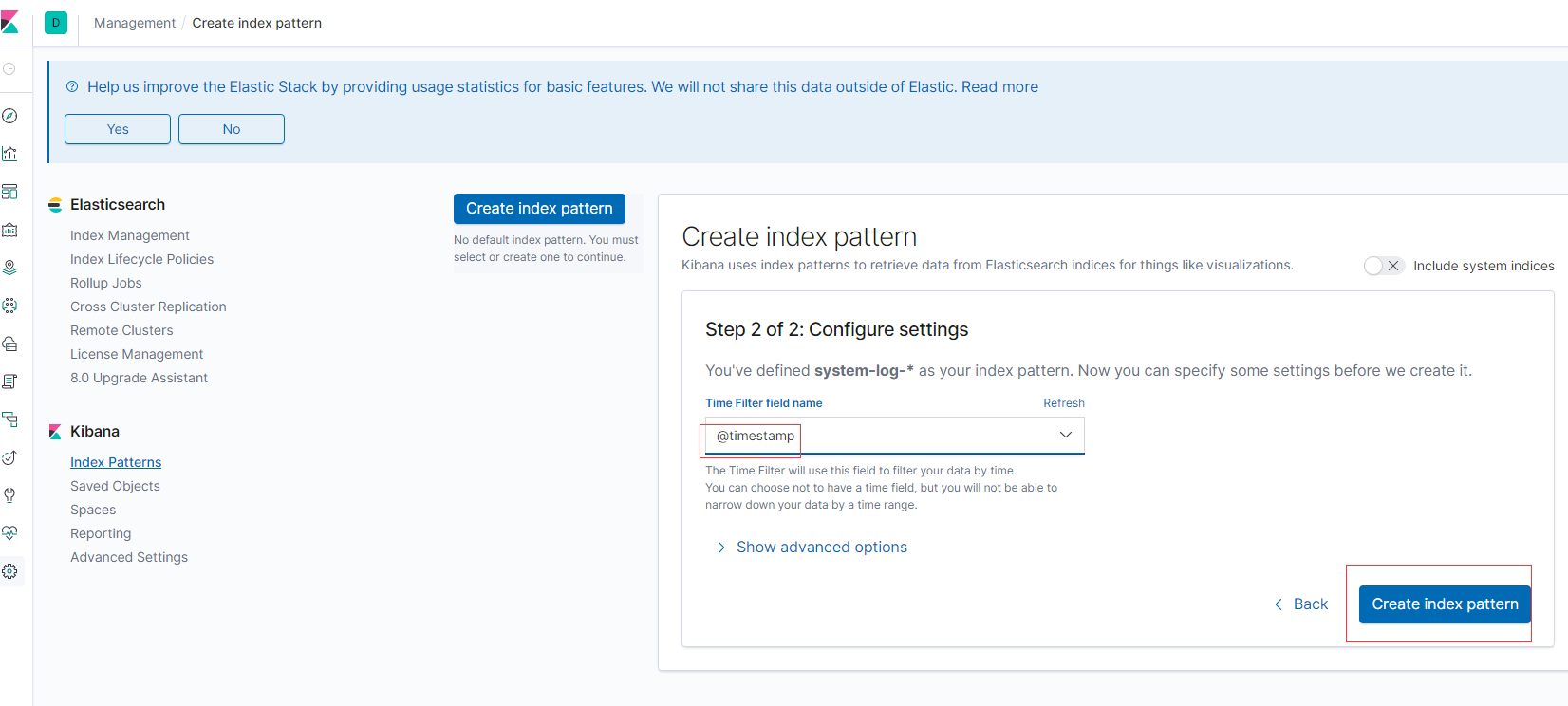
查看
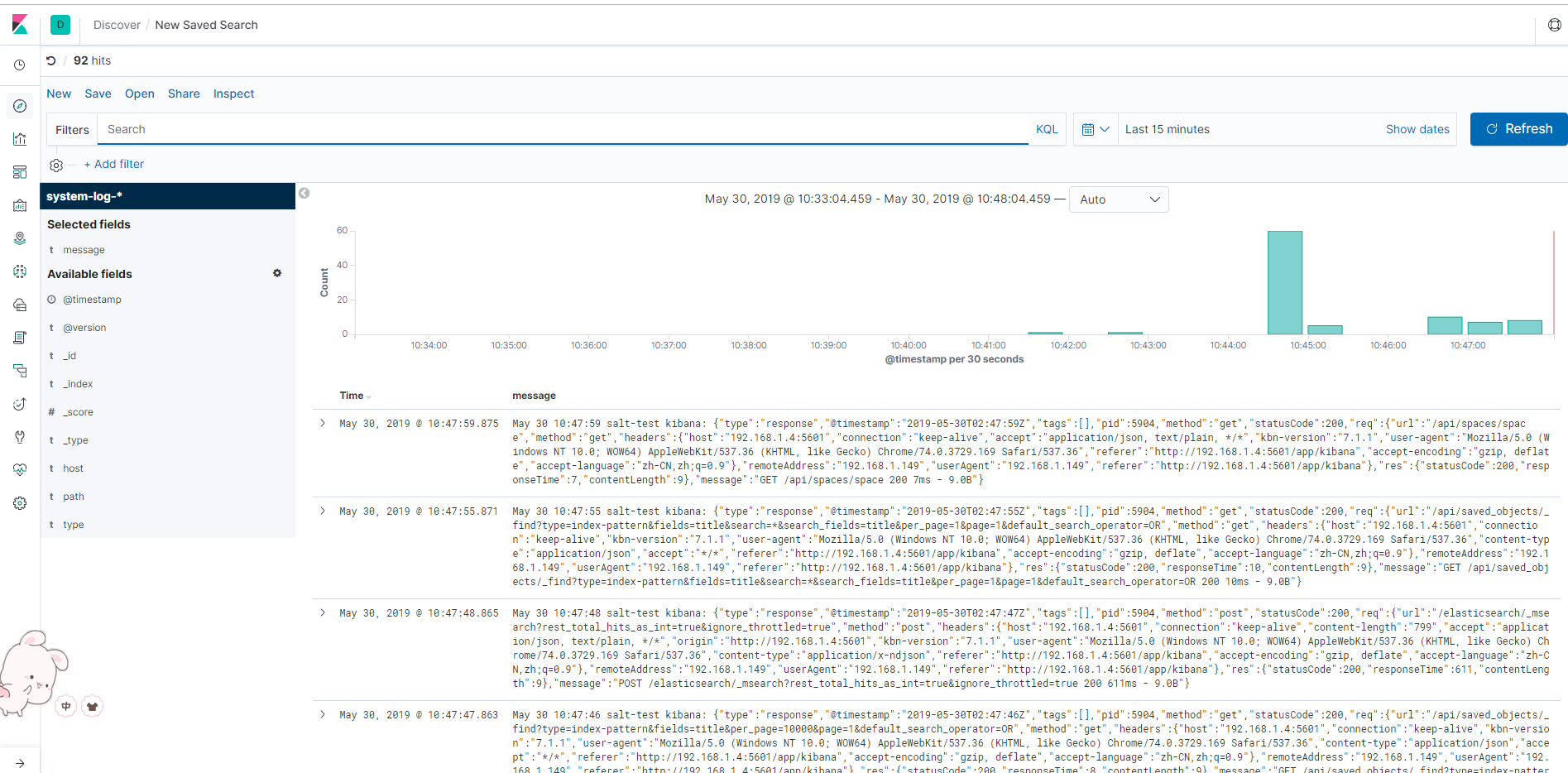
elk7搭建完成与elk6搭建几乎一致
区别为elasticsearch配置文件需要添加配置,否则elasticsearch启动不成功
cluster.initial_master_nodes: ["node-1"]
ELK之在CentOS7.5上使用rpm包安装配置ELK7版本的更多相关文章
- MySQL5.6.36 linux rpm包安装配置文档
一.卸载自带mysql,删除MySQL的lib库,服务文件 [root@localhost ~]#rpm -qa|grep mysql qt-mysql-4.6.2-26.el6_4.x86_64 m ...
- ELK(使用RPM包安装配置ELK)
1,安装环境查看 2,下载rmp包 下载地址:https://www.elastic.co/cn/downloads 分别下载最新rmp包 elasticsearch-6.2.4.rpm logsta ...
- Mongodb之使用rpm包安装配置启动
下载rpm包 wget https://mirrors.aliyun.com/mongodb/yum/redhat/7Server/mongodb-org/3.2/x86_64/RPMS/mongod ...
- centos7中mysql的rpm包安装
解决依赖 yum remove mysql-libs 执行命令:yum -y install autoconf 安装依赖 yum -y install autoconf 安装mysql rpm -iv ...
- rpm包安装mysql5.6.*版本
1.查看是否已经安装Mysql rpm -qa | grep -i mysql #删除已经安装的Mysql程序 rpm -ev *****.rpm 2.检查是否还有残留mysql文件夹 find / ...
- Centos7上以RPM包方式安装Oracle 18c XE
Centos7上以RPM包方式安装Oracle 18c XE 安装阿里云 YUM 源 https://opsx.alibaba.com/mirror?lang=zh-CN 一.安装oracle数据库 ...
- CentOS7使用rpm包安装MySQL
说明 本文写于2017-05-20,使用MySQL-5.7.18.操作系统为64位CentOS Linux release 7.2.1511 (Core),以桌面形式安装. 卸载MariaDB Cen ...
- CentOS7.5 上使用 bundle 文件安装 MySQL8.0 MySQL5.0
CentOS7.5 上使用 bundle 文件安装 MySQL8.0 MySQL5.0 CentOS7.5 环境 [root@instance-fjii60o3 ~]# rpm -qi centos- ...
- [Docker]CentOS7通过rpm包安装Docker
前几天写过一篇文章:[Docker]CentOS7下Docker安装教程,直接使用yum命令下载Docker即可.但是前提是你需要***,所以这篇文章来讲讲,如果不会***,该如何安装Docker. ...
随机推荐
- Java处理小数点后几位
//方式一: //四舍五入 double f = 111231.5585; BigDecimal b = new BigDecimal(f); , BigDecimal.ROUND_HALF_UP). ...
- HTML 004 属性
HTML 属性 属性是 HTML 元素提供的附加信息. HTML 属性 HTML 元素可以设置属性 属性可以在元素中添加附加信息 属性一般描述于开始标签 属性总是以名称/值对的形式出现,比如:name ...
- Laravel 6.0 Schedule Preventing Task Overlaps 测试
1 目的 1.1 测试 Laravel 6.0 任务执行机制 2 意义 2.1 在日常开发中,有的任务比较复杂,在两次任务的调度周期间隔中无法完成. 2.2 为了防止重复任务的持续生成和反复调用,对服 ...
- P2736 “破锣摇滚”乐队 Raucous Rockers
题目描述 你刚刚继承了流行的“破锣摇滚”乐队录制的尚未发表的N(1 <= N <= 20)首歌的版权.你打算从中精选一些歌曲,发行M(1 <= M <= 20)张CD.每一张C ...
- linux系列(二):cd命令
1.命令格式: cd [目录名] 2.命令功能: 切换当前目录至目录名目录 3.常用实例 (1).进入系统根目录 命令: cd / 输出: felix@felix-computer:~/软件$ cd ...
- 10月清北学堂培训 Day 1
今天是杨溢鑫老师的讲授~ T1 1 题意: n * m 的地图,有 4 种不同的地形(包括空地),6 种不同的指令,求从起点及初始的状态开始根据指令行动的结果. 2 思路:(虽然分了数据范围但是实际上 ...
- 接口测试命令Httpie的使用
相比于curl命令,Httpie提供更清晰友好的界面,并支持授权,代理等操作 主要特性 直观的语法 格式化和色彩化的终端输出 内置 JSON 支持 支持上传表单和文件 HTTPS.代理和认证 任意请求 ...
- ZR#957
ZR#957 解法: 首先 $ T $ 必须得要是 $ S $ 的子序列,不然不存在好的下标序列,因此一定无解. 考虑判断一个串 $ T $ 是不是 $ S $ 子序列的贪心做法:每次从没有匹配的位置 ...
- Linux--系统调优
建议看看:https://www.cnblogs.com/yinzhengjie/p/9994207.html 一.关闭swap交换分区 Linux swapoff命令用于关闭系统交换区(swap a ...
- Seata 中类SPI使用机制分析
Seata中采用了与sofa-rpc和dubbo中相同的服务扩展机制.都是基于JAVA自身的服务发现机制-SPI进行再次封装注解,sofa-rpc和dubbo(@Deprecated)中的注解名字叫做 ...