
grid - 网格项目对齐方式(Box Alignment)
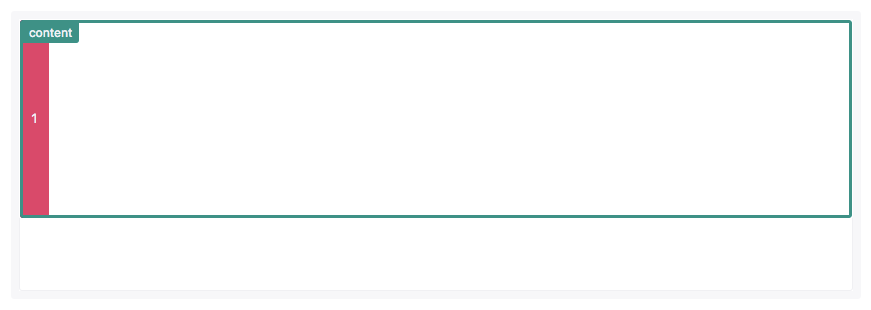
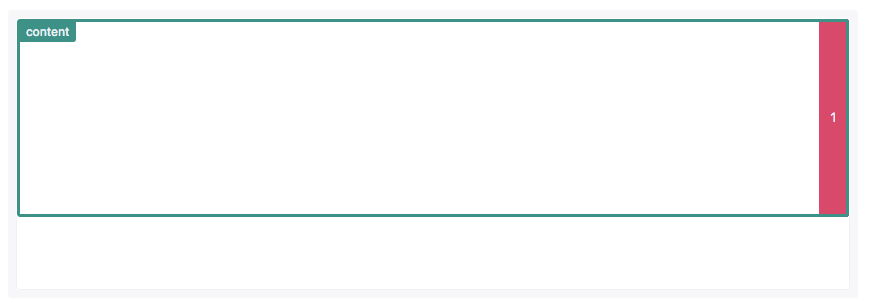
CSS的Box Alignment Module补充了网格项目沿着网格行或列轴对齐方式。
 <view class="grid">

   <view class='item1'>1</view>

   <!-- <view class='item'>2</view>

   <view class='item'>3</view>

   <view class='item'>4</view>

   <view class='item'>5</view>

   <view class='item'>6</view>

   <view class='item'>7</view>

   <view class='item'>8</view>

   <view class='item'>9</view> -->

 </view>
 page {

   color: #fff;

   font-size: 16px;

 }

 .grid {

   /* padding: 1%; */

   display: grid;

   grid-template-rows: 80px 80px;

   grid-template-columns: 1fr 1fr;

   grid-template-areas: "content content" "content content";

   border: 1px solid #ccc;

 }

 .grid {

   justify-items: start;

   /* justify-items: end; */

   /* justify-items: center; */

   /* justify-items: stretch; */

 }

 .item1 {

   grid-area: content;

   display: flex;

   align-items: center;

   justify-content: center;

   border: 1px solid #fff;

   border-radius: 0.2rem;

   font-size: 0.8em;

   min-height: 3rem;

   padding: 0.75rem;

   color: #f0f0f3;

   /* background-color: #e91e63; */

 }

 .item {

   text-align: center;

   background-color: #d94a6a;

 }

 .item1 {

   /* text-align: center; */

   background-color: #1aa034;

 }
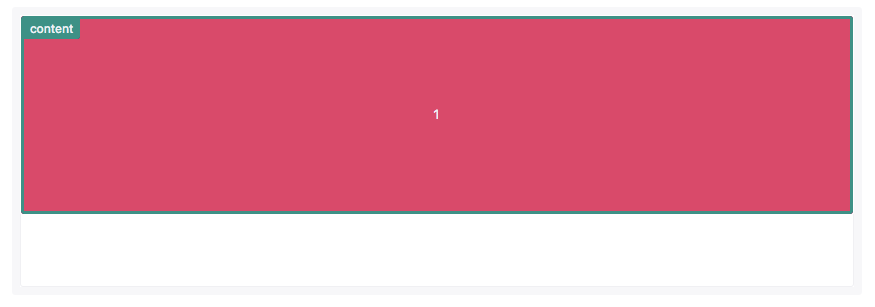
justify-items和justify-self指定网格项目沿着行轴对齐方式;align-items和align-self指定网格项目沿着列轴对齐方式。
justify-items和align-items应用在网格容器上,它们的属性值有:
autonormalstartendcenterstretchbaselinefirst baselinelast baseline
1. justify-items

stretch
2. align-items
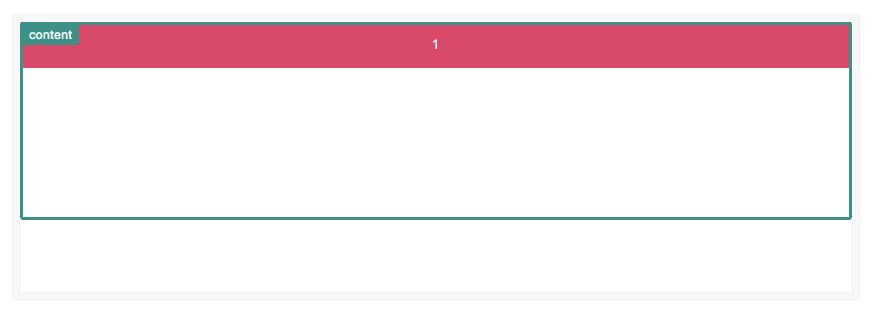

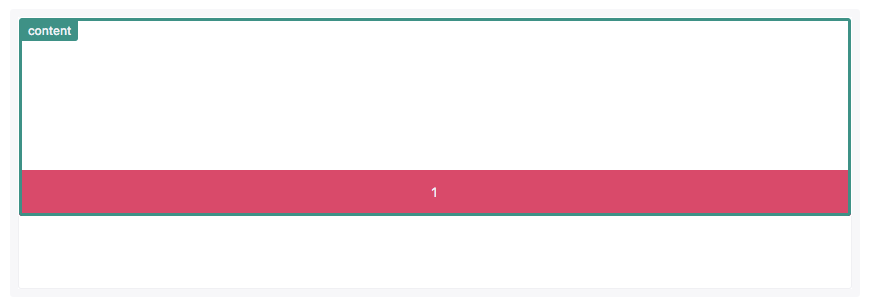
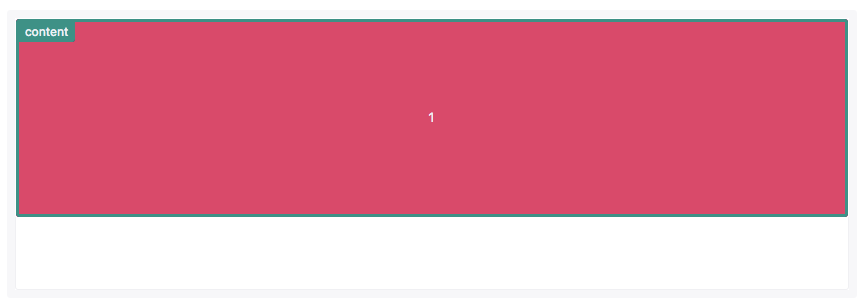
align-items: stretch(网格项目横跨整个列)
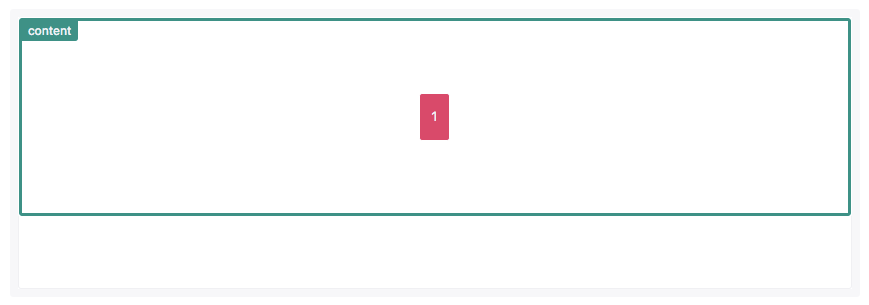
网格项目定位在网格行和列的中间(实现水平垂直居中)。
 <view class="grid">

   <view class='item1'>1</view>

   <!-- <view class='item'>2</view>

   <view class='item'>3</view>

   <view class='item'>4</view>

   <view class='item'>5</view>

   <view class='item'>6</view>

   <view class='item'>7</view>

   <view class='item'>8</view>

   <view class='item'>9</view> -->

 </view>
 page {

   color: #fff;

   font-size: 16px;

 }

 .grid {

   /* padding: 1%; */

   display: grid;

   grid-template-rows: 80px 80px;

   grid-template-columns: 1fr 1fr;

   grid-template-areas: "content content" "content content";

   border: 1px solid #ccc;

 }

 .grid {

   justify-items: center;

   align-items: center;

   /* align-items: start; */

   /* align-items: center; */

   /* align-items: end; */

   /* justify-items: start; */

   /* justify-items: end; */

   /* justify-items: center; */

   /* justify-items: stretch; */

 }

 .item1 {

   grid-area: content;

   display: flex;

   align-items: center;

   justify-content: center;

   border: 1px solid #fff;

   border-radius: 0.2rem;

   font-size: 0.8em;

   min-height: 3rem;

   padding: 0.75rem;

   color: #f0f0f3;

   /* background-color: #e91e63; */

 }

 .item {

   text-align: center;

   background-color: #d94a6a;

 }

 .item1 {

   /* text-align: center; */

   background-color: #1aa034;

 }
  justify-items: center;

  align-items: center;
grid - 网格项目对齐方式(Box Alignment)的更多相关文章
- grid - 网格轨道对齐方式
网格轨道对齐可以相对于网格容器行和列轴. align-content指定网格轨道沿着行轴对齐方式:justify-content指定网格轨道沿着列轴对齐方式.它们支持下面属性: normal star ...
- grid - 网格项目层级
网格项目可以具有层级和堆栈,必要时可能通过z-index属性来指定. 1.在这个例子中,item1和item2的开始行都是1,item1列的开始是1,item2列的开始是2,并且它们都跨越两列.两个网 ...
- grid - 网格项目跨行或跨列
默认情况下网格项目跨度只有一个列和行,但可以跨越多个行和列. 1.可以通过设置grid-column-end和grid-column-start距离多个网络线号实现多个列跨越. <view cl ...
- Grid 网格布局
CSS 网格布局(Grid Layout) 是CSS中最强大的布局系统. 这是一个二维系统,这意味着它可以同时处理列和行,不像 flexbox 那样主要是一维系统. 你可以通过将CSS规则应用于父元素 ...
- grid - 通过网格区域命名和定位网格项目
1.像网格线名称一样,网格区域的名称也可以使用grid-template-areas属性来命名.引用网格区域名称也可以设置网格项目位置. 设置网格区域的名称应该放置在单引号或双引号内,每个名称由一个空 ...
- grid - 使用相同的名称命名网格线和设置网格项目位置
1.使用repeat()函数可以给网格线分配相同的名称.这可以节省一定的时间 使用repeat()函数可以给网格线命名,这也导致多个网格线具有相同的网格线名称. 相同网格线名称指定网格线的位置和名称, ...
- grid - 通过网格线名称设置网格项目位置
使用网格线名称设置网格项目位置和使用网格线号码设置网格项目位置类似. 1.引用网格线名称的时候不应该带方括号 <view class="grid"> <view ...
- grid - 通过网格线号码来定位网格项目
网格线实际上是代表线的开始.结束. 两者之间就是网格列或行. 以下css仅对子元素生效 ,具体详情可以看后面示例 grid-row-start: 2; grid-row-end: 3; grid-co ...
- grid网格布局使用
定义 grid布局是指对网页进行划分成一个一个网格,然后根据自己的要求,可以任意组合. 以前写类似的功能,很麻烦,需要写很多的CSS去控制,有了grid就很方便了,可以随意进行组合. 跟flex有很多 ...
随机推荐
- python3实现链表
1.链表的实现 a.链表的结构为: b.链表的实现方法; #链表结构实现 私有属性_pro_item是指向下个节点的指针,_item为此节点的值 class ChainDemo(): def __in ...
- Shiro笔记(五)Shiro授权
Shiro授权 也叫访问控制,即在应用中控制谁能访问那些资源(如访问页面.编辑数据.页面操作等).在授权中需要了解几个关键对象:主体(subject).资源(resource).权限(Permissi ...
- node 简单的爬虫
基于express爬虫, 1,node做爬虫的优势 首先说一下node做爬虫的优势 第一个就是他的驱动语言是JavaScript.JavaScript在nodejs诞生之前是运行在浏览器上的脚本语言, ...
- 多个SDK控制管理
需求:制作一个公共组件,可以实现多个SDK想用哪个用哪个,集中管理 组织方式: 架构形式 注意点: 1.sdk必须通过maven库来compile,因为jar会打到aar中:所以library和主mo ...
- Nightmare Ⅱ HDU - 3085 (双向bfs)
Last night, little erriyue had a horrible nightmare. He dreamed that he and his girl friend were tra ...
- Python并发复习3 - 多进程模块 multiprocessing
python中的多线程其实并不是真正的多线程,如果想要充分地使用多核CPU的资源,在python中大部分情况需要使用多进程.Python提供了非常好用的多进程包multiprocessing,只需要定 ...
- Github入门操作实录
到目前为止,我已经工作快5年了,这5年最大的感受就是,框架什么的并不难,只要知道api,就能用起来,一开始会遇到一点问题,但是天下的框架都大同小异,无非是jar包,配置文件,模板代码,jar包可以使用 ...
- MVC面试问题与答案
读这篇文章不意味着你一定要去并且能搞定MVC面试.这篇文章的目的是在面试之前让你快速复习MVC知识.这篇文章也不是MVC培训课程. 如果你想学习MVC,从这儿开始 Learn MVC ( Model ...
- mac安装Elasticsearch
去官网下载https://www.elastic.co/downloads/elasticsearch 本人使用的是2.3.2版本,我下载的是tar版本的,然后解压. 进入es的安装目录, cd el ...
- js获取form元素,不使用id
<form method="post" name="form"> <input type="text" name=&quo ...