
用UIBezierPath数组对UIView进行镂空处理
用UIBezierPath数组对UIView进行镂空处理
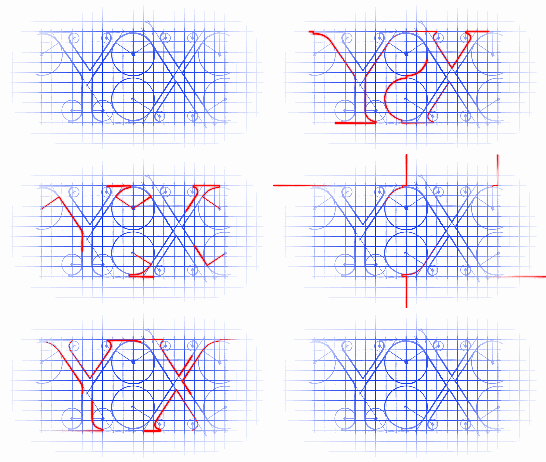
效果


源码
//

//  CutOutClearView.h

//  CutOutMaskView

//

//  Created by YouXianMing on 16/7/8.

//  Copyright © 2016年 YouXianMing. All rights reserved.

//

#import <UIKit/UIKit.h>

@interface CutOutClearView : UIView

@property (nonatomic, strong) UIColor  *fillColor;

@property (nonatomic, strong) NSArray  <UIBezierPath *>  *paths;

@end
//

//  CutOutClearView.m

//  CutOutMaskView

//

//  Created by YouXianMing on 16/7/8.

//  Copyright © 2016年 YouXianMing. All rights reserved.

//

#import "CutOutClearView.h"

@implementation CutOutClearView

- (instancetype)initWithFrame:(CGRect)frame {

    if (self = [super initWithFrame:frame]) {

        self.fillColor       = [UIColor whiteColor];

        self.backgroundColor = [UIColor clearColor];

        self.opaque          = NO;

    }

    return self;

}

- (void)drawRect:(CGRect)rect {

    [super drawRect:rect];

    [self.fillColor setFill];

    UIRectFill(rect);

    CGContextRef context = UIGraphicsGetCurrentContext();

    for (UIBezierPath *path in self.paths) {

        CGContextAddPath(context, path.CGPath);

        CGContextSetBlendMode(context, kCGBlendModeClear);

        CGContextFillPath(context);

    }

}

@end
//

//  ViewController.m

//  CutOutClearView

//

//  Created by YouXianMing on 16/7/8.

//  Copyright © 2016年 YouXianMing. All rights reserved.

//

#import "ViewController.h"

#import "CutOutClearView.h"

@interface ViewController ()

@end

@implementation ViewController

- (void)viewDidLoad {

    [super viewDidLoad];

    UIImageView *imageView = [[UIImageView alloc] initWithFrame:self.view.bounds];

    imageView.image        = [UIImage imageNamed:@"bg.png"];

    imageView.contentMode  = UIViewContentModeScaleAspectFill;

    [self.view addSubview:imageView];

    NSMutableArray *paths = [NSMutableArray array];

    {

        UIBezierPath* bezierPath = [UIBezierPath bezierPath];

        [bezierPath moveToPoint: CGPointMake(57.04, 31.19)];

        [bezierPath addLineToPoint: CGPointMake(125.55, 12.5)];

        [bezierPath addLineToPoint: CGPointMake(185.5, )];

        [bezierPath addLineToPoint: CGPointMake(57.04, 169.5)];

        [bezierPath addLineToPoint: CGPointMake(18.5, )];

        [bezierPath addLineToPoint: CGPointMake(57.04, 31.19)];

        [bezierPath closePath];

        [paths addObject:bezierPath];

    }

    {

        UIBezierPath* bezierPath = [UIBezierPath bezierPath];

        [bezierPath moveToPoint: CGPointMake(46.5, 245.5)];

        [bezierPath addLineToPoint: CGPointMake(137.5, 272.5)];

        [bezierPath addLineToPoint: CGPointMake(137.5, 211.5)];

        [bezierPath addLineToPoint: CGPointMake(90.5, 196.5)];

        [bezierPath addLineToPoint: CGPointMake(46.5, 211.5)];

        [bezierPath addLineToPoint: CGPointMake(46.5, 245.5)];

        [bezierPath closePath];

        [paths addObject:bezierPath];

    }

    CutOutClearView *cutOutView = [[CutOutClearView alloc] initWithFrame:self.view.bounds];

    cutOutView.fillColor        = [UIColor redColor];

    cutOutView.paths            = paths;

//    [self.view addSubview:cutOutView];

    imageView.maskView = cutOutView;

}

@end
细节

用UIBezierPath数组对UIView进行镂空处理的更多相关文章
- UIView中间透明周围半透明(四种方法)
方法一 #import "DrawView.h" @implementation DrawView - (instancetype)initWithFrame:(CGRect)fr ...
- IOS 作业项目(1) 关灯游戏 (百行代码搞定)
1,准备工作,既然要开关灯,就需要确定灯的灯的颜色状态 首先想到的是扩展UIColor
- 读取svg图片为UIBezierPath,开心做动画
动画预览 先扯淡 最近手痒又想整点动画玩玩,但是想了几个主意发现稍微复杂一点的手写都一定会累爆.这篇文章记录一下今天折腾的一个方案.说来简单,就是用矢量设计工具舒舒服服的做好设计,然后输出成 svg ...
- 11-UIKit(Storyboard、View的基本概念、绘制图形、UIBezierPath)
目录: 1. Storyboard 2. Views 3. View的基本概念介绍 4. 绘制图形 5. UIBezierPath 回到顶部 1. Storyboard 1.1 静态表视图 1)Sec ...
- iOS学习——UIView的研究
在iOS开发中,我们知道有一个共同的基类——NSObject,但是对于界面视图而言,UIView是非常重要的一个类,UIView是很多视图控件的基类,因此,对于UIView的学习闲的非常有必要.在iO ...
- iOS动画-从UIView到Core Animation
首先,介绍一下UIView相关的动画. UIView普通动画: [UIView beginAnimations: context:]; [UIView commitAnimations]; 动画属性设 ...
- iOS性能优化-数组、字典便利时间复杂
上图是几种时间复杂度的关系,性能优化一定程度上是为了降低程序执行效率减低时间复杂度. 如下是几种时间复杂度的实例: O(1) return array[index] == value; 复制代码 O( ...
- 使用UIBezierPath绘制图形
当需要画图时我们一般创建一个UIView子类, 重写其中的drawRect方法 再drawRect方法中利用UIBezierPath添加画图 UIBezierPath的使用方法: (1)创建一个Bez ...
- iOS 自定义方法 - UIView扩展
示例代码 //#import <UIKit/UIKit.h>@interface UIView (LPCView)/** 上 */@property CGFloat top;/** 下 * ...
随机推荐
- IntelliJ IDEA JRebel Maven Tomcat 实现热部署
一,JRebel 插件 获取与安装 直接在 IDEA 中操作获取 JRebel 插件 Paste_Image.png Paste_Image.png 安装完成,记得重启 IDEA 使刚才安装的插件生效 ...
- 《Look Mom, I don’t use Shellcode》议题解析
0x0 前言 <Look Mom, I don’t use Shellcode>是2016年Syscan360上讲过的一个议题,这个议题的副标题是"Browser Exploit ...
- NET定时任务组件Hangfire
开源的.NET定时任务组件Hangfire解析 项目慢慢就要开工了,很多园友都在问这个事情,看来大伙对这事很上心啊,事情需要一步步的来,尽量写出一个我们都满意的项目.以前每次在博客前面都会扯淡一下,不 ...
- oracle11g数据库升级数据库升级
Oracle对自己产品也一样,对于自己的产品在不同的时期,支持的强度是不一样的.大体分来,支持的强度分为三个级别:Premier Support(最高优先级的支持),Extended Support( ...
- 关于spark standalone模式下的executor问题
1.spark standalone模式下,worker与executor是一一对应的. 2.如果想要多个worker,那么需要修改spark-env的SPARK_WORKER_INSTANCES为2 ...
- 003.NFS配置实例
一 NFS常见服务管理 1.1 启动NFS [root@imxhy ~]# systemctl start nfs #CentOS7.x系列启动 [root@imxhy ~]# service nfs ...
- InnoDB的锁机制浅析(三)—幻读
文章总共分为五个部分: InnoDB的锁机制浅析(一)-基本概念/兼容矩阵 InnoDB的锁机制浅析(二)-探索InnoDB中的锁(Record锁/Gap锁/Next-key锁/插入意向锁) Inno ...
- ASCII UTF-8 编码
1. ASCII码 我们知道,在计算机内部,所有的信息最终都表示为一个二进制的字符串.每一个二进制位(bit)有0和1两种状态,因此八个二进制位就可以组合出256种状态,这被称为一个字节(byte). ...
- mysql三大特性、三范式、五大约束
1.数据库的三大特性 '实体':表 '属性':表中的数据(字段) '关系':表与表之间的关系 2.数据库设计三大范式 a:确保每列保持原子性(即数据库表中的所有字段值是不可分解的原子值) b:确保表中 ...
- 【BZOJ-3532】Lis 最小割 + 退流
3532: [Sdoi2014]Lis Time Limit: 10 Sec Memory Limit: 512 MBSubmit: 704 Solved: 264[Submit][Status] ...