
JavaScript 如何使用 setTimeout 实现 setInterval
JavaScript 如何使用 setTimeout 实现 setInterval
website multi content page
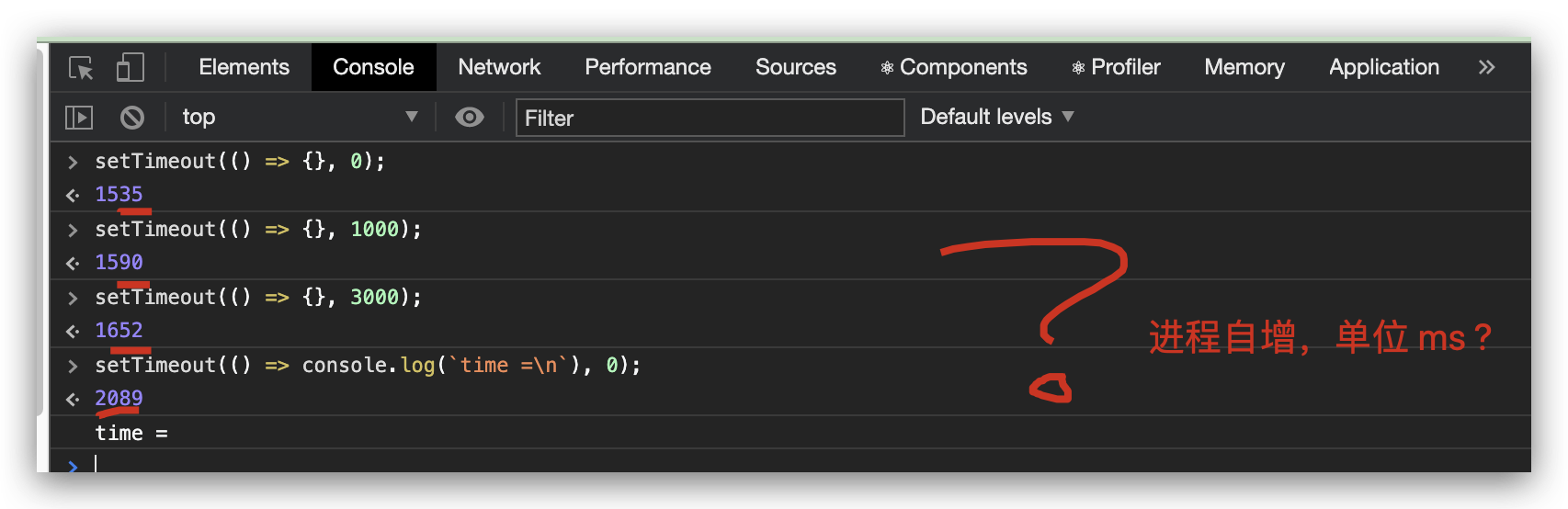
setIntervalSimulator
"use strict";

/**

 *

 * @author xgqfrms

 * @license MIT

 * @copyright xgqfrms

 * @created 2020-07-27

 * @modified

 *

 * @description setInterval

 * @difficulty Easy Medium Hard

 * @complexity O(n)

 * @augments

 * @example

 * @link https://developer.mozilla.org/en-US/docs/Web/API/WindowOrWorkerGlobalScope/setInterval

 * @solutions

 *

 */

const log = console.log;

const setIntervalSimulator = (callback, time, count = 10) => {

  function interval(callback, time) {

    const begin = new Date().getTime();

    const timerID = setTimeout(() => {

      clearTimeout(timerID);

      const end = new Date().getTime();

      log(`time =`, (end - begin) / 1000);

      // 排除 callback 执行时间的干扰

      callback();

      // 同步执行

      if(count) {

        log(`count =`, count);

        count--;

        interval(callback, time);

      }

    }, time);

  }

  // init

  interval(callback, time);

  // requestAnimationFrame();

}

// setIntervalSimulator(() => console.log(`OK`), 1000 * 10);

// setIntervalSimulator(() => console.log(`OK`), 1000 * 3);

// setIntervalSimulator(() => console.log(`OK`), 10);

setIntervalSimulator(() => console.log(`OK 1000`), 1000);

// setIntervalSimulator(() => console.log(`OK 0`), 0);

// time = 1.005

// OK 1000

// count = 10

// time = 1.002

// OK 1000

// count = 9

// time = 1.005

// OK 1000

// count = 8

// time = 1.003

// OK 1000

// count = 7

// time = 1.005

// OK 1000

// count = 6

// time = 1.002

// OK 1000

// count = 5

// time = 1.004

// OK 1000

// count = 4

// time = 1.004

// OK 1000

// count = 3

// time = 1.005

// OK 1000

// count = 2

// time = 1.005

// OK 1000

// count = 1

// time = 1.003

// OK 1000
setTimeoutSimulator
"use strict";

/**

 *

 * @author xgqfrms

 * @license MIT

 * @copyright xgqfrms

 * @created 2020-07-27

 * @modified

 *

 * @description setTimeout

 * @difficulty Easy Medium Hard

 * @complexity O(n)

 * @augments

 * @example

 * @link https://developer.mozilla.org/en-US/docs/Web/API/WindowOrWorkerGlobalScope/setTimeout

 * @solutions

 *

 */

const log = console.log;

const setTimeoutSimulator = (callback, time) => {

  const begin = new Date().getTime();

  // const begin = performance.now();

  // ReferenceError: performance is not defined

  const timerID = setInterval(() => {

    clearInterval(timerID);

    const end = new Date().getTime();

    // const end = performance.now();

    log(`time =`, (end - begin) / 1000);

    // 排除 callback 执行时间的干扰

    callback();

  }, time);

}

// setTimeoutSimulator(() => console.log(`OK`), 1000 * 10);

// setTimeoutSimulator(() => console.log(`OK`), 1000 * 3);

// setTimeoutSimulator(() => console.log(`OK`), 10);

setTimeoutSimulator(() => console.log(`OK 1000`), 1000);

setTimeoutSimulator(() => console.log(`OK 0`), 0);

// OK 0

// time = 0.006

// OK 1000

// time = 1.003

// OK 0

// time = 0.006

// OK 1000

// time = 1.006

// OK 0

// time = 0.007

// OK 1000

// time = 1.002
js 函数返回值, timoutID

https://www.cnblogs.com/xgqfrms/p/13388644.html
blank page
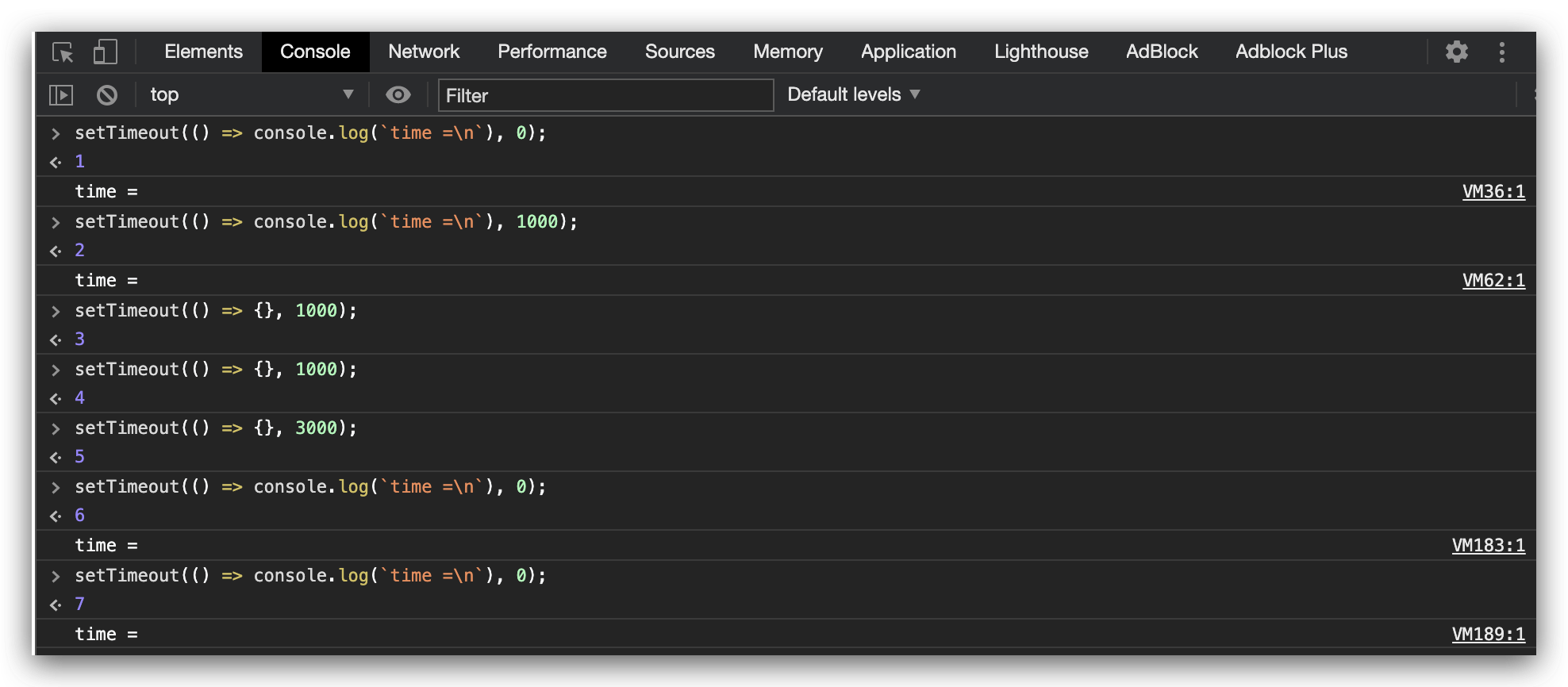
打印的是什么? event order id ?
Symbol
Symbol 实现原理, uuid
 key1 = Symbol(`key`);

// Symbol(key)

 key2 = Symbol(`key`);

// Symbol(key)

 key1 == key2;

// false

 key1 === key2;

// false
refs
https://javascript.info/settimeout-setinterval
https://developer.mozilla.org/en-US/docs/Web/API/WindowOrWorkerGlobalScope/setInterval
https://developer.mozilla.org/en-US/docs/Web/API/WindowOrWorkerGlobalScope/setTimeout
xgqfrms 2012-2020
www.cnblogs.com 发布文章使用:只允许注册用户才可以访问!
JavaScript 如何使用 setTimeout 实现 setInterval的更多相关文章
- Javascript定时器(二)——setTimeout与setInterval
一.解释说明 1.概述 setTimeout:在指定的延迟时间之后调用一个函数或者执行一个代码片段 setInterval:周期性地调用一个函数(function)或者执行一段代码. 2.语法 set ...
- JavaScript定时机制setTimeout与setInterval研究
JavaScript的setTimeout与setInterval是两个很容易欺骗别人感情的方法,因为我们开始常常以为调用了就会按既定的方式执行, 我想不少人都深有同感, 例如 setTimeout( ...
- JavaScript中的setTimeout和setInterval
上一篇博文<浏览器中Javascript单线程分析>中描述了浏览器中Javascript单线程的原理. 在此基础上,这篇文章将主要介绍setTimeout/setInterval是如何模拟 ...
- JavaScript定时器:setTimeout()和setInterval()
1 超时调用setTimeout() 顾名思义,超时调用的意思就是在一段实际之后调用(在执行代码之前要等待多少毫秒) setTimeout()他可以接收两个参数: 1 要执行的代码或函数 2 毫秒(在 ...
- JavaScript中的setTimeout、setInterval和随机函数制作简易抽奖小程序
几乎所有计算机语言有都内置随机函数.当然这种随机,人们习惯称为伪随机数发生器,产生的是一个[0,1)之间的一个小数.再通过简单算术运算生成一个符合需求的整数.JS中通用公式通常为parseInt(Ma ...
- Javascript异步编程之setTimeout与setInterval详解分析(一)
Javascript异步编程之setTimeout与setInterval 在谈到异步编程时,本人最主要会从以下三个方面来总结异步编程(注意:特别解释:是总结,本人也是菜鸟,所以总结不好的,请各位大牛 ...
- 【转】Javascript异步编程之setTimeout与setInterval
Javascript异步编程之setTimeout与setInterval 转自:http://www.tuicool.com/articles/Ebueua 在谈到异步编程时,本人最主要会从以下三个 ...
- setTimeout和setInterval的注意事项
精准问题 setTimeout的问题在于它并不是精准的,例如使用setTimeout设定一个任务在10ms后执行,但是在9ms后,有一个任务占用了5ms的cpu时间片,再次轮到定时器执行时,时间已经过 ...
- setTimeout()与setInterval()——走马灯效果
JavaScript中的setTimeout()与setInterval()都是指延时执行某一操作. 但setInterval()指每隔指定时间执行某操作,会循环不断地执行该操作:setTimeout ...
随机推荐
- LOJ2125
LOJ2125 树上操作 题目描述 有一棵点数为 N 的树,以点 1 为根,且树有点权.然后有 M 个操作,分为三种: 把某个节点 x 的点权增加 aa . 把某个节点 x 为根的子树中所有点的点权都 ...
- SpringMVC听课笔记(SpringMVC 表单标签 & 处理静态资源)
1.springmvc表单标签,可以快速开发,表单回显,但是感触不深 2.静态资源的获取,主要是要配置这个
- JavaWeb——B/S,C/S结构,HTTP协议
B/S: 开发基于B/S结构项目:目前主要采用三种服务器端语言:JSP,PHP,ASP.NET. 这三种语言构成三种常用应用开发组合:JSP+Oracle组合.PHP+MySQL体系.以及ASP.NE ...
- SSM框架搭建详细解析
总结了一下搭建SSM框架流程,在以后用到的时候方便回头使用. 使用工具:MyEclipse 2015:Tomcat 8版本:jdk1.8版本. 首先: 1:创建一个WebProject项目,jdk1. ...
- hbase远程api调用, 远程连接开发,环境构建相关问题总结
平时在开发的过程中,都是将hbase的环境装在虚拟机或者双系统上的,开发是直接在unix或者linux上进行的,这样对于使用上,有些繁琐. 下面我将介绍我在使用windows远程开发过程中的一些总结: ...
- vb.net和C#两兄弟谁的封装性更好?
引言: 虽然没怎样接触过vb.net,但是大概对于vb6还是比较了解的.前者是从后者基础上发展而来的.后来接触了C#编程语言,起初没有太关心她和vb.net有啥不同的地方,话说都是面向对象的,而且都是 ...
- 深入了解JavaScript中基于原型(prototype)的继承机制
原型 前言 继承是面向对象编程中相当重要的一个概念,它对帮助代码复用起到了很大的作用. 正文 Brendan Eich在创建JavaScript时,没有选择当时最流行的类继承机制,而是借鉴Self,用 ...
- Pytest(17)运行未提交的git(pytest-picked)
前言 我们每天写完自动化用例后都会提交到 git 仓库,随着用例的增多,为了保证仓库代码的干净,当有用例新增的时候,我们希望只运行新增的未提交 git 仓库的用例.pytest-picked 插件可以 ...
- CF-559C Gerald and Giant Chess(计数DP)
给定一个 \(H*W\)的棋盘,棋盘上只有\(N\) 个格子是黑色的,其他格子都是白色的. 在棋盘左上角有一个卒,每一步可以向右或者向下移动一格,并且不能移动到黑色格子中.求这个卒从左上角移动到右下角 ...
- gym101002K. Inversions (FFT)
题意:给定一个仅含有AB的字母串 如果i有一个B j有一个A 且j>i 会对F(j-i)产生贡献 求出所有发Fi 题解:好像是很裸的FFT B的分布可以看作一个多项式 同理A也可以 然后把B的位 ...