
利用CoreAnimation实现一个时间的进度条
(个人原创,转载请注明出处 http://www.cnblogs.com/pretty-guy/p/7460334.html)
在iOS中实现进度条通常都是通过不停的设置progress来完成的,这样的进度条适用于网络加载(上传下载文件、图片等)。但是对于录制视频这样的需求的话,如果是按照每秒来设置进度的话,显得有点麻烦,于是我就想直接用CoreAnimation来按时间做动画,只要设置最大时间,其他的就不用管了,然后在视频暂停与继续录制时,对动画进行暂停和恢复即可。录制视频的效果如下:
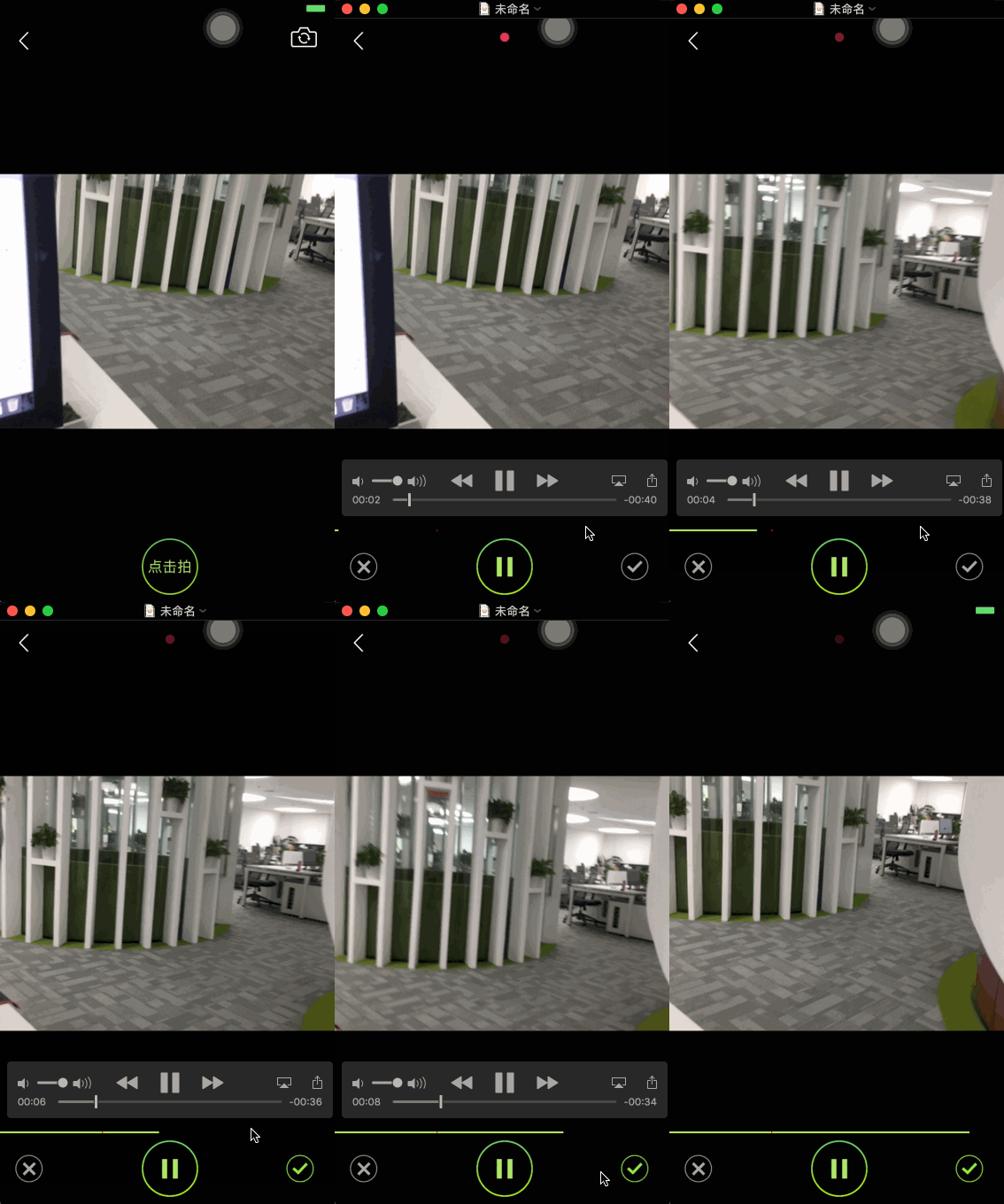
你可以在这里下载demo
那么接下来就是如何用CoreAnimation实现一个进度条控件了。
首先呢,让我们创建一个继承自CAShapeLayer的WKProgressBarLayer。
WKProgressBarLayer默认自身的bounds就是整个进度条的大小。
@interface WKProgressBarLayer : CAShapeLayer

@end
为了方便外部调用,首先在WKProgressBarLayer.h中定义枚举来表明动画的四个状态
typedef NS_ENUM(NSInteger, WKAnimationStatus) {

    WKAnimationStatusIdle,//空闲

    WKAnimationStatusAnimating,//动画中

    WKAnimationStatusPause,//暂停

    WKAnimationStatusComplete//完成

};
接下来,定义外部调用的动画接口
@interface WKProgressBarLayer : CAShapeLayer

@property (nonatomic, assign, readonly) WKAnimationStatus animatingStatus;//状态

/**

 开始动画

 @param duration 动画最大时长

 */

- (void)beginAnimationWithDuration:(CGFloat)duration;

/**

 暂停

 */

- (void)pauseAnimation;

/**

 恢复

 */

- (void)resumeAnimation;

/**

 重新开始动画

 @param progress 从哪个进度开始

 @param duration 动画最大时长

 */

- (void)restartAnimationWithProgress:(CGFloat)progress duration:(NSTimeInterval)duration;

@end
然后,我们在.m实现核心的动画开始方法startAnimtionWithBeginProgress:duration:,详细解释见代码
- (void)startAnimtionWithBeginProgress:(CGFloat)beginProgress duration:(NSTimeInterval)duration

{

    [self reset];//重置动画

    //设置path

    UIBezierPath *fromPath = [UIBezierPath bezierPathWithRect:CGRectMake(0, 0, beginProgress * self.bounds.size.width, self.bounds.size.height)];;

    UIBezierPath *toPath = [UIBezierPath bezierPathWithRect:self.bounds];

    self.path = fromPath.CGPath;

    //创建动画

    CABasicAnimation *animation = [CABasicAnimation animationWithKeyPath:@"path"];

    animation.fromValue = (id)fromPath.CGPath;

    animation.toValue = (id)toPath.CGPath;

    animation.duration = duration;

    [animation setValue:@1 forKey:@"progress"];//用于判断是否是进度动画

    animation.delegate = self;  //用于判断动画结束

    [self addAnimation:animation forKey:@"progressAnimation"];

    self.path = toPath.CGPath;

}
然后呢,需要在动画的delegate与暂停、恢复动画的方法中分别修改动画的状态
- (void)pauseAnimation

{

    CFTimeInterval pausedTime = [self convertTime:CACurrentMediaTime() fromLayer:nil];

    self.speed = 0.0;

    self.timeOffset = pausedTime;

    self.animatingStatus = WKAnimationStatusPause;

}

- (void)resumeAnimation

{

    CFTimeInterval pausedTime = [self timeOffset];

    self.speed = 1.0;

    self.timeOffset = 0.0;

    self.beginTime = 0.0;

    CFTimeInterval timeSincePause = [self convertTime:CACurrentMediaTime() fromLayer:nil] - pausedTime;

    self.beginTime = timeSincePause;

    self.animatingStatus = WKAnimationStatusAnimating;

}

#pragma mark - CAAnimationDelegate

/* Called when the animation begins its active duration. */

- (void)animationDidStart:(CAAnimation *)anim

{

    if (anim == [self animationForKey:@"progressAnimation"]) {//判断进度动画

        self.animatingStatus = WKAnimationStatusAnimating;

    }

}

- (void)animationDidStop:(CAAnimation *)anim finished:(BOOL)flag

{

    if ([anim valueForKey:@"progress"] && flag == YES) {//判断进度动画

        self.animatingStatus = WKAnimationStatusComplete;

    }

}
至此,进度条layer就完成了,现在创建一个控制器来做测试
首先在storyBoard摆上两个按钮,分别是开始与重置动画(界面搭建很简单,详情见demo)
然后在ViewDidLoad中添加progressLayer
- (void)viewDidLoad {

    [super viewDidLoad];

    WKProgressBarLayer *progressLayer = [[WKProgressBarLayer alloc] init];

    progressLayer.frame = CGRectMake(100, 100, 200, 10);

    [self.view.layer addSublayer:progressLayer];

    self.progressLayer = progressLayer;

}
接下来,就是动画开始与重置响应
- (IBAction)startOrPauseAction:(UIButton *)sender {

        switch (self.progressLayer.animatingStatus) {

            case WKAnimationStatusIdle:{

                [self.progressLayer beginAnimationWithDuration:10];

            }

                break;

            case WKAnimationStatusAnimating:{

                [self.progressLayer pauseAnimation];

            }

                break;

            case WKAnimationStatusPause:{

                [self.progressLayer resumeAnimation];

            }

                break;

            case WKAnimationStatusComplete:{

                [self.progressLayer restartAnimationWithProgress:0 duration:10];

            }

                break;

            default:

                break;

    }

    sender.selected = !sender.selected;

}

- (IBAction)resetAction:(UIButton *)sender {

    [self.progressLayer restartAnimationWithProgress:0 duration:10];

    self.startOrPauseButton.selected = YES;

}
以上就是代码主体了,接下来,让我们看看效果
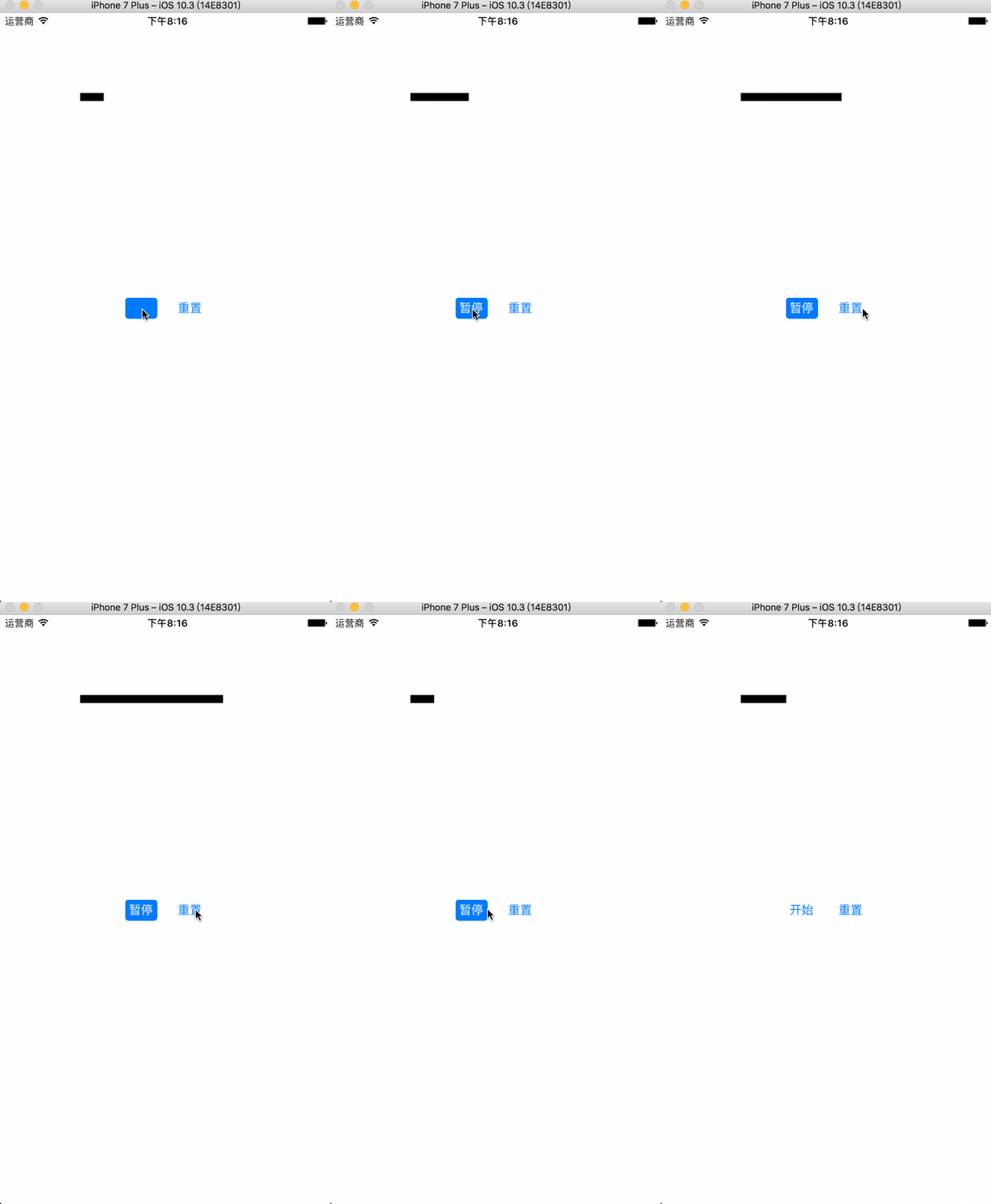
你可以在这里下载demo
利用CoreAnimation实现一个时间的进度条的更多相关文章
- iOS开发:代码通用性以及其规范 第二篇(猜想iOS中实现TableView内部设计思路(附代码),以类似的思想实现一个通用的进度条)
在iOS开发中,经常是要用到UITableView的,我曾经思考过这样一个问题,为什么任何种类的model放到TableView和所需的cell里面,都可以正常显示?而我自己写的很多view却只是能放 ...
- MVC实现有关时间的进度条,使用jQuery ui的progressbar
在电商网站中,有时候通过进度条来直观地显示用户是否到期以及用户当前的状态. 设计这样的一个Model. public class User { public int Id { get; set; } ...
- Linux中实现一个简单的进度条【转】
转自:http://blog.csdn.net/yuehailin/article/details/53999288 说起进度条,其实大家常常见到,比如说你在下载视频或文件的时候,提示你当前下载进度的 ...
- 用初中数学知识撸一个canvas环形进度条
周末好,今天给大家带来一款接地气的环形进度条组件vue-awesome-progress.近日被设计小姐姐要求实现这么一个环形进度条效果,大体由四部分组成,分别是底色圆环,进度弧,环内文字,进度圆点. ...
- Python——一个简单的进度条的实现
import math def process_bar(total_work,work_index,length): times = total_work / length # 长度倍数,用来缩放或扩 ...
- 利用面向对象思想封装Konva动态进度条
1.html代码: <!DOCTYPE html> <html lang="en"> <head> <meta charset=" ...
- 【Winform-自定义控件】一个自定义的进度条
0.选择基类 public class MySlider : Control 1.设置控件的Style 在构造函数里添加: public MySlider() { //1.设置控件Style this ...
- 使用sys模块写一个软件安装进度条
import sys,time for i in range(50): sys.stdout.write('#') sys.stdout.flush() #强制刷新将内存中的文件写一条,输出一条. t ...
- 让android系统中任意一个view变成进度条
1.效果 2.进度条背景drawable文件 结束后可以恢复原背景. <?xml version="1.0" encoding="utf-8"?> ...
随机推荐
- css display:box 新属性
一.display:box; 在元素上设置该属性,可使其子代排列在同一水平上,类似display:inline-block;. 二.可在其子代设置如下属性 前提:使用如下属性,必须在父代设置displ ...
- Android-重新包装Toast,自定义背景
Android-重新包装Toast,自定义背景 2016-4-27 Android L 算是包装了一个自己使用的小工具. 使用Toast的目的是弹一个提示框.先看一下Toast.makeText方法. ...
- poj_1679: The Unique MST【次小生成树】
题目链接 参考博客 希望注释足够清楚..欢迎指出不足~ #include<cstdio> #include<cstring> #include<algorithm> ...
- nopCommerce 3.9 大波浪系列 之 路由扩展 [多语言Seo的实现]
一.nop种的路由注册 在Global.asax,Application_Start()方法中会进行路由注册,代码如下. public static void RegisterRoutes(Route ...
- 【ztree】ztree例子
<script language="javascript" type="text/javascript" src="js/jquery.js&q ...
- Keras Xception Multi loss 细粒度图像分类
作者: 梦里茶 如果觉得我的工作对你有帮助,就点个star吧 关于 这是百度举办的一个关于狗的细粒度分类比赛,比赛链接: http://js.baidu.com/ 框架 Keras Tensorflo ...
- eclipse导入lombok后打不开(如果你的lombok不是最新的,那就来下载最新的)
如果你的不是最新的,去这里下载最新版的,先点击左上角的Download红方块,然后再点击下图中的位置 https://projectlombok.org/ 下载完后把eclipse关掉,双击下载的ja ...
- python8 字符串操作
name = "my name is {name} and i am {year} old" print(name.capitalize()) print(name.count(& ...
- Servlet做简单的ajax增删改查(分页)
jdbc.java package servlet; import java.sql.Connection; import java.sql.DriverManager; import java.sq ...
- HTML表单操作的记录
<!doctype html> <html lang="en"> <head> <meta charset="UTF-8&quo ...