
Asp.net Web Api开发Help Page 添加对数据模型生成注释的配置和扩展
在使用webapi框架进行接口开发的时候,编写文档会需要与接口同步更新,如果采用手动式的更新的话效率会非常低。webapi框架下提供了一种自动生成文档的help Page页的功能。
但是原始版本的效果不是很好,最重要的一点是没有对数据模型的详细注解提供展示。这种请情况下需要我们自己对其进行拓展,方便显示出接口和数据模型注解,在将接口提供给其他人使用时提高可读性。
下面先上两份效果图 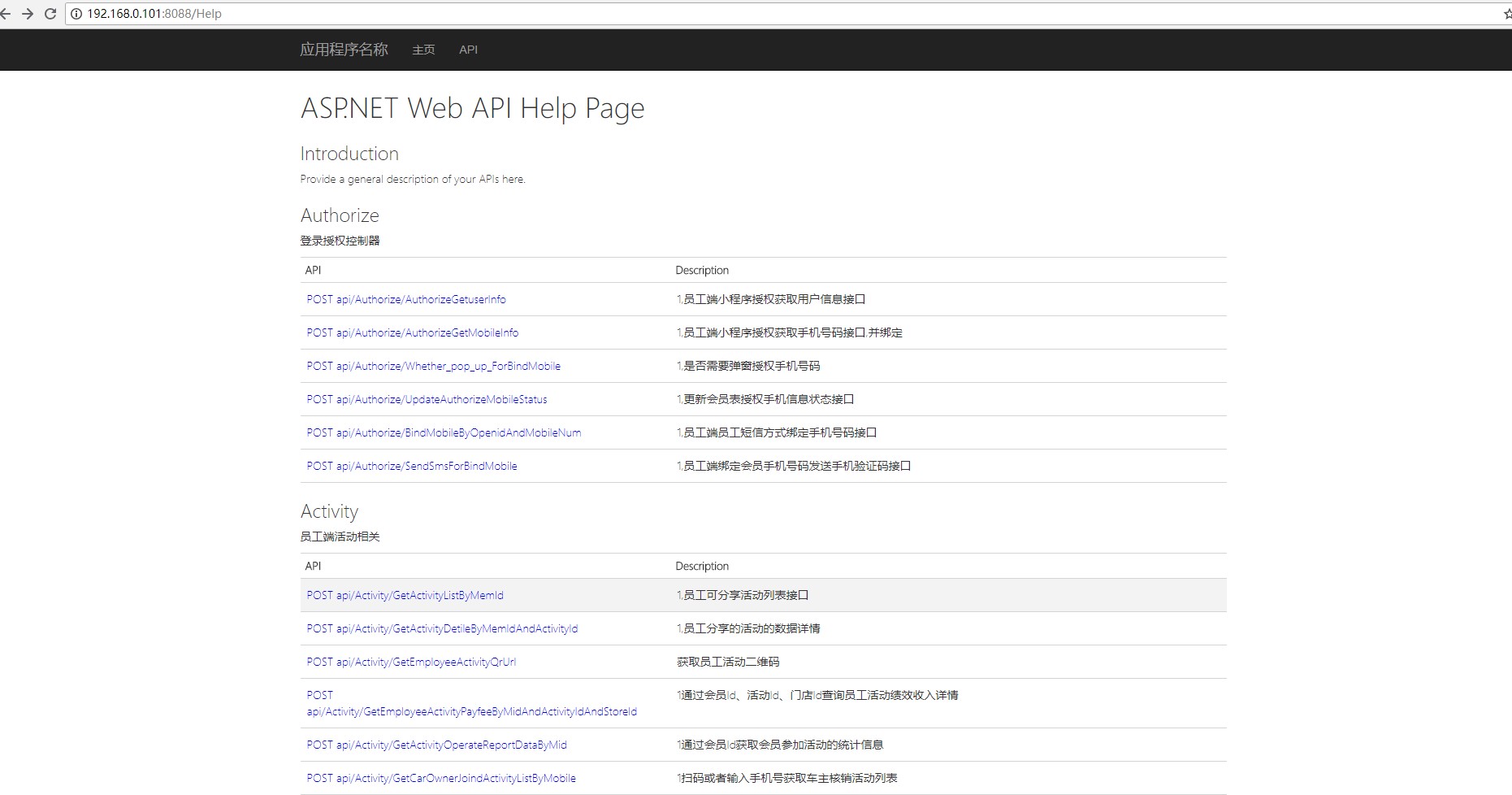
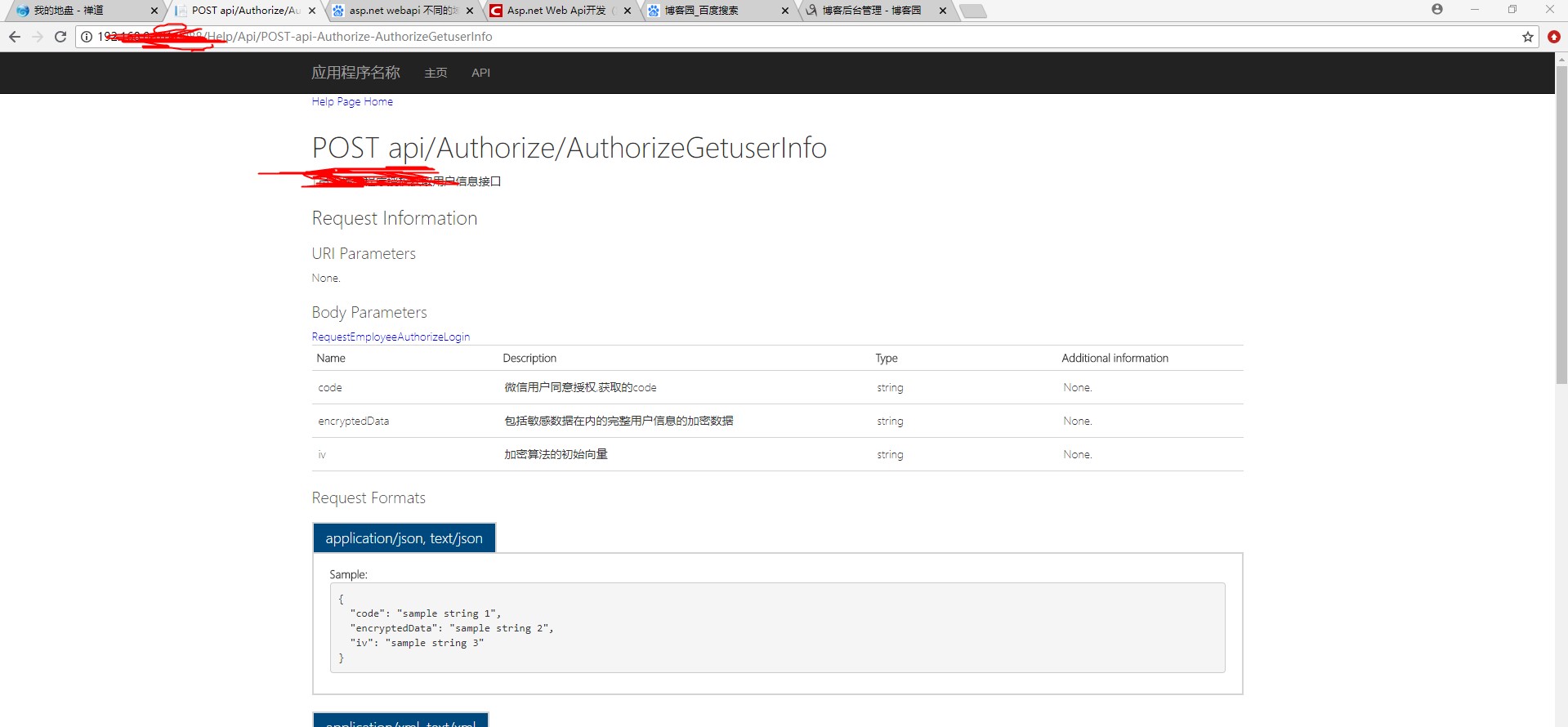
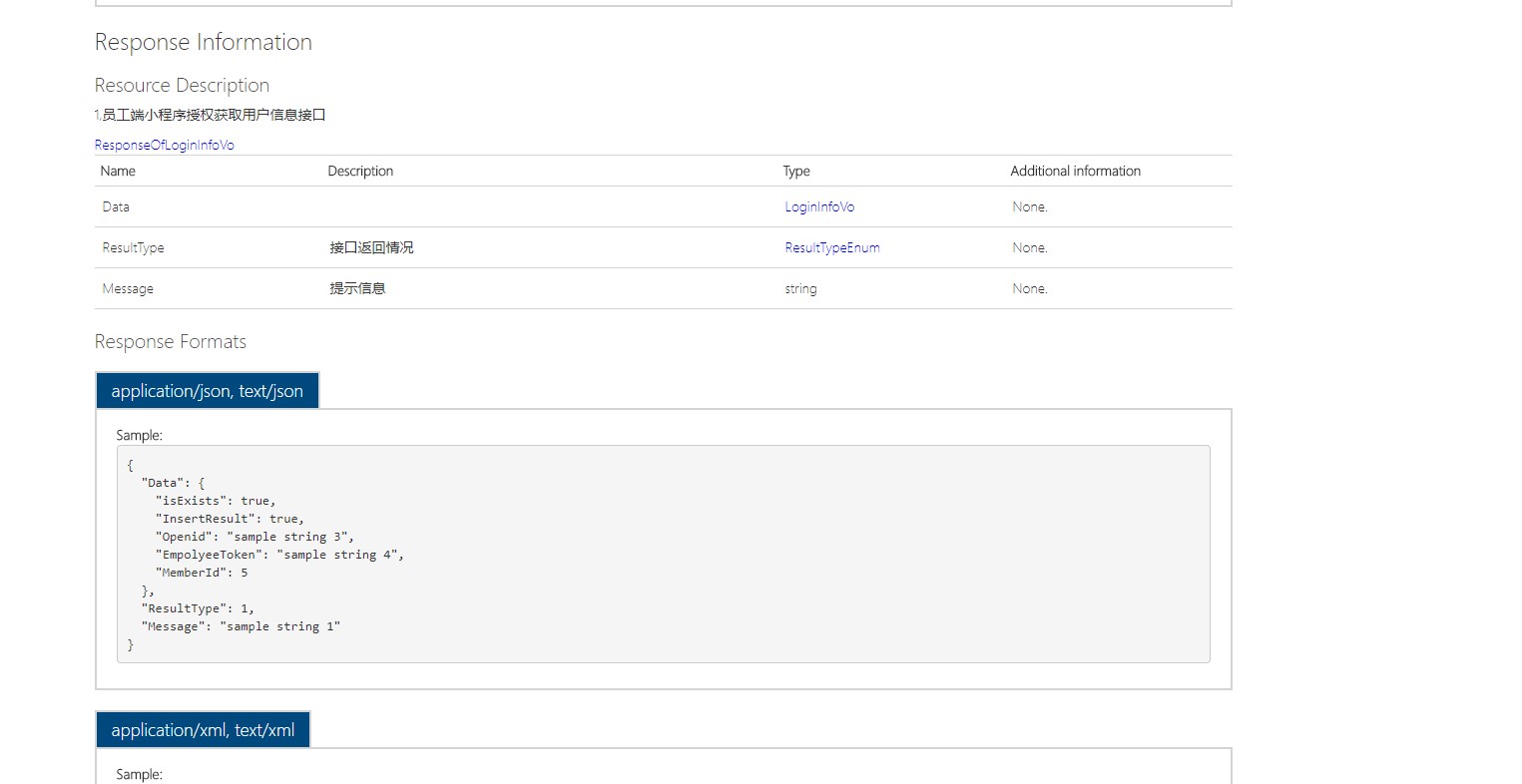
在这里讲一下最重要的两个步骤
1:重写拓展一个XmlDocumentationProvider类 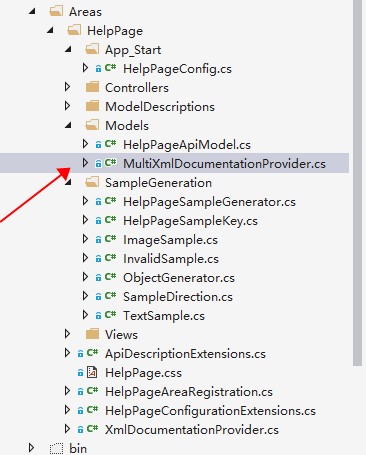
    /// <summary>A custom

    /// <see cref="IDocumentationProvider"/>

    /// that reads the API documentation from a collection of XML documentation files.

    /// </summary>

    public class MultiXmlDocumentationProvider : IDocumentationProvider, IModelDocumentationProvider

    {

        /*********

    ** Properties

    *********/

        /// <summary>The internal documentation providers for specific files.</summary>

        private readonly XmlDocumentationProvider[] Providers;

        /*********

        ** Public methods

        *********/

        /// <summary>Construct an instance.</summary>

        /// <param name="paths">The physical paths to the XML documents.</param>

        public MultiXmlDocumentationProvider(params string[] paths)

        {

            this.Providers = paths.Select(p => new XmlDocumentationProvider(p)).ToArray();

        }

        /// <summary>Gets the documentation for a subject.</summary>

        /// <param name="subject">The subject to document.</param>

        public string GetDocumentation(MemberInfo subject)

        {

            return this.GetFirstMatch(p => p.GetDocumentation(subject));

        }

        /// <summary>Gets the documentation for a subject.</summary>

        /// <param name="subject">The subject to document.</param>

        public string GetDocumentation(Type subject)

        {

            return this.GetFirstMatch(p => p.GetDocumentation(subject));

        }

        /// <summary>Gets the documentation for a subject.</summary>

        /// <param name="subject">The subject to document.</param>

        public string GetDocumentation(HttpControllerDescriptor subject)

        {

            return this.GetFirstMatch(p => p.GetDocumentation(subject));

        }

        /// <summary>Gets the documentation for a subject.</summary>

        /// <param name="subject">The subject to document.</param>

        public string GetDocumentation(HttpActionDescriptor subject)

        {

            return this.GetFirstMatch(p => p.GetDocumentation(subject));

        }

        /// <summary>Gets the documentation for a subject.</summary>

        /// <param name="subject">The subject to document.</param>

        public string GetDocumentation(HttpParameterDescriptor subject)

        {

            return this.GetFirstMatch(p => p.GetDocumentation(subject));

        }

        /// <summary>Gets the documentation for a subject.</summary>

        /// <param name="subject">The subject to document.</param>

        public string GetResponseDocumentation(HttpActionDescriptor subject)

        {

            return this.GetFirstMatch(p => p.GetDocumentation(subject));

        }

        /*********

        ** Private methods

        *********/

        /// <summary>Get the first valid result from the collection of XML documentation providers.</summary>

        /// <param name="expr">The method to invoke.</param>

        private string GetFirstMatch(Func<XmlDocumentationProvider, string> expr)

        {

            return this.Providers

                .Select(expr)

                .FirstOrDefault(p => !String.IsNullOrWhiteSpace(p));

        }

    }
2改写 HelpPageConfig 文件 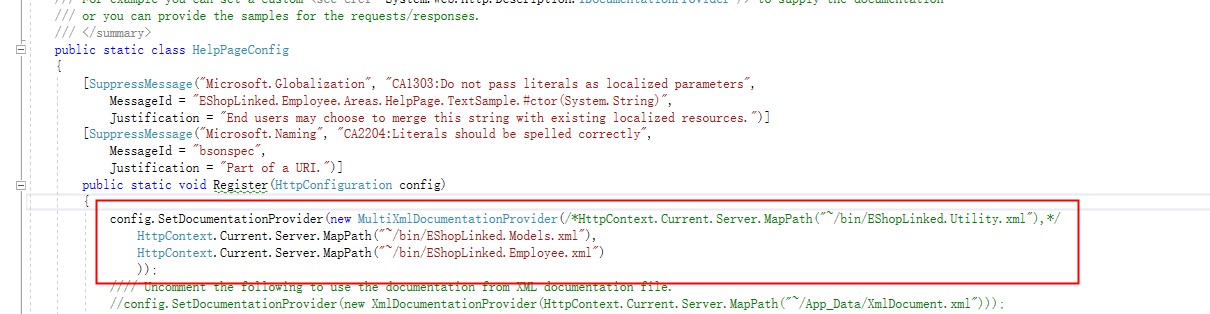
然后指定下xml的生成目录 打开项目属性设置 即可 然后运行 就是一个可以显示注释的良好页面了
Asp.net Web Api开发Help Page 添加对数据模型生成注释的配置和扩展的更多相关文章
- Asp.net Web Api开发Help Page配置和扩展
为了方面APP开发人员,服务端的接口都应当提供详尽的API说明.但每次有修改,既要维护代码,又要维护文档,一旦开发进度紧张,很容易导致代码与文档不一致. Web API有一个Help Page插件,可 ...
- Asp.Net Web API开发微信后台
如果说用Asp.Net开发微信后台是非主流,那么Asp.Net Web API的微信后台绝对是不走寻常路. 需要说明的是,本人认为Asp.Net Web API在开发很多不同的请求方法的Restful ...
- 水果项目第3集-asp.net web api开发入门
app后台开发,可以用asp.net webservice技术. 也有一种重量级一点的叫WCF,也可以用来做app后台开发. 现在可以用asp.net web api来开发app后台. Asp.net ...
- 创建 ASP.NET Web API的Help Page
转:创建WEBAPI项目 转:添加测试API中的ASP.NET Web API帮助页面
- [目录]ASP.NET web api开发实战
第一章:Restful web service v.s. RPC style web service 第二章:ASP.NET web api v.s. WCF v.s. ASP.NET web ser ...
- Asp.net Web Api开发(第四篇)Help Page配置和扩展
https://blog.csdn.net/sqqyq/article/details/52708613
- asp.net web api 开发时应当注意的事项
Self referencing when returning chain of objects. This can be solved using a design pattern called t ...
- 入门 ASP.NET Web API 2 (C#)
入门 ASP.NET Web API 2 (C#) HTTP 不只是为了生成 web 页面.它也是一个强大的建设公开服务和数据 Api的平台. HTTP 的特性:简单. 灵活和无处不在.你能想到的几乎 ...
- ASP.net Web API综合示例
目录 概述 功能介绍 程序结构 服务器端介绍 客户端介绍 “契约” Web API设计规则 并行写入冲突与时间戳 身份验证详解 Web API验证规则 客户端MVVM简介 Web.Config 本DE ...
随机推荐
- PhoneGap 的存储 API_localStorage 和 sessionStorage
一.介绍 1.为了替代Cookile这门古老的客户端存储技术,Html5的WEB Storage Api 提供了俩中在 客户端存储数据库的方法:localStorage 和 sessionStorag ...
- jsp 页面显示格式化的日期
在页面引入 <%@ taglib prefix="fmt" uri="http://java.sun.com/jsp/jstl/fmt" %> 使用 ...
- PowerDNS简单教程(2):功能篇
目录: PowerDNS简单教程(1):安装篇 http://www.cnblogs.com/anpengapple/p/5205130.html PowerDNS简单教程(2):功能篇(本篇) Po ...
- 第三方库RATreeView的使用记录
版权声明:本文为博主原创文章.未经博主同意不得转载. https://blog.csdn.net/u012951123/article/details/36421939 由于项目须要用到树状列表,能够 ...
- Windows下我喜爱的那些体积小但功能强大的软件
我还是开门见山的说吧,接下来我给你大家介绍一些Windows上一些小软件,涉及到图片编辑,浏览器下载,文件搜索,音乐下载,文本编辑,视频录制等方面! 一:WinZIP中国 平常我们难免会遇到各种解压压 ...
- l1 l2 loss
衡量预测值与真实值的偏差程度的最常见的loss: 误差的L1范数和L2范数 因为L1范数在误差接近0的时候不平滑,所以比较少用到这个范数 L2范数的缺点是当存在离群点(outliers)的时候,这些点 ...
- 剑指offer13 在O(1)时间删除链表的结点
把下一个节点的值直接赋值给要删除的节点,然后删除下一个节点.当这样做会有两个bad case:被删除的链表结点的下一个结点为空指针,如果链表只有一个结点.其实链表只有一个结点应该属于下一个结点为空指针 ...
- html拼接时onclick事件传递json对象
Bootstrap Table 中拼装onclick传递json对象会造成[object,object]错误,反正各种传值不成功, 应该是因为json对象中的‘’‘’引号冲突吧,直接把json对象转成 ...
- [转]asp.net Request、Response 响应在此上下文中不可用
这个问题一般是在页面中使用了Respons.Write()方法,虽然是继承了System.Web.UI.Page.但System.Web.UI.Page下的Response只有在asp.net页面里才 ...
- C#串口通讯
本文提供一个用C#实现串口通讯实例,亲自编写,亲测可用! 开发环境:VS2008+.net FrameWork3.5(实际上2.0应该也可以) 第一步 创建一个WinForm窗体,拉入一些界面元素 重 ...