
Android 自定义View修炼-自定义HorizontalScrollView视图实现仿ViewPager效果
开发过程中,需要达到 HorizontalScrollView和ViewPager的效果,于是直接重写了HorizontalScrollView来达到实现ViewPager的效果。
实际效果图如下:

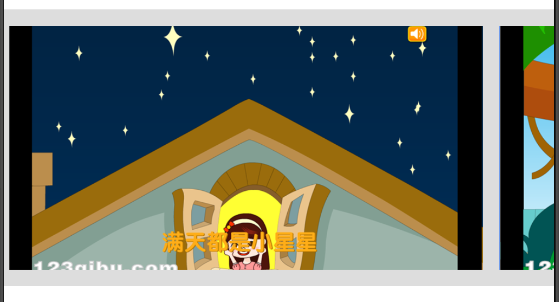


(1)自定义HorizontalScrollView类:AppHorizontalScrollView实现:
package com.czm.ui.view;

import java.util.ArrayList;

import android.content.Context;

import android.util.AttributeSet;

import android.view.MotionEvent;

import android.view.View;

import android.view.ViewGroup;

import android.widget.HorizontalScrollView;

/***

 * 应用详情页截图 自定义HorizontalScrollView视图  ( 仿ViewPager效果)

 * @author caizhiming

 *

 */

public class AppHorizontalScrollView extends HorizontalScrollView {

    /**

     * 数据定义

     */

    private int subChildCount = 0;

    private ViewGroup firstChild = null;

    private int downX = 0;

    private int currentPage = 0;

    private ArrayList<Integer> viewList = new ArrayList<Integer>();

    /**

     * 构造方法

     * @author caizhiming

     */

    public AppHorizontalScrollView(Context context, AttributeSet attrs,

            int defStyle) {

        super(context, attrs, defStyle);

        init();

    }

    public AppHorizontalScrollView(Context context, AttributeSet attrs) {

        super(context, attrs);

        init();

    }

    public AppHorizontalScrollView(Context context) {

        super(context);

        init();

    }

    private void init() {

        setHorizontalScrollBarEnabled(false);//设置原有的滚动无效

    }

    @Override

    protected void onMeasure(int widthMeasureSpec, int heightMeasureSpec) {

        super.onMeasure(widthMeasureSpec, heightMeasureSpec);

        getChildInfo();

    }

    /**

     * 获取子视图信息

     * @author caizhiming

     */

    public void getChildInfo() {

        firstChild = (ViewGroup) getChildAt(0);

        if (firstChild != null) {

            subChildCount = firstChild.getChildCount();

            for (int i = 0; i < subChildCount; i++) {

                if (((View) firstChild.getChildAt(i)).getWidth() > 0) {

                    viewList.add(((View) firstChild.getChildAt(i)).getLeft());

                }

            }

        }

    }

    /**

     * 触摸监听时间

     * @author caizhiming

     */

    @Override

    public boolean onTouchEvent(MotionEvent ev) {

        switch (ev.getAction()) {

        case MotionEvent.ACTION_DOWN:

            downX = (int) ev.getX();

            break;

        case MotionEvent.ACTION_MOVE:

            break;

        case MotionEvent.ACTION_UP:

        case MotionEvent.ACTION_CANCEL: {

            if (Math.abs((ev.getX() - downX)) > getWidth() / 4) {

                if (ev.getX() - downX > 0) {

                    smoothScrollToPrePage();

                } else {

                    smoothScrollToNextPage();

                }

            } else {

                smoothScrollToCurrent();

            }

            return true;

        }

        }

        return super.onTouchEvent(ev);

    }

    /**

     * 滑动到当前页

     * @author caizhiming

     */

    private void smoothScrollToCurrent() {

        smoothScrollTo(viewList.get(currentPage)-10, 0);

    }

    /**

     * 滑动到下一页

     * @author caizhiming

     */

    private void smoothScrollToNextPage() {

        if (currentPage < subChildCount - 1) {

            currentPage++;

            smoothScrollTo(viewList.get(currentPage)-10, 0);

        }

    }

    /**

     * 滑动到上一页

     * @author caizhiming

     */

    private void smoothScrollToPrePage() {

        if (currentPage > 0) {

            currentPage--;

            smoothScrollTo(viewList.get(currentPage)-10, 0);

        }

    }

    /**

     * 滑动到下一页

     * @author caizhiming

     */

    public void nextPage() {

        smoothScrollToNextPage();

    }

    /**

     * 滑动到上一页

     * @author caizhiming

     */

    public void prePage() {

        smoothScrollToPrePage();

    }

    /**

     * 跳转到指定的页面

     *

     * @param page

     * @author caizhiming

     */

    public boolean gotoPage(int page) {

        if (page > 0 && page < subChildCount - 1) {

            smoothScrollTo(viewList.get(page), 0);

            currentPage = page;

            return true;

        }

        return false;

    }

}
(2)UI配置文件xml中使用方法如下:
<com.czm.ui.view.AppHorizontalScrollView

            android:id="@+id/horizontalScrollView1"

            android:layout_width="wrap_content"

            android:layout_height="wrap_content"

            android:visibility="gone"

            android:scrollbars="none" >

            <LinearLayout

                android:id="@+id/llCoverList"

                android:layout_width="fill_parent"

                android:layout_height="wrap_content"

                android:padding="10dp"

                android:background="#DDDDDD"

                android:orientation="horizontal" >

            </LinearLayout>

        </com.czm.ui.view.AppHorizontalScrollView>
Android 自定义View修炼-自定义HorizontalScrollView视图实现仿ViewPager效果的更多相关文章
- Android 自定义View修炼-自定义可动画展开收缩View的实现
有时候需要点击一个view可以动画展开和收缩折叠一个View这样的效果,这样就可以直接自定义View来实现. 本例中,采用继承FrameLayout来实现自定义的ExpandView.下面将详细介绍各 ...
- Android 自定义View修炼-自定义View-带百分比进度的圆形进度条(采用自定义属性)
很多的时候,系统自带的View满足不了我们功能的需求,那么我们就需要自己来自定义一个能满足我们需求的View,自定义View我们需要先继承View,添加类的构造方法,重写父类View的一些方法,例如o ...
- Android 自定义View修炼-自定义加载进度动画XCLoadingImageView
一.概述 本自定义View,是加载进度动画的自定义View,继承于ImageView来实现,主要实现蒙层加载进度的加载进度效果. 支持水平左右加载和垂直上下加载四个方向,同时也支持自定义蒙层进度颜色. ...
- Android 自定义View修炼-自定义弹幕效果View
一.概述 现在有个很流行的效果就是弹幕效果,满屏幕的文字从右到左飘来飘去.看的眼花缭乱,看起来还蛮cool的 现在就是来实现这一的一个效果,大部分的都是从右向左移动漂移,本文的效果中也支持从左向右的漂 ...
- Dialog详解(包括进度条、PopupWindow、自定义view、自定义样式的对话框)
Dialog详解(包括进度条.PopupWindow.自定义view.自定义样式的对话框) Android中提供了多种对话框,在实际应用中我们可能会需要修改这些已有的对话框.本实例就是从实际出发, ...
- Android 自定义View修炼-【2014年最后的分享啦】Android实现自定义刮刮卡效果View
一.简介: 今天是2014年最后一天啦,首先在这里,我祝福大家在新的2015年都一个个的新健康,新收入,新顺利,新如意!!! 上一偏,我介绍了用Xfermode实现自定义圆角和椭圆图片view的博文& ...
- Android 自定义View修炼-Android实现圆形、圆角和椭圆自定义图片View(使用BitmapShader图形渲染方法)
一.概述 Android实现圆角矩形,圆形或者椭圆等图形,一般主要是个自定义View加上使用Xfermode实现的.实现圆角图片的方法其实不少,常见的就是利用Xfermode,Shader.本文直接继 ...
- Android 自定义View修炼-Android开发之自定义View开发及实例详解
在开发Android应用的过程中,难免需要自定义View,其实自定义View不难,只要了解原理,实现起来就没有那么难. 其主要原理就是继承View,重写构造方法.onDraw,(onMeasure)等 ...
- Android 自定义View修炼-Android 实现自定义的卫星式菜单(弧形菜单)View
一.总述 Android 实现卫星式菜单也叫弧形菜单的主要要做的工作如下:1.动画的处理2.自定义ViewGroup来实现卫星式菜单View (1)自定义属性 a. 在attrs.xml中 ...
随机推荐
- HDU 4734
数位dp题:也是我做的第一个数位dp的题目: 感觉数位dp的模板性很强啊,思想都差不太多! 有几个写的很好的参考资料: 推荐一下: 数位计数问题解法研究 浅谈数位类统计问题 我的代码: #includ ...
- Docker日志自动化: ElasticSearch、Logstash、Kibana以及Logspout
http://www.open-open.com/lib/view/open1432107136989.html
- Celery Flower监控,完美搞定
XXXX啊,,从上午就看到QUEQUE有问题,但一直不晓得哪里出了问题, 后来,安装上FLOWER看一下,队列就出来了... 神器啊.. 安装不说,运行很EASY.. celery flower -A ...
- SPRING IN ACTION 第4版笔记-第二章-002-@ComponentScan、@Autowired的用法
一.@ComponentScan 1. @Configuration //说明此类是配置文件 @ComponentScan //开启扫描,会扫描当前类的包及其子包 public class CDPla ...
- Android 图片比较
Android中图片比较大致的流程如下: 将Drawable对象转化成Bitmap对象.(实际比较的是Bitmap对象,假设为B1和B2) 将B1和B2中的像素取出,分别放在2个数组中.(实际存储的是 ...
- XtraForm中OfficeSkins以及BonusSkin皮肤的设置
前提 http://www.cnblogs.com/chucklu/p/4786629.html 在上一篇文章的基础上,现在来使用其他主题的皮肤 一.其他皮肤主题 一共有3种类型的主题: 1.默认的 ...
- 《华油能源OA系统数据同步和扩展的设计与实现_张宇峰》阅读笔记
为什么我会找到这篇论文? 华油能源集团拥有多套信息化软件系统,每个用户需要登录操作多个软件系统,记住多个系统的用户名.密码,需要不停的切换到每个系统,查看是否有需要进行的工作:管理员更是疲于每天对各个 ...
- 【转】 Android SDK无法更新解决方法---不错
原文网址:http://blog.csdn.net/shi_weihappy/article/details/41847997 自己的修改: 203.208.39.238 dl.google.com7 ...
- js 打印网页指定内容
function doPrint() { setTimeout(function() { bdhtml=window.document.body.innerHTML; sprnstr="&l ...
- 开发服务器端——工程配置
概述: 服务器开发,一般分为 主程序类Project(主函数main) 流程控制类Kernel(处理收到的数据) 网络类Network(数据的收发) 公共类Common(定义一些常量和结构体,自 ...