
geoServer 发布geoTiff格式的DEM数据
1/数据下载(首先感谢earthexplorer提供了免费的全球DEM数据)
下载地址 https://lta.cr.usgs.gov/GTOPO30 ,首先要注册才可以下载,登陆网站后点击getData按钮,
再点击Data Set 这个tab,然后在Data Set Search:中输入GTOPO30进行搜索,在最下方点击result按钮。就会进入以下界面:
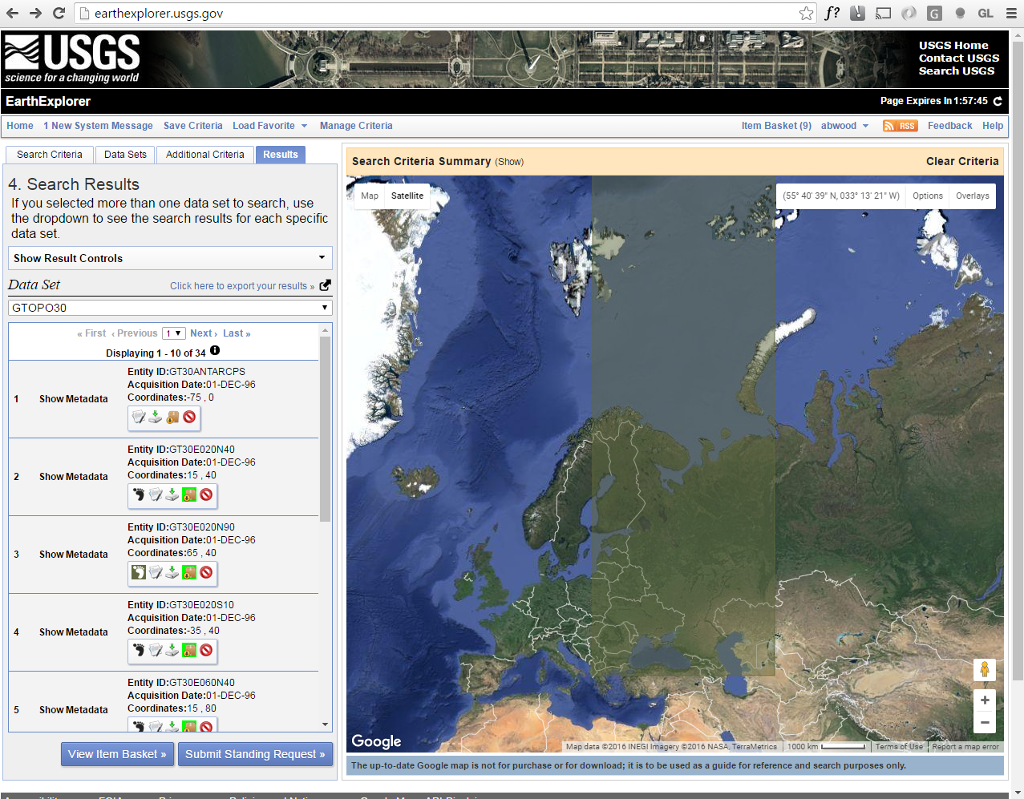
这里就可以下载全球范围的DEM数据。
2、geoserver发布前准备
因为从上面所指示的地址下载的数据类型是16 byte的geoTiff图像,而我们这次使用的geoServer中的 image pyramid plug-in这个插件,此插件需要的geoTiff的格式是
8 or 12 byte类型的geotiff,所以我们需要格式转化。我这里有一个java编写的工具可以把16位的geotiff转化为8位的geotiff。下载地址: https://github.com/kaktus40/Cesium-GeoserverTerrainProvider
此地址下载的zip文件中包含GeotiffTranslate.jar工具,就是我们需要的,(具体使用方法请阅读.me文件)。
3、geoserver发布
以下英文地址( http://docs.geoserver.org/latest/en/user/tutorials/imagepyramid/imagepyramid.html )
For this tutorial we have prepared a sample BlueMarble TNG subset in GeoTIFF form. The image is tiled and JPEG compressed, without overviews. Not exactly what you’d want to use for high performance data serving, but good for redistribution and as a starting point to build a pyramid.
In order to build the pyramid we’ll use the gdal_retile.py utility, part of the GDAL command line utilities and available for various operating systems (if you’re using Microsoft Windows look for FWTools).
The following commands will build a pyramid on disk:
mkdir bmpyramid

gdal_retile.py -v -r bilinear -levels 4 -ps 2048 2048 -co "TILED=YES" -co "COMPRESS=JPEG" -targetDir bmpyramid bmreduced.tiff
The gdal_retile.py user guide provides a detailed explanation for all the possible parameters, here is a description of the ones used in the command line above:
- -v: verbose output, allows the user to see each file creation scroll by, thus knowing progress is being made (a big pyramid construction can take hours)
- -r bilinear: use bilinear interpolation when building the lower resolution levels. This is key to get good image quality without asking GeoServer to perform expensive interpolations in memory
- -levels 4: the number of levels in the pyramid
- -ps 2048 2048: each tile in the pyramid will be a 2048x2048 GeoTIFF
- -co “TILED=YES”: each GeoTIFF tile in the pyramid will be inner tiled
- -co “COMPRESS=JPEG”: each GeoTIFF tile in the pyramid will be JPEG compressed (trades small size for higher performance, try out it without this parameter too)
- -targetDir bmpyramid: build the pyramid in the bmpyramid directory. The target directory must exist and be empty
- bmreduced.tiff: the source file
This will produce a number of TIFF files in bmpyramid along with the sub-directories 1, 2, 3, and 4.
Once that is done, and assuming the GeoServer image pyramid plug-in is already installed, it’s possible to create the coverage store by pointing at the directory containing the pyramid and clicking save:
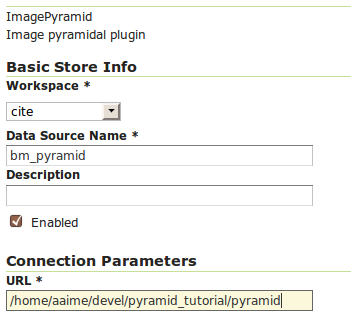
Configuring a image pyramid store
When clicking save the store will look into the directory, recognize a gdal_retile generated structure and perform some background operations:
- move all tiff files in the root to a newly create directory 0
- create an image mosaic in all sub-directories (shapefile index plus property file)
- create the root property file describing the whole pyramid structure
Once that is done the user will be asked to choose a coverage, which will be named after the pyramid root directory:
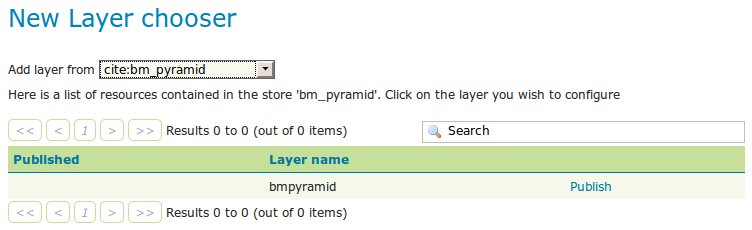
Choosing the coverage for publishing
Publish the layer, and then setup the layer parameter USE_JAI_IMAGEREAD to false to get better scalability:
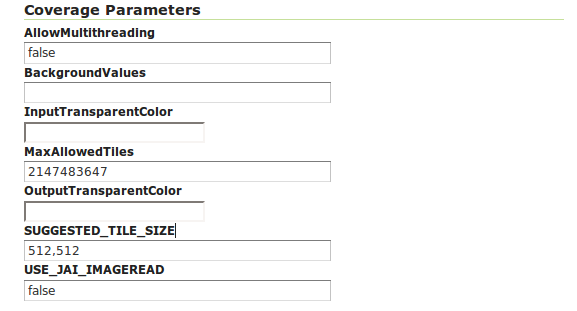
Tuning the pyramid parameters
Submit and go to the preview, the pyramid should be ready to use:
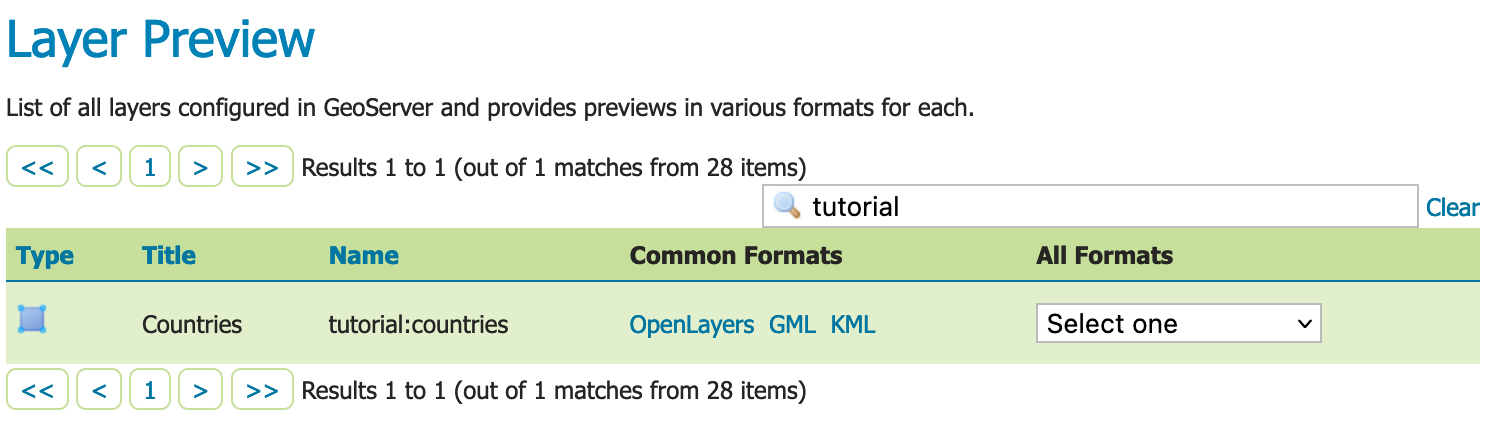
Previewing the pyramid
Notes on big pyramids
The code that is auto-creating the pyramid indexes and metadata files might take time to run, especially if:
- the pyramid zero level is composed of many thousands of files
- the system is busy with the disk already and that results in higher times to move all the files to the 0directory
If the delay is too high the request to create the store will time out and might break the pyramid creation. So, in case of very big pyramids consider loosing some of the comfort and creating the 0 directory and moving the files by hand:
cd bmpyramid

mkdir 0

mv *.tiff 0
geoServer 发布geoTiff格式的DEM数据的更多相关文章
- Geoserver 发布shp格式地图服务
本文实践参考https://blog.csdn.net/zj3172172173/article/details/53336704 第一步: 安装geoserver . 自己去官方下载一个安装包 第二 ...
- 使用GeoServer发布shp数据为WMS服务和WFS服务
使用GeoServer发布shp数据为WMS服务和WFS服务 1安装GeoServer 2使用GeoServer上传数据 3使用GeoServer发布数据为WMS和WFS 看完本教程,你将学会安装Ge ...
- geoserver发布mysql表数据
文章版权由作者李晓晖和博客园共有,若转载请于明显处标明出处:http://www.cnblogs.com/naaoveGIS/ 1.环境部署 Geoserver中并不自带mysql数据发布功能,需要下 ...
- JavaWeb和WebGIS学习笔记(三)——GeoServer 发布shp数据地图
系列链接: Java web与web gis学习笔记(一)--Tomcat环境搭建 Java web与web gis学习笔记(二)--百度地图API调用 JavaWeb和WebGIS学习笔记(三)-- ...
- Geoserver发布Oracle数据
在Geoserver安装包中,默认是不能发布Oracle数据库里的数据的,只能发布postgis.shp等数据,详细如截图: 如果想发布oracle数据,得安装相应版本的关于oracle数据源的插件, ...
- GeoServer发布Shapfile、PostGIS数据
GeoServer发布Shapfile.PostGIS数据 一.GeoServer发布Shapfile数据 1.1 创建工作区 1.1.1 工作区 1.2 在工作区中加入新的数据存储 1.2.1 数据 ...
- Cesium调用Geoserver发布的 WMS、WFS服务
1 GeoServer服务发布 1.1 WMS服务 下载GeoServer安装版安装,同时安装geopackage扩展,以备使用.使用XX地图下载器下载地图,导出成GeoPackage地图文件. (1 ...
- geoserver 发布无坐标png
1.geoserver 安装一些插件的时候,直接去http://docs.geoserver.org/ 官网,选择自己geoserver对应的版本的插件就可以了. 2.geoserver 发布自身带有 ...
- openlayer3 加载geoserver发布的WFS服务
转自原文 openlayer3加载geoserver发布的WFS服务 openlayers3调用GeoServer发布的wfs 1 参考一 1.1 问题 openlayer3加载WFS存在跨域问题,需 ...
随机推荐
- nginx 配置全站404(百度闭站保护)
在百度站长里申请闭站保护时,需要全站404.可能过nginx配置实现 location / { #root html; #index index.html index.htm; retur ...
- 调用百度地图API出现 error inflating class com.baidu.mapapi.map.mapview
问题如下 本来以为解决了,但后来重新运行了一下,又坏了,然后改成原来的样子,又好了. 结果就是:对不住了各位看官,没找到解决办法,不过经测试有个地方,可能在程序运行时,出现error inflatin ...
- cut命令
cut是一个选取命令,就是将一段数据经过分析,取出我们想要的.一般来说,选取信息通常是针对"行"来进行分析的,并不是整篇信息分析的. (1)其语法格式为:cut [-bn] [f ...
- JVM基本结构
以下是JVM的一个基本架构图,在这个基本架构图中,栈有两部份,Java线程栈以及本地方法栈,栈的概念与C/C++程序基本上都是一个概念,里面存放的都是栈帧,一个栈帧代表的就是一个函数的调用,在栈帧里面 ...
- WPF的二维绘图(二)——几何图形Geometry
在WPF的DrawingContext对象中,提供了基本的绘制椭圆和矩形的API:DrawEllipse和DrawRectangle.但是,这些是远远不够用的,我们在日常应用中,更多的是使用DrawG ...
- vs2010 创建预编译头 Debug 正常 Release Link Error问题解决
问题:创建预编译头 Debug 正常 Release Link Error Main.obj : error LNK2005: ___@@_PchSym_@00@UmfilkilqUdrmzkkUki ...
- Java实现emf图片自己留转png(jpg)图片字节流
private byte[] emfToPng(InputStream is){ // InputStream inputStream=null; byte[] by=null; EMFInputSt ...
- MongoDB的基础知识
本人只是软件开发的一个菜鸟,在学习MongoDB,总结了一点自己学习的知识,监督自己学习. 如果文章中有不足的地方,还请大神指点迷津,纠正改错,谢谢. 一.MongoDB简介 MongoDB是一个基于 ...
- Ubuntu 命令大全
一.文件目录类 1.建立目录:mkdir 目录名 2.删除空目录:rmdir 目录名 3.无条件删除子目录: rm -rf 目录名 4.改变当前目录:cd 目录名 (进入用户home目录:cd ~:进 ...
- 《IT蓝豹》吹雪花demo,学习android传感器
吹雪花demo,学习android传感器 吹雪花demo,学习android传感器,嘴巴对着手机底部吹一下就会出现飘着雪花效果. 算是学习android传感器效果.本例子主要是通过android.me ...