
goaccess分析access.log
接上一篇,开始学习goaccess使用~
源码安装完成后,我的goaccess的配置文件goaccess.conf位于/usr/local/etc/
/usr/local/etc/goaccess/goaccess.conf
参照官网生成html文件
goaccess /var/log/nginx/access.log -a -o go.html
未生成成功,报错如下
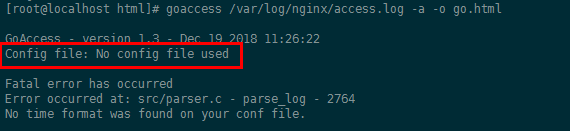
查看goaccess帮助命令如何指定配置文件
goaccess -h
GoAccess - 1.3

Usage: goaccess [filename] [ options ... ] [-c][-M][-H][-S][-q][-d][...]

The following options can also be supplied to the command:

Log & Date Format Options

  --date-format=<dateformat>      - Specify log date format. e.g., %d/%b/%Y

  --log-format=<logformat>        - Specify log format. Inner quotes need to be

                                    escaped, or use single quotes.

  --time-format=<timeformat>      - Specify log time format. e.g., %H:%M:%S

User Interface Options

  -c --config-dialog              - Prompt log/date/time configuration window.

  -i --hl-header                  - Color highlight active panel.

  -m --with-mouse                 - Enable mouse support on main dashboard.

  --color=<fg:bg[attrs, PANEL]>   - Specify custom colors. See manpage for more

                                    details and options.

  --color-scheme=<||>          - Schemes:  => Grey,  => Green,  => Monokai.

  --html-custom-css=<path.css>    - Specify a custom CSS file in the HTML report.

  --html-custom-js=<path.js>      - Specify a custom JS file in the HTML report.

  --html-prefs=<json_obj>         - Set default HTML report preferences.

  --html-report-title=<title>     - Set HTML report page title and header.

  --json-pretty-print             - Format JSON output w/ tabs & newlines.

  --max-items                     - Maximum number of items to show per panel.

                                    See man page for limits.

  --no-color                      - Disable colored output.

  --no-column-names               - Don't write column names in term output.

  --no-csv-summary                - Disable summary metrics on the CSV output.

  --no-html-last-updated          - Hide HTML last updated field.

  --no-parsing-spinner            - Disable progress metrics and parsing spinner.

  --no-progress                   - Disable progress metrics.

  --no-tab-scroll                 - Disable scrolling through panels on TAB.

Server Options

  --addr=<addr>                   - Specify IP address to bind server to.

  --daemonize                     - Run as daemon (if --real-time-html enabled).

  --fifo-in=<path>                - Path to read named pipe (FIFO).

  --fifo-out=<path>               - Path to write named pipe (FIFO).

  --origin=<addr>                 - Ensure clients send the specified origin header

                                    upon the WebSocket handshake.

  --pid-file=<path>               - Write PID to a file when --daemonize is used.

  --port=<port>                   - Specify the port to use.

  --real-time-html                - Enable real-time HTML output.

  --ssl-cert=<cert.crt>           - Path to TLS/SSL certificate.

  --ssl-key=<priv.key>            - Path to TLS/SSL private key.

  --ws-url=<url>                  - URL to which the WebSocket server responds.

File Options

  -                               - The log file to parse is read from stdin.

  -f --log-file=<filename>        - Path to input log file.

  -S --log-size=<number>          - Specify the log size, useful when piping in logs.

  -l --debug-file=<filename>      - Send all debug messages to the specified

                                    file.

  -p --config-file=<filename>     - Custom configuration file.

  --invalid-requests=<filename>   - Log invalid requests to the specified file.

  --no-global-config              - Don't load global configuration file.

Parse Options

  -a --agent-list                 - Enable a list of user-agents by host.

  -b --browsers-file=<path>       - Use additional custom list of browsers.

  -d --with-output-resolver       - Enable IP resolver on HTML|JSON output.

  -e --exclude-ip=<IP>            - Exclude one or multiple IPv4/. Allows IP

                                    ranges e.g. 192.168.0.1-192.168.0.10

  -H --http-protocol=<yes|no>     - Set/unset HTTP request protocol if found.

  -M --http-method=<yes|no>       - Set/unset HTTP request method if found.

  -o --output=file.html|json|csv  - Output either an HTML, JSON or a CSV file.

  -q --no-query-string            - Ignore request's query string. Removing the

                                    query string can greatly decrease memory

                                    consumption.

  -r --no-term-resolver           - Disable IP resolver on terminal output.

  ---as-                    - Treat non-standard status code  as .

  --4xx-to-unique-count           - Add 4xx client errors to the unique visitors

                                    count.

  --anonymize-ip                  - Anonymize IP addresses before outputting to report.

  --all-static-files              - Include static files with a query string.

  --crawlers-only                 - Parse and display only crawlers.

  --date-spec=<date|hr>           - Date specificity. Possible values: `date`

                                    (default), or `hr`.

  --double-decode                 - Decode double-encoded values.

  --enable-panel=<PANEL>          - Enable parsing/displaying the given panel.

  --hide-referer=<NEEDLE>         - Hide a referer but still count it. Wild cards

                                    are allowed. i.e., *.bing.com

  --hour-spec=<hr|min>            - Hour specificity. Possible values: `hr`

                                    (default), or `min` (tenth of a min).

  --ignore-crawlers               - Ignore crawlers.

  --ignore-panel=<PANEL>          - Ignore parsing/displaying the given panel.

  --ignore-referer=<NEEDLE>       - Ignore a referer from being counted. Wild cards

                                    are allowed. i.e., *.bing.com

  --ignore-statics=<req|panel>    - Ignore static requests.

                                    req => Ignore from valid requests.

                                    panel => Ignore from valid requests and panels.

  --ignore-status=<CODE>          - Ignore parsing the given status code.

  --num-tests=<number>            - Number of lines to test. >=  ( default)

  --process-and-exit              - Parse log and exit without outputting data.

  --real-os                       - Display real OS names. e.g, Windows XP, Snow

                                    Leopard.

  --sort-panel=PANEL,METRIC,ORDER - Sort panel on initial load. For example:

                                    --sort-panel=VISITORS,BY_HITS,ASC. See

                                    manpage for a list of panels/fields.

  --static-file=<extension>       - Add static file extension. e.g.: .mp3.

                                    Extensions are case sensitive.

GeoIP Options

  -g --std-geoip                  - Standard GeoIP database for less memory

                                    consumption.

  --geoip-database=<path>         - Specify path to GeoIP database file. i.e.,

                                    GeoLiteCity.dat, GeoIPv6.dat ...

Other Options

  -h --help                       - This help.

  -V --version                    - Display version information and exit.

  -s --storage                    - Display current storage method. e.g., B+

                                    Tree, Hash.

  --dcf                           - Display the path of the default config

                                    file when `-p` is not used.
其中-p用来制定需要使用的配置文件,好,继续尝试
goaccess -p /usr/local/etc/goaccess/goaccess.conf /var/log/nginx/access.log -a -o go.html
未报错,查看是否有go.html文件

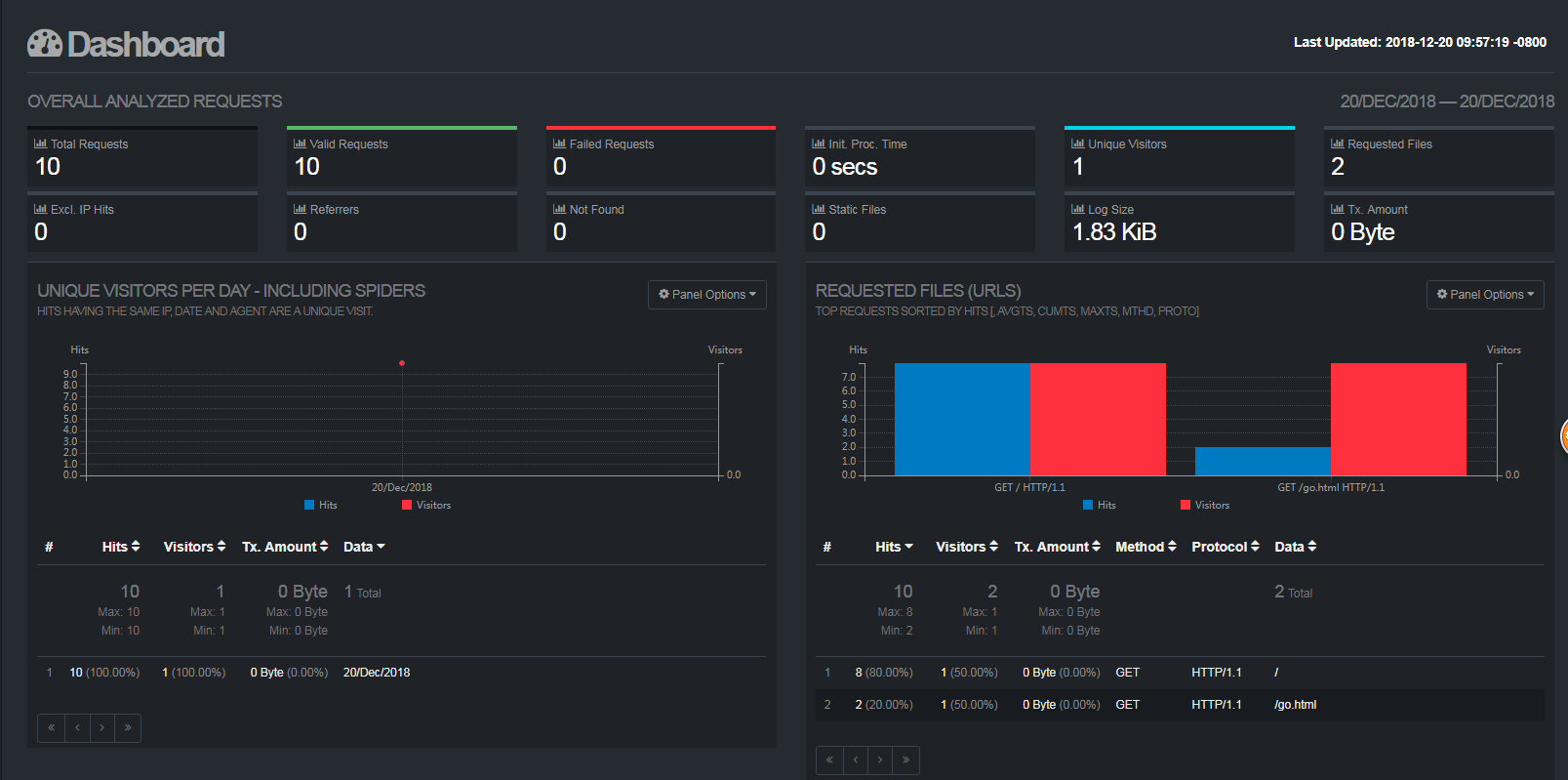
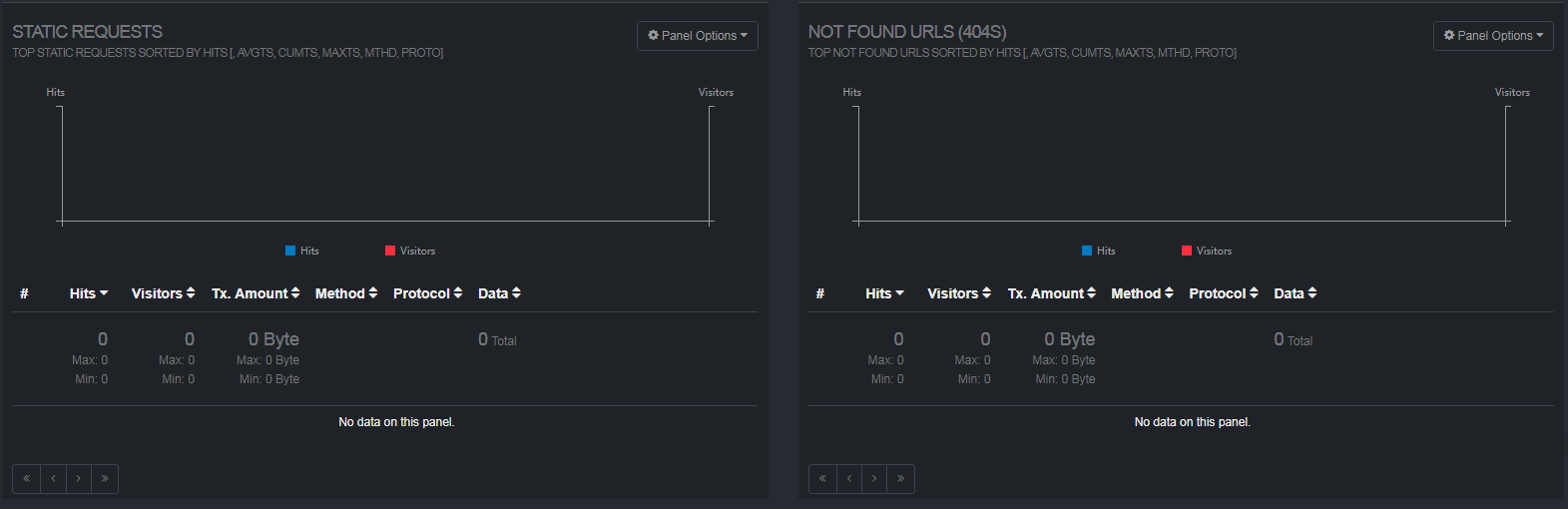
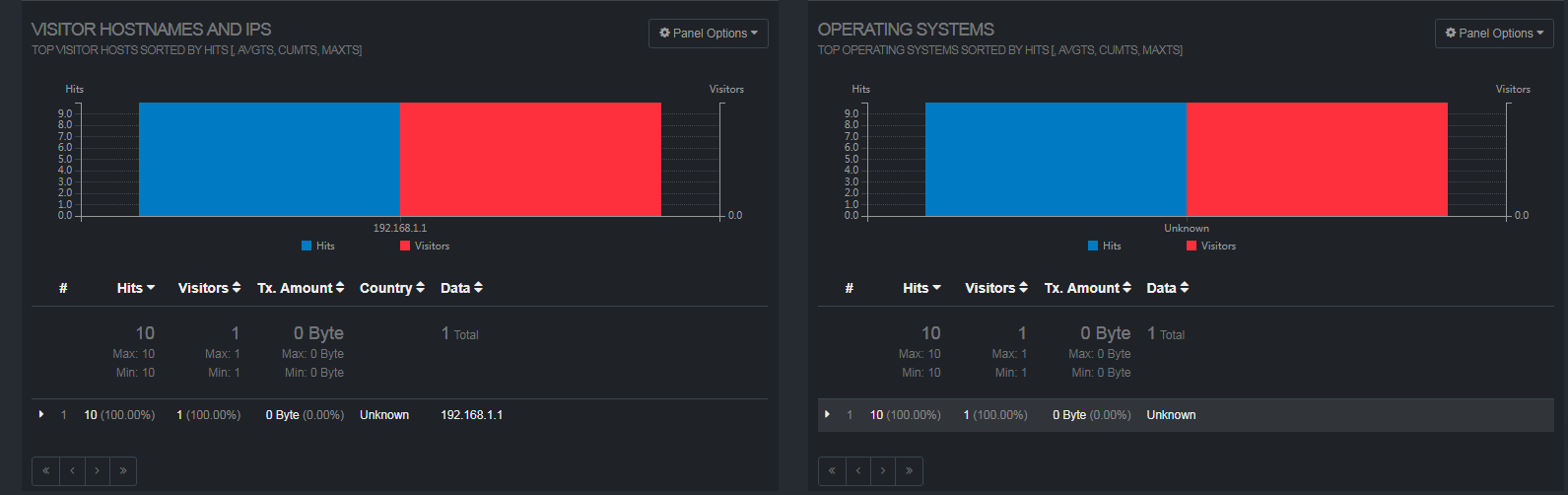
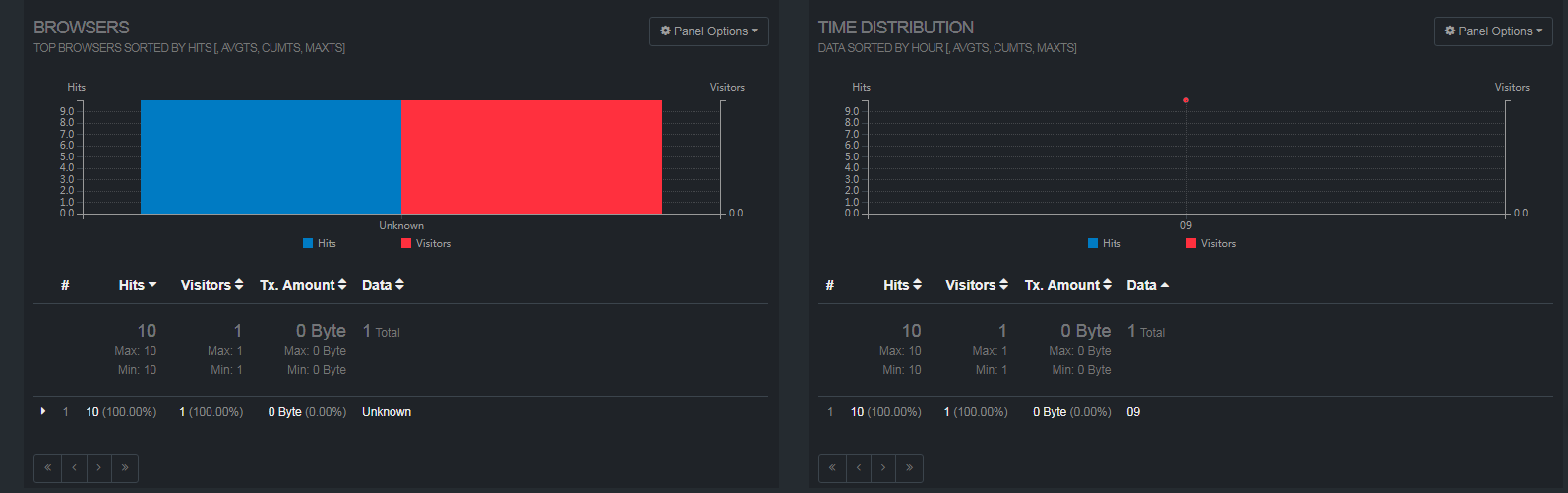
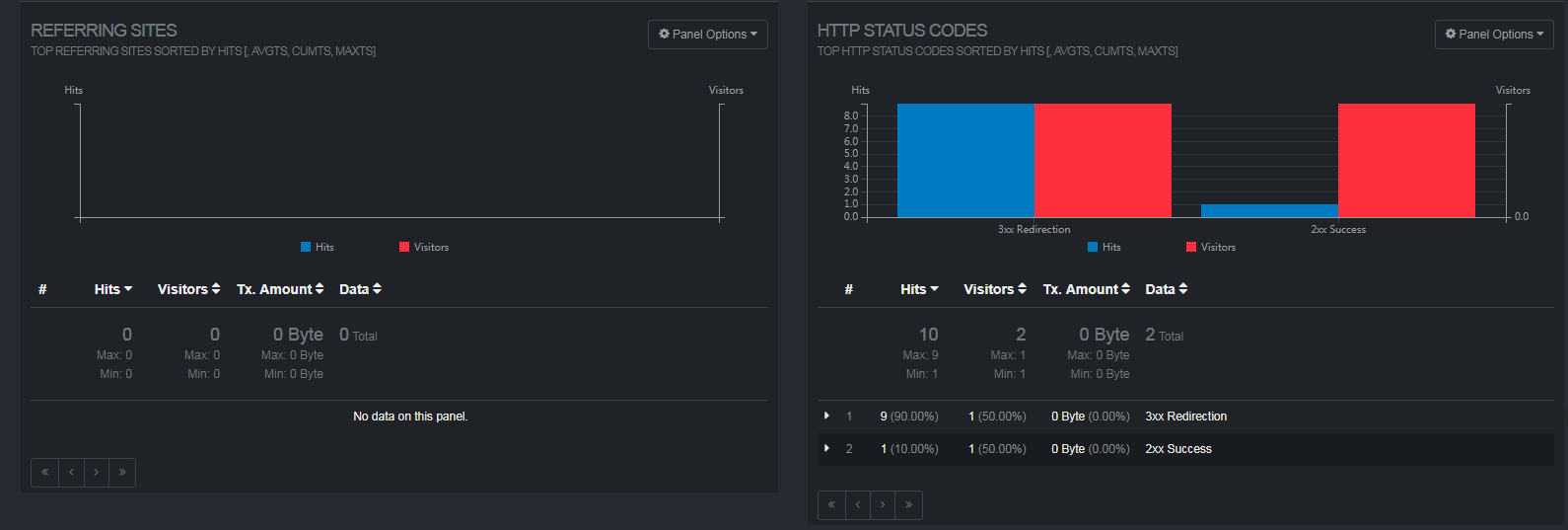
好,既然有go.html文件,现在是时候看看文件庐山真面目了,上图(数据比较少)
goaccess分析access.log的更多相关文章
- [日志分析] Access Log 日志分析
0x00.前言: 如何知道自己所在的公司或单位是否被入侵了?是没人来“黑”,还是因自身感知能力不足,暂时还没发现?入侵检测是每个安全运维人员都要面临的严峻挑战.安全无小事,一旦入侵成功,后果不堪设想. ...
- netstat--查看服务器[有效]连接数--统计端口并发数--access.log分析
简介 Netstat 命令用于显示各种网络相关信息,如网络连接,路由表,接口状态 (Interface Statistics),masquerade 连接,多播成员 (Multicast Member ...
- 【转载】netstat--查看服务器[有效]连接数--统计端口并发数--access.log分析
简介 Netstat 命令用于显示各种网络相关信息,如网络连接,路由表,接口状态 (Interface Statistics),masquerade 连接,多播成员 (Multicast Member ...
- GoAccess分析Nginx日志详解
一.为了提高 GoAccess 分析准确度,建议配置 nginx.conf 的 log_format 项如下: log_format main '$remote_addr - $remote_user ...
- 利用GoAccess分析Nginx访问日志
原文链接:https://blog.csdn.net/yown/article/details/56027112 需求:及时得到线上用户访问日志分析统计结果,以便给开发.测试.运维.运营人员提供决策! ...
- GoAccess 分析 Nginx 日志
0x00 事件 帮助朋友搭建了博客,运行过了一段时间,准备发个网站分析报告给他. 有效的数据只有 Nginx 的访问日志,于是使用决定 GoAccess 工具对这个日志进行分析, 0x01 安装 吾使 ...
- Apache的Access.log分析总结
Apache的Access.log分析总结 #查看80端口的tcp连接 #netstat -tan | grep "ESTABLISHED" | grep ":80&q ...
- GoAccess 视图化access.log 日志
1.安装GoAccess 工具可以直接使用 apt-get install goaccess 2.使用goaccess命令将日志生成html文件 goaccess 日志路径 -o 输出HTML的路径 ...
- 23、GoAccess分析Nginx日志
1.GoAccess基本概述 GoAccess是一个基于终端的快速日志分析器.其核心思想是实时快速分析和查看Web服务器统计信息. 1.安装简单: 2.操作容易: 3.界面酷炫:  2.GoAcce ...
随机推荐
- ProtobufUtils
import java.io.IOException; import java.io.InputStream; import java.lang.reflect.Method; import com. ...
- 【ACM】最少乘法次数 - 树
最少乘法次数 时间限制:1000 ms | 内存限制:65535 KB 难度:3 描述 给你一个非零整数,让你求这个数的n次方,每次相乘的结果可以在后面使用,求至少需要多少次乘.如24:2*2 ...
- python学习二(文件与异常)
Python中使用open BIF与文件交互,与for语句结合使用,一次读取一行 读取文件sketch.txt,文件内容如下: Man: Ah! (taking out his wallet and ...
- centos服务器nginx相关命令
1.找到nginx路径: ps aux | grep nginx -> /usr/local/nginx/sbin/nginx 2.nginx配置检查: /usr/local/nginx/sbi ...
- Web 前端安装依赖的时候遇到的问题
- Java语言程序设计(第三版)第二章课后习题答案(仅供参考)
2.1 注意不同类型转换 import java.util.Scanner; public class Ch02 { public static void main(String[] args) ...
- springboot 学习笔记(五)
(五)springboot整合thymeleaf模板,实现简单的登陆 1.修改上一节笔记中的user表,新增一个password字段,同时要求username为UNIQUE,以实现登陆校验,表结构如下 ...
- BZOJ3693: 圆桌会议(Hall定理 线段树)
题意 题目链接 Sol 好的又是神仙题... 我的思路:对于区间分两种情况讨论,一种是完全包含,另一种是部分包含.第一种情况非常好判断,至于计算对于一个区间[l, r]的$\sum a[i]$就可以了 ...
- 用C++/CLI搭建C++和C#之间的桥梁
一.简单用法 C#和C++是非常相似的两种语言,然而我们却常常将其用于两种不同的地方,C#得益于其简洁的语法和丰富的类库,常用来构建业务系统.C++则具有底层API的访问能力和拔尖的执行效率,往往用于 ...
- use scanner/smb/smb_version
use scanner/smb/smb_version msf auxiliary(smb_version) > set RHOSTS 172.16.21.170RHOSTS => 172 ...