
.Net、C# 汉字转拼音,简体繁体转换方法
1 Microsoft.International.Converters.PinYinConverter.ChineseChar cc=new Microsoft.International.Converters.PinYinConverter.ChineseChar('国');

1 string temp_1 = Microsoft.International.Converters.TraditionalChineseToSimplifiedConverter.ChineseConverter.Convert("中华人民共和国",

2

3 Microsoft.International.Converters.TraditionalChineseToSimplifiedConverter.ChineseConversionDirection.SimplifiedToTraditional);
1 string temp_2 = Microsoft.International.Converters.TraditionalChineseToSimplifiedConverter.ChineseConverter.Convert(temp_1,

2

3 Microsoft.International.Converters.TraditionalChineseToSimplifiedConverter.ChineseConversionDirection.TraditionalToSimplified);
1 1 string temp_4 = string.Format(new Microsoft.International.Formatters.EastAsiaNumericFormatter(), "{0:L}", 1234567890.45);
1 string temp_6 = string.Format(new Microsoft.International.Formatters.EastAsiaNumericFormatter(), "{0:Ln}", 1234567890.45);
1 string temp_7 = string.Format(new Microsoft.International.Formatters.EastAsiaNumericFormatter(), "{0:Lc}", 1234567890.45);
实例代码:
|
1
2
3
4
5
6
7
8
9
10
11
12
13
14
15
16
17
18
19
20
21
22
|
//简体/繁体切换 string temp_1 = ChineseConverter.Convert("中国人", ChineseConversionDirection.TraditionalToSimplified); string temp_2 = ChineseConverter.Convert("中国人", ChineseConversionDirection.SimplifiedToTraditional); Console.WriteLine("简体转换:"+temp_1+"\n繁体转换:"+temp_2); //汉字转换拼音 string r = string.Empty; Console.Write("请输入任意汉字:"); string str = Console.ReadLine(); foreach (char obj in str) { try { ChineseChar chineseChar = new ChineseChar(obj); string t = chineseChar.Pinyins[0].ToString(); r += t.Substring(0, t.Length - 1); } catch { r += obj.ToString(); } } Console.WriteLine(r.ToLower().ToString()); |
源码:
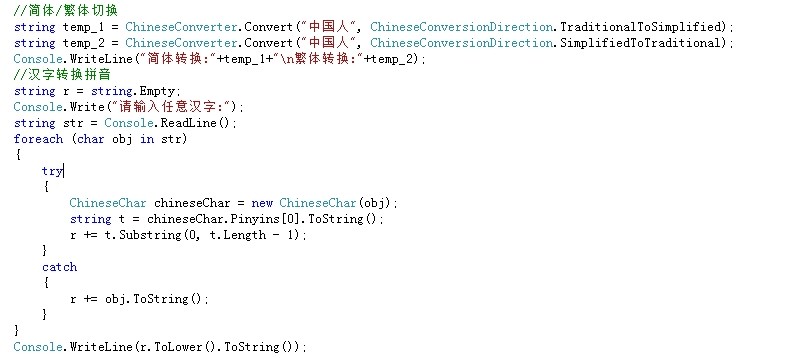
结果:

.Net、C# 汉字转拼音,简体繁体转换方法的更多相关文章
- c#简体繁体转换
方法一已经亲测,使用正常,方法二貌似不能用. 方法一 /// <summary> /// 中文字符工具类 /// </summary> public static class ...
- 汉字简体繁体转换----Javascript
最近看到有个简体--繁体字互相转换的程序,是用JS实现的,感觉很好玩,所以拿来研究研究.先看看界面如下: 汉字简体繁体转换 // 0&&parent.frames.length) { ...
- 【推荐】iOS汉字转拼音第三方库
PinYin4Objc是一个在git汉字转拼音的开源库,支持简体和繁体中文.效率POAPinyin等其他库要高,转换库也完整下面简单介绍 实现原理 使用unicode_to_hanyu_pinyin. ...
- 最好用的汉字转拼音代码PinYin4Objc(PinYin4J的objc版本)
转:https://github.com/kimziv/PinYin4Objc 最好用的汉字转拼音代码PinYin4Objc(PinYin4J的objc版本)(更新到v1.1.1,增加block异步处 ...
- .NET Core使用微软官方类库实现汉字转拼音
一.NuGet包 拼音:Install-Package SimplifiedChinesePinYinConversion 简体-繁体互转:Install-Package TraditionalChi ...
- PHP 中文工具类,支持汉字转拼音、拼音分词、简繁互转
ChineseUtil 下载地址:https://github.com/Yurunsoft/ChineseUtil 另外一个中文转拼音工具:https://github.com/overtrue/pi ...
- JAVA实现汉字转换为拼音 pinyin4j/JPinyin
在项目中经常会遇到需求用户输入汉字后转换为拼音的场景,比如说通讯录,就会要求按名字首字符发音排序,如果自己写实现这方面的功能是个很好大的工程,还好网上有公开的第三方jar支持转换,结合网上很多前辈的代 ...
- C#中实现输入汉字获取其拼音(汉字转拼音)的2种方法
主要介绍了C#中实现输入汉字获取其拼音(汉字转拼音)的2种方法,本文分别给出了使用微软语言包.手动编码实现两种实现方式,需要的朋友可以参考下 本文刚发布时,只写了一个实现方式,使用的是微软的语言包,但 ...
- iOS 汉字转拼音 PinYin4Objc
PinYin4Objc 是一个效率很高的汉字转拼音类库,支持简体和繁体中文.有以下特性:1.效率高,使用数据缓存,第一次初始化以后,拼音数据存入文件缓存和内存缓存,后面转换效率大大提高:2.支持自定义 ...
随机推荐
- Java微信公众平台开发_01_本地服务器映射外网
做微信开发之前,我们需要先做一个内网穿透,让我们的工程可以在公网上被访问. 一.工具列表 内网穿透的相关工具有: (1)natapp 官网 :https://natapp.cn/ (2)花生壳 官网: ...
- Delphi实现截屏存盘的方法
unit Unit1; interface uses Windows, Messages, SysUtils, Variants, Classes, Graphics, Controls, Forms ...
- C# Quartz 整理
因项目需要,在C#中使用了定时程序.自然就使用了Quartz了 但是使用的时候,经过一段时间后,发现了两个重大问题,结果导致的是一样的,就是都导致了定时不会继续执行了. 第一个问题是,定时程序发布在I ...
- JavaScript 性能优化的小知识总结
前言 一直在学习 javascript,也有看过<犀利开发 Jquery 内核详解与实践>,对这本书的评价只有两个字犀利,可能是对 javascript 理解的还不够透彻异或是自己太笨,更 ...
- HashSet底层存储元素的源码分析
此类实现 Set 接口,由哈希表(实际上是一个 HashMap 实例)支持.它不保证 set 的迭代顺序:特别是它不保证该顺序恒久不变.此类允许使用 null 元素. HashSet<Strin ...
- uva10857(状态压缩DP)
uva10857 题意 兔子希望在平面上 n 个点上放蛋,每个点最多放一个蛋,初始兔子在 (0, 0) 点,这里有无数个蛋,兔子可以回到这个点取蛋,兔子的速度为 \(v * 2^{-i}\)(i 为携 ...
- 微信小程序开发,上传wx.uploadFile 返回参数处理
这真的是个坑,前端看了半天,说是字符串,让后台处理,后台说返回的是正确的,原来这个请求就是返回的string类型,见下图,无法取到code,需要前台自己转化. 以下为百度出来的参考: wx.reque ...
- oracle中执行execute的时候报异常ORA-01031的解决办法
在做实验的时候,编写关于"在存储过程中使用动态sql,建立一个统计表,并把统计结果,插入这个表中"的PL/sql语句在执行时出现权限不足的问题. 上网查询很多,看到了下面这篇博文( ...
- JDBC完整版实现
package songyan.jdbc.test; import java.sql.Connection; import java.sql.DriverManager; import java.sq ...
- c#ppt练习
第六章 1.从控制台输入一个数,如果这个数大于等于60,就输出”及格”,否则输出”不及格” 从控制台输入一串字符,如果这个这串字符的长度大于3,并且字符首字母为A,,则输出“格式正确”,如果这串字符的 ...