
UILabel实现自适应宽高需要注意的地方
- 需要显示2行文字,宽度为 SCREEN_Width - 40 高度为两行文本的自适应高度
- 需要在此UILabel 下面添加imageView , 因此UIlabel 的高度需要准确,不允许有空白行出现
- UILabel 内的文本较多,需要加省略符:。。。
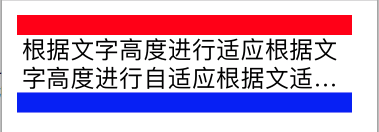
[ddlabel setText:@"根据文字高度进行适应根据文字高度进行自适应根据文适应根据文字高度进行自适应根据文自适应根据文字高度进行自适应根据文字高度进行自适应根据文字高度进行自适应根据文字高度进行自适应"];
ddlabel.numberOfLines = 2;
ddlabel.font = [UIFontsystemFontOfSize:24];
ddlabel.frame = CGRectMake(20, CGRectGetMaxY(image1.frame),SCREEN_Width - 40,rect.size.height);
[ddlabel sizeToFit];
- 获取text属性的文本内容
- 重新定义宽度和高度
- 设置换行模式
- 计算CGRect并重新设置UILabel的frame。
- CGRect rect = [label.text boundingRectWithSize:CGSizeMake(self.view.frame.size.width - 20, MAXFLOAT) options:NSStringDrawingUsesLineFragmentOrigin|NSStringDrawingUsesFontLeading attributes:@{NSFontAttributeName: label.font} context:nil];
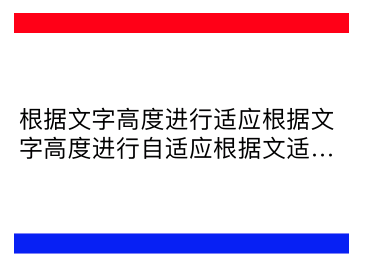
[ddlabel setText:@"根据文字高度进行适应根据文字高度进行自适应根据文适应根据文字高度进行自适应根据文自适应根据文字高度进行自适应根据文字高度进行自适应根据文字高度进行自适应根据文字高度进行自适应"];
ddlabel.numberOfLines = 2;
ddlabel.font = [UIFontsystemFontOfSize:24];
CGRect rect = [ddlabel.textboundingRectWithSize:CGSizeMake(self.view.frame.size.width - 20, MAXFLOAT) options:NSStringDrawingUsesLineFragmentOrigin|NSStringDrawingUsesFontLeadingattributes:@{NSFontAttributeName: ddlabel.font}context:nil];
ddlabel.frame = CGRectMake(20, CGRectGetMaxY(image1.frame),SCREEN_Width - 40,rect.size.height);
- Set layout constrains for label
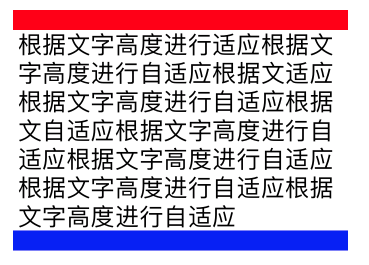
- Set height constraint with low priority. It should be lower than ContentCompressionResistancePriority
- Set numberOfLines = 0
- Set ContentHuggingPriority higher than label's height priority
- Set preferredMaxLayoutWidth for label. That value is used by label to calculate its height
self.descriptionLabel.numberOfLines = 0;
self.descriptionLabel.lineBreakMode = NSLineBreakByWordWrapping;
self.descriptionLabel.preferredMaxLayoutWidth = 200;
[self.descriptionLabel setContentHuggingPriority:UILayoutPriorityRequired forAxis:UILayoutConstraintAxisVertical];
[self.descriptionLabel setContentCompressionResistancePriority:UILayoutPriorityRequired forAxis:UILayoutConstraintAxisVertical];
[self.descriptionLabel
setTranslatesAutoresizingMaskIntoConstraints
:NO];
[self addSubview:self.descriptionLabel];
NSArray* constrs = [NSLayoutConstraint constraintsWithVisualFormat:@"|-8-[descriptionLabel_]-8-|" options:0 metrics:nil views:NSDictionaryOfVariableBindings(descriptionLabel_)];
[self addConstraints:constrs];
[self addConstraints:[NSLayoutConstraint constraintsWithVisualFormat:@"V:|-8-[descriptionLabel_]" options:0 metrics:nil views:NSDictionaryOfVariableBindings(descriptionLabel_)]];
[self.descriptionLabel addConstraints:[NSLayoutConstraint constraintsWithVisualFormat:@"V:[descriptionLabel_(220@300)]" options:0 metrics:nil views:NSDictionaryOfVariableBindings(descriptionLabel_)]];
UILabel实现自适应宽高需要注意的地方的更多相关文章
- UILabel实现自适应宽高需要注意的地方(三)
一.需求图如下所示 UILabel 的高度自适应 UILabel中的段落间距可设置 图片效果如下: 调整段落适应长宽高方式: 需求: 保证"游戏玩法 ...
- UILabel实现自适应宽高需要注意的地方(二)
需求图如下所示 UILabel "上期" 距离屏幕最左边 有35px UILabel "下期" 距离屏幕最右边 有35px 进行中文字在UIlabe ...
- 小程 序swiper自适应宽高
https://blog.csdn.net/qq_31604363/article/details/73715944 小程 序swiper自适应宽高 小程 序swiper自适应宽高
- OpenGL ES学习笔记(二)——平滑着色、自适应宽高及三维图像生成
首先申明下,本文为笔者学习<OpenGL ES应用开发实践指南(Android卷)>的笔记,涉及的代码均出自原书,如有需要,请到原书指定源码地址下载. <Android学习笔记--O ...
- iOS - web自适应宽高(预设置的大小)
//web自适应宽高 -(void)webViewDidFinishLoad:(UIWebView *)webView { NSLog(@"wessd"); [ webView s ...
- iview Carousel 轮播图自适应宽高;iview 轮播图 图片重叠问题;iview tabs 高度互相影响问题;vue this问题;
最终效果图: 一.轮播图中图片自适应宽高: <Carousel loop v-bind:height="imgHeight+'px'" v-model="caro ...
- UILabel 自适应宽高
#import <UIKit/UIKit.h> @interface UILabel (UILabel_LabelHeighAndWidth) + (CGFloat)getHeightBy ...
- js和php计算图片自适应宽高算法实现
js Code: <script> $width = $(imgobj).width(); //图原始宽 $newheight = $(imgobj).height(); //图原始高 $ ...
- css background-image 自适应宽高——转载
就是这么简单的一句话,设置背景图,并让它100%的适应导航栏宽高,并设置不重复,大小100%就OK了 .zjhn-nav li.active a{ background-image:url(../im ...
随机推荐
- Qt 元对象系统(Meta-Object System)(不管是否使用信号槽,都推荐使用)
Qt 元对象系统(Meta-Object System) Qt的元对象系统基于如下三件事情: 类:QObject,为所有需要利用原对象系统的对象提供了一个基类. 宏:Q_OBJECT,通常可以声明在类 ...
- 【25.23%】【codeforces 731C】Socks
time limit per test2 seconds memory limit per test256 megabytes inputstandard input outputstandard o ...
- C++请求web service与xml解析
1. C++解析XML的开源库 在项目中XML的解析使用的是开源的第三方库,TinyXML:这个解析库的模型通过XML文件,然后再内存中生成DOM模型,从而让我们能够非常方便的遍历这颗XML树. DO ...
- 利用WPF建立自己的3d gis软件(非axhost方式)(三)矢量数据显示控制
原文:利用WPF建立自己的3d gis软件(非axhost方式)(三)矢量数据显示控制 先下载SDK:https://pan.baidu.com/s/1M9kBS6ouUwLfrt0zV0bPew 密 ...
- android制,点击EditText时刻,隐藏系统软键盘,显示光标
由于项目中要用自己定义的随机键盘,所以必须得屏蔽系统软键盘,可是在4.0的測试系统来看,使用editText.setInputType(InputType.TYPE_NULL)方法固然能隐藏键盘,可是 ...
- Hadoop和RDBMS的混合系统介绍
现在大数据概念被时常提起,社会各界对其关注度越来越高.往往越是火热的东西,人们越容易忽略它的本质.在 slides 中,我首先按照自己的理解,简单的理顺数据处理领域的发展历程.之后,落脚点是两个比较有 ...
- Java中,对多线程访问同一变量(并发访问)的认识
在Java中,如果启动多个线程对同一个对象或者变量时候,在没有安全保护前提下有可能会抛出并异常 java.util.ConcurrentModificationException 当方法检测到对象的并 ...
- Jquery对象和dom对象获取html的方法
1)DOM对象 var domObj = document.getElementById("id"); //DOM对象 domObj.innerHTML;// domObj.out ...
- WPF中取得系统字体列表
原文:WPF中取得系统字体列表 在GDI+中,我们可以通过如下方式取得系统所有字体: foreach(FontFamily f in FontFamily.Families){ // 处理代码} ...
- poj 3390 Print Words in Lines 动态规划
意甲冠军: 给n每行长度和字符可放置最大数量字m,每一行产生值至(m-x)^2,x是一个字符上线人数(包含空话之间格).为了让所有的完成,产生的话值最小和. 分析: 动态规划非常重要的就是状态的定义, ...