
使用FBTweak
使用FBTweak

https://github.com/facebook/Tweaks
FBTweak是Facebook的一款开源库,用于微调数据而无需我们重复编译跑真机用的,它支持4种类型的cell
- _FBTweakTableViewCellModeBoolean,
- _FBTweakTableViewCellModeInteger,
- _FBTweakTableViewCellModeReal,
- _FBTweakTableViewCellModeString,
用起来还不错,但在实际开发中,我们应该用得很少吧!权当学习开源库使用给大家介绍介绍.
示例源码地址:
http://pan.baidu.com/s/1i3KHQ1B

本人测试时的效果图:
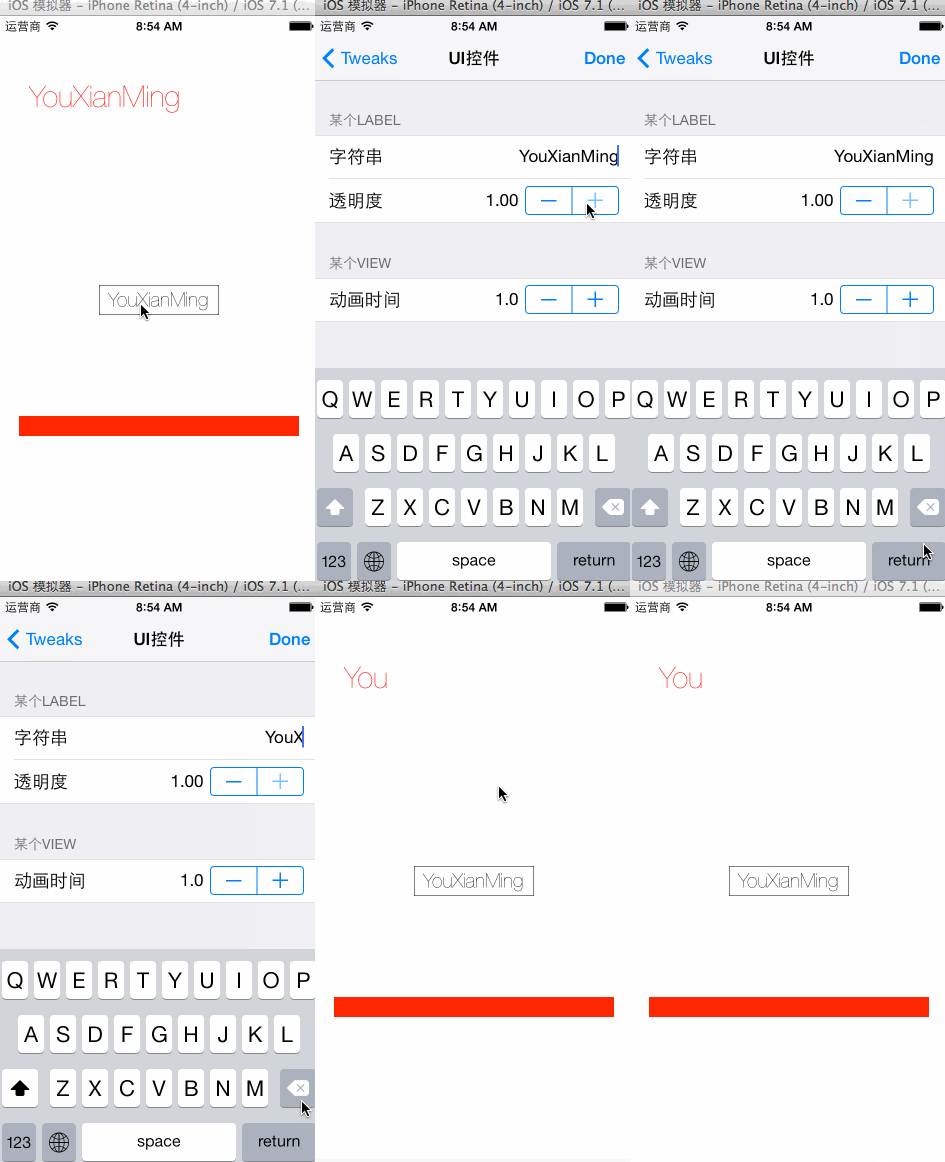

源码:
AppDelegate.m
//

//  AppDelegate.m

//  Tweak

//

//  Copyright (c) 2014年 Y.X. All rights reserved.

//

#import "FBTweak.h"

#import "FBTweakShakeWindow.h"

#import "FBTweakInline.h"

#import "FBTweakViewController.h"

#import "AppDelegate.h"

#import "RootViewController.h"

@implementation AppDelegate

- (BOOL)application:(UIApplication *)application didFinishLaunchingWithOptions:(NSDictionary *)launchOptions

{

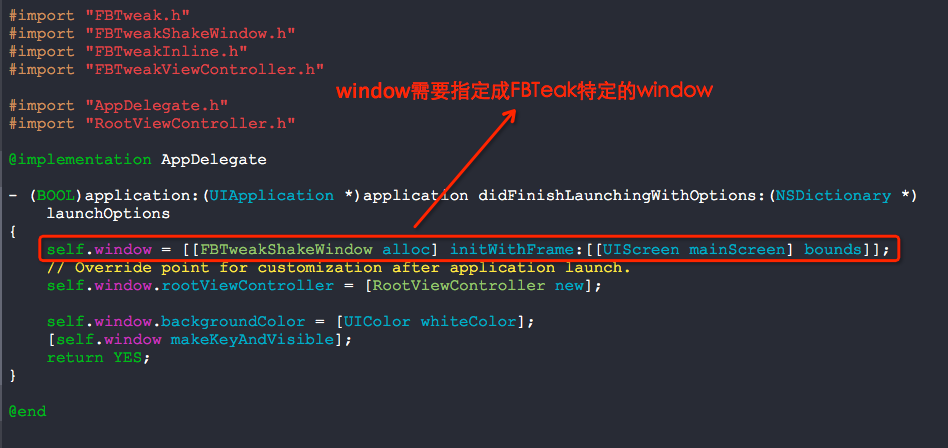
    self.window = [[FBTweakShakeWindow alloc] initWithFrame:[[UIScreen mainScreen] bounds]];

    // Override point for customization after application launch.

    self.window.rootViewController = [RootViewController new];

    self.window.backgroundColor = [UIColor whiteColor];

    [self.window makeKeyAndVisible];

    return YES;

}

@end
RootViewController.m
//

//  RootViewController.m

//  Tweak

//

//  Copyright (c) 2014年 Y.X. All rights reserved.

//

#import "FBTweak.h"

#import "FBTweakShakeWindow.h"

#import "FBTweakInline.h"

#import "FBTweakViewController.h"

#import "RootViewController.h"

// 全局显示的方式

FBTweakAction(@"全局操作", @"显示一个AlertView", @"显示这个AlertView", ^{

    UIAlertView *alert = [[UIAlertView alloc] initWithTitle:@"YouXianMing"

                                                    message:@"全局测试1"

                                                   delegate:nil

                                          cancelButtonTitle:nil

                                          otherButtonTitles:@"完成", nil];

    [alert show];

});

@interface RootViewController ()<FBTweakObserver, FBTweakViewControllerDelegate>

{

    FBTweak *_flipTweak;

}

@end

@implementation RootViewController

- (void)addTestButton

{

    // 添加一个按钮用来进行微调

    UIButton *tweaksButton = [[UIButton alloc] initWithFrame:(CGRect){CGPointZero, CGSizeMake(, )}];

    tweaksButton.center    = self.view.center;

    tweaksButton.layer.borderWidth = 0.5f;

    tweaksButton.titleLabel.font   = [UIFont fontWithName:@"HelveticaNeue-UltraLight"

                                                     size:.f];

    [tweaksButton      setTitle:@"YouXianMing"

                       forState:UIControlStateNormal];

    [tweaksButton setTitleColor:[UIColor blackColor]

                       forState:UIControlStateNormal];

    [tweaksButton     addTarget:self

                         action:@selector(buttonTapped)

               forControlEvents:UIControlEventTouchUpInside];

    [self.view addSubview:tweaksButton];

}

- (void)viewDidLoad

{

    [super viewDidLoad];

    // 添加微调按钮

    [self addTestButton];

    // 初始化一个测试用label

    UILabel *label  = [[UILabel alloc] initWithFrame:CGRectMake(, , , )];

    label.font      = [UIFont fontWithName:@"HelveticaNeue-UltraLight" size:.f];

    label.textColor = [UIColor redColor];

    [self.view addSubview:label];

    // 初始化一个测试用view

    UIView *showView = [[UIView alloc] initWithFrame:CGRectMake(, , , )];

    showView.backgroundColor = [UIColor redColor];

    [self.view addSubview:showView];

    UITapGestureRecognizer *tap = \

        [[UITapGestureRecognizer alloc] initWithTarget:self

                                                action:@selector(tapGesture:)];

    [showView addGestureRecognizer:tap];

    // 注册一个微调值的方式(后面通过方法FBTweakValue来将值取出来)

    FBTweak *animationDurationTweak = \

        FBTweakInline(@"UI控件", @"某个View", @"动画时间", 1.0, 0.1, 7.0);

    animationDurationTweak.stepValue = [NSNumber numberWithFloat:0.1f];

    // 绑定属性的方式

    FBTweakBind(label, text, @"UI控件",  @"某个Label", @"字符串", @"YouXianMing");

    FBTweakBind(label, alpha, @"UI控件", @"某个Label", @"透明度", 1.0, 0.0, 1.0);

    // 走代理的方式

    _flipTweak = FBTweakInline(@"视图视图控制器", @"效果", @"翻转", NO);

    [_flipTweak addObserver:self];

}

- (void)buttonTapped

{

    FBTweakViewController *viewController = \

    [[FBTweakViewController alloc] initWithStore:[FBTweakStore sharedInstance]];

    viewController.tweaksDelegate = self;

    [self presentViewController:viewController

                       animated:YES

                     completion:NULL];

}

- (void)tapGesture:(UITapGestureRecognizer *)tap

{

    // 从注册的值中取出来

    NSTimeInterval duration = \

        FBTweakValue(@"UI控件", @"某个View", @"动画时间", 1.0, 0.1, 7.0);

    static BOOL flag = YES;

    if (flag)

    {

        [UIView animateWithDuration:duration animations:^{

            tap.view.frame = CGRectMake(, , , );

        }];

    }

    else

    {

        [UIView animateWithDuration:duration animations:^{

            tap.view.frame = CGRectMake(, , , );

        }];

    }

    flag = !flag;

}

#pragma mark - FBTweak的两个代理方法

- (void)tweakDidChange:(FBTweak *)tweak

{

    if (tweak == _flipTweak)

    {

        self.view.layer.sublayerTransform = \

            CATransform3DMakeScale(1.0, [_flipTweak.currentValue boolValue] ? -1.0 : 1.0, 1.0);

    }

}

- (void)tweakViewControllerPressedDone:(FBTweakViewController *)tweakViewController

{

    // 推出控制器

    [tweakViewController dismissViewControllerAnimated:YES

                                            completion:nil];

}

@end
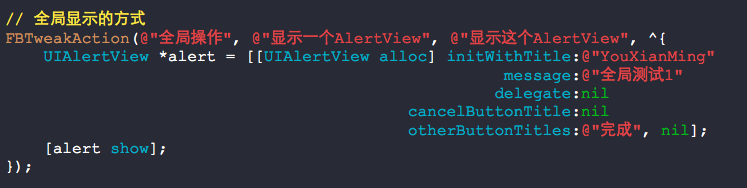
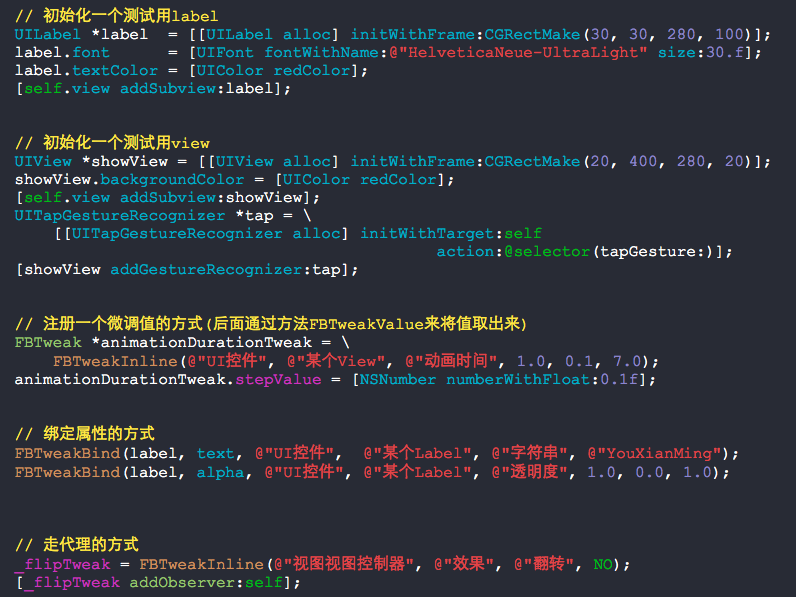
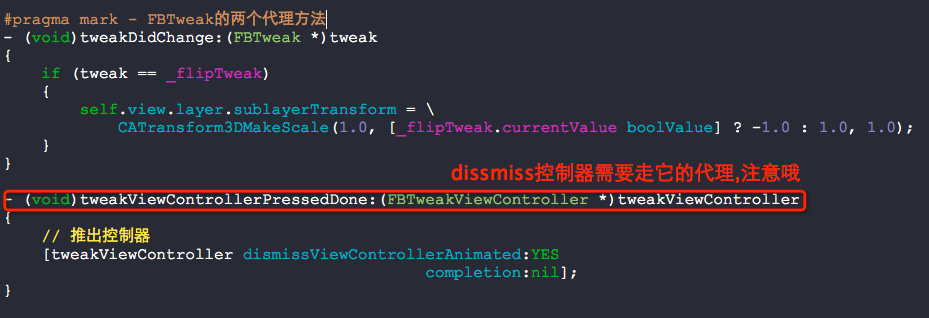
几个值得注意的地方:
使用FBTweak的更多相关文章
- iOS.FBTweak
FBTweak的源码分析 1. FBTweak提供了以下功能 A): 可以动态的修改某个变量的值,这些变量的类型包括: ... B): 可以以plist的形式将Tweak以key-value的形式进行 ...
随机推荐
- Chrome插件下载地址
www.crx4chrome.com可以直接下载 Chrome Store 插件 在chrome web store好像只能安装插件.
- Django 模板中 变量 过滤器 标签 的使用方法
一.变量 1.变量的形式是:{{variable}}, 当模板引擎碰到变量的时候,引擎使用变量的值代替变量. 2.使用dot(.)能够访问变量的属性 3.当模板引擎碰到dot的 ...
- java的PreparedStatement中使用like时的问题
SQL:select * from students where name like '%tommy%'; 正常的sql如上,是可以直接执行的, 那放到java的P热怕热的Statement中就应该是 ...
- 代码查看php是否已开启rewrite功能模块
通过php代码来查询,是否把rewrite模块打开了 <?php $result = apache_get_modules(); if(in_array('mod_rewrite', $resu ...
- ASP.NET Core WebAPI中使用JWT Bearer认证和授权
目录 为什么是 JWT Bearer 什么是 JWT JWT 的优缺点 在 WebAPI 中使用 JWT 认证 刷新 Token 使用授权 简单授权 基于固定角色的授权 基于策略的授权 自定义策略授权 ...
- Apache POI导出excel
public String exportXls(HttpServletRequest request, HttpServletResponse response) { try { HSSFWorkbo ...
- bzoj 4912: [Sdoi2017]天才黑客
Description Solution 这个题和点没什么关系 , 之和边与边之间关系有关 , 我们就把边看作点 , 边权就是 \(lcp\) , 点权看作这条边本来的权值. 现在考虑两两连边 , \ ...
- datalist控件及list属性
html5新增了一个datalist元素,可以实现数据列表的下拉效果,气外观类似autocomplete,用户可从列表中选择,也可自行输入,而list用户指定输入框绑定哪一个datalist元素,其值 ...
- MVC 之HTML辅助方法
顾名思义,HTML辅助方法(HTML Helper)就是用来辅助产生HTML之用,在开发View的时候一定会面对许多HTML标签,处理这些HTML的工作非常繁琐,为了降低View的复杂度,可以使用HT ...
- ACK-Ackermann, 阿克曼函数
以前好几次在学语言的使用都有实现这个ack函数的经历,今天读本算法书,偶尔又提到了这个,查了下wiki来头好大 Values of A(m, n) m\n 0 1 2 3 4 n 0 1 2 3 4 ...