
ios-指纹识别
- (void)touchesBegan:(NSSet<UITouch *> *)touches withEvent:(UIEvent *)event

{

    //1. 判断系统版本

    if ([UIDevice currentDevice].systemVersion.floatValue >= 8.0) {

        //可以使用指纹识别 --> 5S 以后的机型

        LAContext *context = [[LAContext alloc] init];

        if ([context canEvaluatePolicy:LAPolicyDeviceOwnerAuthenticationWithBiometrics error:nil]) {

            // 可以使用

            //3. 开始启用指纹识别

            //localizedReason : 显示在界面上的原因, 一般用于提示用户, 为什么要使用此功能

            [context evaluatePolicy:LAPolicyDeviceOwnerAuthenticationWithBiometrics localizedReason:@"请验证指纹, 以打开高级隐藏功能" reply:^(BOOL success, NSError * _Nullable error) {

                //判断是否成功

                if (success) {

                    //4. 指纹识别在更新 UI 时, 一定要注意, 在主线程更新

                    dispatch_sync(dispatch_get_main_queue(), ^{

                        [self createUIAlertController:@"验证成功"];

                    });

                } else {

                    dispatch_sync(dispatch_get_main_queue(), ^{

                        [self createUIAlertController:@"验证失败"];

                    });

                }

                // 判断错误 如果需要区分不同的错误来提示用于, 必须判断 error

                if (error) {

                    NSLog(@"error Code: %ld",error.code);

                    NSLog(@"error : %@",error.userInfo);

                }

            }];

        } else {

            NSLog(@"对不起, 5S 以上机型才能使用此功能");

        }

    } else {

        NSLog(@"对不起, 系统版本过低");

    }

}

-(void)createUIAlertController:(NSString*)title

{

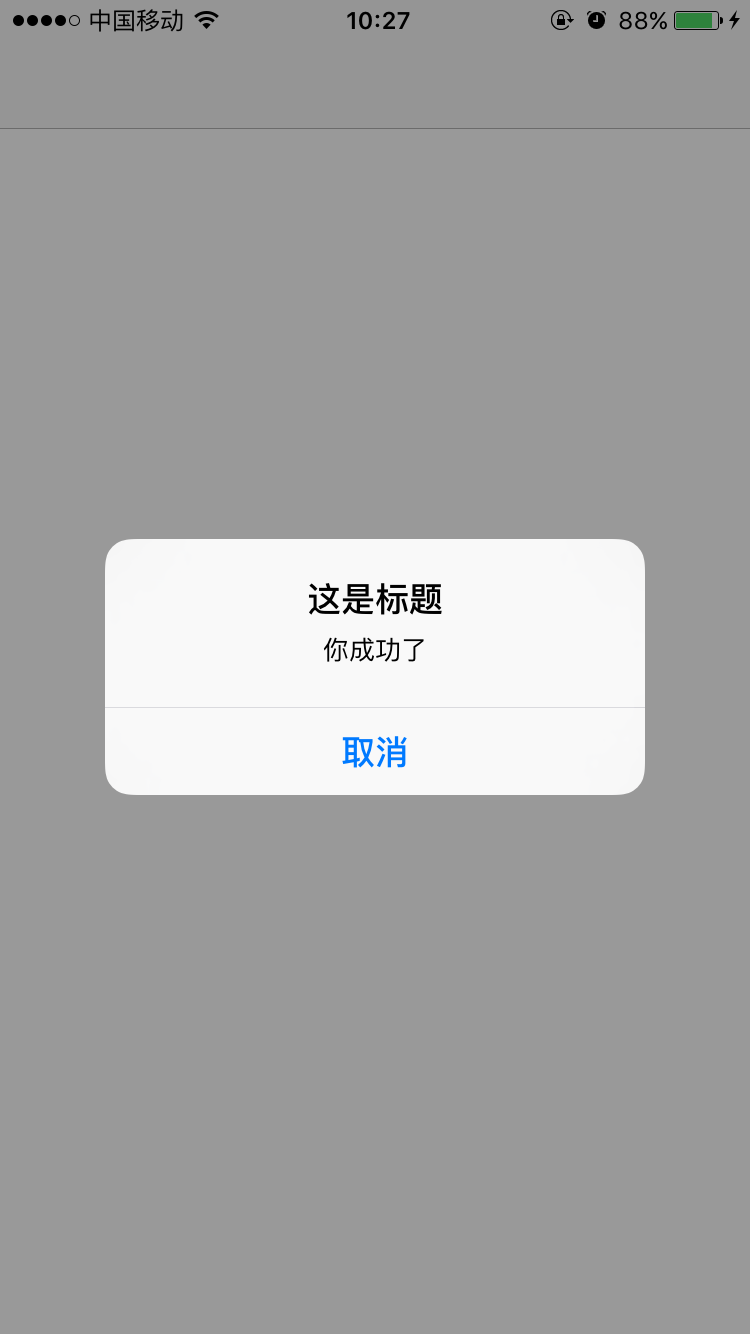
    UIAlertController * alert =[UIAlertController alertControllerWithTitle:@"提示" message:title preferredStyle:UIAlertControllerStyleAlert];

    UIAlertAction * action =[UIAlertAction actionWithTitle:@"确认" style:UIAlertActionStyleDefault handler:^(UIAlertAction * _Nonnull action) {

    }];

    UIAlertAction * action1 =[UIAlertAction actionWithTitle:@"取消" style:UIAlertActionStyleCancel handler:^(UIAlertAction * _Nonnull action) {

    }];

    [alert addAction:action1];

    [alert addAction:action];

    [self presentViewController:alert animated:YES completion:nil];

}

ios-指纹识别的更多相关文章
- iOS指纹识别Touch ID的安全性探讨
苹果公司在 iPhone 5s 的发布会上公布了全新的指纹识别安全技术,也就是 Touch ID,开创了生物安全识别技术在便携设备上使用的新篇章.此后,苹果还将此技术带到了 iPad 上.此前没有任何 ...
- IOS指纹识别调用
最近正在开发的一个app需要加入指纹识别的功能,先搜索一下找到官方文档,简单易懂: https://developer.apple.com/library/ios/documentation/Loca ...
- iOS指纹识别
#import "ViewController.h" #import <LocalAuthentication/LocalAuthentication.h> @inte ...
- IOS 指纹识别的简单使用
首先导入LocalAuthentication框架 然后导入头文件 #import <LocalAuthentication/LAPublicDefines.h> - (void)begi ...
- iOS指纹识别代码
1:添加LocalAuthentication.framework框架 2:实现过程 #import "ViewController.h" #import <LocalAut ...
- ios 指纹识别解锁
:添加LocalAuthentication.framework框架 :实现过程 #import "ViewController.h" #import <LocalAuthe ...
- iOS - TouchID 指纹识别
前言 NS_CLASS_AVAILABLE(10_10, 8_0) @interface LAContext : NSObject 指纹识别功能是 iPhone 5s 推出的,SDK 是 iOS 8. ...
- ios开发-指纹识别
最近我们使用支付宝怎么软件的时候,发现可以使用指纹了,看起来是否的高大上.当时苹果推出了相关接口,让程序写起来很简单哈. 在iPhone5s的时候,苹果推出了指纹解锁.但是在ios8.0的时候苹果才推 ...
- 指纹识别人脸识别 iOS
//1.判断iOS8及以后的版本 if([UIDevice currentDevice].systemVersion.doubleValue >= 8.0){ //从iPhone5S开始,出现指 ...
- iOS 钥匙串 指纹识别 get和Post请求的区别
01-钥匙串 1. 通过系统提供的钥匙串功能可以在本地保存密码,系统使用AES的方式对密码加密 a. 查看Safari中保存的密码 2. 使用第三方框架SSKeychain把密码保存到钥匙串和获取钥匙 ...
随机推荐
- 理解LoadRunner中的局部变量和全局变量
在C语言中,变量有效性的范围称变量的作用域.不仅对于形参变量,C语言中所有的量都有自己的作用域,按作用域范围不同,可分为局部变量和全局变量两种变量类型. 在LoadRunner中应用全局变量和局部变量 ...
- 深入理解 KVC\KVO 实现机制 — KVC
KVC和KVO都属于键值编程而且底层实现机制都是isa-swizzing,所以本来想放在一起讲的.但是篇幅有限所以就分成了两篇博文 KVO实现机制传送门 KVC概述 KVC是Key Value Cod ...
- msconfig设置调试开启 关闭 操作注册表项是
经过测试 9dea862c-5cdd-4e70-acc1-f32b644d4795 这个项每个系统都是固定的.这个项里面的 Elements 里面项也是固定的.在 24000001 项里的 E ...
- MATLAB信号与系统分析(一)——连续时间信号与系统的时域分析
一.连续时间信号的表示: 1.向量表示法: 在MATLAB中,是用连续信号在等时间间隔点的样值来近似表示连续信号,当取样时间间隔足够小时,这些离散的样值就能较好地近似出连续信号. 对于连续时间信号f( ...
- 建模算法(八)——插值
插值:求过已知有限个数据点的近似函数 拟合:已知有限个数据点,求近似函数,不要求过已知数据点,只要求在某种意义下在这些点的误差最小 (一)插值方法 一.拉格朗日多项式插值 1.插值多项式 就是做出一个 ...
- diff和common
diff 命令 diff命令:找出两个文件的不同点,用于比较文件的差异 linux上非常重要的工具,一般用于制作补丁文件,特别是比较两个版本不同的文件以找到改动的地方. diff在命令行中打印每一个行 ...
- php升级5.3到5.4,5.5,5.6
Laravel要求php大于5.5.9,升级php5.3.3到5.6.14(最新版为 5.6.15 ) Add EPEL and Remi repositories onto your system: ...
- BZOJ1103 [POI2007]大都市meg(DFS序)
题目:一颗树,单边修改,链上查询..实际上链是根到结点的链.网上好像有其他做法,我的想法是这样的: 先不看修改,毫无疑问查询只是查询结点的深度:而修改一条边会有什么影响:影响是且只是以边上深度最深结点 ...
- LightOJ1079 Just another Robbery(DP)
题目大概是抢劫银行,每家银行都有一个收益和一个被抓的概率,求在被抓概率小于P的条件下能获得的最大收益. dp[i][j]表示抢劫前i家银行收益为j被抓的最小概率 dp[0][0]=0 dp[i][j] ...
- ural 1150. Page Numbers
1150. Page Numbers Time limit: 1.0 secondMemory limit: 64 MB John Smith has decided to number the pa ...