
mac osx 准备 nanogui 记录
!!版权声明:本文为博主原创文章,版权归原文作者和博客园共有,谢绝任何形式的 转载!!
作者:mohist
mac osx : 10.14.6 Mojave.
之前没有配置openGL相关开发环境,自己自行下载 nanogui的源码后, 打开cmake尝试编译并生成 nanogui 的example, 但是失败了 cmake提示如下:
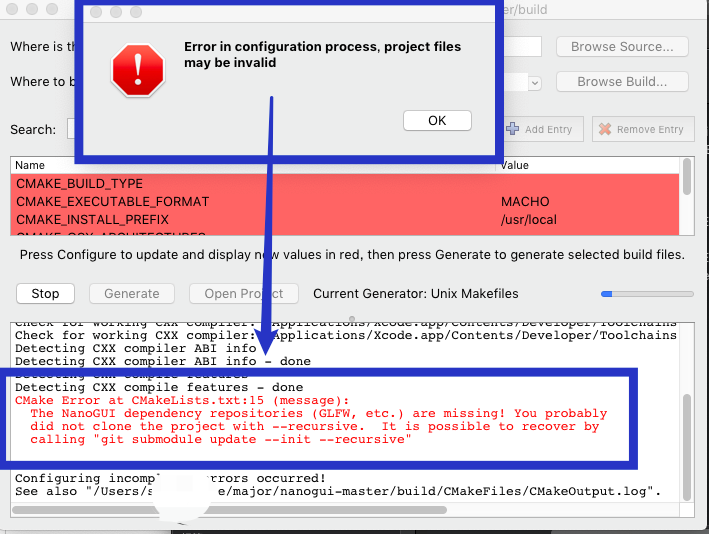
提示原文:
CMake Error at CMakeLists.txt:15 (message):

  The NanoGUI dependency repositories (GLFW, etc.) are missing! You probably

  did not clone the project with --recursive.  It is possible to recover by

  calling "git submodule update --init --recursive"
很困扰。 不知道怎么破。
----------> 核心代码 如下 <-----------
$ mkdir nanogui-test

$ cd nanogui-test

$ git init

$ git submodule add https://github.com/wjakob/nanogui.git lib/nanogui

$ git submodule update --init --recursive
于是,自己打开终端,尝试执行上面的核心代码。 成功了。 上面的命令,我排序得到:
A、$ mkdir nanogui-test

B、$ cd nanogui-test

C、$ git init

D、$ git submodule add https://github.com/wjakob/nanogui.git lib/nanogui

E、$ git submodule update --init --recursive
当我执行到 指令D 时, 提示失败了。
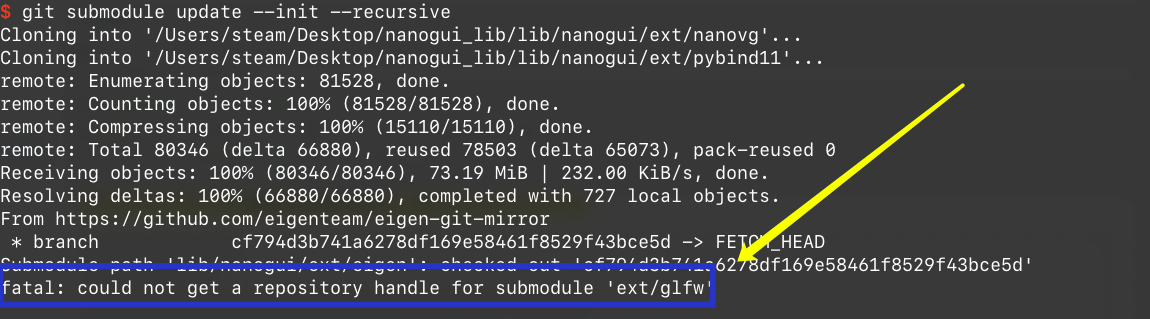
于是自己再次执行出错的指令D。又成功了。
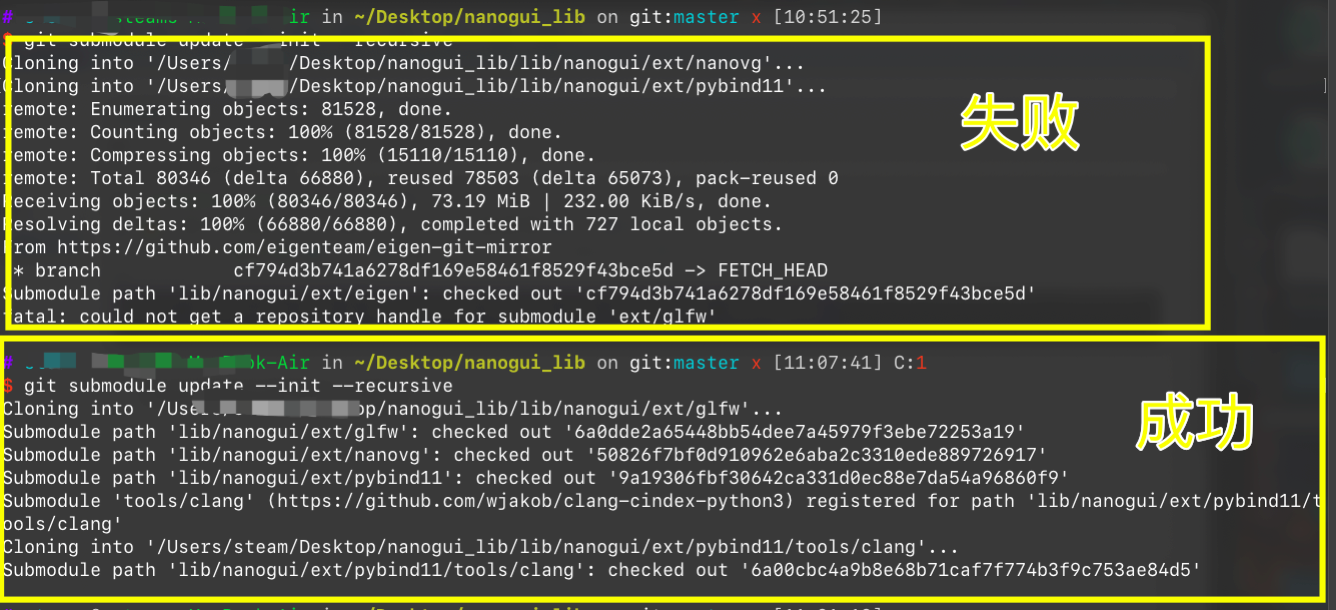
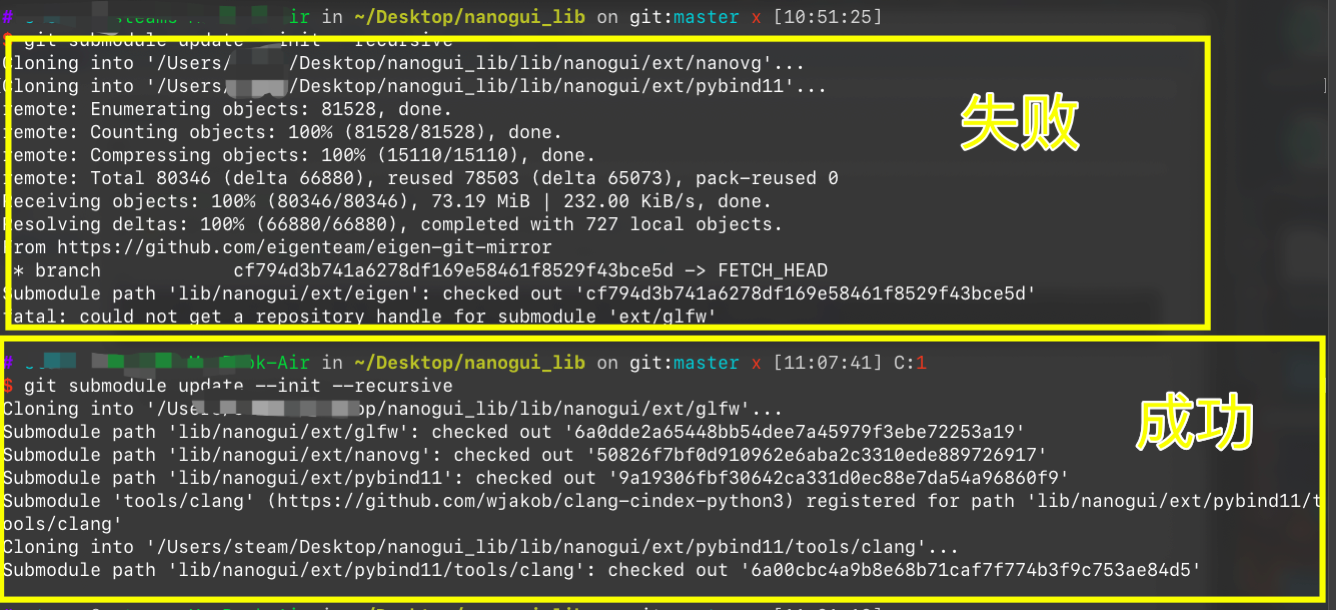
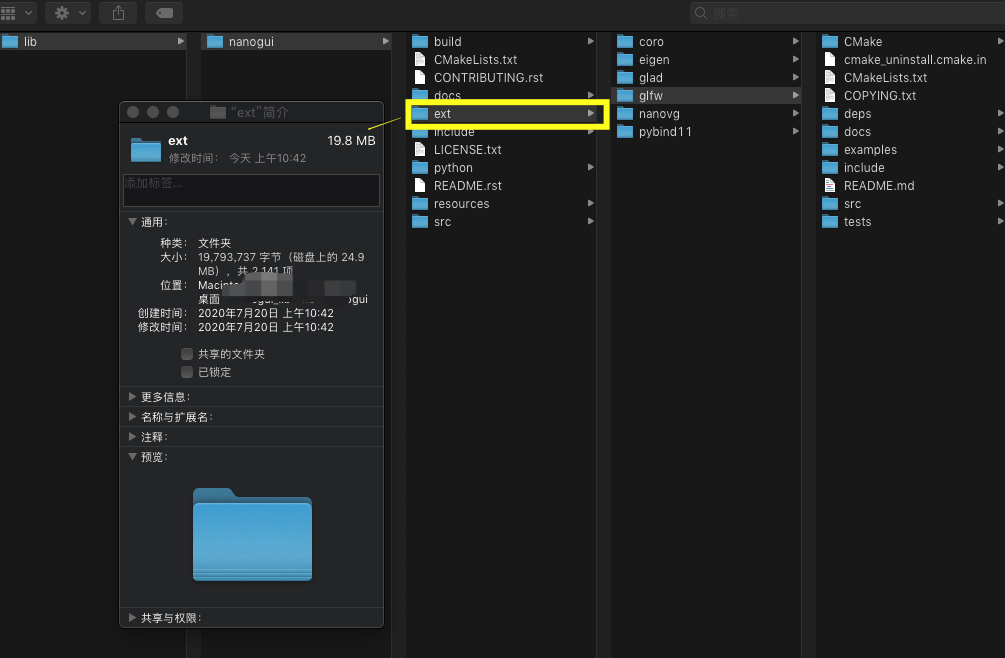
指令D 成功后, 会修改 指令 A 创建的文件夹 。 再次来到 下载的文件,发现源码文件夹下的 ext 文件夹 已经 下载好了代码。 这与主动下载GitHub的nanogui源码是不一样, github源码的ext文件夹下是没有源码文件的。
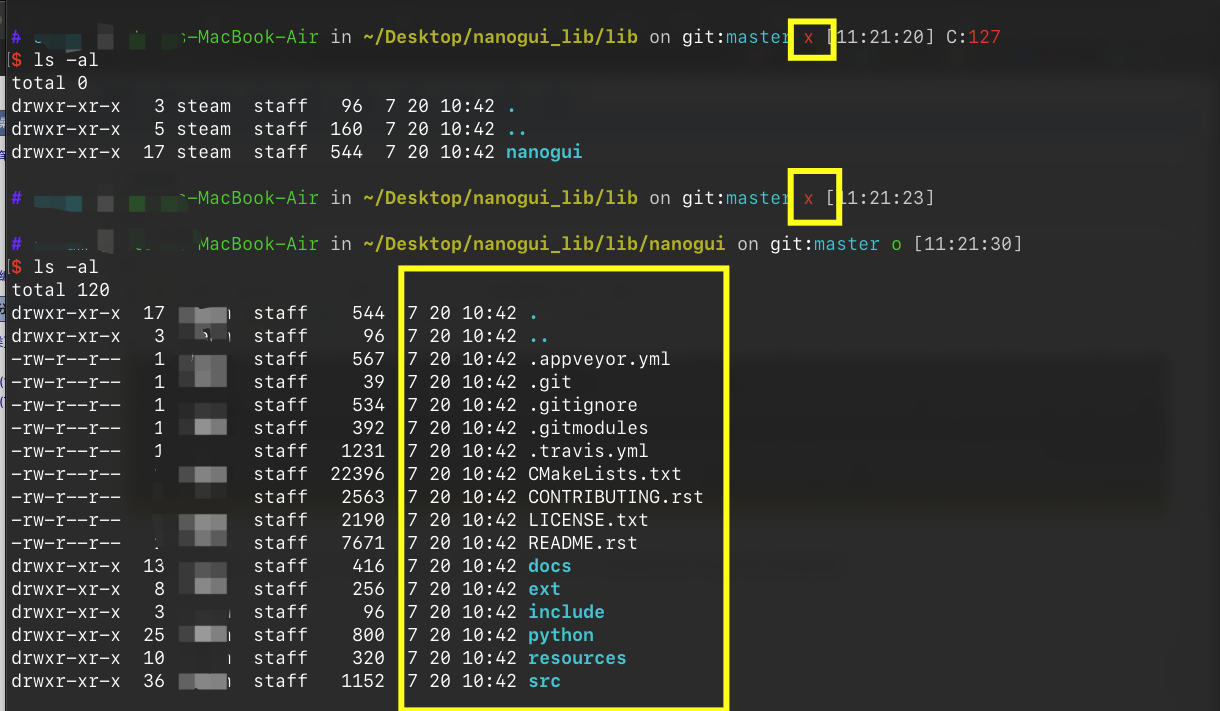
再看文件夹
于是, 自己便打开了 nanogui 的文档,按照给出的教程,成功 生成了 nano对应的example。 查看编译指令,
# enter the top-level NanoGUI directory

$ cd nanogui

# make a build directory and enter that

$ mkdir build

$ cd build

# generate your Makefile

$ cmake ..

# now that you have a Makefile, use that to build

$ make -j 4
这里, 截取 中间输出的部分结果:
-- The C compiler identification is AppleClang 11.0.0.11000033

-- The CXX compiler identification is AppleClang 11.0.0.11000033

-- Check for working C compiler: /Applications/Xcode.app/Contents/Developer/Toolchains/XcodeDefault.xctoolchain/usr/bin/cc

-- Check for working C compiler: /Applications/Xcode.app/Contents/Developer/Toolchains/XcodeDefault.xctoolchain/usr/bin/cc - works

-- Detecting C compiler ABI info

-- Detecting C compiler ABI info - done

-- Detecting C compile features

-- Detecting C compile features - done

-- Check for working CXX compiler: /Applications/Xcode.app/Contents/Developer/Toolchains/XcodeDefault.xctoolchain/usr/bin/c++

-- Check for working CXX compiler: /Applications/Xcode.app/Contents/Developer/Toolchains/XcodeDefault.xctoolchain/usr/bin/c++ - works

-- Detecting CXX compiler ABI info

-- Detecting CXX compiler ABI info - done

-- Detecting CXX compile features

-- Detecting CXX compile features - done

-- Setting build type to 'Release' as none was specified.

-- Looking for pthread.h

-- Looking for pthread.h - found

-- Performing Test CMAKE_HAVE_LIBC_PTHREAD

-- Performing Test CMAKE_HAVE_LIBC_PTHREAD - Success

...... 省略.......

/Applications/Xcode.app/Contents/Developer/Platforms/MacOSX.platform/Developer/SDKs/MacOSX10.15.sdk/System/Library/Frameworks/OpenGL.framework/Headers/gl3.h:1631:21: note:

      'glClear' has been explicitly marked deprecated here

GLAPI void APIENTRY glClear (GLbitfield mask) OPENGL_DEPRECATED(10.5, 10.14);

                    ^

9 warnings generated.

[ 97%] Linking CXX executable example2

[ 97%] Built target example2

42 warnings generated.

[ 98%] Linking CXX executable example1

14 warnings generated.

[100%] Linking CXX executable example3

[100%] Built target example3

[100%] Built target example1

[100%] Built target nanogui-python
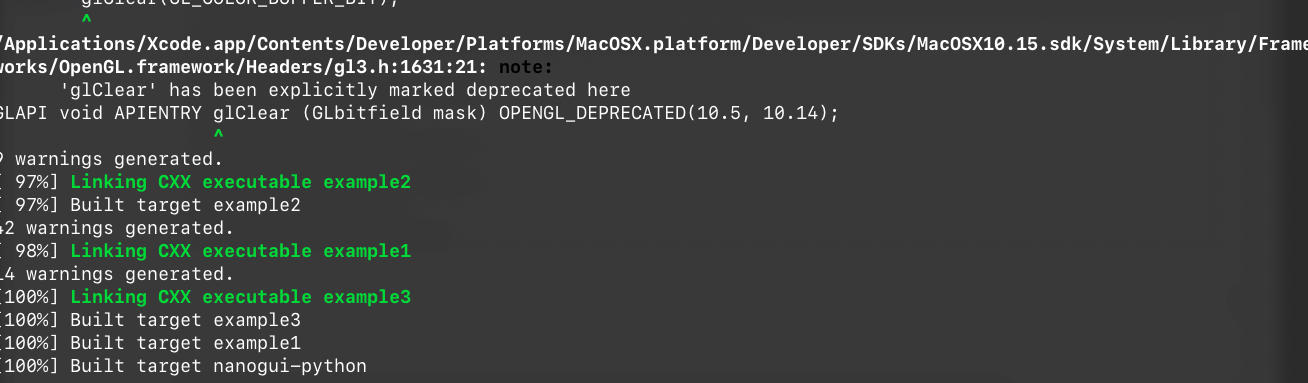
查看文件夹输出:

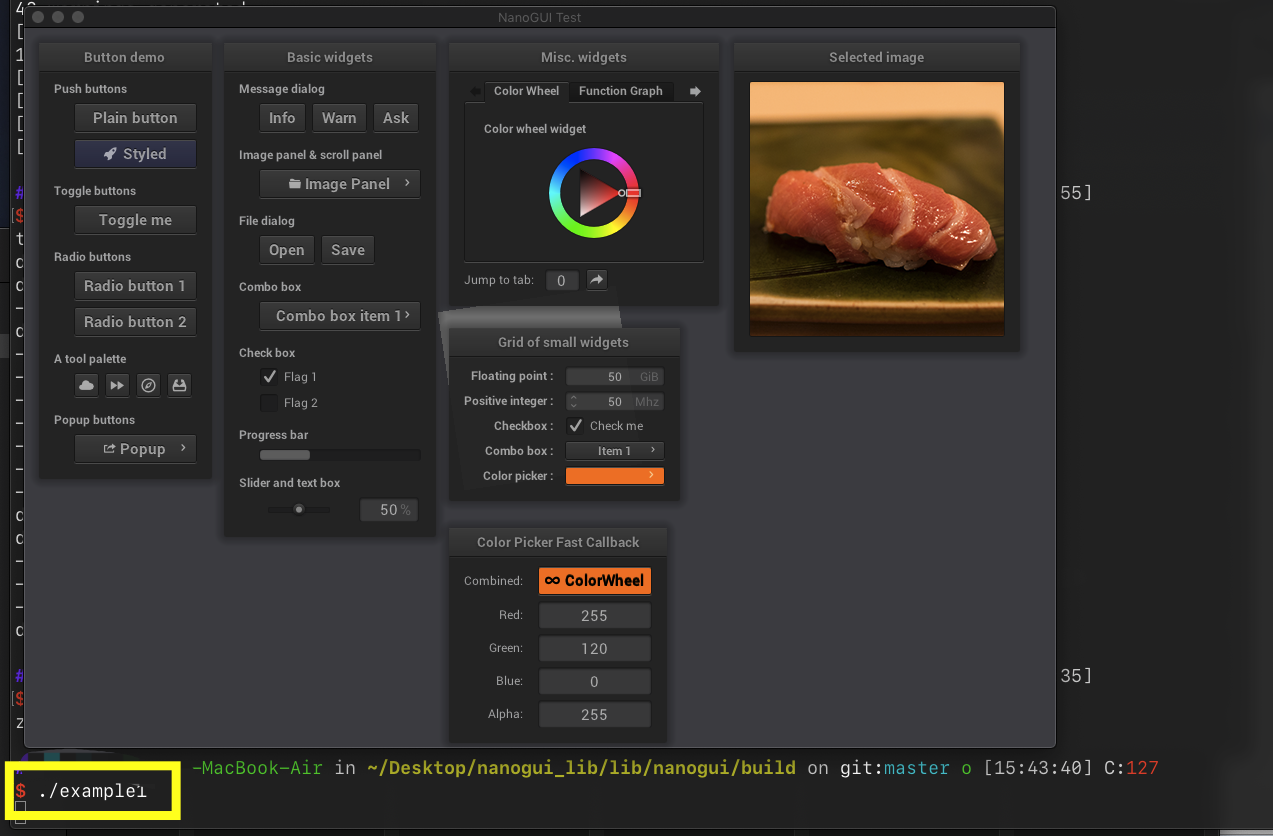
于是, 自己尝试运行 生成的 结果, 发现与 nanogui 在 GitHub 上的 示例截图了;
-------完------
附:本次使用的源码下载地址: https://github.com/mohistH/nanogui_lib/releases/tag/1.0
mac osx 准备 nanogui 记录的更多相关文章
- Mac OSX系统中Hadoop / Hive 与 spark 的安装与配置 环境搭建 记录
Mac OSX系统中Hadoop / Hive 与 spark 的安装与配置 环境搭建 记录 Hadoop 2.6 的安装与配置(伪分布式) 下载并解压缩 配置 .bash_profile : ...
- Mac OSX Sierra WiFi connecting problem
吐槽一下,苹果的质量管控越来越差了. Mac OSX Sierra有时突然或升级后会遇到wifi不停重连连不上问题,现象为不停地连接wifi. 网上有人说删除 /Library/Preferences ...
- mac osx下django-admin.py出现的问题
mac osx 下面用django-admin.py创建项目的时候,没创建成功出现django-admin.py编辑文件,这主要的原因是mac osx下面django-admin.py被重命名为dja ...
- mac osx 上面部署Django项目 apache+mysql+mod_wsgi
1.安装Xcode command line tools 首先,编译mysql和Homebrew需要用到Xcode command line tools,所以首先安装command line tool ...
- Webstorm 10 for mac osx 注册机,序列号,kegen
小菜最近get到mac体验机会,早就耳闻mac非常适合做开发,于是迫不及待的安装各种开发工具,不知不觉,轮到前端开发神器webstorm了,看了一下官网的价格,心拔凉拔凉的. 果断搜索注册机,搜到的结 ...
- Mac OSX网络诊断命令
作者:Vamei 出处:http://www.cnblogs.com/vamei 欢迎转载,也请保留这段声明.谢谢! 下面是一些Mac OSX下常用的网络诊断命令.它们能帮助我们发现网络问题.文中提到 ...
- Mac OSX上的软件包管理工具,brew 即 Homebrew
brew 即 Homebrew,是Mac OSX上的软件包管理工具,能在Mac中方便的安装软件或者卸载软件, 只需要一个命令, 非常方便. brew类似ubuntu系统下的apt-get的功能. 安装 ...
- Install Ansible on Mac OSX
from: https://devopsu.com/guides/ansible-mac-osx.html and : https://devopsu.com/guides/ansible-post- ...
- 更新Mac OSX XCode后Git 不能使用提示Can't start Git: /usr/bin/git
更新Mac OSX XCode后Git 不能使用提示Can't start Git: /usr/bin/git 解决办法: 终端运行 sudo xcodebuild -license 同意协议就好了.
随机推荐
- R shinydashboard ——1. 基本用法
shiny和shinydashboard使用虽然简单,但控件众多,需及时总结归纳. install.packages("shinydashboard") shinydashboar ...
- C语言 字符串指针和字符串数组使用区别
字符串指针和字符串数组使用区别 1 #include <stdio.h> 2 #include <string.h> 3 #include <stdlib.h> 4 ...
- python飞机大战
'''新手刚学python,仿着老师敲的代码.1.敌方飞机只能左右徘徊(不会往下跑)并且不会发射子弹.2.正在研究怎么写计分.3.也参考了不少大佬的代码,但也仅仅只是参考了.加油!''' import ...
- cephfs文件系统场景
创建cephfs文件系统: [cephfsd@ceph-admin ceph]$ cd /etc/ceph [cephfsd@ceph-admin ceph]$ ceph fs ls No files ...
- git 日志技术
1.git log, 在一个分支下, 以时间的倒序方式显示你制造的所有commit列表,包含创建人,时间,提交了什么等信息: 2. git reflog, 获取您在本地repo上还原commit所做工 ...
- easyhadoop 安装
ldconfig deferred processing now taking place正在处理用于 libapache2-mod-php5 的触发器... * Reloading web serv ...
- oracle name
1.db_name 数据库名 SQL> connect xys/manager as sysdba 已连接. SQL> show user USER 为 "SYS" S ...
- js - 日期、时间 Date对象方法
Date 是 JS 内置的日期构造函数 var d = new Date(); // 这个是系统当前时间的日期实例 d.getYear(); // 返回 d 实例年份 - 1900 d.getFul ...
- MyBatis一对多映射简单查询案例(嵌套Mapper映射文件中的sql语句)
一.案例描述 书本类别表和书本信息表,查询书本类别表中的某一记录,连带查询出所有该类别书本的信息. 二.数据库表格 书本类别表(booktypeid,booktypename) 书本信息表(booki ...
- Nginx LOCATOIN块配置
1 匹配模式优先级 location = /uri =开头表示精确匹配,只有完全匹配上才能生效. location ^~ /uri ^~ 开头对URL路径进行前缀匹配,并且在正则之前.无正则普通匹配( ...