
Spring cloud搭建Eureka高可用注册中心
注册中心在微服务中是必不可少的一部分,主要用来实现服务自治的功能,本文则主要记载使用Netflix提供的Eureka作为注册中心,来实现服务自治的功能。
实际上Eureka的集群搭建方法很简单:每一台Eureka只需要在配置中指定另外多个Eureke的地址,就可以实现一个集群的搭建了
例如:
两节点
-- 节点1注册到节点2
--节点2注册到节点1
三节点
--节点1注册到节点2,3
--节点2注册到节点1,3
--节点3注册到节点1,2
我做的是两个Eureka节点构建注册中心,然后一个producer和一个customer分别进行提供服务和请求服务:见图
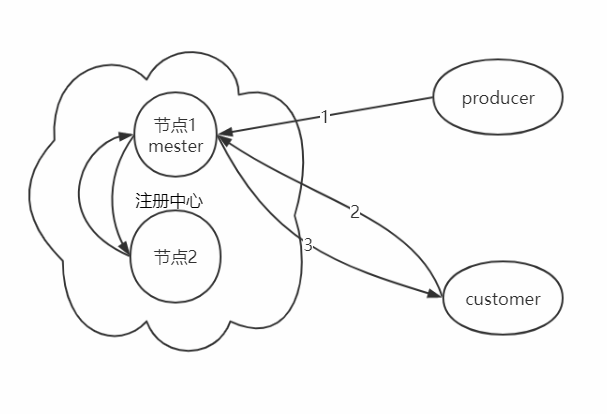
节点1:
先新建一个Maven项目,添加依赖(基于jdk11,如果不是jdk11,可以不添加)
pom.xml主要代码
 <parent>

         <groupId>org.springframework.boot</groupId>

         <artifactId>spring-boot-starter-parent</artifactId>

         <version>1.5.4.RELEASE</version>

         <relativePath/>

     </parent>

     <properties>

         <java.version>11</java.version>

     </properties>

     <!-- 依赖 -->

     <dependencies>

         <!-- Eureka -->

         <dependency>

             <groupId>org.springframework.cloud</groupId>

             <artifactId>spring-cloud-starter-eureka-server</artifactId>

         </dependency>

         <!--java 11 缺少的模块 javax.xml.bind-->

         <dependency>

             <groupId>javax.xml.bind</groupId>

             <artifactId>jaxb-api</artifactId>

             <version>2.3.0</version>

         </dependency>

         <dependency>

             <groupId>com.sun.xml.bind</groupId>

             <artifactId>jaxb-impl</artifactId>

             <version>2.3.0</version>

         </dependency>

         <dependency>

             <groupId>org.glassfish.jaxb</groupId>

             <artifactId>jaxb-runtime</artifactId>

             <version>2.3.0</version>

         </dependency>

         <dependency>

             <groupId>javax.activation</groupId>

             <artifactId>activation</artifactId>

             <version>1.1.1</version>

         </dependency>

         <!-- 添加 Spring-Security 不需要则不添加-->

         <dependency>

             <groupId>org.springframework.boot</groupId>

             <artifactId>spring-boot-starter-security</artifactId>

         </dependency>

     </dependencies>

     <!-- Spring Cloud -->

     <dependencyManagement>

         <dependencies>

             <dependency>

                 <groupId>org.springframework.cloud</groupId>

                 <artifactId>spring-cloud-dependencies</artifactId>

                 <version>Dalston.SR4</version>

                 <type>pom</type>

                 <scope>import</scope>

             </dependency>

         </dependencies>

     </dependencyManagement>
application.yml
---

server:

  ###启动端口

  port:

spring:

  ###启动的配置文件名

  profiles: eureka1

  ###应用名

  application:

    name: master

eureka:

  instance:

    hostname: eureka1

  client:

    ###不向注册中心注册自己

    register-with-eureka: false

    ###不需要检索服务

    fetch-registry: false

    serviceUrl:

      defaultZone: http://127.0.0.1:8762/eureka/

  server:

    ###关闭自我保护模式

    enable-self-preservation: false

    ###清理的间隔为5s

    eviction-interval-timer-in-ms:

security:

  basic:

    ###暂时关闭安全认证

    enabled: false

---

server:

  ###启动端口

  port:

spring:

  ###启动的配置文件名

  profiles: eureka2

  application:

    ###应用名

    name: slaveone

eureka:

  instance:

    hostname: eureka2

  client:

    ###不向注册中心注册自己

    register-with-eureka: false

    ###不需要检索服务

    fetch-registry: false

    serviceUrl:

      defaultZone: http://127.0.0.1:8761/eureka/

  server:

    ###关闭自我保护模式

    enable-self-preservation: false

    ###清理的间隔为5s

    eviction-interval-timer-in-ms:

security:

  basic:

    ###暂时关闭安全认证

    enabled: false
启动类:EurekaServerApplication.class
 @EnableEurekaServer

 @SpringBootApplication

 public class EurekaServerApplication {

     public static void main(String [] args){

         SpringApplication.run(EurekaServerApplication.class, args);

     }

 }
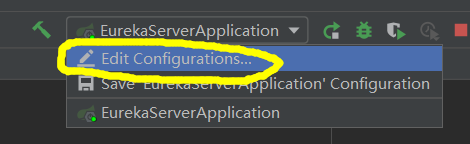
启动参数 IDEA设置 --spring.profiles.active=eureka1
点击这个:
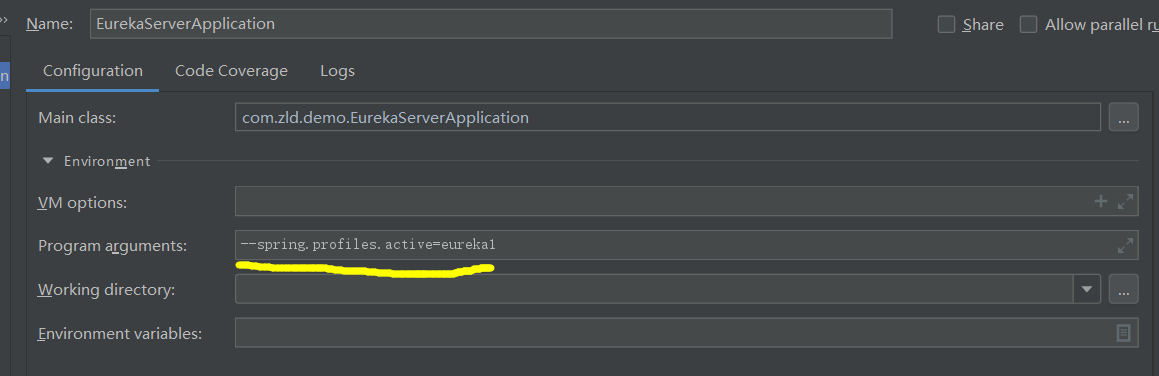
同理另外一个节点的启动类,application.yml和pom.xml文件与节点1相同
启动参数改为--spring.profiles.active=eureka2
此时,浏览器输入 http://127.0.0.1:8761/发现如下:
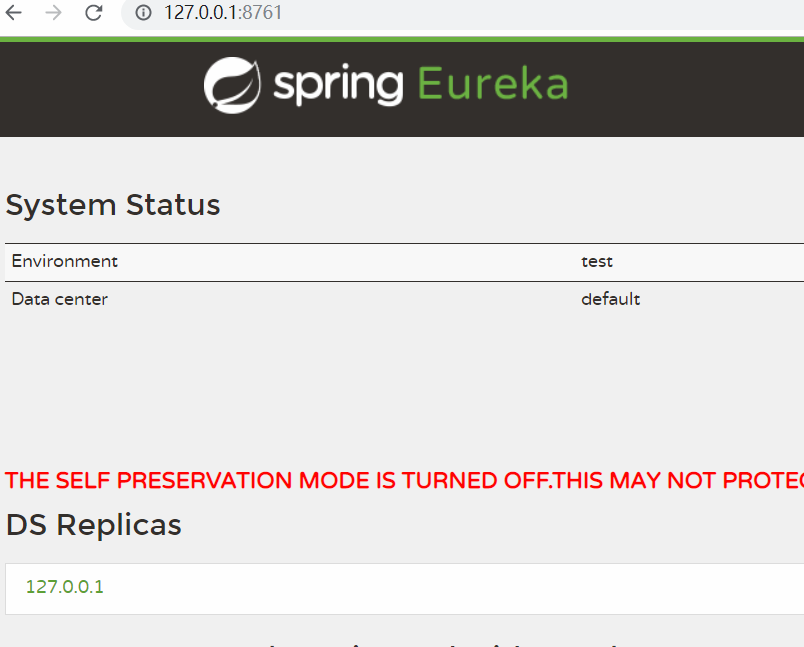

至此注册中心已经搭建完成
producer服务注册:
主要的pom.xml文件
     <properties>

         <java.version>11</java.version>

     </properties>

     <parent>

         <groupId>org.springframework.boot</groupId>

         <artifactId>spring-boot-starter-parent</artifactId>

         <version>1.5.4.RELEASE</version>

         <relativePath/>

     </parent>

     <!-- 依赖 -->

     <dependencies>

         <!-- Eureka -->

         <dependency>

             <groupId>org.springframework.cloud</groupId>

             <artifactId>spring-cloud-starter-eureka</artifactId>

         </dependency>

         <!--java 11 缺少的模块 javax.xml.bind-->

         <dependency>

             <groupId>javax.xml.bind</groupId>

             <artifactId>jaxb-api</artifactId>

             <version>2.3.0</version>

         </dependency>

         <dependency>

             <groupId>com.sun.xml.bind</groupId>

             <artifactId>jaxb-impl</artifactId>

             <version>2.3.0</version>

         </dependency>

         <dependency>

             <groupId>org.glassfish.jaxb</groupId>

             <artifactId>jaxb-runtime</artifactId>

             <version>2.3.0</version>

         </dependency>

         <dependency>

             <groupId>javax.activation</groupId>

             <artifactId>activation</artifactId>

             <version>1.1.1</version>

         </dependency>

         <!-- Actuator 健康检查 -->

         <dependency>

             <groupId>org.springframework.boot</groupId>

             <artifactId>spring-boot-starter-actuator</artifactId>

         </dependency>

     </dependencies>

     <!-- Spring Cloud -->

     <dependencyManagement>

         <dependencies>

             <dependency>

                 <groupId>org.springframework.cloud</groupId>

                 <artifactId>spring-cloud-dependencies</artifactId>

                 <version>Dalston.SR4</version>

                 <type>pom</type>

                 <scope>import</scope>

             </dependency>

         </dependencies>

     </dependencyManagement>
application.properties文件:
spring.application.name=producer

server.port=8081

eureka.client.service-url.defaultZone=http://127.0.0.1:8761/eureka/,http://127.0.0.1:8762/eureka/

### 配置健康检查的信息

eureka.client.healthcheck.enabled=true

### 默认30s

eureka.instance.lease-renewal-interval-in-seconds=5

### 默认90秒

eureka.instance.lease-expiration-duration-in-seconds=5
 @RestController

 @RequestMapping("/home")

 public class HomeController {

     @GetMapping("/hello")

     public String hello(){

         return "hello";

     }

 }
基本的control类和启动类
 @SpringBootApplication

 @EnableDiscoveryClient

 public class ProduceServiceApplication {

     public static void main(String[] args){

         SpringApplication.run(ProduceServiceApplication.class, args);

     }

 }
启动之后再看Eureka注册中心:两个节点应该都有

访问 http:127.0.0.1:8081/home/hello 发现正常返回字符串
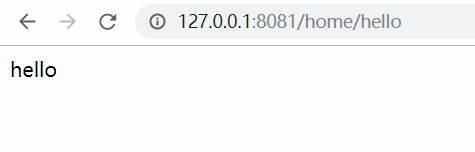
此时
搭建customer请求服务
pom.xml 和application.properties文件
<properties>

        <java.version>11</java.version>

    </properties>

    <parent>

        <groupId>org.springframework.boot</groupId>

        <artifactId>spring-boot-starter-parent</artifactId>

        <version>1.5.4.RELEASE</version>

        <relativePath/>

    </parent>

    <!-- 依赖 -->

    <dependencies>

        <!-- Eureka -->

        <dependency>

            <groupId>org.springframework.cloud</groupId>

            <artifactId>spring-cloud-starter-eureka</artifactId>

        </dependency>

        <!--java 11 缺少的模块 javax.xml.bind-->

        <dependency>

            <groupId>javax.xml.bind</groupId>

            <artifactId>jaxb-api</artifactId>

            <version>2.3.0</version>

        </dependency>

        <dependency>

            <groupId>com.sun.xml.bind</groupId>

            <artifactId>jaxb-impl</artifactId>

            <version>2.3.0</version>

        </dependency>

        <dependency>

            <groupId>org.glassfish.jaxb</groupId>

            <artifactId>jaxb-runtime</artifactId>

            <version>2.3.0</version>

        </dependency>

        <dependency>

            <groupId>javax.activation</groupId>

            <artifactId>activation</artifactId>

            <version>1.1.1</version>

        </dependency>

        <!-- Actuator 健康检查 -->

        <dependency>

            <groupId>org.springframework.boot</groupId>

            <artifactId>spring-boot-starter-actuator</artifactId>

        </dependency>

    </dependencies>

    <!-- Spring Cloud -->

    <dependencyManagement>

        <dependencies>

            <dependency>

                <groupId>org.springframework.cloud</groupId>

                <artifactId>spring-cloud-dependencies</artifactId>

                <version>Dalston.SR4</version>

                <type>pom</type>

                <scope>import</scope>

            </dependency>

        </dependencies>

    </dependencyManagement>
spring.application.name=customer

server.port=

eureka.client.service-url.defaultZone=http://127.0.0.1:8761/eureka/,http://127.0.0.1:8762/eureka/

### 配置健康检查的信息

eureka.client.healthcheck.enabled=true

### 默认30s

eureka.instance.lease-renewal-interval-in-seconds=

### 默认90秒

eureka.instance.lease-expiration-duration-in-seconds=
获取RestTemplate的类:
 @Configuration

 public class BeanConfiguration {

     @Bean

     @LoadBalanced

     public RestTemplate getRestTemplate(){

         return new RestTemplate();

     }

 }
control类
 @RestController

 @RequestMapping("/customer/")

 public class CustomerServiceController {

     @Autowired

     private RestTemplate restTemplate;

     @GetMapping("/callHello")

     public String callHello(){

         return restTemplate.getForObject("http://producer/home/hello", String.class);

     }

 }
启动类:
 @SpringBootApplication

 @EnableDiscoveryClient

 public class CustomerMainApplication {

     public static void main(String[] args){

         SpringApplication.run(CustomerMainApplication.class, args);

     }

 }
首先,正常情况下访问 http://localhost:8082/customer/callHello
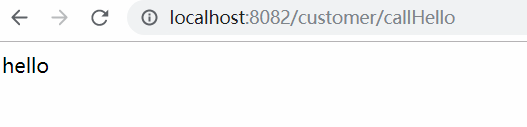
然后停掉节点1,继续访问看是否成功:
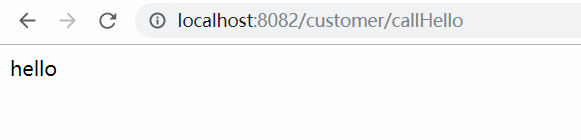
请求正常
重新启动节点1,查看节点2的日志:
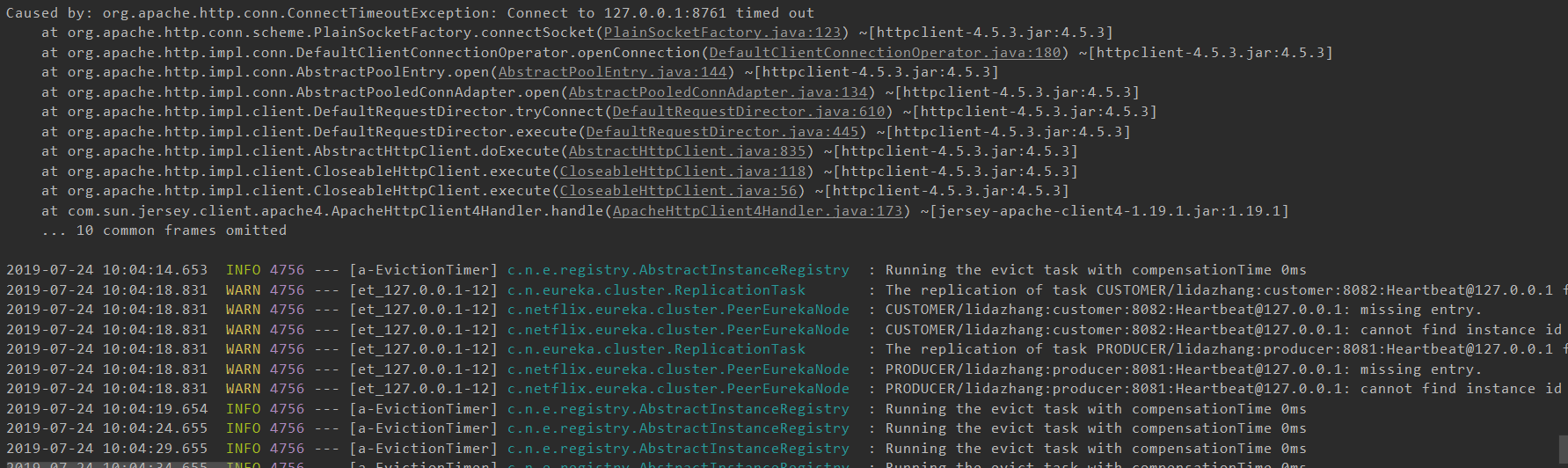
节点2在丢失节点1之后会不断重试
直到找到节点1,高可用重新生成
如果有什么错误或者纰漏,恳请指正,谢谢
Spring cloud搭建Eureka高可用注册中心的更多相关文章
- spring cloud 系列第2篇 —— eureka 高可用注册中心的搭建 (F版本)
源码仓库地址:https://github.com/heibaiying/spring-samples-for-all 一.项目结构 eureka-server为服务注册中心,负责服务的管理: eur ...
- eureka高可用注册中心
Eureka高可用注册中心 两个配置文件: application-peer1.properties application-peer2.properties 都需要加上 eureka.client. ...
- 笔记:Spring Cloud Eureka 高可用注册中心
在微服务架构这样的分布式环境中,我们需要充分考虑发生故障的情况,所以在生产环境中必须对各个组件进行高可用部署,对与微服务和服务注册中心都需要高可用部署,Eureka 高可用实际上就是将自己作为服务向其 ...
- 从零开始学spring cloud(八) -------- Eureka 高可用机制
一.Eureka高可用机制介绍 Eureka服务器没有后端存储,但注册表中的服务实例都必须发送心跳以使其注册保持最新(因此可以在内存中完成). 客户端还有一个Eureka注册的内存缓存(因此,他们不必 ...
- Spring Cloud Eureka 高可用注册中心
参考:<<spring cloud 微服务实战>> 在微服务架构这样的分布式环境中,各个组件需要进行高可用部署. Eureka Server 高可用实际上就是将自己作为服务向其 ...
- spring cloud 使用Eureka作为服务注册中心
什么是Eureka? Eureka是在AWS上定位服务的REST服务. Eureka简单示例,仅作为学习参考 在pom文件引入相关的starter(起步依赖) /*定义使用的spring cloud ...
- springcloud搭建高可用注册中心的时候注册中心在unavailable-replicas中的问题
在搭建springcloud eureka高可用注册中心时,发现另一个注册中心一直在unavailable-replicas不可用分片,原因为原来为单个注册中心的时候,禁止了注册中心自主注册为服务和检 ...
- (2-1)SpringCloue-Eureka实现高可用注册中心
高可用注册中心 在微服务架构这样的分布式环境中,我们需要充分考虑发生故障的情况,所以在生产环境中必须对各个组件进行高可用部署.在eureka-server中的application.yml中我们还记得 ...
- spring cloud(学习笔记)高可用注册中心(Eureka)的实现(一)
最近在学习的时候,发现微服务架构中,假如只有一个注册中心,那这个注册中心挂了可怎么办,这样的系统,既不安全,稳定性也不好,网上和书上找了一会,发现这个spring cloud早就想到了,并帮我们解决了 ...
随机推荐
- ring3层一种占用文件的方法(DuplicateHandle以后,把占用文件的句柄丢给系统进程,导致被占用)
前段时间,一个测试工程师问我关于怎样长时间的占用一个文件,而使别的程序无法再访问这个文件,想起以前很多病毒木马经常劫持hosts文件不放,除非你找到占用文件的程序,并强行结束掉,否则怎么也访问不了ho ...
- <iOS 导航栏>第一节:导航栏透明方法实现代码
说下导航栏的透明方法: 很多应用需要导航栏随着向上滑动,逐渐从透明变成不透明,很炫酷,大部分应用都在使用导航栏渐变效果,现附上代码然后直接将实现,一会讲下如何来实现,这一部分直接上代码. ...
- python机器学习系列之环境搭建
Windows系统下python2.7,numpy,matplotlib安装 1. python2.7从https://www.python.org/downloads/release/python ...
- 什么是T1与E1线路
Leased Line 租用线路 租用线路是电信公司为某一机构建造的永久性通信电路.租用线路旁路了本地交换电信局(LEC)上的交换设备,所以在每次数据传输之前无需起始阶段,它们总是连通的.如果线路是长 ...
- git实战经验(很实用)
推荐学习git很好的网站https://www.breakyizhan.com/git/216.html 以下内容,虽然编排不行,但是请认真的读下去,都是自己平时请自操作的,放心使用. 这是个人的gi ...
- chrome浏览器开发者工具F12中某网站的sources下的源码如何批量保存?
目录 chrome浏览器 开发者工具F12中某网站的sources下的源码如何批量保存 1. 常用保存Sources源码的两种方法 1.1单个文件 1.2 单个页面 2. 问题 3.解决方案 chro ...
- java 字符串内存分配的分析与总结
经常在网上各大版块都能看到对于java字符串运行时内存分配的探讨,形如:String a = "123",String b = new String("123" ...
- K8s集群部署(一)------ETCD集群部署
环境说明 三台主机: k8s-master 10.0.3.225 k8s-node1 10.0.3.226 k8s-node2 10.0.3.227 配置主机名解析 [root@k8s- ...
- scikit-learn算法选择路径图
 原文链接:https://blog.csdn.net/guang_mang/article/details/73658496
- 微服务-springboot+websocket在线聊天室
一.引入依赖 <dependency> <groupId>org.springframework.boot</groupId> <artifactId> ...