
nginx之旅(第二篇):nginx日志管理、nginx防盗链、nginx虚拟主机
一、nginx日志管理
Nginx访问日志主要有两个参数控制 1) log_format #用来定义记录日志的格式(可以定义多种日志格式,取不不同名字即可) log_format log_name string 2) access_log #用来指定日至文件的路路径及使用的何种日志格式记录日志 access_log logs/access.log main;
log_format格式变量含义:
| 字段 | 含义 |
|---|---|
| remote_addr | 客户端地址 |
| remote_user | 客户端用户名 |
| time_local | 服务器时间 |
| request | 请求内容,包括方法名、地址和http协议 |
| http_host | 用户请求时使用的http地址 |
| status | 返回的http状态码 |
| request_length | 请求大小 |
| body_bytes_sent | 返回的大小 |
| http_referer | 来源页 |
| http_user_agent | 客户端名称 |
| request_time | 整体请求延时 |
| upstream_response_time | 上游服务的处理延时 |
$remote_addr #记录访问网站的客户端地址 $remote_user #远程客户端用户名 $time_local #记录访问时间与时区 $request #用户的http请求起始行行信息 $status #http状态码,记录请求返回的状态码,例例如:200、301、404等 $body_bytes_sent #服务器器发送给客户端的响应body字节数 $http_referer #记录此次请求是从哪个连接访问过来的,可以根据该参数进行行防盗链设置。 $http_user_agent #记录客户端访问信息,例例如:浏览器器、手机客户端等 $http_x_forwarded_for #当前端有代理理服务器器时,设置web节点记录客户端地址的配置,此参数生效的前提是代理理服务器器也要进行行相关的x_forwarded_for设置
自定义设置日志
在配置文件里设置格式,应用格式
[root@localhost html]# pwd
/usr/local/nginx/html
[root@localhost html]# vi ../conf/nginx.conf
...
http{
include mime.types;
default_type application/octet-stream;
#log_format main '$remote_addr - $remote_user [$time_local] "$request" '
# '$status $body_bytes_sent "$http_referer" '
# '"$http_user_agent" "$http_x_forwarded_for"'; #自定义日志第一步自己设置日志的格式
log_format mylogs '[$time_local]--$remote_addr -"$request"-$status' #access_log logs/access.log main;
sendfile on;
#tcp_nopush on;
server{
listen 80;
server_name localhost;
#charset koi8-r;
charset utf-8;
#access_log logs/host.access.log main;
#自定义日志第二步,应用日志格式
access_log logs/host.access.log mylogs;
location / {
root html;
index index.html index.htm;
};
#location / 这里的/代表网站的根目录 }
使用tailf 在/usr/local/nginx/logs/host.access.log跟踪日志
[root@localhost ~]# cd /usr/local/nginx/logs/
[root@localhost logs]# ls
access.log error.log host.access.log nginx.pid
[root@localhost logs]# tailf host.access.log
[14/Dec/2019:20:09:39 +0800]--192.168.199.168 -"GET /b/ HTTP/1.1"-304
用例二,自定义json格式的日志
[root@localhost html]# pwd
/usr/local/nginx/html
[root@localhost html]# vi ../conf/nginx.conf
...
http{
include mime.types;
default_type application/octet-stream;
#log_format main '$remote_addr - $remote_user [$time_local] "$request" '
# '$status $body_bytes_sent "$http_referer" '
# '"$http_user_agent" "$http_x_forwarded_for"'; #自定义日志第一步自己设置日志的格式
log_format main_json '{"@timestamp":"$time_local",'
'"client_ip": "$remote_addr",'
'"request": "$request",'
'"status": "$status",'
'"bytes": "$body_bytes_sent",'
'"x_forwarded": "$http_x_forwarded_for",'
'"referer": "$http_referer",'
'}'; #access_log logs/access.log main;
sendfile on;
#tcp_nopush on;
server{
listen 80;
server_name localhost;
#charset koi8-r;
charset utf-8;
#access_log logs/host.access.log main;
#自定义日志第二步,应用日志格式
access_log logs/access_json.log main_json;
location / {
root html;
index index.html index.htm;
};
#location / 这里的/代表网站的根目录 }
二、防盗链
创建环境
VM --web02的ip地址是192.168.199.229
安装nginx,创建spider,将index.html写入
[root@localhost nginx]# cd html/
[root@localhost html]# ls
50x.html index.html
[root@localhost html]# mkdir spider
[root@localhost html]# vi spider/index.html
<html>
<head>
<title>fang dao lian ce shi</title>
</head>
<body>
<font size="5">
<a href="http://192.168.199.228/c/0.png">dao lian</a>
<br></br>
</font>
</body>
</html>
~
VM-web01的ip是192.168.199.228
将0.png放入/usr/local/nginx/html/c
效果

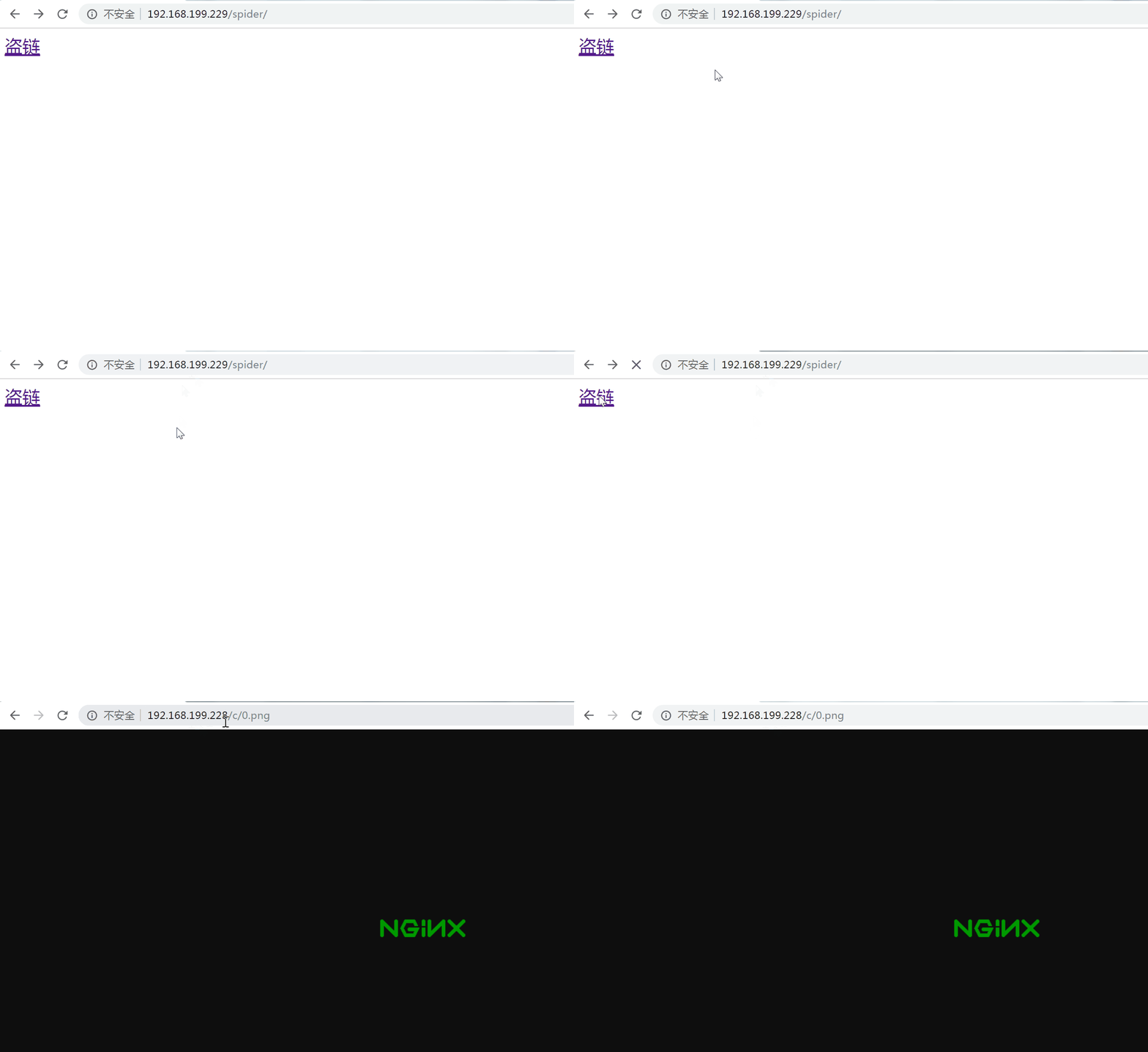
在VM-web01设置防盗链
[root@localhost html]# pwd
/usr/local/nginx/html
[root@localhost html]# vi ../conf/nginx.conf
...
http{
...
server{
listen 80;
server_name localhost;
#charset koi8-r;
charset utf-8;
#access_log logs/host.access.log main;
location / {
root html;
index index.html index.htm;
};
#location / 这里的/代表网站的根目录
#针对c文件夹进行设置进行防盗链;
location /c {
valid_referers none blocked *.test.com;
if ($invalid_referer) {
return 403;
}
}
}
valid_referers none blocked *.test.com;
表示要么没有Referrer要么Referrer:blocked(走的是硬件防火墙)要么Referrer: 属于*.test.com这个域名
针对全站设置图片防盗链
location ~* \.(png|gif|bmp)$ {
valid_referers none blocked *.test.com;
if ($invalid_referer) {
return 403;
}
}
效果


三、虚拟主机
虚拟主机的概念
如果你有两个不同域名的网站,但是你只有一台服务器,这时候怎么办?其实利用nginx或者apache都可以帮你用一台机器来模拟多台机器作为服务器提供服务。
一个web服务器器软件默认情况下只能发布一个web,因为一个web分享出去需要三个条件(IP、Port、Domain name)。
虚拟主机,就是把一台物理服务器划分成多个“虚拟”的服务器,每一个虚拟主机都可以有独立的域名和独立的目录
,在web服务里就是一个独立的网站站点,这个站点对应独立的域名(也可能是IP或端口),具有独立的程序及资源目录,可以独立地对外提供服务供用户访问。
这个这个独立的站点在配置里是由一定格式的标签段标记,对于apache软件来说,一个虚拟主机的标签段通畅被包含在<VirtualHost></VirtualHost>内,而nginx软件则使用一个server{}标签来标示一个虚拟主机,一个web服务里可以有多个虚拟主机主机标签对,即同时可以支持多个虚拟主机站点。
通过 Nginx 可以实现虚拟主机的配置,Nginx 支持三种类型的虚拟主机配置
基于 IP 的虚拟主机
基于端口的虚拟主机
基于域名的虚拟主机
Nginx 配置文件的结构
# ...
events {
# ...
}
http {
# ...
server{
# ...
} # ...
server{
# ...
}
}
注:每个 server 就是一个虚拟主机
###
1、基于IP的虚拟主机
基于IP的虚拟主机,意思就是通过不同的IP区分不同的虚拟主机,
Linux 操作系统允许添加 IP 别名,IP 别名就是在一块物理网卡上绑定多个 lP 地址。这样就能够在使用单一网卡的同一个服务器上运行多个基于 IP 的虚拟主机。
需求
本机原有ip192.168.199.228
一台 Nginx 服务器绑定两个 IP:192.168.199.228、192.168.199.128
访问不同的 IP 请求不同的 HTML 目录,即:
访问
http://192.168.199.228将访问a目录下的 html 网页访问
http://192.168.199.128将访问b目录下的 html 网页
增加辅助ip的方法
1.1 临时性增加辅助ip:
方法一:ifconfig ens33:1 192.168.199.128/24 up
[root@localhost ~]# ifconfig
ens33: flags=4163<UP,BROADCAST,RUNNING,MULTICAST> mtu 1500
inet 192.168.199.228 netmask 255.255.255.0 broadcast 192.168.199.255
inet6 fe80::3f62:e00a:ee97:b24d prefixlen 64 scopeid 0x20<link>
inet6 fe80::2ab:8d0e:862a:fdf0 prefixlen 64 scopeid 0x20<link>
inet6 fe80::8d2:921f:c09f:8c97 prefixlen 64 scopeid 0x20<link>
ether 00:0c:29:7b:9b:18 txqueuelen 1000 (Ethernet)
RX packets 57932 bytes 8672597 (8.2 MiB)
RX errors 0 dropped 0 overruns 0 frame 0
TX packets 18482 bytes 1963395 (1.8 MiB)
TX errors 0 dropped 0 overruns 0 carrier 0 collisions 0
lo: flags=73<UP,LOOPBACK,RUNNING> mtu 65536
inet 127.0.0.1 netmask 255.0.0.0
inet6 ::1 prefixlen 128 scopeid 0x10<host>
loop txqueuelen 1000 (Local Loopback)
RX packets 232 bytes 27329 (26.6 KiB)
RX errors 0 dropped 0 overruns 0 frame 0
TX packets 232 bytes 27329 (26.6 KiB)
TX errors 0 dropped 0 overruns 0 carrier 0 collisions 0
[root@localhost ~]# ifconfig ens33:1 192.168.199.128/24 up #创建子ip128
[root@localhost ~]# ifconfig
ens33: flags=4163<UP,BROADCAST,RUNNING,MULTICAST> mtu 1500
inet 192.168.199.228 netmask 255.255.255.0 broadcast 192.168.199.255
inet6 fe80::3f62:e00a:ee97:b24d prefixlen 64 scopeid 0x20<link>
inet6 fe80::2ab:8d0e:862a:fdf0 prefixlen 64 scopeid 0x20<link>
inet6 fe80::8d2:921f:c09f:8c97 prefixlen 64 scopeid 0x20<link>
ether 00:0c:29:7b:9b:18 txqueuelen 1000 (Ethernet)
RX packets 58773 bytes 8728263 (8.3 MiB)
RX errors 0 dropped 0 overruns 0 frame 0
TX packets 18554 bytes 1971175 (1.8 MiB)
TX errors 0 dropped 0 overruns 0 carrier 0 collisions 0
ens33:1: flags=4163<UP,BROADCAST,RUNNING,MULTICAST> mtu 1500
inet 192.168.199.128 netmask 255.255.255.0 broadcast 192.168.199.255
ether 00:0c:29:7b:9b:18 txqueuelen 1000 (Ethernet)
lo: flags=73<UP,LOOPBACK,RUNNING> mtu 65536
inet 127.0.0.1 netmask 255.0.0.0
inet6 ::1 prefixlen 128 scopeid 0x10<host>
loop txqueuelen 1000 (Local Loopback)
RX packets 232 bytes 27329 (26.6 KiB)
RX errors 0 dropped 0 overruns 0 frame 0
TX packets 232 bytes 27329 (26.6 KiB)
TX errors 0 dropped 0 overruns 0 carrier 0 collisions 0
[root@localhost ~]#
方法二:ip addr
ip addr add 192.168.199.130/24 dev ens33(使用ip addr能查看)
ip addr add 192.168.199.130/24 label ens33:2 dev ens33(使用ifconfig和ipaddr都能查看,推荐使用)
[root@localhost ~]# ip addr add 192.168.199.130/24 label ens33:2 dev ens33
[root@localhost ~]# ifconfig
ens33: flags=4163<UP,BROADCAST,RUNNING,MULTICAST> mtu 1500
inet 192.168.199.229 netmask 255.255.255.0 broadcast 192.168.199.255
inet6 fe80::6fd6:65fd:b960:af14 prefixlen 64 scopeid 0x20<link>
inet6 fe80::5a0a:f713:1cae:b91b prefixlen 64 scopeid 0x20<link>
inet6 fe80::292a:bee0:12:74fa prefixlen 64 scopeid 0x20<link>
ether 00:0c:29:08:ee:cd txqueuelen 1000 (Ethernet)
RX packets 10777 bytes 1765191 (1.6 MiB)
RX errors 0 dropped 0 overruns 0 frame 0
TX packets 2835 bytes 267788 (261.5 KiB)
TX errors 0 dropped 0 overruns 0 carrier 0 collisions 0
ens33:2: flags=4163<UP,BROADCAST,RUNNING,MULTICAST> mtu 1500
inet 192.168.199.130 netmask 255.255.255.0 broadcast 0.0.0.0
ether 00:0c:29:08:ee:cd txqueuelen 1000 (Ethernet)
lo: flags=73<UP,LOOPBACK,RUNNING> mtu 65536
inet 127.0.0.1 netmask 255.0.0.0
inet6 ::1 prefixlen 128 scopeid 0x10<host>
loop txqueuelen 1000 (Local Loopback)
RX packets 4 bytes 352 (352.0 B)
RX errors 0 dropped 0 overruns 0 frame 0
TX packets 4 bytes 352 (352.0 B)
TX errors 0 dropped 0 overruns 0 carrier 0 collisions 0
1.2永久增加辅助ip
cd /etc/sysconfig/network-scripts/ #进入到网卡配置文件的目录
cp ifcfg-ens33 ifcfg-ens33:1 #拷贝配置文件并重命名
vi ifcfg-ens33:1 #编辑配置文件
/etc/init.d/network restart #重启网络服务
[root@localhost network-scripts]# vi ifcfg-ens33:1

TYPE="Ethernet"

PROXY_METHOD="none"

BROWSER_ONLY="no"

BOOTPROTO="dhcp"

DEFROUTE="yes"

IPV4_FAILURE_FATAL="no"

IPV6INIT="yes"

IPV6_AUTOCONF="yes"

IPV6_DEFROUTE="yes"

IPV6_FAILURE_FATAL="no"

IPV6_ADDR_GEN_MODE="stable-privacy"

NAME="ens33:1" #修改

UUID="42820e51-d7c9-49e3-a0ec-7f1b09f797c5"

DEVICE="ens33:1" #修改

ONBOOT="yes"

IPADDR="192.168.199.128"  #增加

NETMASK="255.255.255.0" #增加
[root@localhost network-scripts]# /etc/init.d/network restart
Restarting network (via systemctl): [ OK ]
[root@localhost network-scripts]# ifconfig
ens33: flags=4163<UP,BROADCAST,RUNNING,MULTICAST> mtu 1500
inet 192.168.199.228 netmask 255.255.255.0 broadcast 192.168.199.255
inet6 fe80::3f62:e00a:ee97:b24d prefixlen 64 scopeid 0x20<link>
inet6 fe80::2ab:8d0e:862a:fdf0 prefixlen 64 scopeid 0x20<link>
inet6 fe80::8d2:921f:c09f:8c97 prefixlen 64 scopeid 0x20<link>
ether 00:0c:29:7b:9b:18 txqueuelen 1000 (Ethernet)
RX packets 61195 bytes 9081544 (8.6 MiB)
RX errors 0 dropped 0 overruns 0 frame 0
TX packets 19449 bytes 2067061 (1.9 MiB)
TX errors 0 dropped 0 overruns 0 carrier 0 collisions 0
ens33:1: flags=4163<UP,BROADCAST,RUNNING,MULTICAST> mtu 1500
inet 192.168.199.128 netmask 255.255.255.0 broadcast 192.168.199.255
ether 00:0c:29:7b:9b:18 txqueuelen 1000 (Ethernet)
...
创建目录及文件
在 /usr/local/nginx/html 目录下创建 a 和 b两个目录,并分辨创建两个 index.html 文件
[root@localhost html]# mkdir a b

[root@localhost html]# ls

50x.html  a  b  c  index.html

[root@localhost html]# echo aaa >a/index.html

[root@localhost html]# echo bbb >b/index.html
配置虚拟主机
修改 /usr/local/nginx 目录下的 nginx.conf 配置文件:
...
http{
...
# 配置虚拟主机 192.168.199.228
server {
# 监听的ip和端口,配置 192.168.199.228:80
listen 192.168.199.228:80;
# 所有的请求都以/开始,所有的请求都可以匹配此 location
location / {
# 使用 root 指令指定虚拟主机目录即网页存放目录
# 比如访问 http://ip/index.html 将找到/usr/local/nginx/html/a/index.html
# 比如访问 http://ip/item/index.html 将找到 /usr/local/nginx/html/a/item/index.html
root /usr/local/nginx/html/a;
# 指定欢迎页面,按从左到右顺序查找
index index.html index.htm;
}
}
# 配置虚拟主机 192.168.199.128
server {
listen 192.168.199.128:80;
location / {
root /usr/local/nginx/html/b;
index index.html index.htm;
}
} }
重启nginx
[root@localhost html]# killall nginx
[root@localhost html]# lsof -i :80
[root@localhost html]# ../sbin/nginx
2、基于端口的虚拟主机配置
需求
Nginx 对外提供 80 和 8080 两个端口监听服务
请求 80 端口则请求 html80 目录下的 html
请求 8080 端口则请求 html8080 目录下的 html
创建目录及文件
在 /usr/local/nginx/html 目录下创建 html80 和 html8080 两个目录,并分辨创建两个 index.html 文件
[root@localhost nginx]# pwd

/usr/local/nginx

[root@localhost nginx]# mkdir html80 html8080

[root@localhost nginx]# echo 80html网页 >html80/index.html

[root@localhost nginx]# echo 8080html网页 >html8080/index.html

[root@localhost nginx]# cat html80/index.html

80html网页
配置虚拟主机
修改 /usr/local/nginx 目录下的 nginx.conf 配置文件:
...
http{
...
# 配置虚拟主机 192.168.199.228
server {
listen 80;
# 所有的请求都以/开始,所有的请求都可以匹配此 location
location / {
root /usr/local/nginx/html80;
index index.html index.htm;
}
}
server {
listen 8080;
location / {
root /usr/local/nginx/html8080/;
index index.html index.htm;
}
} }
3、基于域名的虚拟主机配置
需求
两个域名指向同一台 Nginx 服务器,用户访问不同的域名显示不同的网页内容
两个域名是 admin.abc.com 和 service.abc.com
Nginx 服务器使用虚拟机 192.168.199.228
配置Hosts 文件
[root@localhost nginx]# vi /etc/hosts
127.0.0.1 localhost localhost.localdomain localhost4 localhost4.localdomain4
::1 localhost localhost.localdomain localhost6 localhost6.localdomain6
192.168.199.228 admin.abc.com
192.168.199.228 service.abc.com
创建目录及文件
在 /usr/local/nginx/html 目录下创建 htmladmin 和 htmlservice 两个目录,并分辨创建两个 index.html 文件
[root@localhost nginx]# mkdir htmladmin htmlservice

[root@localhost nginx]# echo htmladmin >htmladmin/index.html

[root@localhost nginx]# echo htmlservice >htmlservice/index.html

[root@localhost nginx]# cat htmladmin/index.html

htmladmin

[root@localhost nginx]# cat htmlservice/index.html

htmlservice
配置虚拟主机
修改 /usr/local/nginx 目录下的 nginx.conf 配置文件:
...
http{
...
# 配置虚拟主机 192.168.199.228
server {
listen 80;
server_name admin.abc.com;
location / {
root /usr/local/nginx/htmladmin;
index index.html index.htm;
}
}
server {
listen 80;
server_name service.abc.com;
location / {
root /usr/local/nginx/htmlservice/;
index index.html index.htm;
}
} }
重启nginx
[root@localhost nginx]# sbin/nginx -t

nginx: the configuration file /usr/local/nginx/conf/nginx.conf syntax is ok

nginx: configuration file /usr/local/nginx/conf/nginx.conf test is successful

[root@localhost nginx]# killall nginx

[root@localhost nginx]# sbin/nginx
效果
[root@localhost nginx]# elinks http://admin.abc.com --dump
htmladmin
[root@localhost nginx]# elinks http://service.abc.com --dump
htmlservice
nginx之旅(第二篇):nginx日志管理、nginx防盗链、nginx虚拟主机的更多相关文章
- Nginx服务优化及优化深入(配置网页缓存时间、日志切割、防盗链等等)
原文:https://blog.51cto.com/11134648/2134389 默认的Nginx安装参数只能提供最基本的服务,还需要调整如网页缓存时间.连接超时.网页压缩等相应参数,才能发挥出服 ...
- Nginx(三)-- 配置文件之日志管理
1.日志文件的默认存放位置 默认的日志文件存放位置在:nginx/logs/ 文件夹下,logs文件夹下有:access.log error.log nginx.pid 文件 2.nginx. ...
- mysql 开发进阶篇系列 33 工具篇(mysqlbinlog日志管理工具)
一.概述 由于服务器生成的二进制日志文件以二进制格式保存,所以如果要想检查这些文件的文本格式,就会用到mysqlbinlog日志管理工具. mysqlbinlog的语法如下: mysqlbinlog ...
- Nginx 之四: Nginx服务器的rewrite、全局变量、重定向和防盗链相关功能
一:Nginx 后端服务器组的配置: 1.upstream: 用于设置后端服务器组的主要指令,upstream类似于之前的server块或http块,用法如下: upstreame Myserver{ ...
- Nginx服务器的rewrite、全局变量、重定向和防盗链相关功能
一:Nginx 后端服务器组的配置: 1.upstream: 用于设置后端服务器组的主要指令,upstream类似于之前的server块或http块,用法如下: upstreame Myserver{ ...
- [Nginx]Nginx的基本配置与优化1(完整配置示例与虚拟主机配置)
---------------------------------------------------------------------------------------- 完整配置示例: [ n ...
- 防盗链Nginx设置图片防盗链,设置无效的请仔细看红字
*******************************************************************切记,替换的图片地址要使用没有防盗链的网站图片,否则由于替换的图片 ...
- 高级运维(四):Nginx常见问题处理、安装部署Tomcat服务器、使用Tomcat部署虚拟主机
一.Nginx常见问题处理 目标: 本案例要求对Nginx服务器进行适当优化,以提升服务器的处理性能: 1> 不显示Nginx软件版本号 2> 如果客户端访问服务器提示“Too many ...
- [Nginx]用Nginx实现与应用结合的訪问控制 - 防盗链
应用场景:图片等资源须要设置权限,如:仅仅有认证过的用户才干訪问自己的图片. 解决的方法:使用Nginx的防盗链模块http_secure_link能够实现,该模块默认情况下不包括.故在安装时要加上- ...
随机推荐
- eclipse配置JDK和设置编译版本的几种方法
eclipse配置JDK和设置编译版本的几种方法 2016-12-13 16:08 http://blog.csdn.net/gnail_oug/article/detail ...
- JUnit 4 和 TestNG
JUnit 4和TestNG都是Java中非常受欢迎的单元测试框架.两种框架在功能上看起来非常相似.哪一个更好?在Java项目中应该使用哪个单元测试框架? 下面表中概括了JUnit 4和TestNG之 ...
- LeetCode237-Delete_Node_In_A_Linked_List
delete-node-in-a-linked-list public void deleteNode(ListNode node) { node.val = node.next.val; node. ...
- 论文阅读笔记六十五:Enhanced Deep Residual Networks for Single Image Super-Resolution(CVPR2017)
论文原址:https://arxiv.org/abs/1707.02921 代码: https://github.com/LimBee/NTIRE2017 摘要 以DNN进行超分辨的研究比较流行,其中 ...
- 快速调用Android虚拟机
由于使用Android studio开发flutter 每次打开软件都需要很长时间,所以我自己使用vscode进行开发,没有虚拟机也开发不了,于是就有了这篇博客的作用啦 在本地桌面新建一个xxx.ba ...
- 【Step-By-Step】第 三 周
本周面试题一览: 什么是XSS攻击,XSS 攻击可以分为哪几类?我们如何防范XSS攻击? 如何隐藏页面中的某个元素? 浏览器事件代理机制的原理是什么? setTimeout 倒计时为什么会出现误差? ...
- 配置Hive 支持 JSON 存储
1.说明 hive默认使用分隔符如空格,分号,"|",制表符\t来格式化数据记录,对于复杂数据类型如json,nginx日志等,就没有办法拆分了,这时候需要更加强大的SerDe来处 ...
- 在程序中修改IP win7 winXP(参考1)
https://blog.csdn.net/bbdxf/article/details/7548443 Windows下程序修改IP的三种方法 以下讨论的平台依据是Window XP + SP1, 不 ...
- 第02组 Beta冲刺(1/4)
队名:十一个憨批 组长博客 作业博客 组长黄智 过去两天完成的任务:了解整个游戏的流程 GitHub签入记录 接下来的计划:继续完成游戏 还剩下哪些任务:完成游戏 燃尽图 遇到的困难:没有美术比较好的 ...
- markdown语法--基础
记录一些 MarkDown 基础语法.以便记忆深刻,随用随拿. Markdown 是一种纯文本的标记语言,它可以通过一定的语法标记,使普通的文本具有一定的格式. 1.标题 Markdown 中标题的写 ...